We’re back with product updates and a look at what’s coming next month. Let’s dive in.
What we shipped at SuprSend
Analytics 2.0: centralized, real-time and built for action
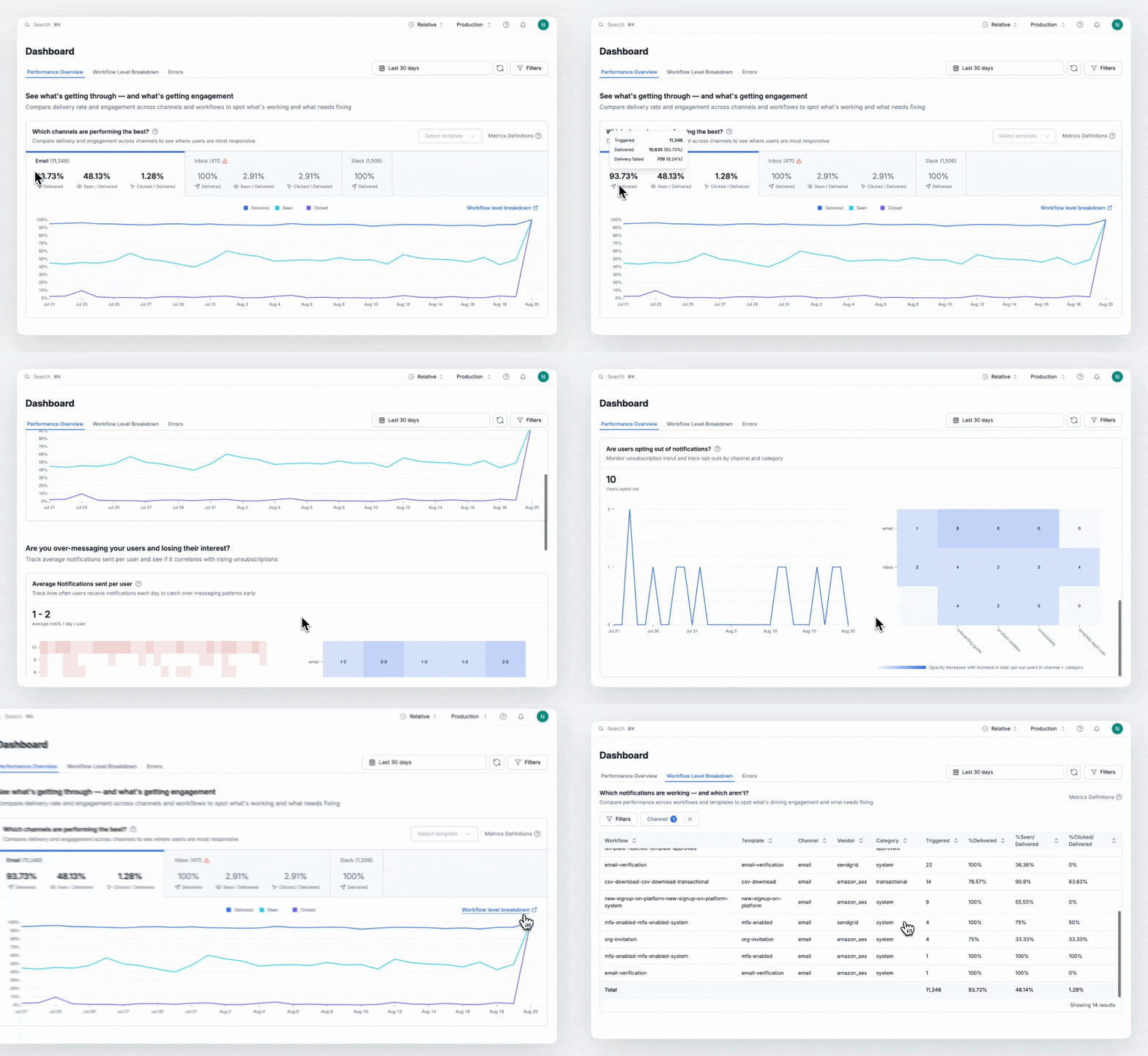
- Real-time insights: Track performance across channels and spot dips in engagement instantly.
- Workflow-level comparisons: Compare workflows, templates, and categories side by side. Spot under performers, validate experiments, and double-down on what works.
- Know when your users opt-out and see if you are over-messaging your users.
- Granular filtering to slice trends by workflow, tenant, template, channel, category, and time range.
- All errors - API, workflow, and notification delivery errors, in a centralized place.
⏳ Coming soon: One-click exports and S3 connector 2.0 with option to sync all logs in your database.
Read complete blog on Analytics 2.0→
Redesigned Message Logs
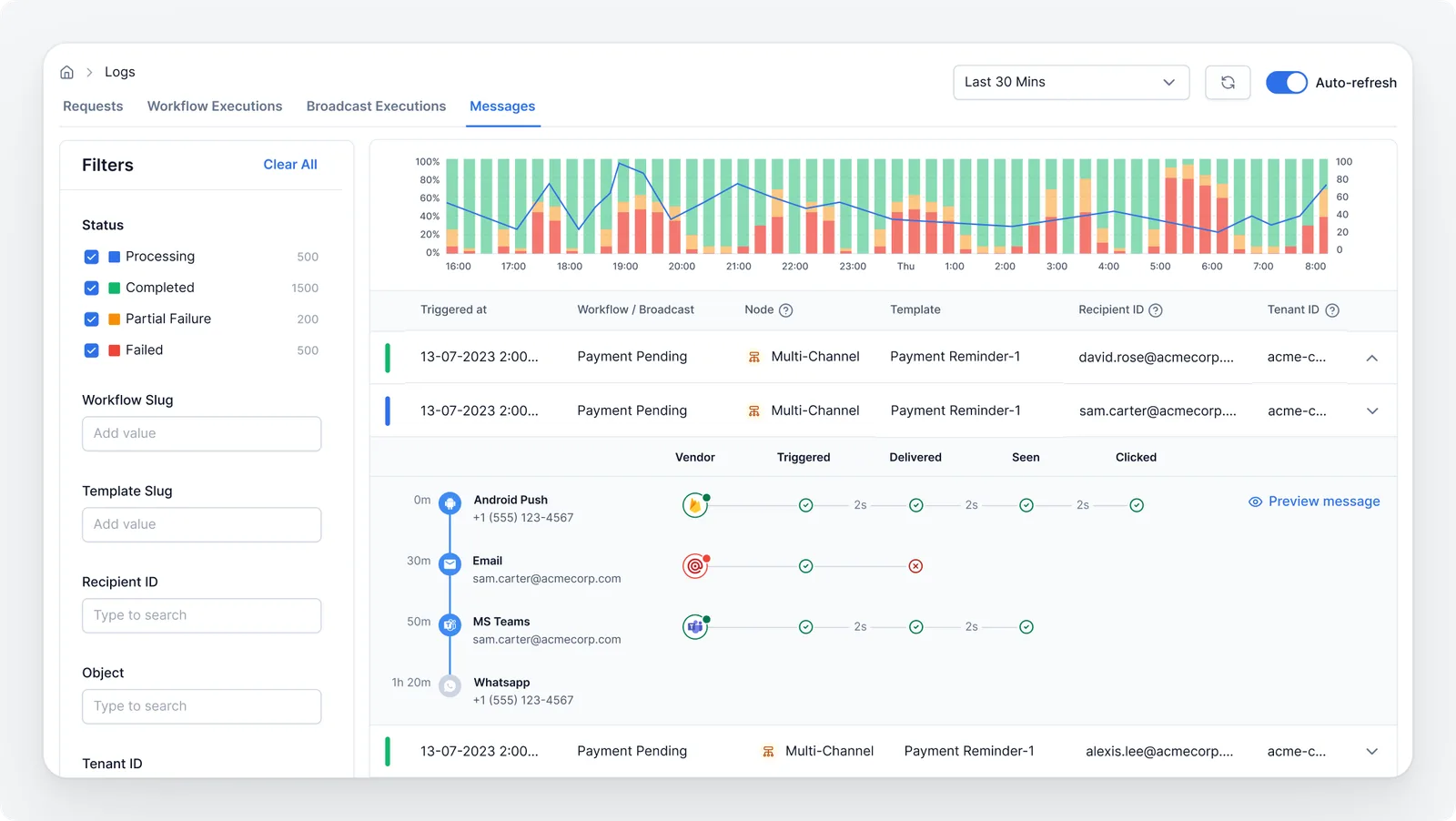
- Unified view: Track delivery status, opens, clicks, and errors across every channel in a single, clean UI.
- Smarter filters: Quickly narrow logs by status, workflow, template, channel, or time range to get answers faster.
- Longer history: View logs for more than just two days at one time, with extended retention for easier debugging.
- Contextual navigation: Jump seamlessly between message logs and other log pages, so you can trace the full lifecycle without losing context.
⏳ Coming soon: Message previews, so you can view exactly what your user received.
Read more on how to navigate logs →
Define and ship workflows as code with the Workflow API
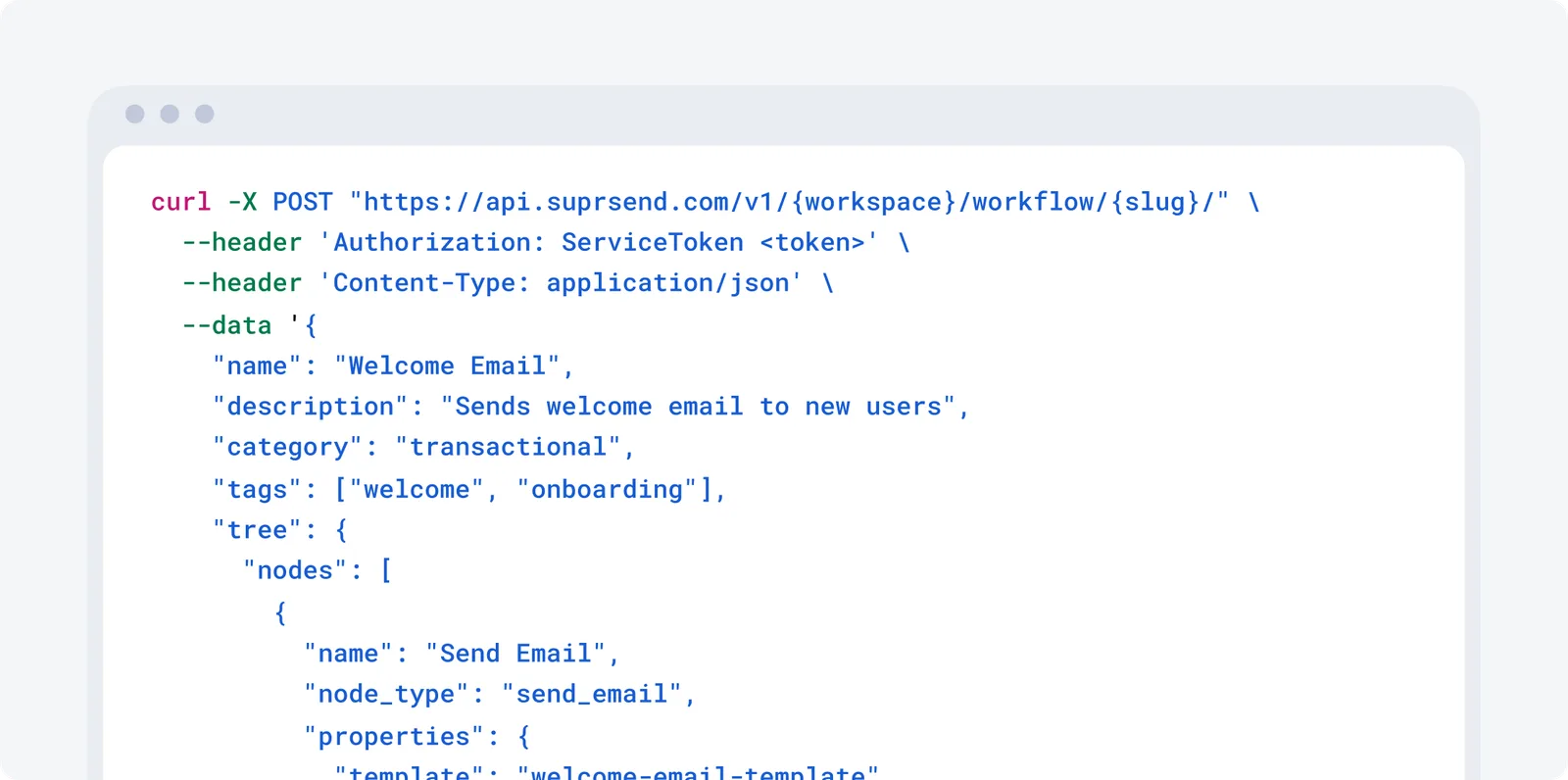
- Create and ship workflows with workflow API as part of your feature deployments—no need to update things manually in the dashboard.
- Expose workflow-building inside your own product, so your customers or internal ops team can design notification flows themselves.
📖 Learn more in our workflow docs.
Schema Validation: Catch Payload Errors Before They Break
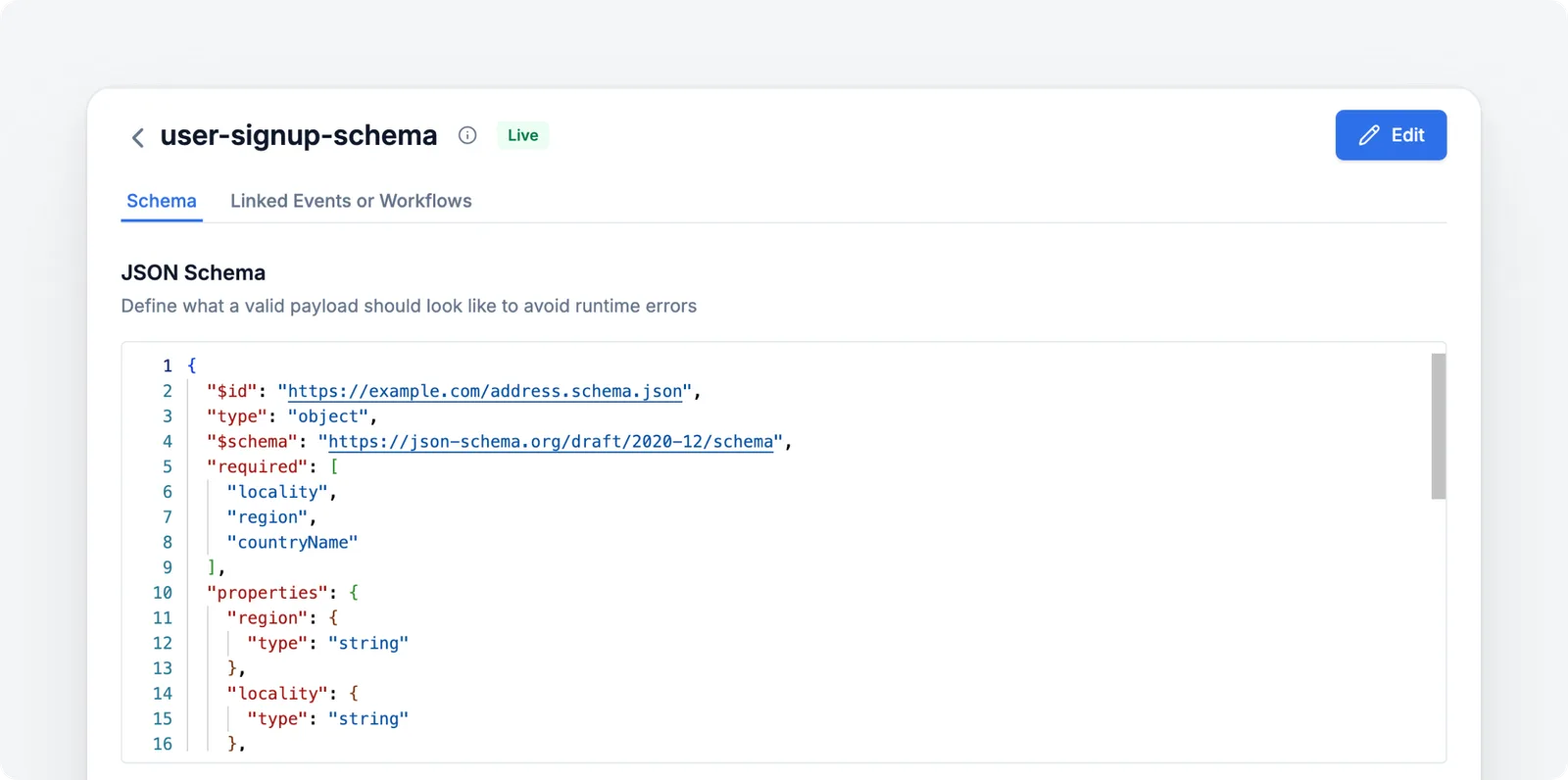
The data you feed into workflows power variable content in your notifications. Until now, a single typo or missing field could slip through, causing runtime errors, broken templates, and hours of debugging.
With Schema Validation, you can define JSON schemas for workflow and event payloads upfront. Every incoming payload is validated at the API layer before execution — catching mismatches instantly and preventing malformed notifications from ever reaching your users.
Minor but mighty updates
- SendGrid IP Pool Support: Create and manage IP Pools directly in SuprSend. Get granular control over email delivery, protect IP reputation, and segment traffic by notification category.
- Proxy Support in Java SDK: Outbound requests from the Java SDK can now be routed through HTTP/S proxies. Perfect for deployments behind corporate firewalls or with strict network controls.
- Revamped iOS Native SDK: Now with JWT-based authentication and support for adding an in-app preference center in your mobile app—complete with UI and example code to get you started fast.
What’s next?
MCP Server (Model Context Protocol)
SuprSend is coming to MCP (Model Context Protocol). This means you can integrate and interact with SuprSend directly from your favorite AI assistants — Cursor, Windsurf, Claude Code, and more. Build workflows, search through SuprSend data, commit changes and setup notification, all with a simple prompt.
SuprSend CLI
Automate test runs, deploy, and push/pull changes in SuprSend directly from the CLI. Every change is version-controlled and synced to your Git repo, right alongside your codebase — making notifications part of your standard feature release process.
Test Mode: Safe Notification Testing
Test your notification flows in staging without sending anything to real users. In Test Mode, you can:
- Create internal test users who only receive staging notifications
- Route all messages to a catch-all channel (e.g. qa@suprsend.com)
No more accidental spam, no more noisy test runs — just safe, controlled testing.
That’s it for September. As always, we’re just one Slack ping or support ticket away.