
Self-host your notification infrastructure
SuprSend can be self-hosted inside your own cloud, VPC, or on-premise environment, so your notification data never leaves your network. The same engine that runs SuprSend Cloud, delivered as a Helm chart for your Kubernetes cluster, fully under your control.

Your notification stack,
entirely under your control
Data residency and compliance
Notification events, user profiles, and delivery logs stay inside your VPC, in the region you choose, satisfying GDPR, HIPAA, FedRAMP, and internal data residency policies.
Infrastructure as code
Deploy with Helm, migrate from your existing system via API and CLI, and manage workflows and templates in version control.
Battle-tested components
The data layer runs on Postgres, Redis, and ClickHouse, deployed from a single versioned Helm chart. Open source components your team already operates in production.
No vendor rate limits
Throughput is bounded by the resources you allocate. Scale workers and queues horizontally to process millions of events per day.
Upgrade on your schedule
Stable releases ship every quarter. Pin a version, validate in staging, and roll out during your own change window.
Trace every notification
Follow any message from trigger to vendor response in the delivery logs, and debug failures directly in your deployment.
Self host SuprSend and run in your VPC
Every SuprSend component, the APIs, dashboard, workers, storage, and delivery, runs inside your own Kubernetes cluster. Nothing calls out to us, and your data and traffic never leave your network.


Built to pass your security review
The controls your security and compliance teams ask for, available out of the box.



Scope what each role can do
Granular, role-based access control assigned per workspace. Control who can access, view, and edit workflows, template, notification data, and vendor credentials.

Audit trail
See who changed what, and when. Every edit to a workflow, template, or setting is logged. Any change is easy to trace.

Authenticate through your IdP
SAML 2.0 single sign-on and SCIM 2.0 directory sync, against identity providers like Okta, Azure AD, OneLogin, and more.

A mature self-hosted platform,
stable in production
Versioned Helm releases
Stable releases ship quarterly with semantic versioning and a changelog, so you review every change before you upgrade.
Tested upgrade paths
Runbooks and migration scripts ship with every release, covering every upgrade path from pre-flight checks to rollback.
Prometheus-ready health metrics
Every service exposes a Prometheus metrics endpoint. Track queue depth, worker throughput, and error rates in your dashboards.


Experts by your side,
at every step
Global Support, 24/7
Our team has 100% global coverage. No matter where you are, we’re always available to resolve issues and keep your operations running smoothly.
Dedicated team of experts
Get direct access to talented engineers. From onboarding to optimizations, our expert team is here to provide personalized, hands-on support whenever you need it.
Migration & Success Support
Our team ensures a smooth transition to SuprSend while guiding you with best practices for scaling. We’re dedicated to your long-term success, every step of the way.

A clear, shared responsibility
Self-hosting puts SuprSend inside your environment, so we want to be upfront about who owns what.
What SuprSend delivers
The full platform, plus a reference architecture to deploy it
Stable releases every quarter, plus security and bug-fix patches
Semantic versioning, with a tested upgrade path
Upgrade-safe minor versions, with migration guides for major ones
What you operate
Uptime, scaling, and maintenance in your environment
Backups, disaster recovery, and data retention
Your own channel providers and their credentials
Other ways to use SuprSend
SaaS (Cloud)
BYOC
Self-Hosted
Data plane
SuprSend
Customer
Customer
Control plane
SuprSend
SuprSend
Customer
Setup
No setup required
Moderate setup
SuprSend assisted setup
Scaling
Managed by SuprSend
Scales via SuprSend control plane
Customer
Maintenance
Fully managed
Shared responsibility
Customer
Uptime SLA
Owned by SuprSend
Shared
No uptime SLA
TCO
• SuprSend platform fee
• 2-3 weeks integration effort
• SuprSend license fee
• SuprSend support fee
• Your Cloud Cost
• 2-3 weeks integration effort
• SuprSend platform fee
• SuprSend’s Annual Maintenance
• Your Cloud Cost
• Your DevOps Engineer for deployment and maintenance
• 2-3 weeks integration effort


Support
Frequently Asked Questions
We're here to help with any questions you have about plans, pricing, and supported features.
What does SuprSend self-hosted require to run?
SuprSend self-hosted runs on any Kubernetes cluster, installed with a Helm chart. It installs inside your own Kubernetes cluster and VPC and depends on PostgreSQL, ClickHouse, Redis, OpenSearch, and Temporal, plus a blob store, which you can run in-cluster or point at managed instances you already operate. It works on any Kubernetes distribution, including EKS, GKE, and AKS across AWS, Google cloud and Azure.
How is SuprSend self-hosted installed and upgraded?
It is packaged as a private Kubernetes Helm chart, distributed behind a license token. You install and upgrade the full stack from that chart, so deployment fits your existing GitOps and CI/CD workflow. SuprSend ships stable releases every quarter with semantic versioning and a tested upgrade path.
Can SuprSend run in an air-gapped or restricted network?
Yes. SuprSend self-hosted runs entirely inside your network and can operate in environments with limited or no outbound internet access. All components run in your cluster, so it does not depend on a connection back to SuprSend to function.
Who operates the deployment day to day?
You do. In self-hosted, you run uptime, scaling, maintenance, and backups inside your environment, and SuprSend provides the software, the reference architecture, a tested upgrade path, and enterprise support to help you run it well. If you want SuprSend to operate it for you, SuprSend Cloud or BYOC model are the managed options.
Where is my notification data stored in self-hosted SuprSend?
All of it stays inside your own infrastructure. Recipient data, message content, and delivery logs live in the databases running in your VPC, and nothing is sent back to SuprSend. This is the main reason regulated teams in fintech, insurance, and healthcare choose self-hosting, so they never hand recipient PII to a third party.
Is data encrypted in transit and at rest?
Yes. Connections to the data stores support TLS, and data at rest is encrypted through the encrypted storage classes you configure in your cluster, for example gp3-encrypted on AWS. Because you run the deployment, you control the encryption standard and the keys directly.
Who controls access, secrets, and keys?
You do, entirely. All credentials and encryption keys live in your own Kubernetes secrets and cloud key management, so no SuprSend-managed key ever touches your data. This also means your own SSO, IAM, and network policy govern who can reach the deployment.
How does self-hosted SuprSend help us pass a security review?
Self-hosting answers many vendor-questionnaire items structurally, because the data never leaves your environment. Data residency, in-region storage, encryption key ownership, and access control all resolve to your own controls rather than a third party's. SuprSend is also SOC 2 Type II certified, which covers the software you are deploying.
How are security patches handled?
SuprSend ships patch releases for security and bug fixes, delivered through the same Helm chart. You choose when to apply them, so updates land during your own change windows rather than being forced. Minor versions are upgrade-safe, and major versions include migration guidance.
Does self-hosted include an uptime SLA?
An uptime SLA applies to SuprSend Cloud, because SuprSend runs the environment there. In self-hosted, you operate the environment, so uptime is yours to control, backed by SuprSend engineering support. Teams that want a managed uptime SLA and hands-off upgrades run SuprSend Cloud.
Who is self-hosted SuprSend for?
It is built for enterprises with strict data residency, compliance, or network isolation requirements, typically in regulated industries like fintech, insurance, and healthcare. It is available on the Enterprise plan, enabled with an enterprise license. If those constraints do not apply to you, SuprSend Cloud is usually the faster path.
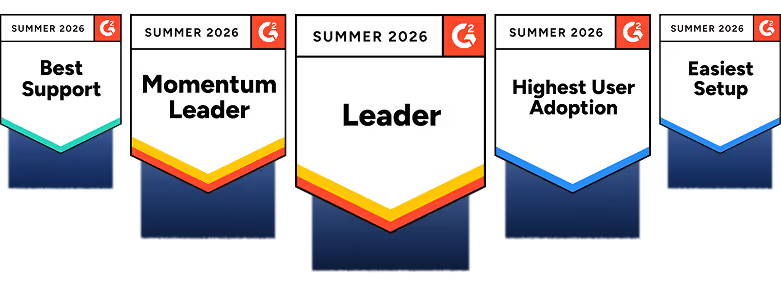
SuprSend has been recognized as #1 Notification Infrastructure by G2

Scope your self-hosted deployment
Self-hosted is available on the Enterprise plan, enabled with an enterprise license. Talk to our team to scope the deployment for your environment.