Between the moment your system sends a notification request and the moment your user actually receives the message, a lot happens. A trigger fires. A workflow runs. Smart routing logic kicks in. Templates render. User preferences are checked. Messages hit external providers. And plenty more.
And somewhere in this chaos, something can break.
Complete observability means seeing every single one of those steps—without blind spots. You should be able to trace:
- The request you sent
- How the workflow logic executed
- Which channels were finalized based on preference and user channel evaluation.
- What each provider responded with
- And ultimately: What exactly did the user see?
It’s the difference between hoping something worked—and knowing it did.
The Visibility Gap — Why Debugging Notifications Sucks
Whether you’ve built your own notification system or use a marketing automation platform, debugging delivery issues often feels like a scavenger hunt.
If you integrate directly with channel vendor APIs
You’ll face this classic mess:
- Email failures? Check SendGrid logs.
- Push issues? Go to Firebase.
- SMS delivery? Log into Twilio.
- Logic bugs? Check your internal notification queue trace.
Now you are going down the rabbit hole of jumping between dashboards, comparing timestamps, chasing IDs and trying to manually piece together insights that will help you debug the issues. It’s painful. And because it’s painful, teams have become reactive—nobody checks until something breaks.
If you use most martech platforms
You get pretty dashboards with cumulative numbers. What you don’t get:
- A traceable path for a specific user
- Structured logs from providers
- Clear input → output → result mapping
- Error messages that actually help
You might know how many requests were delivered but there’s no way to figure out why there is a gap and how to solve it.
And when someone asks, “What happened to this notification for this user?”, there’s no simple answer.
And building this in-house?
It is complex. To get end-to-end observability, you’d need to engineer:
- Trace consistency across every stage of your notification pipeline—workflow logic, preference evaluation, and message orchestration. Moreover, vendor responses need to be normalized across channels, so you can track delivery the same way whether you use one vendor or switch to another.
- Storing high-cardinality notification event traces at scale.
- UI to read user-level audit trails for non-tech teams
- Aggregation, correlation, and search
- Alerting and anomaly detection
- And plenty more…
That’s a lot of work and most tools today just don’t offer it out of the box.
Why Being Reactive Hurts
When logs are hard to use, they become a last resort. But here’s what you lose when you’re flying blind:
- Users suffer before you know something is wrong: Missed password resets. Silent payment failures. Broken onboarding flows. These aren’t edge cases. They’re real users, already impacted by the time you decide to “check the logs.”
- Incident response slows to a crawl: Every minute spent jumping between dashboards is a minute users are still affected. Poor visibility = longer downtime and frustrated teams.
- You miss early warnings: Most issues don’t explode—they creep in. A 1% drop in delivery today becomes 10% next week. Without real-time visibility, early failure signals stay buried.
- Ops time goes to waste: Trying to debug across fragmented logs is like finding a typo in a warehouse of printed PDFs. Your team spends hours chasing threads instead of fixing root causes.
You risk compliance and security: If you’re in fintech, healthcare, or any regulated industry, “we think it was delivered” doesn’t cut it. Missed audit trails and failed messages can mean fines, lost customers, or worse.
SuprSend’s Take on Notification Observability
At SuprSend, we built observability into the core of our infrastructure—from API request to final message, you can access all this from the Logs tab in the SuprSend dashboard.
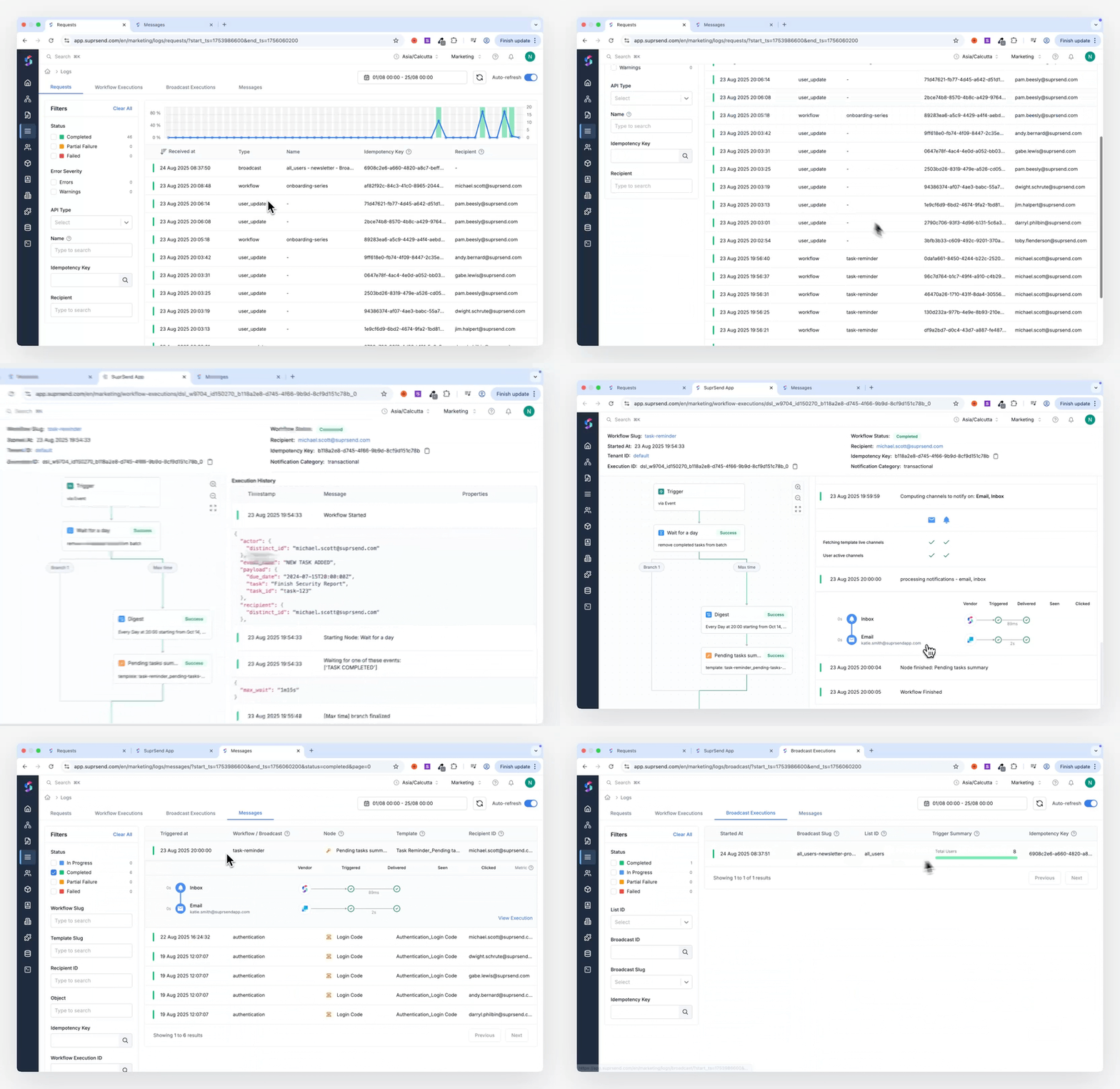
And everything is structured, filterable, searchable, and cross-linked, and above all, quick to access and debug
Track every API/SDK request
Request Logs capture a clean snapshot of every notification request made to SuprSend.
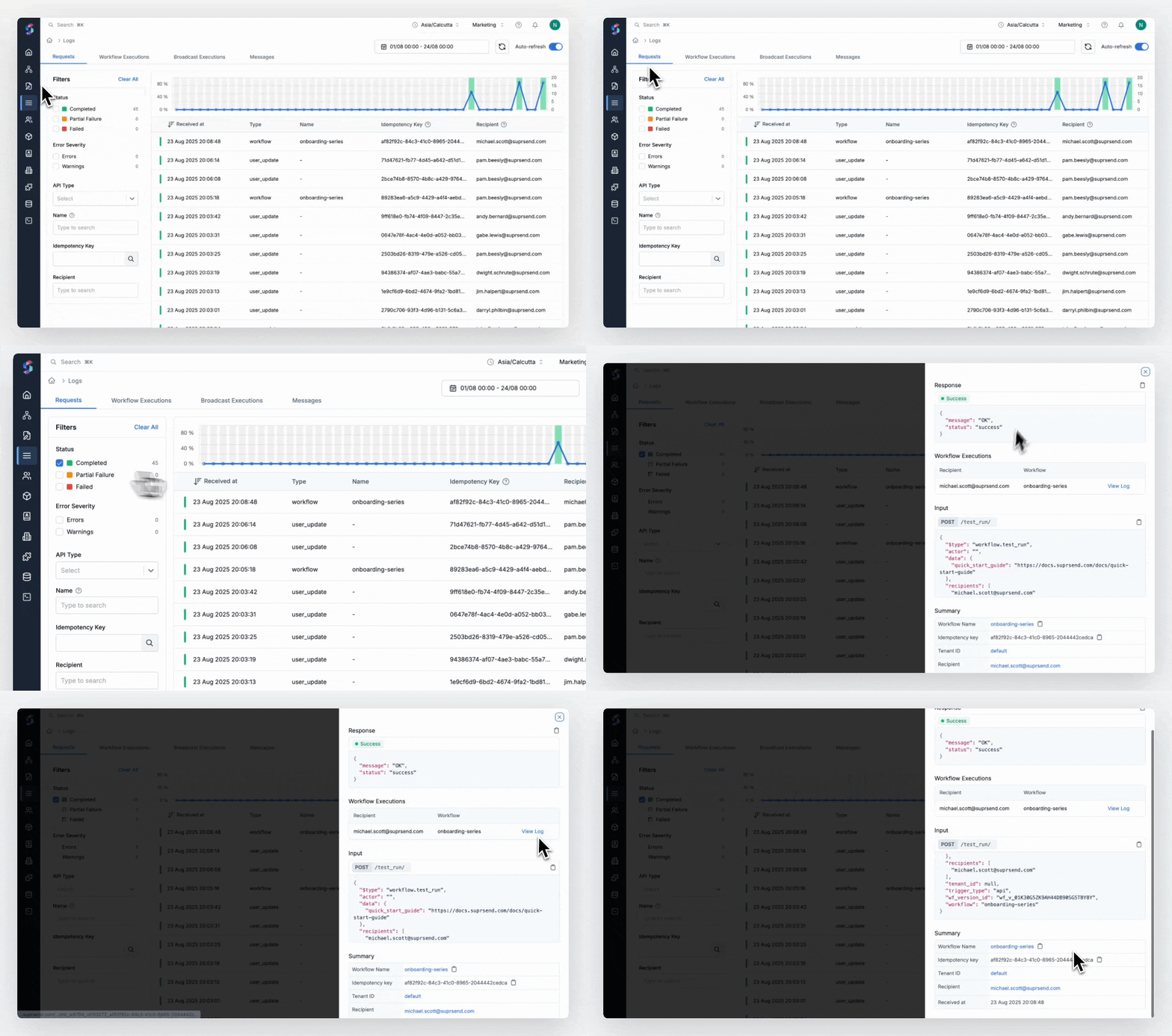
You get:
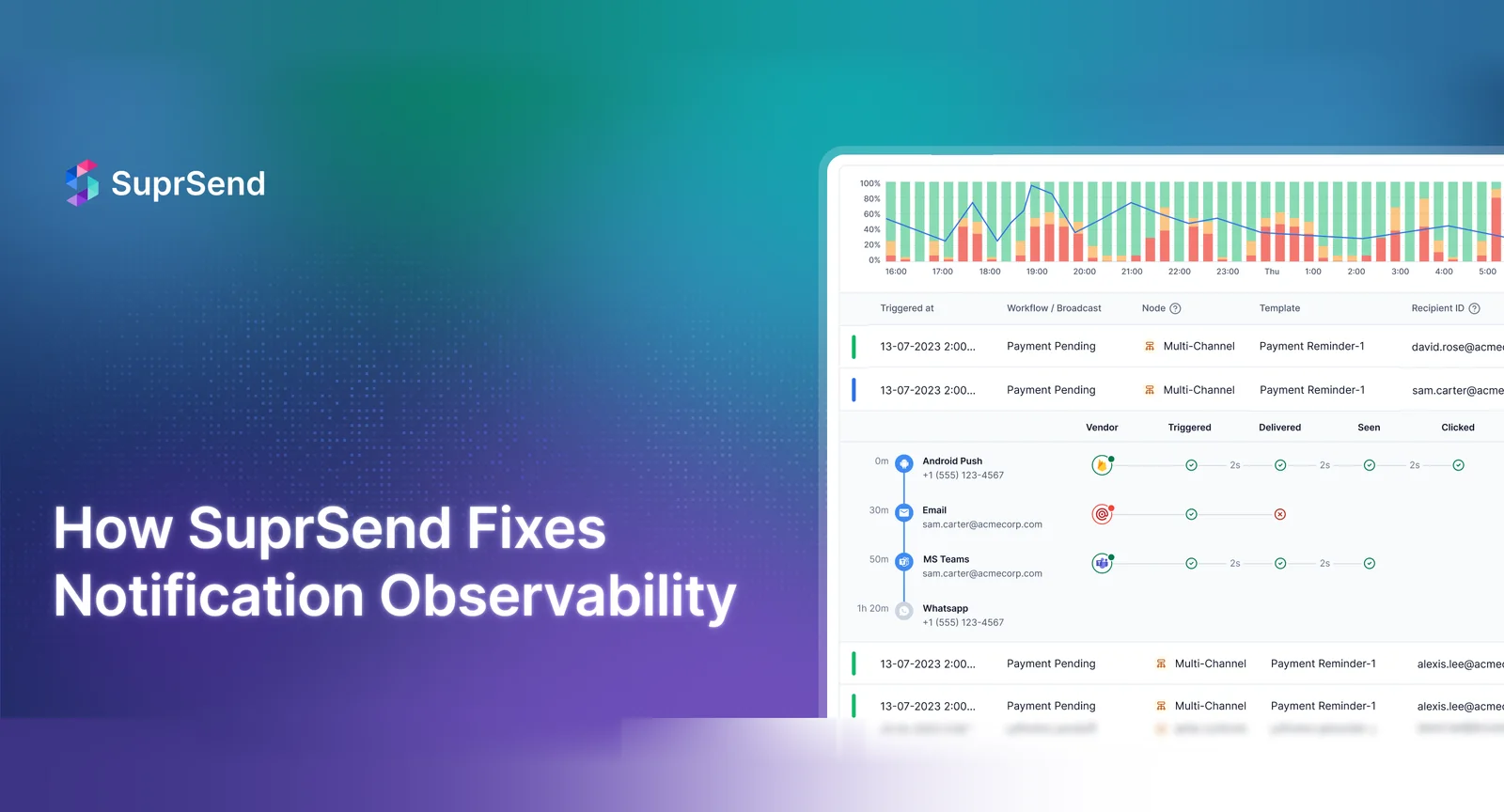
- Histogram view at a glance: See spikes, dips, failures, and completions over time in one easy-to-scan chart. Drag to zoom into a specific time window and instantly filter down to relevant data.
- Powerful, accessible filters: Filter by user ID, idempotency key, API type, status, or any metadata to quickly trace specific issues
- Full payload visibility: See exactly what was sent and what came back. Every request, response, and webhook status is captured and visible in the UI.
- Color-coded clarity: Quickly spot what worked (green), what failed (red), and what was partially processed (orange)
- Helpful error messages: Not just “failed”—you get clear failure reasons with quick reference of how to resolve them.
This gives developers immediate visibility into what was sent, what failed (and why), and what happened next—without digging through individual logs.”
Visualize every workflow execution
If your request kicks off a workflow, we trace it step-by-step.
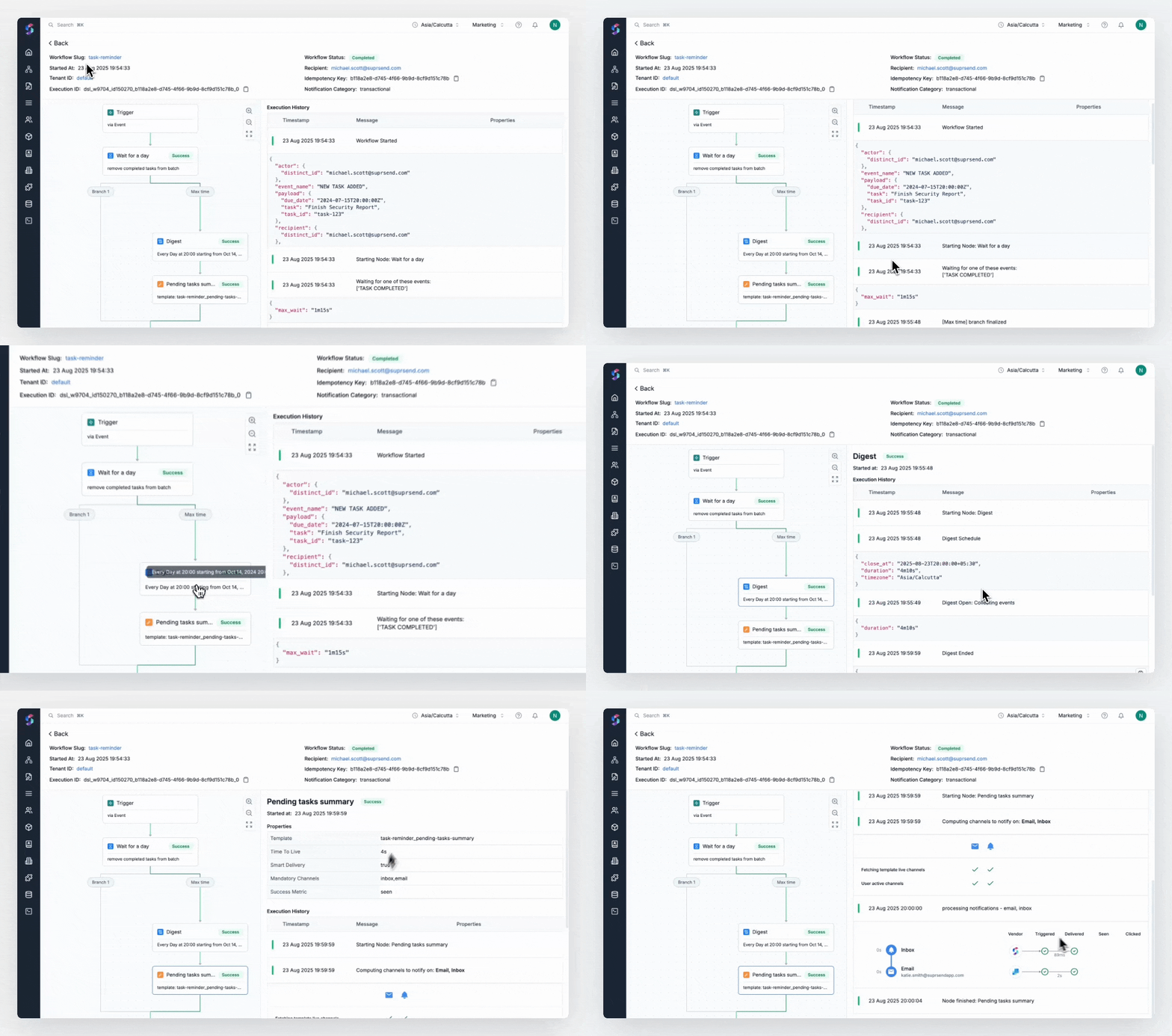
You get:
- See the trend at a glance: A single-glance histogram shows the status of all workflow executions over time—just like request logs.
- Quickly find the exact workflow run: Apply quick filters by workflow slug, user ID, tenant, status, or idempotency key to zero in on the exact execution you need.
- Trace every step of the workflow: Get a magnified view of each workflow execution.
- What was the trigger payload
- What functions or conditions were applied during the run
- How did the user flow through different branches in the workflow
- What channels were selected after preference evaluation
- Whether the user completed the workflow or exited earlier due to some error
- Every step is color-coded: green for success, red for failure, yellow for skipped or conditional exits. You can also see the failure reason and their resolution.
- Sent notifications and their engagement status: opens, clicks, views
All visualized. All filterable. All fast.
Debug what was sent to users across channels with Message Logs (New!)
Message Logs provide a centralized, channel-agnostic view of every single message that was sent, over email, SMS, push, in-app messages, and even outbound webhooks.
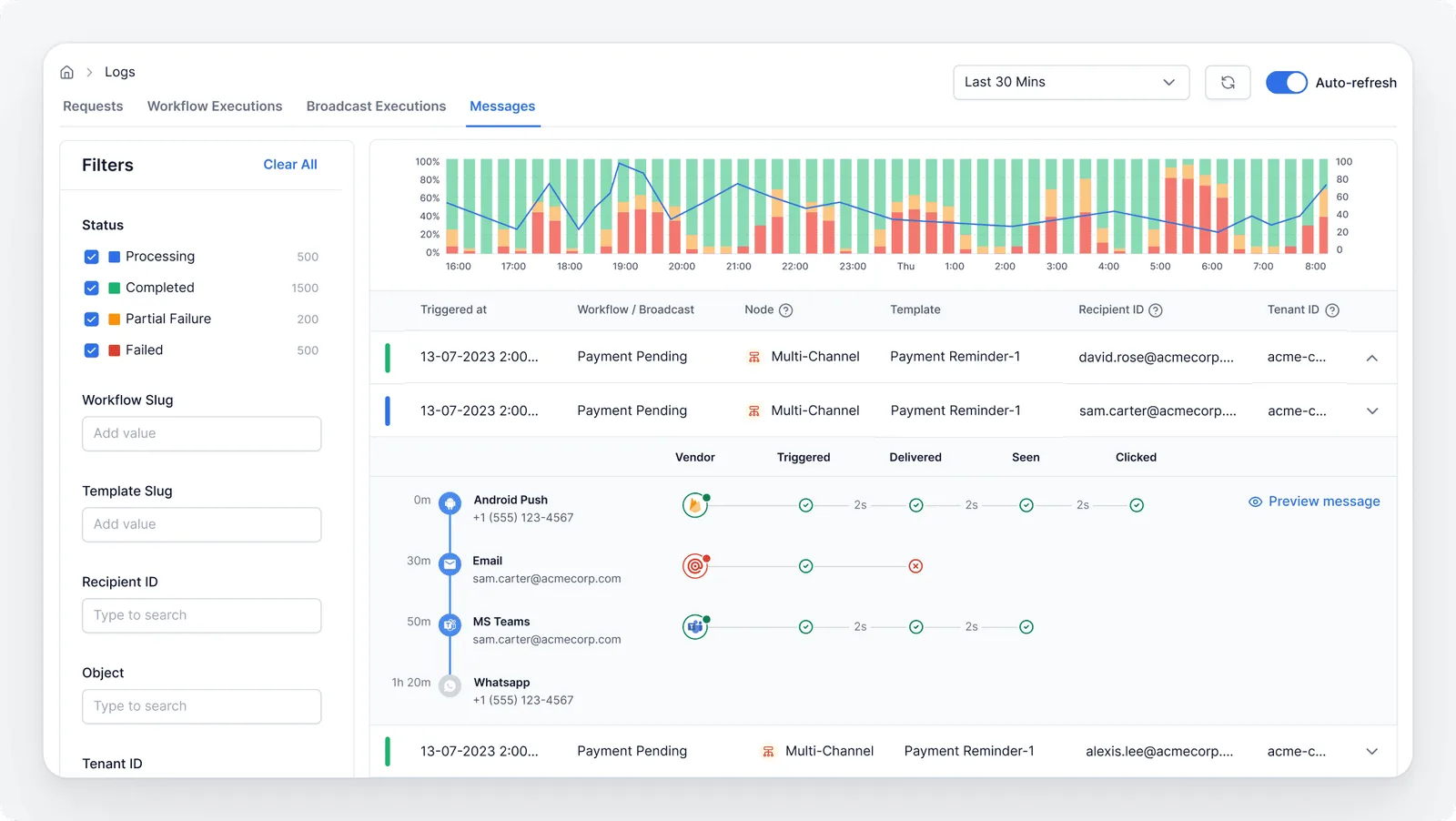
What makes it awesome:
- At a glance charts: Visual trend of the all the historical requests along with their status: Processing, Completed, Failed
- Advanced filters: Use drag-to-zoom right on the charts to drill into specific time ranges or failure spikes. Find the problem in seconds.
- Message previews: See the exact content a user received—including dynamic, personalized data. Great for compliance audits or just checking what’s resonating.
- Clear error reasons: From missing template variables or vendor delivery failures—track why the message couldn’t be sent to the user and how to fix it.
- Track real user interactions: Know if a message was delivered, seen, or clicked. Use this data to improve content, timing, and channel strategy.
- Follow the trail: Quickly jump from a message log to its corresponding workflow execution. Understand the entire journey and see what happened historically in workflow execution that led to this message.
Monitor campaigns With Broadcast Logs
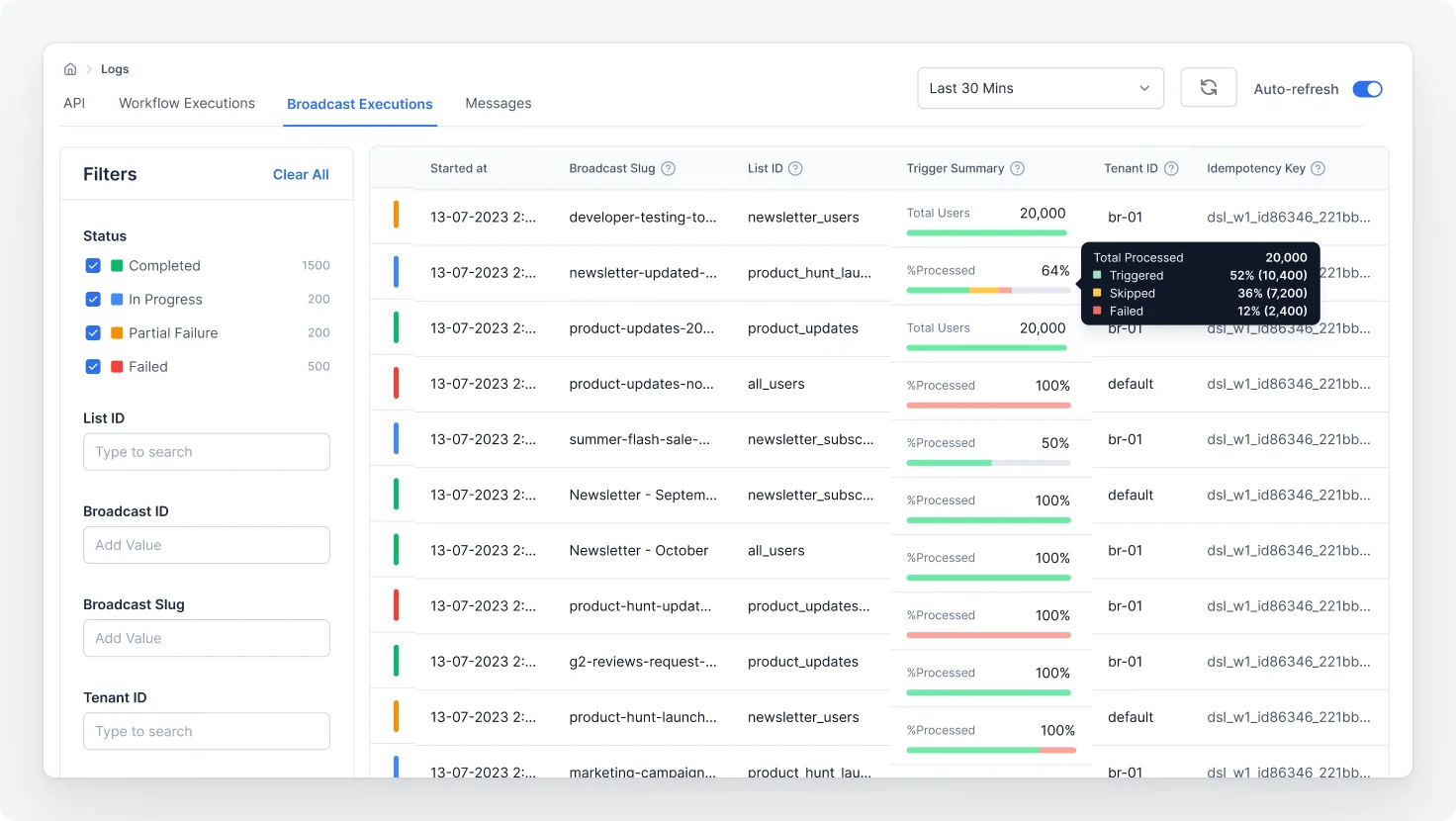
For bulk sends like product announcements, feature rollouts, or incident alerts, SuprSend offers Broadcast Logs. These track messages sent via Lists to large audiences. You get accumulative logs of all users targeted and step-by-step status of the broadcast.
What This Unlocks for You
SuprSend brings observability from “check it when things break” to “build with confidence from the start.” So you can
- See everything, miss nothing: Full traceability into all the executed steps
- Debug faster: Resolve delivery issues in minutes, not hours
- Answer support questions fast: Customer asks “I didn’t get the email?”—you can quickly check message log for the answer
- Stay compliant: Track and prove delivery of regulatory or financial alerts
- Inform product decisions: PMs get visibility into message performance without digging into logs or code
Real-World Use Cases: A Look Inside SuprSend
Let’s look at common issues teams face—and how SuprSend helps you solve them instantly:
Use case 1: “The request was sent, but nothing happened.”
What’s likely happening: The initial request was malformed, didn’t match an active workflow, or had user/channel data issues.
Where to look in SuprSend: Request Logs
Use Case 2: “Some users aren’t getting messages.”
What’s likely happening: The workflow ran, but failed at a specific step—maybe due to missing user preferences, delivery suppression logic, or partial channel failures.
Where to look in SuprSend: Workflow Execution Logs
Use Case 3: “A customer said they didn’t receive the notification.”
What’s likely happening: The message failed silently due to a vendor-side issue, missing template, or personalization error.
Where to look in SuprSend: Message Logs
- Search by user, workflow, or message ID
- See the full message metadata, channel status, and error reason
- Preview the exact message that was generated (or failed)
Use Case 4: “I need to prove this message was delivered for compliance.”
What’s likely happening: You’re asked to show delivery proof for a regulatory or critical alert message (e.g. in Fintech, HealthTech).
Where to look in SuprSend: Message Preview in Message logs.
Use Case 5: “We sent a campaign and the overall delivery rate is just 60%.”
What’s likely happening: Broadcast was sent via a List. Some users have opted out of the notification category. And for some users, messages bounced due to inactive/incorrect channel information.
Where to look in SuprSend: Broadcast Logs
What’s Next: Smarter Insights and Alerts
Observability doesn’t stop at logs. Here’s what’s coming soon to SuprSend:
1. Analytics, leveled up
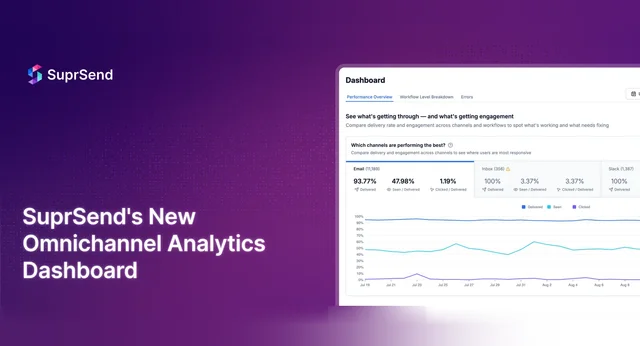
Smarter insights across users, templates, and logs. You can see what’s working (or not) with engagement, delivery, and vendor performance. Compare workflows and template versions to see what’s performing better. Spot notification overload, and build custom dashboards with alerts.
2. Alerts that actually help
Set custom triggers for failure patterns. And, notify the right teams before users notice.
Final Thoughts
When notifications matter, “Message Sent” isn’t good enough. You need to know what happened, why, and what to do about it.
SuprSend gives you the visibility your team needs. From first trigger to final click, our logs help you debug, optimize, and ship with confidence.
Want to see how it works with your use case? Try SuprSend today!