“Chaos isn’t a pit. Chaos is a ladder.”
That may work for Littlefinger, but for businesses, chaos is costly.
Sending a notification is easy. Understanding what happens next — did it reach the user, did they engage, and what happened across other channels? — that’s the hard part. Most teams are flying blind after hitting “send.”
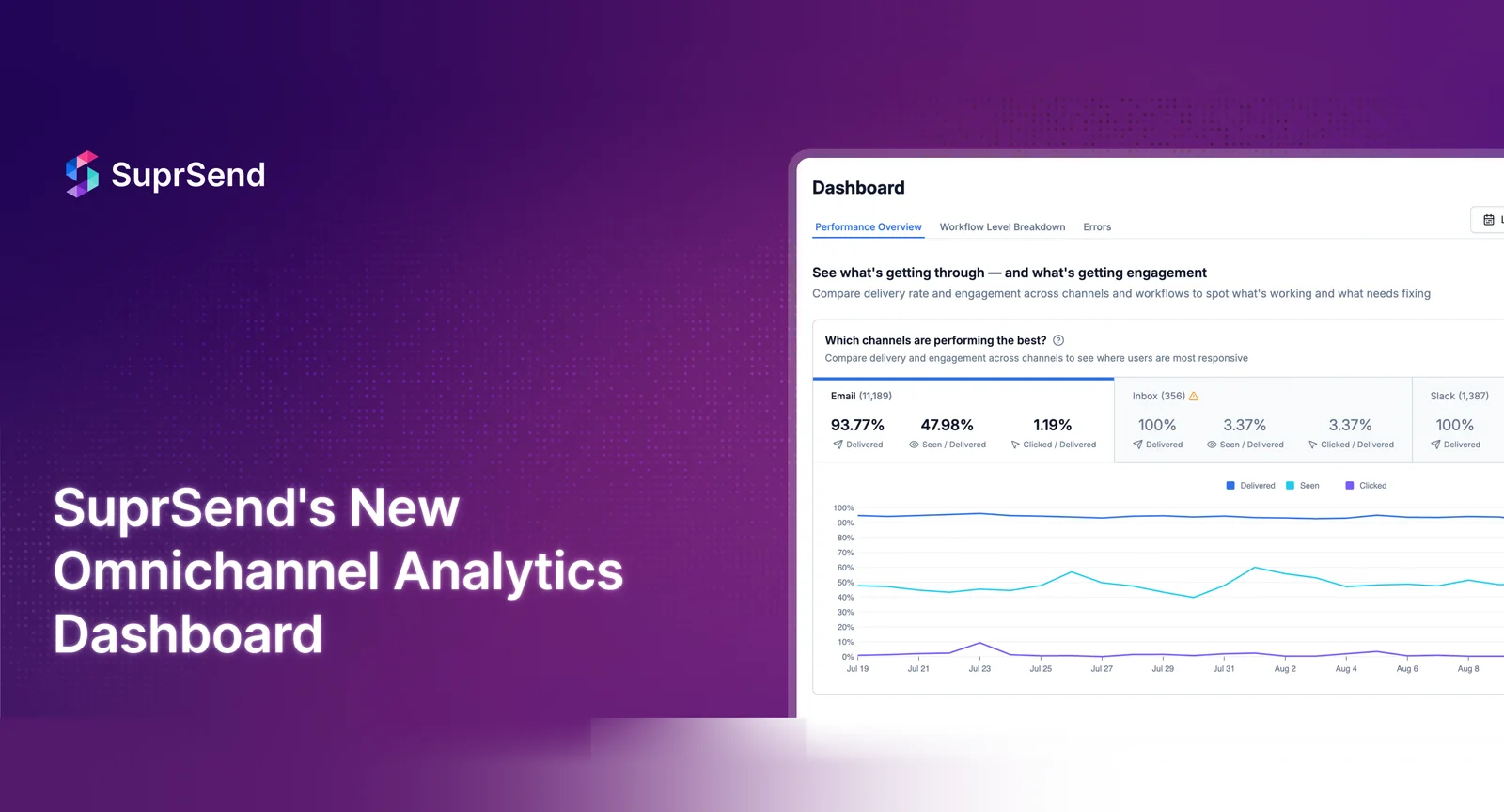
SuprSend changes that. SuprSend Analytics 2.0 is a faster, truly real-time analytics layer, built so you can actually do something with the data.
The Problem With Today’s Notification Analytics
For most companies in 2025, multi-channel notification analytics are still stuck in the past:
- Teams juggle 4–5 vendor dashboards to reconstruct a single user’s journey.
- Data is exported into spreadsheets just to spot engagement trends.
- Nobody knows if a drop in usage is caused by over-messaging, wrong content, or poor timing.
Users don’t engage in silos, and neither should your analytics.
Let’s say a user ignores your email. It might look like an engagement drop but in reality, they already tapped the same message via push. Without unified insight, you’re over-optimizing your already working notifications.
Here is where omnichannel notification analytics comes in. It offers a complete view of how your users interact with messages across every channel and every workflow.
You get answers to questions like:
- Are users engaging with your onboarding messages?
- At what step in the workflow are they dropping?
- Which channels are most effective for transactional vs. marketing messages?
- Are you over-communicating with your users and driving unsubscribes?
- Which channel or message category are users unsubscribing from?
And the results speak for themselves.
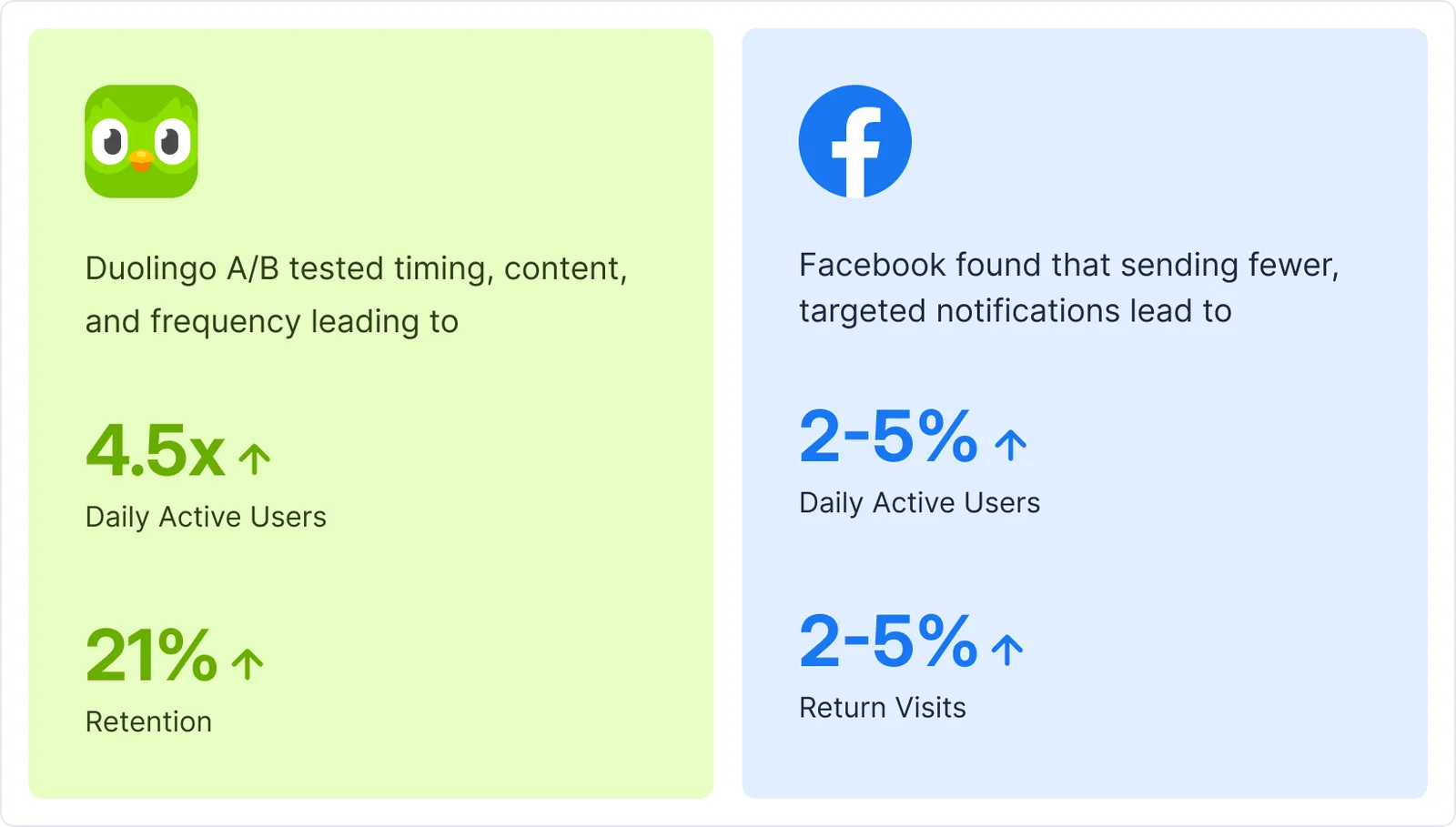
These weren’t gut decisions. Rather, they were powered by real-time, data-driven iteration.
But here’s the catch: without a centralized platform, this level of insight is nearly impossible.
However, the reality is, building an analytics system in-house is far more complex than it seems. It requires constant data engineering effort, handling fragmented event sources, ensuring real-time accuracy, and maintaining dashboards that quickly become outdated. Teams often end up sinking time into infrastructure instead of extracting value, and still lack the flexibility to act on insights at scale.
That’s what SuprSend delivers. We rebuilt our analytics layer not just for visibility, but for actionability.
Introducing the Notification Analytics Dashboard Every Product Team Deserves
Whether you’re debugging a failed push, optimizing onboarding flows, or analyzing trends across millions of users, SuprSend gives every team the clarity and speed to act.
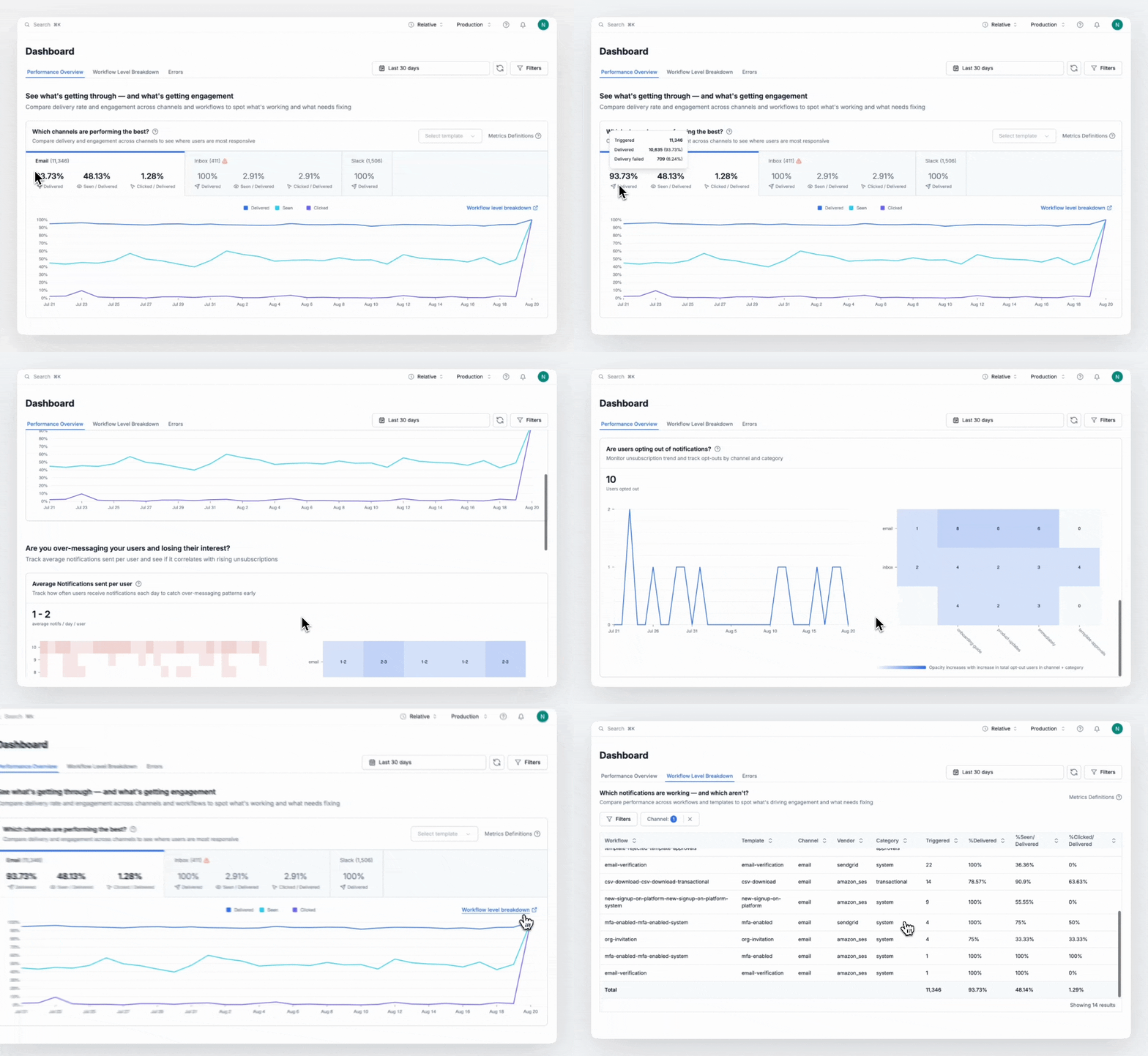
Move faster, fix sooner with real-time analytics
Track delivery, failures, and engagement as they happen — not hours later. SuprSend helps you catch issues before users do—powered by columnar database for lightning-fast insights. Easily pinpoint which notification led to a dip in engagement, and know exactly what to fix.
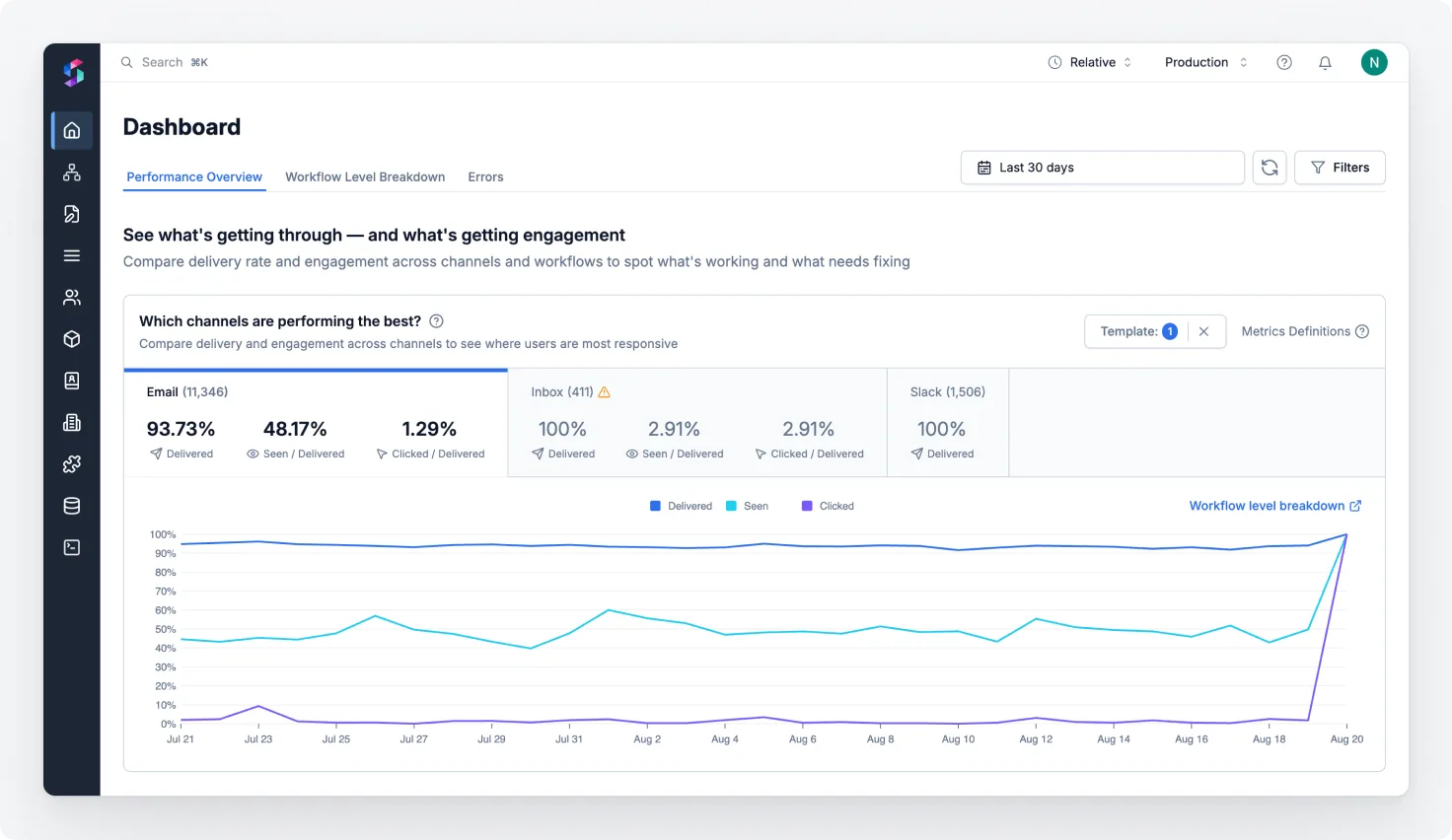
See the full picture with unified, cross-campaign, cross-channel data
Analyze performance across all channels (email, push, SMS, in-app) and across every workflow or template. Spot drop-offs, optimize underperforming flows, and reduce churn. Leverage granular column-level filters to drill-down to see the desired information.
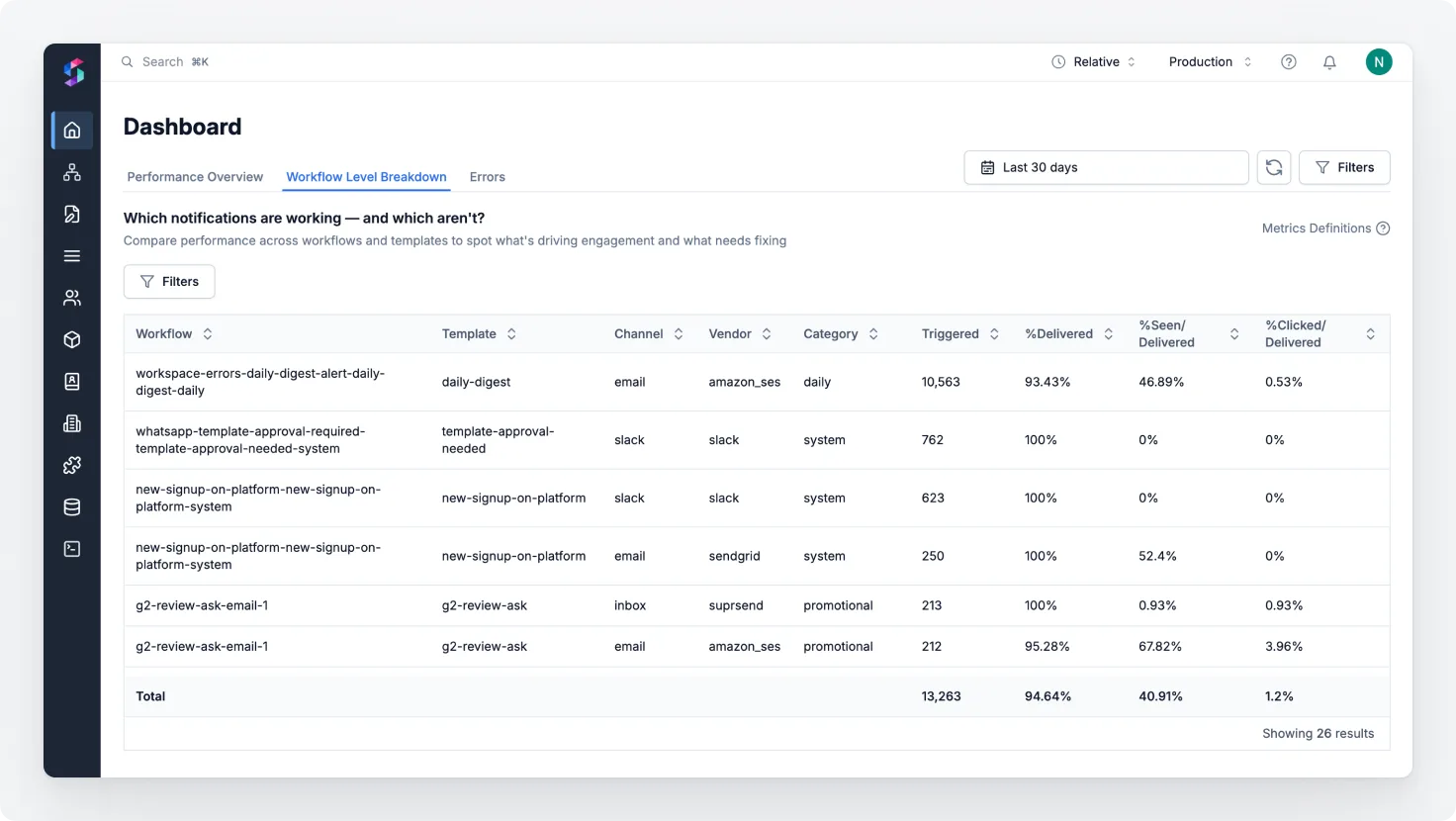
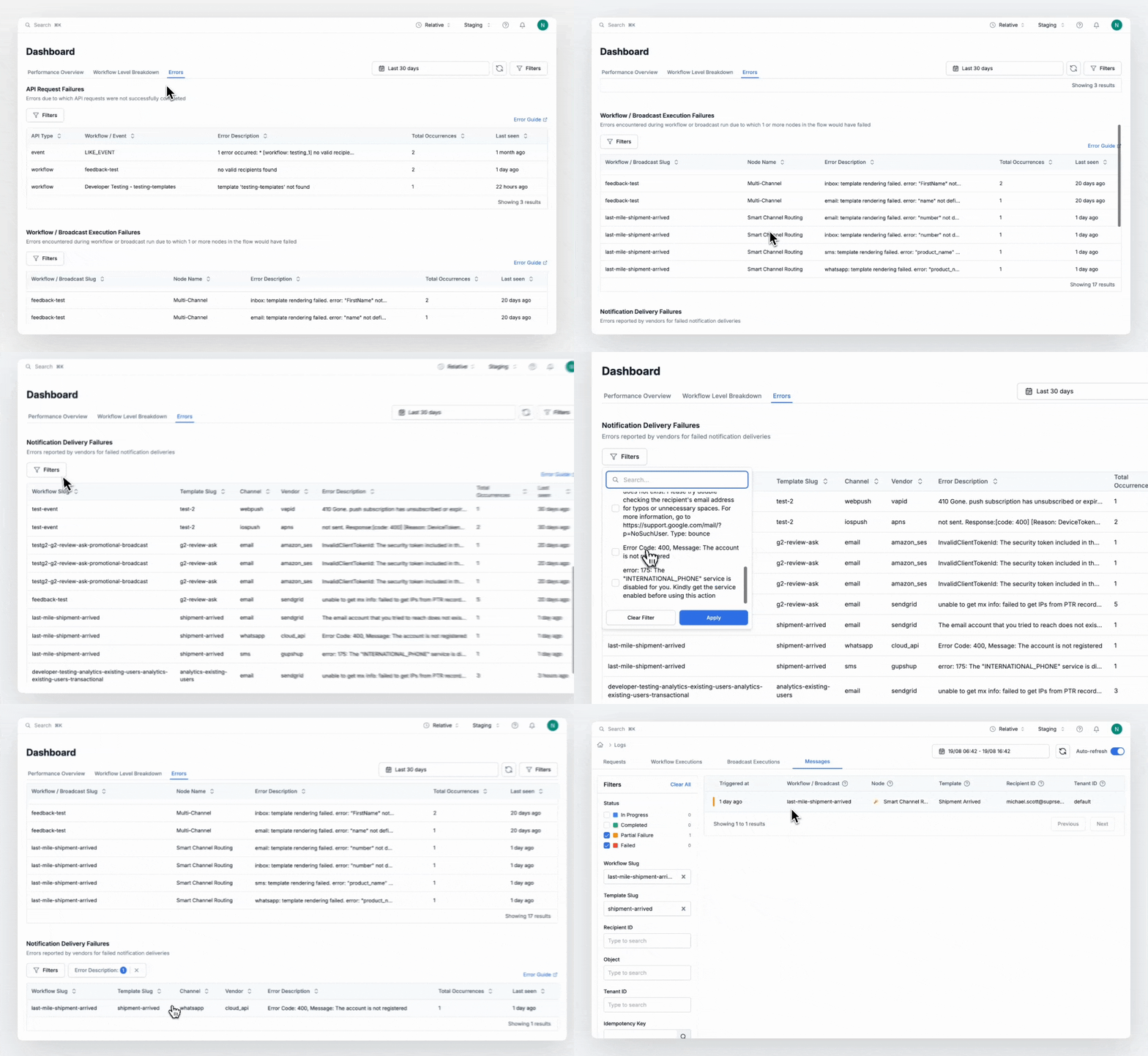
Debug in seconds with centralized error tracking
All API, workflow, and provider delivery errors in one place. You can filter by tenant, workflow, template, or channel to see the exact log and debug in seconds.
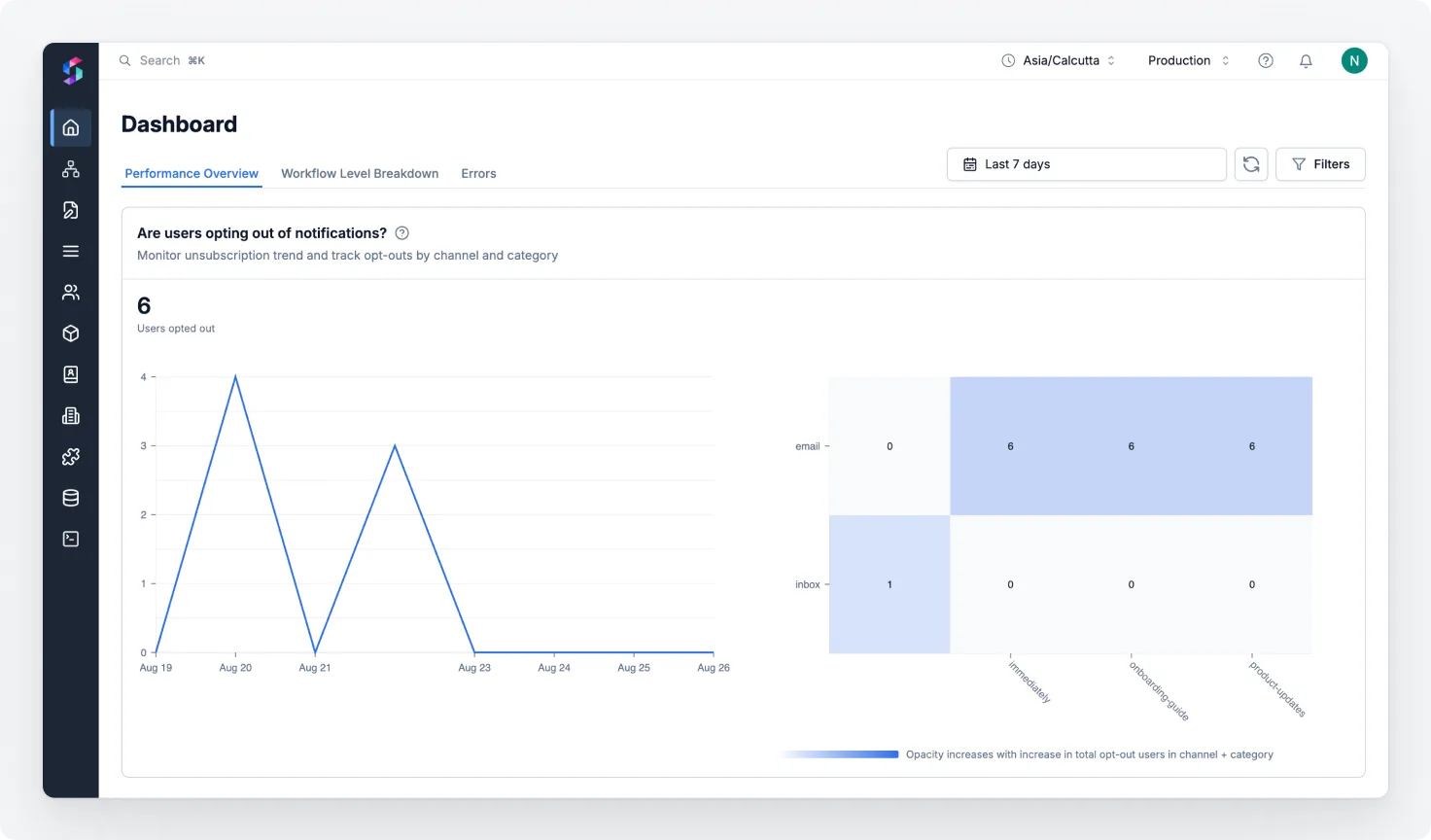
Know when your users opt-out
Finally, see exactly what channels or categories people are unsubscribing from. Analyze unsubscribe trends and adjust your strategy before churn sets in.
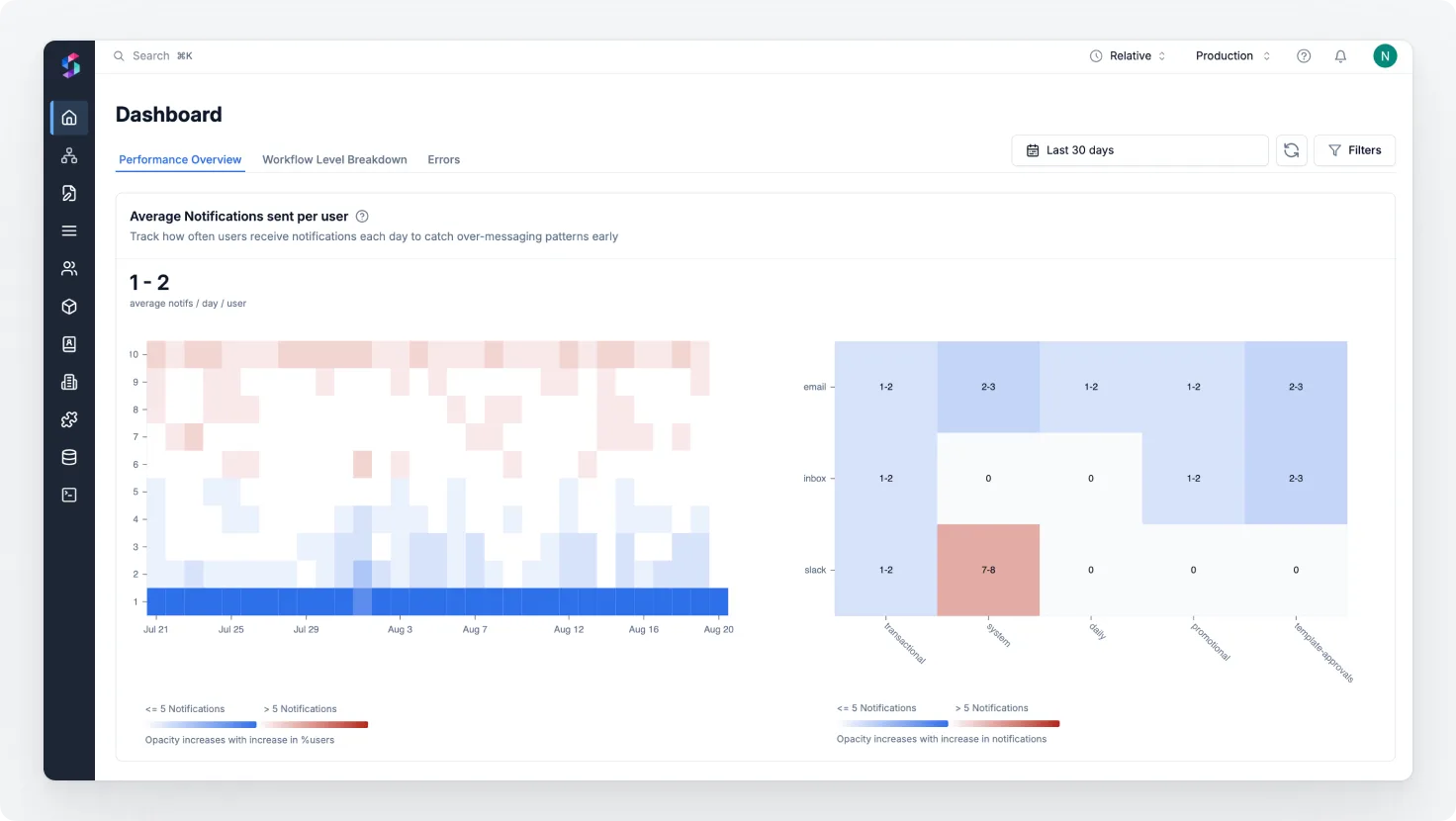
Prevent user fatigue with engagement insights
Track how frequency affects engagement. Track avg notifications sent per user and get early signals of fatigue so you can pause, adapt, or back off before users unsubscribe. Keep your comms helpful — not noisy.
Get to the ‘why’ quickly with powerful filtering
Multi-select filters to slice trends by workflow, tenant, template, channel, category, and time range to drill down to granular insights.
How Different Teams Benefit from Centralized Analytics
Developers
Get instant feedback on changes — and the ability to fix fast.
- Detailed logs to pinpoint delivery or logic errors. Here, you get single view for all errors so you can see what’s failing in a single glance and the detailed logs to easily debug and fix the error.
- No need to setup code level logs to understand what’s failing before delivery.
Product Managers
Ensure key messages are received and engaged with.
- A/B test across templates and workflows to find the most effective message variants. See what’s not working and need to be optimized.
- Track over-messaging trends and unsubscriptions by category or channel to see where users feel spammed, what they are disliking and opting out from.
- Get a full picture of how your notifications flow and what’s failing you that you can get it fixed faster before your customer reports it.
Analysts
Access clean, centralized data for accurate reporting.
- Comprehensive, centralized analytics so they don’t need to jump to different dashboards for notification insights
- One-click downloads to speed up analysis
- Option to customize dashboards
- Direct connectors to BI tools and data warehouses for single place for all reporting
Leadership
Make strategic decisions with clear visibility.
- Get overall picture, number of notifications sent, channel cost vs their ROI
- Understand what’s driving engagement (or drop-offs)
- Allocate resources to high-impact workflows
- Prioritize based on real-time outcomes
What’s next?
We’re just getting started. Coming soon:
- Customizable dashboards: Make your native dashboard based on the metrics that you feel best suits your business case, so that you just see what matters to your team.
- Exports & scheduled reports: One-click downloads and scheduled email/Slack reports so you can run your internal analysis.
- Sync notifications data in your database: We’re expanding the S3 connector to include richer metrics—beyond message logs to also track API and Workflow Logs.
Log in and explore the new Analytics — it’s already live in your dashboard. New to SuprSend? Book a demo or start for free.