Real-time notifications are essential for enhancing user engagement and providing timely updates in SaaS applications. This comprehensive guide explores the technical intricacies, advanced features, and practical implementation strategies using SuprSend, focusing on delivering seamless user experiences through real-time communication.
Understanding Real-Time Notifications
What are Real-Time Notifications?
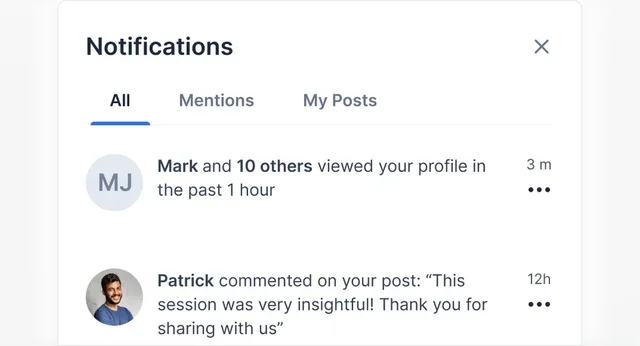
Real-time notifications deliver immediate updates to users as events occur within an application, ensuring users are informed instantly without manual refreshes.
Why Implement Real-Time Notifications?
Real-time notifications improve user retention by keeping users engaged with up-to-date information and encouraging immediate action.
Architecture and Infrastructure Setup
Designing a scalable architecture with SuprSend involves leveraging its distributed Pub/Sub messaging model and WebSocket capabilities across global data centers. This ensures low-latency message delivery and high reliability.
// Example WebSocket connection setup with SuprSend
const WebSocket = require('ws');
const ws = new WebSocket('wss://hub.suprsend.com/event/');

ws.on('open', function open() {
  console.log('WebSocket connected');
});

ws.on('message', function incoming(data) {
  console.log('Received:', data);
});
Backend Development and APIs
Integrating SuprSend’s RESTful APIs enables seamless backend management of notification workflows, including creation, update, and deletion of notifications programmatically. One sample API request in CURL, more details: Trigger an Event (suprsend.com)
curl --request POST \
     --url https://hub.suprsend.com/event/ \
     --header 'accept: application/json' \
     --header 'content-type: application/json' \
     --data '
{
  "distinct_id": "_distinct_id_",
  "event": "_event_name_",
  "properties": {}
}
'
Frontend Implementation with SuprSend SDK
Integrating SuprSend SDKs into frontend applications allows for customizable and branded notification components, ensuring a seamless user interface for real-time updates.
npm i @suprsend/react-inbox

import SuprSendInbox from '@suprsend/react-inbox'
import 'react-toastify/dist/ReactToastify.css' // needed for toast notifications, can be ignored if hideToast=true

// add to your react component
<SuprSendInbox
  workspaceKey= "<workspace_key>"
  subscriberId= "<subscriber_id>"
  distinctId= "<distinct_id>"
/>
Advanced Features and Functionality
Security and Compliance
SuprSend ensures data security with AES-256 encryption for notification content and complies with GDPR and CCPA regulations, safeguarding user privacy.
Performance Optimization Strategies
Optimizing notification delivery includes implementing caching strategies, load balancing, and monitoring tools provided by SuprSend to maintain high performance during peak usage.
Personalization and User Engagement
Enhancing user engagement through personalized notifications is facilitated by SuprSend’s analytics and A/B testing capabilities, allowing developers to analyze user interactions and optimize notification content.
Case Study: Implementing SuprSend in a SaaS Application
Use Case Scenario
Integrating SuprSend into a project management SaaS application for real-time task updates and collaboration notifications. You can learn more about Why You Need a Notification Service for Your SaaS and Not Single Channel Vendors?
Implementation Steps
- Integration Planning: Define notification types and triggers for real-time updates.
- API Integration: Implement SuprSend API endpoints for seamless notification management.
- UI/UX Design: Customize notification interfaces using SuprSend SDKs for optimal user experience.
- Testing and Optimization: Conduct thorough testing and optimization to ensure reliable notification delivery.
Practical Demonstration on a Demo Application (Deployed on Github)
We built a practical demo application to demonstrate how you can integrate the realtime notification system without any development. You can read more about one of our use-cases of real time notification system, i.e, batching here: How to Batch Notifications for your Social Media/ Collaborative Application? (suprsend.com)
It contains the Github link as well.
FAQ
What are Real-Time Notifications?
Real-time notifications provide instant updates to users about events within an application, enhancing user engagement. A common notification component used to facilitate real-time notifications is inapp inbox. You can learn more about What are In-App Notification Feeds for SaaS Products?
How do Real-Time Notifications Benefit SaaS Applications?
Real-time notifications improve user retention, encourage immediate user actions, and enhance overall user experience.
How Can SuprSend Enhance Real-Time Notification Systems?
SuprSend offers scalable infrastructure, advanced security measures, and customizable SDKs for seamless integration and management of real-time notifications.