
Primary signal
Upgrades
More trials turn into paid plans
More trial users upgrade once the sequence reminds them before and after the trial ends, compared with no reminders.
By clicking “Accept All Cookies”, you agree to the storing of cookies on your device to enhance site navigation, analyze site usage, and assist in our marketing efforts. View our Privacy Policy for more information.
We use cookies to understand how the workflow library is used and to improve it.
Pick how you want to build it.
 Build with the SuprSend Agent
Trials end without the user noticing. They forget the end date and slip to a downgrade without ever deciding.
A generic "your trial is ending" email rarely convinces. Without showing what the user got from the trial, there is no reason to pay.
Reminders keep going after the user already decided. Someone who upgraded or canceled still gets trial-ending emails.
Once the trial ends, the user is written off. With no follow-up after expiry, a user who just got busy is gone for good.
Trial starts
A trial begins (TRIAL_STARTED) and the sequence counts toward the end date.
Value reminder before expiry
Three days before the trial ends, the workflow fetches the user's usage and sends a reminder built around it.
Urgent reminder one day out
One day before expiry, an urgent reminder goes out across the user's channels.
Expiry notice, then a follow-up
When the trial ends the user gets a downgrade notice, and three days later a help or extension offer.
Upgrading or canceling ends it
Upgrading or canceling at any point (TRIAL_CONVERTED, TRIAL_CANCELED) stops the rest.
Pull their trial usage with a Fetch and lead with it ("you created 40 reports"). Showing what they would lose beats a generic "upgrade now".
The day before expiry is the highest-intent moment. Smart Channel Routing sends that reminder on email, inbox, and mobile push, one at a time until the user sees it.
A downgraded user can still upgrade if the follow-up gives them a way back, like a few more days or a quick demo, not just "you are on the free plan now".
The expiry notice fires on the trial end date. If your billing keeps them on the trial through a grace period, or there is no free plan, the message contradicts what they see in the product.
Someone who signed up and never logged in will not upgrade because the trial is ending. Route never-activated users to onboarding help instead, and keep this sequence for the ones who got far enough to see the value.
An "upgrade now" in the first days, before the user has gotten value, reads as pushy. The reminders wait until close to the end for this reason; keep the ask there.
The actual notifications this workflow sends, on each channel.
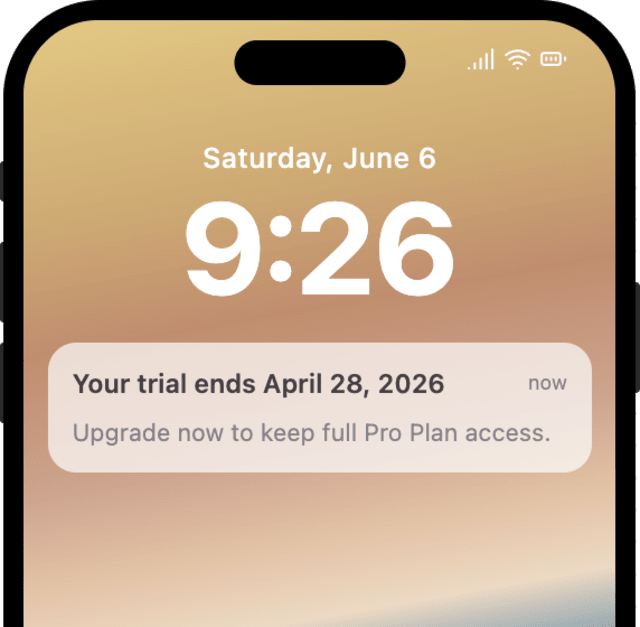
More trial users upgrade once the sequence reminds them before and after the trial ends, compared with no reminders.
When trial users mute or unsubscribe before the trial even ends, the reminders are coming too often.
Quick answers about setting up and running this workflow.
Yes. An upgrade or a cancellation (TRIAL_CONVERTED or TRIAL_CANCELED) for that trial stops the rest of the sequence at any stage, matched on trial_id.
Only the messages. The charge and the downgrade happen in your billing system; the workflow notifies the user around them and stops when you fire TRIAL_CONVERTED or TRIAL_CANCELED back to it.
Both. For a free trial the messages prompt an upgrade to keep access; for a trial that charges a card on file, word them as a reminder that the card is charged on the end date unless the user cancels. The workflow sends the reminders either way, so the copy follows your billing model.
Yes. They are timed from trial_end_date: three days before, one day before, at expiry, and three days after. Adjust the Wait Until offsets or add reminders in the editor or through the SuprSend MCP.
Email and in-app inbox for most messages. The one-day reminder also uses mobile push, since a trial user is a signed-up user who often has the app installed.
Fire TRIAL_STARTED with a trial_id and a near-term trial_end_date, then TRIAL_CONVERTED or TRIAL_CANCELED with the same trial_id to confirm it stops. Use the Test button, the SuprSend Agent, or the API, CLI, or MCP.
Sign up and test the workflow directly in the dashboard.
Copy the prompt, paste it into the Agent in your SuprSend dashboard, and the workflow gets built for you.
Set up SuprSend MCP in Claude Code, Cursor or Windsurf, copy the prompt, and the workflow builds itself in your workspace.