
Primary signal
Caught
Account takeovers get caught
Users spot and stop unauthorized access when a security alert reaches them the moment it happens.
By clicking “Accept All Cookies”, you agree to the storing of cookies on your device to enhance site navigation, analyze site usage, and assist in our marketing efforts. View our Privacy Policy for more information.
We use cookies to understand how the workflow library is used and to improve it.
Pick how you want to build it.
 Build with the SuprSend Agent
A user has no idea their account was just accessed. By the time they notice, an attacker has had free run of it.
A security alert on one channel is missed. If the warning sits unread in email, the user never gets the chance to act.
A delayed alert lets an attacker move first. Minutes matter, so a slow warning is almost as bad as none.
A vague "unusual activity" alert leaves the user unsure what to do. With no detail or action, they cannot tell a real threat from a false alarm.
A security event happens
A new login, password change, or suspicious activity (SECURITY_EVENT) is detected on the account.
The user is alerted at once
A security alert fires immediately on email, SMS, and push together.
The user can act
The alert says what happened and links straight to securing the account.
Security cannot wait for escalation. A Multi-Channel send fires email, SMS, and push together so the alert reaches the user the moment something happens.
"New login from Chrome in Berlin, 2 PM. Not you? Secure your account." A specific alert with one clear action beats a vague "unusual activity".
Link straight to "log out other devices" or "change password" so a worried user acts in seconds, not by hunting through settings.
Every ordinary login alerted becomes noise, and the one that matters gets ignored with the rest. Reserve the alert for genuinely notable events.
An alert with no detail pushes the user to click a link to "check", which is exactly how phishing works. Give enough context that they trust it without following a link.
A security alert is not optional like marketing, and most products do not let users turn it off at all. Set the category to one users cannot unsubscribe from, with a mandatory channel, so general preferences cannot suppress the warning they need to see.
The actual notifications this workflow sends, on each channel.
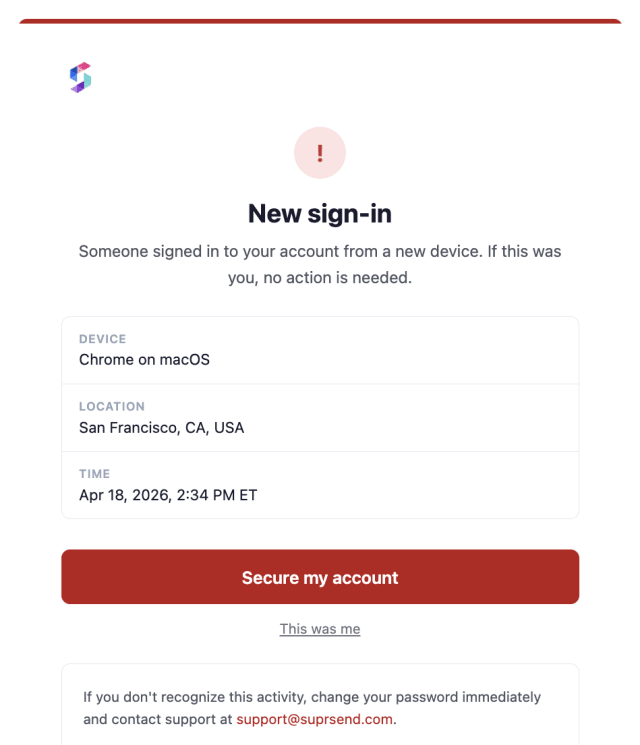
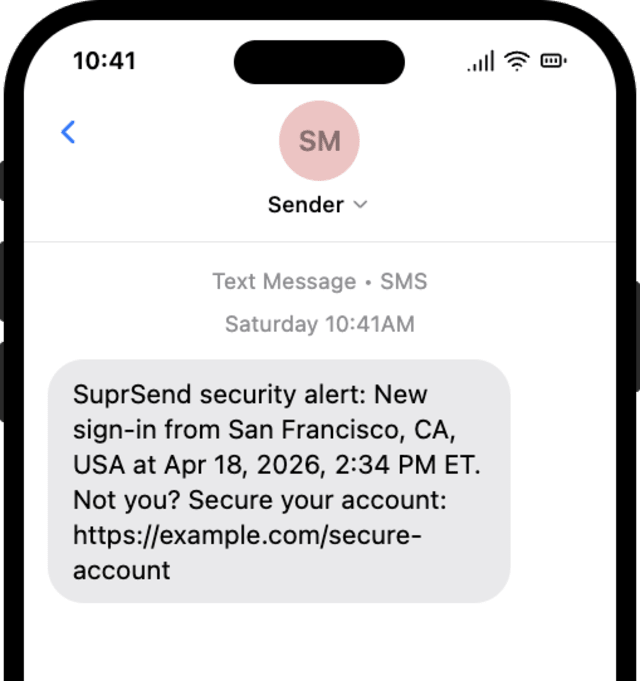
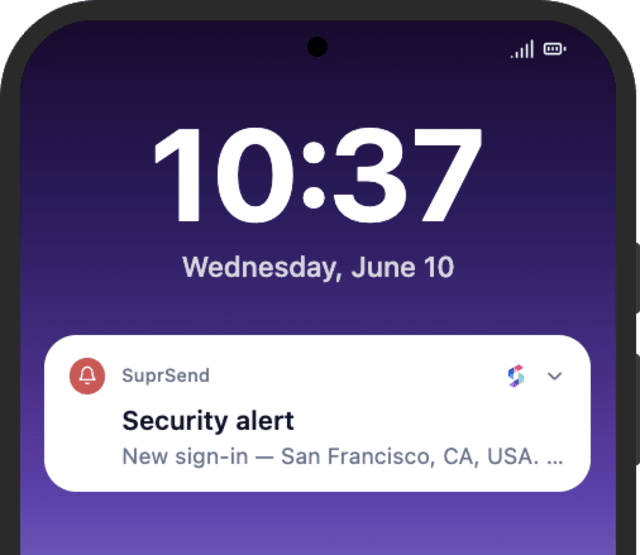
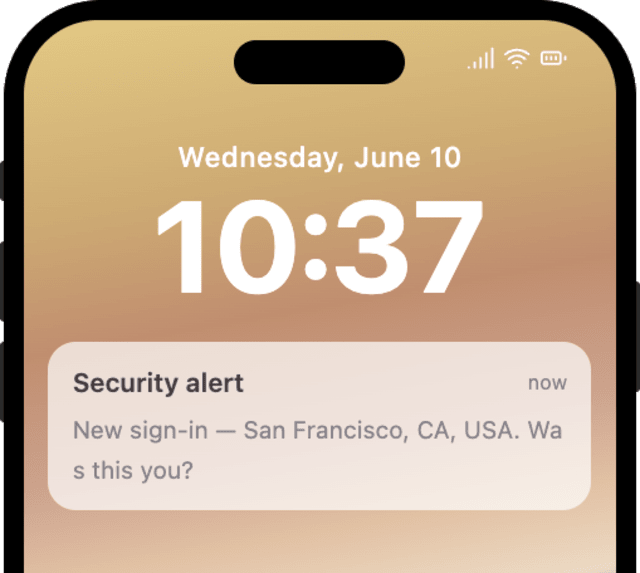
Users spot and stop unauthorized access when a security alert reaches them the moment it happens.
When users mute or skip these, ordinary activity is being alerted alongside the events that actually matter.
Quick answers about setting up and running this workflow.
Email, SMS, and mobile push, fired together with Multi-Channel. A security alert cannot wait for one channel to fail, so it reaches the user everywhere at the same time.
Yes. The alert carries the event details from the SECURITY_EVENT payload, so a new login, a password change, and suspicious activity each show their own context. To send a different action per type, add a Branch.
No. The alert informs and offers an action, then the workflow ends. The user acts only if something looks wrong.
OTP Verification delivers a code the user needs to log in. The security alert warns the user about account activity after the fact, so they can react to anything they did not do.
Fire SECURITY_EVENT for a test user and confirm the alert lands on every channel. Trigger from the Test button, the SuprSend Agent, or the API, CLI, or MCP.
Sign up and test the workflow directly in the dashboard.
Copy the prompt, paste it into the Agent in your SuprSend dashboard, and the workflow gets built for you.
Set up SuprSend MCP in Claude Code, Cursor or Windsurf, copy the prompt, and the workflow builds itself in your workspace.