
Primary signal
Sales
More users buy during the sale
More users act on a promotion when it reaches them in their active hours with a clear offer and deadline, compared with a poorly timed send.
By clicking “Accept All Cookies”, you agree to the storing of cookies on your device to enhance site navigation, analyze site usage, and assist in our marketing efforts. View our Privacy Policy for more information.
We use cookies to understand how the workflow library is used and to improve it.
Pick how you want to build it.
 Build with the SuprSend Agent
A sale runs but most of your customers never hear about it. The discount is live, yet the people who would buy do not know.
A promotion sent at one time lands overnight for half the list. An offer that arrives at 3 AM is gone before the user shops.
A discount sent to everyone gives away margin on full-price buyers. Customers who would have paid full price take the cut for free.
A sale sent by email alone misses customers who live on their phones. If they do not open email in time, a time-boxed offer passes them by.
A sale is triggered
When a sale or promotion starts (SALE_PROMOTION_TRIGGERED), it is queued for each user.
Held for the user's active hours
A Time Window holds it to 9 AM to 8 PM in the user's timezone.
Sent on email and push
The offer goes out where the user will see it fast.
A time-boxed sale can be over before some users open email. Multi-Channel sends email and mobile push together, so the offer reaches a phone-first shopper while it still stands.
A sale sent to your whole base discounts customers who would have bought anyway. Aim it at the segment a discount actually changes, like price-sensitive or inactive buyers, so the margin you give up wins a sale you would not have made.
The workflow limits each user to five sends in seven days. Staying under that protects your inbox placement, because a run of promotions teaches inbox filters to demote you, not just the user to skip you.
The Time Window holds each send to the user's 9-to-8, so a same-day sale fired in the evening can reach someone the next morning, after it has closed. For a sale that ends within a day, trigger it early or widen the window so the offer lands while it still stands.
A sale is promotional, so users must be able to turn it off in their preferences. Setting the category as one they cannot unsubscribe from draws spam complaints that hurt delivery for every promotion after it.
"Our sale is live" gives no reason to act now. Lead with the real discount and the cutoff, like "30% off, ends Sunday", so the urgency that makes a sale work sits on the first line.
The actual notifications this workflow sends, on each channel.

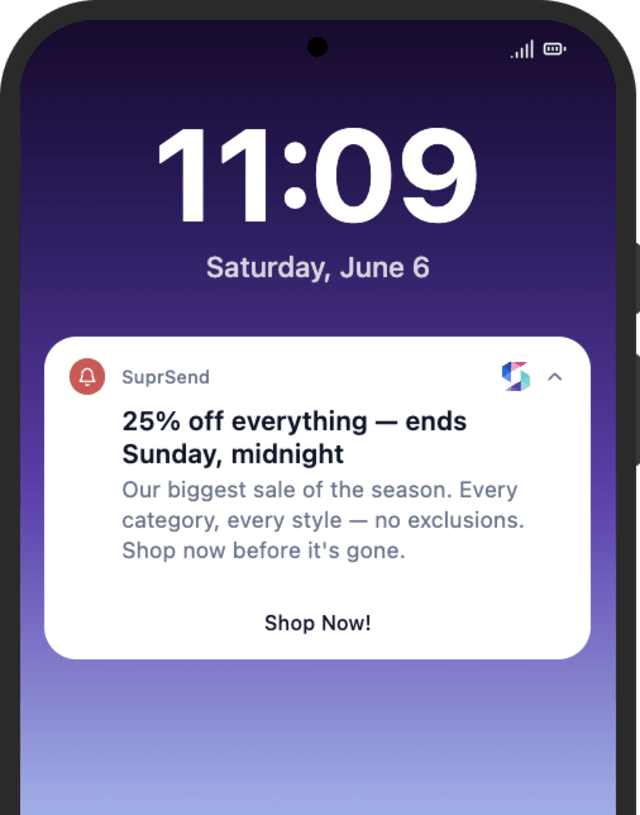
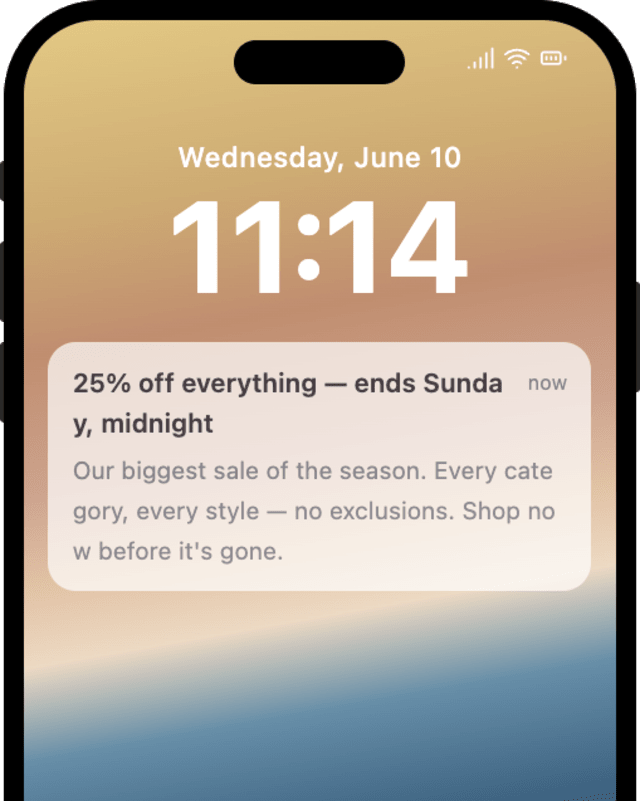
More users act on a promotion when it reaches them in their active hours with a clear offer and deadline, compared with a poorly timed send.
When customers stop buying at full price, promotions are running too often or too broadly to feel special.
Quick answers about setting up and running this workflow.
Yes. The workflow caps each user at five sends in seven days, a guard on your domain's deliverability. Raise or lower that rate limit in the workflow settings to fit your promotion schedule.
Email and mobile push, so a time-boxed offer reaches the user fast, not just in a mailbox they open later.
Sale Promotion announces a storewide sale to your audience. Restock & Price Drop notifies a user that one specific item they watched is back or cheaper.
On its own it sends one announcement. To add a last-chance reminder, follow the send with a Wait Until and a second message, or trigger the workflow again a few hours before the sale closes.
Fire SALE_PROMOTION_TRIGGERED for a test user. The Time Window may hold the send until daytime, so test within those hours, from the Test button, the SuprSend Agent, or the API, CLI, or MCP.
The workflow runs once per recipient, which suits a targeted send but adds queue time for a one-time send to thousands of users. For a very large list, SuprSend's List Broadcast sends the same offer in bulk and lands faster.
Sign up and test the workflow directly in the dashboard.
Copy the prompt, paste it into the Agent in your SuprSend dashboard, and the workflow gets built for you.
Set up SuprSend MCP in Claude Code, Cursor or Windsurf, copy the prompt, and the workflow builds itself in your workspace.