
Primary signal
Conversions
Watched items get bought
More watchers come back and buy when they are told the moment their item is back or cheaper, compared with no alert.
By clicking “Accept All Cookies”, you agree to the storing of cookies on your device to enhance site navigation, analyze site usage, and assist in our marketing efforts. View our Privacy Policy for more information.
We use cookies to understand how the workflow library is used and to improve it.
Pick how you want to build it.
 Build with the SuprSend Agent
Shoppers who wanted a sold-out item never learn it is back. The restock happens quietly and the interested buyer misses it.
A price drop the shopper does not hear about is a sale missed. They would have bought at the lower price if they had known.
A back-in-stock alert to everyone is spam. Only the people who watched that item care that it changed.
A hot restock can sell out again within hours. Whoever hears first buys, and the rest arrive to a sold-out page.
A watched item changes
When a watched item is back in stock or drops in price (RESTOCK_PRICEDROP_TRIGGERED), its subscriber is queued.
Held for the user's active hours
A Time Window holds it to 9 AM to 8 PM in the user's timezone.
Sent one channel at a time
Smart Channel Routing delivers on email or push, whichever reaches the user, until it is seen.
A restock alert is welcome to the person who asked for it and spam to everyone else. You can trigger it per watcher, or keep each item's watchers as subscribers to the item and trigger on the item, which sends to that exact group in one call.
The shopper waited for this, so do not send them off to search. Deep-link straight to the product, in stock and ready to add to cart.
A restock can sell out within the hour, so for fast-moving items send the alert the moment stock returns rather than waiting for the Time Window. A price drop is less urgent, so the quiet-hours hold suits it well.
Stock can sell out and a lowered price can go back up between the trigger and the send. Confirm the item is still in stock, or still discounted, at send time, so the shopper does not arrive to a "sold out" or full-price page and lose trust.
The change is the reason to open: "back in stock" or "now $20 off". Put it in the first line, ahead of the logo or a generic "good news", or the alert reads like any other promotion the shopper skips.
An item whose price moves often can notify a shopper again and again. Alert only on a meaningful change, so the watcher gets a reason to buy, not a stream of noise.
The actual notifications this workflow sends, on each channel.
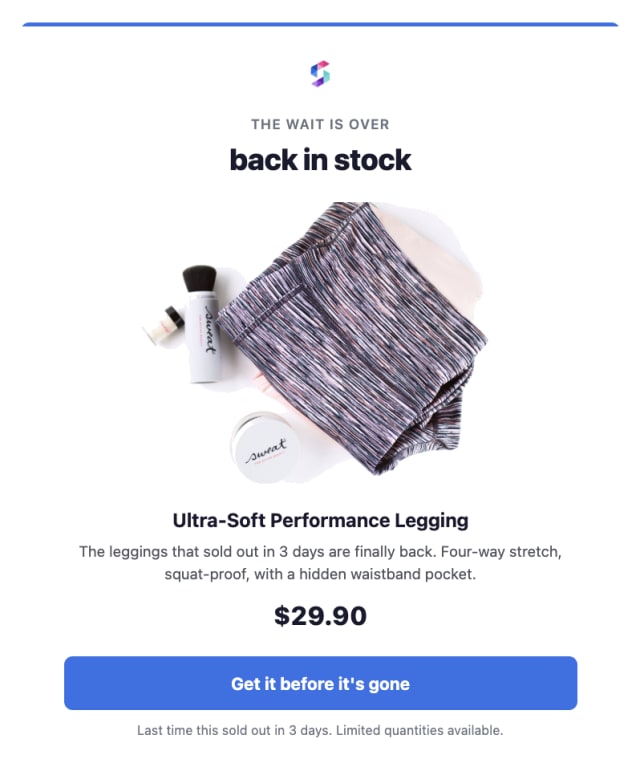
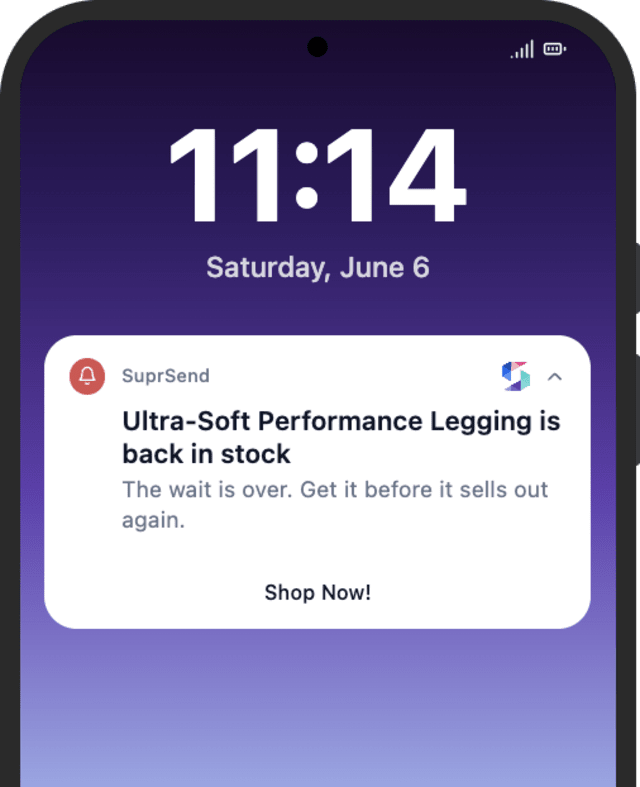
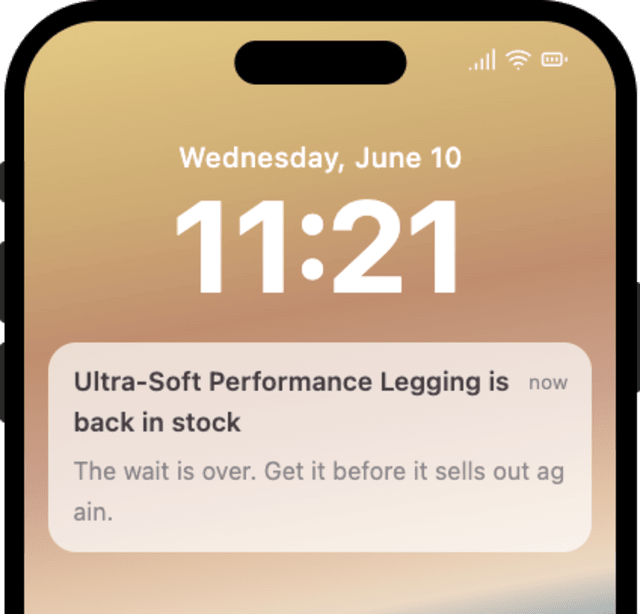
More watchers come back and buy when they are told the moment their item is back or cheaper, compared with no alert.
When users turn off restock alerts, the same item is notifying them too often or the change had already reverted.
Quick answers about setting up and running this workflow.
Only the subscribers who watched that specific item, so the alert is wanted, not a blanket send to your whole list.
Email and mobile push, sent with Smart Channel Routing one channel at a time until the shopper sees it. For the most time-sensitive restocks you can add SMS to the template to reach them faster.
Yes. These are promotional, so a watcher can turn them off in their preferences. Keep the category one they can opt out of rather than a mandatory one.
Restock & Price Drop alerts one watcher about one item they tracked. Sale Promotion announces a storewide sale to your whole audience.
Fire RESTOCK_PRICEDROP_TRIGGERED for a test subscriber. The Time Window may hold the send until daytime, so test within those hours, from the Test button, the SuprSend Agent, or the API, CLI, or MCP.
Sign up and test the workflow directly in the dashboard.
Copy the prompt, paste it into the Agent in your SuprSend dashboard, and the workflow gets built for you.
Set up SuprSend MCP in Claude Code, Cursor or Windsurf, copy the prompt, and the workflow builds itself in your workspace.