SuprSendVSMagicBell

SuprSend vs MagicBell

MagicBell puts a notification inbox in a web app fast. SuprSend does that on web and mobile and runs every message, channel and customer account behind it.

Trusted infrastructure layer behind hundreds of platforms

ExaCareSiemensEmergentSarvamCrazyGamesEvocalizeEskoFrankieOneSennderDelightreeHeyReachFreightify

MagicBell and SuprSend do the same job: one API that turns a product event into an in-app inbox message, an email, a push or a Slack message. MagicBell is built for one engineer to ship a bell quickly. SuprSend is notification infrastructure that engineering, product and growth work in together, and it goes deeper on workflows, templates, preferences and tenants.

Why teams choose SuprSend over MagicBell

Ship an inbox on web and mobile

Drop-in React components give you a popover, a side sheet or a full-screen feed, or you go headless with hooks. Angular, Vue, React Native, Flutter, iOS and Android SDKs carry the same feed into every app. MagicBell’s inbox covers React, Preact, Svelte and web components, with no mobile inbox SDK.

One system for every kind of message

Email, SMS, WhatsApp, mobile push, web push, Slack, Teams, in-app and webhooks sit on one user profile. A password reset, a comment notification and a win-back campaign share the same workflows, preferences and logs. MagicBell sends transactional broadcasts on seven channels, with no lists or scheduled campaigns.

Workflows that batch, branch, route and fail over

One send step reaches every channel, a branch node splits the run, a digest groups bursts, and provider failover reroutes a failed send. Every workflow keeps versions with rollback, and test mode blocks real delivery. A MagicBell workflow is a JSON list of broadcast, wait, pause and abort steps.

Customise notifications per tenant, with per-user preferences

Each tenant has its own sending domain and provider, its own template version, its own channel defaults and a per-tenant feed, nested five levels deep. Users choose channels and a digest schedule per category. MagicBell separates customers into projects, and a preference is an on or off switch.

Templates with versions, variants and translations

Every channel has a rich editor, with variants by tenant, user or language, translation files per language, and version history with rollback. You can embed the editor inside your own product. MagicBell has no template object: the title and content travel inside each API call.

AI works where your team works

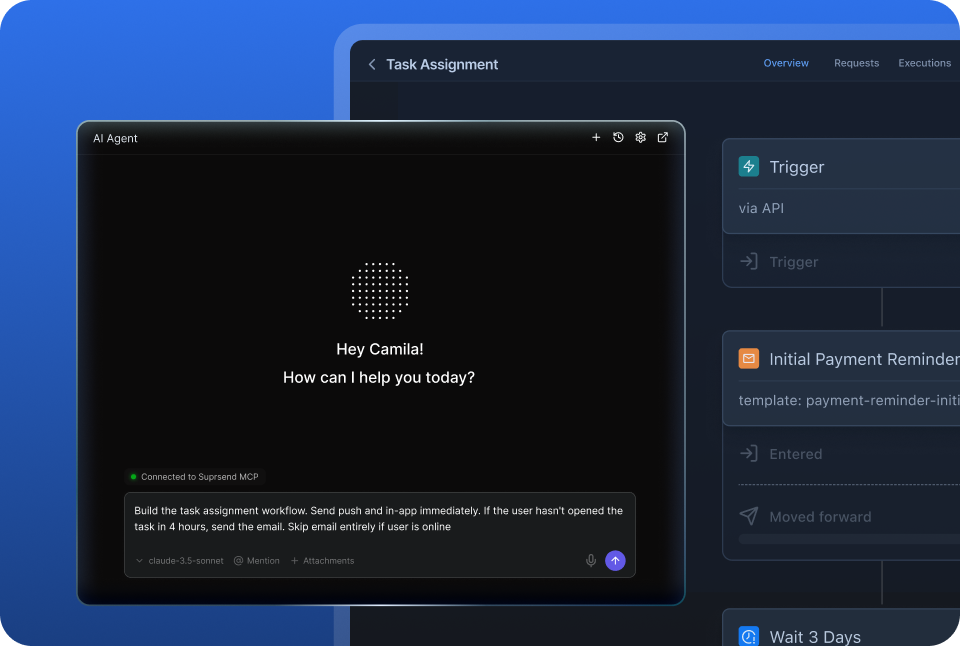
People and agents work from the tools they already use. A product manager asks the SuprSend agent in the dashboard or Slack, and a developer’s coding agent edits workflows from the repo over MCP. MagicBell has no agent and no MCP server; changes go through its dashboard, API or CLI.

Build notifications in the dashboard, in your own agent, or in your codebase

A product manager changes a workflow in the dashboard. A developer commits the same workflow as a file and ships it through a pull request. A marketer asks Claude to build a list and send a campaign. All three are working on the same workflows, templates and logs, so nobody waits on a ticket.

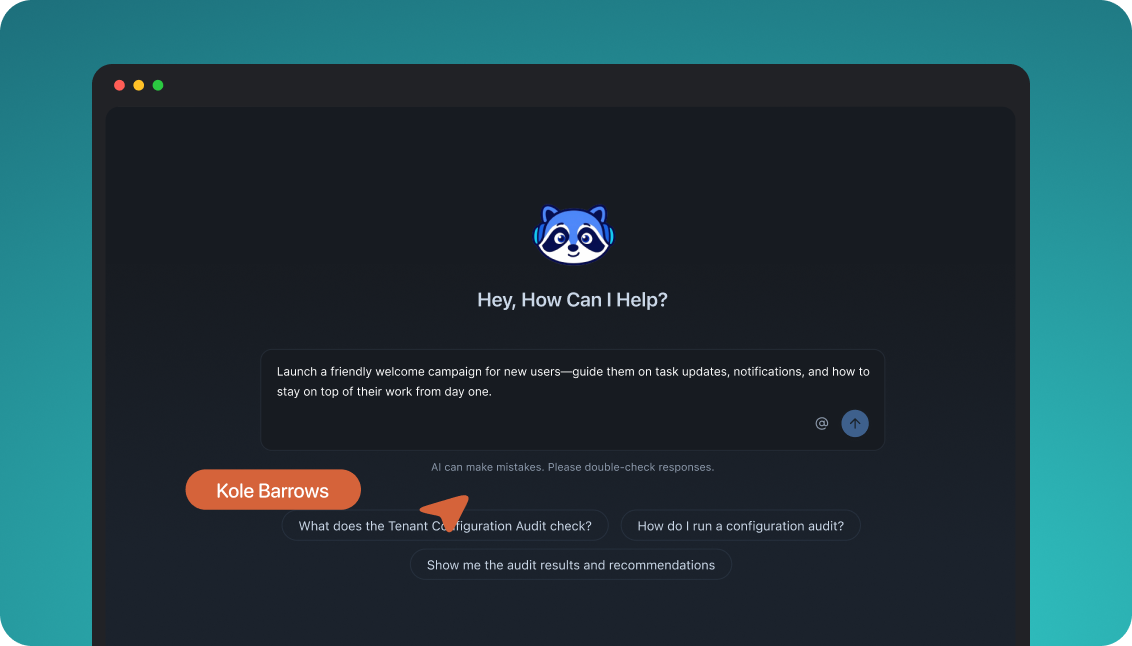
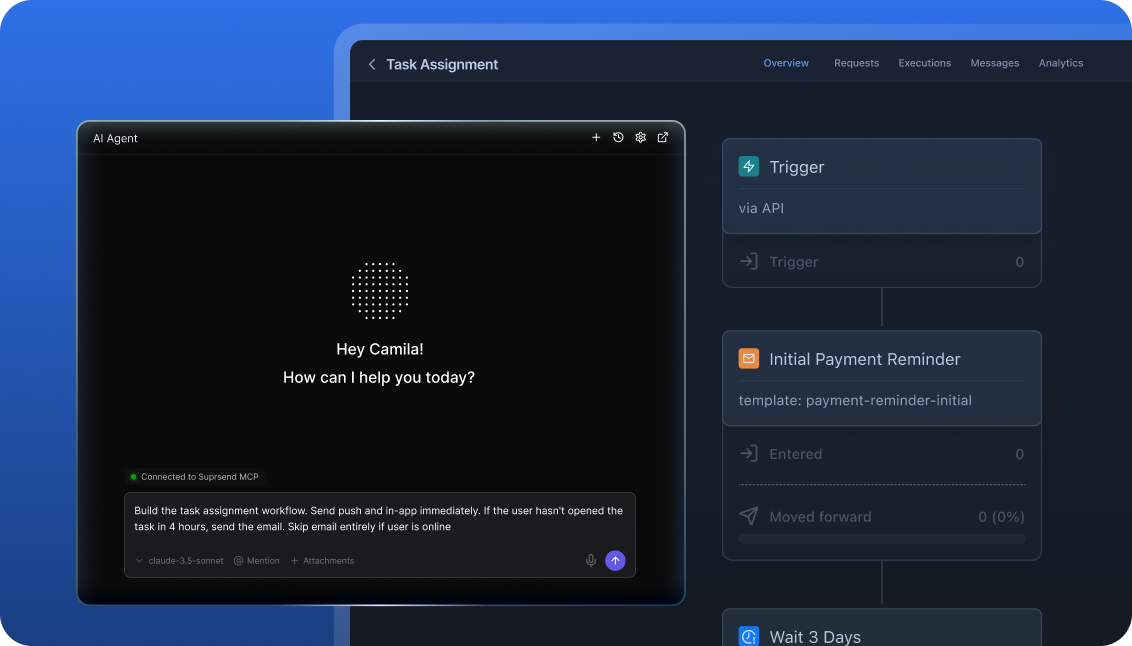
The built-in agent builds, edits and debugs notifications from a description; product and growth ship without a ticket.

In the dashboard

Connect the MCP to Claude, ChatGPT or any client and operate templates, workflows, tenants and preferences from there.

In your own agent

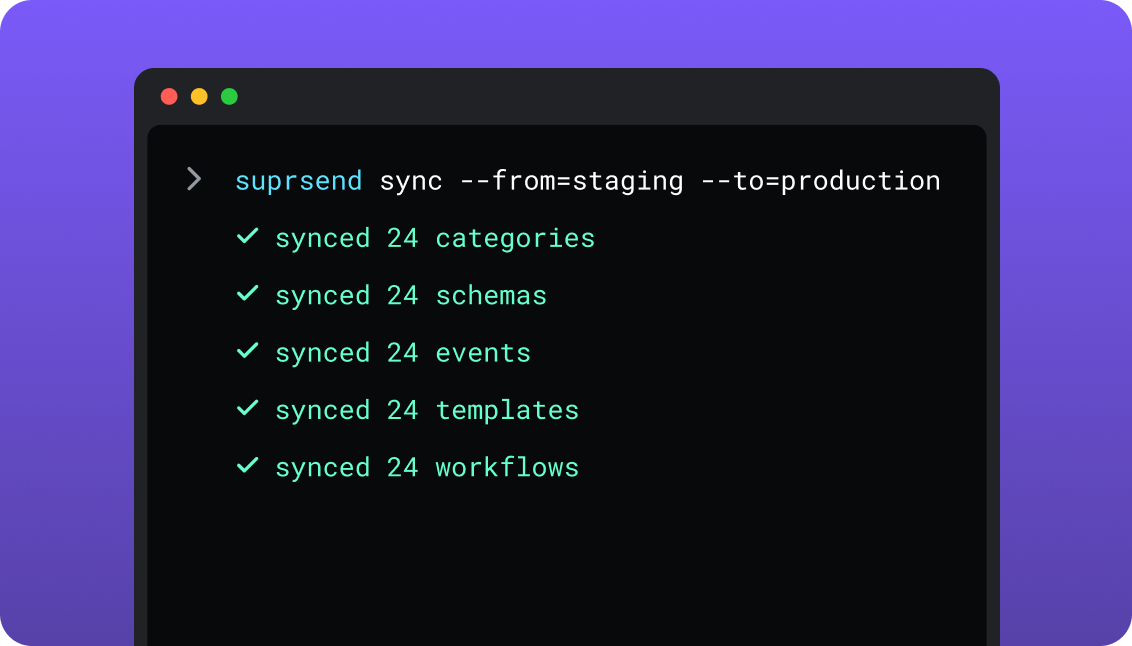
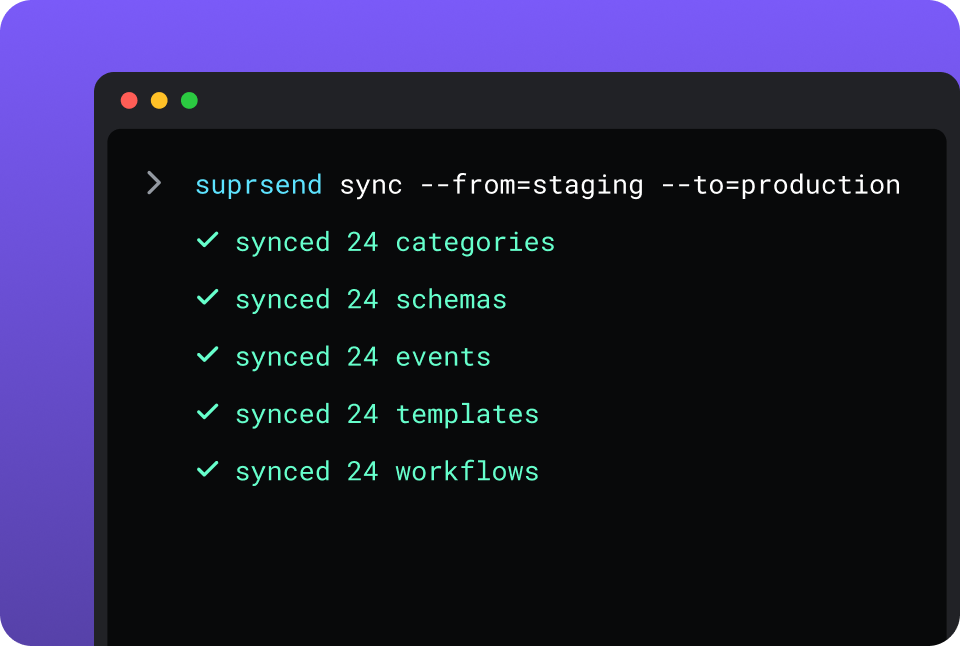
CLI and API keep workflows versioned, diffable and reviewed in pull requests; coding agents make bulk changes.

In your IDE or codebase
In the dashboardIn your own agentIn your IDE or codebase

One SuprSend customer runs its marketing email end to end from Claude Code, with nobody in the dashboard.

MagicBell is built from its dashboard, its REST API and its CLI. The dashboard sends a broadcast, sets up integrations, lays out the delivery planner and shows the event log. A workflow is a JSON document saved over the API or the CLI. There is no agent and no MCP server, so an agent can only reach MagicBell through code you write against the API.

Short answer

If this is youChoose
A Stripe or GitHub webhook should start a notification with no code on your sideMagicBellMagicBell
Your front end is Preact, Svelte or framework-free web components, and the inbox has to drop in nativelyMagicBellMagicBell
The inbox has to live in your iOS, Android, Flutter or React Native app as well as on the webSuprSendSuprSend
Each customer account needs its own branding, provider, content and defaultsSuprSendSuprSend
Transactional, product and customer engagement messages should live in one systemSuprSendSuprSend
Messages need digests, branches, throttling or a backup provider when a send failsSuprSendSuprSend
Product and growth will change workflows and templates without waiting for an engineerSuprSendSuprSend
You need WhatsApp, or SMS through a provider other than TwilioSuprSendSuprSend
You want agents to build, send and manage your notifications from Claude, ChatGPT, Claude Code, Cursor or SlackSuprSendSuprSend

At a glance

SuprSendSuprSendMagicBellMagicBell
Best whenNotifications are a product surface shared by engineering, product and growthOne engineer needs a web inbox with email, push or Slack behind it
Who uses itEngineers, product, growth, and agents over MCPEngineers, through the API, CLI and dashboard
Messages coveredTransactional, product and customer engagement, in one systemTransactional and product notifications
Built and changed fromDashboard agent, your own agent over MCP, CLI and APIDashboard, REST API, CLI; workflows as JSON
In-app inboxWeb drop-in and headless; React Native, Flutter, iOS, AndroidReact, Preact, Svelte, web components; no mobile inbox SDK
ChannelsEmail, SMS, WhatsApp, mobile push, web push, Slack, Teams, in-app, webhookIn-app, email, mobile push, web push, SMS through Twilio, Slack, Teams
WorkflowsOne send step, branch, digest, throttle, failover, versions, test modeBroadcast, wait, pause, abort, with a condition per step
TemplatesRich editor per channel, variants, translation files, versionsNo template object; content sent in each call
Multi-tenancyNested tenants with own provider, domain, template version, defaultsA separate project per customer
PreferencesPer category: channels, digest schedule, conditions; tenant defaultsOn or off per category and channel
Lists and campaignsLists from rules, warehouse SQL, CSV, CDP; scheduled broadcastsTopics; a broadcast to up to 1,000 named recipients
Provider failoverOrdered vendor list with timer and delivery-confirmation stopOne provider per channel per project
Log retention30 days Free, 90 days paidNot published
AIAgent in dashboard and Slack; MCP server; Agent SDKNo agent, no MCP server
HostingSuprSend cloud on every plan; your VPC, on-prem or BYOC on Enterprise, full product, supportedMagicBell cloud only
Pricing modelPer notification per channel; digest counts as one; 10,000 free, Essentials $100 per monthPer delivery per channel; 1,000 free, Startup $249 per month
ImplementationSame day: SDK or API call, inbox component, providers in the dashboardSame day: inbox component, API call, providers in the dashboard
ComplianceSOC 2 Type II, GDPR, HIPAA BAA on EnterpriseGDPR; security review on Enterprise
G24.8, 129 reviews5.0, 7 reviews

What each is built for

MagicBellMagicBell

MagicBell is a real-time notification inbox for web apps with delivery channels behind it. An engineer drops in the floating inbox component, sends a broadcast from the API, and users see a live feed with read state and a preferences panel the same day.

Around the inbox sit seven channels through providers you connect, a delivery planner that orders channels with delays and conditions, and short JSON workflows that Stripe and GitHub webhooks can start. It is run by engineers, one project per environment or customer.

SuprSendSuprSend

SuprSend starts with the same inbox and goes as fast to a live bell: drop-in popover, side sheet and full-screen components, headless hooks, and SDKs for React Native, Flutter, iOS and Android. Behind the bell sit deep workflows, templates, preferences, analytics, lists and tenants.

It suits products where engineering, product and growth all change notifications, and where each customer account needs its own setup. Transactional, product and customer engagement messages run in it on nine channels, built from the dashboard, an agent or the repo.

Where MagicBell wins

Webhook-started workflowsName a workflow integration.stripe.charge.succeeded and it runs when that Stripe webhook arrives, with the payload as template variables; GitHub works the same way.
More web inbox frameworksPreact, Svelte and framework-free web components, alongside React.
A Ruby clientBackend libraries for Ruby, Node, Python and Go.
Preferences and channel ordering on the free planBuilder includes Smart Delivery and the preferences panel at 1,000 deliveries a month; SuprSend starts preferences at Business.
Cheaper overage than SuprSend BusinessStartup charges $2.50 per extra 1,000 deliveries, against $5 on Business.

Where SuprSend wins

Environments on every planDevelopment, staging and production come with every plan, Free included. On MagicBell a second environment is a second project: one on Builder, five on Startup, $99 a month for each after that.
Timing controlsSend in each recipient’s timezone, hold messages to work hours, throttle a noisy workflow, and batch until a due date.
Lists from your warehouse, your CDP and your rulesA scheduled SQL query, a Segment, Mixpanel or Amplitude sync, rules on properties and events, CSV or API, with broadcasts one-time, scheduled or recurring.
Objects as recipientsAn order, a team or a device can receive notifications and carry subscribers of its own.
Compliance paperworkA SOC 2 Type II report on paid plans and a HIPAA BAA on Enterprise.
Two-factor sign-in on every planGoogle and GitHub sign-in too, with SAML SSO, roles and an audit trail on Enterprise.
A choice of where it runsSuprSend cloud on every plan, or the full product in your VPC, on-prem or BYOC on Enterprise, with support behind it.

Who works in it

MagicBellMagicBell

Engineers add the inbox component, send broadcasts through the REST API or a client library, and save workflows as JSON through the API or CLI. Anyone with dashboard access can send a broadcast, set up integrations, arrange the delivery planner and read the event log.

Agents have no MagicBell server to connect to; an agent reaches MagicBell only through code written against the API.

SuprSendSuprSend

Engineers integrate once through the API, a backend SDK in Python, Node, Java or Go, the CLI and MCP, and keep workflows and templates in the repo. Product and growth build workflows, lists, content and broadcasts in the dashboard, or have the built-in agent build them, with versions to roll back and a test mode.

Agents connect over MCP from Claude, ChatGPT, Claude Code or Cursor and create users and tenants, set preferences, write templates, trigger a notification, run a broadcast and read the delivery log.

Feature by feature

From both products, documentation sites and pricing pages, September 2026. Plan names mark the lowest SuprSend plan that includes a feature.

How notifications are built and changed

Everything in MagicBell has an API and a CLI command behind it. SuprSend adds a visual workflow builder, files in your repo, environments to promote between, an agent in the product and an MCP server for agents outside it.

CapabilitySuprSendSuprSendMagicBellMagicBell
Visual workflow builder YES NOWorkflows are JSON documents; the dashboard lays out the delivery planner
Workflows and templates by API YESFull create, update, delete PARTIALWorkflows saved and fetched by key; no template object
CLI push and pull of assets YESWorkflows, templates, schemas, events, categories, translations PARTIALSaves and fetches a workflow; sends broadcasts; manages integrations
Promote staging to production from CI YESBy CLI NOEach project is edited live
Change many assets in one command or prompt YESBy CLI or agent NOOne workflow per save
Headless UI YESInbox, preference centre and template editor PARTIALInbox and preferences through the browser client

Teams and scope

MagicBell is operated by engineers and covers transactional and product notifications. SuprSend gives product and growth their own way in and runs customer engagement through the same system.

CapabilitySuprSendSuprSendMagicBellMagicBell
Who builds workflowsEngineers, product managers, growth, in the dashboard, by CLI or by agentEngineers, as JSON through the API or CLI
Who builds audiencesAnyone: rules, warehouse SQL, CSV, CDP syncEngineers, by subscribing users to topics over the API
Team membersUnlimited on every planUnlimited on every plan
Transactional and product notificationsAll nine channelsAll seven channels
Customer engagement campaignsLists and scheduled broadcasts on every planBroadcasts to named recipients or a topic, sent now
EnvironmentsDevelopment, staging, production on every planProjects: 1 on Builder, 5 on Startup, $99 per extra

Data model and tenancy

MagicBell models users, topics and categories inside a project, and a second customer setup means a second project. SuprSend models users with free-form properties, lists, objects and nested tenants inside one workspace.

CapabilitySuprSendSuprSendMagicBellMagicBell
User propertiesAny number; any JSON value, nested objects and arrays includedCustom attributes object on each user
Lists built from properties or events YESRules, warehouse SQL, CSV, API, Segment, Mixpanel, Amplitude NOTopics with subscribers added over the API
Dynamic lists that refresh YES, BUTEnterprise, or an add-on on Essentials and Business NO
Non-user recipients YESObjects with own channels, properties and subscribers; Business NOTopics group users only
Tenants YES, BUTNested five levels with inheritance; Business add-on or Enterprise NOA separate project per customer
Per-tenant provider and sending domain YES PARTIALPer project
Per-tenant template content YESOwn version matched by tenant ID at send NOContent travels in the API call
Tenant-admin defaults and mandatory channels YES NO

Channels

Both send through providers you connect and deliver in-app, push, Slack and Teams directly. SuprSend adds WhatsApp, a native webhook channel, any SMS provider and failover to a second provider.

CapabilitySuprSendSuprSendMagicBellMagicBell
EmailSendGrid, SES, Mailgun, Postmark, Resend, SMTP and moreSES, Mailgun, SendGrid or SMTP
SMSYour choice of providerTwilio only
WhatsApp YESThrough a provider or the Cloud API directly NO
Mobile push YESAPNs and FCM direct YESAPNs, FCM, Expo
Web push YES YES
Slack and MS Teams YES YESPlus a MagicBell Slack bot
Webhook as a channel YES YES, BUTCustom channels through webhooks, on the homepage only
Provider failover YESOrdered vendor list, timer, delivery-confirmation stop; Essentials NOOne provider per channel per project

Workflows

A MagicBell workflow is a list of commands with a condition on each, and the delivery planner decides which channels a broadcast reaches. A SuprSend workflow is a graph with one send step for all channels, batching, digest, routing, failover, versions and a test mode.

CapabilitySuprSendSuprSendMagicBellMagicBell
TriggersAPI event, Segment event, broadcast, scheduleAPI call; Stripe and GitHub webhooks by workflow key
Step typesSend, branch, batch, digest, delay, wait for event, fetch from API, data transform, webhook, sub-workflowBroadcast, wait, pause, abort
Branching YESBranch node splits the run PARTIALA condition on each step
Channel routing with stop on engagement YESTry channels in order, stop when the user responds YESDelivery planner: order, delay, send email if in-app unseen
Batching and digest YES, BUTUser-chosen time, batch until due date, skip if too few; Business NO
Throttling YES, BUTEssentials NO
Send in the recipient’s timezone YES, BUTEssentials; work hours on Business NO
Payload validation YESJSON schema, with TypeScript types generated NOInput is free JSON
Version history and rollback YES NOA save overwrites the definition
Pause and cancel runs YESCancel by run, recipient or workflow YESPause and abort steps; resume by API
Test mode YESBlocks real delivery outside production NOA test project sends for real

Templates and content

MagicBell has no stored template: the title and content travel in each broadcast, rendered with Liquid, with per-channel overrides in the payload. SuprSend keeps a template per channel with versions, variants and translations.

CapabilitySuprSendSuprSendMagicBellMagicBell
Rich editors YESAll nine channels NOTitle, content and action URL in the payload
Template language YESHandlebars; JSONNET for Slack and Teams cards YESLiquid variables from the event data
Variants YESBy tenant, user, event data or language NO
Translations YES, BUTLanguages inside the template on Essentials; translation files per language on Business NOThe inbox UI takes a locale
Version history and rollback YES NO
Embeddable template editor YESReact SDK inside your product NO
Provider templates YES YESFor example a SendGrid template ID in the payload

Preferences

A preference is what a user has said about which messages they want and on which channel. MagicBell stores an on or off switch per category and channel. SuprSend stores that plus a digest schedule and condition rules, with tenant defaults above the user.

CapabilitySuprSendSuprSendMagicBellMagicBell
ModelPer category: channels, digest schedule, condition rulesPer category and channel, on or off
PlanBusiness and upEvery plan
PrecedenceUser per tenant, then tenant admin, then category defaultUser setting; no admin layer above it
Preference centre UIEmbeddable, headless or hosted pagePanel inside the inbox component
User-chosen digest schedule YES NO
Unsubscribe page for any email YESAuto-generated NO
Quiet hours set by the user NO NO

In-app inbox

The inbox is MagicBell’s centre and it is complete on the web. SuprSend’s inbox reaches the same place as fast, then adds native mobile SDKs, per-tenant feeds, toasts and more actions on each notification.

CapabilitySuprSendSuprSendMagicBellMagicBell
Web componentsReact drop-in popover, side sheet and full screen; Angular, Vue, JSReact, Preact, Svelte, web components; floating or embedded inbox
Mobile inbox SDKs YESReact Native, Flutter, iOS, Android NOPush tokens registered over the API
Headless YESReact hooks and mobile SDKs YESBrowser client
Real-time updates, read and seen state YES YESOver WebSockets
Tabs and filters YESBy category or any property YESBy category or topic
Per-tenant feed YES PARTIALA feed per project
Pin, snooze, archive, action buttons YES PARTIALArchive, delete and an action URL
Toasts YES NO
AuthenticationExpiring JWT, refreshed by the SDKJWT you sign, or HMAC
BrandingSuprSend mark on Free, removed from EssentialsNo branding tier on the pricing page; styled with CSS variables

Analytics and logs

MagicBell logs every delivery attempt and integration call with its raw request and response. SuprSend logs every message with its rendered content, the vendor error and the reason a send was blocked, keeps it for a stated window and syncs it out.

CapabilitySuprSendSuprSendMagicBellMagicBell
Step-level workflow log YESOn the workflow map PARTIALRun status by API
Message log with vendor response YESRendered content and vendor error YESStatus codes and raw request and response
Block reasons named YESOpt-out, no channel, template error PARTIALSkipped and dropped statuses
Retention30 days Free, 90 days paid, custom on EnterpriseNot published
Engagement analyticsDelivered, seen, clicked by workflow, template, channel, tenantSent, delivered, opened, failed by broadcast, user, channel
ExportS3 Parquet every five minutes; CSV to 50M rows; warehouse sync on BusinessData export; events over the API
Monitoring tools YES, BUTDatadog, New Relic; Enterprise NO

Developer experience

MagicBell’s API covers everything in the product, with clients in four languages. SuprSend adds three environments, event schemas, type generation, an OpenAPI spec and six frontend SDKs.

CapabilitySuprSendSuprSendMagicBellMagicBell
Backend SDKsPython, Node, Java, GoNode, Go, Ruby, Python
Frontend SDKsJS, React, React Native, Flutter, iOS, AndroidJS, React, Preact, Svelte, web components
EnvironmentsDevelopment, staging, production; all plansA project per environment
OpenAPI spec, Postman, try-itAll threeAPI reference
Inbound integrationsSegment events; APIStripe, GitHub, Amazon SNS, EventSource
Outbound webhooks on delivery eventsOn every planNone
Rate limits publishedFair-use limit, no numberNot published

AI, by what it can do

MagicBell has no AI feature in its product or its documentation. The SuprSend agent, and any agent connected over MCP, can build, edit, send and diagnose.

CapabilitySuprSendSuprSendMagicBellMagicBell
Built-in agent that builds workflows and writes copy YESDashboard and Slack NO
MCP server YESUsers, tenants, preferences, workflows, templates, broadcasts NO
Diagnose a failed send YESThe agent reads the log and names the reason NO
Change many templates from one prompt YES NO
Operate from a coding agent YESClaude Code, Cursor, Windsurf through the CLI and MCP NO
Agent SDK for your own agents YESOpenAI, LangChain, Vercel AI NO

Security, compliance, support

MagicBell publishes GDPR compliance and encryption at rest and in transit, and adds a security review on Enterprise. SuprSend publishes SOC 2 Type II, GDPR and HIPAA, with roles and an audit trail on Enterprise.

CapabilitySuprSendSuprSendMagicBellMagicBell
CertificationsSOC 2 Type II report on paid plans, GDPR, HIPAA BAA on EnterpriseGDPR with a DPA; AES-256 at rest and in transit; cyber insurance
Two-factor sign-in YESEvery plan NO
Roles and audit trail YES, BUTEnterprise NO
Hosting YESSuprSend cloud; VPC, on-prem or BYOC on Enterprise, full product YESMagicBell cloud only
Data residencyCustom region, dedicated or multi-region on EnterpriseMailgun region per integration
Uptime99.9% on every plan; SLA on Enterprise99.99% delivery uptime stated; no SLA published
SupportSlack community; email and chat on paid; phone and CSM on EnterpriseGitHub Discussions and dashboard contact; integration support on Enterprise

Pricing and implementation

Both bill one delivery per user per channel, so the plan prices compare directly. 50,000 deliveries a month cost $249 on MagicBell Startup, $100 on SuprSend Essentials and $250 on SuprSend Business; 100,000 cost $374, $200 and $500, where MagicBell’s $2.50 overage beats Business at $5. Startup includes preferences; Essentials has failover and timezone sends, with preferences and digest on Business. Compare on your own volume and features; SuprSend’s pricing page and MagicBell’s have the tiers.

CapabilitySuprSendSuprSendMagicBellMagicBell
Billing unitNotification per user per channel; a digest counts as one; opt-out blocks not billedDelivery per user per channel; channels dropped by a rule or preference not counted
Free10,000 notifications; all channels; lists and broadcasts; unlimited membersBuilder: 1,000 deliveries; all integrations; 1 project; unlimited members
Entry paidEssentials $100 per month; 50,000; $2 per extra 1,000Startup $249 per month; 50,000; $2.50 per extra 1,000; 5 projects
Next tierBusiness $250 per month; 50,000; $5 per extra 1,000; adds digest, preferences, objectsEnterprise, custom: unlimited deliveries and projects
EnterpriseCustom; volume discounts; per-user billing option; SAML SSOCustom; integration support, invoice billing, security review
ProvidersBring your own for email and SMS; direct for push, Slack, Teams, in-appBring your own for email, SMS and push; direct for in-app, web push, Slack, Teams
Time to first notificationSame day on the free planSame day on the free plan

Migrating from MagicBell to SuprSend

Most MagicBell objects have a direct counterpart, and the MagicBell migration guide maps them step by step. Content moves out of the API call into templates, and the JSON workflows are short enough to rebuild in an afternoon.

MagicBellSuprSendMoves how
Project per environmentDevelopment, staging, productionLink each project to its environment
Project per customerTenantTenant API; then provider, domain, defaults
UserUserUsers API or backend SDK; external ID becomes distinct_id
Topic and subscribersList, or objectPeople become a list; a thing becomes an object
CategoryCategorySame keys; set channel defaults
Broadcast payload contentTemplate per channelRecreate in the editors, with versions
Workflow JSONWorkflowRebuild in the builder, or have the agent draft it
Delivery plannerSmart channel routing stepSame order and delays; unseen becomes stop on engagement
Stripe or GitHub webhook triggerEvent from your backendForward the webhook as a SuprSend event
IntegrationsVendorsReconnect credentials; add a fallback order
Inbox componentInbox component or headlessSwap the SDK behind a flag
User preferencesPreferences by categoryPreferences API; add digest defaults
01

Inventory every MagicBell project, workflow, delivery plan, topic and category, and mark which projects are environments and which are customers.

02

Stand up SuprSend development and staging. Connect the same providers with a fallback order, and create tenants for customer projects.

03

Import users with their custom attributes and preferences; turn topics into lists or objects.

04

Rebuild the critical flows first: sign-in codes, billing and security alerts, and the mentions behind the inbox. Test them in test mode.

05

Run both on those flows for a week, with the SuprSend inbox behind a feature flag next to the MagicBell bell.

06

Move the remaining workflows, cut the inbox over, and keep an export of MagicBell’s event log.

Enterprise customers get migration support and a scoped plan; on other plans the Slack community and docs are the path.

FAQ

Is SuprSend better than MagicBell?
SuprSendSuprSend

SuprSend is better when notifications are a product surface shared across teams, the inbox has to run on mobile as well as the web, and each customer needs its own setup. It goes deeper on workflows, templates, preferences, tenants and agent tooling, and runs transactional, product and customer engagement messages in one system.

MagicBellMagicBell

MagicBell is better when one engineer wants a web inbox on a Preact or Svelte front end, or wants Stripe and GitHub webhooks to start notifications with no code, and the messages stay transactional.

Does MagicBell support multi-tenancy?
SuprSendSuprSend

SuprSend tenants send through the customer’s own domain and provider, carry their own template version and set the defaults and mandatory channels their users start from, with sub-tenants that inherit. It is a Business add-on or on Enterprise; the tenants overview shows what each tenant can change.

MagicBellMagicBell

MagicBell separates customers by project, each with its own integrations, users and inbox. Builder includes one project, Startup five, and each further project is $99 a month.

Can product and growth teams use MagicBell and SuprSend?
SuprSendSuprSend

SuprSend lets product, growth and marketing build workflows, lists, templates and broadcasts in the dashboard, through the built-in agent, or through their own agent over MCP, with versions and a test mode.

MagicBellMagicBell

MagicBell gives anyone in the dashboard a broadcast form, the delivery planner and the event log; workflows are JSON written by engineers.

Does MagicBell fall back to another provider if a send fails?

No. MagicBell connects one provider per channel per project, and its delivery planner moves between channels, from in-app to email for example. SuprSend’s vendor fallback tries the next provider on the same channel after a set time and stops once a delivery confirmation arrives.

Where does each run, and can I self-host SuprSend?

SuprSend runs in SuprSend cloud on every plan, and on Enterprise the same product runs in your VPC, your data centre or bring-your-own-cloud, with vendor support. MagicBell runs in MagicBell’s cloud.

Which is cheaper, SuprSend or MagicBell?

Both bill one delivery per user per channel. SuprSend Essentials is $100 a month for 50,000 notifications and MagicBell Startup is $249 for 50,000 deliveries; past 50,000, MagicBell’s $2.50 per 1,000 is cheaper than SuprSend Business at $5.

How do I migrate from MagicBell to SuprSend?

Users, categories and preferences move over the API in a day, providers reconnect in the dashboard, and customer projects become tenants. Workflows are rebuilt, and the agent can draft each one from its JSON. Most teams run both on the critical flows for a week before moving the inbox.

Related Resources

What else is there besides MagicBell and SuprSend?MagicBell alternatives
How does the SuprSend inbox drop into a React app?React in-app feed guide
Can SuprSend run inside my own cloud?SuprSend self-hosted

There’s no better place for you
to build notifications

Join thousands of product & engineering teams using SuprSend to build and ship better notifications—faster.

By clicking “Accept All Cookies”, you agree to the storing of cookies on your device to enhance site navigation, analyze site usage, and assist in our marketing efforts. View our Privacy Policy for more information.