








9 best MagicBell alternativesfor multi-channel notifications (2026)

Nine tools compared on the messages they cover, who on your team can run them, what an agent can do in them, ease of setup and pricing.

By , SuprSendOct 2, 2026

MagicBell is a cloud notification service built around an in-app inbox for web apps.

Teams evaluating or already running it tend to look elsewhere when the feed stops being the whole job: alerts need grouping, sends need a backup provider, each customer needs their own setup, and product, growth or an agent needs to change messages without a developer.

Quick guide: MagicBell alternatives by use case

If you needChoose
An in-app notification bell and feed?All five ship one. SuprSend's in-app inbox runs on web and native mobile, embedded or headless, with feed tabs and toasts.SuprSendSuprSendKnockNovuCourierMagicBell
One platform for transactional, product and marketing messages?SuprSendSuprSendKnock
A full orchestration layer behind the inbox: workflows, digests, preferences, provider fallback?SuprSendSuprSendKnockCourierNovu
An agent that builds the workflow, writes the copy and explains a failed send, or your own agent connected over MCP?SuprSendSuprSendKnockCourierNovu
Product and growth changing messages without an engineer?SuprSendSuprSendCourierKnock
Each of your customers needs their own branding, templates and sending setup?SuprSend handles this with a tenant model inside one workspace.SuprSendSuprSendCourier
Open source, free self-hosting, workflows written as code?Novu
Purely marketing, with campaigns and journeys run from a UI?Customer.ioBrazeMoEngage
Mobile push to a large consumer audience?OneSignal
Email and SMS delivery included in the platform, with US SMS registration handled?Pingram
Running in your own cloud or data centre, with the vendor supporting it?SuprSendSuprSend
A web inbox is the whole requirement, and it is already live?See when you should stay on MagicBell.MagicBell

What MagicBell does

MagicBell is a cloud notification service built around an in-app inbox. You create a broadcast through the API with a title, content and a list of recipients. MagicBell stores it in each user’s feed, pushes it to the open inbox over WebSockets, and delivers it on the other channels you have connected.

The product centres on the web inbox. MagicBell publishes the same floating inbox for React, Preact, Svelte and framework-free Web Components, styled with CSS variables and authenticated with a JWT you sign yourself.

A delivery planner orders the channels, with a delay and a condition on each, so an email goes out only if the in-app notification stays unread. Workflows are short JSON documents built from four commands: broadcast, wait, pause and abort.

MagicBell's homepage: a push notification service for web and mobile apps, sending to email, mobile push, web push, Slack and SMS through one API
LicenceProprietary, cloud only.
ChannelsIn-app, email (Amazon SES, Mailgun, SendGrid, SMTP), mobile push (APNs, FCM, Expo), web push, SMS (Twilio), Slack, Microsoft Teams. No WhatsApp channel and no webhook channel.
Backend SDKsNode and Go clients, a REST API with an OpenAPI file, and a CLI.
Frontend SDKsReact, Preact, Svelte, Web Components, browser JavaScript client. Mobile apps register push tokens; there is no native inbox component for iOS, Android or Flutter.
ComplianceGDPR is the one item on MagicBell's Trust Centre. SOC 2 and HIPAA are not listed there.
Billing unitDelivery: one user reached on one channel.
Self-hostingNone.

Where MagicBell is strong

  • Packaged web inbox components for React, Preact, Svelte and Web Components, live in a web app in an afternoon.
  • Every feature on every plan, the free one included.
  • Short JSON workflows that a Stripe or GitHub webhook triggers by name, with no glue code.
  • Expo supported as a push provider.

MagicBell pricing

PlanPriceDeliveriesProjectsNotable limits
Builder$01,000/mo1All integrations, unlimited users and team members
Startup$249/mo50,000/mo, then $0.0025 each5, then $99 per extra projectSame features as Builder
EnterpriseCustomUnlimitedUnlimitedIntegration support, invoice billing, security review

Why teams look elsewhere

  1. 01The free plan ends at 1,000 deliveries. MagicBell's free Builder plan includes 1,000 deliveries a month, and the next step is $249 a month. SuprSend, Knock and Courier each include 10,000 free messages a month, and Novu includes 10,000 free workflow runs. On SuprSend pricing, Essentials starts at $100 a month for 50,000 notifications, then $2 per 1,000.
  2. 02The workflow engine stops at four commands. MagicBell workflows are built from broadcast, wait, pause and abort, with an if condition on a step. The docs list no step that batches events into a digest, throttles, fetches data, calls a webhook or branches into parallel paths, and no version history or rollback. A user who triggers twenty comment alerts in an hour gets twenty notifications, and any logic beyond ordering channels lives in your backend.
  3. 03Sends have to continue when a provider is down. MagicBell's docs describe retries and channel ordering. They do not describe switching to a second email or SMS provider when the first one fails, and Twilio is the only SMS provider. The docs also list no WhatsApp channel and no generic webhook channel.
  4. 04Multi-customer products need more than one project per customer. A MagicBell project is the unit of separation, with its own users, integrations and API keys. Startup includes five and each extra one costs $99 a month, so forty customers who each want their own branding and sending domain means forty projects, or custom code on top of one.
  5. 05Engineers want notifications in the repo, and agents that can edit them. MagicBell's docs list a CLI for managing a project and an OpenAPI file. As of September 2026 they list no MCP server and no agent that builds or edits a workflow. There are no built-in environments, so staging is a second project, which a G2 reviewer in October 2025 called steep for a pre-revenue team. Workflows have no published version history or rollback.
  6. 06Product and growth teams want to own the message. Message content lives in the API payload or the JSON workflow, written in Liquid, so a copy change is a code change and a deploy. There are no lists or segments for a growth team to schedule a campaign from.
  7. 07Security reviews ask for certifications and access control. MagicBell's Trust Centre lists GDPR, encryption, penetration testing and cyber insurance. The pricing page does not mention single sign-on, role-based access or audit logs, and MagicBell cannot run in your own cloud.

How we compared these tools

We read MagicBell’s documentation, API reference, pricing page, Trust Centre and all seven of its G2 reviews, then did the same for each alternative from its own pricing page and docs in September 2026. What we compared on: feature depth, use cases covered, billing model, developer experience, AI authoring, and ease of use for technical and non-technical team members.

Three different kinds of product get called “MagicBell alternatives,” and they solve different problems.

Layer 1: Delivery providers

Firebase Cloud Messaging, APNs, Amazon SNS, Twilio, Amazon SES. They deliver a message to a device or an address, with no concept of a user, a preference or a workflow. Every platform below sits on top of them, and you pay the provider separately. Pingram sits on the line between the two layers: it is the email and SMS provider, with an API, a React in-app feed and multi-tenant support on top.

Layer 2: Unified notification platforms

MagicBell, SuprSend, Knock, Novu, Courier. API-first, with an embeddable inbox, workflows, preferences and delivery logs. This is MagicBell’s layer and where a like-for-like replacement comes from.

SuprSend and Knock cover transactional, product and marketing messages in one system, and Courier sells journeys alongside notifications. Novu and MagicBell focus on transactional and product notifications. SuprSend, Knock and Courier can also be run from outside the dashboard: each ships a CLI and an MCP server, so an agent can build, change and test workflows. Novu keeps workflows as TypeScript in your repo and publishes an MCP server with 23 tools.

Layer 3: Customer engagement platforms

Customer.io, Braze, MoEngage, OneSignal’s paid tiers. Strong at segmentation, journeys and campaigns run from a dashboard, at consumer scale. Their agents operate the campaign canvas and the audience: OneSignal lists an AI agent and an MCP server on every plan, and Customer.io’s MCP server works on a workspace under the signed-in user’s role. A persistent feed inside your product, and preferences your customers’ admins manage, are usually outside what they cover, so a product team that adopts one still builds the in-product layer.

The best MagicBell alternatives

ToolBuilt aroundStrongest atMeant forBilling unitFree planPaid fromG2
MagicBellA web inbox component with delivery to six other channelsWeb inbox components for four frameworks, every feature on the free planEngineeringDelivery per user per channel1,000 deliveries/mo$249/mo for 50,000, then $2.50 per 1,0005.0 (7 reviews)
SuprSendSuprSendOne system for transactional, product and engagement notificationsWorkflow engine, inbox, preferences and tenants in one system; the SuprSend agent, MCP and CLIEngineering, product and growthNotification per user per channel10,000 notifications/mo$100/mo for 50,000, then $2 per 1,000; Business $250/mo, then $5 per 1,0004.8 (129 reviews)Ease of setup: 9.4
KnockA workflow engine for product and lifecycle messagingWorkflow depth, agents, MCP and CLI, in-app guidesEngineering, product and marketing operationsMessage per user per channel10,000 messages/mo$250/mo for 50,000, then $5 per 1,0004.6 (148 reviews)Ease of setup: 8.7
NovuAn open-source notification core you can run yourselfWorkflows in TypeScript, free MIT core, MCP serverEngineeringWorkflow run10,000 runs/moFrom $30/mo for 30,000 runs, then $1.20 per 1,0004.6 (22 reviews)Ease of setup: 8.8
CourierA visual message designer over many delivery providersContent editing outside engineering, 50+ providers, MCP and CLIEngineering, product and marketingSend10,000 sends/mo$5 per 1,000 sends, no platform fee4.5 (59 reviews)Ease of setup: 8.9
OneSignalMobile and web push for consumer appsPush SDKs, journeys, AI agent and MCP on every planGrowth and marketingMonthly active user, web push subscriber, email sendPush and in-app up to 1,000 MAU$19/mo plus $0.012 per MAU4.7 (1,237 reviews)Ease of setup: 8.9
Customer.ioLifecycle marketing on event dataSegmentation and journeys, MCP server and CLI for the workspaceMarketing and growthProfileNo free plan$100/mo for 5,000 profiles4.4 (953 reviews)Ease of setup: 7.9
PingramOne messaging API with email and SMS delivery built inManaged US SMS registration, inbound replies, MCP and CLIEngineeringPer message, drawn from a monthly budget3,000 emails and 100 SMS/mo$20/mo budget: about 40,000 emails or 2,000 US SMS4.7 (23 reviews)Ease of setup: 9.1
Amazon SNS + FCMRaw push, SMS and email deliveryPrice, AWS-nativeEngineeringMessageFCM free; SNS 1M mobile pushes/moPay as you go-

1.SuprSendSuprSend

Best for running transactional, product and engagement notifications from one platform
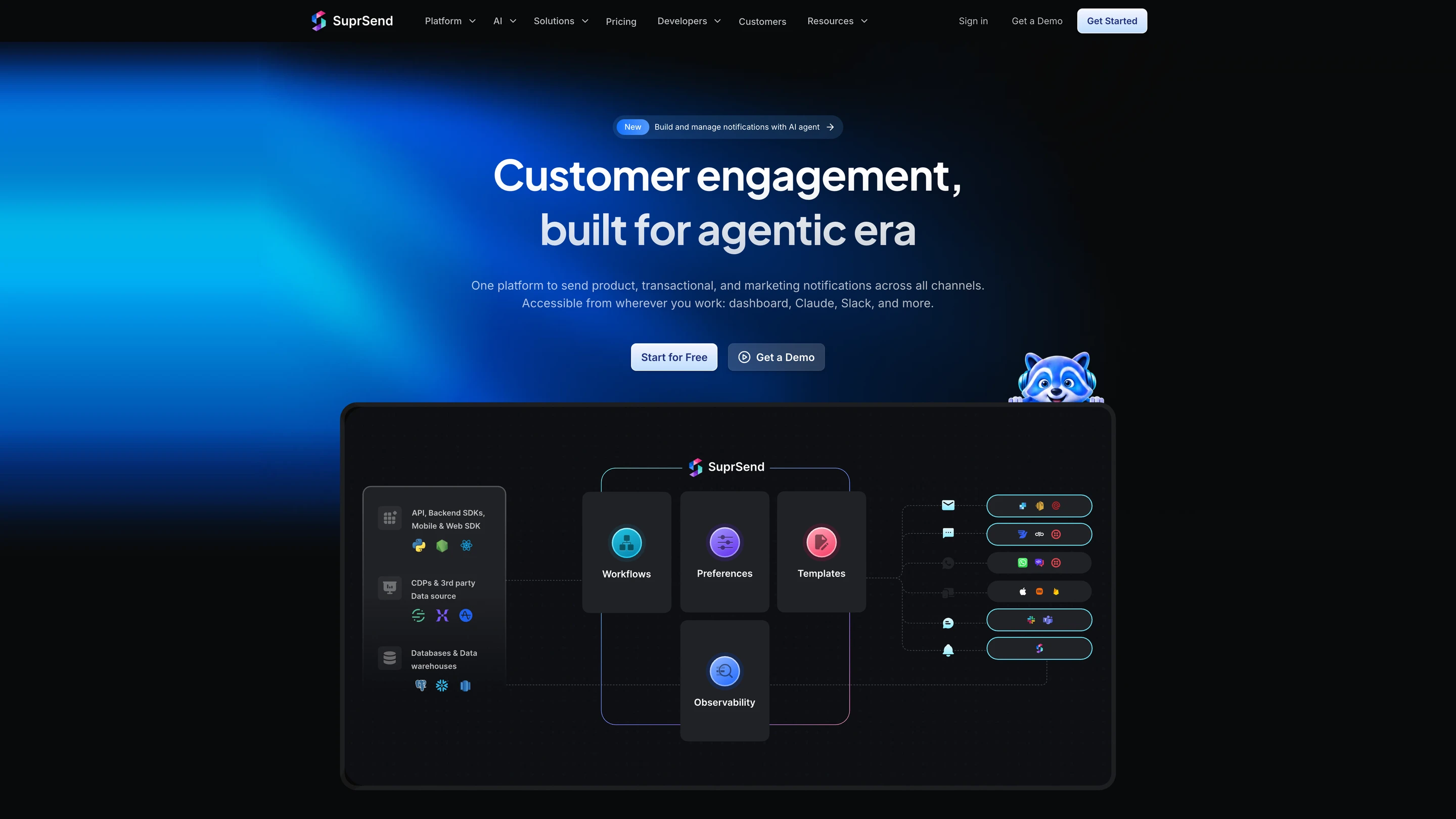
SuprSend's architecture: your API calls, SDKs, CDPs and data warehouses feed workflows, preferences, templates and observability, which send through email, SMS, WhatsApp, push, Slack and Microsoft Teams providers and the in-app inbox

What SuprSend is. SuprSend is a US company, founded in 2022, that runs every notification a product sends from one platform, from transactional alerts to engagement campaigns. Engineering, product and growth teams work in it alongside their agents.

A complete orchestration engine

WorkflowsA workflow engine with branches, conditions, delays, throttling, data fetch and webhook steps, and sends in each user's timezone. One send step reaches whichever channels the user has, in the order you set. Built visually, in code through the CLI, or by an agent, with version history and rollback. Builder on every plan; throttling, fetch, webhook and timezone steps from Essentials.
In-app inboxA real-time bell and feed with read state synced across devices, tabs, toasts and per-tenant feeds. Client SDKs cover JavaScript, React, React Native, Flutter, iOS and Android, embedded or headless. On every plan, Free included.
Batching and digestsBatching and digest turn twenty comment alerts into one message, at a time the user picks, billed as one notification. Business and up.
Retries and fallbackBring your own email and SMS providers; when one does not confirm delivery, the next one sends. Essentials and up.
Per-tenant setupsEach of your customers gets its own branding, templates, preferences and provider routing inside one workspace, through tenants. Business add-on or Enterprise.
User preferencesUsers opt in or out per category and channel in a preference centre you embed or host, and a campaign respects the same opt-outs as a product alert. Business and up.
TemplatingTemplate editors for every channel, variants by tenant, user or language, and version history with rollback. Translation files on Business.
ObservabilityStep-by-step workflow logs and message logs with the provider's error; 30 days on Free, 90 on paid plans. Development, staging and production on every plan, with a test mode that blocks real delivery.
DeploymentSuprSend cloud with 99.9% uptime, or your own VPC, on-prem or BYOC with SuprSend supporting it, on Enterprise. SOC 2 Type II, ISO 27001, GDPR, HIPAA and CPRA.

How your team operates it

In the dashboard

The SuprSend agent builds a workflow from a description, drafts the copy for each channel and traces why a send failed. Product and growth work here and in Slack.

In your own agent

Connect the MCP server to Claude, ChatGPT, Cursor or any MCP client, then build and change workflows, templates and tenants, test and send, and read the delivery log and analytics.

In your IDE or codebase

The SuprSend CLI pushes and pulls workflows, templates, schemas and translation files, promotes staging to production and generates TypeScript types. Changing the footer on twenty templates is one command, reviewed in a pull request.

Pricing. Free up to 10,000 notifications a month. Essentials starts at $100 a month for 50,000, then $2 per 1,000. Business starts at $250 a month for 50,000, then $5 per 1,000. Enterprise is custom.

Verdict. Choose SuprSend when notifications need a real workflow engine behind the inbox, run by a whole team and its agents across transactional and campaigns. Choose MagicBell when a Svelte or Preact web inbox is the whole requirement. For the head-to-head, see how SuprSend differs from MagicBell.
2.Knock

Best for transactional and lifecycle messaging from one workflow engine

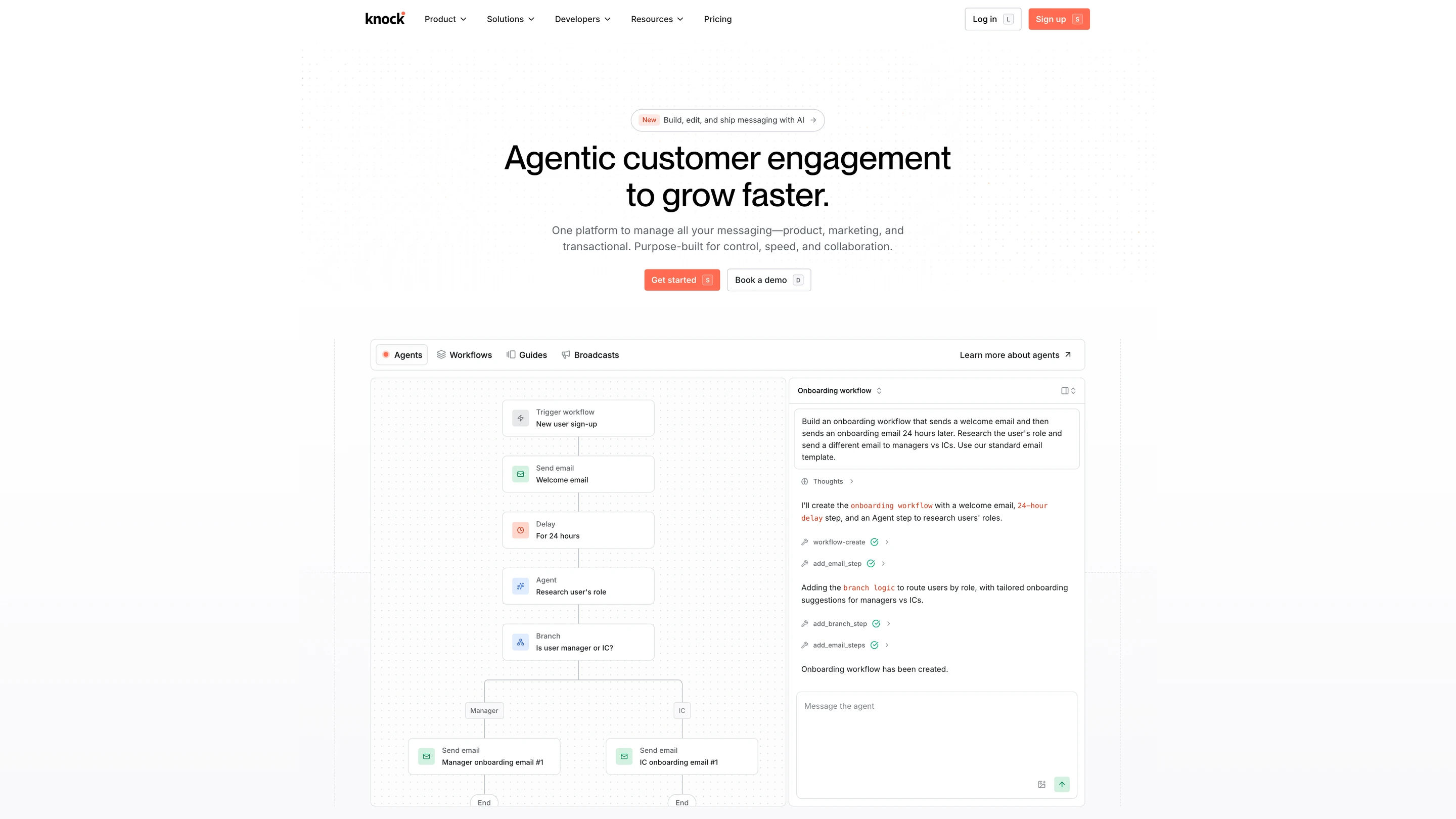
Knock's homepage, with its agent building an onboarding workflow: a trigger, welcome email, 24-hour delay, agent step and a branch for managers and ICs

Where it goes deep. Knock’s workflow engine is the centre of the product. A workflow takes an event from your app and runs it through batch, delay, branch, throttle and fetch steps before anything is sent, and the same engine sends broadcasts to an audience. Workflows, templates and translations are managed as files through the Knock CLI and promoted between environments.

Guides add in-product banners, modals and announcements that product or marketing edits in the dashboard. Agents run from the dashboard, Slack, Claude, Cursor, ChatGPT and Codex, create and refine workflows and messages from a description, and can run as a step inside a workflow, billed in credits. Knock also publishes an MCP server. Frontend SDKs cover React, JavaScript, Angular, React Native, Expo, iOS, Android and Flutter.

Where it stops. The pricing page has nothing between $0 and $250 a month. Per-customer branding and preferences, translations, custom roles, SAML SSO, SCIM, warehouse sync and the HIPAA BAA are Enterprise features. Guides are metered separately by active user. Knock is cloud only.

Pick it if workflow depth decides the purchase and the budget starts at $250 a month.

Verdict. A mature product with strong documentation, best when orchestration and in-product guides matter most. Look elsewhere if per-customer branding has to work before an Enterprise contract.

3.Novu

Best for open source, self-hosting and workflows written as code

Novu's homepage: open-source notification infrastructure for products and AI agents, with Slack, Teams, SMS, email, WhatsApp and Telegram channels

Where it goes deep. Novu’s core is MIT-licensed and free to run on your own infrastructure. Novu Framework lets you write workflows in TypeScript inside your own app, validate payloads, and deploy from CI, so notification logic is reviewed like any other code. It ships an embeddable Inbox component, digest and delay steps, user-set quiet hours, a GitHub Action, and backend SDKs that include PHP and .NET. Its MCP server gives an agent 23 tools covering subscribers, preferences, workflows, triggers, logs and integrations, and its Copilot arranges workflow steps.

Where it stops. Novu Cloud bills per workflow run, and a run counts when it starts, including runs that reach nobody. The free cloud plan keeps 24 hours of activity and caps at 20 workflows, 2 environments and 3 members. Self-hosting means running the database, Redis, queue and upgrades yourself. RBAC starts on Team; SAML SSO and the HIPAA BAA are Enterprise.

Pick it if free self-hosting or workflows defined in code is the requirement.

Verdict. The one serious open-source option. Choose Novu when you want to own the infrastructure or keep workflows in TypeScript.

4.Courier

Best for non-engineers owning message content across many providers

Courier's homepage, showing one message delivered to an in-app inbox, an email and a mobile push notification

Where it goes deep. Design Studio builds email, SMS, push, chat and in-app content on one canvas with each channel previewed side by side, and publishing does not wait on a release. Courier connects to more than 50 delivery providers, and its integrations catalog describes automatic provider failover. Journeys adds multi-step lifecycle messaging, and coding agents can drive Courier through its MCP server and CLI.

Where it stops. Business is pay-as-you-go at $0.005 per send with no included volume, so the bill moves with traffic. Logs are kept 7 days on Developer, 30 on Business and a year on Enterprise. Role-based access control is an Enterprise feature.

Pick it if design, growth or support changes message content and engineering wants to stay out of it.

Verdict. Choose Courier when content ownership sits outside engineering. At low volume, paying per send with no platform fee is also cheap.

5.OneSignal

Best for mobile push to a consumer audience

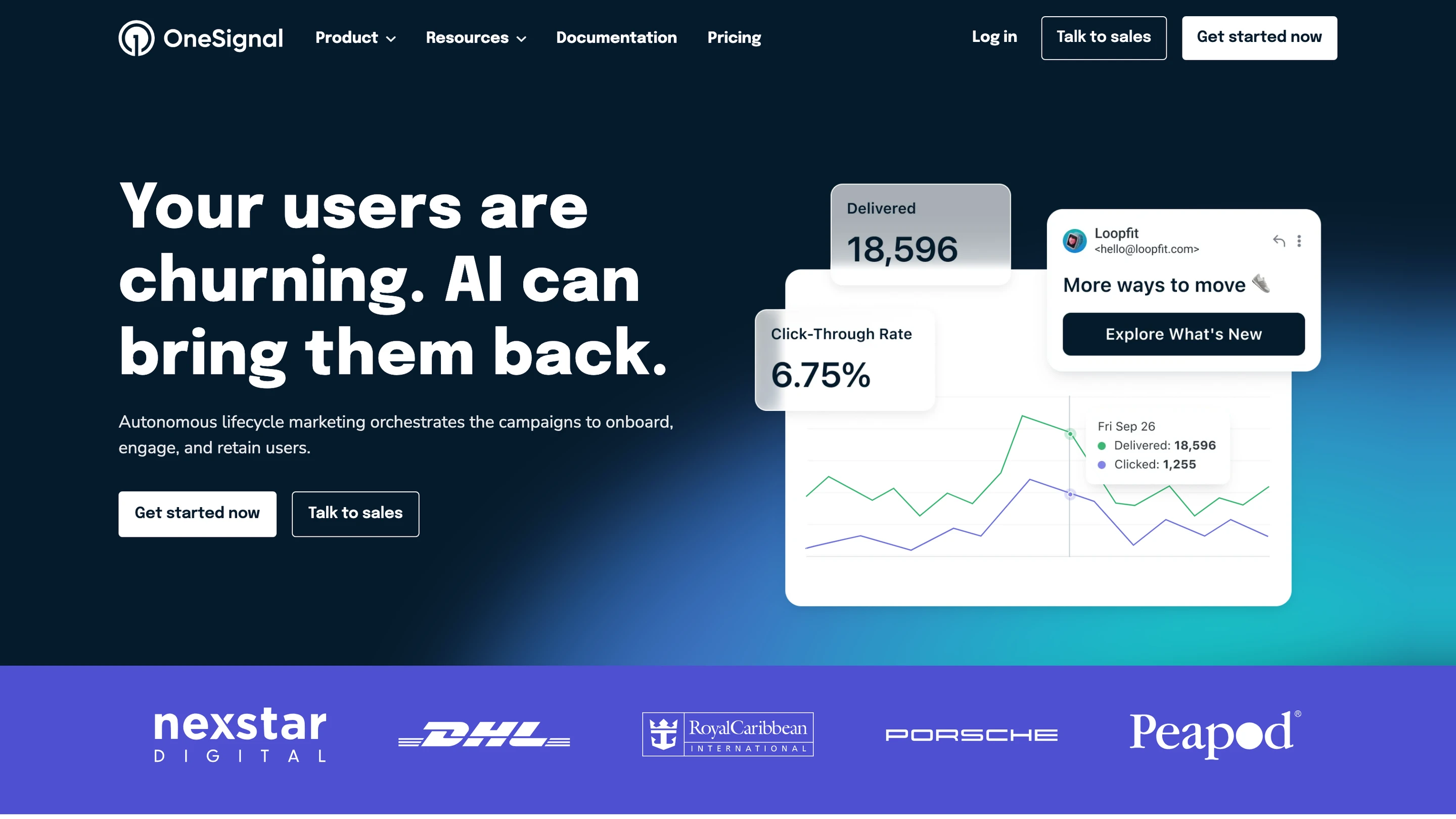
OneSignal's homepage: lifecycle marketing campaigns with a delivered and click-through-rate chart and an email preview

Where it goes deep. OneSignal started with mobile and web push and has the SDK coverage and delivery tooling to show for it, including iOS Live Activities. Email and SMS were added later and are billed per send; in-app messages come with mobile push. Journeys is a visual builder for cross-channel campaigns, and an AI agent and an MCP server are on every plan.

Where it stops. The Free plan covers mobile push and in-app messaging up to 1,000 monthly active users. Growth bills per monthly active user whether or not that user opted in to push. In-app messages are banners and modals shown while the app is open, so a persistent feed is something you build.

Pick it if push carries most of your volume and a growth team runs it from a dashboard.

Verdict. The pick for consumer push at scale. It replaces MagicBell's push channel well and its inbox poorly.

6.Customer.io

Best for marketing-led lifecycle messaging

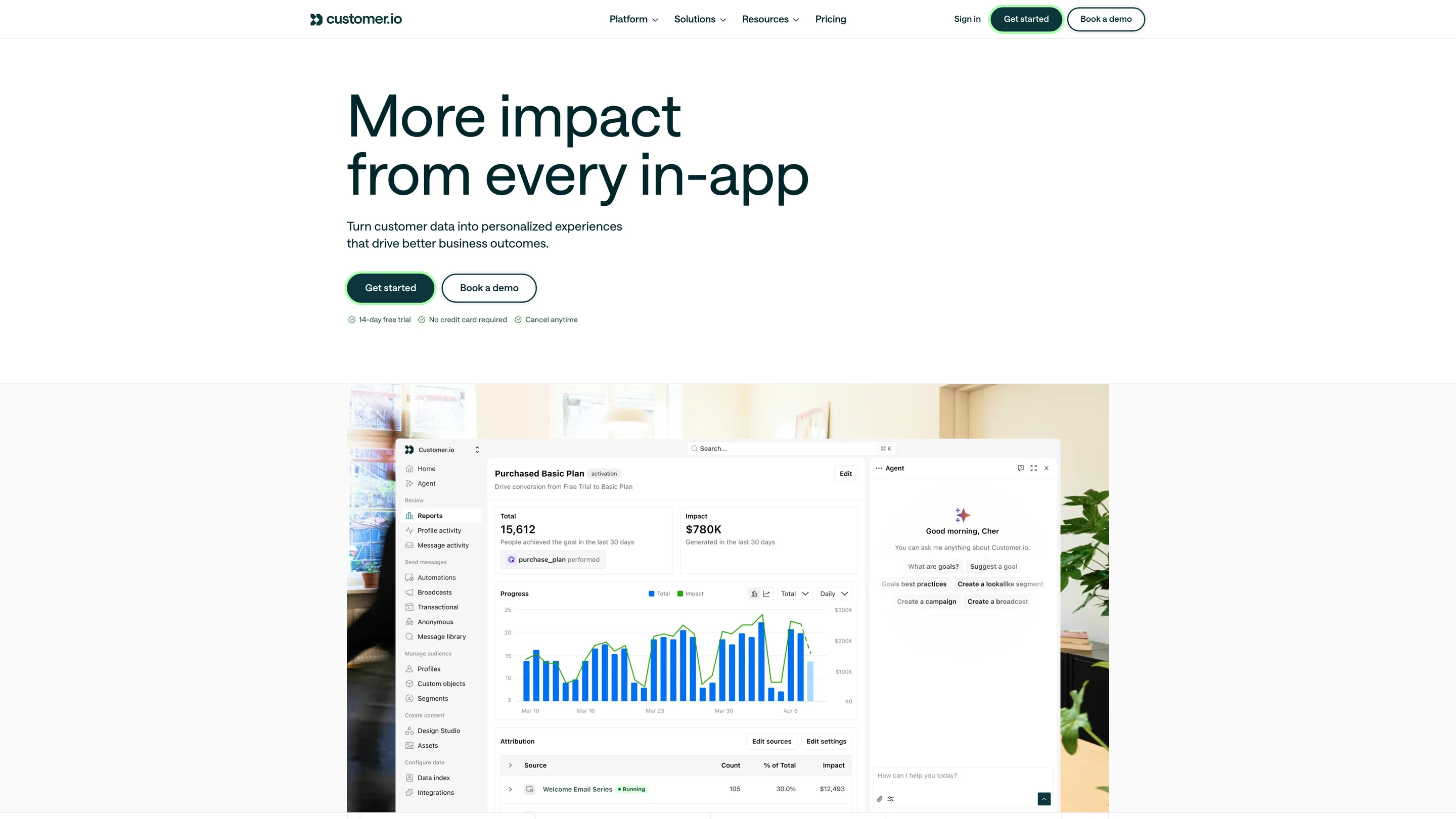
Customer.io's dashboard: a campaign goal report with conversions over time, attribution by message, and the agent panel

Where it goes deep. Customer.io began as an email tool in 2012 and added push, SMS, in-app and WhatsApp around it. Its strength is segmentation on live event data and a visual journey builder a marketing team runs without engineering. Its MCP server and CLI give an agent the workspace under the signed-in user’s role, and an in-product agent drafts messages.

Where it stops. Pricing counts profiles, so every stored person or object adds to the bill whether or not they are active. There is no free plan, and Premium starts at $1,000 a month on annual billing.

Pick it if a marketing or growth team owns messaging end to end and works in a UI.

Verdict. A lifecycle marketing platform. Teams that adopt it usually keep a notification platform beside it for the in-product feed, with two sets of preferences to reconcile.

7.Amazon SNS + FCM

Best for raw delivery at the lowest cost

Amazon SNS product page: a fully managed pub/sub service for application-to-application and application-to-person messaging

Where it goes deep. FCM is Android’s native push transport and also delivers to iOS and the web, free. Amazon SNS fans a message out to mobile endpoints, SMS and email at per-message prices, inside the AWS account and IAM setup you already have.

Where it stops. Delivery is all they do. There is no user model, inbox, preference, template, digest or cross-channel log; you build each one.

Pick it if you send on one channel and have an engineer to maintain it.

Verdict. Cheapest by far for one channel. Everything around the send is yours to build.

8.Pingram

Best for email and SMS with delivery built in, behind one API

Pingram's homepage: email, SMS with A2P registration, and voice APIs, with 3,000 emails and 100 SMS a month free

Where it goes deep. Pingram (formerly NotificationAPI) sends email and SMS through one API and handles delivery itself, so there is no separate email or SMS provider account. For US texting it registers your brand and campaigns for A2P 10DLC, and replies to an email or SMS come back to your webhook as JSON. It publishes backend SDKs for Node, Python, PHP, Go, Ruby, Java and .NET, a React SDK for an in-app feed, an MCP server and a CLI, with multi-tenant support on every plan. It is SOC 2 Type 2 and GDPR compliant, with US, EU and Canadian regions.

Where it stops. Billing is a monthly budget that every message draws from, at $0.0005 per email and $0.01 per US SMS, and unused budget does not roll over. Voice and WhatsApp are listed as coming soon. RBAC, SAML, audit logs and HIPAA need the Enterprise add-on, from $800 a month on top of a budget. Its home and pricing pages describe no digests, preference centre or visual workflow builder.

Pick it if you want email and US SMS delivery, carrier registration included, from one vendor with the least setup.

Verdict. The quickest route to email and SMS without a separate provider account. Look at an orchestration platform when workflows, preferences and a mobile inbox matter more than bundled delivery.

9.Build it in-house

Best for the honest baseline

Where it goes deep. Full control, and sometimes right: unusual compliance, an existing platform team, or requirements that will stay simple. The build vs buy guide works through the decision.

Where it stops. A web inbox alone means a notifications table, read state, a WebSocket service, sync across tabs and devices, and a bell component. Multi-channel adds provider integrations and their failure modes, retries and fallback, a preference model, a digest engine, template versioning and logs support can read. Then the maintenance.

Verdict. Reasonable for one channel. Consistently underestimated for an inbox plus anything else.

When you should stay on MagicBell

  • Your product only needs a notification feed in a web app, it is already live, and email, push or digests are not on the roadmap for the next year.
  • You send fewer than 1,000 notifications a month, so the free plan covers you.
  • Your frontend is built in Svelte or Preact, and your team would rather use a ready-made component than build the inbox on a JavaScript SDK.
  • A few simple workflows triggered by Stripe or GitHub events cover everything you send.

Teams move when they start writing code around MagicBell: a grouping job before the API call, a wrapper that picks a project per customer, a script that copies workflows from the staging project to production. That code is a hidden cost: your team builds it, maintains it, and pays for it in engineering time on top of MagicBell’s price.

How to migrate off MagicBell

One to two weeks for a typical setup. The inbox swap is the largest piece of work, and web push subscriptions are the item most likely to go wrong.

  1. 01Record your baselines. Delivery rate per channel, time to deliver, failure rate and inbox open rate, from MagicBell's metrics page, so you can tell whether the move made anything worse.
  2. 02Rebuild workflows and keep them in your repo. MagicBell workflows are short JSON files, so most map to a few steps; push them with the new platform's CLI. Add digest and fallback steps in a second pass.
  3. 03Move users, push tokens and web push subscriptions. Export users and their channel tokens through the API. Web push subscriptions are tied to your VAPID key pair, so carry the same keys over or every browser subscriber has to opt in again. Slack and Teams installs usually need re-authorising.
  4. 04Carry consent and preference state. Map MagicBell categories to categories in the new platform and import each user's opt-outs per category and channel. An opt-out lost in a migration is a compliance problem.
  5. 05Rebuild the inbox. Swap the component, restyle it, and decide whether to backfill notification history so the feed is not empty on day one.
  6. 06Dual-send before you cut over. Run both for five to seven days with real delivery blocked on the new side, compare logs, then move one workflow at a time, lowest risk first.
  7. 07Keep MagicBell for 30 days. Leave it running after cutover as a rollback path.

Conclusion

MagicBell covers a web inbox and delivery to six other channels, with every feature on its free plan up to 1,000 deliveries. If that is the whole requirement, it does the job.

Move when your team starts writing code around it: grouping alerts before the API call, a project per customer, workflows copied between staging and production by hand. At that point you need one platform for transactional and engagement messages, a complete orchestration engine underneath, and a system that product, growth and your agents can change without waiting on a developer. SuprSend does that, with an inbox on web and mobile, and it is free up to 10,000 notifications a month.

FAQ

Is MagicBell free?

Yes, up to a point. MagicBell's Builder plan costs $0 and includes 1,000 deliveries a month, one project, all integrations, and unlimited users and team members. A delivery is one user reached on one channel. The next plan is Startup at $249 a month for 50,000 deliveries.

What is the cheapest MagicBell alternative?

On free plans, SuprSend, Knock and Courier each include 10,000 messages a month and Novu includes 10,000 workflow runs, against 1,000 deliveries on MagicBell. At 50,000 notifications a month, SuprSend Essentials is $100, MagicBell Startup is $249, Knock Starter is $250 and Courier Business is $250 at $0.005 per send. Above 50,000, SuprSend Essentials charges $2 per 1,000 against $2.50 on MagicBell and $5 on Knock. Novu Pro starts at $30 for 30,000 workflow runs, a different unit, because one run can send on several channels. Pingram's $20 monthly budget covers about 40,000 emails or 2,000 US SMS with delivery included, and Amazon SNS with FCM is cheapest of all when you need no inbox, preferences or workflows.

Which MagicBell alternatives include an in-app inbox?

SuprSend, Knock, Novu and Courier all ship an embeddable inbox. SuprSend's runs in JavaScript, React, React Native, Flutter, iOS and Android, embedded or headless, on every plan. Knock covers React, JavaScript, Angular, React Native, Expo, iOS, Android and Flutter. Pingram ships a React SDK for an in-app feed. OneSignal's in-app messages are banners and modals, a different thing from a persistent feed.

Which MagicBell alternatives have an MCP server or agent authoring?

SuprSend, Knock, Courier and Novu each publish an MCP server, and SuprSend, Knock and Courier also ship a CLI. Over MCP, an agent can build and change SuprSend workflows, templates and tenants, test and send, and read the delivery log; the SuprSend agent in the dashboard also drafts copy and traces failed sends. Knock's agents create and refine workflows and can run as a workflow step. Novu's MCP server has 23 tools, and Pingram publishes an MCP server and a CLI for sending. OneSignal and Customer.io have agents and MCP servers for campaigns and audiences. MagicBell's docs list a CLI and no MCP server.

Can one platform handle both transactional and marketing messages?

Yes. SuprSend and Knock cover product notifications, transactional sends and marketing broadcasts in one system with a single preference and unsubscribe model, and Courier sells journeys alongside notifications. MagicBell and Novu focus on transactional and product notifications. Customer.io, Braze and MoEngage are marketing-first and expect a separate system for the in-product feed.

Which channels does MagicBell support?

MagicBell supports in-app, email through Amazon SES, Mailgun, SendGrid or SMTP, mobile push through APNs, FCM or Expo, web push, SMS through Twilio, Slack and Microsoft Teams. Its docs list no WhatsApp or generic webhook channel.

Is MagicBell SOC 2 compliant?

MagicBell's Trust Centre lists GDPR compliance, encryption, penetration testing and cyber insurance, and does not list SOC 2 or HIPAA. SuprSend is SOC 2 Type II, ISO 27001, GDPR, HIPAA and CPRA compliant (see the SuprSend trust centre at trust.suprsend.com). Knock, Novu and Courier each state SOC 2 compliance.

Can I self-host a MagicBell alternative?

Novu's MIT-licensed core is free to self-host, and you operate it. SuprSend deploys in your own VPC, on-prem or as bring-your-own-cloud under an Enterprise licence, with vendor support. MagicBell, Knock, OneSignal and Pingram are cloud services.

Do I still pay Twilio and SendGrid on top?

Yes, on every notification platform here, MagicBell and SuprSend included. They orchestrate, and you bring your own provider accounts for email and SMS and pay those providers directly. Pingram is the exception: it is the email and SMS provider and bills per message. In-app, push, Slack and Teams need no intermediary provider.

Related Resources

How does SuprSend compare with MagicBell feature by feature?SuprSend vs MagicBell
What does SuprSend cost at my volume?SuprSend pricing
What does the SuprSend inbox look like in my app?In-app inbox for web and mobile
Can SuprSend run inside my own cloud?Bring your own cloud

There’s no better place for you
to build notifications

Join thousands of product & engineering teams using SuprSend to build and ship better notifications—faster.