
8 best Resend alternativesfor transactional and marketing email (2026)

Resend alternatives compared on the messages they cover, who on your team can run them, what an agent can do in them, ease of setup and pricing.

By , SuprSendOct 4, 2026

Resend is an email API for developers that sends transactional email, marketing broadcasts and email automations, with templates written as React components.

Teams evaluating or already running Resend tend to look elsewhere when the same event has to reach more than an inbox, when each customer account needs its own setup, or when product and growth need to change messages without a deploy. Some want a different email provider; others want one platform that runs every notification, built by engineering, product and growth and operated by their agents.

Quick guide: Resend alternatives by use case

If you needChoose
A different email provider for the same job: fast transactional delivery, dedicated IPs, address validation or inbound routing?Postmark separates transactional and broadcast streams; SendGrid and Mailgun include dedicated IPs and validation on higher plans.PostmarkSendGridMailgun
The lowest cost per email at millions a month, inside AWS?ASAmazon SES
An in-app bell and feed filled by the same trigger that sends the email?Resend and the other email APIs here have no inbox. SuprSend's inbox syncs read state across devices and adds tabs, toasts and per-tenant feeds, with six client SDKs.SuprSendSuprSend
Digests, timezone holds and a backup provider when Resend does not confirm delivery?SuprSendSuprSend
Transactional and marketing messages in one platform, on every channel?Loops covers both for email only.SuprSendSuprSendLoops
Each customer account gets its own sending domain, provider, templates, branding and preference defaults?SendGrid subusers and Mailgun subaccounts separate sending and reporting per client.SuprSendSuprSend
Users choose which notifications they get and on which channel, transactional email included?SuprSendSuprSend
Workflows and templates kept in your repo and promoted from staging to production?SuprSendSuprSend
An agent that builds a workflow, writes the copy and traces a failed send, or your own agent doing the same over MCP?Resend, Postmark and Mailgun publish MCP servers that operate the email account.SuprSendSuprSend
Marketing runs lifecycle campaigns from a UI, and product messages stay with engineering?Customer.ioLoops
It has to run in your own cloud?Every email API here runs in its vendor's cloud. SuprSend runs in your VPC, on-prem or as BYOC on Enterprise, with vendor support; it has no free open-source edition.SuprSendSuprSend
Email is your only channel, engineers own the send logic, and Resend is already live?See when to stay on Resend.Resend

What Resend does

Resend is an email API. Your code calls it with a message, and Resend delivers it from your domain and reports what happened through webhooks and a 30-day log. One account covers transactional sends, marketing Broadcasts to contact segments, event-triggered Automations and inbound mail on your domain.

Templates are written in the dashboard or as React components through React Email, uploaded from the repo with the Resend CLI. A hosted MCP server lets an agent in Claude, Cursor or Codex send email and manage contacts, broadcasts, domains and webhooks. Email is the only channel.

Resend's homepage: email for developers, for transactional and marketing email at scale
LicenceProprietary, cloud only; React Email is open source.
ChannelsEmail, sent and received.
Backend SDKsNode, PHP, Laravel, Python, Ruby, Go, Java, Rust and .NET, plus an SMTP relay.
Frontend SDKsNone; email needs none.
ComplianceSOC 2 Type II and GDPR.
Billing unitEmails sent or received a month; marketing by contacts; Automations by run.
Self-hostingNone; each domain sends from one of four regions and account data is stored in the US.

Where Resend is strong

  • Email templates live in the repo as React components and ship through a pull request.
  • The free plan has no end date and keeps 30 days of email data, the same as the paid plans.
  • Official SDKs in nine languages, an SMTP relay and quickstarts for more than 30 frameworks.
  • A hosted MCP server with OAuth sign-in, plus plugins for Claude, Claude Code, Cursor and Codex.
  • Inbound email on your domain, handed to a webhook, forwarded or answered in the same thread.
PlanPrice a monthEmails includedExtra emailsWhat changes
Free$03,000, at most 100 a dayNot available3 domains, 1 webhook endpoint, 30-day data
Pro$2050,000$0.90 per 1,000No daily limit, 10 domains, 5 webhook endpoints
ScaleFrom $90100,000$0.90 per 1,0001,000 domains, Slack support, dedicated IP $30 and SSO $150 as add-ons
EnterpriseCustomCustomCustom99.99% uptime SLA, SSO included, dedicated CSM
Marketing and AutomationsPro Marketing from $401,000 contacts free; 10,000 Automation runs free$0.0015 per Automation runBroadcasts billed by contact count, separate from the email quota

Why teams look elsewhere

  1. 01The same event has to reach users on more than one channel. A comment mention should land in the in-app inbox, then as a push, then as an email if nobody reads it. Resend sends email only, and the only outbound step in a Resend Automation is Send Email, so every other channel is a second integration with its own templates, logs and user data.
  2. 02The logic around each email has to live somewhere. Resend Automations have a trigger, a condition, a delay of up to 30 days and a wait-for-event step. Resend's docs list no batching or digest step, no hold for the recipient's timezone and no per-workflow throttle; the account has one limit of 10 requests a second. Fifty comment events still mean fifty emails unless your code groups them.
  3. 03A second provider has to take over when the first one fails. Resend is the provider, so there is nothing behind it. Sending through a backup when Resend does not confirm delivery means a second integration and a retry queue in your own code.
  4. 04Users need a say over transactional messages too. Resend Topics let a contact choose which Broadcasts and Automation emails they receive. For transactional email sent through the API, you add the unsubscribe header and store the choice yourself, and no choice carries over to another channel.
  5. 05Each of your customers needs its own setup. Resend's multi-tenant guide gives each customer a sending domain and a scoped API key in one account, or a separate account. Templates, branding and defaults per customer are code you write, and customers in a shared account share one sender reputation and one rate limit.
  6. 06Changes need a staging environment and a way back. Resend separates environments by team, each with its own keys and domains, and test sends go to resend.dev addresses that count against quota. An enabled Automation is locked: you duplicate it, edit the copy and switch over. Version history covers templates only.
  7. 07The free plan runs out early for a product with real traffic. Resend's free plan sends 3,000 emails a month and stops at 100 a day, so a burst of password resets can hit the daily cap. Notification platforms start higher: SuprSend's free plan covers 10,000 notifications a month across every channel, with Resend or another provider still billing for the email it delivers.

How we compared these tools

We read each vendor’s documentation, API reference, pricing page and trust or security page, and the tool’s G2 reviews. For Resend and SuprSend we also set up accounts on both, connected Resend as the email provider in SuprSend and built the same onboarding sequence and order-update flow in each. What we compared on: feature depth, use cases covered, billing model, developer experience, AI authoring, and ease of use for technical and non-technical team members.

Three different kinds of product get called “Resend alternatives,” and they solve different problems.

Layer 1: Delivery providers

Resend sits here, with Postmark, Amazon SES, SendGrid, Mailgun and MailerSend. They take a message from your code and get it to the inbox: domains, IP reputation, bounces, suppression lists and delivery events. Everyone sending email pays one of them, including teams that use a platform from layer 2. Several now publish MCP servers that send email and read the account’s logs and stats.

Layer 2: Unified notification platforms

SuprSend sits above the providers. It decides whether a message goes, on which channel, when and to whom, then hands the email step to Resend or another provider. It covers transactional and marketing messages, ships an in-app inbox and preferences, and can be run from outside the dashboard through an MCP server and a CLI. An agent builds workflows, writes templates, manages tenants, sends and reads the delivery log.

Layer 3: Customer engagement platforms

Customer.io and Loops run campaigns and lifecycle journeys from customer profiles and events, with marketing working in the dashboard. Their agents mostly read data and draft inside the campaign editor. Product notifications such as an in-app inbox, per-customer preferences and multi-channel transactional workflows are usually left to you.

The best Resend alternatives

ToolBuilt aroundStrongest atMeant forBilling unitFree planPaid fromG2
SuprSendSuprSendA notification platform that sends through your providers on nine channelsWorkflows, inbox, preferences and tenants; SuprSend agent, MCP server and CLIEngineering, product and growth running every notificationNotification per user per channel10,000 notifications a monthEssentials $100 a month for 50,0004.8 (129 reviews)Ease of setup: 9.4
PostmarkAn email API split into transactional and broadcast message streamsDelivery speed, 45 days of full message history, inbound parsing; open-source MCP serverProducts whose email has to arrive fastEmails sent a month100 emails a monthBasic $15 a month for 10,0004.6 (28 reviews)
Amazon SESAWS's email sending service, priced per messageLowest cost per email at high volume; event publishing into AWSTeams on AWS with engineers to run deliverabilityPer 1,000 emailsNo standing free plan$0.16 per 1,000 on the Essentials plan4.3 (190 reviews)Ease of setup: 8.0
SendGridAn email API, with Marketing Campaigns as a separate productDedicated IP, address validation, subusers and SSO from ProSenders who want deliverability controls from one vendorEmails sent a month100 emails a day for 60 daysEssentials $19.95 a month for 50,0004.0 (368 reviews)Ease of setup: 8.2
MailgunAn email API with validation, inbound routing and deliverability toolsInbound routes, validation, IP pools, US or EU data; open-source MCP serverTeams that treat email as core infrastructureEmails sent a month; validations extra100 emails a dayBasic $15 a month for 10,0004.2 (321 reviews)Ease of setup: 8.7
MailerSendAn email API with a drag-and-drop builder and SMS in the US and CanadaVisual template editors, user roles, split testing; MCP serverSmall teams where non-developers edit templatesEmails sent a month500 emails a monthHobby $7 a month for 5,0004.1 (46 reviews)
LoopsEmail for SaaS: campaigns, workflows and transactional sends in one toolLifecycle email marketing can run; MCP server, CLI and agent skillsSaaS teams where marketing owns lifecycle emailSubscribed contacts; sends included4,000 sends a month to 1,000 contactsPriced by subscribed contacts-
Customer.ioA marketing automation platform built on customer profiles and eventsJourneys and segments; MCP server and CLI under the user's role; in-product agent drafts messagesGrowth and marketing teams running lifecycle campaignsProfilesNo free planEssentials $100 a month for 5,000 profiles4.4 (953 reviews)Ease of setup: 7.9

1.SuprSendSuprSend

Best for running transactional, product and engagement notifications from one platform, with Resend or any other provider delivering the email
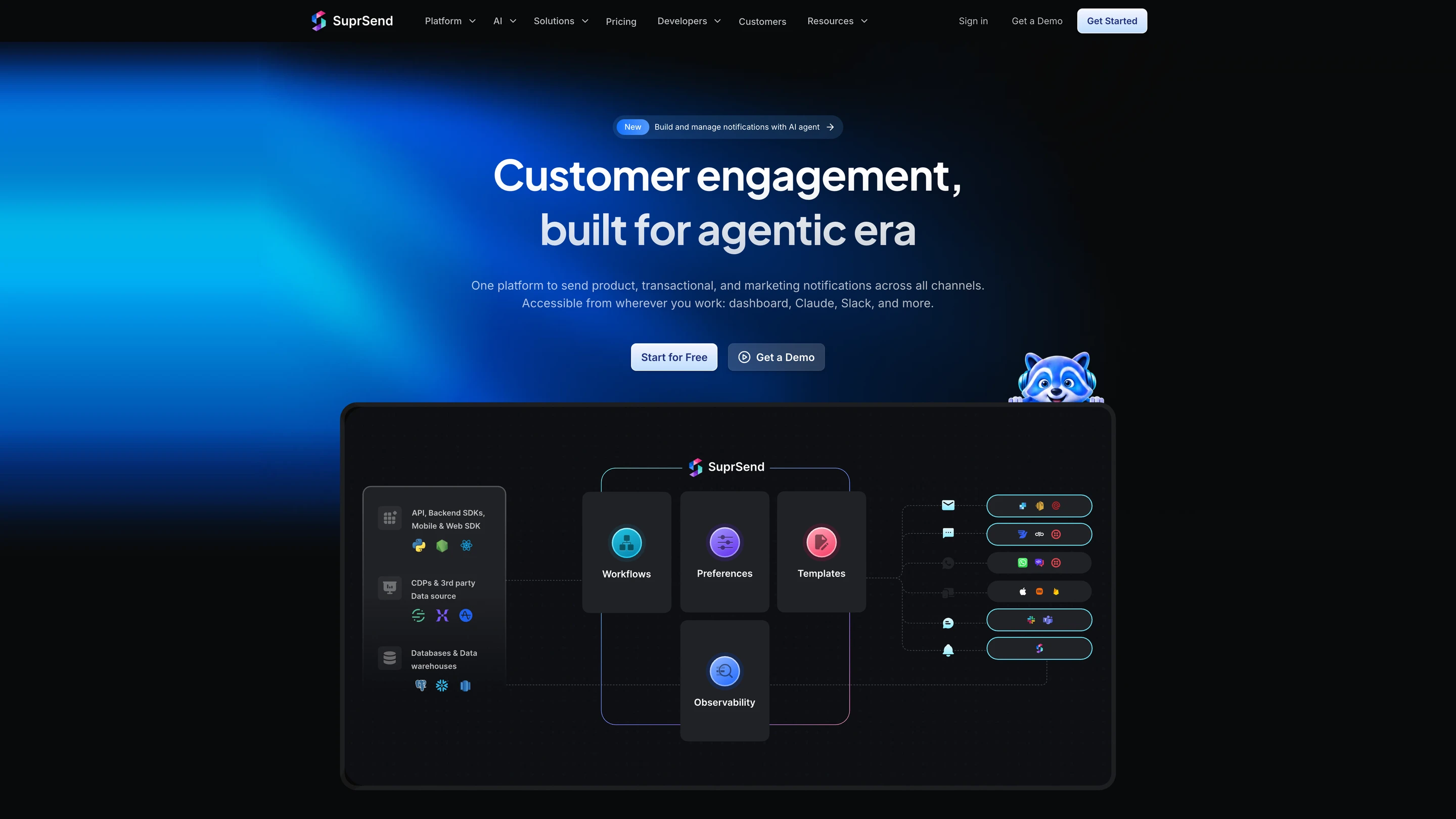
SuprSend's architecture: your API calls, SDKs, CDPs and data warehouses feed workflows, preferences, templates and observability, which send through email, SMS, WhatsApp, push, Slack and Microsoft Teams providers and the in-app inbox

What SuprSend is

SuprSend is a US company, founded in 2022, that runs every notification a product sends from one platform, from transactional alerts to engagement campaigns. Engineering, product and growth teams work in it alongside their agents. Resend stays as the email provider: SuprSend sends the email step through your Resend account, key and domain.

A complete orchestration engine

WorkflowsA workflow engine with branches, conditions, delays, throttling, data fetch and webhook steps, and sends in each user's timezone. One send step reaches the user's channels in your order and stops once they respond. Built visually, through the CLI or by an agent, with version history and rollback. Builder on every plan; throttling, fetch, webhook and timezone from Essentials.
Retries and fallbackBring your own providers; if Resend does not confirm delivery, SES, SendGrid or another provider sends. From Essentials.
User preferencesUsers opt in or out per category and channel, transactional messages included, in a preference centre you embed or host. Business.
Per-tenant setupsEach of your customers gets its own branding, templates, preferences and provider routing, including its own Resend domain or account. Business add-on, Enterprise.
TemplatingEditors for every channel, variants by tenant, user or language, version history with rollback and translation files. Every plan; translation files on Business.
In-app inboxReal-time bell and feed, read state synced across devices, tabs, toasts and per-tenant feeds, embedded or headless. Every plan, Free included.
Batching and digestsCollect events over a window and send one message, at a time the user picks. Business.
ObservabilityStep-by-step workflow logs and message logs with Resend's response and the reason a send was blocked; 30 days Free, 90 paid; warehouse sync on Business.
DeploymentSuprSend cloud with 99.9% uptime, or your own VPC, on-prem or BYOC with vendor support on Enterprise. SOC 2 Type II, ISO 27001, GDPR, HIPAA and CPRA.

How your team operates it

In the dashboard

The SuprSend agent builds a workflow from a description, drafts the copy for each channel and traces why a send failed. Product and growth work here and in Slack.

In your own agent

Connect the MCP server to Claude, ChatGPT, Cursor or any MCP client and build and change workflows, templates and tenants, test and send, and read the delivery log and analytics from there.

In your IDE or codebase

The CLI pushes and pulls workflows, templates, schemas and translation files, promotes staging to production and generates TypeScript types, so a bulk change is one command reviewed in a pull request.

Pricing. Free up to 10,000 notifications a month; Essentials starts at $100 a month for 50,000, then $2 per 1,000; Business starts at $250 a month for 50,000, then $5 per 1,000; Enterprise is custom. Resend still bills for the email it delivers.

Verdict. Choose SuprSend when email is one of several channels, or when product and growth should change notifications without a deploy. Stay on Resend alone when email is the only channel and the send logic already lives in your code. For the head-to-head, see how SuprSend differs from Resend.

2.Postmark

Best for transactional email that has to arrive in seconds, from a provider with a long track record

Postmark's homepage: the email delivery service people actually like, with customer quotes

Where it goes deep. Postmark, part of ActiveCampaign, puts transactional and broadcast email in separate message streams with separate sending infrastructure, so a newsletter cannot slow a password reset. It keeps 45 days of full message content by default, extendable to 365, turns inbound email into JSON posted to your webhook, and publishes its delivery times to the major inbox providers on its status page. An open-source MCP server lets an agent send with templates and read delivery stats.

Where it stops. The free plan is 100 emails a month for testing. Dedicated IPs start at 300,000 emails a month, and email is the only channel.

Pick it if delivery speed and support quality matter more to you than React templates.

Verdict. Postmark is the closest like-for-like move from Resend for product email. Teams that also send marketing at volume keep it in a separate stream or a separate tool.

3.Amazon SES

Best for high-volume sending at the lowest cost per email, for teams already on AWS

The Amazon SES product page: send transactional, marketing and bulk email at scale from your applications

Where it goes deep. SES sends through the API or SMTP from your AWS account, with configuration sets that publish delivery, bounce and complaint events into the rest of AWS. New accounts are billed on an Essentials plan at $0.16 per 1,000 emails, which stays the lowest price on this list as volume climbs into the millions. Managed and standard dedicated IPs are available.

Where it stops. SES is a sending service. Templates beyond the basics, a suppression UI, analytics dashboards and the playbook for warming IPs are yours to build, and new accounts start in a restricted mode until AWS approves production sending.

Pick it if you send millions a month and have engineers to run email.

Verdict. SES is the price floor for email delivery. It suits teams that would rather build the dashboard than pay per email for one.

4.SendGrid

Best for senders who want a dedicated IP, address validation and a subaccount per client from one vendor

SendGrid's site, announcing that SendGrid's email products are moving onto Twilio.com

Where it goes deep. SendGrid, part of Twilio since 2019, includes a dedicated IP with automated warm-up, 2,500 address validations a month, subusers and SSO from its Pro plan. Subusers give each client or brand its own sending, reputation and reporting, and an EU data residency option is available. Marketing Campaigns is a separate product, free up to 2,000 contacts.

Where it stops. The free option is a 60-day trial at 100 emails a day. Activity is kept 3 days below Pro and 7 days on Pro, and Twilio’s MCP server, in public beta, searches docs and API specs without sending.

Pick it if you want deliverability controls included in a plan under $100 a month.

Verdict. SendGrid gives more deliverability control per dollar at Pro. Teams that debug from the log feel the short activity window.

5.Mailgun

Best for teams that treat email as core infrastructure and want validation, inbound routing and region choice in one API

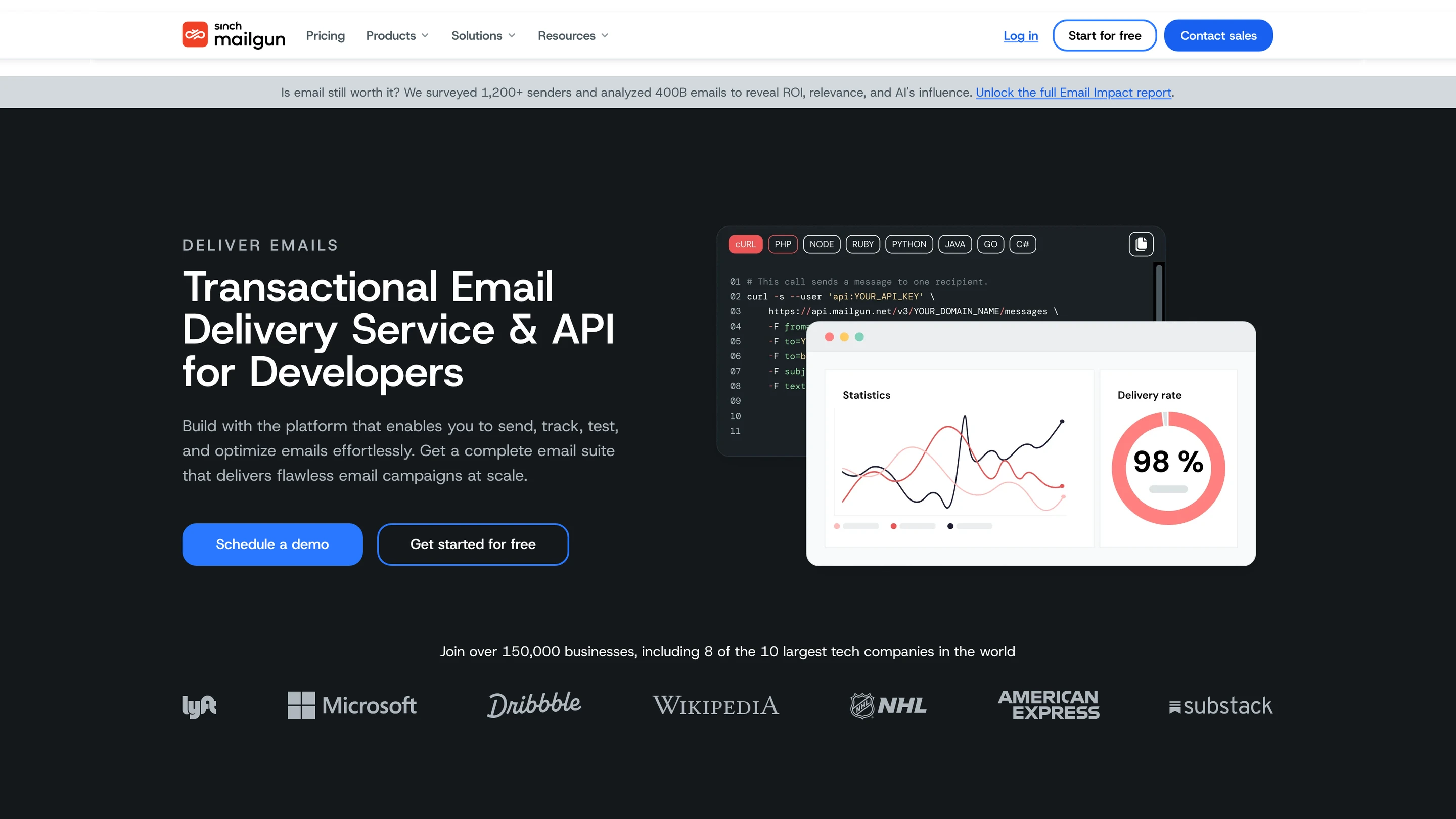
Mailgun's homepage: a transactional email delivery service and API, with a code sample and delivery-rate statistics

Where it goes deep. Mailgun, part of Sinch, gives the API and SMTP relay the same features, routes inbound mail by rules to webhooks, validates addresses and sends from the US or the EU in one account. Scale adds SAML SSO, dedicated IP pools, send time optimization and 30 days of logs. Its open-source MCP server exposes more than 50 API operations, inbound routes included.

Where it stops. Logs are kept one day on Free and Basic and five days on Foundation. Free and Basic include one sending domain, and unlimited users start at Foundation.

Pick it if inbound routing, validation or EU data location decide the choice.

Verdict. Mailgun is the most configurable email API here. The useful features start at Foundation and Scale.

6.MailerSend

Best for small teams where designers or support staff edit email templates without writing code

MailerSend's homepage: a team-friendly email API for transactional email, WhatsApp and SMS

Where it goes deep. MailerSend, from the MailerLite team, pairs an email API and SMTP relay with drag-and-drop, HTML and rich-text editors, user roles and split testing. It started with email and added an SMS API for the US and Canada and WhatsApp as an add-on. Seven SDKs and an MCP server cover the developer side.

Where it stops. Activity data is kept one day on Free and Hobby and seven days on Starter. Dedicated IPs are for Enterprise accounts sending over 100,000 emails a week.

Pick it if non-developers own the templates and your volume is modest.

Verdict. MailerSend is the easiest entry point here for a mixed team. Larger senders outgrow its retention and IP options.

7.Loops

Best for saaS teams that want lifecycle marketing and transactional email in one tool marketing can run

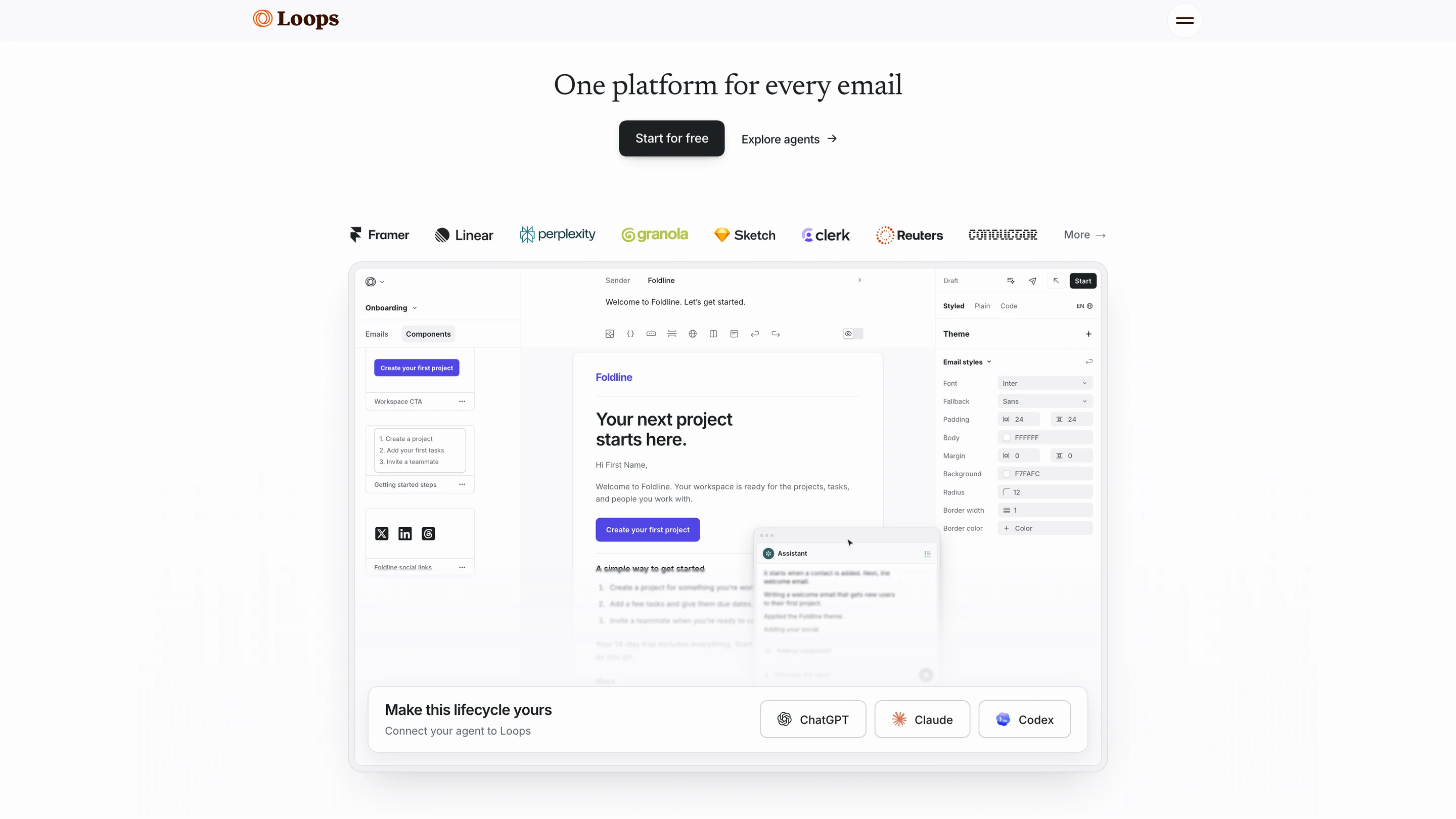
Loops' homepage: one platform for every email, with its email editor and agent connections to ChatGPT, Claude and Codex

Where it goes deep. Loops combines campaigns, event-triggered workflows and a transactional API, with an editor built for product-led SaaS. Paid plans are priced by subscribed contacts, with sends and team seats included. Its MCP server reads and writes contacts, events and content; a CLI and agent skills let a coding agent install Loops, send events and draft campaigns for review.

Where it stops. Loops sends email only, and per-customer setups and an in-app feed are left to you. Paid prices sit behind a contact slider on the pricing page.

Pick it if marketing owns onboarding and lifecycle email and transactional email is a smaller share.

Verdict. Loops is the modern pick for SaaS lifecycle email. Contact-based pricing suits large lists with frequent sends.

8.Customer.io

Best for growth and marketing teams running lifecycle campaigns from customer data

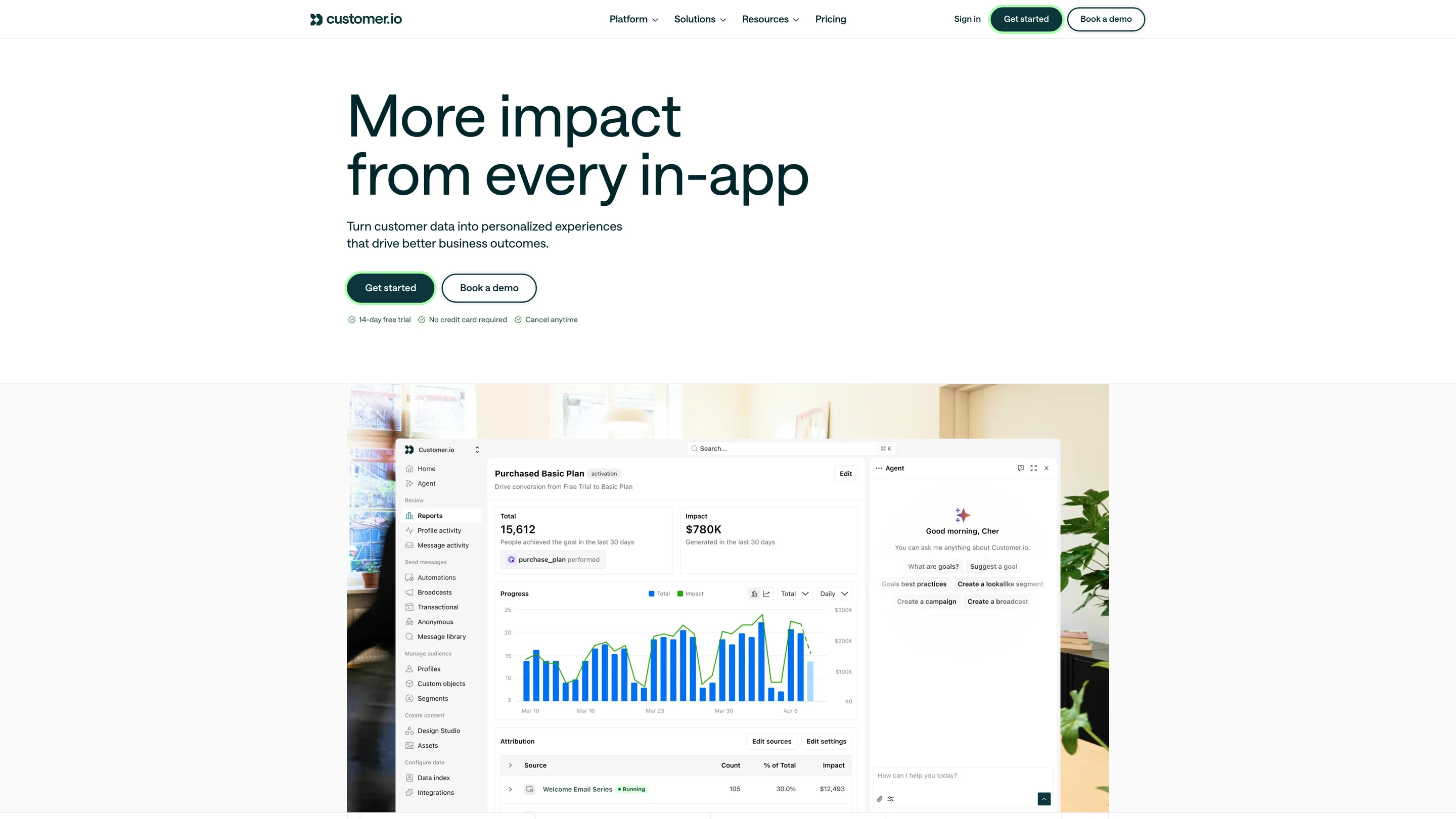
Customer.io's dashboard: a campaign goal report with conversions over time, attribution by message, and the agent panel

Where it goes deep. Customer.io started with email and added SMS, push and in-app messages. Journeys branch on events and profile data, and segments update as people act in your product. An MCP server and CLI act under the signed-in user’s role, holding writes for approval where the client supports it, and an in-product agent drafts messages.

Where it stops. There is no free plan, and pricing counts profiles, people and objects together. An embeddable inbox and per-customer preference controls are left to your code.

Pick it if marketing runs the messages and the customer data already flows in.

Verdict. Customer.io is a mature campaign engine. Product notifications usually stay with engineering and a separate provider.

When you should stay on Resend

  • Every message you send is an email to one address, and that will hold for the next year.
  • Engineers own the send logic, and nobody in product or growth needs to change a message.
  • Your team builds in React and wants templates reviewed in the same pull request as the feature.
  • Your volume fits Pro or Scale, and you have no requirement for a backup provider.
  • You serve one brand, or a handful of customers that each need only their own sending domain.

Teams that stay on Resend as their product grows end up writing code around it: a retry queue that falls back to a second provider, a job that groups events into a digest, an opt-out table checked before each transactional send, a map from each customer to its domain and API key, and a separate integration for push or SMS. That code is a hidden cost: your team builds it, maintains it, and pays for it in engineering time on top of Resend’s price. A switch usually follows the second channel or the first customer who wants their own setup.

How to migrate off Resend

  1. 01Record your baselines. Export delivery, bounce, complaint and open rates per template from Resend, and list every place your code calls Resend, every Automation and every Broadcast.
  2. 02Rebuild templates and workflows. Render React Email components to HTML, bring them into the new tool's templates, and rebuild Automations as workflows. On a platform with a CLI, keep them in the repo and push them from CI.
  3. 03Move contacts and the suppression list. Export contacts and properties, and carry over bounced and complained addresses so the new sender does not mail them again.
  4. 04Carry consent state. Map Resend Topics to the new tool's categories or lists, and import each contact's unsubscribes before the first send.
  5. 05Set up domains and warm up. Add SPF, DKIM and DMARC records for the new provider, and ramp volume on any new dedicated IP over several weeks.
  6. 06Send in parallel. Move one flow at a time, starting with low-risk mail, and compare delivered counts against your baselines for a week.
  7. 07Keep Resend for 30 days. Leave the account active for late bounces and webhooks, and export its event data, which ages out after 30 days. If you move to a notification platform, Resend can stay as the email provider underneath it.

Conclusion

Resend covers email well: a short path from code to inbox, React templates in the repo, a free plan with no end date, inbound mail and a hosted MCP server. If a different email provider is what you need, Postmark, Amazon SES, SendGrid and Mailgun each beat it on one dimension: speed, cost at volume, included deliverability controls or configurability.

Move to a notification platform when messages span channels, customers need their own setups, or product and growth need to change notifications themselves. SuprSend runs every kind of message in one system, with a complete orchestration engine operated by your whole team and its agents, and keeps Resend delivering the email. The free plan covers 10,000 notifications a month.

FAQ

Is Resend free?

Yes, up to 3,000 emails a month with a limit of 100 a day, 3 domains and 30 days of email data, with no end date. Marketing Broadcasts are free up to 1,000 contacts, and 10,000 Automation runs a month are free on every plan. Pro starts at $20 a month for 50,000 emails.

What is the cheapest Resend alternative?

At 50,000 emails a month, Amazon SES costs about $8 on its Essentials plan, Resend Pro $20, SendGrid Essentials $19.95, Mailgun Foundation $35, and Postmark Basic about $87 with overage. Free allowances: SuprSend 10,000 notifications on every channel, Loops 4,000 sends, Resend 3,000, MailerSend 500 and Postmark 100. On paid plans, SuprSend Essentials is $100 a month for 50,000 notifications, then $2 per 1,000 ($5 on Business), and your email provider still bills for delivery. Loops prices by subscribed contacts and Customer.io by profiles, which are different units from emails sent.

Which Resend alternatives include an in-app inbox?

SuprSend ships a real-time bell and feed with SDKs for web and mobile, filled by the same workflow that sends the email. Customer.io has in-app messages. Resend and the other email APIs have no in-app channel.

Which alternatives have an MCP server or agent authoring?

Resend, Postmark, Mailgun, MailerSend and Loops publish MCP servers that operate the email account: sending, templates, contacts and logs. SendGrid's Twilio MCP searches docs only. Customer.io has an agent in its dashboard and an MCP server. In SuprSend the SuprSend agent builds workflows from a description, drafts copy per channel and traces failed sends, and any MCP client can build and change workflows, templates and tenants, test and send, and query logs and analytics.

Can one platform handle transactional and marketing messages?

Yes. SuprSend runs password resets, product alerts and broadcast campaigns from the same workflows, users, preferences and logs on every channel, with marketing included in the notification count. Resend, SendGrid and Loops cover both for email, with Resend and SendGrid billing marketing on a separate contact-based plan.

Which channels do these tools support?

Resend, Postmark, Amazon SES, SendGrid, Mailgun and Loops send email. MailerSend adds SMS in the US and Canada and WhatsApp as an add-on. SuprSend sends email, SMS, WhatsApp, mobile push, web push, Slack, Microsoft Teams, an in-app inbox and webhooks. Customer.io also sends SMS, push and in-app messages.

Which compliance certifications do they hold?

Resend lists SOC 2 Type II and GDPR. SuprSend holds SOC 2 Type II, ISO 27001, GDPR, HIPAA and CPRA, with a HIPAA BAA on Enterprise. Check each other vendor's trust page for its current list, as certifications and BAA terms differ by plan.

Can I self-host a Resend alternative?

The email APIs on this list run in their vendors' clouds; SES runs inside your AWS account. SuprSend runs in your own VPC, on-prem or as bring-your-own-cloud on Enterprise, with the full product and vendor support.

Do I still pay an email provider if I use a notification platform?

Yes. SuprSend decides what is sent and when, then delivers email through your Resend, SES, SendGrid, Postmark or Mailgun account, which bills you for each email as before. You pay two bills, and the platform replaces the code you would write around the provider.

Can I use Resend and SuprSend together?

Yes. Resend is a built-in email provider in SuprSend: you add your API key and sender, and SuprSend's webhook brings delivery, open and click events back into each notification's log. Different customers can send through different Resend domains or accounts, with a second provider behind Resend if a send fails.

Related Resources

How does SuprSend compare with Resend feature by feature?SuprSend vs Resend
What does SuprSend cost?SuprSend pricing
How does SuprSend send email through Resend?Resend as an email vendor in SuprSend
What can agents do in SuprSend?AI on SuprSend

There’s no better place for you
to build notifications

Join thousands of product & engineering teams using SuprSend to build and ship better notifications—faster.

By clicking “Accept All Cookies”, you agree to the storing of cookies on your device to enhance site navigation, analyze site usage, and assist in our marketing efforts. View our Privacy Policy for more information.