Over 361 billion emails are sent every day globally (Statista, 2024). A significant share of those aren’t newsletters or promotions - they’re email notifications. Password resets, order confirmations, payment receipts, security alerts, onboarding sequences. These are the messages users expect to arrive in seconds, not hours.
An email notification is an automated message triggered by a specific event or action, sent to inform a user about something relevant to their account, transaction, or product experience. Unlike marketing emails, which aim to persuade, email notifications exist to inform and enable action.
This guide covers everything product and engineering teams need to know about email notifications in 2026 - from types and best practices to the infrastructure required to deliver them reliably at scale.
What Is an Email Notification?
An email notification is an automated email triggered by a specific event - a user action, a system state change, or a scheduled condition - to deliver timely, relevant information directly to a user’s inbox.
Think of the emails you receive every day from the products you use: a login alert from Google, a shipping update from Amazon, a comment mention from Figma, a billing receipt from Stripe. Each of these is an email notification.
What separates email notifications from other types of emails:
- Triggered, not scheduled: Each email is sent in response to a specific event, not as part of a bulk campaign.
- Personalized to one recipient: The content is unique to the user and the event that triggered it.
- Time-sensitive: A password reset email that arrives 10 minutes late is useless. Users expect these within seconds.
- High open rates: Transactional email notifications see open rates above 80%, compared to 20-25% for marketing emails. When Slack sends you an email saying “You have 3 unread messages,” you open it because it’s directly relevant to your current workflow.
That relevance is what makes email notifications one of the most effective communication channels for product teams. Users open them because they contain information they asked for or need to act on.
Email Notification vs Push Notification vs In-App Notification
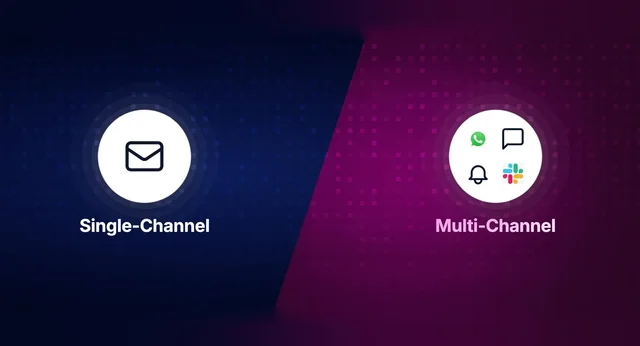
Email isn’t the only notification channel. Modern products use push notifications, in-app alerts, and email together. Understanding when to use which channel is critical for user experience.
| Factor | Email Notification | Push Notification | In-App Notification |
|---|---|---|---|
| Delivery location | Inbox (Gmail, Outlook, etc.) | Device lock screen / notification tray | Inside the product UI |
| Content length | Unlimited (supports rich HTML, images, attachments) | 40–120 characters | Varies (toasts, banners, inbox feeds) |
| Persistence | Permanent until deleted | Disappears when dismissed | Persists in notification feed |
| Reach | Works even if user hasn’t installed your app | Requires app install + opt-in | Only when user is active in the product |
| Best for | Detailed transactional info, receipts, digests, compliance | Urgent, real-time nudges | Contextual, in-product updates |
| Delivery guarantee | High (if email infra is solid) | Medium (device settings, DND mode) | High (when user is active) |
The most effective notification strategies use all three channels with intelligent routing. For example, LinkedIn sends an in-app notification first when someone comments on your post. If you don’t see it within a few hours, LinkedIn routes a push notification or email as a fallback - a technique called smart channel routing.
For product teams building notification infrastructure, the key insight is: email notifications are the safety net. Push can be blocked. In-app requires the user to be online. But email almost always gets through.
Types of Email Notifications
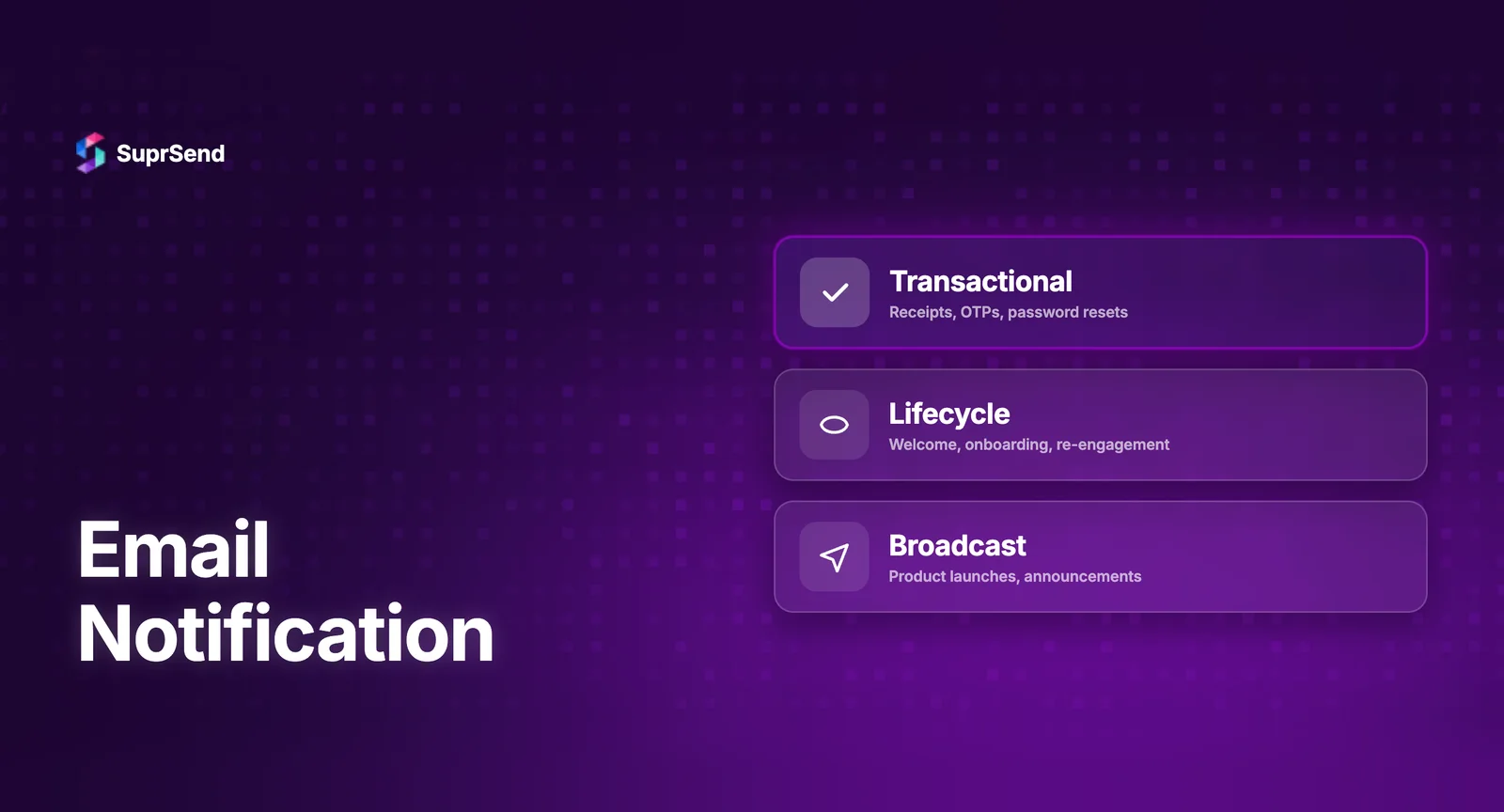
Email notifications fall into two broad categories: transactional and product/behavioral. Here’s a detailed breakdown with real-world SaaS examples.
Transactional Email Notifications
These are triggered by a direct user action and typically contain information the user needs immediately.
| Type | Trigger | Example |
|---|---|---|
| Account verification | User signs up | “Verify your email address” — Notion |
| Password reset | User clicks “Forgot password” | “Reset your password” — GitHub |
| Order/payment confirmation | User completes purchase | “Payment received: $49/mo” — Stripe |
| Invoice/receipt | Billing cycle completes | “Your April 2026 invoice” — AWS |
| Security alert | Unusual login detected | “New sign-in from Chrome on Windows” — Google |
| Two-factor authentication | User initiates login | “Your verification code: 482910” — Slack |
Transactional emails have the highest open rates - often above 85% - because they contain information the user explicitly requested or needs for security.
Product and Behavioral Email Notifications
These are triggered by product events, user activity, or system conditions. They keep users engaged and informed about what’s happening around them.
| Type | Trigger | Example |
|---|---|---|
| Activity alert | Another user interacts | “Sarah commented on your design” — Figma |
| Mention notification | User is @mentioned | “Alex mentioned you in #product” — Slack |
| Status update | Workflow state changes | “Your pull request was merged” — GitHub |
| Digest/summary | Scheduled aggregation | “Your weekly activity: 12 tasks completed” — Asana |
| Onboarding sequence | Time-based after signup | “Day 3: Set up your first workflow” — Zapier |
| Inactivity re-engagement | No login for X days | “We miss you — here’s what’s new” — Mixpanel |
| System/maintenance | Scheduled downtime | “Planned maintenance: April 20, 2-4 AM UTC” — Datadog |
| Feature announcement | New feature shipped | “New: AI-powered search is live” — Linear |
| Subscription lifecycle | Trial expiring, plan change | “Your free trial ends in 3 days” — Notion |
The distinction matters for compliance. Transactional emails don’t require an unsubscribe link under CAN-SPAM (they’re service-related). Product notifications do - and they require explicit opt-in under GDPR.
How Email Notification Delivery Works Under the Hood
Most best-practice guides skip this entirely. But if you’re building a product that sends email notifications, understanding the delivery pipeline is essential.
The Email Delivery Pipeline
Here’s what happens from the moment your app triggers an email notification to when it lands in a user’s inbox:
Step 1: Event trigger → Your application detects an event (user signs up, order placed, comment posted).
Step 2: Notification logic → Your system determines: Should this notification be sent? Which channel? Is the user’s preference set to receive email? Should it be batched or sent immediately?
Step 3: Template rendering → The email template is populated with dynamic data - user name, order details, timestamps, CTAs.
Step 4: ESP handoff → The rendered email is sent to an Email Service Provider (ESP) like SendGrid, Amazon SES, Postmark, or Mailgun via their API or SMTP relay.
Step 5: Authentication & delivery → The ESP’s mail servers authenticate the email using SPF, DKIM, and DMARC records configured in your DNS. The receiving server (Gmail, Outlook) verifies these and decides: inbox, spam, or reject.
Step 6: Tracking → The ESP reports delivery status, opens, clicks, and bounces back to your system.
Email Authentication: SPF, DKIM, and DMARC
If your email notifications are landing in spam, authentication is usually the culprit. Here’s what each protocol does:
| Protocol | What It Does | Why It Matters |
|---|---|---|
| SPF (Sender Policy Framework) | Lists which mail servers are authorized to send email from your domain | Prevents spoofing. Receiving servers check SPF to verify the sender. |
| DKIM (DomainKeys Identified Mail) | Adds a cryptographic signature to each email | Proves the email wasn’t tampered with in transit. |
| DMARC (Domain-based Message Authentication) | Tells receiving servers what to do if SPF/DKIM fail (reject, quarantine, or allow) | Gives you control over how unauthenticated emails are handled. |
According to Google’s 2024 sender requirements, bulk senders (5,000+ emails/day) must have all three configured. Without them, your email notifications may never reach the inbox.
Email Notification Best Practices for 2026
Based on what the highest-performing SaaS products do - and what the research shows - here are the practices that actually move the needle.
1. Send Within Seconds, Not Minutes
For transactional email notifications, delivery speed is a core user expectation. A password reset email that arrives 5 minutes late feels broken. According to a Nielsen Norman Group study, users expect transactional notifications to arrive within seconds - and delays of even 30 minutes for delivery confirmations caused disappointment.
Engineering implication: This means your notification pipeline needs to be asynchronous and queue-based. Synchronous API calls to your ESP from your main application thread will create latency and reliability issues at scale.
2. One Email, One Purpose
Each email notification should communicate a single piece of information. Password reset? Just the reset link. Order confirmation? Just the order details. Don’t bundle a promotional upsell into a transactional receipt - it confuses the user and can violate CAN-SPAM regulations.
3. Write Subject Lines That Work Without Opening
The best email notification subject lines tell the user everything they need to know at a glance. Examples:
- “Your order #4821 has shipped - arriving April 20”
- “New comment from Sarah on ‘Q2 Roadmap’”
- “Login from new device: Chrome on MacOS”
- “Important update regarding your account”
- “You have a new notification”
- “Action required”
4. Respect User Preferences at a Granular Level
Don’t make notification preferences a binary on/off switch. Users should be able to control:
- Category-level preferences - “Send me activity alerts, but not marketing updates”
- Channel-level preferences - “Send comments via in-app, but send billing alerts via email”
- Frequency preferences - “Send me a daily digest instead of real-time”
Building a preference center is one of the most underinvested areas in notification infrastructure - and one of the most impactful for reducing unsubscribes and support tickets.
5. Batch Where It Makes Sense
If a user receives 15 comments on their post in an hour, sending 15 separate emails is a fast path to an unsubscribe. Instead, batch them into a digest: “You have 15 new comments on ‘Q2 Roadmap.’”
This is called notification batching or digest, and it requires your notification system to hold messages for a configurable window before aggregating and sending.
6. Design for Mobile First
Over 60% of emails are opened on mobile devices (Litmus, 2024). Your email notification templates should be responsive, with single-column layouts, tappable CTAs (minimum 44x44px), and concise copy.
7. Include a Clear, Single CTA
Every email notification should have one clear next step. “View your order.” “Reset your password.” “See the comment.” Don’t include three different buttons competing for attention.
8. Monitor Deliverability, Not Just “Sent” Count
Sending an email isn’t the same as delivering it. Track these metrics:
- Delivery rate - did the ESP successfully hand off to the receiving server?
- Bounce rate - hard bounces (invalid address) vs. soft bounces (full inbox)
- Spam complaint rate - Google requires this below 0.3%
- Open rate - especially for transactional emails (benchmark: 80%+)
- Time to deliver - P95 latency from trigger to inbox
How to Build Email Notification Infrastructure That Scales
Here’s where most product teams underestimate the complexity. Sending a few hundred emails a day with SendGrid’s API is straightforward. Sending millions across multiple channels with routing, batching, preferences, templates, and observability? That’s an infrastructure challenge.
What You’ll Need to Build In-House
| Component | What It Involves | Engineering Effort |
|---|---|---|
| Event ingestion | Capture and queue notification triggers | 2-3 weeks |
| Template engine | Multi-channel templates with dynamic variables, versioning, i18n | 4-6 weeks |
| Workflow orchestration | Delays, batching, branching, channel routing logic | 6-10 weeks |
| Preference management | Per-user, per-category, per-channel controls + hosted UI | 4-6 weeks |
| ESP integration | SendGrid, SES, Postmark + failover + rate limiting | 2-4 weeks |
| Delivery tracking | Webhook ingestion from ESPs, unified analytics | 3-5 weeks |
| Observability | Per-notification step-by-step logs for debugging | 4-6 weeks |
| Total | 25-40 weeks (6-10 months) |
That’s 6 to 10 months of engineering time - and that’s before ongoing maintenance, vendor updates, and compliance audits. For a more detailed analysis, see our build vs. buy guide for notification infrastructure.
The Alternative: Use a Notification Platform
Instead of building all of the above in-house, teams are increasingly adopting notification infrastructure platforms that handle orchestration, templates, preferences, routing, and observability out of the box.
These platforms sit as a layer between your application and delivery providers. You send events via a single API. The platform handles everything else: which channel to use, which template to render, which vendor to route through, and how to track delivery.
Where Email Notification Platforms Fit In
When evaluating platforms for email notifications specifically, teams typically compare two categories: standalone ESPs and full-stack notification infrastructure platforms.
| Capability | Standalone ESP (SendGrid, SES, Postmark) | Notification Infrastructure (SuprSend, Knock, Courier) |
|---|---|---|
| Email delivery | ✅ Core strength | ✅ Via integrated ESP |
| Multi-channel (push, SMS, in-app) | ❌ Email only | ✅ All channels, one API |
| Workflow orchestration | ❌ Basic triggers only | ✅ Visual no-code builder with delays, batching, branching |
| Template management | ✅ Basic editor | ✅ WYSIWYG with versioning, i18n, per-tenant overrides |
| User preference management | ❌ Not included | ✅ Out-of-the-box preference center |
| Notification batching/digest | ❌ Not included | ✅ Configurable digest windows |
| Smart channel routing | ❌ Single channel | ✅ Priority routing with fallbacks |
| Delivery observability | ✅ Email-level logs | ✅ Per-notification, per-step logs across all channels |
| Multi-tenancy | ❌ Not included | ✅ Per-tenant branding, templates, vendors |
| Vendor fallback | ❌ Single vendor | ✅ Auto-failover between ESPs |
If your product only sends email and nothing else, a standalone ESP like SendGrid or Postmark is likely sufficient. But if you’re sending notifications across email, push, SMS, in-app, Slack, or WhatsApp - or planning to - a notification platform gives you a unified infrastructure layer from day one.
SuprSend, for example, integrates with SendGrid, Amazon SES, Mailgun, Postmark, and SparkPost as underlying email delivery providers. Your team configures workflows and templates on the SuprSend platform. SuprSend routes each notification to the appropriate ESP, handles failovers, tracks delivery, and manages user preferences - all through a single API integration.
For a detailed comparison of email notification infrastructure options, see our guide on email notification infrastructure platforms.
TL;DR
Email notifications are event-driven, automated messages that keep users informed about account activity, transactions, and product events. They have the highest open rates of any email type (80-90%) because they deliver directly relevant information. Building reliable email notification infrastructure requires more than an ESP - it involves workflow orchestration, template management, preference controls, delivery tracking, and multi-channel routing. Teams building at scale increasingly adopt notification platforms to handle this complexity, shipping in days instead of months.
FAQ
What is the difference between an email notification and a marketing email?
An email notification is triggered by a specific event (password reset, order confirmation, comment mention) and delivers time-sensitive, personalized information. A marketing email is campaign-scheduled, promotional, and sent to segments of users to drive engagement or sales. Transactional email notifications don't require an unsubscribe link under CAN-SPAM; marketing emails do.
How fast should email notifications be delivered?
Transactional email notifications should arrive within seconds of the triggering event. Users expect password resets, OTPs, and order confirmations almost instantly. Research shows that even a 30-minute delay in delivery confirmations causes user frustration. To achieve this, your notification pipeline should use asynchronous message queues rather than synchronous API calls.
Why are my email notifications going to spam?
The most common causes are missing or misconfigured email authentication (SPF, DKIM, DMARC), high bounce rates from sending to invalid addresses, spam complaint rates above 0.3%, and using shared IP addresses with poor sender reputation. Google's 2024 sender requirements mandate all three authentication protocols for bulk senders.
What is email notification batching or digest?
Batching aggregates multiple notifications into a single email instead of sending each one individually. For example, instead of sending 10 separate "new comment" emails in an hour, a digest email consolidates them: "You have 10 new comments." This reduces notification fatigue and significantly lowers unsubscribe rates.
Should I build email notification infrastructure in-house or use a platform?
Building in-house gives you full control but typically requires 6-10 months of engineering effort covering event ingestion, template engines, workflow logic, preference management, ESP integrations, and observability. A notification infrastructure platform provides all of this out of the box through a single API. For most teams, the build-vs-buy decision comes down to whether notification infrastructure is a core differentiator for your product. For the vast majority, it isn't.
What's the difference between an ESP and a notification infrastructure platform?
An ESP (Email Service Provider) like SendGrid or Amazon SES handles email delivery - getting your email from point A to point B. A notification infrastructure platform like SuprSend sits above ESPs and manages the entire notification lifecycle: workflow orchestration, template rendering, channel routing, user preferences, batching, and analytics across email, push, SMS, in-app, and other channels.
How do I set up user preferences for email notifications?
A proper preference center lets users control notifications at the category level (e.g., "billing alerts" vs. "product updates"), the channel level (e.g., "email" vs. "in-app"), and the frequency level (e.g., "real-time" vs. "daily digest"). This is required for GDPR compliance and significantly reduces unsubscribes.
Can email notifications work alongside push and in-app notifications?
Yes, and they should. The most effective notification strategies use multi-channel routing where the system tries the most immediate channel first (push or in-app) and falls back to email if the user doesn't engage. This is called smart channel routing and is a core feature of notification infrastructure platforms.
Last Updated: April 17, 2026
Ready to ship email notifications without building infrastructure from scratch? Start building for free or book a demo to see how SuprSend handles email notifications alongside push, SMS, in-app, and more - through a single API.