Back
Notification Service Alternatives
9 Best Amazon SES Alternatives for Transactional Email (2026)

Yashika Mehta
June 25, 2026
•
June 25, 2026
•
Read summary :
Last Updated: May 2026
Amazon SES is the cheapest credible transactional email service on the internet at $0.10 per 1,000 outbound emails. It is also the most expensive product to operate, because it gives you SMTP and a sender reputation and leaves the dashboard, the templates, the suppression UI, the analytics, and the warmup playbook for you to build. Teams searching for Amazon SES alternatives usually aren't switching because of price. They're switching because the engineering hours to make SES feel like a product cost more than the savings.
The other common reason is the sandbox. New SES accounts are capped at 200 emails per 24 hours, 1 email per second, and can only send to verified addresses, per the AWS request production access docs. Getting out of the sandbox requires a production-access request that can be denied with no specific reason, and there's no SES support tier that overrides the decision.
This guide compares 9 Amazon SES alternatives. Each one solves at least one of the problems SES makes you solve yourself: a real dashboard, easier production onboarding, managed deliverability, or built-in templates. Pricing was verified in May 2026 from each vendor's public pricing page.
Why Teams Leave Amazon SES in 2026
SES is a fine raw delivery layer. Most teams switch when one of five things becomes a real cost.
- The sandbox approval is opaque. Production access requests can be denied without a reason. Multiple resubmissions are common, and there's no support tier that influences the decision (see threads on AWS re:Post about getting stuck in sandbox).
- There is no native dashboard. AWS's own recommended pattern is to stitch SNS + SQS + Lambda + S3 + CloudWatch into a daily bounces/complaints dashboard, as documented in this AWS blog post. The community has shipped Terraform modules just to fill the gap.
- Suppression list management is partial. The global suppression list can't be queried or edited. Teams maintain an account-level list and config-set overrides themselves.
- IP warmup is your problem. Standard dedicated IPs require manual warmup percentage management. AWS's own dedicated-ip-warming docs walk through a 45-day ramp. The newer managed-warmup tier abstracts this, but you pay per-email on top of the IP cost.
- There are no templates, no marketing features, no preference UI. SES has a templates API but no editor, no segmentation, no campaigns, no unsubscribe page. Whatever your team builds on top is its own product to maintain.
If none of these is a friction point for you and you have an engineering team that wants to operate email infrastructure, SES is fine. The list below is for teams whose answer to "should we build a bounces dashboard in-house" is no.
How We Evaluated These Alternatives
Every tool below was assessed on six dimensions:
- Onboarding friction. How long from sign-up to first production send. No sandbox traps.
- Dashboard and analytics. Out-of-the-box visibility into deliveries, bounces, complaints, opens, clicks.
- Deliverability operations. Managed IP warmup, suppression handling, shared-pool reputation.
- Developer experience. SDK quality, docs, webhook event model, idempotency.
- Template tooling. Editor, versioning, variables, i18n.
- Pricing. Verified May 2026 from each vendor's public pricing page.
Which Amazon SES Alternative Fits Your Team?
Pricing verified May 2026 from each vendor's public pricing page.
| Tool | Best For | Free Tier | Entry Price | 100K Emails/mo | Dashboard |
|---|---|---|---|---|---|
| Postmark | Cleanest SES escape | 100/mo | $15/mo (10K) | ~$126/mo | Yes, mature |
| Resend | Modern dev stack | 3K/mo | $20/mo (50K) | $35/mo | Yes, clean |
| SendGrid | Scale + marketing too | 100/day trial | $19.95/mo | ~$89.95/mo | Yes |
| Mailgun | Programmatic + logs | Trial only | $2 per 1K (Flex) | ~$200/mo | Yes |
| MailerSend | Cheap + drag-drop UI | 500/mo | $5.60/mo (5K) | $25/mo+ | Yes |
| Brevo | SMB + free permanent | 300/day | ~$15/mo | Tier-based | Yes |
| SparkPost (Bird) | Enterprise high-volume | Trial | Custom | Custom | Yes, Signals |
| SMTP2GO | Managed SMTP relay | 1K/mo | $10/mo (10K) | $75/mo | Yes |
| Mailtrap | Testing + sending | 4K/mo | $15/mo (10K) | $85/mo | Yes |
1. Postmark
Postmark is the cleanest SES escape for transactional-only teams. Where SES gives you SMTP and asks you to build the rest, Postmark ships with a mature dashboard, 45-day log retention, and separate Message Streams for transactional vs broadcast traffic. Onboarding takes minutes and there's no sandbox approval process.
Key features:
- Message Streams that isolate transactional from broadcast traffic
- 45-day log retention as default (extendable to 365 days)
- Inbound email parsing with webhooks
- Template versioning with draft and live states
- Bounce and spam webhooks with detailed event payloads
Pricing: Free tier 100 emails/month. Paid plans start at $15/month for 10,000 emails. 100,000 emails costs around $126/month. Pricing page.
G2 rating: 4.6 stars (G2 profile, listed under ActiveCampaign Postmark).
Pros: Strong transactional deliverability, clean dashboard out of the box, no sandbox approval.
Cons: Per-1,000 cost is 12x SES at low volume, marketing automation features are minimal, no in-app or push channels.
Best for: Teams that want the SES escape with the least operational surface area.
2. Resend
Resend is the newest credible alternative on this list, built by founders previously at Vercel. It's the SES replacement for teams already on Next.js, React, or the modern JavaScript stack. The DX gap between SES and Resend is the largest gap on this list: React Email components, idempotent send API, and a dashboard that ships on day one.
Key features:
- React Email components for template authoring
- Idempotent send API to prevent duplicates on retries
- Audiences and broadcast capabilities
- Native SDKs for Node, Python, Ruby, Go, PHP
- Webhooks with delivery, bounce, complaint, click, open events
Pricing: Free tier 3,000 emails/month with a 100/day cap. Pro at $20/month for 50,000, $35/month for 100,000. Scale at $90/month for 100,000 with team features. Resend pricing.
G2 rating: 4.8 stars across 9 reviews on G2 (still a young listing): G2 profile.
Pros: Best-in-class developer experience, React Email is unique in the category, no sandbox friction.
Cons: Young company with less production scale than SES or SendGrid, marketing features are thin, support hours and depth still maturing.
Best for: Modern dev teams on a Next.js or React stack who want everything SES doesn't give: dashboard, templates, and idempotency.
3. SendGrid
SendGrid, now part of Twilio, is the legacy market leader. It's the SES alternative most teams shortlist when they want a single vendor for transactional and marketing email under one bill. The dashboard, IP warmup automation, and analytics are mature, and the third-party integration library is the broadest in the category.
Key features:
- Email API and Marketing Campaigns on one platform
- Event Webhook with delivery, bounce, click, open, and spam events
- Automated IP warmup for new dedicated IPs
- Email Validation API for list hygiene
- Dynamic templates with Handlebars
Pricing: Free trial of 100 emails/day for 60 days (no longer a permanent free tier). Essentials starts at $19.95/month for 50,000 emails. Pro starts at $89.95/month and covers up to 2.5M emails. SendGrid pricing.
G2 rating: 4.0 stars across roughly 700 reviews (G2 profile).
Pros: Largest integration library in the category, automated IP warmup (SES asks you to do this yourself), combined transactional and marketing in one account.
Cons: Support quality complaints common on lower tiers, shared-IP deliverability varies, dashboard UI feels dated against newer entrants.
Best for: Enterprises already on Twilio, or teams that want one vendor for transactional and marketing without building either from scratch.
4. Mailgun
Mailgun is the SES alternative for teams that want programmatic control without giving up a real dashboard. Logs, analytics, inbound parsing, and webhooks all ship out of the box. Onboarding is dramatically simpler than SES production access.
Key features:
- Email API and SMTP with the same feature surface
- Inbound routing with webhooks
- Real-time logs and analytics dashboard
- Email validation API (metered)
- Dedicated IPs and IP pools
Pricing: No permanent free tier. Flex (pay-as-you-go) at $2 per 1,000 emails effective December 2025. Foundation from $35/month. Log retention 5 days on Foundation, longer on higher tiers. Dedicated IPs $59/month each. Mailgun pricing.
G2 rating: 4.3 stars across roughly 480 reviews (G2 profile).
Pros: Real dashboard from day one, strong API and SMTP parity, mature inbound parsing.
Cons: Most expensive on this list per-1,000 since the December 2025 Flex price doubled, log retention short on entry tier, support quality complaints common.
Best for: Teams escaping SES who want a programmatic API plus a usable dashboard without enterprise contracts.
5. MailerSend
MailerSend is built for product teams that want SES-adjacent pricing with a drag-drop template editor non-developers can use. It positions itself between bare-metal SES and the marketing-first ESPs.
Key features:
- Drag-drop and HTML template editors in the same UI
- API, SMTP, and SDKs for Node, PHP, Python, Go, Ruby, Laravel
- Inbound routing with parsing
- Multi-user roles for separating marketing and engineering access
- Email verification credits included on most plans
Pricing: Free tier 500 emails/month plus 10 verification credits. Hobby at $5.60/month for 5,000 emails. Starter and Professional at $25/month and up for 50,000. Overage at $0.90 per 1,000. MailerSend pricing.
G2 rating: Around 4.6 stars across 46 reviews (G2 profile).
Pros: Closest pricing to SES on this list, clean template editor that non-developers can use, multi-tenant roles built in.
Cons: Smaller deliverability operations team than SES, advanced analytics are weaker, international sending caps apply on lower tiers.
Best for: SMB product teams that need SES pricing with a real UI for marketing and design teammates.
6. Brevo
Brevo (formerly Sendinblue) is the SES alternative for SMB teams whose use case is mixed: some transactional API sends, some marketing campaigns, all in one bill. The permanent free tier (300 emails/day) is the most generous on this list for production sending.
Key features:
- Transactional API and SMTP relay
- Marketing automation with drag-drop journey builder
- Built-in CRM with contact management
- SMS and WhatsApp channels included
- Segmentation by behavior and attributes
Pricing: Free tier 300 emails/day (around 9,000/month) permanent. Paid transactional plans start around $15/month. Marketing tiers are priced by contact count rather than send volume. Brevo pricing.
G2 rating: 4.5 stars across roughly 2,637 reviews on the Marketing Platform listing (G2 profile).
Pros: Permanent free tier with daily send allowance, non-developer UI for marketers, CRM and SMS included in the same platform.
Cons: Brand identity split between marketing and transactional, transactional-only teams pay for unused features, deliverability on shared pools is mixed.
Best for: SMB teams with mixed marketing and transactional needs that want one vendor for everything.
7. SparkPost (Bird)
SparkPost was an enterprise email infrastructure platform that has been rolled into Bird (formerly MessageBird) following acquisition. For SES users at enterprise scale who already have a deliverability team and want better analytics, SparkPost's Signals is the closest peer to SES on raw infrastructure but adds the dashboard SES lacks.
Key features:
- High-volume sending infrastructure with proven enterprise scale
- Signals deliverability analytics with engagement scoring
- Subaccount architecture for multi-tenant and multi-brand sending
- Dedicated IPs and IP pools
- A/B testing on templates
Pricing: Transparent transactional tiers are no longer published. Pricing is custom through Bird sales. Legacy tier references (Premier around $75/month for 50,000) still appear on some review sites but should be confirmed with the vendor.
G2 rating: 4.0 stars across roughly 64 reviews on the legacy SparkPost listing (G2 profile).
Pros: Strong analytics through Signals, proven at SES-comparable scale, subaccount architecture is enterprise-ready.
Cons: Opaque public pricing post-Bird acquisition, product roadmap unclear, SparkPost as a standalone brand is effectively being absorbed.
Best for: Enterprise high-volume senders willing to negotiate a contract and live inside Bird's product suite.
8. SMTP2GO
SMTP2GO is a managed SMTP relay. It is the SES alternative for teams running WordPress, legacy applications, or anything whose easiest integration is plain SMTP rather than an HTTP API. The pitch versus SES is no warmup, no sandbox, no DIY dashboard.
Key features:
- SMTP relay with global points-of-presence
- HTTP API with the same feature surface as SMTP
- Real-time analytics dashboard
- Dedicated IPs and subaccounts
- 30-day money-back guarantee on paid plans
Pricing: Free tier 1,000 emails/month with a 200/day cap. Starter at $10/month for 10,000. Professional at $75/month for 100,000. Premier custom for 3M+. SMTP2GO pricing.
G2 rating: 4.7 stars across 226 reviews (G2 profile).
Pros: Cheapest 100,000-email tier on this list at $75/month, no warmup or sandbox, strong G2 sentiment.
Cons: Less developer-modern (no React Email or component-native authoring), analytics simpler than Postmark or SendGrid, marketing features minimal.
Best for: WordPress sites, legacy app owners, and teams that want a managed SMTP relay with a real dashboard.
9. Mailtrap
Mailtrap began as a developer testing sandbox (capture-only inboxes for staging environments) and has since added a production email sending API. For SES users who maintain their own staging email testing setup, Mailtrap consolidates sending and testing under one vendor.
Key features:
- Email Sending API and SMTP for production traffic
- Email Testing sandbox inboxes for staging and CI
- Template management with variables
- Deliverability monitoring and inbox placement scoring
- Up to 30 days of log retention on standard plans
Pricing: Free tier 4,000 emails/month with a 150/day cap. Basic at $15/month for 10,000 (up to $30 for 50,000). Business at $85/month for 100,000 (up to $450/month for 750,000). Enterprise from $750/month for 1.5M. Mailtrap pricing.
G2 rating: 4.8 stars across roughly 90 reviews (G2 profile).
Pros: Unique combination of sending and testing in one vendor, no SES sandbox friction, clean DX.
Cons: Newer to production-scale sending compared with SES, marketing features are thin, the brand is still primarily associated with testing.
Best for: Engineering teams that want one vendor for staging inboxes and production transactional sending.
How to Choose the Right Amazon SES Alternative
The shortlist depends on which SES limitation actually hurts.
- If sandbox approval is blocking you: Postmark, Resend, or MailerSend. All three have no equivalent gate.
- If the missing dashboard is the problem: Postmark for transactional-only, SendGrid if you also send marketing.
- If IP warmup ops is the cost: Postmark, SendGrid, or Brevo with managed shared pools. SES's managed-warmup tier is the alternative if you'd rather stay on AWS.
- If template tooling is the gap: MailerSend for drag-drop, Resend for React Email, SendGrid for Handlebars templates.
- If you're at enterprise scale and SES's analytics aren't enough: SparkPost via Bird, or SendGrid Pro.
- If price still matters most: MailerSend at $5.60/month for 5,000, or SMTP2GO at $10/month for 10,000. Both close to SES on cost without the ops surface.
One thing worth checking before signing: dashboard depth on your chosen tier. Inbox placement issues often surface days after the send, and SES's lack of native log retention is part of why teams switch in the first place.
Or: Keep SES, Put an Orchestration Layer in Front
The unspoken option is that most teams won't actually migrate off SES. The $0.10 per 1,000 unit cost is hard to argue with at scale, and AWS billing consolidation matters in larger organizations. The real question is whether SES has to be the entire stack, or whether it can be the delivery node underneath something that handles the rest.
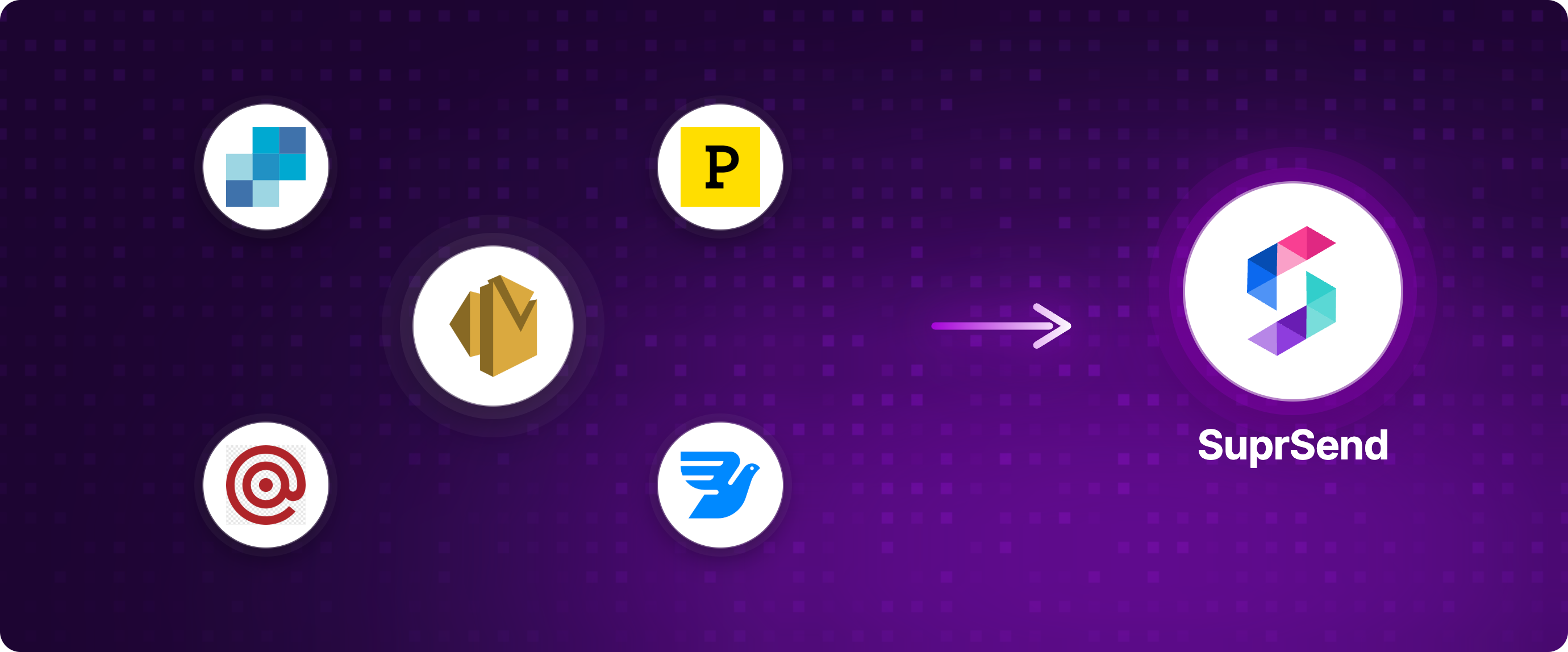
That's the layer SuprSend sits at. It's notification infrastructure: you integrate once, and SuprSend orchestrates delivery across whichever channel and vendor combination you've configured. Amazon SES is a first-class email vendor in SuprSend; you keep your SES account, your IPs, and your AWS billing, and SuprSend handles what SES doesn't.
Concretely, SuprSend adds on top of SES:
- Template editor with versioning, variables, and i18n (SES has none of this)
- Real-time logs and analytics dashboard across every send, every channel
- Vendor fallback: if SES throttles or has a regional issue, retry through SendGrid or Mailgun automatically
- User preference center so users control what they receive (SES has no concept of this)
- SMS, push, WhatsApp, in-app inbox, and Slack as first-class channels alongside email
- Visual workflows with delays, batching, branching, and timezone-aware delivery
The trade-off is that you stop owning the orchestration plane. The savings (in engineering time, not unit cost) come from not maintaining a templates database, a suppression UI, a bounces dashboard, or a multi-channel router yourself. The CPaaS vs notification infrastructure guide walks through when this trade is worth it.
Frequently Asked Questions
Why is Amazon SES so cheap if everyone else costs more?
SES is priced at infrastructure cost ($0.10 per 1,000 outbound) because it is infrastructure. AWS doesn't bundle a dashboard, templates, suppression UI, IP warmup automation, or marketing features. Those are products other vendors build and charge for. SES gives you the SMTP server and the reputation. Everything else is your build.
What is the easiest Amazon SES alternative to migrate to?
Postmark or Resend. Both have no sandbox approval, ship with a dashboard, and don't require warmup management on shared IPs. The actual migration steps are: set up the new vendor, verify SPF and DKIM, dual-send a small percentage of traffic, monitor deliverability for 7-14 days, then cut over fully.
How long does Amazon SES sandbox approval take?
Per AWS docs, the production access review target is 24 hours (one business day), but approval is not guaranteed. Denials are common and provide no specific reason, per multiple AWS re:Post threads. There's no premium support tier that overrides the decision.
Can I use Amazon SES with another vendor's dashboard?
Yes. SES exposes its events through SNS and config sets. You can route those into a notification platform that owns templates, analytics, and orchestration while SES remains the actual delivery vendor. This is the most common pattern for teams that want SES's pricing without operating it.
Is Amazon SES being deprecated?
No. SES is an active AWS service with ongoing investment. The newer managed-warmup dedicated IP tier and Virtual Deliverability Manager add-on are recent additions. Teams switch for product reasons (dashboard, templates, onboarding), not because SES is going away.
Do I need a dedicated IP on Amazon SES?
Only above 100,000 to 300,000 emails per month, and only if your sender reputation needs to be isolated from a shared pool. Most teams under that volume are better served by SES's shared IPs or by switching to a vendor with managed warmup like Postmark or SendGrid.
What is the closest pricing alternative to Amazon SES?
MailerSend ($5.60/month for 5,000) and SMTP2GO ($10/month for 10,000) are the closest credible options on raw unit cost. Both add the dashboard and managed deliverability SES lacks.
TL;DR
Nine credible Amazon SES alternatives in 2026: Postmark, Resend, SendGrid, Mailgun, MailerSend, Brevo, SparkPost (Bird), SMTP2GO, and Mailtrap. SES is the cheapest delivery layer on the internet, but the engineering hours to operate it (dashboard, templates, suppression UI, warmup) often cost more than the unit-cost savings. The right pick depends on which SES limitation actually hurts: sandbox friction (Postmark, Resend), missing dashboard (Postmark, SendGrid), template tooling (MailerSend, Resend), or pricing (MailerSend, SMTP2GO). Or keep SES and put a notification orchestration layer in front of it.
Next Steps
If email is one of several channels you need to send (or will need to send soon), the email notification pillar guide covers the architecture decisions, and SuprSend's pricing includes 10,000 free notifications per month across every channel, on top of whichever email vendor you keep.
Start building for free or book a demo to see how orchestration fits on top of SES.
On this page