Back
Notification Infrastructure
How to Build a Notification Channel Strategy in 2026

Yashika Mehta
June 23, 2026
•
June 23, 2026
•
Read summary :
Last Updated: May 2026
A retail product ships out two notifications for the same event: an order confirmation email and an SMS. The email goes to the inbox; the SMS pings the lock screen seconds after the user clicked Buy. The user gets confirmation twice for one action, your SMS bill ticks up, and the opt-out rate on order alerts climbs the next month. The team had a "multi-channel notification system." It did not have a strategy.
A notification channel strategy is the set of rules that decides, for any event in your product, which channel sends, which channels fall back, which user preferences apply, and when to stop. This guide lays out a 5-step framework you can apply whether you currently use one channel or six.
What a Notification Channel Strategy Actually Is
A notification channel strategy answers four questions for each notification your product sends:
- Which channel is the right fit for this event? Driven by urgency, content length, persistence needs, and cost.
- What happens if that channel fails to deliver? Fallback path to a second and third channel.
- How does the user override the default? Category and channel-level preferences.
- When should the system stop trying? Once the user engages, once a TTL is exceeded, or once volume caps are hit.
Teams without an explicit strategy default to "send everywhere on every event," which produces the duplicated-notification problem from the intro. Teams with a strategy can ship new notification categories in hours instead of weeks because the rules already exist.
The 5 Channels and What They Are Good For
Most modern products use some combination of these five channels. Each has a distinct profile.
| Channel | Strengths | Weaknesses | Typical Cost (US) |
|---|---|---|---|
| Persistent, long content, low cost, attachments | Slow attention (minutes to days), inbox crowding, deliverability rules | ~$0.0001/message | |
| SMS | ~3-minute open time, works without internet, high reach | 160-char limit, no formatting, 10DLC registration overhead, 100x email cost | ~$0.012/message |
| Mobile Push | Near-zero cost, instant delivery, rich payload | Requires app install + permission, dismissed on lock screen, opt-out fatigue | ~$0.001/message |
| End-to-end encrypted, 90%+ open rate, lower cost than SMS for OTP | Requires opt-in + Meta template approval, user must have WhatsApp | $0.006/auth message US | |
| In-App Inbox | Persistent inside product, no permission needed, no cost | Only reachable when user is in your app | Effectively free |
For deeper breakdowns of when each channel is the right fit, see email vs SMS notifications, push vs SMS, and the 3-way channel guide. Pricing references above use verified May 2026 rates from AWS SES and Twilio US SMS pricing.
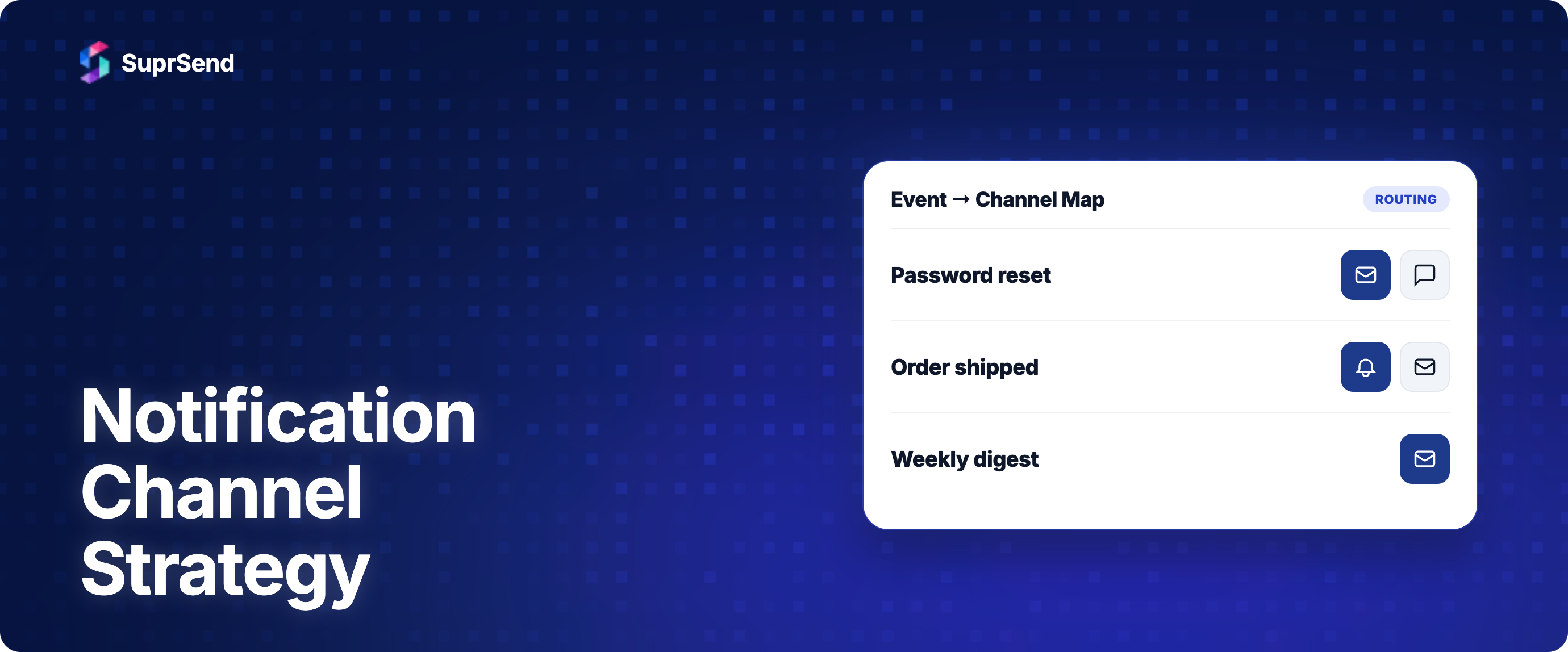
Step 1: Map Events to Channels
Start with a channel matrix. List every notification event in your product, and for each one assign a primary channel and a fallback order. Use these rules of thumb:
- Time-bound, short, high-stakes (OTP, fraud alert, ride arrival): WhatsApp or SMS primary, the other as fallback.
- Important record, low urgency (receipt, contract, weekly digest): Email primary, no fallback needed.
- In-product engagement (mention, comment, status change): In-app inbox primary, push as secondary if user is offline, email as digest fallback.
- Marketing / nice-to-have (product update, newsletter): Email primary. SMS only for high-intent segments with explicit opt-in.
A sample matrix for a SaaS product looks like this:
| Event | Primary | Fallback 1 | Fallback 2 |
|---|---|---|---|
| Login OTP | SMS | ||
| Password reset | In-app inbox | None | |
| Payment success | In-app inbox | None | |
| Payment failure | Push | SMS (if recurring fail) | |
| Comment / mention | In-app inbox | Push | Email digest |
| Suspicious login | SMS | None | |
| Account locked | SMS | None | |
| Weekly digest | None | None | |
| Marketing campaign | None | None |
The matrix is the strategy artifact. Maintain it as a living document; every new event added to your product gets a row.
Step 2: Set Fallback Rules Per Event
Fallback is not just "if it fails, try the next one." Three settings determine how fallback actually behaves:
- Trigger condition: Immediate on error (vendor returned a hard failure) or after timeout (no delivery confirmation within window).
- Fallback time: How long to wait before falling back. For OTP, 30-60 seconds. For password reset, 5-10 minutes. For digests, no fallback needed.
- Success metric: What stops the fallback chain. Delivered, seen, or a custom application event ("login_completed").
For the engineering side of how these settings interact, see how to design notification retry and fallback.
Step 3: Respect Preferences by Category, Not Just by Channel
A common mistake is offering only a global unsubscribe or a flat list of channel toggles. Users want to keep account alerts via SMS while opting out of marketing SMS. They want product updates via email but no email digests. Strategy is incomplete without category-level preferences.
A complete preference model has two dimensions:
- Categories: Account & security, billing, product updates, marketing, social (mentions, comments), digests.
- Channels per category: Email, SMS, push, WhatsApp, in-app inbox.
The cross-product is a preference grid that the user controls. Some categories (security, billing) are non-negotiable and cannot be turned off; others are user choice. Document which categories are mandatory and why, since GDPR requires a clear lawful basis for each.
See how to make notifications GDPR compliant for the compliance side of preference management.
Step 4: Set Volume Caps to Prevent Fatigue
Notification fatigue is the practical ceiling on how much your strategy can deliver. Past a certain volume per user per day, opt-outs accelerate, complaint rates rise, and channel reputation degrades.
Three caps that work:
- Per-channel daily cap: No more than 3-5 push notifications per user per day for non-critical categories.
- Per-category cap: No more than 2 marketing emails per user per week.
- Cross-channel rate limit: No more than 10 total notifications per user per day across all channels combined.
Caps should be configurable per category. Critical messages (security alerts, payment failures, OTPs) bypass caps. Marketing and digests do not.
Background reading on the fatigue side: reducing notification fatigue without losing engagement and alert fatigue.
Step 5: Measure the Funnel, Not Just the Sends
A strategy without measurement is a hypothesis. Track the same funnel across all channels and watch the drop-offs:
- Triggered (your app requested the notification)
- Delivered (vendor confirmed delivery)
- Seen (recipient saw the message; not available on SMS)
- Clicked (recipient interacted)
- Action (recipient completed the goal the notification was meant to drive)
- Unsubscribed (recipient turned off this category or channel)
For each notification category, the question is not "what is the open rate" but "what is the conversion rate, and where are users dropping off?" If 95% are delivered, 30% seen, 5% clicked, and 1% converted, the bottleneck is the in-app flow, not the notification. If 95% are delivered and 8% are seen, the channel or timing is wrong.
For the metrics side in detail, see notification analytics metrics that matter.
What Changes at Scale
The framework above stays the same; the implementation gets harder. Three things break at scale:
- Hand-maintained channel matrices stop working past ~50 distinct events. You need a configuration store, ideally one that product managers can edit without engineering deploys.
- Single-vendor setups create concentration risk. Past a few million notifications a month, the cost of a 30-minute vendor outage exceeds the engineering cost of multi-vendor failover.
- Preference data spread across multiple systems becomes inconsistent. A user who unsubscribed from marketing email keeps getting marketing SMS because the two systems don't share state.
The fix at scale is consolidation: one configuration store for the channel matrix, one preference store applied across all channels, and one delivery engine that handles fallback and vendor routing.
How SuprSend Supports This
SuprSend implements every step of this framework as platform features so the strategy lives in configuration, not in application code.
- Channel matrix as workflows: Each event maps to a workflow with channels, conditions, and routing rules. Product managers can edit workflows without engineering.
- Fallback rules: Vendor Fallback for same-channel failover; Smart Delivery for cross-channel sequential routing with stop-on-engage.
- Category-level preferences: The preference center exposes category and channel-level toggles. The user preferences model applies consistently across email, SMS, push, WhatsApp, and in-app inbox.
- Throttling and rate limits: Configurable per-user, per-category, and per-channel caps prevent fatigue.
- Unified analytics: One dashboard reports the funnel across all channels and vendors, with anomaly alerts when a metric deviates from baseline.
For the broader category context, see the notification channels comparison hub and multi-channel notifications architecture and routing.
Frequently Asked Questions
How do I decide which channel to use for a notification?
Start with urgency and content length. Time-bound and short messages go to SMS, WhatsApp, or push. Persistent or longer messages go to email or in-app inbox. For critical events that must reach the user, set a primary channel and a fallback path; do not send on all channels at once.
Should I send notifications on multiple channels at the same time?
Rarely. Parallel multi-channel sends multiply your cost, contribute to notification fatigue, and produce the duplicated-notification problem. Reserve parallel delivery for critical broadcasts (service outage alerts to all customers). For everything else, send sequentially with stop-on-engage.
How many notifications per day is too many?
For non-critical categories, 3-5 push notifications per user per day is the practical ceiling before opt-outs accelerate. Across all channels combined, 10 total per user per day is a reasonable cap. Critical messages (OTPs, security, payments) should be exempt from caps.
What is the difference between channel preferences and category preferences?
Channel preferences (toggle email, SMS, push) are too coarse. Category preferences (account alerts, marketing, digests) are too coarse the other way. Combine both: a user can opt out of marketing email while keeping marketing push, or opt out of all SMS while keeping all email. The cross-product is the complete preference grid.
Do I need to send transactional notifications on multiple channels?
Only for critical events where a missed message has real cost. Login OTPs and fraud alerts should have fallback (WhatsApp to SMS to email). Receipts and password resets usually do not need fallback; if email delivery fails, the user retries the action.
How do I measure if my notification channel strategy is working?
Track the funnel for each event category: triggered, delivered, seen, clicked, action. Compare conversion rates across channels for the same category to see which channel actually drives the outcome. Track opt-out rates per category; rising opt-outs are the leading indicator of a broken strategy.
Summary
A notification channel strategy is the explicit set of rules that decides which channel sends what, when fallback fires, how user preferences apply, and when to stop. The 5-step framework is: map events to channels, set fallback rules per event, expose category-level preferences, set volume caps, and measure the funnel per category.
The strategy itself is mostly product and design work. The implementation is mostly infrastructure work: configuration store for the channel matrix, preference store applied across channels, delivery engine with fallback and routing. Doing both well is the difference between a notification system that converts and one that gets users to mute the app.
Want to operationalize this framework on one platform? Start building for free or book a demo to see how SuprSend handles channel routing, preferences, and analytics.
On this page