Why Picking the Wrong Notification Channel Costs You Users
52% of users who turn off push notifications end up churning from the app entirely. They don’t complain. They just leave.
The problem isn’t that teams are sending too many messages. It’s that they’re sending the right message through the wrong channel. A password reset sent via SMS feels urgent and helpful. The same message buried in an email inbox? Frustrating. A promotional offer as a push notification at 2am? Gone - along with the app.
Choosing between email vs SMS vs push notifications isn’t a one-size-fits-all decision. It depends on urgency, context, user preference, and the nature of the message itself. This guide breaks it all down so you can build a smarter notification strategy.
Understanding Each Notification Channel
Email Notifications
Email is the workhorse of digital communication. It’s asynchronous, supports rich formatting, and users expect it for certain types of messages - receipts, weekly digests, onboarding sequences, policy updates.
Average open rates hover around 20-25% for transactional emails, but that number is misleading. Users choose when to read email. It’s a low-interruption channel, which makes it powerful for non-urgent, high-value content that deserves attention and context.
Best for:
- Onboarding flows and product walkthroughs
- Weekly or monthly digests
- Invoices, receipts, and billing notifications
- Detailed account updates or policy changes
- Re-engagement and marketing campaigns
SMS Notifications
SMS is direct, immediate, and almost impossible to ignore. Open rates consistently hit 90%+, and most messages are read within 3 minutes of delivery. That’s not a channel - that’s a direct line to your user’s attention.
But that power comes with responsibility. SMS is the most personal channel. Users guard their phone numbers carefully. Send one irrelevant SMS and you’ll see opt-outs spike fast.
Best for:
- OTPs and two-factor authentication
- Time-sensitive alerts (flight delays, order delivery updates)
- Appointment reminders
- Critical security notifications
- Emergency or outage alerts
Push Notifications
Push notifications sit between email and SMS on the urgency-interruption spectrum. They’re delivered to a user’s device in real time but require an opted-in app install. That opt-in is key - push permission is earned, not assumed.
Done right, push notifications drive re-engagement and keep users active inside your product. Done wrong, they train users to either ignore them or revoke permissions entirely.
Best for:
- In-app activity alerts (likes, comments, mentions)
- Personalized product recommendations
- Feature announcements or nudges
- Real-time updates that are relevant but not critical
- Cart abandonment or re-engagement triggers
Email vs SMS vs Push: A Direct Comparison
Let’s cut through the noise. Here’s how these three channels stack up across the dimensions that actually matter for your notification strategy.
Reach and Deliverability
Email wins on reach - almost everyone has an email address, and you don’t need explicit opt-in for transactional messages in most jurisdictions. SMS reach is nearly universal too, but opt-in requirements are stricter, especially in the US and EU.
Push notifications have the narrowest reach. Users must install your app and grant notification permissions. On iOS, only about 45-50% of users grant push permission. On Android it’s higher, but still not guaranteed.
Urgency and Response Time
If you need someone to act in the next 5 minutes, SMS is your answer. Push is a close second for active app users. Email is for messages that can wait - or that deserve more context before the user acts.
Think about a bank fraud alert. SMS gets that message seen and acted on immediately. An email might sit unread for hours. The cost of that delay could be significant.
Content and Richness
Email supports full HTML - images, buttons, multi-section layouts, long-form copy. It’s the only channel where you can tell a complete story or deliver a complex update with context and design.
Push notifications are short by design - typically 100-200 characters with optional images or action buttons. SMS is even more constrained at 160 characters per segment, though multi-part messages are common.
Cost
Push notifications are effectively free once you have the infrastructure. Email is low cost at scale. SMS is the most expensive channel per message - costs vary by country, carrier, and volume, but it adds up fast if you’re sending at scale.
This cost differential matters a lot when you’re designing notification logic. Sending every alert via SMS because it has high open rates is a budget disaster waiting to happen.
User Control and Opt-In
Users have high tolerance for email - they can filter, archive, or unsubscribe without feeling like their personal space was invaded. SMS and push feel more intrusive, so irrelevant messages lead to faster opt-outs.
How to Match the Right Channel to the Right Message
The most important mental model here is simple: match channel urgency to message urgency.
Here’s a practical framework:
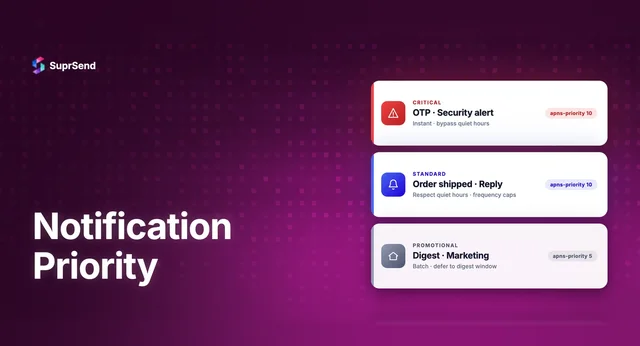
- Critical + Time-sensitive: Use SMS or push. Think OTPs, fraud alerts, delivery notifications, outage alerts.
- Important + Moderate urgency: Use push or email. Think new message in an app, a subscription renewal reminder, a feature the user needs to know about.
- Informational + Low urgency: Use email. Think monthly reports, newsletters, onboarding tips, policy updates.
- Promotional: Use email first, push for logged-in users, never SMS unless the user has explicitly opted in for offers.
Real-World Use Case: E-Commerce Order Flow
Let’s map a complete e-commerce order journey to channels:
- Order confirmed: Email (full receipt with line items, support link)
- Order shipped: Push + SMS (time-sensitive, user wants to know)
- Out for delivery: SMS (most urgent, needs immediate awareness)
- Delivered: Push (confirmation, low urgency)
- Review request: Email (no rush, richer content, easy to act on later)
Notice how the channel shifts based on urgency and the type of action you want the user to take. That’s the logic that separates good notification systems from great ones.
Real-World Use Case: SaaS Product Alerts
- Trial expiring in 3 days: Email (multiple touchpoints, detailed CTA)
- Payment failed: Email + SMS (important enough to use both)
- New team member joined: Push or in-app (relevant but not urgent)
- System downtime alert: SMS (critical, needs immediate visibility)
- Weekly usage report: Email only
The Case for Multi-Channel Notification Strategy
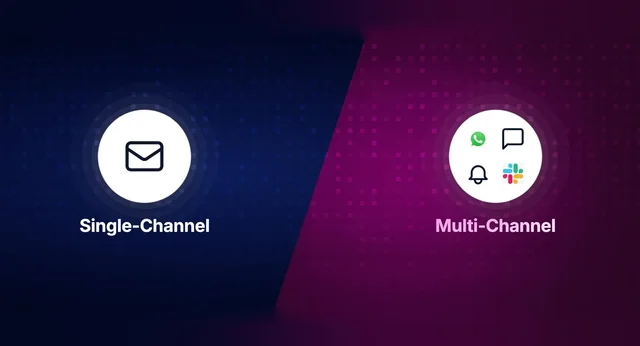
Here’s where most teams get it wrong: they pick one channel and use it for everything. Either they’re all-in on email (and miss urgent moments) or they over-rely on push (and burn through user goodwill).
The smarter approach is a multi-channel strategy with clear rules about channel priority, fallback logic, and frequency caps.
For example: Send a push notification first. If the user hasn’t opened it in 30 minutes and the message is high priority, send an SMS. Follow up with an email summary at end of day. That kind of orchestration turns a notification system into a communication layer that actually serves the user.
Platforms like SuprSend are built specifically for this - letting teams define multi-channel workflows, set fallback rules, and manage user preferences across email, SMS, push, and other channels from a single API. Instead of stitching together separate vendors for each channel, you get one unified notification infrastructure.
User Preferences: The Variable You Can’t Ignore
Even a perfect channel-to-message match can fail if it ignores what the individual user actually wants. Some users prefer email for everything. Others live in their phone and want push for anything actionable.
Build a preference center. Let users choose their preferred channels for different notification categories - transactional, product updates, marketing, alerts. This isn’t just a nice UX feature. It directly reduces opt-outs and increases engagement rates.
The data backs this up: messages sent through user-preferred channels see 3-5x higher engagement than those sent through defaults alone.
Frequency and Timing: The Hidden Factors
Channel choice is only half the battle. When and how often you send matters just as much.
A few ground rules:
- Never send SMS between 9pm and 8am local time unless it’s genuinely critical
- Batch non-urgent notifications rather than sending them one by one
- Respect daily/weekly frequency caps per channel - push fatigue is real
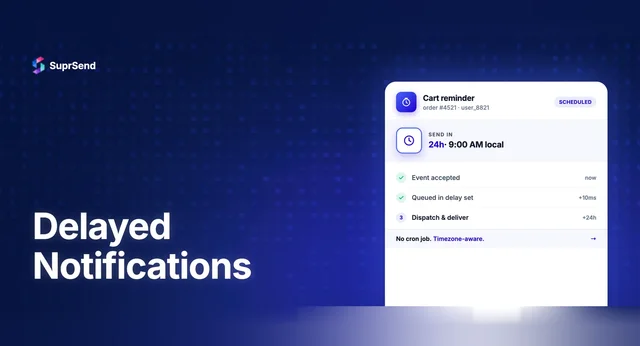
- Use time zone awareness for all scheduled notifications
- A/B test send times for emails - the difference between 9am and 2pm can be a 15% difference in open rate
These aren’t nice-to-haves. They’re the difference between a notification system that builds trust and one that erodes it.
Compliance and Legal Considerations
This is where teams often get tripped up. SMS and push are opt-in channels with real legal teeth in many markets.
- TCPA (US): Requires explicit written consent before sending marketing SMS. Violations can result in fines of $500-$1,500 per message.
- GDPR (EU): Requires lawful basis for processing communication data, clear opt-in for marketing messages.
- CAN-SPAM: Governs commercial email -= requires unsubscribe mechanisms and honest sender information.
Transactional messages (order confirmations, password resets, security alerts) generally have more flexibility. Marketing messages require explicit consent regardless of channel. When in doubt, consult legal and err on the side of more consent, not less.
Building a Notification Strategy That Actually Works
Let’s bring it all together. Here’s a simple decision framework you can use right now:
- Define message categories - transactional, operational, engagement, marketing
- Assign urgency levels - critical, high, medium, low
- Map categories to primary channels based on urgency and content richness
- Define fallback logic - what happens if the primary channel fails or goes unread?
- Build a preference center so users can override defaults
- Set frequency caps per channel and per user
- Monitor and iterate - track open rates, click-through rates, opt-outs, and uninstalls by channel
Teams that treat notification strategy as a product decision - not an afterthought - see measurable improvements in retention and engagement. It’s one of the highest-leverage investments you can make in your user experience.
Tools like SuprSend make this easier by providing the infrastructure to manage multi-channel routing, user preferences, and delivery analytics in one place - so your team can focus on the strategy, not the plumbing.
Conclusion: The Right Channel Changes Everything
Email vs SMS vs push notifications isn’t a debate with a winner. Each channel has a role to play, and the best notification strategies use all three - deliberately, contextually, and with respect for the user’s time and attention.
Get the channel right and your notifications feel helpful, even delightful. Get it wrong and you’re just noise. The difference often comes down to one simple question before you hit send: Does this message deserve this channel?
Start there. Build the logic around it. Your users - and your engagement metrics - will thank you.