Why Getting This Wrong Costs You Users
Teams obsess over notification content but ignore delivery context. That’s a mistake. Send the wrong type of notification at the wrong moment, and you don’t just get ignored - you get uninstalled. In-app notifications vs push notifications is one of the most misunderstood decisions in product and growth teams.
46% of users will opt out of push notifications if they receive more than 2–5 messages a week. A lot of that churn happens because teams use push for things that should have stayed in-app. Users feel interrupted, not informed.
This guide breaks down exactly what each notification type does, where it excels, and how to make the right call every time.
What Are In-App Notifications?
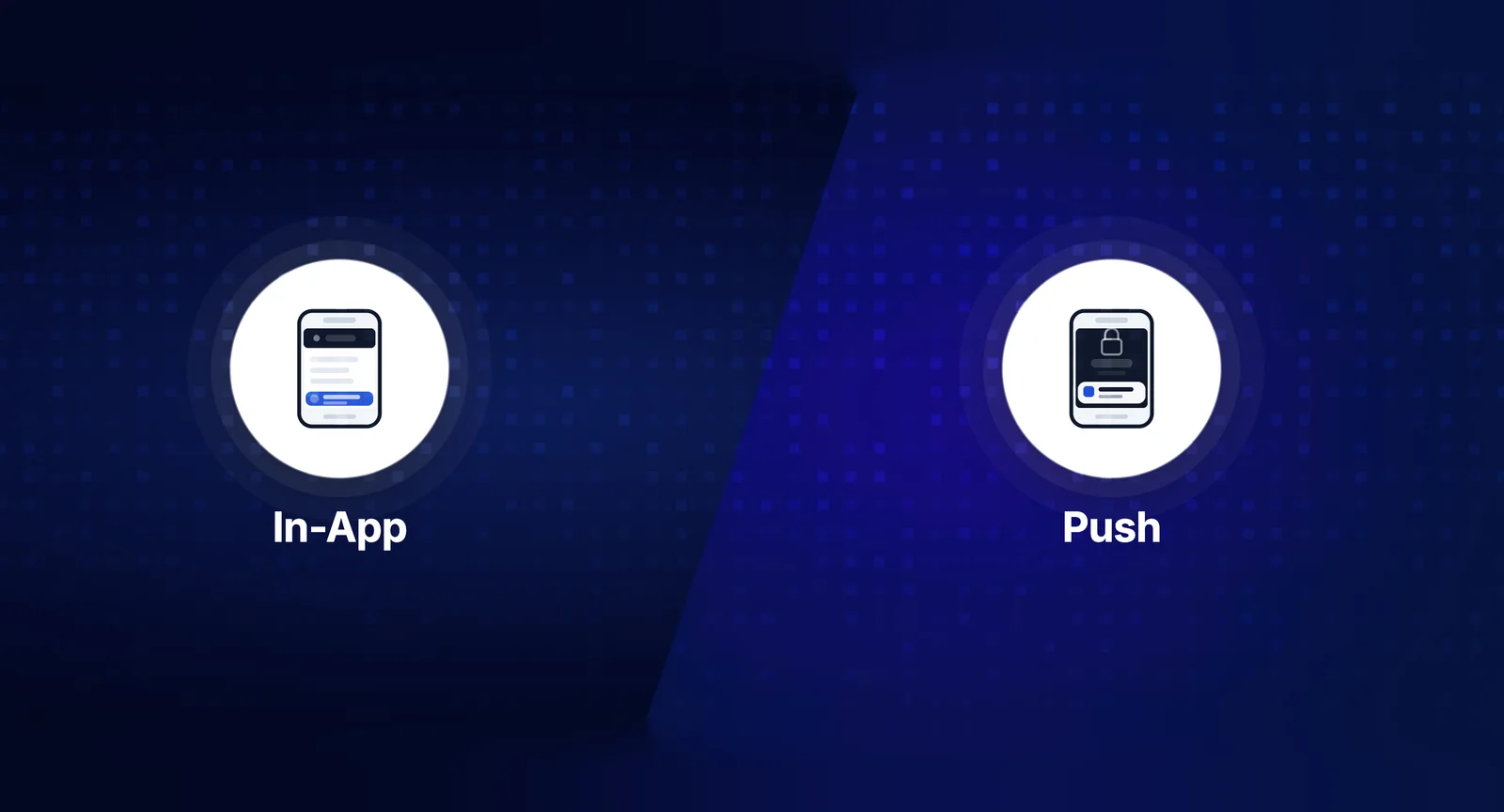
In-app notifications are messages that appear while the user is actively inside your product. They only show up when the app or website is open - think banners, modals, tooltips, notification bells, or feed items.
They’re contextual by nature. The user is already engaged, so you’re adding information to an existing session rather than interrupting one.
Common formats for in-app notifications
- Notification center / inbox: A bell icon with a feed of recent activity - great for SaaS dashboards
- Banners and toasts: Temporary messages that appear at the top or bottom of the screen
- Modals and interstitials: Full or partial overlays - use sparingly, they interrupt flow
- Tooltips and coach marks: Inline hints that guide users through features
- Badges: Small indicators on icons showing unread counts
In-app notifications don’t require any user permission. The user is already in your product, so there’s no opt-in friction. That’s a significant advantage over push.
What Are Push Notifications?
Push notifications are messages delivered to a user’s device even when they’re not actively using your app. They appear on the lock screen, home screen, or in the notification tray.
They work by leveraging device-level delivery - through APNs for iOS and FCM for Android. For web apps, browsers now support web push too.
Common formats for push notifications
- Standard push: Title, body, and optional icon
- Rich push: Includes images, action buttons, or deep links
- Silent push: Background data sync, no visible alert
- Web push: Delivered through the browser, works on desktop and mobile
Push is powerful precisely because it reaches users outside your product. But that reach comes with a cost - users must explicitly opt in, and that permission is fragile. One too many irrelevant pushes, and it’s gone permanently.
In-App Notifications vs Push Notifications: The Core Differences
Let’s make this concrete. Here’s how they differ across the dimensions that actually matter:
- User state: In-app requires an active session. Push works when the app is closed.
- Permission required: In-app - none. Push - explicit opt-in from the user.
- Interruptiveness: In-app is low friction. Push can feel intrusive if overused.
- Delivery reliability: In-app is 100% delivered if the user is in the session. Push delivery depends on device settings, OS, and network.
- Persistence: In-app can stay in a notification center indefinitely. Push disappears once dismissed.
- Richness: In-app can be highly interactive with custom UI. Push is more limited to system-level display formats.
- Re-engagement: Push wins here - it can bring users back. In-app can’t reach inactive users.
Neither is better. They serve fundamentally different purposes in the user journey.
When to Use In-App Notifications
Use in-app notifications when the user is already in your product and you want to deliver contextual, relevant information without pulling them away from what they’re doing.
Best use cases for in-app notifications
- Onboarding guidance: Walk new users through key features using tooltips or coach marks. Don’t push these - the user needs to be in the product to act on them anyway.
- Feature announcements: Launching a new dashboard feature? Announce it with a banner when users land on that page. Contextual relevance is built in.
- Activity feeds: Someone commented on your document, tagged you in a task, or approved your request. These belong in a notification center, not a push alert.
- Transactional confirmations: File uploaded successfully, payment processed, export ready - these are best delivered in-app where the user already is.
- Upsells and prompts: Upgrade nudges or usage limit warnings should show up in the app, not interrupt someone’s day via push.
A project management tool like Asana or Linear is a good example. When a teammate updates a task you’re watching, that notification lives in the in-app inbox. It’s there when you’re ready to look, not barging in while you’re in a meeting.
When to Use Push Notifications
Use push notifications when timing is critical and waiting for the user to re-open the app would make the message useless or harmful.
Best use cases for push notifications
- Time-sensitive alerts: A server is down. A stock hits a price target. A package just arrived. These need to reach the user now.
- Re-engagement: A user hasn’t logged in for 7 days. A push with a compelling reason to return can recover them. In-app can’t even reach them.
- Direct messages: Someone sent them a message in a chat app. Users expect near-instant notification for DMs.
- Breaking updates: A news app, sports score app, or crypto tracker lives and dies by timely push delivery.
- Reminders: Calendar events, task deadlines, billing due dates - especially when users configure these themselves. Self-configured reminders have very high opt-in tolerance.
The key test: would a 30-minute delay make this notification worthless or harmful? If yes, push. If no, reconsider.
The Overlap Zone: Where Teams Get Confused
Some notifications logically fit both channels. That’s where strategy matters.
Take an e-commerce order update. The user placed an order and wants to know when it ships. If they’re in the app checking their order history, an in-app notification is perfect. If they’re at work and their order just shipped, push is the right call.
The answer isn’t either/or - it’s both, delivered intelligently. Send the push when they’re away; surface the same notification in the in-app inbox for when they return. This is sometimes called notification deduplication and it’s a sign of a mature notification system.
Platforms like SuprSend handle this by letting you configure routing logic across channels - so you can define rules like “send push if the user hasn’t opened the app in 2 hours, otherwise show in-app” without building that logic from scratch.
Mistakes Teams Make With Each Channel
Push notification mistakes
- Sending push for low-urgency events (new blog post, general announcements)
- Not respecting user time zones and quiet hours
- Sending too frequently and burning permission
- Not personalizing - generic push is ignored push
- Skipping A/B testing on copy and timing
In-app notification mistakes
- Overloading users with too many banners and modals at once
- Using modals for non-critical messages (friction without payoff)
- Not persisting notifications in a notification center - users miss them
- Failing to mark notifications as read or let users manage them
- Treating every in-app message as equally important - use hierarchy
One of the biggest underrated mistakes: using push notifications for things that only make sense when the user is inside the product. “Your report is ready - click to view.” The user taps the push, the app loads, and there’s no clear path to the report. Frustration guaranteed.
How to Build a Smart Notification Strategy
Here’s a practical framework for making the call on any given notification:
- Ask: Is the user likely in the app? If yes, start with in-app. If no, consider push.
- Ask: Is this time-critical? If a delay makes the message irrelevant, push. If not, in-app or even email works.
- Ask: Did the user ask for this? User-configured alerts have high tolerance. Unsolicited notifications need to be clearly valuable.
- Ask: What action do you want? If the action requires being in the app, don’t push them to a dead end - ensure deep linking is set up properly.
- Consider the channel stack: Can you send in-app first and fall back to push if unread after a threshold? That’s a mature setup.
For teams building on top of a notification infrastructure, SuprSend provides a workflow layer where you can define exactly this kind of multi-channel routing, including fallback logic and user preference management, without reinventing the wheel.
Respecting User Preferences: The Long Game
The teams that win long-term are the ones that let users control their notification experience. Not all users want the same thing. A power user on your SaaS tool may want every in-app ping. A casual user wants weekly digests.
Building a preference center - where users choose which events trigger what kind of notification - isn’t just a nice UX feature. It directly reduces opt-out rates and builds trust.
Key preferences to give users control over:
- Which event types trigger notifications
- Which channels they want (push, in-app, email, SMS)
- Frequency and batching preferences
- Quiet hours for push
This level of control shifts notifications from interruptions to a service users actually appreciate.
Conclusion: It’s Not Either/Or, It’s Context
The in-app notifications vs push notifications debate isn’t about picking a winner. It’s about understanding what each channel is built for and using that to your advantage.
In-app notifications excel at delivering contextual, low-friction information during active sessions. Push notifications excel at reaching users when it matters most -outside the app, in real time. The best notification strategies use both, with clear rules about when each fires.
Start with user intent and urgency. Build routing logic that respects both. Give users control over their experience. Do that consistently, and your notifications become a feature - not an annoyance.