Twilio delivers SMS, WhatsApp and RCS at carrier scale. SuprSend decides what is sent, on which channel and when, and sends the SMS through Twilio. Most teams use both.
Trusted infrastructure layer behind hundreds of platforms
Twilio is the messaging API many products use for SMS and WhatsApp, and SuprSend sends SMS through a Twilio account you connect. Twilio gives developers numbers, carrier registration and a send API, and gives builders Studio for reply flows. SuprSend is the notification infrastructure above it, where engineering, product and growth run transactional, product and engagement messages on nine channels.
Send the SMS through Twilio and run everything around it
Twilio delivers the message. The SuprSend workflow decides whether a message should go, on which channel, when, and to whom, then hands the SMS step to Twilio and moves to a backup provider or another channel if Twilio does not confirm delivery. The right message reaches the right user at the right time on the right channel, with none of that logic in your application code.
One workflow reaches every channel
One send step covers SMS, WhatsApp, email, mobile and web push, the in-app inbox, Slack, Teams and webhooks. Adding a channel is a step in the workflow, on the same user record and log. Twilio carries SMS, RCS and WhatsApp; push, Slack, Teams and an inbox need other vendors.
Every kind of message runs from one system
SuprSend unifies transactional, product and customer engagement messages in one system. A password reset, a comment notification and a win-back campaign share the same users, preferences and logs. On Twilio, transactional SMS is code on your server, and campaigns go through Bulk Messaging or Engage on Segment.
Each customer account is a tenant with its own setup
Each tenant carries its own branding, template version, channel defaults and inbox feed, with sub-tenants nesting five levels deep, and can send through its own Twilio Messaging Service. Twilio subaccounts separate numbers, credentials and usage; per-customer content and defaults are code you write.
Users choose channels per category, admins set the defaults
Per category, a user picks channels and a digest schedule, a tenant admin sets the defaults above them, and every send checks those choices first. A hosted page and embeddable components ship with it. Twilio handles STOP, START and HELP per sender, with custom keywords and no categories.
Digests, timezone holds and channel routing in every workflow
Ten comments become one digest. A message waits for morning in the user’s timezone. Routing tries the inbox, then push, then SMS, and stops once the user engages. Twilio sends each message you hand it, and schedules a single message 15 minutes to 35 days ahead.
Logs that say why a message did not arrive
Each message keeps its workflow run, rendered content, Twilio’s error code and the reason a send was blocked, searchable by user for 30 to 90 days. Twilio’s Message Logs keep status and errors per SMS, and show nothing of the email or push sent for the same event.
On its own, Twilio covers SMS, MMS, RCS and WhatsApp with numbers, sender pools and carrier registration, Studio flows for replies, Bulk Messaging with WhatsApp to RCS to SMS fallback, and Verify for one-time codes. It does not keep a user profile, send push or in-app messages, hold a preference by category, or batch and digest.
Build notifications in the dashboard, in your own agent, or in your codebase
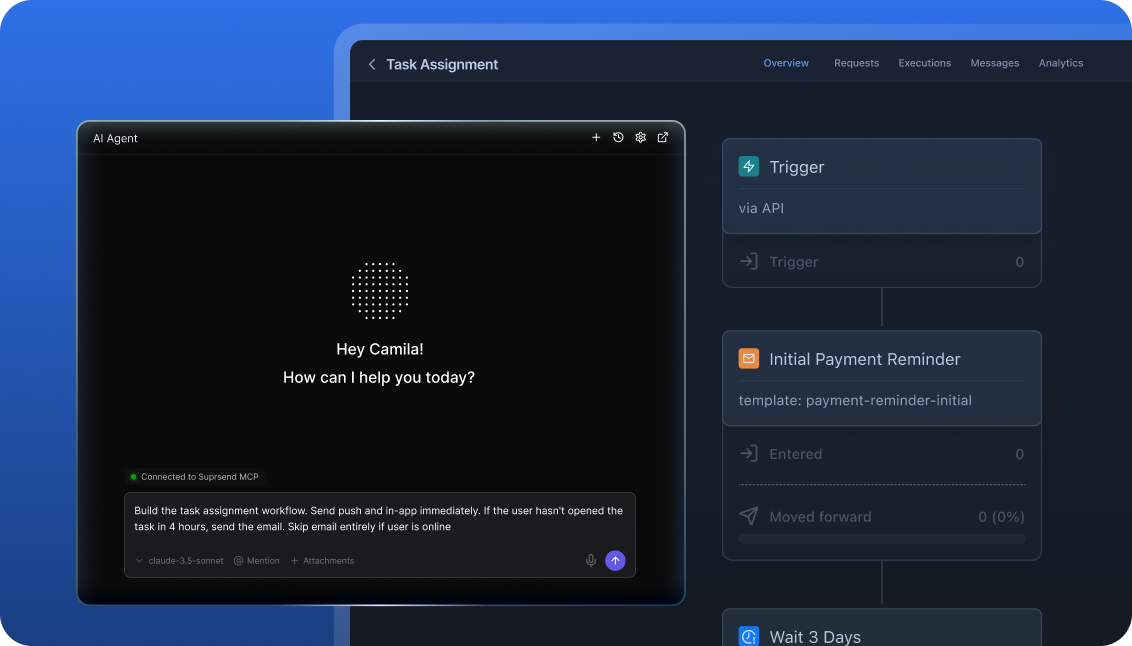
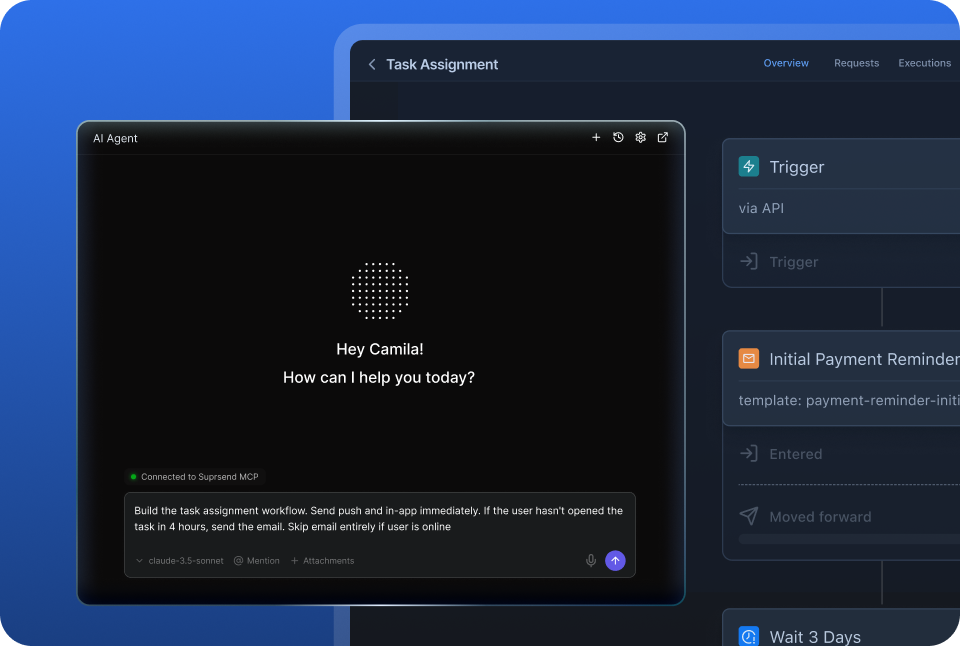
A product manager changes a workflow in the dashboard. A developer commits the same workflow as a file and ships it through a pull request. A marketer asks Claude to build a list and send a campaign. All three are working on the same workflows, templates and logs, so nobody waits on a ticket.
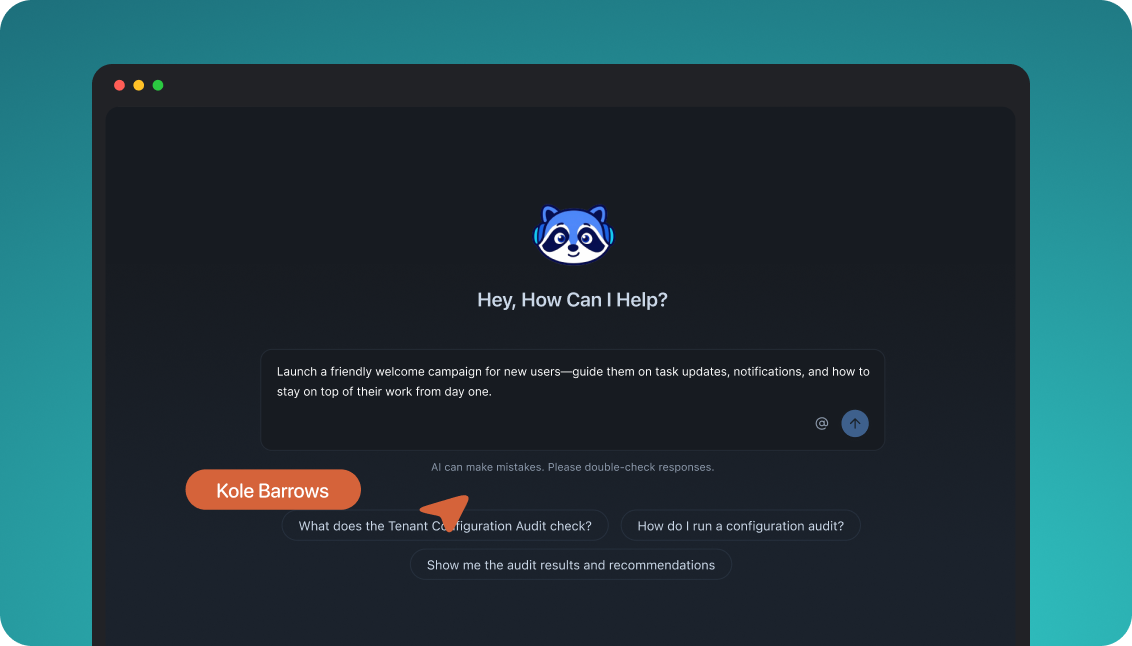
The built-in agent builds, edits and debugs notifications from a description; product and growth ship without a ticket.
Connect the MCP to Claude, ChatGPT or any client and operate templates, workflows, tenants and preferences from there.
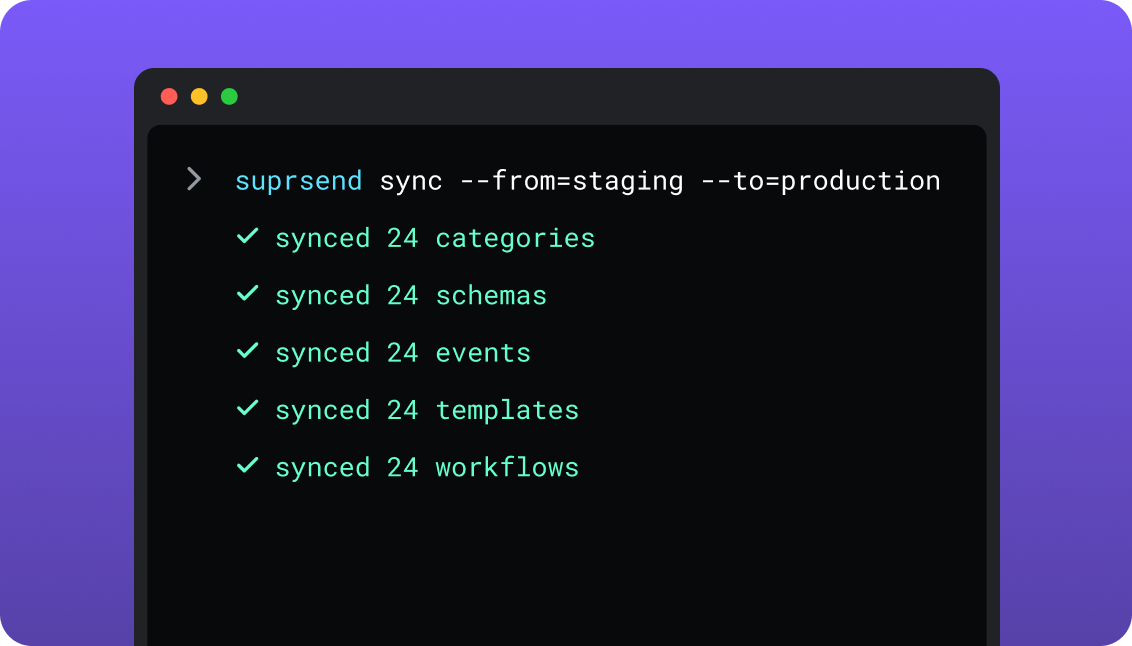
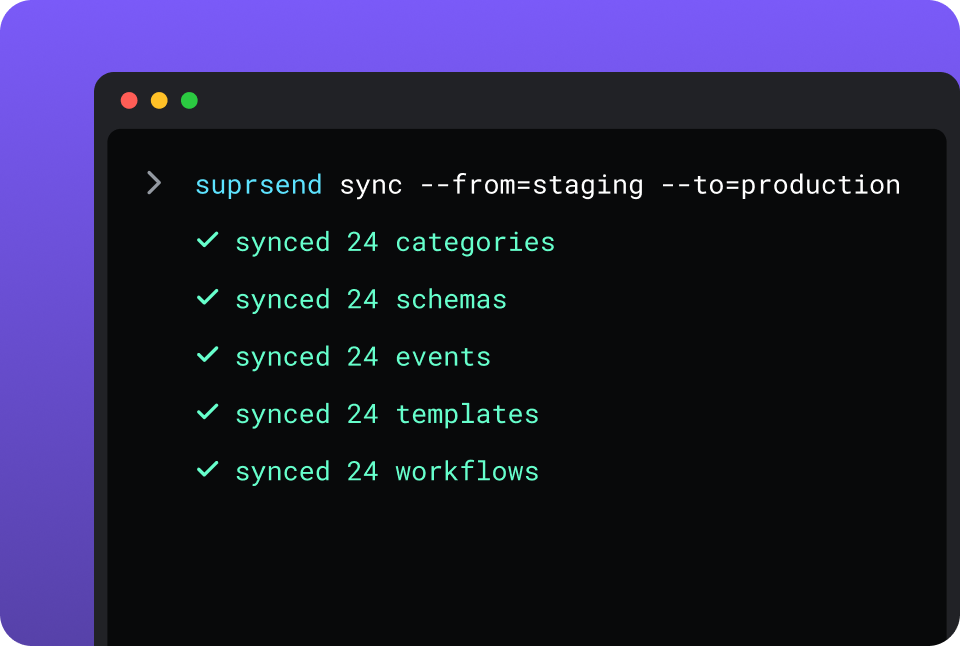
CLI and API keep workflows versioned, diffable and reviewed in pull requests; coding agents make bulk changes.
One SuprSend customer runs its marketing email end to end from Claude Code, with nobody in the dashboard.
Twilio is built from two places. Developers send through the REST API and helper libraries in seven languages, and builders draw flows in the Studio canvas. Coding agents in Cursor, Claude Code or Codex can connect to Twilio’s MCP server, which searches Twilio’s docs and API specs and is read-only: it sends nothing. Workflows, preferences and fallback to other channels live in your code.
Short answer
If this is you
Choose
Your product sends SMS or WhatsApp only, from your own server, and your team is content writing the retries and the opt-out check
Twilio
You need one-time codes, voice calls, a contact centre or two-way conversations on a phone number
Twilio
One trigger has to reach the user on SMS and also on email, push or an in-app inbox
SuprSend
Messages need delays, digests, branches, or an SMS only when the push goes unseen
SuprSend
Users should choose which notifications they get and on which channel
SuprSend
Each customer account needs its own branding, content, defaults or Twilio sender
SuprSend
Product and growth should change notification content and logic without a deploy or a ticket
SuprSend
A marketing team wants its campaigns and the transactional messages in the same dashboard
SuprSend
You want agents to build, send and manage your notifications from Claude, ChatGPT, Claude Code, Cursor or Slack
SuprSend
Twilio is already wired in and you are now writing the user table, the retry queue and the fallback to email
Both
At a glance
SuprSend
Twilio
Best when
Notifications span channels and teams, with logic and preferences around each send
SMS or WhatsApp is the channel and your server owns the logic
Who uses it
Engineers, product, growth, and agents over MCP
Engineers through the API; builders in the Studio canvas
Messages covered
Transactional, product and customer engagement, in one system
Whatever your code or a Studio flow sends; campaigns through Bulk Messaging or Engage
Layer
Decides channel, timing, content and recipient; sends through providers
Delivers SMS, MMS, RCS and WhatsApp; runs numbers and carrier registration
Built and changed from
Dashboard agent, your own agent over MCP, CLI and API
Server code, Studio canvas, Console; read-only docs MCP
Channels
Email, SMS, WhatsApp, mobile push, web push, Slack, Teams, in-app inbox, webhook
SMS, MMS, RCS, WhatsApp, voice; email through SendGrid
User model
One profile with every channel address and any JSON properties
Studio: send, wait for reply, split, HTTP request, function
Preferences
Per category and channel, digest schedule, tenant defaults
STOP, START and HELP per sender; custom keywords
Multi-tenancy
Nested tenants with own branding, templates, defaults, sender
Subaccounts with own numbers, credentials and usage
In-app
Persistent inbox with read state, plus toasts
No notification feed; Conversations API for chat
Templates
Editors for nine channels, versions, translation files
Content Templates for SMS, RCS and WhatsApp
Delivery data
Per-user log across channels, with errors and block reasons
Per-message logs for 400 days by default
AI
Agents build workflows, write copy, send, and read the log
MCP server searches docs and API specs; voice and chat AI products
Hosting
SuprSend cloud on every plan; your VPC, on-prem or BYOC on Enterprise
Twilio cloud in the US1, IE1 or AU1 region
Pricing model
Per notification per channel; 10,000 free, Essentials $100 per month
Per segment plus carrier fees; US SMS from $0.0083
Implementation
Days: Twilio Messaging Service added as SMS vendor, workflows in the dashboard
Minutes for a test SMS; US A2P registration and the code around it take longer
G2
4.8, 129 reviews
4.1, 529 reviews
What each actually is
Twilio
Twilio is a communications platform sold as APIs, and its messaging products carry SMS, MMS, RCS and WhatsApp. You buy or bring a number, register it for the country you send to, and call the Messages API from your server. Messaging Services pool senders and handle opt-out keywords, Studio builds flows on a canvas, and Bulk Messaging sends one request to many recipients.
Twilio carries each message to the carrier and bills per segment. What surrounds delivery is yours to build: the user record behind each number, the logic for whether and when to send, every channel Twilio does not carry, and preferences beyond STOP. Verify, Voice, Flex, Segment and SendGrid are separate Twilio products with their own APIs and bills.
SuprSend
SuprSend is notification infrastructure for products where more than one team works on notifications. An event or an API call starts a workflow, and the workflow decides the channel, the timing, the content and the recipients. Engineers integrate once; product and growth build and change workflows, templates, lists and broadcasts from the dashboard or through an agent.
SuprSend rents no numbers and delivers no SMS on its own. It sends the SMS step through your Twilio Messaging Service with your credentials, and records the delivery status and error code Twilio returns. Email, push, WhatsApp, an in-app inbox, Slack and Teams run through the same workflows, preferences and logs.
Where they overlap
SMS and WhatsApp to a phone numberBoth reach it. Under SuprSend the SMS delivery is Twilio’s own.
Sending to many people at onceTwilio’s Bulk Messaging sends one request to many recipients. SuprSend’s broadcasts send to a list, now, later or on a recurring schedule.
SchedulingTwilio schedules one message 15 minutes to 35 days ahead. SuprSend delays a workflow step, waits for an event or holds to the recipient’s timezone.
Templates with variablesTwilio’s Content Templates carry positional variables for its messaging channels. SuprSend’s templates carry named variables for nine channels.
Per-customer separationTwilio subaccounts separate numbers and usage. SuprSend tenants can map one to one onto them, each with its own Messaging Service.
Where Twilio alone is enough
A single channel sent from your own serverOne SMS or WhatsApp use case, the send in your backend, and Twilio’s status callback for the result.
Verification codesVerify sends and checks one-time codes, from $0.05 a verification.
Voice, contact centres and two-way conversationsVoice, Flex and the Conversations API handle calls, agents and threaded replies on a phone number.
RCS and carrier-grade sendingRCS, long codes, toll-free numbers, short codes, A2P 10DLC registration, sender pools and a 99.95% uptime SLA.
Fallback across Twilio’s own channelsBulk Messaging falls back from WhatsApp to RCS to SMS from one sender pool, with a Content Template rendering on each.
Helper libraries in seven languagesC#, Java, Node.js, PHP, Python, Ruby and Go, plus Functions to run code on Twilio.
Thirteen months of message recordsMessage Logs keep every SMS and WhatsApp record for 400 days by default, with older records in Bulk Export.
When you need SuprSend on top
A user record behind every numberSuprSend keeps each user’s phone, email, devices and properties together, so one event reaches the right address on each channel. With Twilio alone that table is yours.
More ways to triggerA product event, an API call, a schedule, a broadcast to a list, or a Segment event can each start the same workflow.
Duplicate protectionEach trigger accepts an idempotency key, so a retried request does not send twice.
Copy changes without a deploySMS text lives in a template with versions, rollback and translation files, edited by product or growth.
People outside engineering run itEleven G2 reviewers of Twilio name the technical knowledge it takes to configure as a drawback (G2, September 2026). In SuprSend, product and growth build in the dashboard.
Environments and a test modeDevelopment, staging and production are on every plan, and test mode blocks real delivery while a workflow is being built.
A choice of where it runsSuprSend cloud on every plan; your VPC, on-prem or BYOC on Enterprise, with the full product and vendor support.
Who works in it
Twilio
Engineers write the send logic against the Messages API or a helper library, host it on their server or in Twilio Functions, and keep the table that maps users to numbers. Builders and operators draw flows in the Studio canvas, manage numbers, Messaging Services and Content Templates in the Console, and read Message Logs.
Agents connect to Twilio’s MCP server from Cursor, Claude Code or Codex to search Twilio’s docs and API specs while an engineer writes the integration.
SuprSend
Engineers integrate once through the API, a backend SDK in Python, Node, Java or Go, the CLI and MCP, and keep workflows and templates in the repo. Product and growth build workflows, lists, content and broadcasts in the dashboard, or have the built-in agent build them, with versions to roll back and a test mode.
Agents connect over MCP from Claude, ChatGPT, Claude Code or Cursor and create users, set preferences, write templates, trigger a notification and read the delivery log.
Feature by feature
From both products, documentation sites and pricing pages, September 2026. Plan names mark the lowest SuprSend plan that includes a feature; Twilio features are pay as you go unless an Edition is named.
How notifications are built and changed
In SuprSend a notification is a workflow and a set of templates, each with an API and a file form behind the dashboard, so it can be edited by a person, scripted, versioned and staged. In Twilio a transactional SMS is a request your server builds, a flow is drawn in Studio, and message copy can sit in a Content Template.
Capability
SuprSend
Twilio
Visual workflow builder
YES
YES, BUTStudio canvas, built around a message or a call
PARTIALThe Twilio CLI calls any API; nothing pulls every flow and template into the repo
Version history and rollback
YESEvery workflow and template
PARTIALStudio flows keep revisions; Content Templates have no versions
Promotion from staging to production
YESBy CLI, from CI
NONo environment object; teams use separate subaccounts
MCP server for agents
YESOperates users, tenants, preferences, workflows and templates
YES, BUTRead-only: searches Twilio’s docs and API specs; public beta
Headless UI components
YESInbox, preference centre, template editor
NO
Teams and scope
SuprSend is worked in by engineers, product and growth, with separate environments and a test mode between them and real users. Twilio is operated by engineers through the API and by anyone with Console access, and separates teams, environments or customers with subaccounts.
Capability
SuprSend
Twilio
Who builds send logic
Engineers, product and growth, in the dashboard, by CLI or through an agent
Engineers in server code or Functions; builders in Studio
Who sends campaigns
Product, growth and marketing, from the dashboard, the API or an agent
Engineers through Bulk Messaging; marketers in Engage on Segment
Transactional notifications
YESEvery channel
YES, BUTSMS, MMS, RCS and WhatsApp, from your code or Studio
Customer engagement campaigns
YESEvery plan, every channel
YES, BUTBulk Messaging API, or Engage with a Segment CDP plan
One system across both
YESSame workflows, preferences and logs
NOAPI sends, Studio flows and Engage campaigns share no preference model
Environments
YESDevelopment, staging and production on every plan
PARTIALA subaccount per environment, created and wired by you
Test mode that blocks real delivery
YESIn development and staging
PARTIALTest credentials exercise the API without sending real messages
Data model and tenancy
SuprSend starts from a user: one profile holds every channel address, every device and any properties, and tenants sit above users. Twilio Messaging starts from a phone number. It does not know which person owns a number, so that mapping, and anything per customer beyond numbers and usage, lives in your database.
Capability
SuprSend
Twilio
User profile
YESOne user, every channel address, any JSON properties
NOA message has a To number; profiles live in Segment, a separate product
Addresses held per user
Email, phone, WhatsApp, push tokens, Slack and Teams IDs
None; each request carries the recipient’s number or WhatsApp address
Lists and audiences
Rules on properties and events, warehouse SQL, CSV, API, CDP sync
Recipients listed in the Bulk Messaging request; audiences in Engage on Segment
Non-user recipients
YES, BUTObjects with their own channels and subscribers; Business
NO
Tenants
YES, BUTNested five levels; Business add-on, Enterprise
PARTIALSubaccounts: flat, 1,000 by default, billed to the main account
Per-customer sender
YES, BUTOwn Twilio Messaging Service or other vendor per tenant; add-on, Enterprise
YESOwn numbers and credentials per subaccount
Per-tenant branding, templates and defaults
YES, BUTBusiness add-on, Enterprise
NOPer-customer content is logic you write
Customer engagement and marketing
Twilio sends campaigns through the Bulk Messaging API, one request to many recipients with channel fallback, or through Engage on the Segment CDP. SuprSend broadcasts to a list on any channel through the workflow engine. A marketing team working in the SuprSend dashboard also runs the event-driven transactional messages, such as password resets, invoices and alerts, from the same workflows, lists and logs as its campaigns.
YESCan batch, route across channels and respect preferences
PARTIALJourneys in Engage; a Bulk Messaging request is one message
Transactional messages from the same dashboard
YES
NOTransactional SMS is server code
Click tracking
YESClicks per broadcast, template and category
YES, BUTEngagement Suite link shortening, $0.015 a message after 1,000 free
Channels
Twilio carries SMS, MMS, RCS and WhatsApp itself, with voice beside them and email through SendGrid. SuprSend covers nine channels from one workflow and uses Twilio for SMS. Push, Slack, Teams and the inbox go direct from SuprSend, with no provider in between.
Capability
SuprSend
Twilio
SMS
YESThrough your Twilio Messaging Service or another vendor
YESLong codes, toll-free numbers, short codes
RCS
NO
YESFrom $0.0083 a message, with SMS fallback
WhatsApp
YESThrough a provider or the WhatsApp Cloud API
YESFrom $0.005 a message; prices vary by use case
Email
YESThrough your email provider
YES, BUTSendGrid Email API, a separate product and bill
YES, BUTBulk Messaging falls back across WhatsApp, RCS and SMS
SMS delivery
The SMS itself is Twilio’s in both setups, so numbers, carrier routes and registration are the same. Twilio gives direct control of senders and the send request. SuprSend adds a second SMS vendor, the workflow around the send and a log per user.
Capability
SuprSend
Twilio
Numbers and registration
Twilio’s, through your Messaging Service
Long codes, toll-free, short codes; A2P 10DLC and toll-free verification
Sender pools
Your Messaging Service picks the sender
Messaging Services pool senders and keep a recipient on one number
YES, BUTDelay step, any interval; recipient’s timezone on Essentials
YES15 minutes to 35 days ahead
Cancel before it sends
YESBy run, recipient or workflow
YESA pending scheduled message can be cancelled
Delivery status in your log
YESTwilio’s status arrives on a SuprSend webhook, configured by default
YESStatus callback per message or Messaging Service
Workflows
A workflow is the logic between a trigger and a send: wait, batch, branch, pick a channel, stop. SuprSend has it as a product for outbound notifications. Studio flows are built around a message or a call, with send, wait-for-reply, split, HTTP request and function widgets, and no delay or batch step.
SuprSend stores content as templates outside your code, with an editor per channel, named variables, versions and translation files. Twilio’s Content Templates hold SMS, RCS and WhatsApp content with positional variables, and WhatsApp needs an approved one for outbound messages.
Capability
SuprSend
Twilio
Content stored outside code
YES
YESContent Templates
Editor per channel
YESAll nine channels
PARTIALContent Template Builder for Twilio’s messaging channels
YES, BUTIn the template on Essentials; translation files on Business
PARTIALOne Content Template per language
Version history and rollback
YES
NO
Variants by tenant
YES, BUTMulti-tenant add-on, Enterprise
NO
Preferences
A preference is a user’s standing choice about what they hear and where. SuprSend stores it per category and channel and checks it before every send. Twilio handles the opt-out keywords carriers require: a user texts STOP and that sender stops messaging them.
Capability
SuprSend
Twilio
Opt-out keywords
Handled by Twilio on the sender
STOP, START and HELP by default; custom keywords and replies with Advanced Opt-Out
Preferences per category
YES, BUTBusiness
NO
Preferences per channel
YES, BUTBusiness
NO
Digest schedule chosen by the user
YES, BUTBusiness
NO
Tenant admin defaults above the user
YES, BUTMulti-tenant add-on, Enterprise
NO
Hosted page and embeddable components
YES, BUTBusiness
NO
Opt-out checked on every send
YESBlocked sends are logged and not billed
PARTIALTwilio blocks SMS to a number that texted STOP; other checks are your code
In-app messages
Twilio has no notification feed for a product. Its in-app product is chat: the Conversations API threads messages between people across SMS, WhatsApp and chat. SuprSend’s inbox is a persistent feed the user opens, with read state, filled by the same workflow that sends the SMS.
Capability
SuprSend
Twilio
Persistent feed with read state
YESEvery plan; SuprSend branding on Free
NO
Drop-in and headless components
YESDrop-in on web; headless on React Native, Flutter and iOS; native Android SDK
NO
Toasts
YES
NO
Per-tenant feed
YES, BUTMulti-tenant add-on, Enterprise
NO
Driven by the same workflow as SMS and email
YES
NO
Expiring token auth for the feed
YESJWT
NO
Two-way chat inside your app
NO
YESConversations API, $0.05 per active user a month
Analytics and logs
SuprSend answers the question about one user and one event: what went out on each channel, what it said, and why something did not arrive. Twilio answers it for each message it carried, and keeps those records longer.
Capability
SuprSend
Twilio
Per-message log
YESSearchable by user, workflow, tenant and status
YESMessage Logs in the Console and the Messages API
Every channel for one event in one place
YES
NOMessaging channels only; email logs sit in SendGrid
Reason a send was blocked
YESOpt-out, missing channel, failed condition
PARTIALAn error code on the failed message
Aggregate delivery funnel
YESDelivered, seen, clicked, failed
PARTIALDelivery status per message; clicks with Engagement Suite
Retention
30 days Free, 90 days paid
400 days by default, adjustable from 7; older records through Bulk Export
Export
Warehouse sync on Business; Datadog, New Relic on Enterprise
Bulk Export; daily automatic exports with Editions
Audit trail of account changes
YES, BUTEnterprise
YESAudit Events API, 30 days; 400 days with Editions
Developer experience
Both are API-first. Twilio’s strength is its helper libraries and serverless Functions beside its own APIs. SuprSend’s is everything around the send being an asset you can pull into the repo, type-check and promote.
Capability
SuprSend
Twilio
Backend SDKs
Python, Node, Java, Go
C#, Java, Node.js, PHP, Python, Ruby, Go
Frontend SDKs
JS, React, React Native, Flutter, iOS, Android, for the inbox and preferences
Voice, Video and Conversations SDKs for web and mobile
REST API
YES
YES
Serverless functions
NO
YESFunctions: 10,000 invocations free, then $0.0001 each
Payload validated against a schema
YESJSON schema per event
NO
TypeScript types from schemas
YESBy CLI
NO
Status page
YES
YES
AI, by what it can do
Twilio’s agent tools help a coding agent write correct Twilio code, and its Conversations products build voice and chat agents for customers. SuprSend’s agents build and run the notifications themselves.
Capability
SuprSend
Twilio
Build a workflow from a description
YESSuprSend agent, in the dashboard or Slack
NO
Draft copy per channel
YES
NO
Trace why a send failed
YES
NO
Operate users, lists, preferences and templates from an agent
YESClaude, ChatGPT, Claude Code, Cursor, Windsurf
NOThe hosted MCP server is read-only
Send a notification from a coding agent
YESOver MCP
PARTIALA Twilio Labs alpha MCP server calls the API; experimental
Skills for coding agents
YESOne-command install for Claude Code, Cursor, Windsurf
YESConversation Relay from $0.07 a minute, with Memory and Orchestrator
Security, compliance, support
Twilio sells its security and admin controls as Editions and runs in its own cloud across three regions. SuprSend is a smaller vendor with SOC 2 Type II, a named support path and a choice of where it runs.
Capability
SuprSend
Twilio
Single sign-on
Google and GitHub on every plan; SAML on Enterprise
SAML 2.0 SSO with any Twilio Edition
HIPAA
BAA on Enterprise
HIPAA accounts through Twilio Editions, for eligible products
Data residency
Custom region and dedicated infrastructure on Enterprise
SuprSend cloud on every plan; your VPC, on-prem or BYOC on Enterprise, full product, supported
Twilio cloud in US1, IE1 or AU1; not every product runs outside US1
Uptime
99.9%; SLA on Enterprise
99.95% SLA; 99.99% available through Twilio Editions
Support
Slack community and chat on every plan; email on paid plans; phone and a named CSM on Enterprise
Developer support free; paid plans priced on monthly spend
Pricing and implementation
Twilio bills per segment sent or received, plus carrier fees, number rental and add-ons such as Engagement Suite. SuprSend bills per notification per channel, counts a digest as one, and does not bill sends blocked by an opt-out. With both, there are two bills: SuprSend’s, and Twilio’s for the SMS it carries.
100,000 US SMS in a month from one long code cost about $1,231 on Twilio ($0.0083 a segment plus an assumed $0.004 carrier fee, one segment each, and $1.15 for the number). Sent through SuprSend Essentials, the same messages add $200 ($100 for the first 50,000, then 50 blocks of 1,000 at $2), and the Twilio bill stays the same. On the Twilio-only side the cost is the engineering time for the user table, retries, preferences and every other channel. Compare on your own event-to-notification ratio; SuprSend’s pricing page and Twilio’s SMS pricing have the detail.
Capability
SuprSend
Twilio
Billing unit
Notification per user per channel; digest counts as one
Segment sent or received, plus carrier fees
Free
10,000 notifications a month; all channels; unlimited members
Trial credit; no card required
Entry paid
Essentials $100 per month; 50,000; $2 per extra 1,000
Pay as you go; US SMS $0.0083 a segment
Next tier
Business $250 per month; adds digest, preferences, objects
Committed-use discounts through sales; Editions for security features
Numbers
None; the sender is Twilio’s
Long code $1.15, toll-free $2.15 a month; short code from $1,000 a quarter
Add-ons
Multi-tenant and dynamic lists below Enterprise
Engagement Suite and Compliance Toolkit $0.015 a message; A2P 10DLC fees
A send the provider fails
Counted as a notification
$0.001 failed-message fee
Time to first notification
Same day; Twilio Messaging Service added as the SMS vendor
Minutes for a test SMS; US A2P 10DLC registration takes longer
Putting SuprSend on top of Twilio
Nothing leaves Twilio. Your numbers, Messaging Services, A2P registrations and subaccounts stay where they are, and SuprSend becomes the caller. Recipients keep getting SMS from the same numbers throughout, so the move can go one notification at a time.
Twilio
SuprSend
Moves how
Messaging Service and its numbers
SMS vendor
Add Account SID, Auth Token, Messaging Service SID; numbers stay
Subaccount per customer
Tenant with its own vendor
One tenant per subaccount; templates and defaults added
Messages API call in server code
Workflow trigger
One event or API call per product action
Studio flow for outbound notifications
Workflow
Rebuild in the builder, from a description, or as a file
Content Template
SMS template with versions
Recreate the copy; named variables replace positions
Scheduled message
Delay step or timezone hold
The send time becomes a workflow step
Bulk Messaging recipient list
List and broadcast
CSV, API or CDP sync
Advanced Opt-Out keywords
Stay in Twilio; category preferences added
No change to keywords
Status callback URL
SuprSend webhook
Set by default when Twilio is connected
Message Logs
Stay; SuprSend logs sit beside them
No change
Verify, Voice, Conversations
Stay in Twilio
No change
01
Inventory every place your code or a Studio flow calls Twilio to send, every scheduled message, and every Bulk Messaging list.
02
Set up SuprSend development and staging, and add your Twilio Messaging Service as the SMS vendor, with a second SMS vendor after it if you want failover.
03
Create users with their phone numbers and other channel addresses through the API or a backend SDK, and a tenant per subaccount if you serve many customer accounts.
04
Rebuild the critical notifications as workflows first: security alerts, order and payment updates, reminders. Run them in test mode.
05
Switch those triggers from the Twilio send call to a SuprSend event, one at a time, and compare the logs for a week.
06
Move the rest, then add what Twilio alone did not cover: an email or push step, a digest, preferences, the inbox.
Enterprise customers get migration support and a scoped plan; on other plans the Slack community and docs are the path.
FAQ
Is SuprSend a Twilio competitor?
No. Twilio delivers SMS, WhatsApp and RCS, and SuprSend sends SMS through a Twilio account you connect. The two overlap only where Twilio’s Bulk Messaging and Engage send campaigns.
The real choice is between writing the code around Twilio yourself (the user table, retries, other channels, preferences, timing) and using SuprSend for it.
Can SuprSend use Twilio?
Yes. You add your Twilio Account SID, Auth Token and Messaging Service SID as the SMS vendor in SuprSend, and SuprSend’s delivery-report webhook is set in Twilio so status and errors show in the SuprSend log. Your numbers, registrations and Twilio bill stay yours.
Should I use Twilio directly or through SuprSend?
SuprSend
SuprSend, with Twilio delivering, suits a product that also sends email, push or in-app messages, needs delays, digests or preferences, or wants product and growth to change notifications themselves.
Twilio
Twilio directly suits a product where SMS or WhatsApp is the only channel, the send logic already lives on your server, and nobody outside engineering needs to change a notification.
Is SuprSend cheaper than Twilio?
No. SuprSend does not replace the Twilio bill for SMS; it adds its own, per notification per channel, with 10,000 a month free and Essentials at $100 a month for 50,000. The saving is the engineering time you would spend building around Twilio, and the channels Twilio does not carry.
Does Twilio do multi-tenancy?
SuprSend
SuprSend tenants carry their own branding, template versions, channel defaults and inbox feed, nest five levels deep and can send through their own Twilio Messaging Service, as a Business add-on or on Enterprise.
Twilio
Twilio subaccounts give each customer its own numbers, credentials and usage, billed to your main account, up to 1,000 by default. Per-customer branding, templates and defaults are logic in your own code.
Does Twilio send push notifications?
SuprSend
SuprSend sends mobile push to APNs and FCM and web push natively, from the same workflow as the SMS, with the in-app inbox as another step.
Twilio
Twilio deprecated Notify, its push product, in October 2022, and its docs point to APNs and FCM directly. Push is outside Twilio’s messaging products today.
Where does each run, and can I self-host SuprSend?
SuprSend
SuprSend runs as SuprSend cloud on every plan. On Enterprise it also runs in your VPC, on-prem or as bring-your-own-cloud, with the full product and vendor support; see the self-hosting page.
Twilio
Twilio runs in Twilio’s cloud in the US1, IE1 or AU1 region, and your SMS passes through it whichever tool sends it.