Resend delivers the email. SuprSend decides whether a message goes, on which channel, when and to whom, and hands the email step to Resend. Most teams use both.
Trusted infrastructure layer behind hundreds of platforms
Resend is an email API for developers and one of the providers SuprSend sends email through; Resend’s own guide to notification infrastructure lists SuprSend as the orchestration layer above an email API. Resend is built for engineers who own email end to end. SuprSend is the notification infrastructure where engineering, product and growth run transactional, product and engagement messages on nine channels.
Send the email through Resend and run everything around it
Resend delivers the email. The SuprSend workflow decides whether a message should go, on which channel, when, and to whom, then hands the email step to Resend and moves to a backup provider if Resend does not confirm delivery. The right message reaches the right user at the right time on the right channel, with none of that logic in your application code.
One workflow reaches every channel
One send step covers email, SMS, WhatsApp, mobile push, web push, Slack, Teams, the in-app inbox and webhooks, on one user profile. The workflow tries the inbox, then push, then email, and stops once the user responds. A Resend Automation has one outbound step, Send Email.
Every kind of message runs from one system
SuprSend unifies transactional, product and customer engagement messages in one system. A password reset, a comment notification and a win-back broadcast share the same users, preferences and logs. Resend splits email across its send API, Automations and Broadcasts, with marketing on a separate plan billed per contact.
Each customer account is a tenant with its own setup
Each tenant carries its own Resend domain or provider, its own version of every template, admin-set channel defaults and a per-tenant inbox feed, with sub-tenants nesting five levels deep. Resend’s multi-tenant guide gives each customer a verified domain and a scoped API key, or a separate account.
Users choose channels per category, admins set the defaults
Per category, a user picks channels and a digest schedule, a tenant admin sets the defaults above them, and every send checks those choices first, transactional or campaign. Resend Topics cover Broadcasts and Automation emails; for transactional email you add the unsubscribe header and store the choice yourself.
Digests, timezone holds and failover in every workflow
Fifty comment events become one digest at the time the user chose. A 2 a.m. alert waits for 9 a.m. local time. If Resend does not confirm delivery, the email step moves to a backup provider such as SES or SendGrid. Resend Automations have delay and wait-for-event steps.
Logs that say why a message did not arrive
Each message keeps its workflow run, rendered content, Resend’s response and the reason a send was blocked, such as an opt-out or a batch, searchable by user for 30 to 90 days. Resend’s logs show each email it was asked to send and what happened to it afterwards.
On its own, Resend covers the email half well: Automations with condition, delay and wait-for-event steps, Topics for subscriptions, a brandable unsubscribe page, and webhooks for every delivery event. It does not reach a second channel, hold a category preference across channels, batch, wait for a user’s timezone, move to another provider, or keep templates and defaults per customer account.
Build notifications in the dashboard, in your own agent, or in your codebase
A product manager changes a workflow in the dashboard. A developer commits the same workflow as a file and ships it through a pull request. A marketer asks Claude to build a list and send a campaign. All three are working on the same workflows, templates and logs, so nobody waits on a ticket.
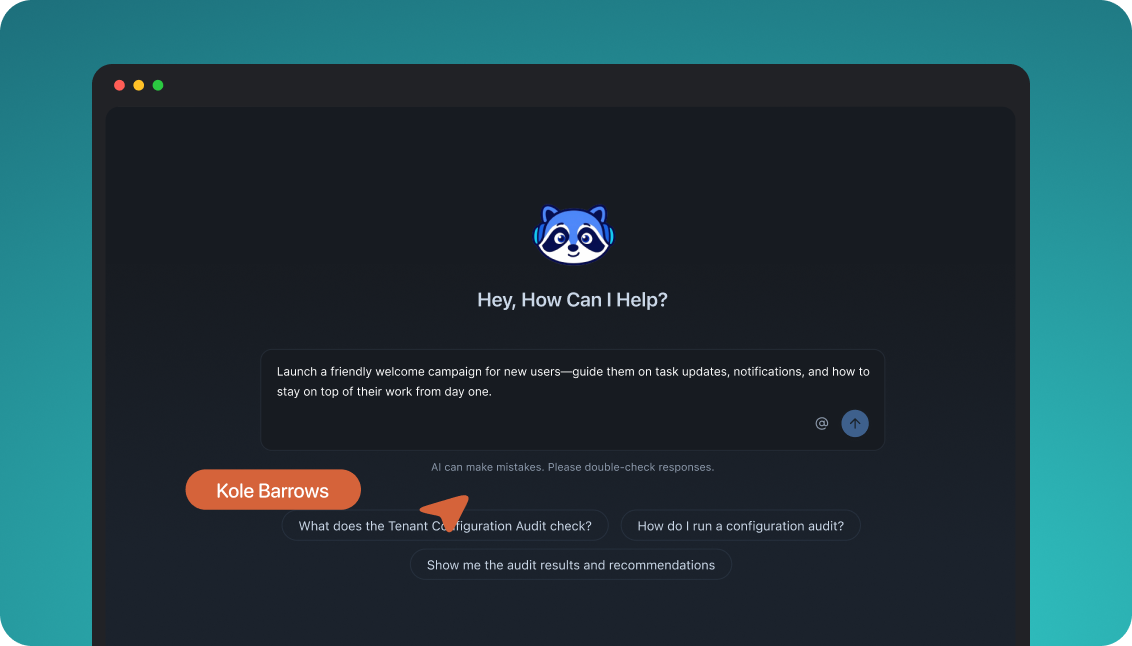
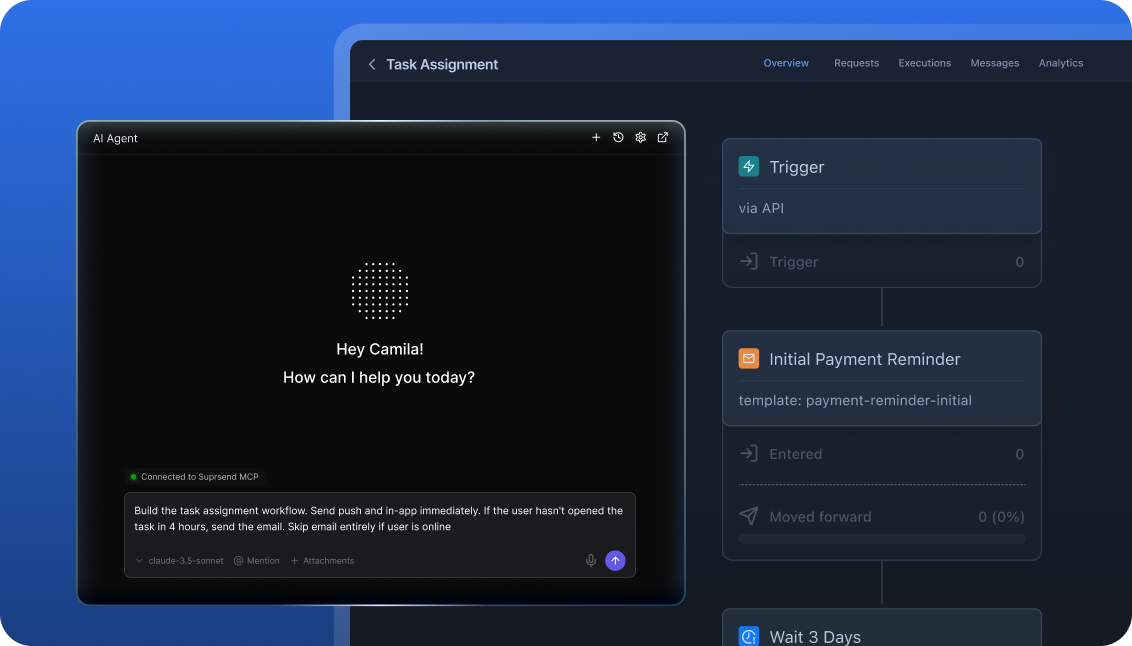
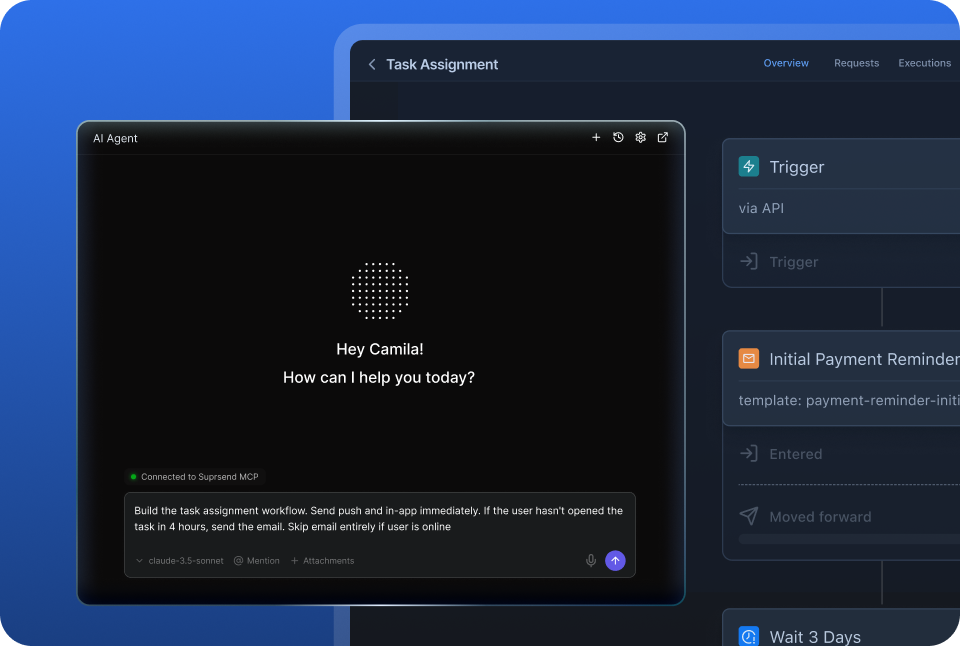
The built-in agent builds, edits and debugs notifications from a description; product and growth ship without a ticket.
Connect the MCP to Claude, ChatGPT or any client and operate templates, workflows, tenants and preferences from there.
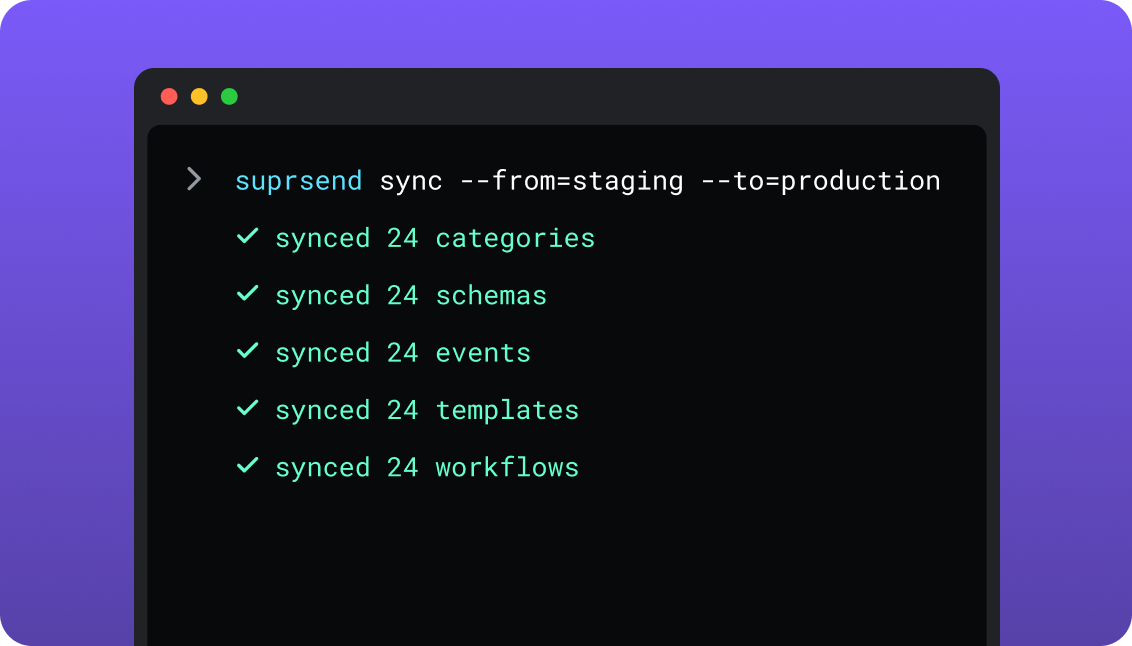
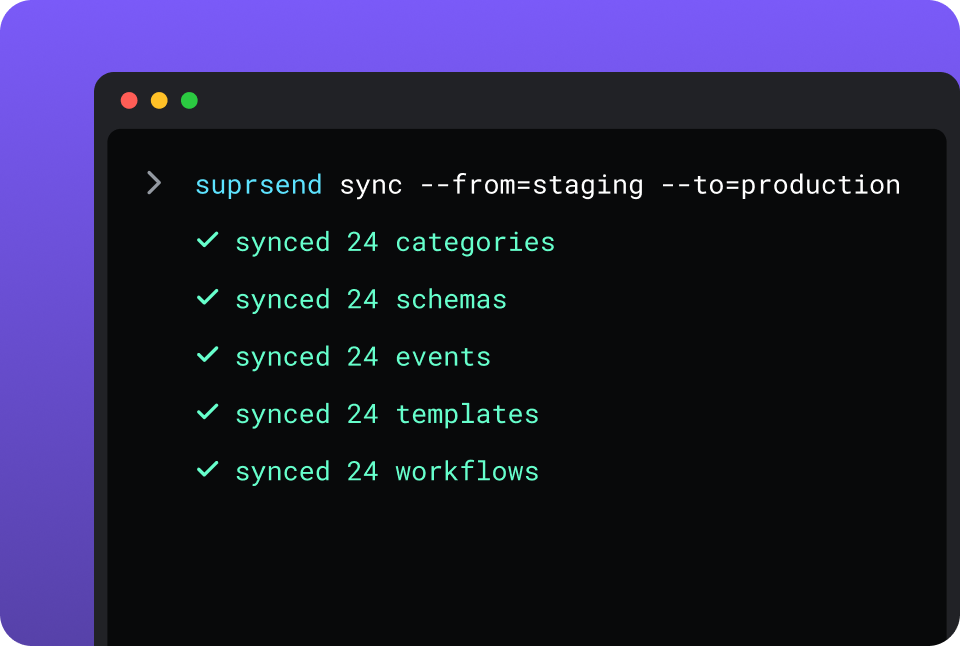
CLI and API keep workflows versioned, diffable and reviewed in pull requests; coding agents make bulk changes.
One SuprSend customer runs its marketing email end to end from Claude Code, with nobody in the dashboard.
Resend meets developers and agents well on the email side. React Email templates are uploaded from the repo with its CLI, the hosted MCP server signs in with OAuth, and one-click plugins cover Claude, Claude Code, Cursor and Codex. Its dashboard assistant drafts an email or an automation for a person to finish, spending a monthly AI credit. There, the agent operates the email account; in SuprSend it operates the whole notification, with its channels, preferences and backup provider.
Short answer
If this is you
Choose
Every message is an email to one address, and engineers own the sending logic
Resend
A welcome series or a trial-expiry sequence that only ever needs email
Resend
One event has to reach the in-app inbox, a phone and an email, and stop when the user responds
SuprSend
Messages need digests, timezone holds, or a backup provider when Resend does not confirm delivery
SuprSend
Users should choose which notifications they get and on which channel
SuprSend
Each customer account needs its own sending domain, branding, content and defaults
SuprSend
Product and growth should change channels, copy and timing without a deploy or a ticket
SuprSend
A marketing team wants its campaigns and the transactional messages in the same dashboard
SuprSend
You want agents to build, send and manage your notifications from Claude, ChatGPT, Claude Code, Cursor or Slack
SuprSend
Resend is already wired in and you are now writing the retry queue, the digest job and the opt-out check
Both
At a glance
SuprSend
Resend
Best when
Messages span channels and teams, or each customer account needs its own setup
Email is the only channel and engineers own the sending logic
Who uses it
Engineers, product, growth, and agents over MCP
Engineers; marketers in the Broadcast and Automation editors; agents over MCP
Messages covered
Transactional, product and customer engagement, in one system
Automations: condition, delay, wait for event, send email
Preferences
Per category and channel, digest schedule, tenant defaults
Topics per contact for Broadcasts and Automations
Multi-tenancy
Nested tenants with own domain, provider, templates and defaults
Domain and scoped API key per customer, or one account each
In-app inbox
Web and mobile SDKs, drop-in or headless, every plan
No in-app channel
User data
Any JSON properties, no schema to declare
Declared contact properties, string or number
Environments
Development, staging, production; test mode
Separate teams; resend.dev test addresses
Log retention
30 days Free, 90 days paid, custom Enterprise
30 days; flexible on Enterprise
AI
Agents build workflows, write copy, send, and read the log
Hosted MCP operates the account; assistant drafts email
Hosting
SuprSend cloud on every plan; your VPC, on-prem or BYOC on Enterprise
Resend cloud; four sending regions, account data in the US
Pricing model
Per notification per channel; 10,000 free, Essentials $100 a month
Per email sent or received; 3,000 free, Pro $20 a month
Implementation
Resend connected in minutes; first workflow in a day
Domain verified and first email in minutes
G2
4.8, 129 reviews
4.8, 10 reviews
What each actually is
Resend
Resend is an email API for developers. One account covers transactional sends, marketing Broadcasts, event-triggered Automations and inbound mail, with templates written as React components, official SDKs in nine languages, a CLI and a hosted MCP server.
Resend is one of the email providers SuprSend sends through. What surrounds each email is yours to build: every other channel, preferences that hold across channels, batching, timezone holds, a backup provider, and anything that differs per customer account.
SuprSend
SuprSend is notification infrastructure for products where more than one team works on notifications. An event or an API call starts a workflow, and the workflow decides the channel, timing, content and recipients. Engineers integrate once; product and growth change the rest.
SuprSend delivers no email on its own. It sends the email step through your Resend account with your key and domain, and records what Resend returned. SMS, push, WhatsApp, an in-app inbox, Slack and Teams run through the same workflows, preferences and logs.
Where they overlap
Event in, email outBoth accept a named event with a payload and turn it into a templated email: Resend through Automations, SuprSend through workflows.
Templates with variables and version historyResend templates have typed variables with fallbacks and a version history with revert. SuprSend templates have both on all nine channels.
Broadcasts to a segmentResend sends Broadcasts to contacts by segment and Topic. SuprSend broadcasts to lists built from rules, warehouse SQL, CSV, the API or a CDP.
A subscription model with an unsubscribe pageResend Topics and SuprSend categories both let a user say what they want to receive, and both come with an unsubscribe page you can brand.
Agent access over MCPBoth publish an MCP server that works in Claude, Claude Code and Cursor.
Where Resend alone is enough
One channel, one recipient, one sendA password reset, a receipt or a magic link goes to one address and never needs another channel. One API call sends it, with an idempotency key so a retry does not send twice.
Email templates in the repo as ReactReact Email components, uploaded with the CLI and reviewed in a pull request.
Deliverability controls at the providerDedicated IPs with automatic warm-up on Scale above 3,000 emails a day, BIMI, an open-source DMARC analyzer, enforced TLS, custom return paths and deliverability insights.
Inbound emailResend receives mail on your domain, hands it to a webhook, and can forward it or reply in the same thread.
More backend languagesOfficial SDKs for Node, PHP, Laravel, Python, Ruby, Go, Java, Rust and .NET, community Elixir, NestJS and Dart, and an SMTP relay for everything else.
A hosted MCP with nothing to installSign in with OAuth and an agent operates emails, templates, contacts, broadcasts, automations, domains, webhooks and logs.
Cheaper on a single channelA million emails a month cost $650 on Resend Scale, and 10,000 automation runs a month are free on every plan.
When you need SuprSend on top
Environments and a test modeDevelopment, staging and production on every plan, and a test mode that blocks real delivery. Resend isolates by team, and test sends go to resend.dev addresses that count against quota.
Lists from your warehouse and your CDPA scheduled SQL query, a Segment, Mixpanel or Amplitude sync, rules on properties and events, a CSV or the API. Resend builds segments from contact properties and imports CSV.
User properties with no schema to declareAny number, any JSON value, nested objects and arrays included. Resend contact properties are declared first and hold a string or a number.
An inbox inside your productThe inbox ships for web, React Native, Flutter, iOS and Android with read state, category tabs and per-tenant feeds, filled by the workflow that also sends the email.
Copy changes without a deployTemplates for every channel carry versions, translation files and variants per tenant, and product or growth edit them.
A choice of where it runsSuprSend cloud on every plan; your VPC, on-prem or BYOC on Enterprise, with the full product and vendor support.
Who works in it
Resend
Engineers send through the API, SDKs, CLI or SMTP relay, and upload React Email templates from the repo. Marketers and product managers write templates, Broadcasts and email Automations in the dashboard, with AI drafting that spends monthly credits.
Agents connect to the hosted MCP from Claude, Claude Code, Cursor or Codex and operate emails, templates, contacts, broadcasts, automations and logs.
SuprSend
Engineers integrate once through the API, a backend SDK in Python, Node, Java or Go, the CLI and MCP, and keep workflows and templates in the repo. Product and growth build workflows, lists, content and broadcasts in the dashboard, or have the built-in agent build them, with versions to roll back and a test mode.
Agents connect over MCP from Claude, ChatGPT, Claude Code or Cursor and create users, set preferences, write templates, trigger a notification, run a broadcast and read the delivery log.
Feature by feature
From both products, documentation sites and pricing pages, September 2026. Plan names mark the lowest plan that includes a feature.
How notifications are built and changed
Resend has an API, a CLI and an MCP server behind its dashboard, for email. SuprSend has the same three behind its dashboard for the whole notification: workflows, templates, tenants, lists, categories and translation files, staged and promoted like code.
Capability
SuprSend
Resend
Visual workflow builder
YESEvery channel
YES, BUTAutomations builder; the only outbound step is Send Email
Workflows and templates managed by API
YES
YESTemplates, and Automations as steps and connections
YESHosted with OAuth; emails, templates, contacts, broadcasts, automations, domains, logs
Headless UI components
YESInbox, preference centre, template editor
PARTIALOpen-source React Email editor to embed
Teams and scope
SuprSend is worked in by engineers, product and growth, with separate environments and a test mode between them and real users. Resend is one account per team, built around engineers, with a dashboard for marketing email.
Capability
SuprSend
Resend
Who builds send logic
Engineers, product and growth, in the dashboard, by CLI or through an agent
Engineers, in application code; marketers for Automations
Who sends campaigns
Product, growth and marketing, from the dashboard, the API or an agent
Marketers in the Broadcast editor, or engineers by API
Transactional notifications
YESEvery channel
YES, BUTEmail only
Customer engagement campaigns
YESEvery plan, every channel
YES, BUTEmail Broadcasts on a separate plan billed per contact
One system across both
YESSame workflows, preferences and logs
PARTIALOne account; transactional sends sit outside Topics
Environments
YESDevelopment, staging and production on every plan
NOSeparate teams, each with its own keys and domains
Test mode that blocks real delivery
YESIn development and staging
PARTIALresend.dev test addresses, counted against quota
Data model and tenancy
SuprSend stores users with free-form JSON properties, the objects they belong to, and nested tenants above them. Resend stores contacts with declared properties and segments, and per-customer setup is a domain or a whole account, as its multi-tenant guide describes.
Capability
SuprSend
Resend
Recipients
Users with channels and properties; objects such as an order or a team with their own channels
Contacts with an email address and properties
User properties
Any number, any JSON value, no field declared first
Declared first; string or number; key up to 50 characters
Tenant object
YESNested five levels with inheritance; Enterprise, or a Business add-on
NOA verified domain and a scoped API key per customer, or one account each
Per-tenant sending domain
YES
YES10 domains on Pro, 1,000 on Scale, 100 more for $20 a month
Per-tenant provider
YESTenants on different Resend accounts or other providers
PARTIALOne Resend account per customer
Per-tenant templates and branding
YESOwn version of every template, logo and colours
Resend’s marketing side is Broadcasts to existing contacts, on a Pro Marketing plan billed per contact. SuprSend broadcasts to lists on every plan through the same workflow engine as its transactional messages, so a campaign can batch, route and respect preferences. A marketing team working in the SuprSend dashboard also runs the event-driven transactional messages, such as password resets, invoices and alerts, from the same workflows, lists and logs as its campaigns.
Capability
SuprSend
Resend
How a list is built
Rules on properties and events, scheduled warehouse SQL, CSV, API, Segment, Mixpanel or Amplitude sync
Segments on contact properties; API and CSV import
Broadcast channels
Every channel, or several in one send
Email
Scheduling
One-time, scheduled or recurring, in the recipient’s timezone
One-time or scheduled
Broadcast through the workflow engine
YESBatching, routing, backup provider and preferences apply
NOA Broadcast goes straight to a segment
Transactional from the same dashboard
YESSame workflows, lists and logs
PARTIALSame account; transactional email is sent by API, outside Topics
Event-triggered sequences
YESWorkflows on any channel
YES, BUTAutomations, email only
A/B testing
NO
NO
Campaign analytics
Delivered, seen, clicked and unsubscribed per broadcast, template, category and tenant
Opens and clicks per Broadcast; clicked links and recipients by API
Marketing pricing
Included in the notification count
Pro Marketing from $40 a month for 5,000 contacts to $650 for 150,000; 1,000 free
Channels
Resend sends and receives email. SuprSend sends on nine channels, delivers the email through Resend or any other provider you connect, and sends push, web push, Slack, Teams and the inbox directly.
Capability
SuprSend
Resend
Email
YESThrough Resend, SES, SendGrid, Postmark, Mailgun and others
YESNative
SMS
YESThrough Twilio, MSG91, Sinch and others
NO
WhatsApp
YESWhatsApp Cloud API or a provider
NO
Mobile push
YESFCM and APNs directly
NO
Web push
YES
NO
Slack and Microsoft Teams
YES
NO
In-app inbox
YESEvery plan
NO
Webhook as a channel
YES
NO
Inbound email
NO
YESParsing, forwarding and replies in the same thread
SMTP relay
NO
YESEvery plan
Workflows
Both start a run from a named event with a payload, branch on a condition, delay and wait for a second event. A Resend Automation ends in a Send Email step. A SuprSend workflow sends on any channel and carries the controls around the send: batching, timezone holds, throttling and a backup provider.
Capability
SuprSend
Resend
Trigger
YESEvent, API call, list broadcast or schedule; payload checked against a JSON schema
YESCustom event by contact ID or email, with a payload
Condition and branching
YESEvery plan
YES
Delay and wait for event
YES
YESDelay up to 30 days
Digest and batching
YES, BUTBusiness and up
NO
Smart channel routing
YESOrdered channels that stop once the user responds
NO
Recipient timezone and work hours
YES, BUTTimezone on Essentials; work hours on Business
NO
Throttling
YES, BUTEssentials and up
NOOne limit of 10 requests a second per team
Provider failover
YES, BUTEssentials and up, with a timer and a delivery-confirmation stop
NOResend is the provider
Contact and segment steps
NOUser properties update through the API
YESContact update, contact delete, add to segment
Cancel runs
YESBy run, recipient or workflow
YESStop runs; cancel scheduled emails
Idempotency
YESKey on the trigger, traced in the log
YESKey on single and batch sends
Templates and content
Resend templates are email, written in its editor or as React components. SuprSend templates cover all nine channels, with variants per tenant, user or event data and translation files that ship with them.
Capability
SuprSend
Resend
Editors
Rich editors for all nine channels; JSONNET for Slack and Teams cards
Template and Broadcast editors for email; React Email
Templates as code
Template files pushed from the repo by CLI
React components uploaded with the CLI
Variables
Handlebars, checked against the event schema
Typed variables with fallback values
Variants by tenant, user or event data
YES
NO
Translations
YES, BUTIn the template on Essentials; translation files on Business
NO
Version history
YESWith rollback
YESPreview, author and revert to a draft
Embeddable editor
YESReact template editor for your own product
YESOpen-source React Email editor
Preferences
A preference is a user’s standing choice about what they receive and where. Resend Topics are a subscription centre for Broadcasts and Automation emails. SuprSend preferences are checked on every send on every channel, transactional or campaign, with a tenant admin’s defaults above the user.
Capability
SuprSend
Resend
Model
Per category: channels, digest schedule, conditions
Topics per contact, opt-in or opt-out by default
Applies to
Every send on every channel
Broadcasts, and Automation emails that carry the unsubscribe link
Transactional opt-out
YES, BUTEnforced by category on Business; blocked sends are logged and not billed
PARTIALAn unsubscribe link or header you add; the choice is stored on your side
Tenant layer
YES, BUTAdmin defaults and mandatory channels, with multi-tenancy
NO
Hosted preference page
YES, BUTBusiness and up, plus embeddable components
YESUnsubscribe page with Topic choices, brandable
Suppression list
PARTIALKept at each email provider, Resend included
YESPer team, with API and webhooks
Quiet hours set by the user
NO
NO
In-app inbox
An in-app inbox is a feed inside your product with read state, filled by the same workflow that sends the email. SuprSend ships one on every plan. Resend has no in-app channel.
Capability
SuprSend
Resend
Web SDKs
YESReact, Angular, Vue and JavaScript, drop-in or headless
NO
Mobile SDKs
YESReact Native, Flutter, native iOS and Android
NO
Real-time feed with read state
YES
NO
Tabs by category and per-tenant feeds
YES
NO
Toasts, pin, snooze and archive
YES
NO
Signed feed authentication
YESExpiring JWT
NO
Analytics and logs
Resend tells you what happened to an email, with full request and response bodies and webhooks for every delivery event. SuprSend tells you what happened to the notification, including why an email was never sent, and pulls Resend’s delivery and engagement events into the same record.
Capability
SuprSend
Resend
Retention
30 days Free, 90 days paid, custom on Enterprise
30 days on Free, Pro and Scale; flexible on Enterprise
Engagement events
Delivered, seen, clicked, failed and blocked, per channel
YESEach email with its content and delivery events
Outbound webhooks
YES
YES, BUT5 endpoints on Pro, 10 on Scale; retries and replays
Warehouse export
YES, BUTWarehouse sync on Business
PARTIALSelf-hosted webhook ingester into your own database
Monitoring tools
YES, BUTDatadog and New Relic on Enterprise
NO
Deliverability tooling
PARTIALThe provider’s own
YESDeliverability insights, bounce and spam rate metrics
Developer experience
Resend has the longer language list, an SMTP relay and quickstarts for dozens of frameworks. SuprSend has environments, a test mode and a CLI that covers every asset in the workspace.
Push and pull every asset, promote environments, generate TypeScript types
Send email, manage the account, upload templates, create automations
Batch sending
Bulk trigger to a list or to many users
100 emails per request
Rate limit
Fair-use limit, not published
10 requests a second per team, raised on request
Quickstarts
Runnable examples per channel
More than 30 frameworks and platforms
AI, by what it can do
Both give agents a real surface. Resend’s MCP operates the email account, and its dashboard assistant drafts inside the editor. SuprSend’s agents operate the notification: channels, preferences, tenants, the backup provider and the delivery log.
Skill install for Claude Code, Cursor and Windsurf
Plugins for Claude, Claude Code, Cursor and Codex; four skills
Build a workflow from a description
SuprSend agent, in the dashboard or Slack
Dashboard assistant drafts an automation, spending a credit
Write copy per channel
Email, SMS, push, WhatsApp and inbox
Email, in the editor
Diagnose a failed send
Agent reads the log and explains the block or the provider error
Agent reads API request logs over MCP
Agent SDK
OpenAI, LangChain and Vercel AI
Vercel Chat SDK adapter
AI metering
Included in the plan
5 credits a month on Free, 100 on Pro, 500 on Scale
Security, compliance, support
Both have SOC 2 Type II and GDPR. SuprSend adds SAML SSO, RBAC, an audit trail and a HIPAA BAA on Enterprise, and runs in your own cloud on that plan. Resend sells SSO as a Scale add-on and runs in its own cloud, with account data stored in the US whichever sending region you pick.
Capability
SuprSend
Resend
Two-factor sign-in
YESEvery plan
YESEvery plan, set per user
SSO
YES, BUTGoogle and GitHub on every plan; SAML on Enterprise
YES, BUT$150 a month add-on on Scale; included on Enterprise
Roles and permissions
YES, BUTRBAC on Enterprise
PARTIALAdmin and Member
Audit trail
YES, BUTEnterprise
NOAPI request logs record calls
SOC 2 Type II
YESReport on paid plans
YES
GDPR
YES
YESDPA available
HIPAA BAA
YES, BUTEnterprise
NO
Hosting
SuprSend cloud on every plan; your VPC, on-prem or BYOC on Enterprise, full product, supported
Resend cloud; each domain sends from one of four regions; account data stored in the US
Uptime commitment
99.9% on every plan; custom SLA on Enterprise
99.99% SLA on Enterprise
Support
Slack community on Free; chat and email on paid plans; shared Slack, phone and a CSM on Enterprise
Tickets on Free and Pro; a Slack channel on Scale; a CSM on Enterprise
Pricing and implementation
Two bills. Resend charges for each email it sends or receives, counting every To, CC and BCC address. SuprSend charges for each notification it sends on any channel, counts a digest as one, and does not bill sends blocked by an opt-out. With both, each bills for its own part.
The units measure different things, so the headline prices do not compare. A team sending 40,000 emails and 10,000 in-app notifications a month pays Resend Pro $20 for the email and SuprSend Essentials $100 for the 50,000 notifications, $120 in total; the same 40,000 emails on Resend alone cost $20. Compare on your own event-to-notification ratio; SuprSend’s pricing page and Resend’s have the detail.
Capability
SuprSend
Resend
Billing unit
Notification per user per channel; a digest counts as one
Email sent or received; contacts for marketing; runs for Automations
Free plan
10,000 notifications a month on every channel
3,000 emails a month at 100 a day; 1,000 contacts; 10,000 runs
Entry paid plan
Essentials, $100 a month for 50,000, $2 per 1,000 more
Pro, $20 a month for 50,000, $0.90 per 1,000 more
Next plan
Business, $250 a month for 50,000, $5 per 1,000 more
Scale, from $90 a month for 100,000 to $1,150 for 2.5 million
Marketing plan
Included in the notification count
Pro Marketing, $40 to $650 a month by contact count
Overage
Billed at the plan’s rate per 1,000
Pay-as-you-go, capped at 5x the monthly quota, then sending pauses
Add-ons
Multi-tenancy and dynamic lists below Enterprise
Domains $20, dedicated IP $30, SSO $150 a month
Annual billing
Essentials and Business billed annually
Enterprise only
Time to first send
Resend connected in minutes; first workflow in a day
Domain verified and first email in minutes
Putting SuprSend on top of Resend
Nothing leaves Resend. Your account, domains, API key and suppression list stay where they are, and SuprSend becomes the caller. Email keeps going out through Resend throughout, so the move can go one notification at a time.
Resend
SuprSend
Moves how
API key and verified domain
Email vendor: Resend
Key and sender added in vendor settings
Per-customer domains
Tenant vendor settings
One Resend domain or account per tenant
Webhook endpoint
Delivery events on each notification
SuprSend’s Resend webhook added, all events
Templates
Email templates
HTML pasted in; variables become Handlebars
Contacts and properties
Users and properties
Exported, loaded by API, SDK or CSV
Segments
Lists
Rebuilt as rule or query lists
Topics and unsubscribes
Categories and preferences
Topics become categories; opt-outs imported
Automations
Workflows
Rebuilt; event names stay the same
Broadcasts
Broadcasts to a list
Rebuilt, on any channel
Suppression list
Stays in Resend
Resend keeps suppressing
01
Inventory every place your code calls Resend, and every Automation and Broadcast in the Resend dashboard.
02
Set up SuprSend development and staging, add Resend as the email vendor with a backup provider behind it, and create tenants with their own Resend domains where you have them.
03
Load users, lists, categories and existing opt-outs.
04
Rebuild the critical flows first, trigger them in test mode from the same event names, and compare the rendered email with the Resend original.
05
Switch those triggers to SuprSend one at a time, and compare Resend’s delivered counts with SuprSend’s logs for a week.
06
Move the rest, retire the direct Resend calls, and keep an export of old Resend events, which age out after 30 days.
Enterprise customers get migration support and a scoped plan; on other plans the Slack community and docs are the path.
FAQ
Is SuprSend a Resend competitor?
No. Resend delivers email, and SuprSend sends its email step through Resend. The two meet only where email is your one channel and the choice is between a Resend Automation and a SuprSend workflow.
The real choice is between writing the code around Resend yourself (other channels, preferences, batching, a backup provider) and using SuprSend for it.
Can SuprSend use Resend?
Yes. Resend is a built-in email vendor in SuprSend: you add your API key and sender, verify the domain in Resend, and add SuprSend’s webhook so delivery, open and click events come back. Different tenants can send through different Resend domains or accounts, with a second provider behind Resend.
Should I use Resend directly or through SuprSend?
SuprSend
SuprSend, with Resend delivering, suits a product that also sends push, SMS or in-app messages, needs digests, timezone holds or preferences, or wants product and growth to change notifications themselves.
Resend
Resend directly suits a product where email is the only channel, the send logic already lives in your code, and nobody outside engineering needs to change a notification.
Is SuprSend cheaper than Resend?
No. For email alone, Resend is the only bill, from $20 a month for 50,000 emails. SuprSend bills per notification per channel, with 10,000 a month free and Essentials at $100 for 50,000, and Resend still bills for the email it delivers. The saving is the engineering time you would spend building around Resend.
Does Resend do multi-tenancy?
SuprSend
SuprSend tenants carry their own provider, templates, branding, channel defaults and inbox feed, nest five levels deep, and come as a Business add-on or on Enterprise.
Resend
Resend gives each customer a verified domain and a domain-scoped API key in one account, or a separate account. In the shared account, customers share one sender reputation and one rate limit, and there are no per-customer analytics.
Where does each run, and can I self-host SuprSend?
SuprSend
SuprSend runs as SuprSend cloud on every plan. On Enterprise it also runs in your VPC, on-prem or as bring-your-own-cloud, with the full product and vendor support; see the self-hosting page.
Resend
Resend runs in Resend’s cloud. Each domain sends from one of four regions, and account data is stored in the US.