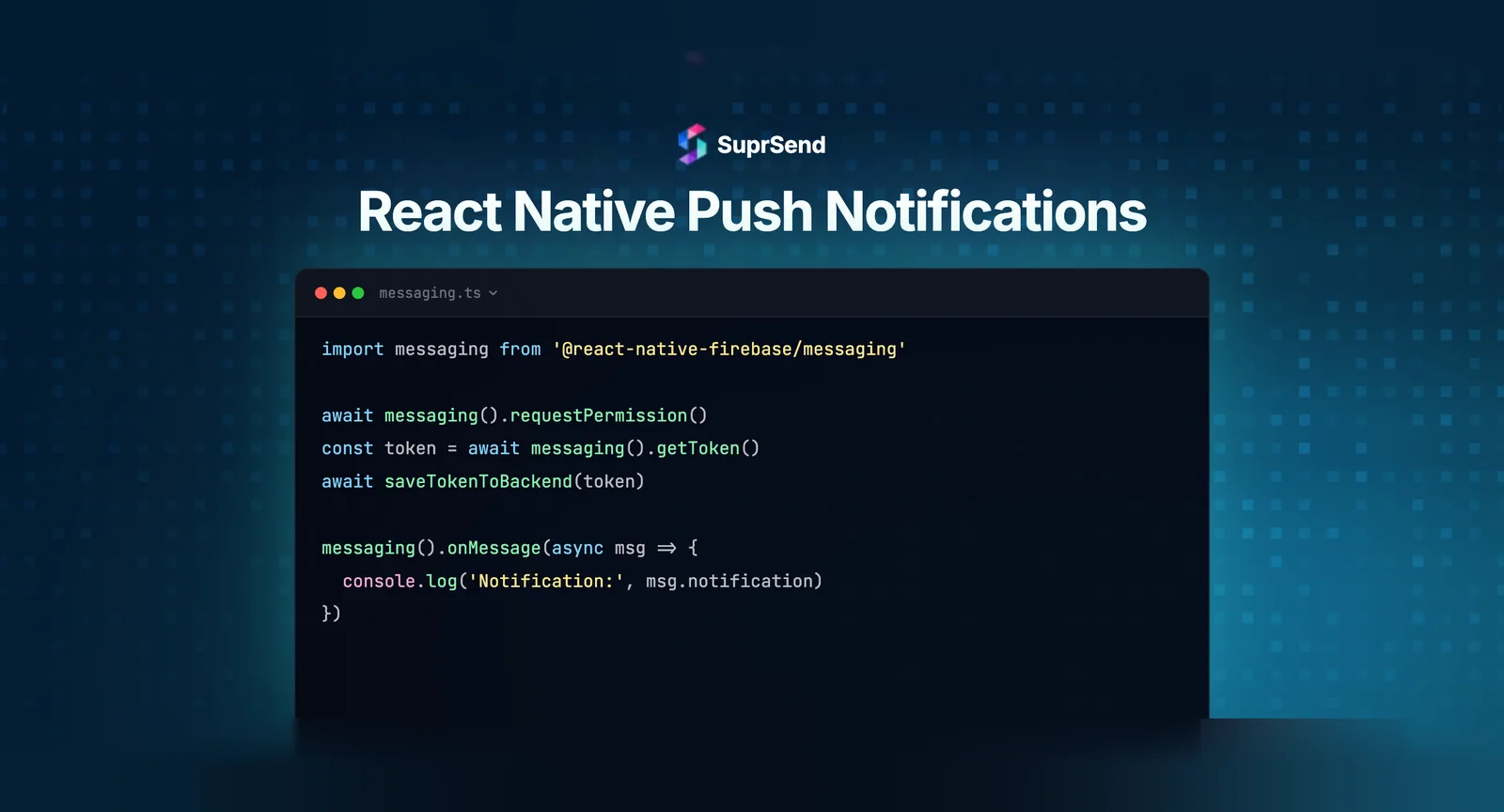
There are two ways to add React Native push notifications: use Expo’s managed workflow with expo-notifications, or use a bare React Native app with a native library like @react-native-firebase/messaging. Both paths end at the same two providers underneath: Firebase Cloud Messaging (FCM) for Android and the Apple Push Notification service (APNs) for iOS.
The choice between them, and which library to pick in a bare app, decides how much setup you own. This guide walks through how push works in React Native, when to use Expo versus bare React Native, the main libraries and their current status, the setup steps, and what none of these libraries handle once you reach production.
How Push Notifications Work in React Native
React Native does not deliver push notifications itself. It hands off to the operating system’s push provider. On Android that is FCM, on iOS that is APNs. Every React Native push library is a wrapper that talks to one or both of these.
The model is the same regardless of library:
- Register for a token. The device asks the provider for a push token, a unique string that identifies that app install on that device.
- Store the token. Your backend saves the token against the user so it can target them later.
- Send to the provider. Your backend sends a payload to FCM or APNs, which delivers it to the device.
If you want the lower-level detail of how FCM and APNs move a message, we cover it in how iOS and Android push notification services work technically.
Expo vs Bare React Native: Which Approach to Pick
The first decision is whether you build on Expo or on bare React Native. It changes how much of the native setup you handle yourself.
- Expo managed workflow: Expo abstracts FCM and APNs behind a single Expo push token and a free relay. You write less native code and avoid touching Xcode and Gradle for push. Best for teams already on Expo or starting fresh.
- Bare React Native: you integrate FCM and APNs directly through a native library. More setup, but full control over native behavior, background handlers, and notification display. Best for apps with existing native modules or custom requirements.
If you are on Expo, the setup is specific enough to follow a dedicated walkthrough rather than the bare-workflow steps below. The rest of this guide focuses on bare React Native, where the library choice matters most.
The Main React Native Push Libraries
In a bare React Native app, you pick a library to handle token registration and notification display. Two are actively maintained (React Native Firebase and Notifee), one (Wix react-native-notifications) has had no releases since September 2023, and one common result in older tutorials is abandoned.
React Native Firebase
React Native Firebase provides the @react-native-firebase/messaging module, the standard way to integrate FCM in a bare app. It handles token registration, foreground and background message handlers, and topic subscriptions. It does not render rich notifications on its own, which is where Notifee comes in.
Notifee
Notifee (@notifee/react-native) is a notifications library focused on display: channels, custom sounds, action buttons, and styled notifications on both platforms. Teams commonly pair it with React Native Firebase, using Firebase for transport and Notifee for presentation.
react-native-notifications (Wix)
react-native-notifications from Wix is a single library that handles both remote and local notifications across iOS and Android with one API. It is an alternative to the Firebase plus Notifee pairing for teams that prefer one dependency. Note that the last release was v5.1.0 in September 2023 - it has not been actively updated since, so evaluate it carefully against your React Native version before adopting it.
A note on react-native-push-notification
The react-native-push-notification package (the zo0r library) still appears in many tutorials but is no longer actively maintained. For new apps, prefer React Native Firebase, Notifee, or the Wix library.
Setting Up Push in a Bare React Native App
The steps below use React Native Firebase for transport. The same token model applies if you swap in another library.
1. Install the Messaging Module
Install the app and messaging packages. React Native Firebase requires a Firebase project and the platform config files (google-services.json for Android, GoogleService-Info.plist for iOS). If you are new to FCM, our walkthrough on setting up Android push with FCM covers the Firebase project steps.
npm install @react-native-firebase/app @react-native-firebase/messaging2. Request Permission
iOS and Android 13+ both require explicit notification permission before you can show notifications. On Android, you also need to declare POST_NOTIFICATIONS in your `AndroidManifest.xml` (`<uses-permission android:name="android.permission.POST_NOTIFICATIONS"/>`), otherwise the runtime dialog will never appear. Request permission before registering for a token.
import messaging from '@react-native-firebase/messaging';

async function requestPermission() {
  const authStatus = await messaging().requestPermission();
  const enabled =
    authStatus === messaging.AuthorizationStatus.AUTHORIZED ||
    authStatus === messaging.AuthorizationStatus.PROVISIONAL;
  return enabled;
}
3. Get the FCM Token
Once permission is granted, fetch the FCM registration token and send it to your backend to store against the user.
import messaging from '@react-native-firebase/messaging';

async function registerDevice() {
  const token = await messaging().getToken();
  // POST token to your backend, linked to the current user
  await saveTokenToBackend(token);
}
4. Handle Foreground and Background Messages
FCM delivers background notifications to the system tray automatically. For foreground messages, you handle display yourself, often with Notifee. Register a background handler at the app’s entry point.
import messaging from '@react-native-firebase/messaging';// Create a notification channel before displaying (required on Android 8+;
// notifications are silently dropped without one)
if (Platform.OS === 'android') {
await notifee.createChannel({
id: 'default',
name: 'Default Channel',
importance: AndroidImportance.HIGH,
});
}// Foreground messages
messaging().onMessage(async remoteMessage => {
// display with Notifee or a custom UI
});// Background and quit-state messages (register outside the component tree)
messaging().setBackgroundMessageHandler(async remoteMessage => {
// handle data-only messages
});5. Configure APNs for iOS
For iOS, you enable the Push Notifications capability in Xcode and upload an APNs authentication key to your Firebase project so FCM can relay to Apple devices. Without the APNs key, iOS tokens will not deliver.
Sending and Scaling Push in Production
Getting a token and showing a notification is the client half. The libraries above stop there. Once push goes to real users, a new set of problems appears, and none of it is React Native specific.
- Channel fallback: if a device has no token or push fails, you often want to fall back to email or SMS. Messaging libraries do not coordinate channels.
- Scheduling and batching: sending at the user’s local time, or rolling many events into one digest, is backend logic you build yourself.
- Preferences: letting users choose what they receive, per category and per channel, is a system of its own.
- Analytics: FCM and APNs give you limited delivery feedback, not unified open and click reporting across channels.
You can build each piece in-house. It is a common path, and a recurring reason building notifications in-house is harder than it looks. The alternative is to treat push as one channel in a larger multi-channel notification strategy and let an orchestration layer handle the parts above.
Where SuprSend Fits for React Native Teams
A notification infrastructure platform like SuprSend sits above FCM and APNs as an orchestration layer. Your React Native app keeps using a native library to register the device, and SuprSend handles routing, fallback, preferences, and analytics behind one API. It is the same model the platform applies across channels, described in our overview of the notification SDK approach.
SuprSend ships a React Native SDK, @suprsend/react-native-sdk, that you initialize once and use to identify users and register their push tokens.
import suprsend from '@suprsend/react-native-sdk';

// Initialize once with your workspace credentials, then identify the user.
// The SDK links the device's FCM/APNs token to that user for targeting.
From there, your backend triggers a workflow rather than calling FCM directly. The workflow decides channel order, applies the user’s preferences, and routes to the right vendor with automatic fallback. The platform-specific steps, including the native push setup, are in the SuprSend React Native integration docs and the React Native FCM push guide. For the broader send model, see the mobile push quick start.
The honest trade-off: for a single-channel app sending push to a small user base, a messaging library on its own is enough. The value of an orchestration layer shows up when you add channels, real preferences, and a need to measure delivery across all of them.
Summary
React Native push notifications come down to two paths over the same FCM and APNs providers: Expo’s managed workflow, or bare React Native with a native library. In a bare app, React Native Firebase handles transport, Notifee handles display, and the Wix library offers a single-dependency alternative; the old react-native-push-notification package is no longer maintained. Setup is a consistent loop: request permission, get a token, store it, and handle foreground and background messages. The libraries stop at the client, leaving channel fallback, scheduling, preferences, and cross-channel analytics for you to build or to hand to an orchestration layer that sits above FCM and APNs.
Ready to take push to production? You can start building with SuprSend for free or book a demo to see multi-channel orchestration over FCM and APNs.
FAQ
What is the best library for React Native push notifications?
For bare React Native, @react-native-firebase/messaging is the standard for transport, often paired with Notifee for rich notification display. The Wix react-native-notifications library is a single-dependency alternative. On Expo, use expo-notifications.
Do React Native push notifications need Firebase?
For Android, yes. Android push is delivered through FCM, so you need a Firebase project even if you use a wrapper library. iOS uses APNs and does not require Firebase, though React Native Firebase can relay iOS notifications through FCM if you upload an APNs key.
Should I use Expo or bare React Native for push?
Use Expo if you are already on the managed workflow or want less native setup; it abstracts FCM and APNs behind one token. Use bare React Native if you have custom native modules or need full control over background handlers and notification display.
How do I test push notifications in React Native?
Test on a physical device, since most simulators do not issue push tokens. You can send a test message from the Firebase console using the device's FCM token, or from your backend once token storage is wired up.
Why are my React Native push notifications not showing in the foreground?
FCM does not display foreground notifications automatically. You handle them in the onMessage handler and render the notification yourself, commonly with Notifee. Background and quit-state notifications go to the system tray automatically.
Can I send React Native push across email and SMS too?
The messaging libraries handle push only. To coordinate push with email, SMS, and in-app, including fallback when push fails, you route through a notification orchestration layer that manages all channels behind one API.
Is react-native-push-notification still usable?
It still works but is no longer actively maintained. For new projects, prefer React Native Firebase, Notifee, or the Wix react-native-notifications library, which are actively supported.