Back
Inapp Inbox Notifications
In-App Notification System Design: Architecture, Storage, and Real-Time Delivery (2026 Guide)

Gaurav Verma
June 23, 2026
•
June 23, 2026
•
Read summary :
Last Updated: May 2026
Most "notification system design" guides treat in-app as one channel in a generic email-SMS-push pipeline. That framing skips the problem. An in-app notification system is its own system. It owns durable storage, a real-time transport, a per-recipient feed, read state across devices, and a frontend SDK that has to render correctly even when the connection drops. None of those concerns exist for email or SMS in the same shape.
This guide is the system design for the in-app inbox specifically. It covers the architecture, the storage schema, the choice between WebSocket and Server-Sent Events, multi-device sync, offline reconciliation, preferences, and the observability funnel a real production system needs. Worked examples assume a B2B SaaS product on AWS or GCP with a US user base, but the patterns generalize.
What an In-App Notification System Actually Is
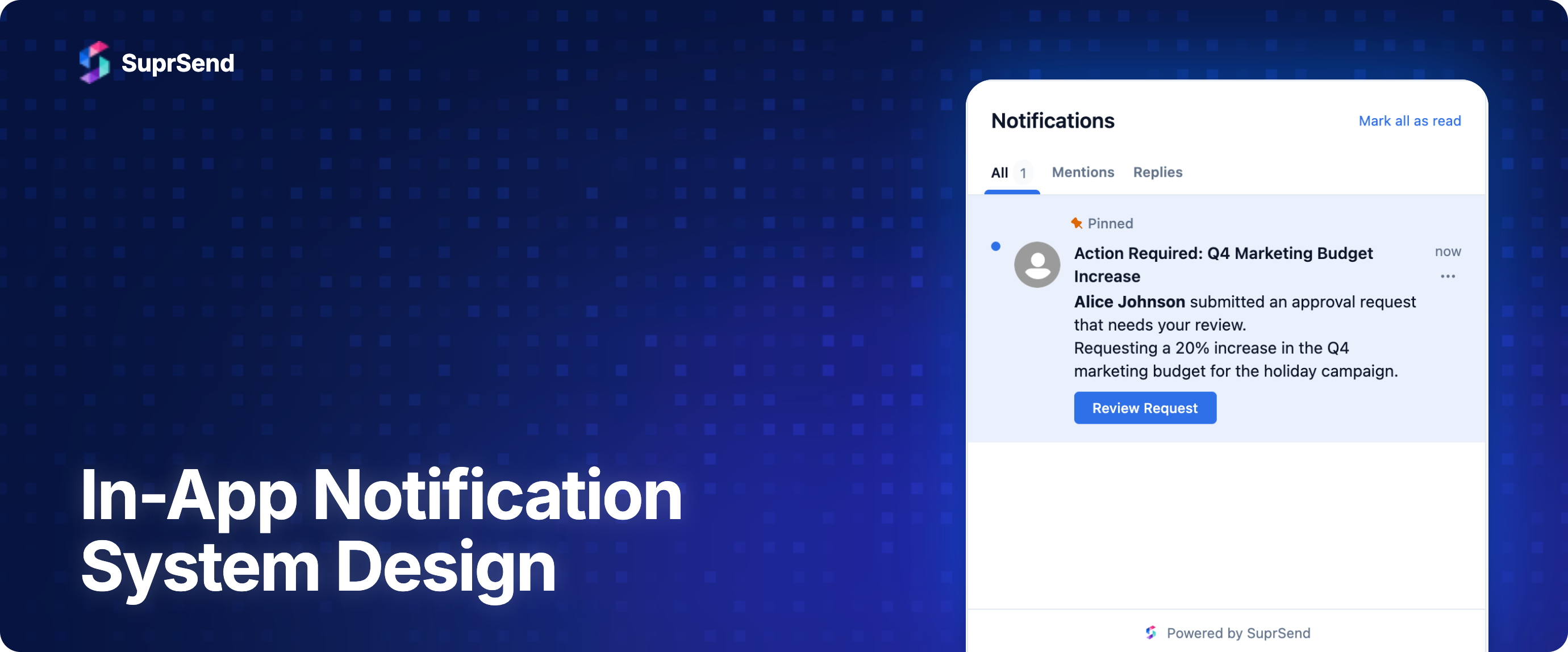
An in-app notification system delivers messages that appear inside your product's UI: a bell icon with an unread count, a slide-out feed, a toast that fades, a banner pinned to the top of a page. The user sees them only while signed into your app. There is no provider relationship with Apple, Google, or a carrier. There is no spam folder. The trade-off is that you own the entire delivery pipeline yourself, including the part that runs in the user's browser or mobile app.
This is different from notification infrastructure as a whole, which spans email, SMS, push, and in-app. It is also different from a notification center UI, which is the rendered surface. The system in this guide is the backend plus transport plus SDK that makes the notification center work.
Functional and Non-Functional Requirements
Before any architecture, write down what the system must do.
Functional:
- Deliver a notification triggered by a backend event to every signed-in instance of a recipient's app within seconds
- Persist a per-recipient feed that can be paginated and queried for unread count
- Track read, seen, and archived states per notification per device
- Respect user preferences (category, channel, quiet hours)
- Support multi-device: the same user signed in on web and mobile sees consistent state
- Reconcile on reconnect: a client coming back online sees everything it missed
- Expose APIs to mark read, mark all read, archive, and delete
Non-functional:
- End-to-end latency under 2 seconds at the 95th percentile from event publish to client render
- Durability of the feed: a notification is never lost between event publish and inbox write
- Ordering within a recipient's feed (newest first) but no global ordering required
- Horizontal scale to tens of thousands of concurrent connections per region
- Graceful degradation: if real-time fails, the feed still loads correctly on next page view
A useful back-of-envelope target for a mid-stage SaaS: 100,000 daily active users, 30,000 concurrent connections at peak, 5 notifications per user per day on average, 1 KB per notification payload. That is 500K writes per day, 30K open WebSockets at peak, and roughly 500 MB of new feed data per day before retention.
High-Level Architecture
Five components do all the work.
- Event source. Your application backend or an event bus (Kafka, SNS, Pub/Sub) emits a notification event when something happens: a comment, an assignment, a billing alert.
- Notification service. Subscribes to events, looks up recipients, applies preferences and quiet hours, renders the in-app payload from a template, writes to the inbox store, and publishes to the transport.
- Inbox store. The durable per-recipient feed. Postgres, DynamoDB, or a managed inbox service. This is the source of truth that the client paginates on page load.
- Real-time transport. WebSocket or SSE gateway that holds connections from clients and pushes new notifications as they are written.
- Client SDK. Connects to the transport, fetches the initial feed from the inbox store, merges live pushes, tracks read state, and exposes hooks or components to your UI.
The notification service is the only component that writes to both the inbox store and the transport. That ordering matters: write to the store first, then publish to the transport. If the transport push fails, reconciliation on reconnect picks it up. If the order were reversed, a client connected at the wrong moment could see a notification that does not existco in storage.
Inbox Storage Schema
The inbox is two logical tables. The notification entity holds the content. The recipient feed entry holds per-user state. Splitting them lets you fan out one notification to many recipients without duplicating the payload.
Notification entity (write-once, read-many):
id(UUID, primary key)tenant_id(for multi-tenant SaaS)category(e.g.,billing,collaboration,security) for preferencestemplate_idandtemplate_versionpayload(JSON: title, body, action URL, avatar, custom fields)created_atexpires_at(TTL for inbox hygiene; default 30 to 90 days)
Recipient feed entry (one per recipient per notification):
recipient_id+notification_id(composite key)tenant_idseen_at(set when the bell icon shows the item; per recipient)read_at(set when the user opens or clicks)archived_atcreated_at(denormalized from the notification for sort)
The hot query is "give me the latest 20 entries for recipient X, with unread count." Index on (recipient_id, created_at DESC) and a partial index where read_at IS NULL for the count. In Postgres this comfortably handles tens of thousands of writes per second per partition. In DynamoDB, partition by recipient_id with created_at as the sort key.
Avoid storing read state inside the notification entity. A single notification can have hundreds of recipients (a team announcement); each needs an independent read state, and updates would contend on a single row.
Real-Time Transport: WebSocket, SSE, or Polling
Three options, three different trade-offs.
WebSocket. Bidirectional, full-duplex, persistent. The right default when clients also need to send signals back over the same channel (typing indicators, presence, mark-read events). Costs a TCP connection per client and a load balancer that supports WebSocket upgrades.
Server-Sent Events (SSE). One-way, server to client, over plain HTTP. Simpler to operate, plays well with HTTP/2 multiplexing, and works through most proxies without special configuration. Right when the only direction you need is server pushing to client and your acks can travel over a separate REST call.
Long polling. The fallback. The client opens a request, the server holds it until a notification arrives or a timeout fires, then the client reopens. High latency floor, more requests, but works through any HTTP infrastructure.
For most in-app notification systems, SSE is the lower-friction default and WebSocket is the right call once you also need a return channel. Avoid building on long polling unless you must support legacy clients. A pragmatic stack uses SSE in the browser with WebSocket on mobile, and falls back to polling for the rare client that cannot hold either.
- WebSocket: Two-way, one TCP per client. Right when you need client-to-server signals on the same channel.
- SSE: Server to client, one HTTP/2 stream. Right for pure delivery with REST-based acks.
- Long polling: Server to client, one HTTP request per cycle. Legacy or proxy-restricted clients only.
Multi-Device Sync and Read State
A user signed in on a laptop and a phone expects the unread count to match within seconds. Two design choices decide whether that works.
First, store read state per recipient, not per device. The read_at field on the recipient feed entry belongs to the user, not the session. When any device marks a notification read, every other device should reflect it.
Second, push read-state changes through the same real-time transport that delivers new notifications. When the laptop marks an item read, the server writes read_at and broadcasts a read event to every other connected device for that recipient. Each client applies the change to its local cache and updates the unread badge.
"Seen" and "read" are different states and should be tracked separately. Seen fires when the bell icon renders the item in the feed list. Read fires when the user clicks or opens it. Treating them as one collapses important analytics: a user can see fifty notifications and read three.
Offline Reconciliation
Real-time transport will drop. Laptops sleep, phones lose signal, deploys cycle the gateway. The system has to make sure the client catches up the moment it reconnects without showing duplicates or missing items.
The pattern is a cursor. When the client first loads, it fetches the latest page from the inbox store and remembers the highest created_at or id it saw. When it connects to the transport, it sends that cursor. The server replays everything newer than the cursor over the connection, then switches to live pushes. The client merges by ID, so duplicates between replay and a live push that overlapped are deduplicated.
Two practical details: cap replay at a sane size (200 notifications, then ask the client to fall back to a paginated REST fetch) and include a sequence number per recipient so reordering during replay is detectable.
Preference Architecture
Preferences belong upstream of the inbox write, not the transport. If a user has muted the marketing category, the notification service should never write that notification to their feed at all. Filtering at the transport leaks data into storage and forces a cleanup job.
The minimal preference model is a matrix: recipient × category × channel. For an in-app system, channel is fixed at inbox, so the lookup is recipient × category. Add quiet-hours overrides per timezone if your product spans US time zones (most do).
For deeper patterns including category hierarchies and tenant-level defaults, see the notification preference center guide.
Fanout, Batching, and Rate Limiting
Fanout is the act of turning one event into N recipient feed entries. Three patterns:
- Synchronous fanout in the notification service for small recipient lists (under 100). Simple, low latency.
- Asynchronous fanout via a queue (SQS, Pub/Sub) for medium lists. The service writes a fanout job, workers expand it.
- Tiered fanout for very large lists (a tenant-wide announcement to 50,000 users): a coordinator splits into chunks of 1,000, dispatches in parallel.
Rate limiting is per recipient, not global. The right place is the notification service, before the inbox write. A token bucket per recipient prevents one runaway event source from filling a user's feed with 200 entries in a minute. For batched updates that genuinely belong together (10 PRs reviewed in 5 minutes), batching and digest patterns collapse them into a single feed entry.
Observability and the Delivery Funnel
An in-app notification has five observable states. Instrument all of them.
- Published. Event left the source.
- Stored. Inbox write committed.
- Delivered. Pushed over the live transport (or the client acknowledged a polled fetch).
- Seen. Rendered in the feed list on the client.
- Clicked. User took the call to action.
Track each as an event with a notification ID, recipient ID, and timestamp. The store-to-deliver gap measures transport health. The deliver-to-seen gap measures whether users actually have your app open. The seen-to-click rate measures content quality.
Per-message logs are non-negotiable for debugging. When a customer reports "I never got the alert," the answer should be a single query that returns the entire timeline. For deeper coverage, see notification observability.
Frontend SDK Patterns
The client SDK is the part of the system that breaks most often, because it runs on hardware you do not control. Three patterns hold up.
- Headless core, pluggable UI. Ship a headless client that handles connection, cursor, dedupe, and read-state sync. Layer optional React, Vue, Angular, or React Native components on top. Teams that need a custom UI use the headless core; teams that want defaults drop in the components.
- Hooks for state. Expose
useInbox(),useUnreadCount(), anduseNotification(id). Hooks subscribe and unsubscribe with component lifecycle, so a hidden bell icon stops paying for renders. - Optimistic updates. Mark-read should update local state immediately and roll back if the server rejects. Anything else feels broken.
For an opinionated React reference implementation, see notification inbox in React.
Build vs Buy
The in-app notification system in this guide is roughly an 8 to 12 engineer-week build for a first version, plus ongoing maintenance for transport scaling, mobile SDK upgrades, and observability. The cost is real but bounded if your product has only one notification surface.
Buying makes sense when any of the following are true:
- You need in-app plus email plus SMS plus push behind one API and one preference center, not just in-app
- Your product is multi-tenant B2B SaaS and tenants need their own templates, branding, and vendor accounts
- You want React, Vue, Angular, React Native, Flutter, iOS, and Android SDK coverage on day one
- Your team's time is better spent on product features than on a WebSocket gateway
SuprSend's in-app inbox implements the architecture in this guide as a managed service, with drop-in SDKs across the major frameworks, multi-tenancy, and the same preference and observability primitives discussed above. The free tier covers 10,000 notifications per month with full channel access.
Common Pitfalls
- Storing read state on the notification, not the recipient entry. Breaks the moment one notification fans out to multiple recipients.
- Pushing to the transport before writing to storage. Reconciliation cannot recover what was never durable.
- One global rate limit instead of per-recipient. A noisy event source punishes every user.
- No cursor on reconnect. Clients miss notifications that arrived while disconnected.
- Filtering preferences at the transport. Storage fills with notifications no one will see.
- Treating seen and read as the same state. You lose the most useful engagement signal in the funnel.
- Long polling as the primary transport. Latency floor is too high; users notice.
FAQ
Should I use WebSocket or SSE for in-app notifications?
SSE is the lower-friction default for pure server-to-client delivery. Move to WebSocket when the same channel also carries client-to-server signals like typing indicators, presence, or mark-read events. Many production systems use SSE on the web and WebSocket on mobile.
How do I keep the unread count consistent across devices?
Store read state per recipient, not per device, and broadcast read-state changes over the same real-time transport that delivers new notifications. Every connected device for that recipient applies the change locally.
What happens when a user is offline?
Persist every notification to the inbox store regardless of connection state. When the client reconnects, send a cursor (the highest notification ID it has) and let the server replay everything newer before resuming live pushes. Cap replay at a few hundred items and fall back to paginated REST for deeper backfills.
How long should notifications live in the inbox?
30 to 90 days is the common range. Set a TTL on the notification entity (expires_at) and run a daily job to delete expired entries and their feed rows. Keep critical categories (security alerts) longer.
Can I build this on Postgres alone?
Yes, up to roughly 10K writes per second per partition with the indexes described above. Beyond that, partition by tenant_id or move the recipient feed table to a key-value store like DynamoDB while keeping the notification entity in Postgres.
How is this different from push notifications?
Push notifications are delivered by Apple's APNs or Google's FCM and appear at the OS level when your app is closed. In-app notifications are delivered by your own backend and appear inside the running app. They are complementary; most products use both. For an FCM-specific deep dive, see FCM alternatives.
On this page