SuprSendVSVero

SuprSend vs Vero

Vero runs email, SMS and push campaigns for marketers. SuprSend is agentic multi-channel orchestration, where teams and agents build and send every kind of message.

Trusted infrastructure layer behind hundreds of platforms

ExaCareSiemensEmergentSarvamCrazyGamesEvocalizeEskoFrankieOneSennderDelightreeHeyReachFreightify

Vero and SuprSend both send campaigns, journeys and triggered messages to the users and events your product tracks. Vero is a customer engagement platform run by marketers, with email at its centre and SMS and mobile push beside it. SuprSend is agentic multi-channel orchestration: engineering, product, growth and agents run transactional, product and marketing messages from one system.

Why teams choose SuprSend over Vero

AI works where your team works

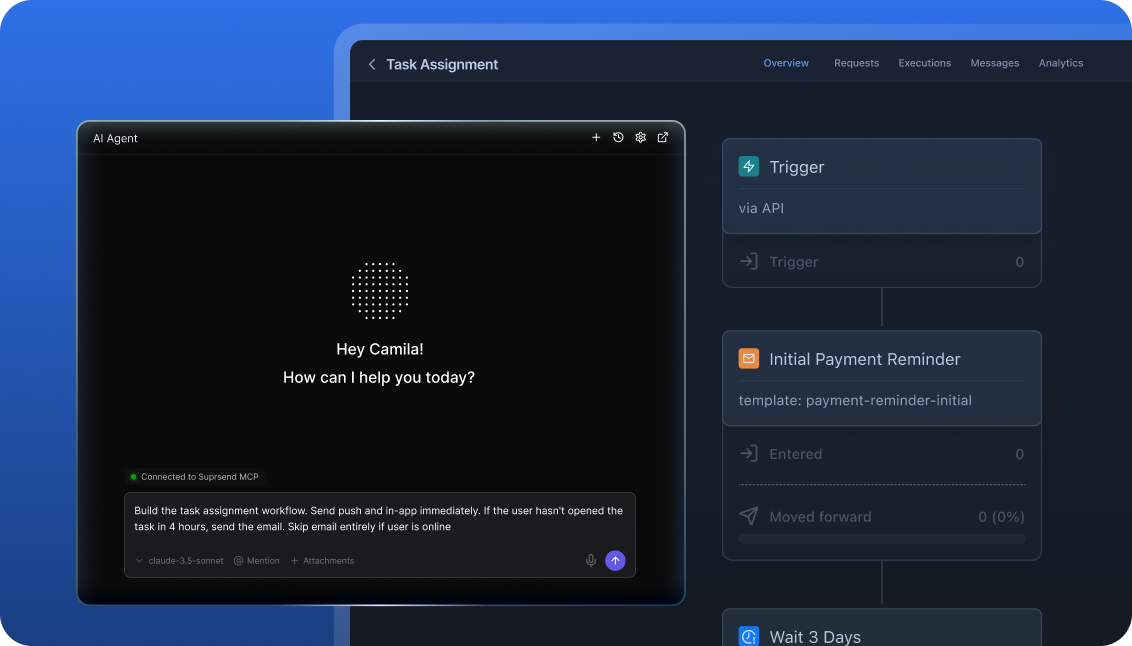
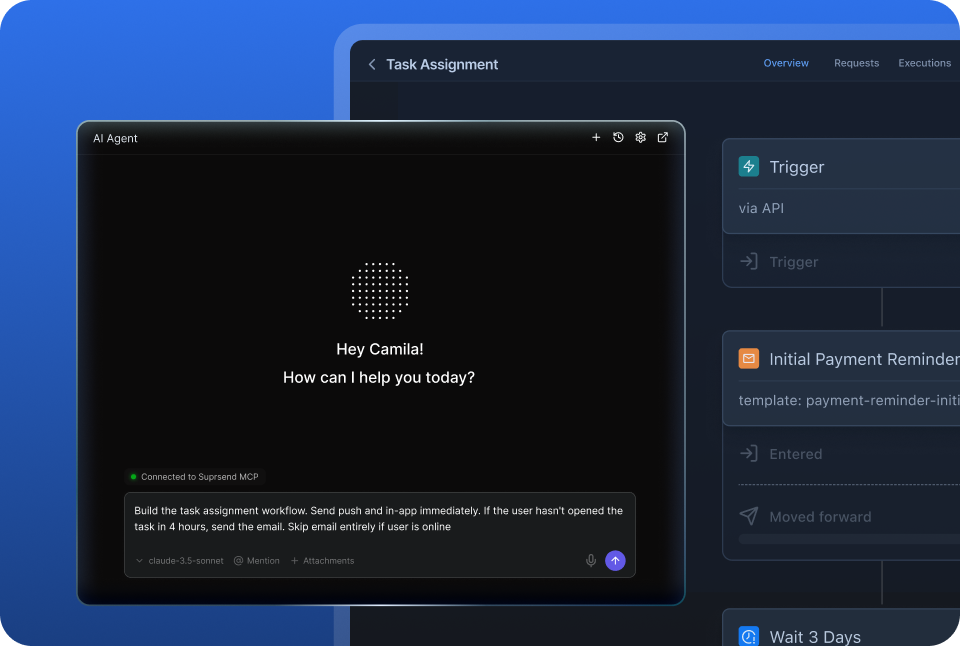
People and agents build and send notifications from the tools they already use: the dashboard, Slack, the codebase, Claude or ChatGPT. An agent can create a workflow, write the template, trigger a send and read the log. Vero’s MCP server is in early access and cannot build journeys.

Reach customers on every channel, with every message

Email, SMS, WhatsApp, mobile push, web push, Slack, Teams, in-app inbox and webhooks sit on one user profile on every plan. Password resets, comment alerts and win-back campaigns share the same workflows, preferences and logs. Vero sends email, SMS and mobile push.

Customise notifications per tenant, with per-user preferences

Each tenant gets its own sending domain and provider, its own version of every template, its own channel defaults and a feed, nesting five levels deep. Users choose channels per category and a digest schedule. Vero separates customers as projects, with one opt-out topic per campaign.

Failover, batching and version history under every message

A rejected send moves to the next provider, ten updates collapse into one digest at the time the user picked, and every workflow and template keeps versions to roll back. Test mode blocks real delivery. Vero sends each message through one provider, with no digest and no version history.

Build notifications in the dashboard, in your own agent, or in your codebase

A product manager changes a workflow in the dashboard. A developer commits the same workflow as a file and ships it through a pull request. A marketer asks Claude to build a list and send a campaign. All three are working on the same workflows, templates and logs, so nobody waits on a ticket.

The built-in agent builds, edits and debugs notifications from a description; product and growth ship without a ticket.

In the dashboard

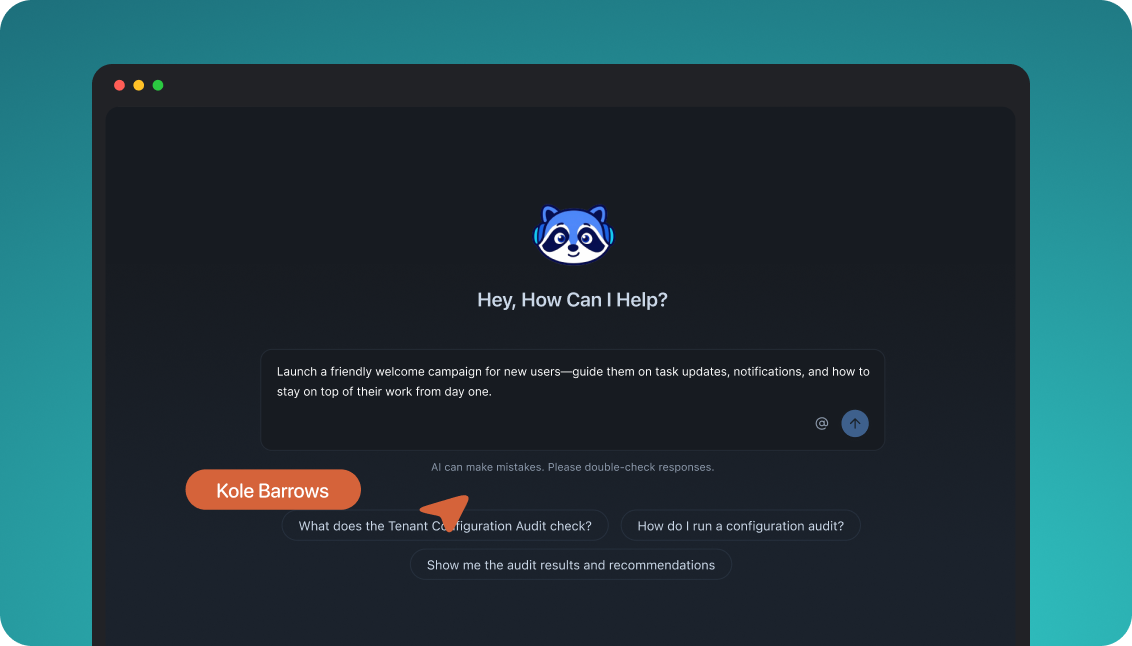
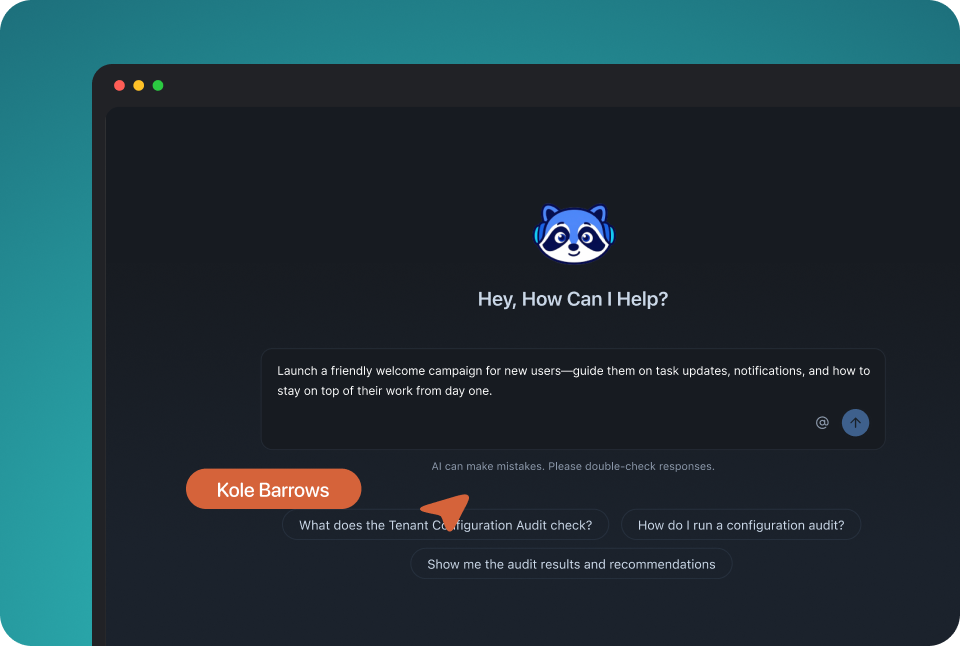
Connect the MCP to Claude, ChatGPT or any client and operate templates, workflows, tenants and preferences from there.

In your own agent

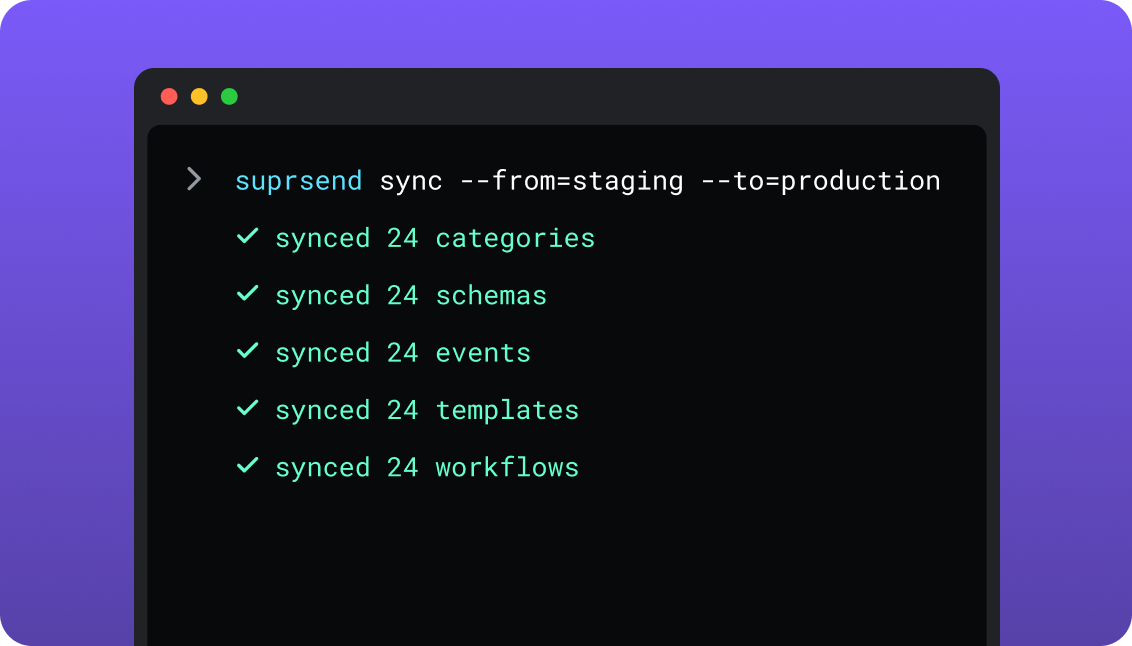
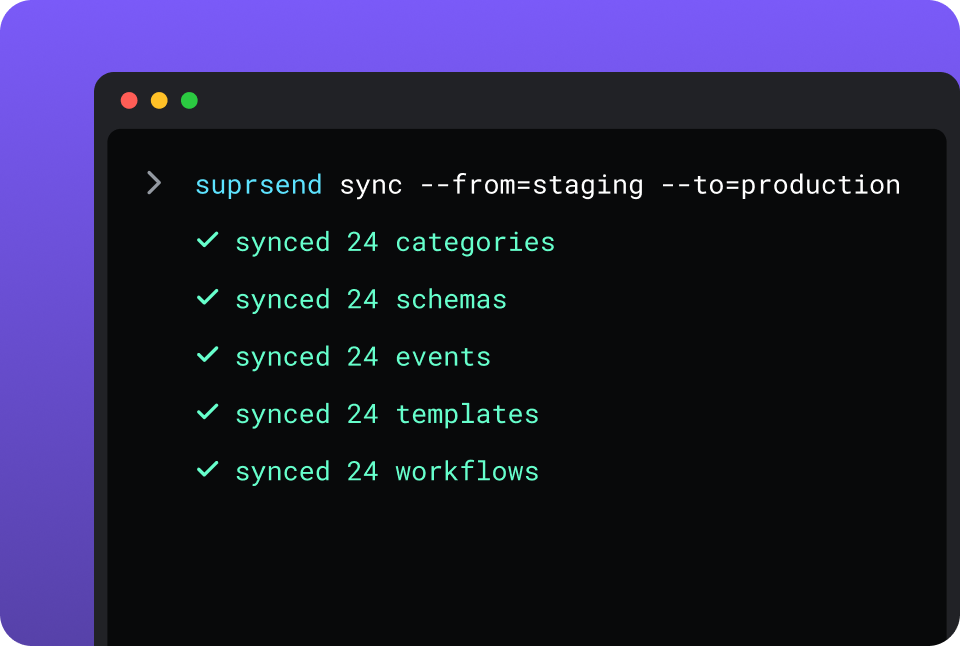
CLI and API keep workflows versioned, diffable and reviewed in pull requests; coding agents make bulk changes.

In your IDE or codebase
In the dashboardIn your own agentIn your IDE or codebase

One SuprSend customer runs its marketing email end to end from Claude Code, with nobody in the dashboard.

Vero is built and changed in its dashboard: a canvas for journeys and editors for email, SMS and push. Engineers send profiles and events through the Track API. The Campaigns API, in public preview, writes broadcast drafts and message content, and the Vero MCP server, in early access, reads journeys and writes broadcast drafts, topics and profile properties.

Everything from one place

A marketing team in the SuprSend dashboard also runs the event-driven transactional messages, such as password resets, invoices and alerts, from the same workflows, lists and logs as its campaigns.

Lists built five waysSegmentation rules, a scheduled query on your warehouse, CSV, the API, or a Segment, Mixpanel or Amplitude sync.
User properties with no schemaAny number per user, any JSON value, nested objects and arrays included, nothing to declare first.
An inbox inside your productDrop-in on the web, headless on mobile, with read state, tabs by category and toasts.
Users choose channels per category, admins set the defaultsOne preference model, checked on every send.
Translations and schemasTranslation files per language beside each template, and a JSON schema that checks every event.
Logs that say whyRendered content, the provider’s error and the reason a send was blocked, for every message.

Short answer

If this is youChoose
A marketing team sends email and SMS campaigns from a dashboard and wants A/B tests with an automatic winner and conversion goalsVeroVero
A small list gets email and mobile push each month and the lowest bill decides itVeroVero
Audiences come from a SQL query on Snowflake, BigQuery, Redshift, Postgres, MySQL or SQL ServerBoth
Transactional, product and marketing messages should run from one system with one set of preferencesSuprSendSuprSend
Users need an in-app inbox, web push, WhatsApp, Slack or Teams alongside emailSuprSendSuprSend
A marketing team wants its campaigns and the transactional messages in the same dashboardSuprSendSuprSend
Each customer account needs its own domain, provider, content and defaultsSuprSendSuprSend
A send rejected by one provider has to go out through anotherSuprSendSuprSend
You want agents to build, send and manage your notifications from Claude, ChatGPT, Claude Code, Cursor or SlackSuprSendSuprSend
Engineers want workflows and templates in the repo, versioned and promoted from stagingSuprSendSuprSend

At a glance

SuprSendSuprSendVeroVero
Best whenNotifications are a product surface shared by engineering, product, growth and agentsA marketing team runs email-led campaigns from a dashboard
Who uses itEngineers, product, growth, and agents over MCPMarketers; engineers send data and set up push
Messages coveredTransactional, product and marketing, in one systemMarketing, behavioural and transactional email; SMS and push campaigns
Built and changed fromDashboard agent, your own agent over MCP, CLI and APIDashboard; Campaigns API in preview; MCP in early access
ChannelsEmail, SMS, WhatsApp, mobile push, web push, Slack, Teams, in-app, webhookEmail, SMS, mobile push
Multi-tenancyNested tenants with own provider, domain, template version, defaultsSeparate projects, each its own database and campaigns
PreferencesPer category: channels, digest schedule, conditions; tenant defaultsTopics, one per campaign; hosted preference center on request
WorkflowsOne step for every channel, digest, branches, failover, versionsJourneys in beta: email, SMS, push, delay, true/false
Lists and audiencesRules, warehouse SQL, CSV, API, CDP sync; any channelSegments, CSV, Google Sheets, warehouse SQL; email and SMS broadcasts
In-app inboxWeb drop-in; headless and native SDKs on mobileNone
Provider failoverOrdered provider list with delivery-confirmation stopOne provider per channel
Version historyEvery workflow and template, with rollbackNone
AI and agentsAgent builds, writes copy, sends and debugs; MCP; Agent SDKMCP in early access; journeys read-only
HostingSuprSend cloud on every plan; VPC, on-prem or BYOC on EnterpriseVero cloud, on AWS in the United States
Pricing modelPer notification per channel; digest counts as one; users and events freeActive profiles, messages per channel and events tracked
ImplementationDays: SDK or API call, workflows in the dashboard or by CLIDays for email; push needs Amazon SNS or Twilio Notify and app code
ComplianceSOC 2 Type II, GDPR, HIPAA BAA on EnterpriseGDPR; security program based on SOC 2 criteria
G24.8, 129 reviews4.4, 38 reviews

What each is built for

VeroVero

Vero is a customer engagement platform for product-led B2C and B2B teams, with email at its centre. Marketers send broadcasts and journeys on email, SMS and mobile push to the users and events that engineering tracks through its API.

It fits a marketing team that works from a dashboard and pulls audiences from where data already lives: a segment, a CSV, a Google Sheet or a SQL query on the warehouse.

SuprSendSuprSend

SuprSend is agentic multi-channel orchestration for products whose notifications are built by more than one team. Engineers integrate through the API, SDKs, CLI or MCP; product, growth and agents build workflows, lists and broadcasts.

It fits products that send transactional, product and marketing messages on nine channels from one system, and B2B products where each customer account needs its own setup. The inbox, preferences and logs ship with it.

Where Vero wins

A/B tests with an automatic winnerA broadcast can test up to 20 email variations, split by hand or won by statistical significance.
Conversion goalsEach campaign tracks direct, view-through and indirect conversions.
Email production depthA drag-and-drop builder with locked snippets, an HTML editor with CSS inlining, a template library, MJML through the API, and Data Feeds that pull an external API into a message at send time.
A built-in mailerVero sends email itself on a shared or custom domain, with dedicated IPs available, so there is no email provider to sign up for.
Enforced SMS quiet hoursMarketing SMS is held between 8 PM and 8 AM in the recipient’s timezone, with country rules.
Cheaper at small mixed volumeStarter covers 5,000 profiles, 10,000 emails and 20,000 mobile pushes a month for $54.
Support on every plan24/5 email support on Starter; chat over Slack and a dedicated customer success manager on Professional.

Where SuprSend wins

Workflows in your repoThe CLI pushes and pulls workflows, templates, schemas and translations and promotes staging to production from CI; Vero moves a campaign between projects by cloning it.
Development, staging and production on every planThree environments with a test mode, where Vero uses a separate project per environment.
Objects as recipientsAn order, a team or a device can hold its own channels and subscribers and receive a notification.
SDKs on every side of the stackPython, Node, Java and Go on the backend; JS, React, React Native, Flutter, iOS and Android on the front. Vero has no iOS or Android SDK.
Logs that leave the dashboardMessage logs sync to S3 as Parquet every five minutes, export to CSV up to 50 million rows, and reach Datadog, New Relic or OpenTelemetry on Enterprise.
An Agent SDK for your own agentsOpenAI, LangChain and Vercel AI agents can send and manage notifications through it.
A choice of where it runsSuprSend cloud on every plan; your VPC, on-prem or bring your own cloud on Enterprise, with the full product and support.

Who works in it

VeroVero

Engineers send profiles and events through the Track API or the JavaScript SDK, and wire up push delivery with Amazon SNS or Twilio Notify in the app. Marketers build segments, broadcasts and journeys in the dashboard, with A/B tests, conversion goals and a template library.

Agents connect to the MCP server in early access to read journeys and metrics, draft broadcasts, manage topics, update profiles and track events.

SuprSendSuprSend

Engineers integrate once through the API, a backend SDK in Python, Node, Java or Go, the CLI and MCP, and keep workflows and templates in the repo. Product and growth build workflows, lists, content and broadcasts in the dashboard, or have the built-in agent build them, with versions to roll back and a test mode.

Agents connect over MCP from Claude, ChatGPT, Claude Code or Cursor and create users and lists, write templates, trigger a notification, run a broadcast and read the log.

Feature by feature

From both dashboards, documentation sites and pricing pages, September 2026. Plan names mark the lowest plan that includes a feature.

How notifications are built and changed

Everything in SuprSend has an API and a file form behind the dashboard, so an agent, a script or a pull request can change it. Vero is built in its dashboard; its Campaigns API, in public preview, writes broadcast drafts and message content.

CapabilitySuprSendSuprSendVeroVero
Visual builder YESWorkflows for every channel YESJourney canvas, beta
Create flows and content by API YESWorkflows, templates, lists, broadcasts PARTIALBroadcast drafts and message content; journeys read-only
CLI push and pull YESWorkflows, templates, schemas, events, categories, translations NO
Promote staging to production YESBy CLI, from CI PARTIALClone a campaign into another project
Change many templates at once YESOne CLI command or one prompt NOEdit each campaign in the dashboard
Version history and rollback YESEvery workflow and template NO
Operated from an agent over MCP YESTemplates, workflows, tenants, preferences, lists, broadcasts YES, BUTEarly access; broadcasts, topics, profiles; journeys read-only
Headless UI components YESInbox, preference centre, template editor NOHosted preference center only

Teams and scope

Vero is a marketing tool that product triggers with events. SuprSend gives engineering, product and growth their own ways in and runs every kind of message through one engine.

CapabilitySuprSendSuprSendVeroVero
Who builds flowsEngineers, product, growth and agents, in the dashboard or by CLIMarketers, in the dashboard
Who builds audiencesAnyone: rules, warehouse SQL, CSV, API, CDP syncMarketers: segments, CSV, Google Sheets, warehouse SQL
Transactional messages YESOn every channel YES, BUTEmail campaigns that also reach unsubscribed users
Product notifications YES YES, BUTEmail, SMS and mobile push only
Marketing campaigns YES YES
One preference model across all three YES PARTIALTopics per campaign; transactional sends skip them

Data model and tenancy

Vero’s record is the user profile, and customers are kept apart as separate projects. SuprSend adds objects and nested tenants, each tenant with its own provider, content and defaults.

CapabilitySuprSendSuprSendVeroVero
User propertiesAny number, any JSON value, nested objects and arrays, nothing to declareCustom properties and tags on the profile
EventsTracked by API, SDK or SegmentTracked by API, SDK or CSV; kept for the window you pay for
Non-user recipients YESObjects: an order, a team, a device; Business NO
Tenants YESNested five levels with inheritance; Business add-on, Enterprise PARTIALProjects: separate database, keys and campaigns, unlimited
Per-tenant provider and sending domain YES PARTIALOne setup per project
Per-tenant template version YESMatched by tenant ID at send NOCampaigns cloned per project
Tenant-admin preference defaults YESDefaults, mandatory channels, visible categories NO
Per-tenant inbox feed YES NO

Marketing campaigns and lists

Both build audiences from segments, CSV and a SQL query on the warehouse, and both re-run an audience on a recurring schedule. Vero is deeper on the email send itself: A/B arms with an automatic winner, conversion goals and a template library. SuprSend’s broadcasts run on every channel through the same workflow engine as transactional messages, so one marketing team runs campaigns, password resets and invoices from the same workflows, lists and logs.

CapabilitySuprSendSuprSendVeroVero
How a list is builtRules on properties and events, scheduled warehouse SQL, CSV, API, Segment, Mixpanel, AmplitudeSegments on properties, events and message activity; CSV; Google Sheets; SQL on Snowflake, Redshift, BigQuery, Postgres, MySQL, SQL Server
Lists that refresh YES, BUTDynamic lists on Enterprise, add-on on Essentials and Business YESReal-time segments; recurring broadcasts re-run the audience
Broadcast channelsAny of nine, or several in one sendEmail and SMS in Vero 2.0
SchedulingOne-time, scheduled, recurring, in the recipient’s timezoneOne-time, scheduled, recurring, timezone-aware
Broadcast through the workflow engine YESBatches, routes, falls over, checks preferences NOBroadcasts and journeys are separate campaign types
Transactional from the same dashboard YESSame workflows, lists and logs YES, BUTTransactional email campaigns
Campaign analyticsDelivered, seen, clicked, unsubscribed per broadcast, template, category and tenantSent, delivered, opened, clicked, unsubscribed, with bot engagement filtered
A/B testing NO YESUp to 20 email variations, automatic winner
Conversion tracking NO YESDirect, view-through, indirect
Results in your warehouse YESLogs to S3 or your warehouse; Business YESMessage, campaign and profile data to BigQuery or Snowflake

Channels

Vero sends email, SMS and mobile push. SuprSend sends those and WhatsApp, web push, Slack, Teams, an in-app inbox and webhooks on one user profile, and moves to a second provider when the first rejects a send.

CapabilitySuprSendSuprSendVeroVero
Email YESYour provider: SES, SendGrid, Mailgun, Postmark and others YESBuilt-in mailer, or SendGrid, Mailgun, Mailjet
SMS YESTwilio and other providers YES, BUTTwilio; volume priced on Professional
Mobile push YESDirect to APNs and FCM YES, BUTThrough Amazon SNS or Twilio Notify
Web push YES NO
WhatsApp YES NO
Slack and MS Teams YES NO
In-app inbox YESEvery plan NO
Provider failover YESOrdered provider list, timer, delivery-confirmation stop; Essentials NOOne provider per message

Workflows

Vero journeys start on an event and chain email, SMS and push with delays and true/false branches; they are in beta and must be stopped to edit. SuprSend workflows add digests, one send step for every channel, versions and a test mode.

CapabilitySuprSendSuprSendVeroVero
TriggersEvent or API call; broadcasts to listsEvent only, in Vero 2.0 journeys
Send to every channel in one step YESRouting stops once the user responds NOOne channel per node
Branches and conditions YES YESTrue/false node
Delays YES YESUp to 365 days
Batch and digest YESUser-chosen time, batch until due date, skip if too few; Business NO
Hold to allowed hours in the user’s timezone YESWork-hours send; Business YES, BUTMarketing SMS only, 8 PM to 8 AM
Edit a live flow YESPublish a new version NOJourney must be stopped first
Version history and rollback YES NO
Test mode YESBlocks real delivery in development and staging YESProject send mode routes to a test address

Templates and content

Vero has the deeper email editor, with snippets, a template library, MJML and Data Feeds. SuprSend has rich editors for all nine channels, variants per tenant or user, versions, and an editor you can embed in your product.

CapabilitySuprSendSuprSendVeroVero
Rich editorsAll nine channels, including Android, iOS and web push separatelyEmail drag-and-drop, HTML and rich text; text for SMS; basic and advanced push
Template languageHTML and Handlebars; JSONNET for Slack and Teams cardsHTML, MJML and Liquid
Template library and locked snippets NO YES
External data at send time PARTIALFetch from an API as a workflow step YESData Feeds inside the message
Embeddable template editor YESReact SDK inside your product NO
Translations YESTranslation files per language, pushed with templates; Business YESOne version per locale on each message
Variants YESBy tenant, user, event data or language PARTIALBy locale; A/B arms on broadcasts
Version history and rollback YES NO

Preferences

A preference is a user’s choice about which messages reach them and where. Vero’s preference center lists topics, one topic per campaign, and Vero switches it on per project on request. SuprSend resolves each send per category, with the channel, a digest schedule and a tenant layer.

CapabilitySuprSendSuprSendVeroVero
ModelPer category: channels, digest schedule, condition rulesPer topic, one topic per campaign
PrecedenceUser per tenant, then tenant admin, then category defaultGlobal unsubscribe, then topic choice, then topic default
Channel choice per category YES NO
Hosted preference page YESBusiness YES, BUTSwitched on by Vero on request
Embeddable preference component YESDrop-in or headless; Business NO
Preferences by API YES YESTopics API; topics cannot be deleted

In-app inbox

Vero has no in-app channel, so a notification centre inside your product is something you build. SuprSend’s inbox is a channel in the same workflow as the email and the push.

CapabilitySuprSendSuprSendVeroVero
Web drop-in component YESReact, Angular, Vue, JS NO
Mobile SDKs YESHeadless on React Native, Flutter, iOS; native iOS and Android NO
Read state, pin, archive, snooze, actions YES NO
Tabs by category and per-tenant feeds YES NO
Toasts YES NO
Expiring token auth YESJWT, refreshed by the SDK NO

Analytics and logs

Vero’s activity log shows each message’s delivery, opens and clicks and filters out bot engagement. SuprSend’s log adds the rendered content, the provider’s error and the reason a send was blocked, and exports to monitoring tools.

CapabilitySuprSendSuprSendVeroVero
Per-message log YESRendered content and provider error YESActivity log, filterable
Why a send was blocked YESOpt-out, no channel, template error YES, BUTTriggered email in Vero 1.0
Step-level run log YESOn the workflow map PARTIALJourney counts per node
Retention30 days Free, 90 days paid, custom EnterpriseNot published
Bot engagement separated NO YES
Webhooks YESAll plans YESMessage events and user activity
Log exportS3 Parquet every five minutes; CSV up to 50M rowsCSV exports; BigQuery and Snowflake sync
Monitoring tools YESDatadog, New Relic, OpenTelemetry; Enterprise NO

Developer experience

Both publish OpenAPI specs. SuprSend adds three environments on every plan, typed payloads and SDKs for mobile; Vero keeps environments as projects and has no mobile SDK.

CapabilitySuprSendSuprSendVeroVero
EnvironmentsDevelopment, staging, production; all plansSeparate projects, unlimited; send mode per project
Backend SDKsPython, Node, Java, GoRuby, PHP and others, official and community
Frontend SDKsJS, React, React Native, Flutter, iOS, AndroidJavaScript and TypeScript
API referenceOpenAPI spec, Postman collection, in-browser try-itOpenAPI specs for the Track and Campaigns APIs
Event payload validation YESJSON schema per event NO
Payload types for your code YESTypeScript types from schemas NO

AI, by what it can do

Vero’s MCP server, in early access, reads journeys and metrics and writes broadcast drafts, topics and profile properties. SuprSend’s agent builds the workflow, writes the copy, sends and reads the log, from the dashboard, Slack or your own agent.

CapabilitySuprSendSuprSendVeroVero
Built-in agent that builds workflows and writes copy YESDashboard and Slack NO
MCP server YESThrough the CLI YES, BUTEarly access, on request
Build or edit a flow from an agent YES NOJourneys are read-only
Send a campaign from an agent YESTrigger a workflow or run a broadcast PARTIALWrites broadcast drafts
Diagnose a failed send YESReads the log and names the cause NOMetrics only, no log tools
Agent SDK for your own agents YESOpenAI, LangChain, Vercel AI NO
Bulk changes from a coding agent YESClaude Code, Cursor, Windsurf through the CLI and MCP PARTIALBroadcast drafts and content over MCP

Security, compliance, support

SuprSend holds SOC 2 Type II and signs a HIPAA BAA on Enterprise. Vero runs a security program based on SOC 2 criteria and hosts its data on AWS in the United States.

CapabilitySuprSendSuprSendVeroVero
CertificationsSOC 2 Type II, GDPR, HIPAA; ISO 27001 and CPRA in progressGDPR; security program based on SOC 2 criteria
Roles and permissions YES, BUTEnterprise YESGranular role-based permissions
Single sign-on YESGoogle and GitHub on every plan; SAML on Enterprise YES, BUTGoogle sign-in only
Two-factor sign-in YESEvery plan YES
Audit trail YES, BUTEnterprise NO
HostingSuprSend cloud on every plan; your VPC, on-prem or BYOC on Enterprise, full product, supportedVero cloud only, on AWS in the United States
SupportSlack community; email and chat on paid; phone and named CSM on Enterprise24/5 email on every plan; Slack chat and a CSM on Professional
Uptime99.9% on every plan; SLA on EnterpriseNot published

Pricing and implementation

The units differ. Vero bills on active profiles, messages per channel and events tracked; SuprSend bills per notification per channel, counts a digest as one and charges nothing for users or events. 5,000 profiles getting 10,000 emails and 20,000 pushes a month fit Vero Starter at $54 and need SuprSend Essentials at $100 billed annually. At 20,000 users and 200,000 notifications a month, SuprSend Business is about $1,000; Vero needs a Professional quote. Compare on your own event-to-notification ratio; SuprSend’s pricing page and Vero’s have the tiers.

CapabilitySuprSendSuprSendVeroVero
Billing unitNotification per user per channel; digest counts as one; opt-out blocks not billedActive profiles, messages per channel, events tracked
Free10,000 notifications a month; all channels; lists and broadcastsFree trial; no free plan
Entry paidEssentials $100 a month billed annually; 50,000 notifications; $2 per extra 1,000Starter $54 a month; 5,000 profiles, 10,000 emails, 20,000 pushes, 160,000 events
Next tierBusiness $250 a month billed annually; adds digest, preferences, objectsProfessional, custom; adds SMS volume, Slack chat, a CSM
EnterpriseCustom; volume discounts; monthly-tracked-user optionProfessional, custom
ProvidersBring your own; billed by the providerBuilt-in mailer included; your own Twilio and push provider
Time to first notificationSame day from the SaaSSame day for email; push needs Amazon SNS or Twilio Notify and app code

Migrating from Vero to SuprSend

Profiles, events and lists move directly. Journeys and message content are rebuilt, and that work is finite.

VeroSuprSendMoves how
Profile and propertiesUser and propertiesUsers API, backend SDK or Segment
EventsEventsPoint the track calls at SuprSend
SegmentListRebuild as rules or a dynamic list
SQL audienceList from a warehouse querySame query, on a schedule
Journey or workflowWorkflowRebuild in the builder; pull to repo by CLI
BroadcastBroadcastRecreate against a list
Email, SMS and push contentTemplates with versionsCopy the HTML; Liquid tags to Handlebars
Subscription topicsPreference categoriesMap each topic; import opt-outs by API
ProjectsTenants or environmentsOne tenant per customer, or development and staging
Email and SMS provider settingsVendors with fallbackReconnect credentials; add a backup
Activity logLogsExport from Vero first; no import
01

Inventory every Vero journey, broadcast, segment and topic, and map topics to categories.

02

Stand up SuprSend development and staging. Connect providers with a fallback order; create tenants where customers need their own setup.

03

Import users with their properties, rebuild segments as lists, and import opt-outs.

04

Rebuild the critical flows first: verification codes, password resets and receipts. Test them in test mode, then pull them into your repo.

05

Run both platforms in parallel on those flows for a week, with the inbox behind a flag.

06

Move the remaining journeys and broadcasts, cut over, and keep an export of Vero’s activity log.

Enterprise customers get migration support and a scoped plan; on other plans the Slack community and docs are the path.

FAQ

Is SuprSend better than Vero?
SuprSendSuprSend

SuprSend is better when notifications are a product surface shared by engineering, product, growth and agents, when messages go beyond email, SMS and push, and when each customer account needs its own setup. It runs transactional, product and marketing messages from one system on nine channels.

VeroVero

Vero is better for a marketing team that sends email-led campaigns from a dashboard and wants A/B tests, conversion goals and a template library, on a small bill.

Does SuprSend handle marketing campaigns as well as transactional messages?

Yes. Lists come from rules, a warehouse query, CSV, the API or a CDP sync, and broadcasts go out once, on a schedule or on repeat, in each recipient’s timezone, on any channel. The same marketing team runs the password resets and invoices from the same workflows, lists and logs. Vero has A/B testing and conversion goals, which SuprSend does not.

Can non-technical teams use SuprSend, and Vero?
SuprSendSuprSend

SuprSend lets product, growth and marketing build workflows, lists, content and broadcasts in the dashboard, through the built-in agent, or through their own agent over MCP, with versions and a test mode.

VeroVero

Vero is built for marketers in its dashboard. Engineers still send the profile and event data, and set up push delivery in the app.

How do preferences differ between SuprSend and Vero?
SuprSendSuprSend

SuprSend lets each user pick channels and a digest schedule per category, with a tenant admin’s defaults above them, a hosted page and embeddable preference components.

VeroVero

Vero assigns one topic to each campaign and lets users opt out of a topic on a hosted preference center that Vero switches on per project. A topic applies to every channel at once.

Where does each run, and can I self-host SuprSend?

SuprSend runs as SuprSend cloud on every plan, and on Enterprise in your VPC, your data centre or bring-your-own-cloud, with the full product and vendor support. Vero runs as Vero cloud only, on AWS in the United States.

Which is cheaper?

It depends on the mix. Vero bills active profiles, messages per channel and events tracked; SuprSend bills each notification per channel, a digest counts as one, and users and events are free. Small email and push volumes cost less on Vero Starter; many users getting several channels each tend to cost less on SuprSend.

How do I migrate from Vero to SuprSend?

Users, properties and events move through the users API, a backend SDK or Segment; segments become lists and topics become categories. Journeys and content are rebuilt, then kept in your repo through the CLI. Most teams run both in parallel on the critical flows for a week before cutting over.

Related Resources

How does SuprSend send a campaign to a list?SuprSend lists
Can agents run SuprSend from Claude or Cursor?SuprSend MCP server
Can SuprSend run inside my own cloud?Bring your own cloud
What does SuprSend cost at my volume?SuprSend pricing

There’s no better place for you
to build notifications

Join thousands of product & engineering teams using SuprSend to build and ship better notifications—faster.