SendGrid delivers transactional and marketing email. SuprSend decides what is sent, on which channel and when, and sends the email through SendGrid. Most teams use both.
Trusted infrastructure layer behind hundreds of platforms
Twilio SendGrid is an email delivery service, and SuprSend sends email through it. SendGrid gives developers an email API and gives marketers a campaign editor for email. SuprSend is the notification infrastructure above it, where engineering, product and growth run transactional, product and engagement messages on nine channels.
Send the email through SendGrid and run everything around it
SendGrid delivers the email. The SuprSend workflow decides whether a message should go, on which channel, when, and to whom, then hands the email step to SendGrid and moves to a backup provider if SendGrid does not confirm delivery. The right message reaches the right user at the right time on the right channel, with none of that logic in your application code.
One workflow reaches every channel
One send step covers email, SMS, WhatsApp, mobile push, web push, the in-app inbox, Slack, Teams and webhooks. Adding a channel is a step in the workflow, on the same user record and log. SendGrid sends email only; SMS, push and chat need other products and your own code.
Every kind of message runs from one system
SuprSend unifies transactional, product and customer engagement messages in one system. A password reset, a comment notification and a win-back campaign share the same users, preferences and logs. SendGrid splits email in two: the Email API and Marketing Campaigns are separate plans with separate send counts.
Each customer account is a tenant with its own setup
Each tenant carries its own branding, template version, channel defaults, inbox feed and email provider, with sub-tenants nesting five levels deep. SendGrid’s nearest object is the subuser on Pro: its own credentials, stats and IPs, with templates kept per subuser, not inherited from the parent.
Users choose channels per category, admins set the defaults
Per category, a user picks channels and a digest schedule, a tenant admin sets the defaults above them, and every send checks those choices first. A hosted page and embeddable components ship with it. SendGrid has unsubscribe groups for email, one group per send.
Digests, timezone holds and provider failover in every workflow
Ten comments become one digest email. A message waits for morning in the user’s timezone. If SendGrid does not confirm delivery, the workflow sends through a backup email provider. SendGrid sends each request as it arrives, or at a timestamp up to 72 hours ahead.
Logs that say why a message did not arrive
Each message keeps its workflow run, rendered content, SendGrid’s error and the reason a send was blocked, searchable by user for 30 to 90 days. SendGrid’s activity search keeps 3 days on Essentials and 7 on Pro, with longer history as a paid add-on.
On its own, SendGrid covers email end to end: its own mail transfer agent, domain authentication, dedicated IPs with automated warm-up, address validation, bounce and block classification, an event webhook, inbound parse, and Marketing Campaigns with segments, A/B tests and automations. It does not send on any other channel, hold a preference beyond unsubscribe groups, or wait, batch or branch across a user’s messages.
Build notifications in the dashboard, in your own agent, or in your codebase
A product manager changes a workflow in the dashboard. A developer commits the same workflow as a file and ships it through a pull request. A marketer asks Claude to build a list and send a campaign. All three are working on the same workflows, templates and logs, so nobody waits on a ticket.
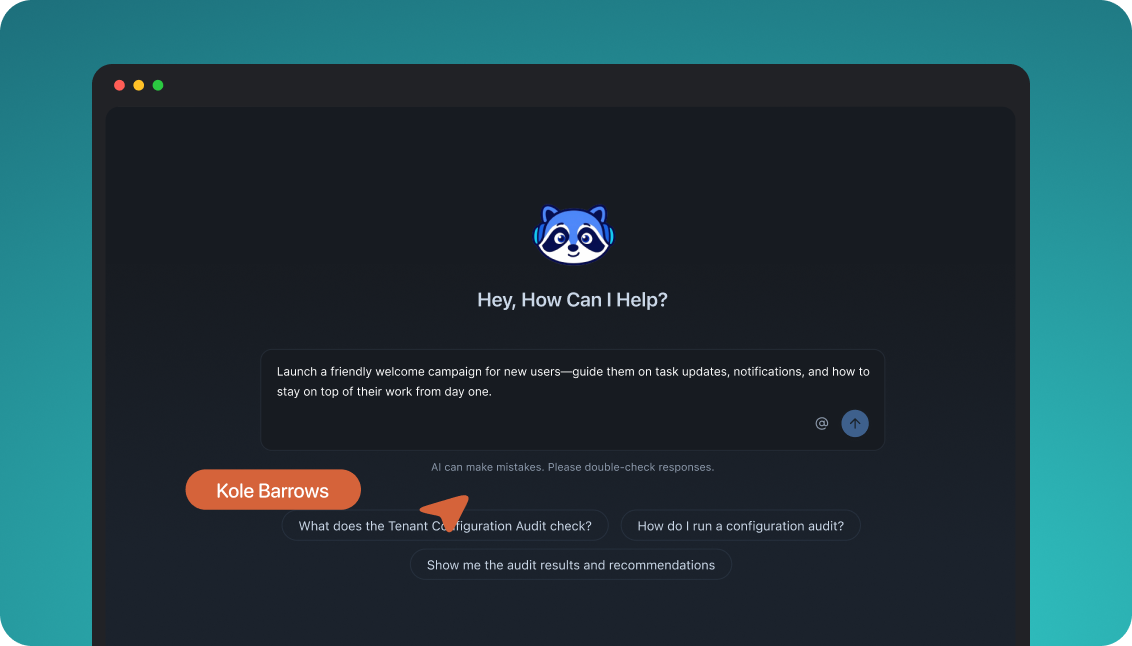
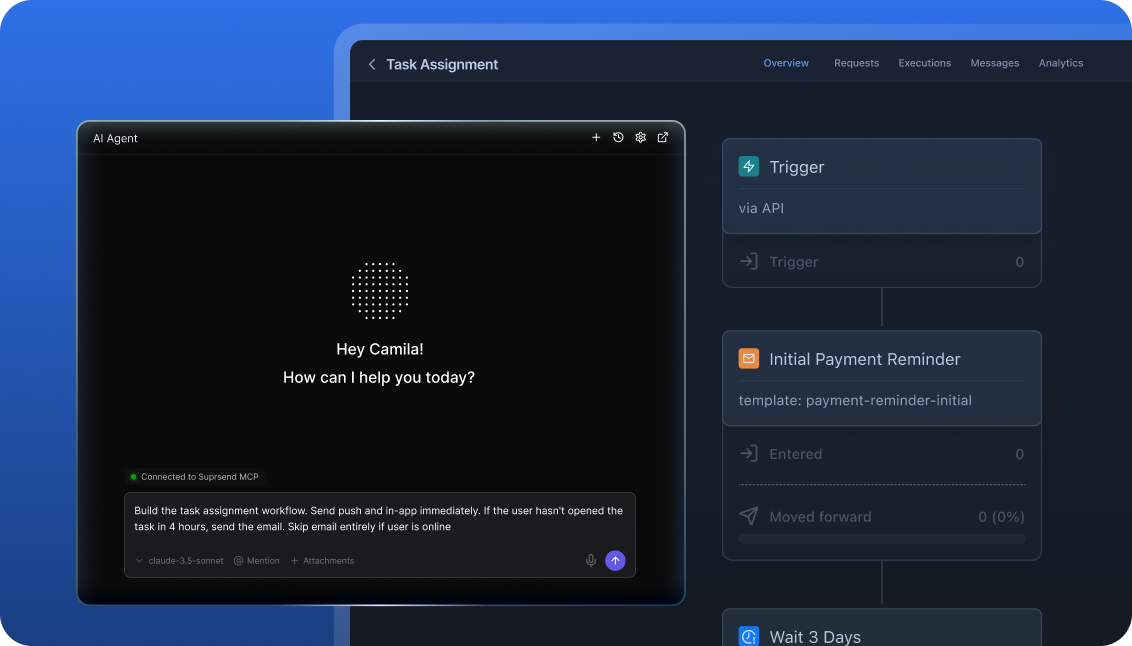
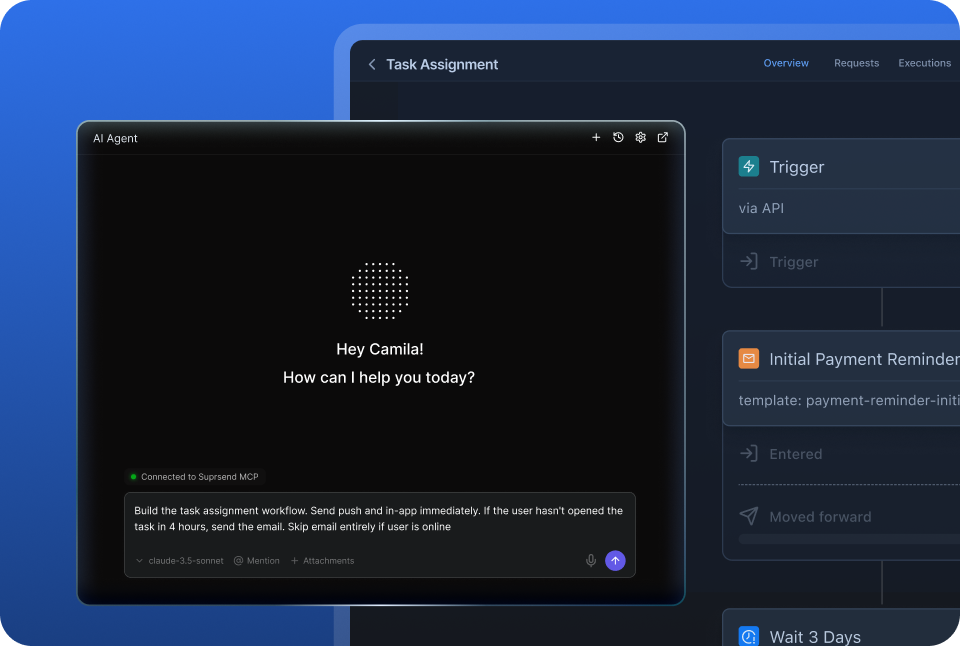
The built-in agent builds, edits and debugs notifications from a description; product and growth ship without a ticket.
Connect the MCP to Claude, ChatGPT or any client and operate templates, workflows, tenants and preferences from there.
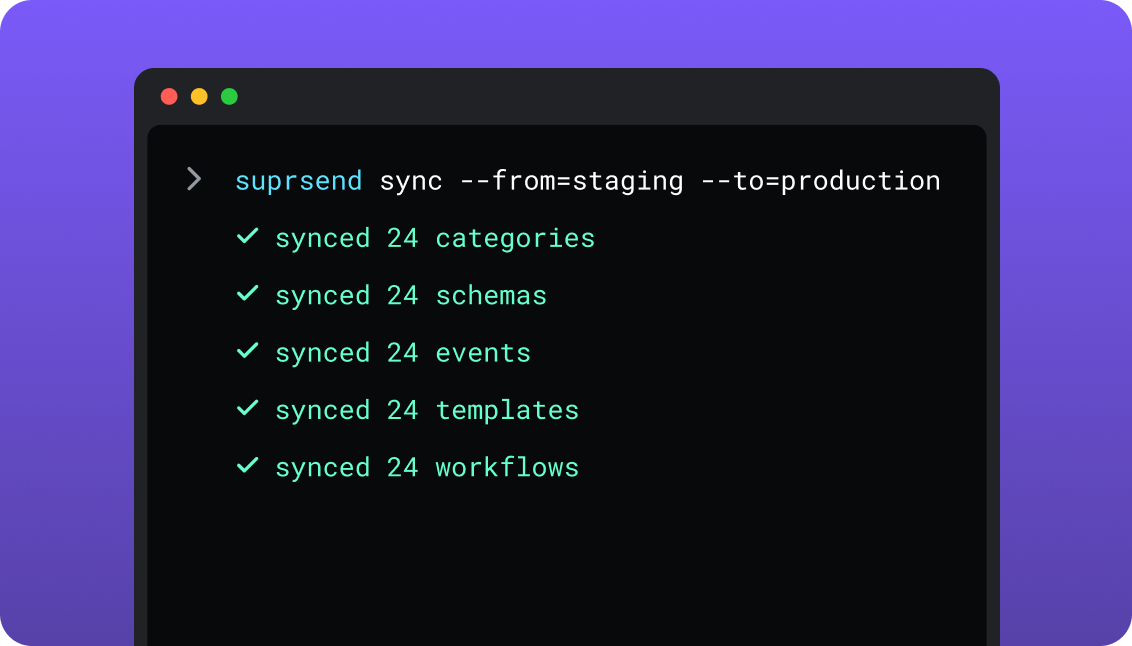
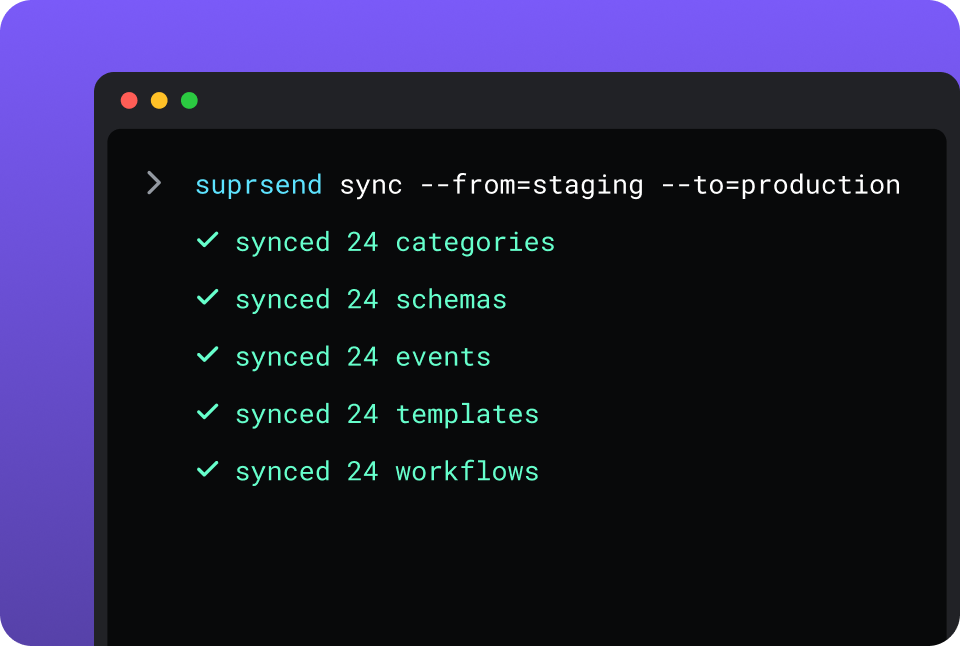
CLI and API keep workflows versioned, diffable and reviewed in pull requests; coding agents make bulk changes.
One SuprSend customer runs its marketing email end to end from Claude Code, with nobody in the dashboard.
SendGrid is built from two places. Developers send through the v3 Mail Send API or SMTP with official libraries in seven languages, and manage dynamic templates and their versions through the API. Marketers build Single Sends and automations in the Marketing Campaigns editor. Twilio’s MCP server, in public beta, lets a coding agent search SendGrid’s docs and API reference; it does not send email or change the account.
Short answer
If this is you
Choose
Your product sends email only, your server owns the send logic, and one unsubscribe link covers opt-outs
SendGrid
Your marketing team sends newsletters and automated email series to a contact list, with A/B tests and signup forms
SendGrid
One trigger has to reach the user by email, push, SMS, WhatsApp or an in-app inbox
SuprSend
Messages need delays, digests, branches, or an SMS when the email goes unopened
SuprSend
Users should choose which notifications they get and on which channel
SuprSend
Each customer account needs its own branding, content, sending domain and defaults
SuprSend
Product and growth should change notification content and logic without a deploy or a ticket
SuprSend
A marketing team wants its campaigns and the transactional messages in the same dashboard
SuprSend
You want agents to build, send and manage your notifications from Claude, ChatGPT, Claude Code, Cursor or Slack
SuprSend
SendGrid is already wired in and you are now writing the retry queue, the digest job and the preference table
Both
At a glance
SuprSend
SendGrid
Best when
Notifications span channels and teams, with logic and preferences around each send
Email is the only channel and your server owns the logic
Who uses it
Engineers, product, growth, and agents over MCP
Engineers through the API; marketers in Marketing Campaigns
Messages covered
Transactional, product and customer engagement, in one system
Transactional email from the API; marketing email from a separate plan
Layer
Decides channel, timing, content and recipient; sends through providers
Delivers email from its own mail servers
Built and changed from
Dashboard agent, your own agent over MCP, CLI and API
Server code, template editor, Marketing Campaigns editor
Channels
Email, SMS, WhatsApp, mobile push, web push, Slack, Teams, in-app inbox, webhook
A/B tests of subject and content in Marketing Campaigns
AI
Agents build workflows, write copy, send, and read the log
MCP server searches docs and API specs; does not send
Hosting
SuprSend cloud on every plan; your VPC, on-prem or BYOC on Enterprise
Twilio SendGrid cloud; EU data residency option
Pricing model
Per notification per channel; 10,000 free, Essentials $100 per month
Per email sent; 60-day trial, Essentials from $19.95 per month
Implementation
Days: SDK, SendGrid API key as vendor, workflows in the dashboard
A day for a first send; weeks for the logic around it
G2
4.8, 129 reviews
4.0, 360 reviews, Email API
What each actually is
SendGrid
Twilio SendGrid is an email delivery service sold as two products on one account. The Email API accepts mail from your code over REST or SMTP and delivers it from SendGrid’s own servers, with domain authentication, dedicated IPs, suppression lists and an event webhook. Marketing Campaigns adds contacts, segments, a design editor, A/B tests and automations.
SendGrid is one of the email providers SuprSend sends through. What surrounds each email is yours to build: whether and when to send, which user it belongs to, every other channel, and the preferences behind it. The two SendGrid products are bought on separate plans and count their sends separately.
SuprSend
SuprSend is notification infrastructure for products where more than one team works on notifications. An event or an API call starts a workflow, and the workflow decides the channel, the timing, the content and the recipients. Engineers integrate once; product and growth build and change workflows, templates, lists and broadcasts from the dashboard or through an agent.
SuprSend runs no mail server. It sends each email step through your SendGrid account with your API key, reads SendGrid’s event webhook for delivery and engagement, and can fall back to a second email provider. Push, SMS, WhatsApp, an in-app inbox, Slack and Teams run through the same workflows, preferences and logs.
Where they overlap
Email to your usersBoth send it. Under SuprSend, the delivery is SendGrid’s own.
Templates with HandlebarsSendGrid’s dynamic templates and SuprSend’s email templates both use Handlebars variables, with a drag-and-drop editor and a code editor.
Campaigns from a dashboardMarketing Campaigns sends Single Sends and automations to segments. SuprSend broadcasts send to a list once, on a schedule or on repeat.
Audience buildingSendGrid segments contacts on fields and engagement. SuprSend builds lists from rules, warehouse SQL, CSV, the API or a CDP.
Scheduled sendsSendGrid’s API schedules up to 72 hours ahead, and Marketing Campaigns further. SuprSend delays, schedules and holds a message for the user’s timezone.
Where SendGrid alone is enough
Deliverability tooling at volumePro includes a dedicated IP, with IP pools, automated warm-up, reverse DNS and link branding in the plan.
Address validation before you sendThe Email Address Validation API checks addresses, with 2,500 checks a month included on Pro and 5,000 on Premier.
Inbound emailInbound Parse posts incoming mail and replies to your own endpoint.
Marketing tools built for emailSignup forms, A/B tests of subject and content within a send, and automated series on Marketing Campaigns Advanced, from $60 a month.
EU data residencySendGrid offers an EU data residency option for email data.
Official libraries in seven languagesC#, Go, Java, Node.js, PHP, Python and Ruby, plus SMTP for anything else.
An email-only productOne channel, send logic your server already owns, and one unsubscribe link: an orchestration layer adds a bill and little else yet.
When you need SuprSend on top
One backend call in place of per-email codeYour server sends one event. The template, the recipient’s address, the sender and the SendGrid call are resolved in SuprSend.
More ways to triggerA product event, an API call, a schedule, a broadcast to a list, or a Segment event can each start the same workflow.
Delivery answers per user across channelsSupport looks up one person and sees every email, push and SMS, what SendGrid returned, and whether it was opened.
Duplicate protectionSuprSend accepts an idempotency key, so a repeated request does not send twice.
One template in every languageTranslation files per language render the same template in each locale, pushed and pulled by the CLI with the templates.
Cancel a notification in flightA run can be cancelled by run, recipient or workflow at any point before it sends.
Environments and a test modeDevelopment, staging and production are on every plan, and test mode blocks real delivery while a workflow is being built.
A choice of where it runsSuprSend cloud on every plan; your VPC, on-prem or BYOC on Enterprise, with the full product and vendor support.
Who works in it
SendGrid
Engineers write the send logic against the v3 Mail Send API or SMTP, keep the templates, and process the event webhook in their own code. Marketers build Single Sends, segments, signup forms and automated series in Marketing Campaigns, on a plan bought separately from the Email API.
Agents connect to Twilio’s MCP server from Claude Code, Cursor or Codex and search SendGrid’s docs and API reference while writing the integration.
SuprSend
Engineers integrate once through the API, a backend SDK in Python, Node, Java or Go, the CLI and MCP, and keep workflows and templates in the repo. Product and growth build workflows, lists, content and broadcasts in the dashboard, or have the built-in agent build them, with versions to roll back and a test mode.
Agents connect over MCP from Claude, ChatGPT, Claude Code or Cursor and create users, set preferences, write templates, trigger a notification, run a broadcast and read the delivery log.
Feature by feature
From both products, documentation sites and pricing pages, September 2026. Plan names mark the lowest plan that includes a feature.
How notifications are built and changed
In SuprSend a notification is a workflow and a set of templates, each with an API and a file form behind the dashboard, so it can be edited by a person, scripted, versioned and staged. In SendGrid a transactional email is a request your server builds against a stored template, and a campaign is a Single Send or an automation in the Marketing Campaigns editor.
Capability
SuprSend
SendGrid
Visual workflow builder
YESEvery channel, every plan
PARTIALMarketing Campaigns automations: email series started by joining a list or segment; Advanced
Campaign composer in a dashboard
YESBroadcast to a list on any channel
YESSingle Sends in Marketing Campaigns, email only
YES, BUTTemplate versions, one active at a time; 300 versions per account
Promotion from staging to production
YESBy CLI, from CI
NOTemplates belong to one account or subuser and are recreated in another
MCP server for agents
YESOperates users, tenants, preferences, workflows and templates
YES, BUTTwilio MCP searches docs and API specs; it does not execute calls
Headless UI components
YESInbox, preference centre, template editor
NO
Teams and scope
SuprSend is worked in by engineers, product and growth, with separate environments and a test mode between them and real users. SendGrid splits by product: engineers own everything sent through the Email API, and marketers own what goes out of Marketing Campaigns, on its own plan.
Capability
SuprSend
SendGrid
Who builds send logic
Engineers, product and growth, in the dashboard, by CLI or through an agent
Engineers, in server code
Who sends campaigns
Product, growth and marketing, from the dashboard, the API or an agent
Marketers, in Marketing Campaigns
Transactional notifications
YESEvery channel
YES, BUTEmail only, through the Email API
Customer engagement campaigns
YESEvery plan, every channel
YES, BUTEmail only, on a Marketing Campaigns plan
One system across both
YESSame workflows, preferences and logs
PARTIALOne account and one domain setup; separate plans and send counts
Environments
YESDevelopment, staging and production on every plan
PARTIALA subuser or account per environment, created and wired by you
Test mode that blocks real delivery
YESIn development and staging
PARTIALSandbox mode validates one request without delivering it
Team members
Unlimited on every plan
1 teammate on the trial and Essentials; 1,000 on Pro
Roles and permissions
YES, BUTRBAC on Enterprise
YESTeammate permissions and API key scopes
Data model and tenancy
SuprSend starts from a user: one profile holds every channel address, every device and any properties, and tenants sit above users. The SendGrid Email API starts from an email address in the request. Marketing Campaigns keeps contacts with typed fields, and the subuser is its unit for separating customers.
Capability
SuprSend
SendGrid
User profile
YESOne user, every channel address, any JSON properties
PARTIALMarketing Campaigns contacts; the Email API sends to addresses
Custom properties
Any number per user, any JSON value, no schema to declare
Custom fields typed as text, number or date, created before use
YES, BUTObjects with their own channels and subscribers; Business
NO
Tenants
YES, BUTNested five levels; Business add-on, Enterprise
PARTIALSubusers on Pro, one level, with own credentials, stats and IPs
Per-tenant templates and branding
YES, BUTOne template with tenant variants; Business add-on, Enterprise
PARTIALEach subuser keeps its own templates; the parent’s are not visible to it
Per-tenant sending domain and provider
YES, BUTBusiness add-on, Enterprise
YES, BUTAuthenticated domains assigned to subusers; Pro
Per-tenant preference defaults
YES, BUTBusiness add-on, Enterprise
NO
Customer engagement and marketing
Both send campaigns from a dashboard. Marketing Campaigns sends email to segments of contacts, with forms, A/B tests and automated series. SuprSend broadcasts to a list on any channel through the workflow engine. A marketing team working in the SuprSend dashboard also runs the event-driven transactional messages, such as password resets, invoices and alerts, from the same workflows, lists and logs as its campaigns.
NOTransactional email is API calls on a separate plan
Signup forms
NO
YES5 on Basic, 15 on Advanced
A/B testing of campaigns
NO
YESSubject lines and content within a send
Campaign analytics
YESDelivered, seen, clicked per broadcast, template and category
YESOpens, clicks, bounces and spam reports by device, mailbox provider and location
Channels
SendGrid is an email service. SuprSend covers nine channels from one workflow and uses SendGrid, or another email provider you choose, for one of them. Push, the in-app inbox, Slack and Teams connect directly with no provider in between.
Capability
SuprSend
SendGrid
Email
YESThrough SendGrid, Amazon SES, Mailgun, Postmark, Resend and others
YES
SMS
YESThrough your SMS provider
NOTwilio Programmable Messaging is a separate product
WhatsApp
YESThrough a provider or the WhatsApp Cloud API
NO
Mobile push
YESDirect to FCM and APNs
NO
Web push
YES
NO
Slack and MS Teams
YES
NO
In-app inbox
YES
NO
Webhook as a channel
YES
NO
Fallback to another channel
YESSmart channel routing stops once the user engages
NO
Email delivery
Under SuprSend the email is SendGrid’s in both setups, so deliverability, IPs and authentication stay in your SendGrid account. SendGrid owns the mail servers and the tooling around them. SuprSend adds a second provider to fall back to, and the timing and preference checks before the call.
Capability
SuprSend
SendGrid
Mail servers
Your email provider’s
SendGrid’s own mail transfer agent
Domain authentication, link branding, reverse DNS
Set up in your provider account
Every plan
Dedicated IPs and warm-up
Your provider’s
One IP included on Pro; pools and automated warm-up
Fallback to a second email provider
YES, BUTEssentials; moves on when delivery is not confirmed
NOOne provider
Scheduled send
YESDelay, schedule, or hold for the user’s timezone
SendGrid’s suppressions still apply; SuprSend logs the result
Bounces, blocks, spam reports, invalid addresses and unsubscribes
Address validation
NO
YES, BUT2,500 checks a month on Pro, 5,000 on Premier
Inbound email
NOReplies go to the reply-to address you set
YESInbound Parse webhook
Workflows
A workflow is the logic between a trigger and a send: wait, batch, branch, pick a channel, stop. SuprSend has it as a product. SendGrid sends each API request as it arrives or at a set time, and its automations are email series for marketing contacts, so the rows below are mostly code you write and host.
Capability
SuprSend
SendGrid
Multi-step workflows
YES
PARTIALAutomations send an email series; Advanced
Delay and wait for an event
YES
PARTIALDelays between automation emails; no wait on a product event
Batching and digest
YES, BUTBusiness
NO
Branches and conditions
YESEvery plan
NO
Send in the recipient’s timezone
YES, BUTEssentials
PARTIALsend_each_at takes a timestamp per recipient that you compute
Throttle per user
YES, BUTEssentials
NO
Fetch from an API, call a webhook
YES, BUTEssentials
NO
Templates and content
Both store email templates outside your code with Handlebars variables and versions. SuprSend adds editors for the other eight channels, translation files and tenant variants. SendGrid’s templates cover email only, and a copy change to a Marketing Campaigns send is a separate design.
Capability
SuprSend
SendGrid
Editor per channel
YESAll nine channels
PARTIALDesign and code editors for email
Variables and conditional content
YESHandlebars
YESHandlebars in dynamic templates
Translations
YES, BUTIn the template on Essentials; translation files on Business
NOA template per language, or conditions in Handlebars
Version history and rollback
YES
YES, BUT300 versions across all templates per account
Variants by tenant
YES, BUTMulti-tenant add-on, Enterprise
PARTIALA copy of the template in each subuser
Test send with sample data
YES
YESTest data and test email from the editor
Inbox and spam testing
NO
YES, BUTEmail content testing credits; 60 a month on Pro
Preferences
A preference is a user’s standing choice about what they hear and where. SuprSend stores it per category and channel and checks it before every send. SendGrid has unsubscribe groups: each email names one group, and a recipient can leave that group or unsubscribe from everything.
SendGrid has no in-app channel. SuprSend’s inbox is a persistent feed inside your product, with read state, fed by the same workflow that sends the email, so a message can land in the inbox first and go out by email only if it is not seen.
Capability
SuprSend
SendGrid
Persistent feed with read state
YESEvery plan; SuprSend branding on Free
NO
Drop-in components
YESReact, Angular, Vue and JavaScript
NO
Headless and mobile SDKs
YESHeadless on React Native, Flutter and iOS; native Android SDK
NO
Tabs, filters, pin, snooze and archive
YES
NO
Toasts
YES
NO
Email only when the inbox message is unseen
YESSmart channel routing
NO
Analytics and logs
SuprSend answers the question about one user across every channel: what was sent, what it said, and why it did not arrive. SendGrid answers the question about email in depth, with bounce classes and mailbox-provider reporting, and streams events to your endpoint.
Capability
SuprSend
SendGrid
Per-message log
YESSearchable by user, workflow, tenant and status
YES, BUTEmail activity, searchable for 3 days on Essentials and 7 on Pro
Rendered content and provider error
YES
PARTIALBounce and block reasons with a classification
Reason a send was blocked
YESOpt-out, missing channel, failed condition
PARTIALSuppression reason when a message is dropped
One log across channels
YES
NOEmail only
Retention
30 days Free, 90 days paid
3 or 7 days searchable; longer history for purchase
Streaming and export
Warehouse sync on Business; Datadog, New Relic on Enterprise
Event webhook: 1 on the trial, 2 on Essentials, 5 on Pro
Deliverability reporting
Delivered, seen, clicked and failed per workflow, template and tenant
Both are API-first. SendGrid’s strength is the send path itself: SMTP for any stack and libraries in seven languages. SuprSend’s is everything around the send being an asset you can pull into the repo, type-check and promote.
Twilio’s MCP server and skills help a coding agent write a SendGrid integration. SuprSend’s agents build and run the notifications themselves.
Capability
SuprSend
SendGrid
Build a workflow from a description
YESSuprSend agent, in the dashboard or Slack
NO
Trace why a send failed
YES
NO
Search docs and API reference from the IDE
YESSkills for Claude Code, Cursor and Windsurf
YESTwilio MCP and Twilio Skills, public beta
Send a notification from a coding agent
YESOver MCP
NOThe official MCP server does not execute API calls
Operate users, lists, preferences and templates from an agent
YESClaude, ChatGPT, Claude Code, Cursor, Windsurf
NO
SDK for your own agents
YESOpenAI, LangChain, Vercel AI
NO
Security, compliance, support
SendGrid carries Twilio’s certifications and offers EU data residency, and it is not a HIPAA-eligible service. SuprSend signs a HIPAA BAA on Enterprise and offers a choice of where it runs.
Capability
SuprSend
SendGrid
Two-factor sign-in
On every plan
Required for every user
Single sign-on
Google and GitHub on every plan; SAML on Enterprise
SuprSend cloud on every plan; your VPC, on-prem or BYOC on Enterprise, full product, supported
Twilio SendGrid cloud; EU data residency option
Support
Slack community and chat on every plan; email on paid plans; phone and a named CSM on Enterprise
Ticket support; personalized support and expert services for purchase
Uptime
99.9%; SLA on Enterprise
Not published on the pricing page
Pricing and implementation
SendGrid bills per email sent, counting a message whether it lands, defers or goes to spam, and bills the Email API and Marketing Campaigns separately. SuprSend bills per notification per channel, counts a digest as one, and does not bill sends blocked by an opt-out. With both, you pay each vendor, and SendGrid still delivers the email.
50,000 emails in a month cost $19.95 on SendGrid Essentials. Sent through SuprSend, the same 50,000 add $100 on SuprSend Essentials, billed annually, for $119.95 across two bills. The SuprSend line buys the workflow, preferences, failover and every other channel; the cost on the SendGrid-only side is the engineering time for that logic. Compare on your own event-to-notification ratio; SuprSend’s pricing page has the detail.
Capability
SuprSend
SendGrid
Billing unit
Notification per user per channel; digest counts as one
Email per recipient; Email API and Marketing Campaigns counted separately
Free
10,000 notifications a month; all channels; unlimited members
60-day trial at 100 emails a day
Entry paid
Essentials $100 per month billed annually; 50,000; $2 per extra 1,000
Essentials from $19.95 per month; 50,000; $0.0013 per extra email
Next tier
Business $250 per month; adds digest, preferences, objects
Pro from $89.95 per month; 100,000; dedicated IP, subusers, SSO
Marketing Campaigns from $15 per month; extra IPs, activity history and testing credits
Time to first notification
Same day; SendGrid API key added as the email vendor
Same day for a first send; the logic around it follows
Putting SuprSend on top of SendGrid
Nothing leaves SendGrid. Your account, authenticated domains, IPs and suppression lists stay where they are, and SuprSend becomes the caller. Email keeps going out through SendGrid throughout, so the move can go one notification at a time.
SendGrid
SuprSend
Moves how
SendGrid account and API key
Email vendor
Add the API key; account stays
Authenticated domain and IPs
Stay in SendGrid
No change
Event webhook
Delivery status in SuprSend logs
Point a webhook at SuprSend’s endpoint
Dynamic template
Email template with versions
Export HTML; Handlebars variables carry across
Mail Send call in server code
Workflow trigger
One event or API call per product action
Addresses in your database
User profile
Users API or backend SDK
Unsubscribe group
Preference category
Recreate; import opt-outs by API
Subuser
Tenant
Create the tenant; route to that subuser’s key
Contact list or segment
List
CSV, API or CDP sync
Single Send
Broadcast to a list
Rebuild; or keep Marketing Campaigns for A/B tests
Suppression lists
Stay in SendGrid
SendGrid still drops suppressed addresses
Email activity
Stays; SuprSend logs sit beside it
No change
01
Inventory every place your code calls SendGrid to send, every dynamic template, and every unsubscribe group.
02
Set up SuprSend development and staging, and add your SendGrid API key as the email vendor, with a second provider for fallback if you want one.
03
Point a SendGrid event webhook at SuprSend, import users with their email addresses, and move templates by exporting their HTML.
04
Rebuild the critical notifications as workflows first: password resets, receipts, security alerts. Run them in test mode.
05
Switch those triggers from the Mail Send call to a SuprSend event, one at a time, and compare the logs for a week.
06
Move the rest, then add what SendGrid could not do: a second channel, a digest, preferences, the inbox.
Enterprise customers get migration support and a scoped plan; on other plans the Slack community and docs are the path.
FAQ
Is SuprSend a SendGrid competitor?
No. SendGrid delivers email, and SuprSend sends email through it. The two overlap only where Marketing Campaigns sends campaigns from a dashboard.
The real choice is between writing the logic around SendGrid yourself (timing, retries across providers, other channels, preferences, per-customer content) and using SuprSend for it.
Can SuprSend use SendGrid?
Yes. You add your SendGrid API key as an email vendor in SuprSend and point a SendGrid event webhook at SuprSend. SuprSend sends through your account, so your domains, IPs, suppressions and SendGrid reporting stay yours.
Should I use SendGrid directly or through SuprSend?
SuprSend
SuprSend, with SendGrid delivering, suits a product that also sends push, SMS or in-app messages, needs delays, digests or preferences, or wants product and growth to change notifications themselves.
SendGrid
SendGrid directly suits a product where email is the only channel, the send logic already lives on your server, and nobody outside engineering needs to change a notification.
Is SuprSend cheaper than SendGrid?
No. SuprSend is a second bill on top of SendGrid, which still delivers the email. SendGrid Essentials starts at $19.95 a month; SuprSend has 10,000 notifications a month free and Essentials at $100 a month billed annually for 50,000. The saving is the engineering time you would spend building around SendGrid.
Does SendGrid do multi-tenancy?
SuprSend
SuprSend tenants carry their own branding, template versions, channel defaults, inbox feed and email provider, nest five levels deep and inherit from their parent, as a Business add-on or on Enterprise.
SendGrid
SendGrid has subusers on Pro: each has its own credentials, stats, IPs and templates, one level deep, and templates made on the parent are not visible to its subusers.
Can I keep Marketing Campaigns and use SuprSend?
Yes. Marketing Campaigns keeps its lists, forms, A/B tests and automations on its own plan. SuprSend runs the product and transactional notifications, and the two share your SendGrid domain and suppressions. Teams that want campaigns and transactional messages in one place move campaigns to SuprSend broadcasts.
Where does each run, and can I self-host SuprSend?
SuprSend
SuprSend runs as SuprSend cloud on every plan. On Enterprise it also runs in your VPC, on-prem or as bring-your-own-cloud, with the full product and vendor support; see the self-hosting page.
SendGrid
SendGrid runs on Twilio SendGrid’s cloud, with an EU data residency option.