SuprSendVSPushwoosh

SuprSend vs Pushwoosh

Pushwoosh is a push-first engagement platform for mobile marketing teams. SuprSend runs every message a product sends, on every channel, for engineering, product and growth.

Trusted infrastructure layer behind hundreds of platforms

ExaCareSiemensEmergentSarvamCrazyGamesEvocalizeEskoFrankieOneSennderDelightreeHeyReachFreightify

Pushwoosh and SuprSend both send push, email, SMS and in-app messages to one audience from a visual flow builder. Pushwoosh began as a push service and is built for marketing teams running campaigns on a per-user price. SuprSend is notification infrastructure where engineering, product and growth run transactional, product and customer engagement messages together.

Why teams choose SuprSend over Pushwoosh

Every kind of message runs from one system

A password reset, a comment notification and a win-back campaign share one profile, one set of preferences and one log, across nine channels on every plan. Pushwoosh is built around campaigns: a transactional send is a flag that skips frequency capping, and there is no Slack or Teams channel to users.

AI works where your team works

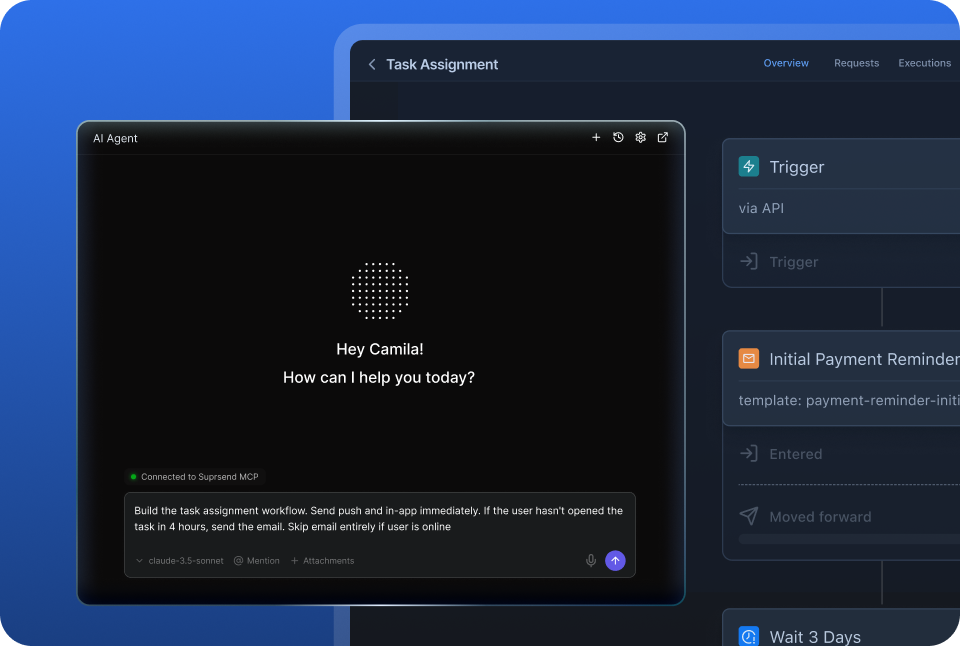
People and agents build, send and manage notifications from the tools they already use: the SuprSend agent in the dashboard or Slack, Claude or ChatGPT over MCP, Claude Code in the repo. Pushwoosh’s ManyMoney AI lives in the Control Panel, and its MCP drafts journeys that a person launches there.

Customise notifications per tenant, with per-user preferences

Each tenant has its own sending domain and provider, its own version of every template, its own channel and category defaults and a per-tenant feed, with sub-tenants nesting five levels deep. Pushwoosh organises work by project and app, and a customer account inside your product is a tag.

Users choose channels per category, admins set the defaults

A user can take mentions on push, billing on email and everything else in a Friday digest, and a tenant admin sets those defaults and makes security alerts mandatory. Pushwoosh’s preference centre covers email categories, push opt-out is a device setting, and frequency caps are set by the sender.

Digests, timezone holds and channel routing in every workflow

Ten comments become one digest at the time each user chose. A message waits for working hours in the user’s timezone. Routing tries the inbox, then push, then email, and stops once the user engages. Pushwoosh journeys check reachability and wait for triggers, and have no batching or digest step.

Ship notification changes like code, with a test mode

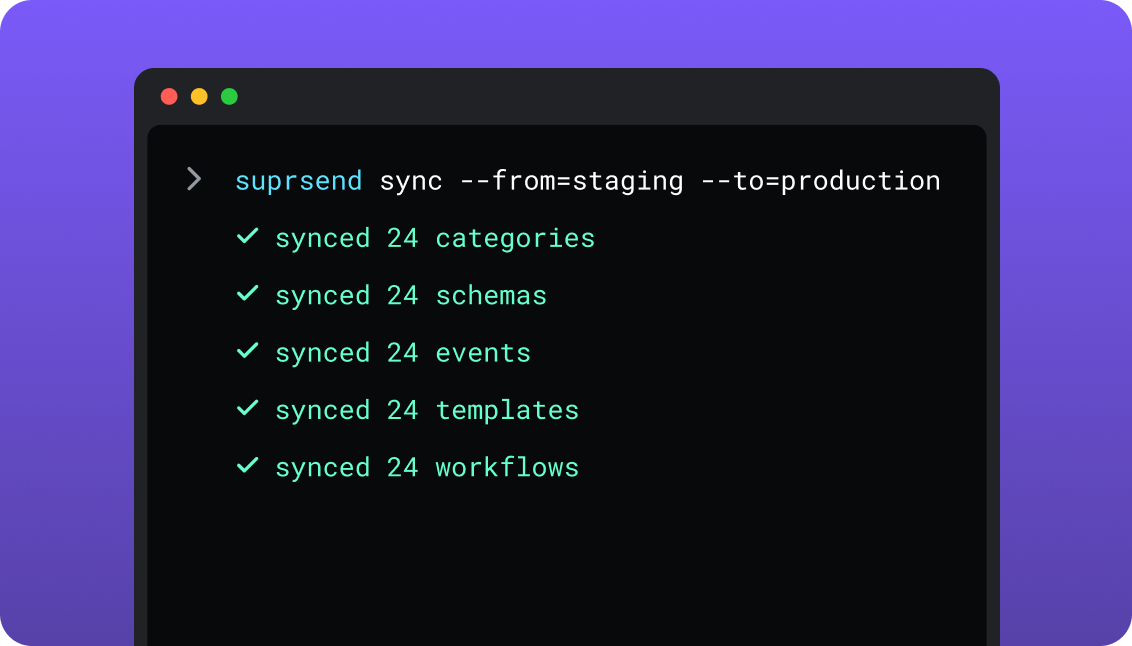
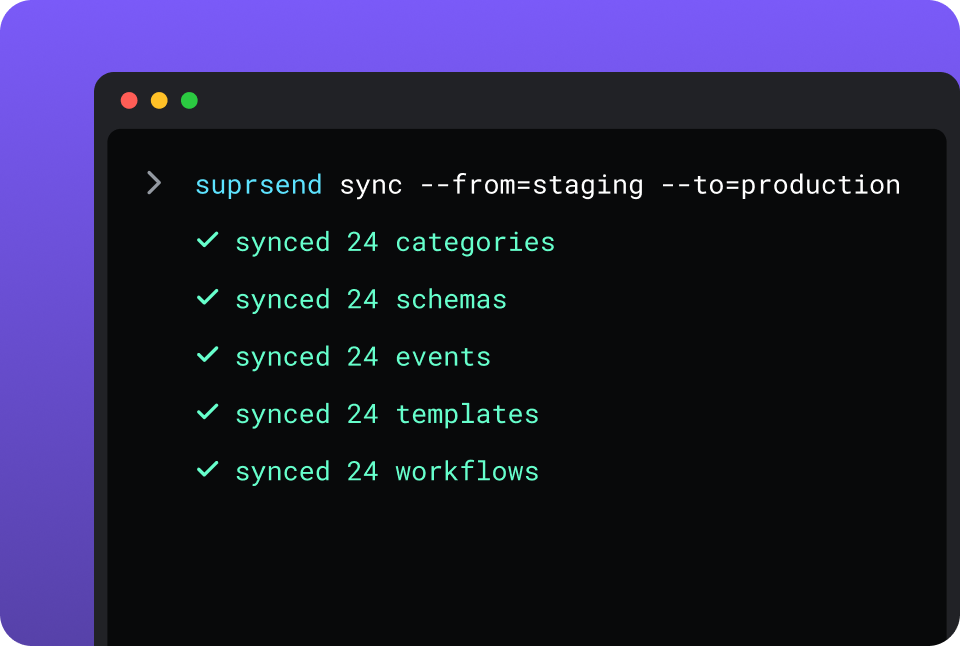
Development, staging and production come on every plan, test mode blocks real delivery, and the CLI moves workflows, templates, schemas and translation files through pull requests with rollback on each. Pushwoosh keeps 20 versions of push and email content plus journey history, and has no command-line tool.

Build notifications in the dashboard, in your own agent, or in your codebase

A product manager changes a workflow in the dashboard. A developer commits the same workflow as a file and ships it through a pull request. A marketer asks Claude to build a list and send a campaign. All three are working on the same workflows, templates and logs, so nobody waits on a ticket.

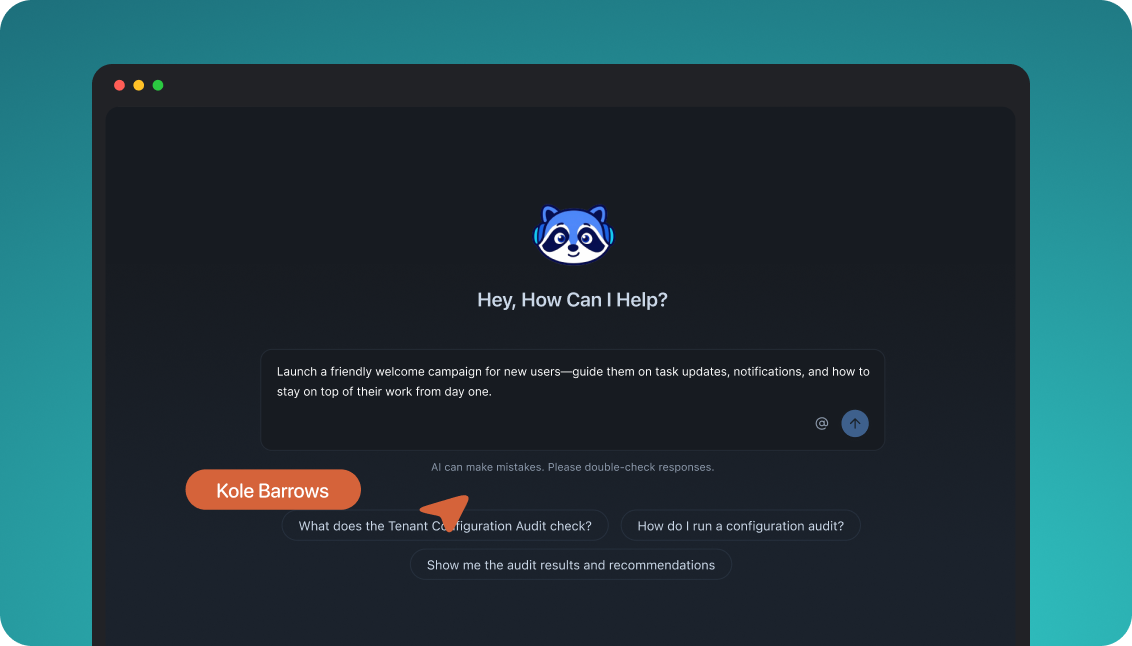
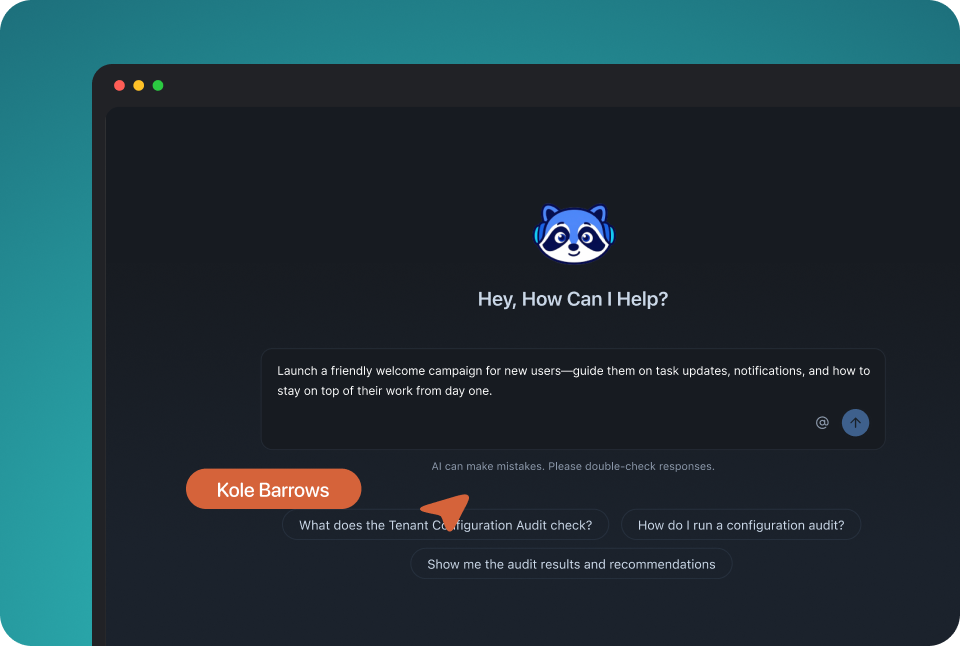
The built-in agent builds, edits and debugs notifications from a description; product and growth ship without a ticket.

In the dashboard

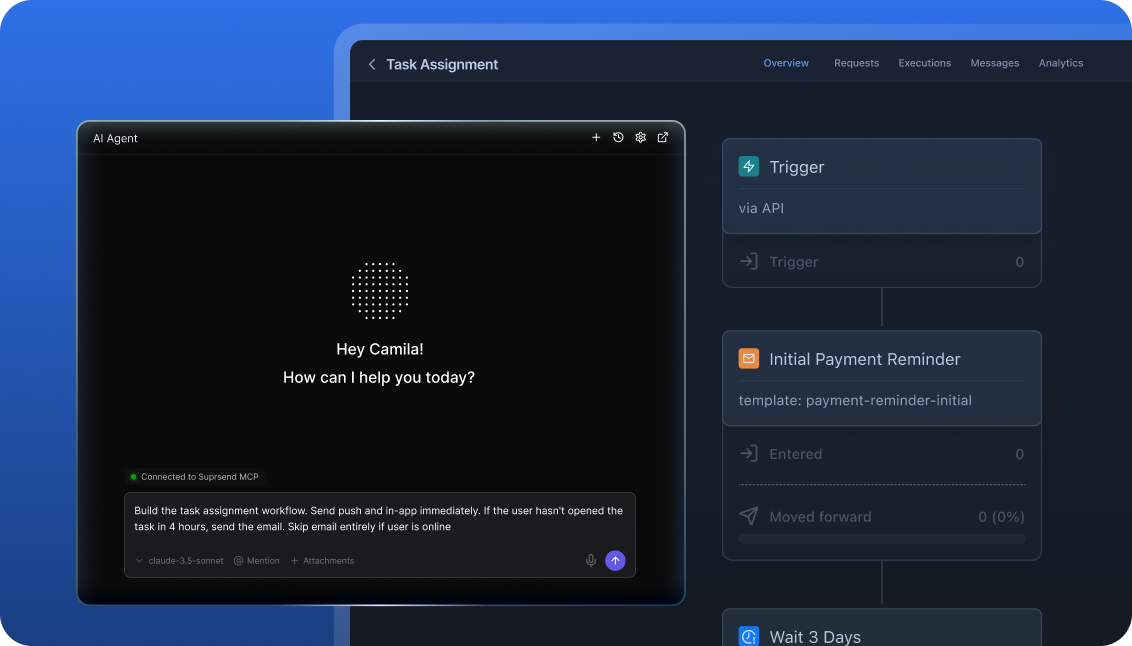
Connect the MCP to Claude, ChatGPT or any client and operate templates, workflows, tenants and preferences from there.

In your own agent

CLI and API keep workflows versioned, diffable and reviewed in pull requests; coding agents make bulk changes.

In your IDE or codebase
In the dashboardIn your own agentIn your IDE or codebase

One SuprSend customer runs its marketing email end to end from Claude Code, with nobody in the dashboard.

Pushwoosh is built in the Control Panel: the Customer Journey canvas, a drag-and-drop email editor, a no-code in-app editor and ManyMoney AI beside them. Its MCP server, in beta, lets Claude Desktop, Cursor or Windsurf build segments, presets and journeys, which a person reviews and launches in the Control Panel; a second messaging MCP sends. Developers send through the REST API. There is no command-line tool.

Everything from one place

Transactional, product and engagement messages on one set of users, one preference model and one log. A marketing team working in the SuprSend dashboard runs the event-driven transactional messages too, from the same workflows, lists and logs as its campaigns, with no second tool and no engineering ticket.

Lists built five waysFrom rules on properties and events, a scheduled SQL query on your warehouse, a CSV, the API, or a Segment, Mixpanel or Amplitude sync.
User properties with no schema to declareAny number per user, holding any JSON value, nested objects and arrays included.
An inbox inside your productA feed with read state, category tabs and per-tenant feeds on web and mobile, drop-in or headless.
Bring your own providers, with fallbackSendGrid, SES, Twilio or whichever providers you already pay, in an ordered list with a timer.
Batching, digest, translations, schemaFour batching modes, translation files per language, and every trigger checked against a JSON schema.
Logs that say whyRendered content, the provider’s error and the block reason for every message, kept 30 to 90 days.

Short answer

If this is youChoose
A mobile app whose messaging is marketing push and email, run by a marketing team, with no customer accountsPushwooshPushwoosh
Users are reached on LINE, KakaoTalk, Viber or Telegram, or through wallet passes and Live ActivitiesPushwooshPushwoosh
Each user gets many messages a month and a per-user price with unlimited push is the savingPushwooshPushwoosh
Transactional, product and customer engagement messages should live in one systemSuprSendSuprSend
Each customer account needs its own branding, content, providers and defaultsSuprSendSuprSend
Users should choose channels per category, with a digest schedule, across every channelSuprSendSuprSend
The product needs an inbox feed, Slack or Teams alongside push and emailSuprSendSuprSend
You want agents to build, send and manage your notifications from Claude, ChatGPT, Claude Code, Cursor or SlackSuprSendSuprSend
A marketing team wants its campaigns and the transactional messages in the same dashboardSuprSendSuprSend
Marketing already runs push campaigns in Pushwoosh and the product now needs transactional notifications and an inboxBoth

At a glance

SuprSendSuprSendPushwooshPushwoosh
Best whenNotifications are a product surface shared by engineering, product and growthA mobile marketing team runs push-led campaigns and journeys
Who uses itEngineers, product, growth, and agents over MCPMarketers, with engineers on the SDK
Messages coveredTransactional, product and customer engagement, in one systemMarketing campaigns; transactional sends flagged
Built and changed fromDashboard agent, your own agent over MCP, CLI and APIControl Panel, ManyMoney AI, MCP in beta, REST API
ChannelsEmail, SMS, WhatsApp, mobile push, web push, Slack, Teams, in-app inbox, webhookMobile and web push, in-app, email, SMS, WhatsApp, Viber, Telegram, LINE, KakaoTalk, Messenger, wallet passes
Multi-tenancyNested tenants with own provider, domain, templates and defaultsProjects and apps; no customer-account object
PreferencesPer category on every channel: channels, digest schedule, conditionsEmail categories; push opt-out on the device
Workflow logicBranch, batch, digest, wait, timezone hold, smart routingCondition split, waits, reachability check, A/B/n
ProvidersYour own, in an ordered fallback listEmail sent by Pushwoosh; SMS through one carrier
In-app inboxFeed with category tabs and per-tenant feeds; web and mobileSaved push messages; mobile and web
VersioningEvery workflow and template, all channelsPush and email content; journeys
EnvironmentsDevelopment, staging, production; test modeOne project per app; test devices
Log retention30 days Free, 90 days paidEvents kept one year
AIAgent in dashboard and Slack; MCP; Agent SDKManyMoney AI copilot; MCP in beta
HostingSuprSend cloud; your VPC, on-prem or BYOC on EnterprisePushwoosh cloud, EU or US; private cloud on custom plan
Pricing modelPer notification per channel; a digest counts as onePer monthly active user; push and in-app unlimited
ImplementationDays: API or SDK call, workflows in the dashboard or by CLI2 to 10 days for the SDK and user import
G24.8, 129 reviews4.4, 50 reviews

What each is built for

PushwooshPushwoosh

Pushwoosh is a customer engagement platform that started with mobile push and grew into email, SMS, WhatsApp and messaging apps. A marketing team segments the audience, builds journeys on a canvas, tests variants and reads revenue results.

It suits consumer apps where push drives retention and a marketing team owns the messaging. Engineers install the SDK once, and the rest of the work happens in the Control Panel, with ManyMoney AI tuning live campaigns.

SuprSendSuprSend

SuprSend is notification infrastructure for products where engineering, product and growth all send messages. A password reset, a mention and a campaign run through the same workflows, preferences and logs, on nine channels.

It suits products with many kinds of message and, often, many customer accounts that each need their own setup. Engineers integrate once; product and growth change workflows from the dashboard, and agents work in it as users.

Where Pushwoosh wins

More channels and push surfacesViber, Telegram, LINE, KakaoTalk and Facebook Messenger, Apple and Google Wallet passes, iOS Live Activities, and Huawei and Amazon push.
Email included in the pricePushwoosh sends email on its own infrastructure, with 20 sends per monthly user included and $1.50 per extra 1,000.
Cheaper when each user gets many messagesBilling counts each user once a month, push and in-app are unlimited, and the Push only plan is $7 per 1,000 users until 31 December.
Experiments inside journeysA/B/n splits, a multi-armed bandit step and holdout groups, with revenue compared against a control group.
A copilot that tunes campaigns for revenueManyMoney AI adjusts content, timing and channel on live campaigns, on every plan.
Content approval before sendA reviewer with the Approve messages permission signs off each push and email version before it can go out.
Client SDKs for more platformsUnity, Capacitor, Cordova, MAUI, Expo, OutSystems, macOS, Windows and visionOS, beside iOS, Android and web.
Enough on its own for marketing pushA mobile app whose messages are campaigns run by a marketing team, with no customer accounts and no product notifications beyond push, has what it needs.

Where SuprSend wins

Slack and Teams as channelsA workflow can message a user or a channel in Slack or Microsoft Teams, and call a webhook, from the same step as email and push.
Things as recipientsAn order, a team or a device is an object with its own channels and subscribers, notified like a user.
Workflow depth for product eventsSub-workflows, data transforms, fetch-from-API steps and cancellation by run, recipient or workflow, all versioned.
A template editor you can embedA React SDK puts the template editor inside your own product, so your customers edit their own messages.
Logs in your own toolsS3 Parquet every five minutes and CSV export to 50 million rows on Business; Datadog and New Relic on Enterprise.
Unlimited team members on every planEvery engineer, product manager and marketer gets a seat, Free included.
An Agent SDKBuild your own agents that send and manage notifications, on OpenAI, LangChain or Vercel AI.
A choice of where it runsSuprSend cloud on every plan, or your VPC, your data centre or bring your own cloud on Enterprise, with the full product and support.

Who works in it

PushwooshPushwoosh

Marketers build segments, journeys, email and in-app content in the Control Panel, with AI to draft copy and suggest segments. Engineers integrate the client SDK and send through the REST API; journeys and content stay in the Control Panel.

Agents connect to the ManyMoney MCP from Claude Desktop, Cursor or Windsurf to build segments, presets and journeys and to explain a failed push; sending goes through a separate messaging MCP.

SuprSendSuprSend

Engineers integrate once through the API, a server SDK in Python, Node, Java or Go, the CLI and MCP, and keep workflows and templates in the repo. Product and growth build workflows, lists, content and broadcasts in the dashboard, or have the built-in agent build them, with versions to roll back and a test mode.

Agents connect over MCP from Claude, ChatGPT, Claude Code or Cursor and create users and tenants, set preferences, write templates, trigger a notification, run a broadcast and read the log.

Feature by feature

From both pricing pages, documentation sites and product pages, September 2026. Plan names mark the lowest plan that includes a feature.

How notifications are built and changed

Every SuprSend workflow, template and translation has an API and a file form behind the dashboard, so it can be scripted, versioned and reviewed. Pushwoosh is built in the Control Panel, with a REST API for sending and an MCP server that drafts journeys for a person to launch.

CapabilitySuprSendSuprSendPushwooshPushwoosh
Visual builder YESWorkflow builder in the dashboard YESCustomer Journey canvas
Workflows and templates managed by API YES PARTIALMessages, presets and journey entry by API
Command-line push and pullWorkflows, templates, schemas, events, categories and translation filesNo command-line tool
Promote staging to production YESBy CLI, from CI NO
Change many assets in one command or prompt YES PARTIALManyMoney AI over MCP, reviewed in the Control Panel
Version history and rollback YESEvery workflow and template, all channels PARTIALPush and email content, last 20 versions; journey history
Embed the UI in your product YESInbox, preference centre and template editor PARTIALInbox UI, ready-made or custom

Teams and scope

Pushwoosh is built for marketing teams running campaigns, with engineers on the SDK. SuprSend puts engineering, product and growth in the same workflows and runs every kind of message through them.

CapabilitySuprSendSuprSendPushwooshPushwoosh
Who builds workflowsEngineers, product and growth, in the dashboard or by CLIMarketers and product teams, in the Control Panel
Who builds audiencesAnyone: rules, warehouse SQL, CSV, CDP syncMarketers: tags, events, geo, CSV import
Transactional notifications YESOn every channel YES, BUTA flag on the send that skips frequency capping
Product notifications YES YESEvent- or API-started journeys
Customer engagement campaigns YESOn every plan YES
One preference model across all three YES NOCategories cover email only
EnvironmentsDevelopment, staging and production on every planOne project per app; test devices
Test mode that blocks real delivery YES PARTIALSends go to registered test devices

Data model and tenancy

This is the widest gap. A SuprSend tenant is a customer account with its own provider, content and defaults. Pushwoosh organises work by project and app, and a customer account inside your product is a tag or a segment.

CapabilitySuprSendSuprSendPushwooshPushwoosh
User identityUser ID holding every device, email and phoneUser ID linking devices, emails and phone numbers
User propertiesAny number, any JSON value, nested objects and arraysTags typed at creation: integer, string, list, date, boolean, price, version
Non-user recipients YESObjects: an order, a team, a device; Business NO
Tenants YESNested five levels; Business add-on or Enterprise NOProjects and apps only
Per-tenant provider and sending domain YES NO
Per-tenant template version YESMatched by tenant ID at send NO
Tenant-admin preference defaults YESDefaults, mandatory channels, visible categories NO
Per-tenant inbox feed YES NO

Marketing campaigns and lists

Both run one-time, scheduled and recurring campaigns to a segment. Pushwoosh builds the segment from tags, events and location and goes further on experiments; SuprSend builds it from properties, events, your warehouse or a CDP, and sends it through the same workflow engine as transactional messages.

CapabilitySuprSendSuprSendPushwooshPushwoosh
How a list is builtRules on properties and events; scheduled warehouse SQL; CSV; API; Segment, Mixpanel, Amplitude syncSegments on tags, events, geozones, other segments, compound filters, RFM; CSV import; AI builder
Lists that refreshRules and warehouse queries re-run on a schedule; Enterprise, or an add-onSegments are filters on current tags and events
Broadcast channelsAny of the nine, or several in one sendAny Pushwoosh channel
SchedulingOne-time, scheduled, recurring; in the recipient’s timezoneOne-time, scheduled, recurring; per-user timezone
Broadcast through a workflow YESBatches, routes, falls over and checks preferences YESAudience-based journey entry
Transactional messages in the same dashboard YESEvent-driven workflows beside lists and broadcasts YES, BUTSent with the transactional flag
Campaign analyticsDelivered, seen, clicked, unsubscribed per broadcast, template, category and tenantOpens, clicks, conversions, revenue, retention, journey funnels
A/B tests NO YESA/B/n splits, multi-armed bandit, holdout
Frequency caps across campaigns PARTIALThrottle per workflow; Essentials YESPer channel, rolling or calendar window up to 30 days

Channels

Pushwoosh reaches more consumer messaging apps and push surfaces, and sends email itself. SuprSend adds Slack, Teams and a feed channel, and sends email and SMS through providers you choose, with fallback between them.

CapabilitySuprSendSuprSendPushwooshPushwoosh
Email YESThrough your provider: SendGrid, SES, Postmark and others YESSent by Pushwoosh; 20 sends per MAU included
SMS YESThrough your provider YESThrough a configured carrier
WhatsApp YESProvider or WhatsApp Cloud API YESMeta fees billed separately
Mobile and web push YESDirect, no intermediary YESiOS, Android, Huawei, Amazon, web, macOS, Windows
In-app inbox YESA channel with its own template YES, BUTPush messages saved to an inbox
Slack and Microsoft Teams YESTo a user or a channel NOSlack posts are a journey integration
Viber, Telegram, LINE, KakaoTalk, Messenger NO YES
Wallet passes and iOS Live Activities NO YES
Webhook YESAs a channel YESAs a journey element
Provider failover YESOrdered list, timer, stop on delivery confirmation; Essentials NOOne sender per channel

Workflows

Both branch, wait for events, delay and call out to HTTP endpoints. SuprSend adds one step that sends to several channels, batching and digest, smart routing that stops on engagement, and schema validation on every trigger.

CapabilitySuprSendSuprSendPushwooshPushwoosh
TriggersEvent, API call, schedule, listEvent, API call, audience
Several channels in one step YES PARTIALOne channel per journey element; the send API takes several
Branching YESBranch node YESCondition split
Wait for an event YES YESWait for Trigger
Batch and digest YESUser-chosen time, batch until a due date; Business NO
Timezone and working hours YESRecipient timezone, Essentials; work hours, Business YESPer-user timezone schedule
Try channels in order, stop on engagement YESSmart channel routing PARTIALReachability check picks a channel the user can receive
Payload validated against a schema YESJSON schema NO
HTTP call mid-flow YESFetch from API and webhook steps YESWebhook element; response data usable

Templates and content

Pushwoosh has deep marketing editors for email and in-app. SuprSend has a rich editor for every channel, variants by tenant or user, version history on all of them, and an editor you can embed in your own product.

CapabilitySuprSendSuprSendPushwooshPushwoosh
EditorsRich editors for all nine channelsDrag-and-drop and HTML email; no-code in-app; push and SMS presets
Template languageHandlebars; JSONNET for Slack and Teams cardsLiquid
Translations YESTranslation files per language, pushed by CLI; Business YESMulti-language content; AI translation; CSV for push
Variants YESBy tenant, user, event data or language PARTIALEmail blocks shown to chosen recipients
Version history YESEvery channel PARTIALPush and email only
Embeddable template editor YESReact SDK inside your product NO
AI copy YESAgent drafts copy per channel YESPush AI composer; AI tools in the email editor

Preferences

A preference is the user’s choice of which notifications they get and where. SuprSend resolves it per category across every channel, with a digest schedule and a tenant layer. Pushwoosh keeps email categories, and push opt-out lives on the device.

CapabilitySuprSendSuprSendPushwooshPushwoosh
ModelPer category: channels, digest schedule, condition rulesEmail categories stored as a user tag; push opt-out on the device
Channels coveredEvery channelEmail
PrecedenceUser per tenant, then tenant admin, then category defaultThe user’s category tag
Preference centre YESDrop-in, headless, or hosted page; Business YESEmail preference centre
User-chosen digest schedule YES NO
Unsubscribe page for any email YESGenerated automatically YESCategory page linked from the email

In-app inbox

An inbox is a feed inside your product that keeps notifications after they arrive. SuprSend’s is a channel any workflow can send to; Pushwoosh’s keeps the push messages the sender marks to save.

CapabilitySuprSendSuprSendPushwooshPushwoosh
What goes in itAny workflow message, with its own inbox templatePush messages flagged Save to inbox
WebDrop-in for React, Angular, Vue and JS; headless hooksInbox in the web push SDK
MobileNative iOS and Android; headless React Native, Flutter, iOSNative iOS and Android libraries; Cordova, React Native, Flutter, Xamarin
Reaches users without push permission YES YESSilent delivery to the inbox
Read state and unread count YES YES
Tabs, category filters, per-tenant feed YES NO
Toasts, pin, archive, snooze, action buttons YES PARTIALTap reopens the push action or an in-app banner

Analytics and logs

Pushwoosh reports deeply on campaigns and journeys, down to revenue. SuprSend keeps a per-message log that names why a send was blocked and ships it to your own storage and monitoring tools.

CapabilitySuprSendSuprSendPushwooshPushwoosh
Per-message record YESRendered content, provider error, block reason YESMessage history and per-message statistics
Why a message was skipped YESOpt-out, no channel, template error YESExclusion and journey drop-off reasons
Retention30 days Free, 90 days paid, custom on EnterpriseEvents kept one year
Campaign and journey reportingDelivered, seen, clicked per workflow, template and tenantDashboards, journey funnels, revenue, retention cohorts
ExportS3 Parquet every five minutes; CSV to 50M rows; BusinessEvent streaming; BigQuery integration
Monitoring tools YESDatadog, New Relic; Enterprise NO
AI explains a failed send YESThe agent traces it YESManyMoney AI troubleshooting

Developer experience

Pushwoosh has client SDKs for more platforms. SuprSend has server SDKs, a CLI, generated types and three environments on every plan.

CapabilitySuprSendSuprSendPushwooshPushwoosh
Server SDKsPython, Node, Java, GoREST API; community libraries
Client SDKsJS, React, React Native, Flutter, iOS, AndroidiOS, Android, web, React Native, Flutter, Cordova, Capacitor, Unity, MAUI, Expo, OutSystems, macOS, Windows, visionOS
CLI YES NO
TypeScript types from event schemas YES NO
Coding-agent setupOne-command skill install for Claude Code, Cursor, WindsurfSDK prompts for coding assistants
DocsChannel quickstarts, use-case guides, runnable example appsSDK guides, API reference, tutorials

AI, by what it can do

Both have an in-product AI and an MCP server. SuprSend’s agent also works in Slack and sends from any agent over one server; Pushwoosh splits building and sending across two MCP servers and adds a copilot that tunes live campaigns for revenue.

CapabilitySuprSendSuprSendPushwooshPushwoosh
Built-in agent YESDashboard and Slack; builds workflows, writes copy, traces sends YESManyMoney AI in the Control Panel
MCP server YESLocal, through the CLI YES, BUTHosted, in beta
What an agent builds over MCPUsers, tenants, objects, preferences, workflows, templates, broadcastsApps, segments, presets, journeys, integrations, vouchers
Send from an agent YESTrigger a workflow or run a broadcast YES, BUTThrough the separate messaging MCP
Agent in Slack YES NO
Agent SDK for your own agents YESOpenAI, LangChain, Vercel AI NO
Autonomous campaign tuning NO YESContent, timing and channel, toward revenue

Security, compliance, support

Both hold SOC 2 Type 2 and HIPAA. Pushwoosh adds ISO 27001:2022; SuprSend adds deployment in your own cloud.

CapabilitySuprSendSuprSendPushwooshPushwoosh
CertificationsSOC 2 Type II, GDPR, HIPAA; ISO 27001 and CPRA in progressISO 27001:2022, SOC 2 Type 2, HIPAA, GDPR, EU-US Data Privacy Framework
Two-factor sign-in YESEvery plan YESPasskeys too
Roles and permissions YESEnterprise YESUsers and roles
SAML SSO YESEnterprise YES, BUTCustom plan
HostingSuprSend cloud on every plan; your VPC, on-prem or BYOC on Enterprise, full product, supportedPushwoosh cloud, EU or US data centres; dedicated private cloud on the custom plan
SupportSlack community; chat and email on paid; phone and a named CSM on EnterpriseSupport team; 24/7 priority support and a dedicated manager on the custom plan
Uptime99.9%; SLA on EnterpriseSLA on the custom plan

Pricing and implementation

The unit decides the bill. SuprSend counts one notification per user per channel, and a digest counts as one; Pushwoosh counts each user messaged in the month once, with push and in-app unlimited and 20 emails per user included. Take 50,000 monthly users who each get eight pushes and two emails: about $637 a month on Pushwoosh Omnichannel, email included, against about $2,500 on SuprSend Business plus your email provider; if each gets one message a month, SuprSend Essentials is $100 and Pushwoosh is still about $637. Pushwoosh is cheaper when each user gets many messages. Compare on your own messages-per-user ratio; SuprSend’s pricing page and Pushwoosh’s have the tiers.

CapabilitySuprSendSuprSendPushwooshPushwoosh
Billing unitNotification per user per channel; a digest counts as one; opt-out blocks not billedMonthly active user messaged on any channel, counted once by User ID
Free10,000 notifications; every channel; unlimited team membersUp to 1,000 MAU; full platform; 5 AI requests a day
Entry paidEssentials $100 per month, billed annually; 50,000; $2 per extra 1,000Omnichannel $13 per 1,000 MAU; Push only $7 until 31 December; Email only $5 per 1,000 recipients
Next tierBusiness $250 per month, billed annually; adds digest, preferences, objectsCustom plan once the bill passes $3,000 a month
Email and SMS costsBilled by your own providersEmail included, $1.50 per extra 1,000; SMS and WhatsApp billed by providers
EnterpriseCustom; volume discounts; per-user billing optionCustom; volume discounts; SLA, SSO, dedicated manager
Time to first notificationSame day2 to 10 days to integrate the SDK and import users

Migrating from Pushwoosh to SuprSend

Users, tags and segments carry across as data. Journeys and content are rebuilt, and devices re-register through the SuprSend SDK, so most of the work is the journeys.

PushwooshSuprSendMoves how
User ID and devicesUser with channelsUsers API or server SDK; tokens re-register via the SDK
TagsUser propertiesExport tags; upsert as JSON properties
SegmentsListsRebuild the rules, or sync from warehouse or CDP
EventsEventsPoint your tracking or Segment at SuprSend
Customer JourneyWorkflowRebuild in the builder; pull to the repo by CLI
Push presets, email contentTemplates with versionsRecreate in the editors; paste email HTML
Email categoriesPreference categoriesPreferences API; map each category tag
Message inboxInbox channelSwap the inbox SDK behind a flag
Pushwoosh email and SMS carrierVendorsConnect your providers with a fallback order
Message statisticsLogsExport Pushwoosh history first; no import
01

Inventory every journey, preset, segment and tag, and decide which messages map to which preference categories.

02

Stand up SuprSend development and staging. Connect email and SMS providers with a fallback order, and create tenants if you have customer accounts.

03

Import users and tags, rebuild segments as lists, and map email category tags to preferences.

04

Rebuild the critical flows first: verification codes, receipts and security alerts. Test them in test mode, then pull them into your repo.

05

Ship the SuprSend SDK in an app release so devices register, and run both platforms in parallel on those flows for a week.

06

Move the campaigns and remaining journeys, cut over, and keep an export of Pushwoosh statistics for reference.

Enterprise customers get migration support and a scoped plan; on other plans the Slack community and docs are the path.

FAQ

Is SuprSend better than Pushwoosh?
SuprSendSuprSend

SuprSend is better when a product sends many kinds of message, often to many customer accounts, and engineering, product and growth all change them. It runs transactional, product and engagement messages in one system, with tenants, category preferences and developer tooling.

PushwooshPushwoosh

Pushwoosh is better when push-led marketing campaigns are the job, a marketing team runs them, and experiments, revenue reporting and a per-user price with unlimited push matter most.

Does SuprSend support multi-tenancy, and how does Pushwoosh compare?
SuprSendSuprSend

SuprSend tenants send through the customer’s own email domain and provider, carry their own template version, and set the defaults, mandatory channels and visible categories their users start from, nesting five levels deep. It is a Business add-on or on Enterprise; see tenants.

PushwooshPushwoosh

Pushwoosh scopes work by project and app. A customer account inside your product is a tag or a segment, sharing one sender, one set of templates and one set of defaults.

How do preferences differ?
SuprSendSuprSend

SuprSend resolves preferences per category on every channel: the channels, a digest schedule and condition rules, with the tenant admin’s defaults above the user and the category default below.

PushwooshPushwoosh

Pushwoosh has an email preference centre with categories stored as a user tag, push opt-out on the device, and sender-set frequency caps on marketing sends.

Can I keep Pushwoosh for push and use SuprSend for the rest?

Yes, side by side. SuprSend sends push directly and does not route through Pushwoosh, so Pushwoosh would keep the push campaigns and SuprSend would run email, SMS, WhatsApp, Slack, Teams, the inbox and the transactional messages. The cost is two user records, two opt-out models and two logs.

Does Pushwoosh fall back to another provider if a send fails?

No. Pushwoosh sends email itself and SMS through one configured carrier; a journey can check reachability and pick another channel. SuprSend’s provider fallback moves to the next provider on the list after a set time and stops once delivery is confirmed.

Where does each run, and can I self-host SuprSend?
SuprSendSuprSend

SuprSend runs in SuprSend cloud on every plan, and in your VPC, your data centre or self-hosted on Enterprise, with the full product and vendor support.

PushwooshPushwoosh

Pushwoosh runs in Pushwoosh cloud, with EU or US data centres and a dedicated private cloud on the custom plan.

Which is cheaper?

It depends on how many messages each user gets. SuprSend bills per notification per channel, and a digest counts as one. Pushwoosh bills each user messaged in a month once, with push and in-app unlimited, so it is cheaper for apps that message each user often.

How do I migrate from Pushwoosh to SuprSend?

Users, tags and segments move through the users API, a server SDK or a CDP sync. Journeys and content are rebuilt, then kept in your repo through the CLI, and devices register through the SuprSend SDK in an app release. Most teams run both in parallel on the critical flows for a week before cutting over.

Related Resources

Can agents build and send my notifications?SuprSend Agent SDK
Can SuprSend run inside my own cloud?Bring your own cloud
What does SuprSend cost at my volume?SuprSend pricing

There’s no better place for you
to build notifications

Join thousands of product & engineering teams using SuprSend to build and ship better notifications—faster.