Postmark delivers transactional email fast. SuprSend decides what is sent, on which channel and when, and sends the email through Postmark. Most teams use both.
Trusted infrastructure layer behind hundreds of platforms
Postmark is a transactional email provider, and SuprSend sends its email step through it. Postmark gives engineers a send API, SMTP and email templates. SuprSend is the notification infrastructure above it, where engineering, product and growth run transactional, product and engagement messages on nine channels.
Send the email through Postmark and run everything around it
Postmark delivers the email. The SuprSend workflow decides whether a message should go, on which channel, when, and to whom, then hands the email step to Postmark and moves to a backup provider if Postmark does not confirm delivery. The right message reaches the right user at the right time on the right channel, with none of that logic in your application code.
One workflow reaches every channel
One send step covers email, SMS, WhatsApp, mobile push, web push, Slack, Teams, the in-app inbox and webhooks. Adding a channel is a step in the workflow, on the same user record and log. Postmark sends and receives email; SMS, push and chat need other vendors and your own code.
Every kind of message runs from one system
SuprSend unifies transactional, product and customer engagement messages in one system. A password reset, a comment notification and a win-back campaign share the same users, preferences and logs. Postmark keeps transactional and broadcast email on separate Message Streams, and has no contact list, segment or campaign of its own.
Each customer account is a tenant with its own setup
Each tenant carries its own branding, template version, channel defaults and inbox feed, with sub-tenants nesting five levels deep, and can send through its own Postmark server. Postmark isolates by server, each with its own token and templates; branding and defaults per customer are logic you write.
Users choose channels per category, admins set the defaults
Per category, a user picks channels and a digest schedule, a tenant admin sets the defaults above them, and every send checks those choices first. A hosted page and embeddable components ship with it. Postmark runs the unsubscribe flow on a broadcast stream; a transactional opt-out is a check in your code.
Digests, timezone holds and failover in every workflow
Fifty comment events become one email at the time the user chose. An alert raised at 2 a.m. waits for 9 a.m. local time. If Postmark does not confirm delivery, the email step moves to a backup provider. Postmark sends each email the moment your server calls it, with no delay, digest or schedule.
Logs that say why a message did not arrive
Each message keeps its workflow run, rendered content, Postmark’s response and the reason a send was blocked, searchable by user for 30 to 90 days. Postmark’s activity log shows every email it was asked to send and each event after, for 45 days, and nothing about sends your code never made.
On its own, Postmark covers email well: a send API and SMTP, batch sends of 500 a call, a Bulk API for broadcast streams, templates with layouts, webhooks for every delivery event, inbound parsing, and a status page that publishes time to inbox. It does not store users, send on another channel, hold a preference per category, or wait, batch or branch.
Build notifications in the dashboard, in your own agent, or in your codebase
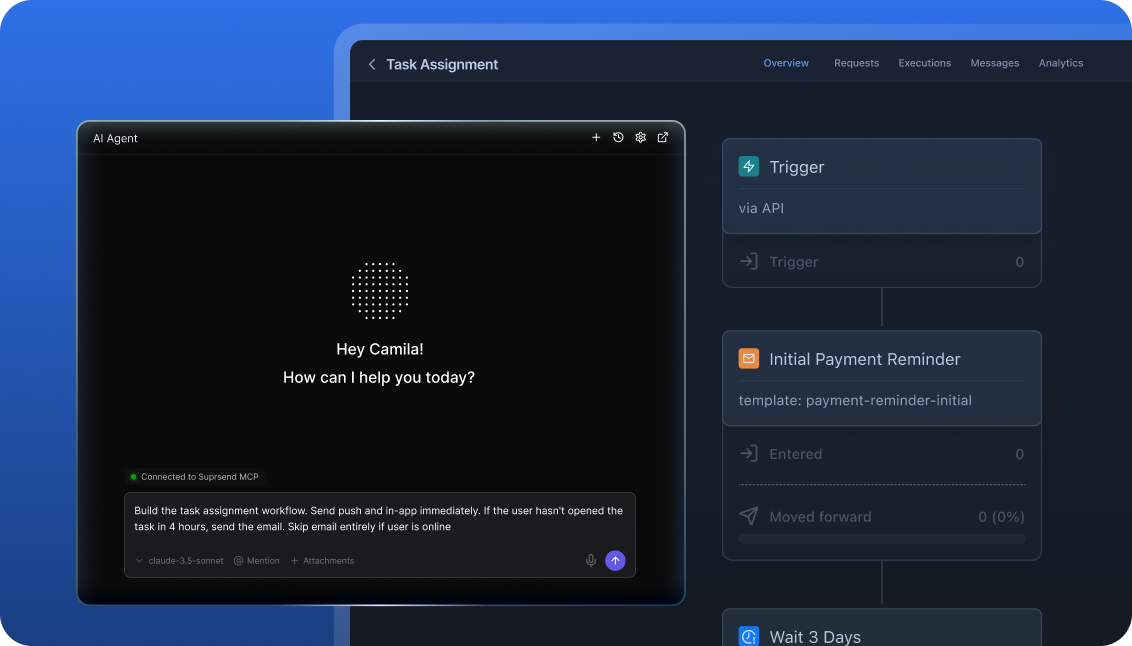
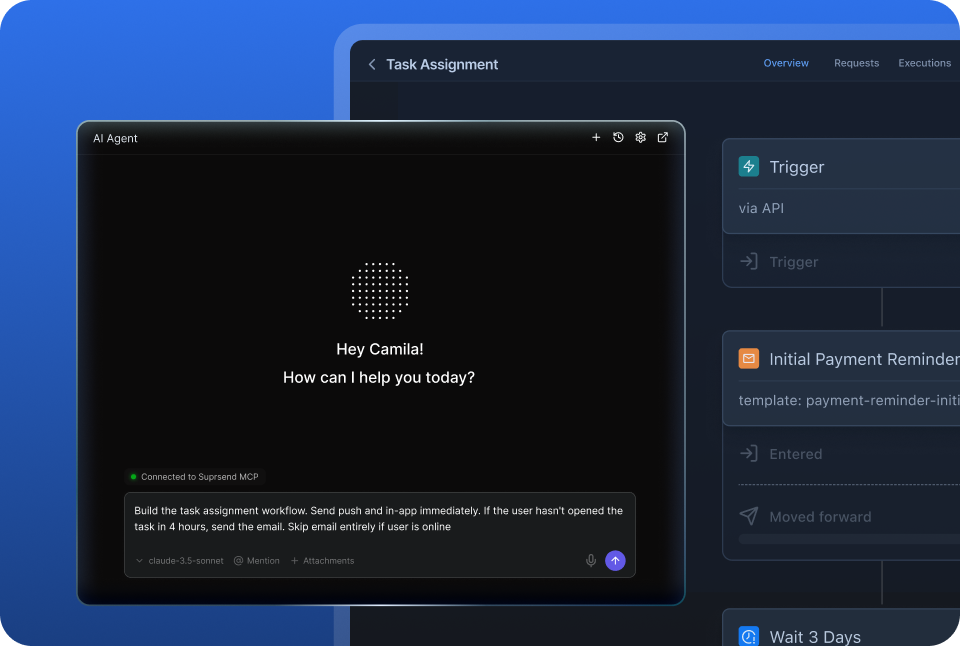
A product manager changes a workflow in the dashboard. A developer commits the same workflow as a file and ships it through a pull request. A marketer asks Claude to build a list and send a campaign. All three are working on the same workflows, templates and logs, so nobody waits on a ticket.
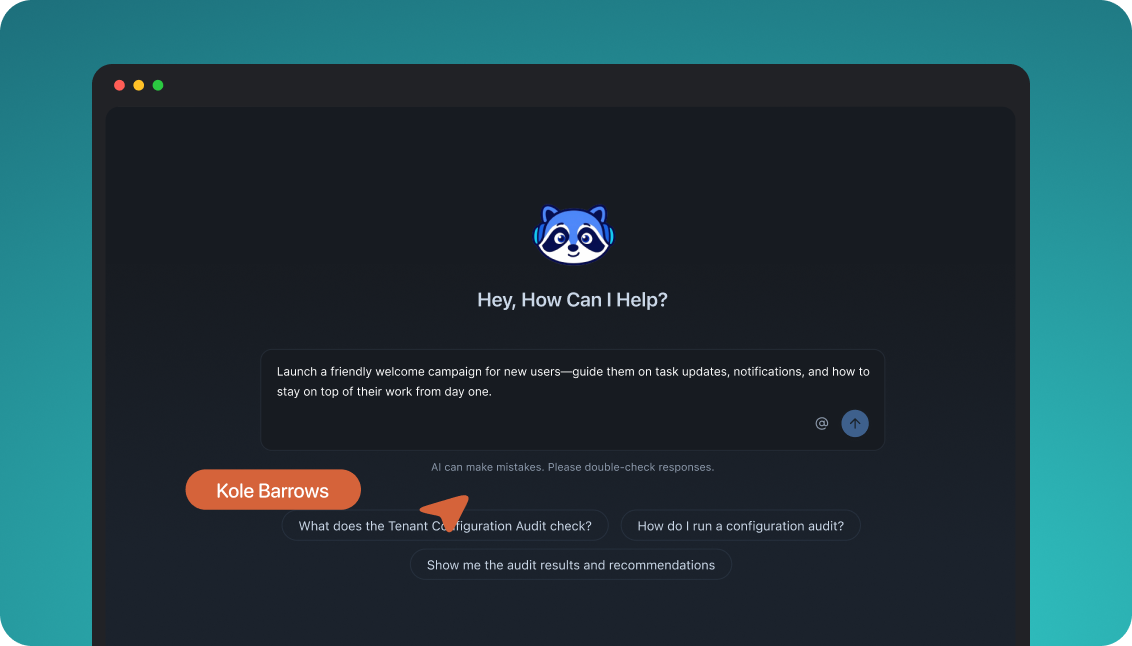
The built-in agent builds, edits and debugs notifications from a description; product and growth ship without a ticket.
Connect the MCP to Claude, ChatGPT or any client and operate templates, workflows, tenants and preferences from there.
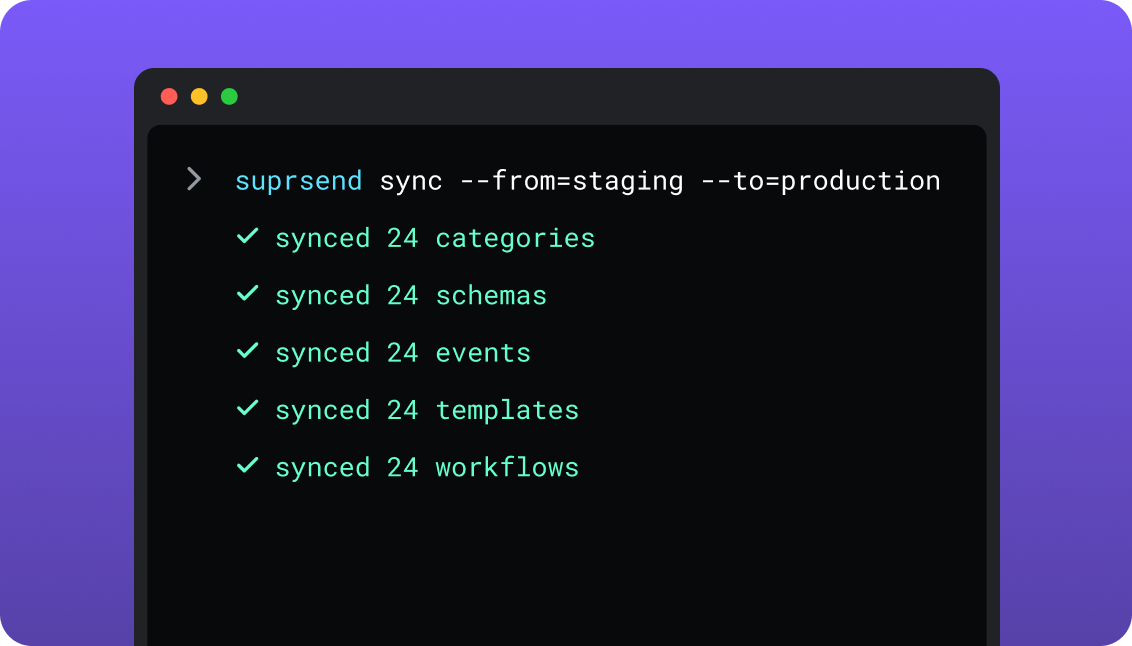
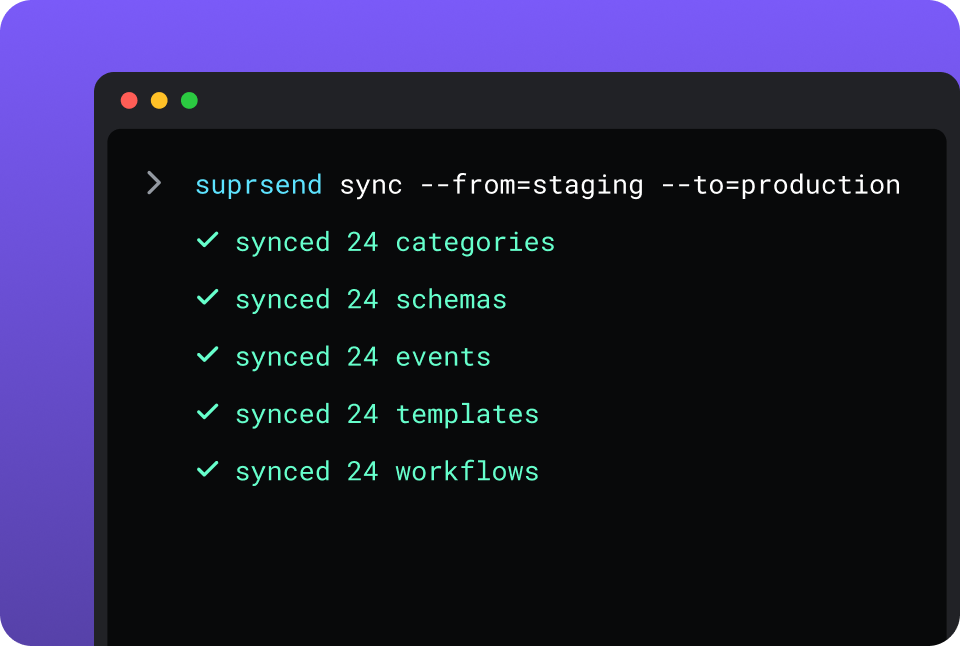
CLI and API keep workflows versioned, diffable and reviewed in pull requests; coding agents make bulk changes.
One SuprSend customer runs its marketing email end to end from Claude Code, with nobody in the dashboard.
Postmark is built from code and a template editor. Developers send through the API, SMTP or an official library, and the Postmark CLI pulls and pushes templates between servers. The Postmark MCP server gives Claude, Cursor or Windsurf 24 tools for sending, templates, message search and a one-call delivery diagnosis, and open-source Skills teach coding agents to write Postmark code. Postmark stores no workflows, and its templates keep no version history.
Short answer
If this is you
Choose
Every message is an email to one address, and your engineers own the logic around each send
Postmark
Deliverability is the whole problem, and you want broadcast mail on separate infrastructure and a provider that publishes its time to inbox
Postmark
One trigger has to reach the user by email, push, SMS, WhatsApp or an in-app inbox
SuprSend
Messages need delays, digests, branches, or an SMS when the email goes unopened
SuprSend
Users should choose which notifications they get and on which channel
SuprSend
Each customer account needs its own branding, content, defaults and sending server
SuprSend
Product and growth should change notification content and logic without a deploy or a ticket
SuprSend
A marketing team wants its campaigns and the transactional messages in the same dashboard
SuprSend
You want agents to build, send and manage your notifications from Claude, ChatGPT, Claude Code, Cursor or Slack
SuprSend
Postmark is already wired in and you are now writing the user table, the retry queue and the opt-out check
Both
At a glance
SuprSend
Postmark
Best when
SuprSendNotifications span channels and teams, with logic and preferences around each send
PostmarkEmail is the only channel and your code owns the logic
Who uses it
SuprSendEngineers, product, growth, and agents over MCP
PostmarkEngineers through the API; support and ops in the activity log
Messages covered
SuprSendTransactional, product and customer engagement, in one system
PostmarkTransactional and broadcast email on separate streams; inbound email
Layer
SuprSendDecides channel, timing, content and recipient; sends through providers
PostmarkDelivers email over API and SMTP
Built and changed from
SuprSendDashboard agent, your own agent over MCP, CLI and API
PostmarkApplication code, CLI, template editor, Postmark MCP server
Channels
SuprSendEmail, SMS, WhatsApp, mobile push, web push, Slack, Teams, in-app inbox, webhook
SuprSendPer category and channel, digest schedule, tenant defaults
PostmarkUnsubscribe and suppression per broadcast stream
Multi-tenancy
SuprSendNested tenants with own branding, templates, defaults
PostmarkA server per customer; 5, 10 or unlimited by plan
In-app
SuprSendPersistent inbox with read state, plus toasts
PostmarkNone
Templates
SuprSendEditors for nine channels, versions, translation files
PostmarkEmail templates with layouts, per server, no versions
Delivery data
SuprSendPer-user log with errors and block reasons; 30 to 90 days
PostmarkPer-message events; 45 days, up to 365 as an add-on
AI
SuprSendAgents build workflows, write copy, send, and read the log
PostmarkMCP server with 24 email tools; Skills for coding agents
Hosting
SuprSendSuprSend cloud on every plan; your VPC, on-prem or BYOC on Enterprise
PostmarkPostmark cloud; data stored in the US
Pricing model
SuprSendPer notification per channel; 10,000 free, Essentials $100 per month
PostmarkPer email sent or received; 100 free, Basic from $15 per month
Implementation
SuprSendDays: Postmark token added as the email vendor, workflows in the dashboard
PostmarkMinutes to a first send; weeks for the code around it
G2
SuprSend4.8, 129 reviews
Postmark4.6, 32 reviews
What each actually is
Postmark
Postmark is a transactional email service owned by ActiveCampaign. It accepts an email over its API or SMTP and gets it to the inbox. An account holds servers, each with its own token, Message Streams and templates, and broadcast mail runs on its own stream with separate infrastructure.
Postmark is one of the email providers SuprSend sends through, and it charges per email. What surrounds each send is yours to build: the user record, the decision to send at all, every other channel, preferences, and the code that waits, batches or retries.
SuprSend
SuprSend is notification infrastructure for products where more than one team works on notifications. An event or an API call starts a workflow, and the workflow decides the channel, the timing, the content and the recipients. Engineers integrate once; product and growth change workflows, templates and broadcasts.
SuprSend delivers no email on its own. It sends the email step through your Postmark server with your token, records what Postmark returned, and can fall back to a second provider. SMS, WhatsApp, push, an in-app inbox, Slack and Teams run through the same workflows and logs.
Where they overlap
Email templates with layouts and a test sendPostmark’s templates use Mustachio with shared layouts, a preview with sample data and a push between servers. SuprSend’s email editor does the same beside eight other channels.
Batch and broadcast sendsPostmark takes 500 messages a call and runs larger broadcast sends through its Bulk API. SuprSend broadcasts to a list on any channel, now, scheduled or recurring.
Delivery events over webhooksPostmark posts delivery, bounce, spam complaint, open, click and subscription change events. SuprSend takes those events from Postmark into its own log and posts notification status events of its own.
Unsubscribe handlingPostmark runs the unsubscribe link and landing page on broadcast streams and keeps a suppression list per stream. SuprSend puts a hosted preference link in any template.
Agent access over MCPBoth publish an MCP server that works in Claude, Cursor and Windsurf.
Where Postmark alone is enough
Lower cost for email alone50,000 emails a month cost $55 on Basic and 1.5 million cost $775, with published tiers up to 3 million.
Deliverability toolingBroadcast mail on separate infrastructure, dedicated IPs from $50 a month above 300,000 emails a month, DMARC Digests from $14 a month per domain, and time to inbox published on its status page.
Inbound emailPostmark receives mail on your domain, parses it to JSON and posts it to a webhook, on Pro and Platform.
An SMTP relayAnything that speaks SMTP sends through Postmark, with a token per stream and no SDK.
More backend languagesOfficial libraries for TypeScript, Node, Python, Ruby, Rails, .NET, Java and PHP, plus community libraries for Go, Elixir and Laravel.
Longer message history45 days of full content on every plan, and 7 to 365 days as an add-on from $5 a month on Pro and Platform.
An email-only productOne channel, send logic your code already owns, and no preferences beyond an unsubscribe: an orchestration layer adds a bill and little else yet.
When you need SuprSend on top
A user recordEach user carries every channel address and any JSON properties, with no field to declare first. Postmark stores no recipients; every send carries the address from your code.
Lists built from your dataLists come from rules on properties and events, a scheduled warehouse query, CSV, the API, or Segment, Mixpanel and Amplitude. Postmark’s Bulk API takes a list you built elsewhere.
Scheduled and recurring sendsA broadcast goes at 9 a.m. in each recipient’s timezone, every Monday. Postmark sends when the API call arrives.
An inbox inside your productThe in-app inbox is a feed with read state, tabs and per-tenant feeds on web and mobile, filled by the workflow that also sends the email.
Copy changes without a deployTemplates carry version history, rollback and translation files, and product or growth edit them.
Environments and a test modeDevelopment, staging and production are on every plan, and test mode blocks real delivery. Postmark counts sandboxed test messages toward your monthly volume.
Duplicate protectionSuprSend accepts an idempotency key on the trigger, so a repeated request does not send twice. Postmark’s send endpoint takes no idempotency key.
A choice of where it runsSuprSend cloud on every plan; your VPC, on-prem or BYOC on Enterprise, with the full product and vendor support.
Who works in it
Postmark
Engineers send through the API, SMTP or an official library, keep the send logic and recipient data in their own code, and push templates between servers with the CLI. Support and ops search the activity log by recipient, tag or status, reactivate bounced addresses and read delivery stats, with per-server access and an observer role.
Agents connect to the Postmark MCP server from Claude, Cursor or Windsurf and can send email, edit templates, search messages and diagnose a delivery.
SuprSend
Engineers integrate once through the API, a backend SDK in Python, Node, Java or Go, the CLI and MCP, and keep workflows and templates in the repo. Product and growth build workflows, lists, content and broadcasts in the dashboard, or have the built-in agent build them, with versions to roll back and a test mode.
Agents connect over MCP from Claude, ChatGPT, Claude Code or Cursor and create users, set preferences, write templates, trigger a notification, run a broadcast and read the delivery log.
Feature by feature
From both products, documentation sites and pricing pages, September 2026. Plan names mark the lowest plan that includes a feature.
How notifications are built and changed
In SuprSend a notification is a workflow and a set of templates, each with an API and a file form behind the dashboard, so it can be edited by a person, scripted, versioned and staged. In Postmark a send is a request your code builds, and templates are the one stored object, kept per server.
Capability
SuprSend
Postmark
Visual workflow builder
SuprSend YES
Postmark NOSend logic is code in your application
Template editor in a dashboard
SuprSend YESNine channels
Postmark YESEmail, with live preview and a test send
Workflows and templates managed by API
SuprSend YES
Postmark PARTIALTemplates only; no workflow object exists
Postmark PARTIALTemplates pulled and pushed by the Postmark CLI
Version history and rollback
SuprSend YESEvery workflow and template
Postmark NO
Promotion from staging to production
SuprSend YESBy CLI, from CI
Postmark PARTIALTemplates pushed from one server to another, with a diff
MCP server for agents
SuprSend YESOperates users, tenants, preferences, workflows and templates
Postmark YES, BUT24 tools for the email account: sending, templates, search, bounces, stats, webhooks
Headless UI components
SuprSend YESInbox, preference centre, template editor
Postmark NO
Teams and scope
SuprSend is worked in by engineers, product and growth, with separate environments and a test mode between them and real users. Postmark is an account for an engineering team: servers separate one app or environment from another, and seats are capped below Platform.
Capability
SuprSend
Postmark
Who builds send logic
SuprSendEngineers, product and growth, in the dashboard, by CLI or through an agent
PostmarkEngineers, in application code
Who sends campaigns
SuprSendProduct, growth and marketing, from the dashboard, the API or an agent
PostmarkEngineers, through the Bulk API or batch calls
Team members
SuprSendUnlimited on every plan
Postmark6 on Free, 4 on Basic, 6 on Pro, unlimited on Platform
Transactional notifications
SuprSend YESEvery channel
Postmark YES, BUTEmail only
Customer engagement campaigns
SuprSend YESEvery plan, every channel
Postmark YES, BUTBroadcast email through the Bulk API, on paid plans
One system across both
SuprSend YESSame workflows, preferences and logs
Postmark PARTIALOne account on separate streams, with no shared audience or preferences
Environments
SuprSend YESDevelopment, staging and production on every plan
Postmark PARTIALSeparate servers: 5 on Basic, 10 on Pro, unlimited on Platform
Test mode that blocks real delivery
SuprSend YESIn development and staging
Postmark YES, BUTSandbox servers and a test token; sandboxed messages count toward volume
Data model and tenancy
SuprSend starts from a user: one profile holds every channel address and any properties, and tenants sit above users. Postmark starts from a message. It stores no recipients, so the address, the template data and anything per customer come from your database with each send.
Capability
SuprSend
Postmark
User profile
SuprSend YESOne user, every channel address, any JSON properties
Postmark NOAn address and metadata on each send
Properties per recipient
SuprSend YESAny number, any JSON value, no schema to declare
Postmark PARTIALMetadata key-value pairs and one tag per message
Non-user recipients
SuprSend YES, BUTObjects with their own channels and subscribers; Business
Postmark NO
Tenants
SuprSend YES, BUTNested five levels; Business add-on, Enterprise
Postmark PARTIALA server per customer with its own token, streams and stats
Per-tenant sending setup
SuprSend YES, BUTOwn domain, Postmark server or provider; Business add-on, Enterprise
Postmark PARTIALDomains per account: 5, 10 or unlimited by plan
Per-tenant templates and branding
SuprSend YES, BUTBusiness add-on, Enterprise
Postmark PARTIALTemplates and layouts per server, copied by push
Postmark’s marketing side is a broadcast Message Stream and a Bulk API that takes a recipient list you built elsewhere, with unsubscribe handling on the stream. SuprSend builds the lists and broadcasts to them on any channel through the workflow engine. A marketing team working in the SuprSend dashboard also runs the event-driven transactional messages, such as password resets, invoices and alerts, from the same workflows, lists and logs as its campaigns.
PostmarkNo audience object; recipients come with each request
User properties
SuprSendAny number per user, any JSON value, no schema to declare
PostmarkNo user store; metadata travels with each message
Campaign channels
SuprSendAll nine, one or several per send
PostmarkEmail
Scheduling
SuprSendOne-time, scheduled, recurring; recipient’s timezone from Essentials
PostmarkImmediate, when the Bulk API call arrives
Audience refreshes on its own
SuprSend YES, BUTDynamic lists: add-on on Essentials and Business, Enterprise
Postmark NO
Campaign runs through a workflow
SuprSend YESCan batch, route across channels and respect preferences
Postmark NOOne request, one send
Transactional messages from the same dashboard
SuprSend YES
Postmark PARTIALSame account on a separate stream, sent by your code
Campaign analytics
SuprSend YESDelivered, seen, clicked and unsubscribed per broadcast, category and tenant
Postmark YESSent, bounced, spam, opened and clicked per stream and tag
Channels
Postmark sends and receives email. SuprSend covers nine channels from one workflow and sends the email step through Postmark or any other provider you connect, with a second one behind it.
Capability
SuprSend
Postmark
Email
SuprSend YESThrough Postmark, SES, SendGrid, Resend, Mailgun and others
Postmark YESNative
SMS
SuprSend YESThrough Twilio, MSG91, Sinch and others
Postmark NO
WhatsApp
SuprSend YES
Postmark NO
Mobile and web push
SuprSend YESFCM, APNs and web push
Postmark NO
Slack and Microsoft Teams
SuprSend YES
Postmark NO
In-app inbox and webhook
SuprSend YESEvery plan
Postmark NO
Inbound email
SuprSend NO
Postmark YES, BUTParsed to JSON and posted to a webhook; Pro and Platform
SMTP relay
SuprSend NO
Postmark YESEvery plan, with a token per stream
Email delivery
Delivery is Postmark’s own ground, and SuprSend inherits it when Postmark is the vendor. SuprSend adds a vendor choice per category or tenant and a backup when Postmark does not confirm delivery.
Capability
SuprSend
Postmark
Transactional and broadcast mail kept apart
SuprSendSystem, transactional and promotional categories can each use their own vendor setting
PostmarkMessage Streams on separate infrastructure; 15, 30 or unlimited by plan
Domain authentication
SuprSendSet at the provider
PostmarkDKIM, SPF and DMARC; 5, 10 or unlimited domains by plan
Dedicated IPs
SuprSendYour provider’s
PostmarkFrom $50 a month per IP on Pro and Platform, above 300,000 emails a month
Backup provider
SuprSendOrdered vendors with a timer and a delivery check; Essentials
PostmarkPostmark is the provider
Suppression and bounces
SuprSendOpted-out sends stop before the vendor; Postmark’s suppressions logged
PostmarkAutomatic suppression per stream; bounce API and reactivation
Deliverability monitoring
SuprSendDelivery, bounce and engagement per notification
PostmarkTime to inbox on the status page; DMARC Digests from $14 a month per domain
Workflows
A workflow is the logic between a trigger and a send: wait, batch, branch, pick a channel, stop. SuprSend has it as a product. Postmark sends each email the moment your code asks, so every row below is code you write and host.
Capability
SuprSend
Postmark
Multi-step workflows
SuprSend YES
Postmark NO
Delay and wait for an event
SuprSend YES
Postmark NO
Batching and digest
SuprSend YES, BUTBusiness
Postmark NO
Branches and conditions
SuprSend YESEvery plan
Postmark NO
Send in the recipient’s timezone
SuprSend YES, BUTEssentials
Postmark NO
Throttle per user
SuprSend YES, BUTEssentials
Postmark NO
Fetch from an API, call a webhook
SuprSend YES, BUTEssentials
Postmark NO
Cancel a run in flight
SuprSend YESBy run, recipient or workflow
Postmark NOA send is accepted or rejected at the call
Idempotency key
SuprSend YESTraced in the log
Postmark NO
Templates and content
Postmark templates are email, written in Mustachio with shared layouts and scoped to one server. SuprSend templates cover nine channels, with variants per tenant or language, translation files and a version history.
Capability
SuprSend
Postmark
Channels covered
SuprSend YESAll nine; Handlebars
Postmark PARTIALEmail; Mustachio
Shared layouts
SuprSend YESReusable blocks
Postmark YESLayouts for header, footer and CSS
Templates kept in the repo
SuprSend YESPushed and pulled by CLI
Postmark YESPushed and pulled by CLI; MailMason build tooling
Version history and rollback
SuprSend YES
Postmark NOA push shows a diff before it applies
Variants by tenant, user or language
SuprSend YES
Postmark NO
Translations
SuprSend YES, BUTIn the template on Essentials; translation files on Business
Postmark NO
Editor you can embed in your product
SuprSend YESReact template editor
Postmark NO
Template scope
SuprSend YESWorkspace-wide, with per-tenant versions
Postmark PARTIALPer server; copied to another server by push
Preferences
A preference is a user’s standing choice about what to receive and where. In Postmark it is an unsubscribe: a recipient leaves a broadcast stream and stays on that stream’s suppression list. In SuprSend it is a policy every send checks, on every channel, with a tenant admin’s defaults above the user.
Capability
SuprSend
Postmark
Categories users choose from
SuprSend YES, BUTBusiness
Postmark NO
Channel choice per category
SuprSend YES, BUTBusiness
Postmark NO
Digest schedule chosen by the user
SuprSend YES, BUTBusiness
Postmark NO
Tenant admin defaults
SuprSend YES, BUTBusiness add-on, Enterprise
Postmark NO
Transactional opt-out
SuprSend YESEnforced by category; blocked sends are logged and not billed
Postmark NOA check in your code
Hosted preference page
SuprSend YES, BUTWith embeddable components; Business
Postmark PARTIALUnsubscribe landing page on broadcast streams
Suppression list
SuprSend YESPostmark’s list stays in force, and suppressed events are logged
Postmark YESPer stream, with an API and a subscription change webhook
In-app inbox
An in-app inbox is a feed inside your product with read state, filled by the same workflow that sends the email. SuprSend ships one on every plan. Postmark has no in-app channel.
Capability
SuprSend
Postmark
Web components
SuprSend YESReact, Angular, Vue and JavaScript drop-in, or headless
Postmark NO
Mobile SDKs
SuprSend YESReact Native, Flutter, iOS and Android
Postmark tells you what happened to an email once it was asked to send it: the full event timeline per message, and stats per stream and tag. SuprSend tells you what happened to the notification, including why an email was never asked for, and pulls Postmark’s events into the same record.
Capability
SuprSend
Postmark
Log retention
SuprSend30 days on Free, 90 on paid plans, custom on Enterprise
Postmark45 days on every plan; 7 to 365 days as an add-on from $5 a month on Pro and Platform
SuprSend YES, BUTS3 sync and CSV export on Business
Postmark PARTIALMessage dump per email and a Stats API
Monitoring integrations
SuprSend YES, BUTDatadog, New Relic, OpenTelemetry on Enterprise
Postmark NO
Developer experience
Postmark has the wider language list, an SMTP relay and an API explorer. SuprSend has environments, a test mode, frontend SDKs and a CLI that covers every asset in the workspace.
Capability
SuprSend
Postmark
Backend SDKs
SuprSendPython, Node, Java, Go
PostmarkTypeScript, Node, Python, Ruby, Rails, .NET, Java, PHP; community Go, Elixir, Laravel and more
SuprSendllms.txt and the documentation as markdown
Postmarkllms.txt, pricing.txt and open-source Skills
Rate limit
SuprSendFair-use limit; number not published
PostmarkNot published; no daily email cap
AI, by what it can do
Both give agents a real surface. Postmark’s MCP server operates the email account and diagnoses a delivery in one call. SuprSend’s agents build and run the notification itself: channels, preferences, tenants, fallback and the log.
Capability
SuprSend
Postmark
Build a workflow from a description
SuprSend YESSuprSend agent, in the dashboard or Slack
Postmark NO
Draft copy per channel
SuprSend YES
Postmark NO
Diagnose why a message did not arrive
SuprSend YESThe agent reads the log and names the block or the vendor error
Postmark YESdiagnoseDelivery checks suppression, message history and bounces in one call
Send from a coding agent
SuprSend YESOver MCP, on any channel
Postmark YESEmail, over the Postmark MCP server
Manage templates from an agent
SuprSend YES
Postmark YESCreate, edit, delete and validate
Operate users, lists, preferences and tenants from an agent
SuprSend YESClaude, ChatGPT, Claude Code, Cursor, Windsurf
Postmark NO
Skills for coding agents
SuprSend YESOne-command install for Claude Code, Cursor, Windsurf
Postmark YESOpen-source Skills for Claude Code, Cursor, Copilot, Codex, Gemini CLI
SDK for your own agents
SuprSend YESOpenAI, LangChain, Vercel AI
Postmark NO
Security, compliance, support
Postmark keeps customer data in the US, signs a DPA with the EU Standard Contractual Clauses, and states that it has not had a SOC audit of its own; its data centre has. SuprSend holds SOC 2 Type II and offers a HIPAA BAA and a choice of where it runs on Enterprise.
Capability
SuprSend
Postmark
Two-factor sign-in
SuprSendOn every plan
PostmarkOn every plan, by app or SMS
Single sign-on
SuprSendGoogle and GitHub on every plan; SAML on Enterprise
PostmarkNo
Roles and permissions
SuprSendRBAC on Enterprise
PostmarkAccount-wide or per-server access, with an observer role
Audit trail
SuprSendOn Enterprise
PostmarkNo
Certifications
SuprSendSOC 2 Type II, GDPR; HIPAA BAA on Enterprise
SuprSendSuprSend cloud on every plan; your VPC, on-prem or BYOC on Enterprise, full product, supported
PostmarkPostmark cloud; customer and message data stored in the US
Uptime
SuprSend99.9%; SLA on Enterprise
PostmarkNot published as an SLA; availability on the status page
Support
SuprSendSlack community and chat on every plan; email on paid plans; phone and a named CSM on Enterprise
PostmarkSupport team by email and contact form; sales team above 3 million emails a month
Pricing and implementation
Postmark bills per email sent or received, with each CC and BCC address counting and sandboxed test messages included. SuprSend bills per notification per channel, counts a digest as one, and does not bill sends blocked by an opt-out. With both, you pay SuprSend for the notification and Postmark for the email.
A product that sends 50,000 emails and 25,000 in-app and push notifications a month pays Postmark $55 on the 50,000-email Basic tier and SuprSend $150 on Essentials ($100 for the first 50,000, then 25 blocks of 1,000 at $2), $205 in all. The same 50,000 emails through Postmark alone cost $55, so for email alone Postmark is the cheaper bill, and the cost on that side is the engineering time for the other channels, preferences and send logic. Compare on your own event-to-notification ratio; SuprSend’s pricing page and Postmark’s have the detail.
Capability
SuprSend
Postmark
Billing unit
SuprSendNotification per user per channel; digest counts as one
PostmarkEmail sent or received; each CC and BCC counts
Free
SuprSend10,000 notifications a month; all channels; unlimited members
Postmark100 emails a month, no overage, never expires
Entry paid
SuprSendEssentials $100 per month; 50,000; $2 per extra 1,000
PostmarkBasic $15 per month; 10,000; $1.80 per extra 1,000
Next tier
SuprSendBusiness $250 per month; adds digest, preferences, objects
PostmarkPro $16.50 and Platform $18 per month; lower overage, inbound email, retention add-on
Volume
SuprSendCustom on Enterprise, with volume discounts
PostmarkPublished tiers to 1.5 million ($775 on Basic); sales above 3 million
Add-ons
SuprSendMulti-tenant and dynamic lists below Enterprise
PostmarkDedicated IP from $50, retention from $5, DMARC Digests from $14
Annual billing
SuprSendEssentials and Business
PostmarkMonthly plans only
Time to first notification
SuprSendSame day; Postmark server token added as the email vendor
PostmarkMinutes after sender verification; the send logic follows
Putting SuprSend on top of Postmark
Nothing leaves Postmark. Your account, servers, domains and streams stay where they are, and SuprSend becomes the caller. Email keeps going out through Postmark throughout, so the move can go one notification at a time.
Postmark
SuprSend
Moves how
PostmarkServer and server token
SuprSendEmail vendor
Moves howPaste the token and default sender; server stays
PostmarkVerified domain or sender signature
SuprSendSender on the vendor
Moves howNo change; verification stays in Postmark
PostmarkStream webhooks
SuprSendDelivery events on each notification
Moves howAdd the SuprSend webhook URL with all events on
PostmarkMessage Streams
SuprSendCategories
Moves howSystem, transactional, promotional, each with its vendor setting
PostmarkServer per customer
SuprSendTenant with its own vendor
Moves howToken per tenant; Business add-on or Enterprise
PostmarkTemplates and layouts
SuprSendEmail templates
Moves howRecreate in the editor; Mustachio becomes Handlebars
PostmarkSend call in application code
SuprSendWorkflow trigger
Moves howOne event or API call per product action
PostmarkRecipients in your database
SuprSendUsers with properties
Moves howUsers API, backend SDK or CSV
PostmarkBulk API recipient list
SuprSendList
Moves howRules, warehouse SQL, CSV or CDP sync
PostmarkBroadcast stream unsubscribes
SuprSendCategory opt-outs
Moves howImport by API; Postmark keeps suppressing
PostmarkActivity history
SuprSendStays in Postmark
Moves howExport what you keep before it ages out
01
Inventory every place your code calls Postmark, every server and stream, and every template and layout.
02
Set up SuprSend development and staging, add your Postmark server token as the email vendor, and put a backup provider behind it.
03
Load users, lists and categories, and import existing broadcast unsubscribes as category opt-outs.
04
Rebuild the critical emails as workflows first: password resets, receipts, security alerts. Run them in test mode and compare the rendered email with the Postmark original.
05
Switch those triggers from the Postmark send call to a SuprSend event, one at a time, and compare Postmark’s delivered counts with SuprSend’s log for a week.
06
Move the rest, then add what Postmark could not do: a second channel, a digest, preferences, the inbox.
Enterprise customers get migration support and a scoped plan; on other plans the Slack community and docs are the path.
FAQ
Is SuprSend a Postmark competitor?
No. Postmark delivers email, and SuprSend sends its email step through Postmark or another provider. The two overlap only where email is the only channel and either could hold the templates.
The real choice is between writing the code around Postmark yourself (user records, send logic, other channels, preferences, timing) and using SuprSend for it.
Can SuprSend use Postmark?
Yes. Postmark is a built-in email vendor in SuprSend: paste the server token and default sender, and add the SuprSend webhook to the stream so delivery, bounce, open and click events come back. Different tenants can send through different Postmark servers, and a second provider can sit behind Postmark as a backup.
Should I use Postmark directly or through SuprSend?
SuprSend
SuprSend, with Postmark delivering, suits a product that also sends push, SMS or in-app messages, needs delays, digests or preferences, or wants product and growth to change notifications themselves.
Postmark
Postmark directly suits a product where email is the only channel, the send logic already lives in your code, and nobody outside engineering changes a notification.
Is SuprSend cheaper than Postmark?
No, not for email alone. Postmark charges per email, from $15 a month for 10,000. SuprSend charges per notification on any channel, with 10,000 a month free and Essentials at $100 a month for 50,000, and Postmark still bills for the email it sends. Using both means two bills; the saving is the engineering time you would spend building around Postmark.
Does Postmark do multi-tenancy?
SuprSend
SuprSend tenants carry their own branding, template versions, channel defaults and inbox feed, nest five levels deep and can send through their own Postmark server, as a Business add-on or on Enterprise.
Postmark
Postmark isolates by server: each has its own token, streams, templates and stats, with 5, 10 or unlimited servers by plan. Branding, defaults and preferences per customer live in your code.
Is Postmark SOC 2 or HIPAA compliant?
SuprSend
SuprSend holds SOC 2 Type II, shares the report on paid plans, and signs a HIPAA BAA on Enterprise.
Postmark
Postmark states that it has not undergone a SOC audit of its own; its data centre has, and Postmark shares that report under an NDA. It also states it is not HIPAA compliant.
Where does each run, and can I self-host SuprSend?
SuprSend
SuprSend runs as SuprSend cloud on every plan. On Enterprise it also runs in your VPC, on-prem or as bring-your-own-cloud, with the full product and vendor support; see the self-hosting page.
Postmark
Postmark runs in its own cloud, with customer and message data stored in the US.