







SuprSend vs Novu:

The best Novu alternative

Compare SuprSend and Novu across multi-tenancy, channel coverage, workflows, and deployment — and pick the one that fits your stack.

Trusted infrastructure layer behind hundreds of platforms
ExaCareSiemensEmergentSarvamCrazyGamesEvocalizeEskoFrankieOneSennderDelightreeHeyReachFreightify

Why teams pick
SuprSend over Novu

Talk with Us

Deeper features, so you build less yourself

SuprSend
SuprSend covers each part of notifications in detail: a workflow splits into separate paths with a branch node, and every edit is versioned. Tenants, preferences, and segments go just as deep.
Novu
Novu adds conditions on each workflow node, with shallow tenant and preference support. That depth ends up in your code.
Built for engineers, product, and growth teams

SuprSend
Engineers work through the API, SDKs, CLI, or MCP. Product, growth, and marketing build workflows, create segments, edit content, and ship changes themselves, without waiting on engineers.
Novu
Novu keeps the non-technical team dependent on engineering. Segments are built by adding people one at a time over API.

Built for how your team works with AI

SuprSend
Work with SuprSend agents to build a workflow, write the content, or debug why a send failed — right from dashboard, or from your IDE, or Slack.
Novu
Novu's Copilot is in beta and arranges workflow steps without writing the content.

Key Capabilities

Get started for free

Per-tenant customization

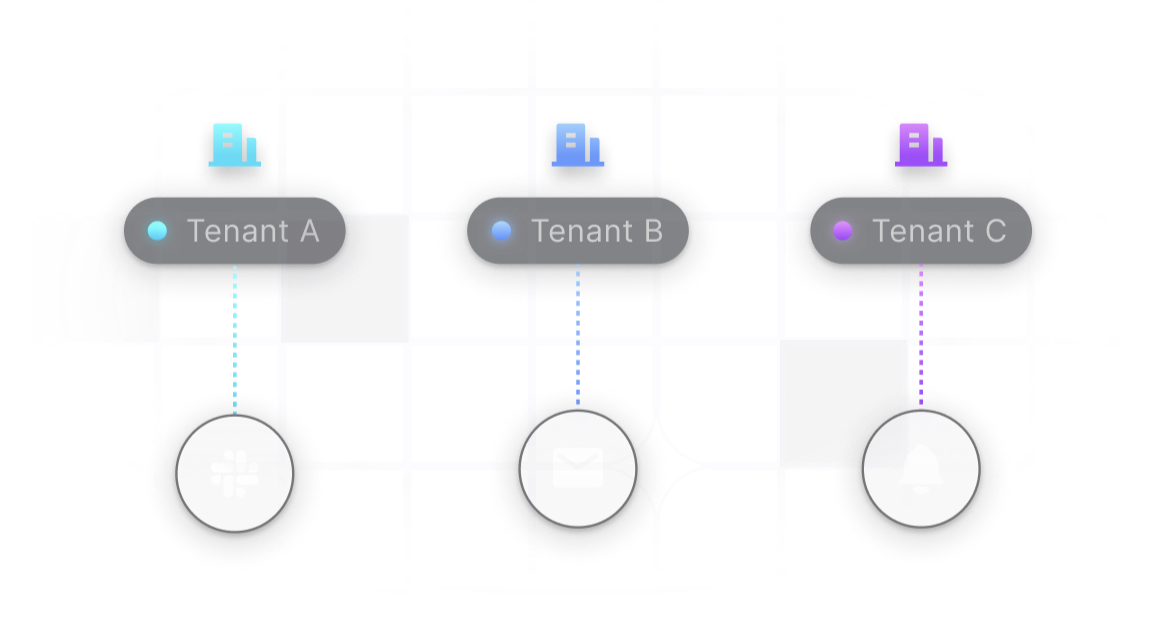
Each tenant gets its own template version, provider, and sending domain, plus admin control over mandatory channels and the categories its users see. Tenants nest, so a sub-tenant inherits and overrides. Novu keeps tenants flat, shares one provider per environment and one template across all of them.

Per-tenant routing to Slack, email and push

Workflows with more range

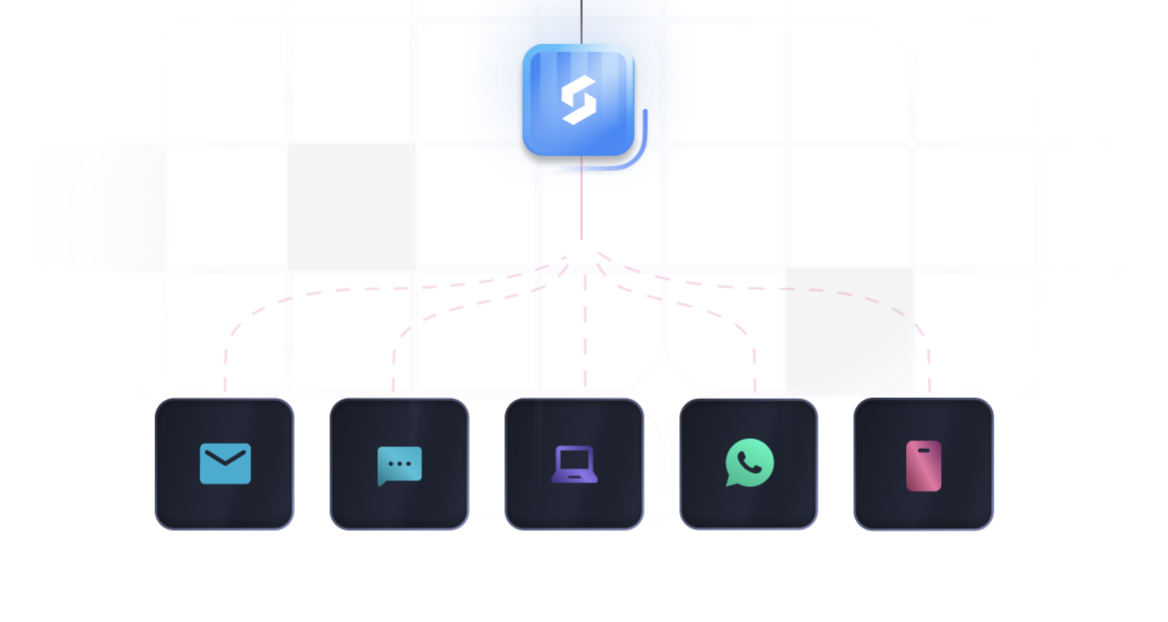
One send step reaches every channel a user is available on. Branch the run into separate paths, digest, delay, wait for an event, call a sub-workflow, hold to allowed hours in the user's timezone, fire a webhook, transform the payload. Novu chains each channel separately and puts a condition on each node instead of branching.

Workflow node branching to email, chat, push, WhatsApp and SMS

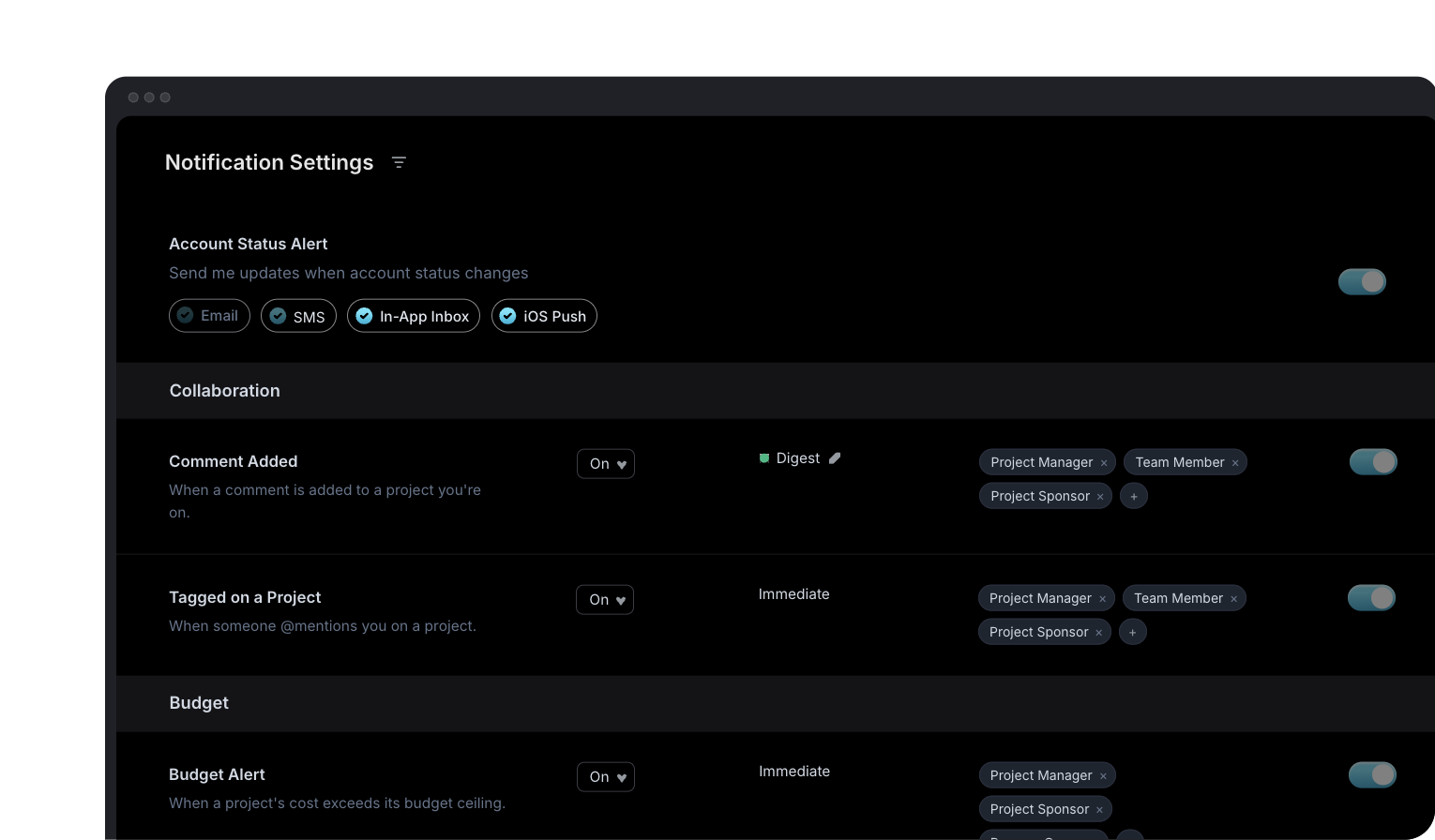
Granular preferences

Users opt in or out per category, channel, pick a digest time, and get condition-based rules. Tenant admins set the defaults above them. Novu puts a toggle on each workflow, with no tenant layer, no digest control, and no condition rules.

Notification Settings UI showing per-category channel toggles and digest schedule

Depth in developer experience

Frontend SDKs coverage across web and mobile. SuprSend CLI pushes and pulls every asset, and promotes staging to production. Novu covers React and React Native, and its CLI pushes workflows but pulls only translations back. Test sends reach real recipients, there's no test mode.

Code editor illustration

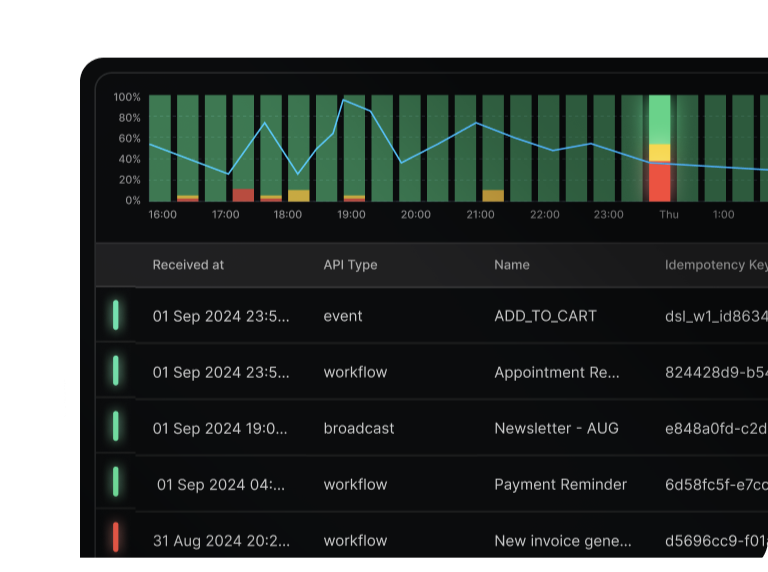
Observability and logs

See the exact content delivered, and why a send was blocked. Metrics stream to Datadog, New Relic, or any OpenTelemetry destination. Novu shows nothing when a send never goes out, and has no monitoring integration.

Delivery metrics chart and message log table

Self-host without losing features

Run SuprSend in your own VPC or on-prem with the full product, your data stays where you need it. Novu's free open-source edition sends on every channel, but comes with limits enterprises run into fast: one team member, two environments, no RBAC or SSO, and no SOC 2 or HIPAA coverage.

Server rack illustration

Feature comparison

83 line items across 10 categories below — SuprSend leads on 51, both are even on 27, and Novu leads on 5.

Data model

Both start from a user with channels and custom properties. The difference is what sits around that user: lists you can build from a query or a CSV, tenants that nest and send through their own provider, and objects that receive messages in their own right.

Recipients
UsersUsers with channels + custom propertiesSubscribers with channels + custom properties
Lists
Lists / audiencesDynamic segmentation on user properties and eventsSQL against your data warehouseCSV uploadAPIThird-party sync (e.g. Mixpanel)No dynamic segmentation — add and remove people one by oneNo warehouse or CSV importAPI
Tenants
TenantsTenants — and a tenant can nest sub-tenants under itTenants — flat, no sub-tenants or hierarchy
BrandingEach tenant's branding auto-fills a shared template at send timeEach tenant's branding auto-fills a shared template at send time
Per-tenant sendingEach tenant sends via its own provider + domainOne provider per environment, shared by all tenants
Per-tenant preferences & controlsTenant admin sets channel + category defaults, mandatory channels, and which categories users seeA user's preferences can differ by tenant — but no tenant admin defaults, mandatory channels, or hidden categories
Per-tenant contentA tenant can have its own content version with template variant, matched by tenant ID at sendNo per-tenant version — every tenant shares one template
Objects
Objects as recipientsObjects — a non-person entity like an order, team, or deviceTopics — a named group of people
Subscriptions & fan-outObjects have their own channels, custom properties, and nestingTopics only group people — no channels, no custom properties, no nesting
Channels

The core five channels are native in both. SuprSend adds web push with no third-party provider, ships Slack and Teams as finished channels rather than a beta, and retries a failed send on the next provider on its own.

Channel coverage
Email, SMS, push, in-app, WhatsAppall nativeall native
Web pushNative browser push (VAPID), no third-party neededOnly through third-party providers — no native web push
Team chat (Slack, MS Teams)Slack + MS Teams, both liveSlack + MS Teams — in beta
Other chat (Discord, Telegram)No Discord or TelegramDiscord (+ Mattermost, Zulip); no Telegram
Failover & routing
Provider failoverAuto-retry on next provider if one failsNo auto failover — switch providers by hand
In-app inbox

Both ship an inbox component rather than leaving you to build one. SuprSend covers more platforms, authenticates with an expiring token, and gives the component more room to be restyled, filtered and scoped to a tenant.

Integration & customization
SDK coverageDrop-in web component (React, Angular, Vue, JS); headless on mobile (React Native, Flutter, iOS)Drop-in web component (React, Angular, Vue, JS); mobile headless — React Native only
Layout & stylingBell dropdown, side panel, or full page; restyle fully, or build your own with headless hooksBell dropdown, side panel, or full page; restyle fully, or build your own with headless hooks
Inbox authenticationJWT — the token expires, and the SDK fetches a fresh oneHMAC hash — never expires; revoking it means rotating the account key for everyone
Inbox UX
Real-time feedLive WebSocket feedLive WebSocket feed
Inbox featuresRead/unreadSeen on scrollCross-device syncFilters & tabs by categoryPin to topArchiveButtons on a notificationRun your own click handlerSnoozeRead/unreadSeen on scrollCross-device syncTabs by tag, data, severityPin to topArchiveButtons on a notificationRun your own click handlerSnooze
Workflows

The builder is the same idea on both sides; the range is not. Batching and digest, conditions that can check whether an earlier message was seen, version history with rollback, and cancelling a run already in flight are SuprSend only.

Building
Building a workflowDrag-and-drop builderCLI to keep workflows in your codebaseDrag-and-drop builderWrite workflows in TypeScript, hosted in your own app
Triggers
Workflow triggerFrom your APIWhen an event happensWhen someone joins or leaves a listTo everyone in a tenantFrom your APIWhen an event happensWhen someone joins or leaves a listTo everyone in a tenant
Broadcast to an audienceSend one message to a whole listSend to a whole topic, or to every subscriber at once
Steps
Workflow stepsSend to every channel the user can be reached on, in one stepDelayWait for an eventBranch (if/else)Sub-workflowWebhook / HTTP callData transformSend to every channel in one step — chain each separatelyDelayWait for an eventBranch (if/else)Sub-workflowWebhook / HTTP callData transform
Batch & digestSeparate digests per project, not just per personSend on a scheduleSend the first alert instantly, batch the restEach user picks their own digest day and timeBatch until a due date in your dataSkip the send if too few events collectedSeparate digests per project, not just per personSend on a scheduleSend the first alert instantly, batch the restEach user picks their own digest day and timeBatch until a due date in your dataSkip the send if too few events collected
Triggers
Payload validationPayload checked against a JSON schema — bad ones rejected before the run startsPayload checked against a JSON schema — bad ones rejected before the run starts
Steps
What conditions can checkPayload, recipient, tenant, and whether an earlier message was delivered, seen, or clickedPayload, subscriber, tenant, and the outcome of an earlier step
Timing & routing
Delivery timing controlsSend at a set date and timeHold sends to allowed hours, in each user's timezoneLimit how many notifications one user gets per time windowTry channels one by one, stopping the moment the user respondsSend at a set date and timeHold sends to allowed hoursLimit how many notifications one user gets per time windowTry channels one by one, stopping the moment the user responds
Run lifecycle
Workflow versioningVersion history — open any past version and go back to itNo workflow versions — edit in a test environment, sync to live
Cancel a run in progressCancel one run, all runs for a recipient, or every run of a workflowCancel one triggered event by its ID — stops waiting digests and delays
Step-by-step run logEvery step of a run, with status shown on the workflow mapEvery step of a run, as a chronological timeline
Content & templates

Rich editors on both sides, for every channel. SuprSend adds variants inside one template — per tenant, per language, per user — so a shared template can differ at send time, and keeps a version history you can roll back.

Authoring
Visual editor or codeDrag-and-drop editor, or manage templates by API and CLIDrag-and-drop editor, or define content in code and by API
ChannelsRich editors for all 9 — email (drag-and-drop, HTML, plain text), SMS, WhatsApp, Android push, iOS push, web push, inbox, Slack, Teams5 — email (drag-and-drop, HTML), in-app (rich editor); SMS, push, chat (text fields)
Template languageHTML and Handlebars; JSONNET for Slack and Teams cardsHTML and Liquid
FunctionsUse recipient, tenant, trigger, and API-call datarepeat a section for each item in a listshow or hide sections by rulebuilt-in helpers to format dates, numbers, and textUse recipient, tenant, trigger, and API-call datarepeat a section for each item in a listshow or hide sections by rulebuilt-in filters to format dates, numbers, and text
Embeddable template editorEmbed the editor with a React SDK — edit, preview, test, publishNo editor to embed — build your own on their API
BrandingEach tenant's branding auto-fills a shared template at send timeEach tenant's branding auto-fills a shared template at send time
Preview & test sendLive preview + test send to a recipientLive preview + test send; can preview against a past run
Variants & languages
TranslationsLanguage files per localeLanguage files per locale — in beta, Team plan and up
Template variantsSaved versions of a message — picked by tenant, user, event data, or languageLanguage only (beta, Team plan; email and in-app) — no other saved versions
Lifecycle
Version history & rollbackFull version history; roll back to any past versionNo version history or rollback
Preferences

Novu keeps preferences per workflow, which is where they were declared. SuprSend moves them to categories and channels, adds a digest schedule the user picks, and lets a tenant admin set the defaults everyone starts from.

Preference center
Embedded preference centerDrop-in preference centre in your app, or build your own with headless hooksDrop-in preference centre in your app, or build your own with headless hooks
How it resolves
Notification categoriesWorkflows tagged to a category; the category carries its own defaults, digest, conditionsToggles stay per workflow — Inbox can group them into sections for display only
Hierarchy & precedenceUser's choice (per tenant) > tenant admin default > category defaultSubscriber's choice > workflow default — no tenant layer
User controls
Channels per categoryOpt in/out of each channel, per categoryOpt in/out per channel — per workflow, not category
Digest / frequencyUsers pick their digest schedule and time (e.g. instant, daily 9am)No digest or frequency setting for subscribers
Condition-based rulesAttach custom conditions to a category (e.g. a number threshold, role, list)No condition-based preference rules
Quiet hoursNo do-not-disturb window users can setSubscribers set daily quiet windows in local time
Unsubscribe linkAuto-generated unsubscribe page; drop the link into any emailNo unsubscribe link added to emails
Analytics & logs

Both record what was delivered. SuprSend records why it was not: the block reason, the vendor error and the rendered content, kept for longer and exported to S3, a warehouse or the monitoring tool you already watch.

Debugging a notification
AI queriesAsk the Agent in the dashboard or Slack — a semantic layer over your notification data answers in plain English: delivery stats, engagement, why a notification failedOnly through a connected MCP tool like Cursor or Claude
Workflow executionStep-by-step timeline per recipient — channel picked, template rendered, node errorsStep-by-step timeline per recipient — step status, provider response, and the trigger payload
Message logOne entry per message — delivery status, vendor error, and the exact content deliveredMessage detail sits inside each run — no separate message view
Delivery failure reasonsShows why it was blocked — opt-out, no channel, or template errorShows which step failed, not why
Log search & filteringFilter by workflow, recipient, tenant, status, date — idempotency key traces end-to-endFilter by workflow, channel, recipient, status, date — transaction ID traces end-to-end
Log retention30 days on Free, 90 days on Business, custom on Enterprise24 hours on Free, 7 days on Pro, 90 days on Team, custom on Enterprise
Program dashboards
Analytics dashboardBuilt-in dashboard — channel performance, volume, unsubscribes, workflow breakdownVolume and engagement by channel, workflow, and provider — no template, category, or tenant breakdown, no unsubscribes, no failure analytics
Data export
Webhook eventsReal-time status events to your endpointReal-time status events to your endpoint (Team+ plans)
Logs ExportMessage & workflow logs auto-synced to S3 as Parquet — queryable in Athena (or any Parquet-compatible engine); importable to Redshift/Snowflake/ClickHouseStreams events to ClickHouse, Snowflake, or Redshift with per-event-type field mapping — requires Webhooks (Team plan)
Observability tool integrationNotification metrics stream to Datadog, New Relic, or any OpenTelemetry destination — Grafana, Prometheus, Honeycomb, DynatraceNo native integration — build it yourself off webhooks
Raw data exportCSV export, up to 50M rowsNo bulk export or download
Developer experience

Novu gives you an API, SDKs and webhooks. SuprSend adds the things that make it survive a team: separate environments, a CLI that pushes and pulls every asset, generated types, and a test mode that blocks real delivery.

Environments
EnvironmentsSandbox, staging, production — sandbox is pre-configuredDevelopment and production; more environments need Team/Enterprise
API
Ways to buildDashboard, API, CLI, and MCPDashboard, API, CLI, and MCP
OpenAPI spec & Postman collectionDownloadable spec, Postman collection, and in-browser try-itNo spec download, Postman collection, or try-it explorer
SDKs
Backend SDKsPython, Node, Java, GoPython, Node, Java, Go, PHP, .NET — plus community Ruby and Kotlin
Frontend SDKsJavaScript, React, React Native, Flutter, plus native iOS and AndroidReact and React Native only — no Flutter, iOS, or Android
Release cadencePublished versioning policy and changelog; old versions stay supportedChangelog for the React SDK only
CLI & CI/CD
Push & pullPush and pull workflows, templates, schemas, events, categories, and translationsPushes workflows written in code; only translations can be pulled back
Environment promotionPromote staging to production from the CLIPromote from the dashboard only (Team/Enterprise plans)
Type generationGenerate TypeScript types from your schemasTypes come built in if you write workflows in TypeScript — no generator
CI/CD integrationNo ready-made GitHub Action — run the CLI in your pipelineReady-made GitHub Action — syncs on every commit
Local dev & testing
Test modeTest Mode blocks real deliveryNo test mode — test sends reach real recipients
Docs
Quickstarts & example appsChannel quickstarts, use-case guides, and runnable example appsFramework quickstarts and integration guides; no end-to-end app guides
Hosting
Self-hosting & licenceSelf-host in your own VPC or on-prem, or BYOC — Enterprise licence; SDKs are MIT, the core is closedSelf-host free — MIT-licensed core; enterprise features are paid
AI

Both expose an MCP server, so both can say they work with agents. What separates them is how much an agent can actually do once connected — read a dashboard, or build the workflow, send the broadcast and diagnose the failure.

Build with AI
MCP serverOfficial MCP server — runs locally through the SuprSend CLIOfficial MCP server — hosted by Novu, connect by URL
What MCP can operateUsers, tenants, objects, preferences, and workflowsSubscribers, preferences, workflows, integrations, and past notification runs
Agent skills & IDE setupInstruction packs so Claude/Cursor build with SuprSend correctly; one command installs everythingInstruction packs for coding assistants; installed separately
AI in the dashboard
Prompt-to-workflowDescribe the outcome; the agent builds the workflowCopilot builds the workflow — in beta
AI content generationDrafts the actual message copy for email, SMS, push, WhatsApp, inboxCopilot builds structure only — no message copy
AI analytics summariesA semantic layer over your notification data — ask in the dashboard or Slack, get delivery stats, engagement, template performance, with chartsNo AI analytics or summaries
AI ops
Slack agentAsk @suprsend in Slack — lookups, triggers, debuggingno Slack Agent
AI inside your product
Sending notifications from your own AI agentYour agent triggers workflows through the API — no ready-made packageInstall one package; works with OpenAI, LangChain, and Vercel AI SDK
Security, compliance & support

The certifications largely match. The difference is what sits around them: how far access control goes, whether you can run the whole product in your own cloud, and who answers when something breaks at 2am.

Certifications & compliance
Certifications & complianceSOC 2 Type II, ISO 27001, HIPAA-ready, GDPR, CCPA/CPRA — plus regular third-party penetration testsSOC 2 Type II, ISO 27001, HIPAA-ready, GDPR — no CCPA/CPRA; regular third-party penetration tests
Access & identity
Access & identityRole-based access, SSO/SAML, audit trail, SCIM on EnterpriseTwo-factor sign-in on every plan, including FreeRole-based access, SSO/SAML, audit trail from the Team plan; SCIM on EnterpriseTwo-factor sign-in from the Team plan only
Support
Support & responseSlack community free; email/chat, then phone + a named CSM on EnterpriseEmail and Discord community; a private Slack/Teams channel on Enterprise — no phone

Where each one fits

Self-hosting puts SuprSend inside your environment, so we want to be upfront about who owns what.

Choose SuprSend if

  • Your product involves in-depth notification use cases.

    A workflow can wait for a condition, branch, send in defined time windows, reach every channel at once, or one at a time until they engage.

  • Your customers are companies with their own notification rules.

    They nest sub-tenants, set default preferences, edit their own templates inside your product, and send through their own provider and domain.

  • Your users have their own preferences for each notification type.

    They pick the channels, digest schedule, and threshold for each notification category in each tenant they belong to.

  • You need in-depth detail on every notification execution.

    Every notification keeps its delivery status, the steps the workflow executed and failed at with the reason, and the exact content delivered in message logs.

  • You need to analyze in depth how your notifications performed.

    The dashboard covers delivery, engagement, unsubscribes, and failures. Export raw data, stream metrics to your observability tool, or query the semantic layer from the Agent in dashboard or Slack App.

  • You want to build and run notifications with AI.

    An MCP server for your IDE, and an Agent that manages every notification operation - building workflows, writing content, creating users, tenants and more.

Choose Novu if

  • You need to self-host on an open-source licence.

    Run Novu's MIT-licensed core yourself, free, from day one. The enterprise modules are the paid part.

  • Your backend runs on PHP or .NET.

    Official Novu SDKs cover both, plus community-maintained Ruby and Kotlin. SuprSend's backend SDKs are Python, Node, Java, and Go.

  • Your users set their own quiet hours.

    They pick daily windows in the inbox, and snooze notifications there. In SuprSend you decide per notification whether a quiet window applies.

  • Your AI agent sends the notifications.

    One package exposes your workflows as tools for OpenAI, LangChain, or the Vercel AI SDK. With SuprSend, your agent triggers workflows through the API.

Migrating from Novu to SuprSend

Workflows are rebuilt, not converted — there is no export from Novu that maps onto another platform. Both run side by side, so the move can go one workflow at a time.

Talk to our team
NovuSuprSendHow it moves
SubscribersUsersUsers API, a backend SDK, or the Segment connector
TopicsListsRecreate each topic as a list; add members by API
TenantsTenantsRecreate; tenants can now nest sub-tenants
WorkflowsWorkflowsRebuild, then keep them in your repo with the CLI
Step content per channelTemplates with versionsRecreate in the template editor
Provider integrationsVendors, with failoverAdd the same provider credentials
Preferences per workflowPreferences by categoryGroup workflows into categories
Novu InboxSuprSend InboxSwap the inbox component in your app
Trigger call in server codeWorkflow triggerOne event or API call per product action

From Novu to SuprSend in six steps

  1. 01

    Take stock

    Inventory every workflow, topic, tenant and provider integration you run in Novu.

  2. 02

    Set up SuprSend

    Set up development and staging, and add your existing providers as vendors.

  3. 03

    Bring data across

    Bring subscribers across as users through the API, a backend SDK or the Segment connector; recreate topics as lists and tenants as tenants.

  4. 04

    Rebuild and test

    Rebuild the critical workflows first: security alerts, billing and payment updates, mentions. Run them in test mode.

  5. 05

    Switch one at a time

    Switch triggers from Novu to SuprSend one workflow at a time, and compare the logs while both run side by side.

  6. 06

    Swap the inbox

    Swap the inbox component, then add what Novu could not do: category preferences, per-tenant templates, provider failover.

Why customers love SuprSend

SuprSend has been recognized as
#1 Notification Infrastructure by G2
Read all reviews on G2
5 stars on G2

"We are a B2B platform and our customers expect notifications to carry their own branding not ours. We looked at Knock and Courier too but the per-tenant control was not at the level we needed without writing a lot of custom code. SuprSend had that built in already. Each tenant can have their own branding, preferences, provider setup and in-app feed."

Vishal S.
Product · Small-Business·G2 review
5 stars on G2

"SuprSend made it possible for us to launch a full-fledged notification system within weeks. The integration process is seamless, especially since they provide libraries for all major languages, which fit our stack well, including Python and Vue. The initial setup was extremely easy for us, which was a key factor in choosing SuprSend."

Solen O.
CTO · Mid-Market·G2 review
5 stars on G2

"The workflow builder has branching built in. I set conditions based on user properties or event data and the flow splits accordingly. For our onboarding sequence new users get a welcome flow with helpful tips while returning users get a shorter reminder. This level of personalization used to require engineering work for every new condition. Now I manage it all from the dashboard."

Vishesh M.
Assistant Program Manager · Mid-Market·G2 review

Frequently asked questions

The differences that decide most evaluations:
  • Multi-tenancy — each tenant sends through your customer's own email domain, SMS sender ID, or WhatsApp provider, gets its own version of a template, and sets the defaults its users start from. Tenancy in Novu is flat.
  • Preferences by category — a user picks channels, a digest schedule like instant or daily at 9:00 AM, and conditions such as a minimum threshold, for each category. In Novu these sit per workflow, with no digest choice.
  • Objects as recipients — notify an organization, team, role or project; each carries its own channels, preferences and properties, and objects can subscribe to one another. Novu topics only group people.
  • Embeddable template editor — a React SDK puts editing, preview, test and publish inside your own product. There is no Novu editor to embed.
  • Message logs — every message keeps its status, the delivery error, and the fully rendered content that went out, with the reason it was blocked named. Novu shows which step failed, not why.
  • Analytics — delivered, seen, clicked, failed and blocked by channel, plus opt-outs and a per-workflow breakdown, with CSV export up to 50 million rows per file. Novu reports no opt-outs or failures and has no bulk export.
  • Log export — logs sync to S3 as Parquet every 5 minutes, and metrics stream to Datadog, New Relic or any OTLP destination on Enterprise. Novu has neither natively.
  • Audiences from your warehouse — write a SQL query against your data warehouse and the list refreshes on a schedule. Novu lists are built in the dashboard or by API only.
  • Provider failover — a vendor priority list retries the next provider when delivery fails, or when no delivery report arrives in time. In Novu you switch providers by hand.
  • Version history — see every published version, who committed it and what changed, and roll back to any of them. Novu keeps no version history.
  • Test mode — in a staging workspace, delivery goes only to your designated test channels. Novu test sends reach real recipients.
  • AI Agent — builds workflows, drafts email, SMS, push, WhatsApp and inbox copy, traces why a notification failed, and pulls delivery and engagement numbers — in the dashboard or Slack. Novu's Copilot builds workflow structure only.
SuprSend
Yes — on the Enterprise plan, or as an add-on to Business. A tenant stores its own logo, colours and links, routes through your customer's own email domain, SMS sender ID or WhatsApp provider, carries its own version of a shared template, and sets the defaults its users start from — including which categories those users can see. Tenants nest, so a sub-tenant inherits and overrides.
Novu
Tenancy in Novu is flat: one provider per environment and one template shared by everyone, with no sub-tenants and no tenant-level defaults. Branding does fill in per tenant, and a user's preferences can differ by tenant, but a tenant admin can't set what its own users start from.
SuprSend
SuprSend bills per notification. Email, SMS and in-app to one user is three; a digest that batches ten updates is one. Cost tracks how many messages actually go out, so a large audience on a single channel stays cheap.
Novu
Novu bills per workflow run, so that same three-channel send is one run — but sending to a topic of 100 people is 100 runs. Which of the two works out cheaper comes down to how many channels a single send reaches.
SuprSend
Yes, on the Enterprise plan. SuprSend deploys inside your own VPC or on-prem under an enterprise licence, with the full product — so notification data never leaves your environment and nothing is held back from the self-hosted build.
Novu
Novu's core is MIT-licensed and free to run yourself, with the enterprise modules sold separately. The free edition sends on every channel but caps you at one team member and two environments, with no RBAC, no SSO, and no SOC 2 or HIPAA coverage.
SuprSend
You rebuild the workflows here, then keep them in your repo — the CLI pushes and pulls workflows, templates, schemas, events, categories and translations. Users come across through the create/update users API, a backend SDK, or the Segment connector.
Novu
There is no export from Novu that maps onto another platform, so workflows are rebuilt rather than converted. In practice that is the bulk of the work, and it is finite — our team scopes the move with you and runs both side by side until you cut over.
There’s no better place for you
to build notifications
Join thousands of product & engineering teams using SuprSend to build and ship better notifications—faster.

By clicking “Accept All Cookies”, you agree to the storing of cookies on your device to enhance site navigation, analyze site usage, and assist in our marketing efforts. View our Privacy Policy for more information.