SuprSendVSMoEngage

SuprSend vs MoEngage

MoEngage was built for a marketing team working in a campaign canvas. SuprSend does the same job for engineering, product and growth together, from one system agents can run.

Trusted infrastructure layer behind hundreds of platforms

ExaCareSiemensEmergentSarvamCrazyGamesEvocalizeEskoFrankieOneSennderDelightreeHeyReachFreightify

MoEngage and SuprSend both send campaigns, journeys and triggered messages across email, push, SMS, WhatsApp and in-app. MoEngage is a customer engagement platform for consumer brands, with analytics and AI decisioning around the campaign and transactional alerts sold as a separate product. SuprSend is notification infrastructure where transactional, product and engagement messages run in one system, built by engineering, product and growth together.

Why teams choose SuprSend over MoEngage

AI works where your team works

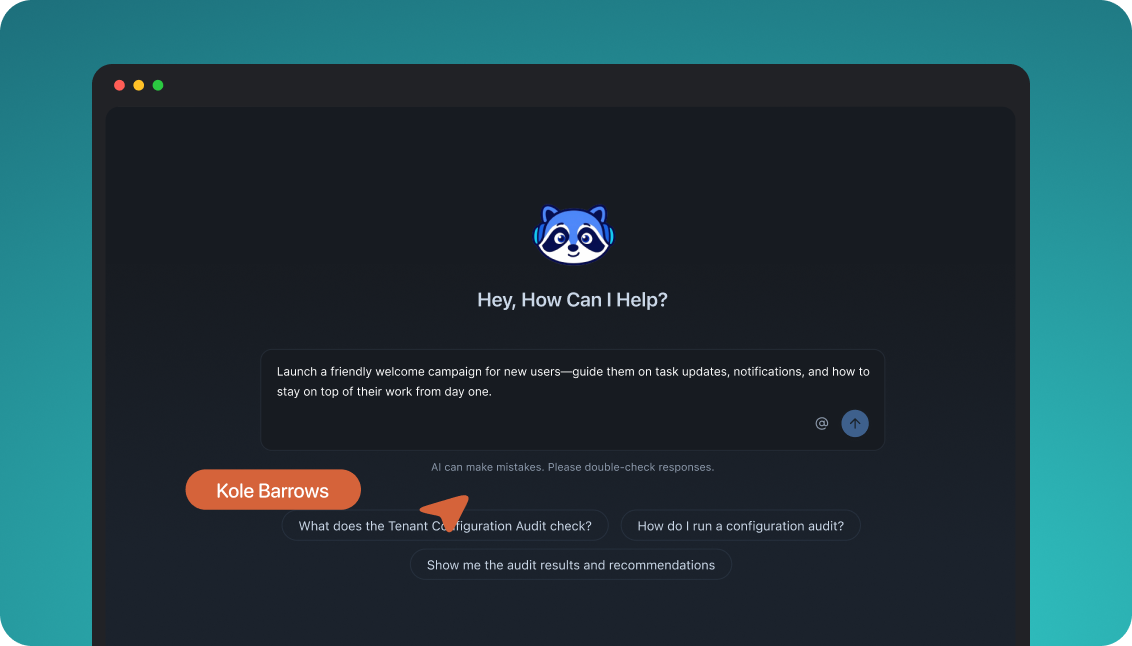
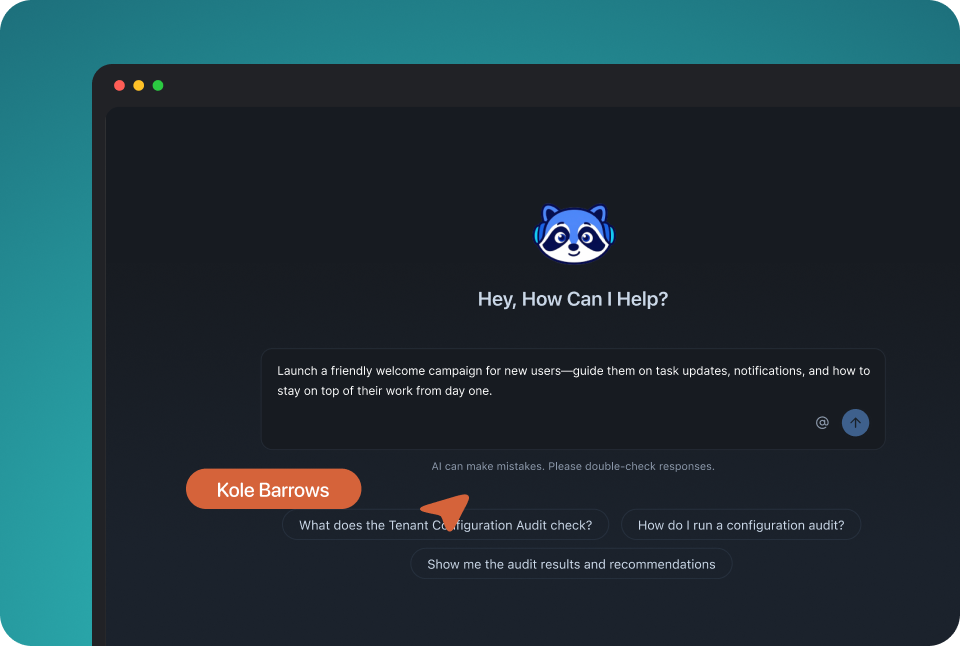
Build, change and send notifications from the dashboard, from Slack, from your code, or by asking an agent such as Claude or ChatGPT. Each person and each agent uses the tool they already have. MoEngage’s AI lives inside its dashboard, so your team learns the MoEngage UI before it can use it.

Reach customers where they are, on one profile

Email, SMS, WhatsApp, mobile and web push, Slack, Teams, the in-app inbox and webhooks share one user profile. A password reset, a comment notification and a win-back campaign run through the same workflows, preferences and logs. MoEngage sells transactional alerts as a separate product, Inform, with its own API.

Customise notifications per tenant, with per-user preferences

Each tenant has its own sending domain and provider, its own version of every template, its own channel defaults and inbox feed, with sub-tenants five levels deep. Each user picks channels per category and a digest schedule. MoEngage separates brands by workspace, and its subscription categories cover email only.

Failover, batching and version history under every message

A failed send moves to the next provider, bursts collapse into one digest, events are checked against a schema, and every workflow and template keeps versions you can roll back. Test mode blocks real delivery. MoEngage caps frequency across campaigns and falls back to another channel only in Inform.

Build notifications in the dashboard, in your own agent, or in your codebase

A product manager changes a workflow in the dashboard. A developer commits the same workflow as a file and ships it through a pull request. A marketer asks Claude to build a list and send a campaign. All three are working on the same workflows, templates and logs, so nobody waits on a ticket.

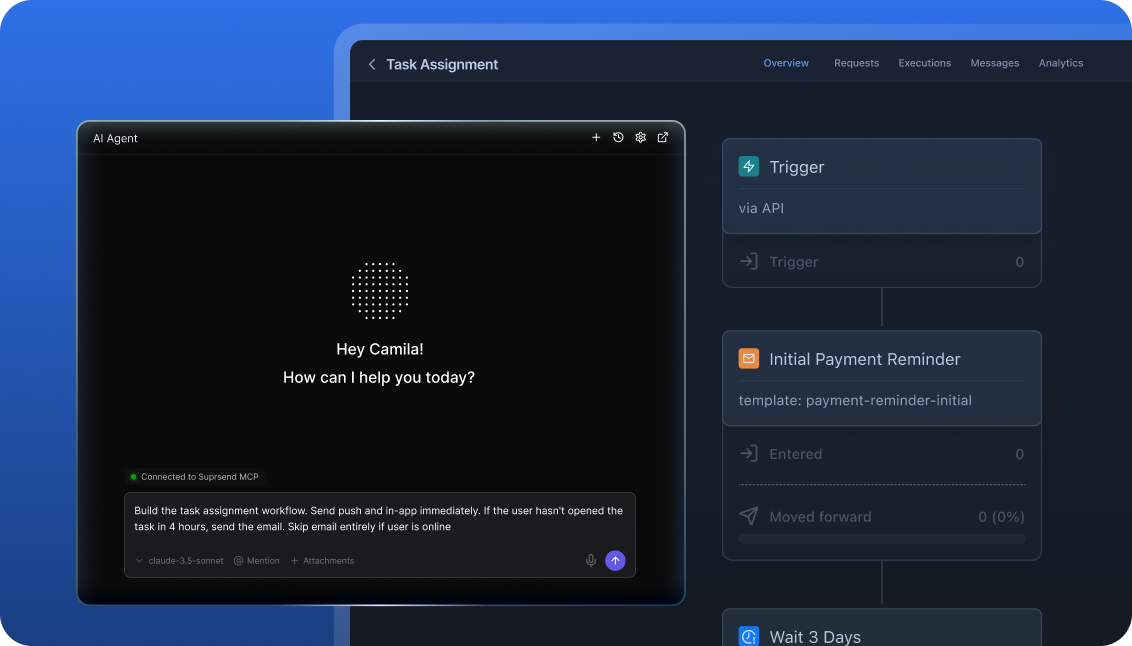
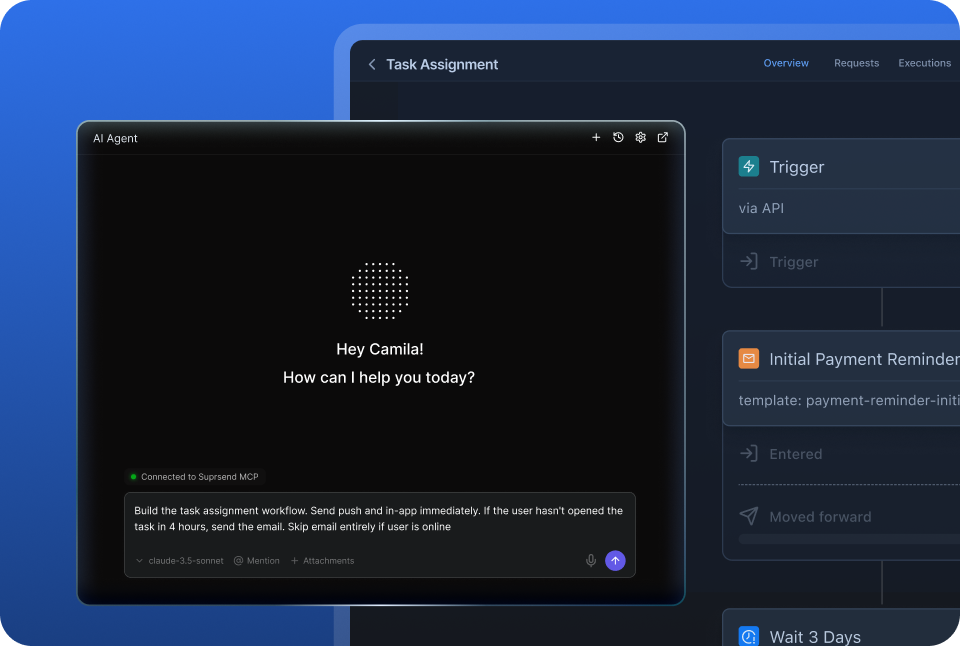
The built-in agent builds, edits and debugs notifications from a description; product and growth ship without a ticket.

In the dashboard

Connect the MCP to Claude, ChatGPT or any client and operate templates, workflows, tenants and preferences from there.

In your own agent

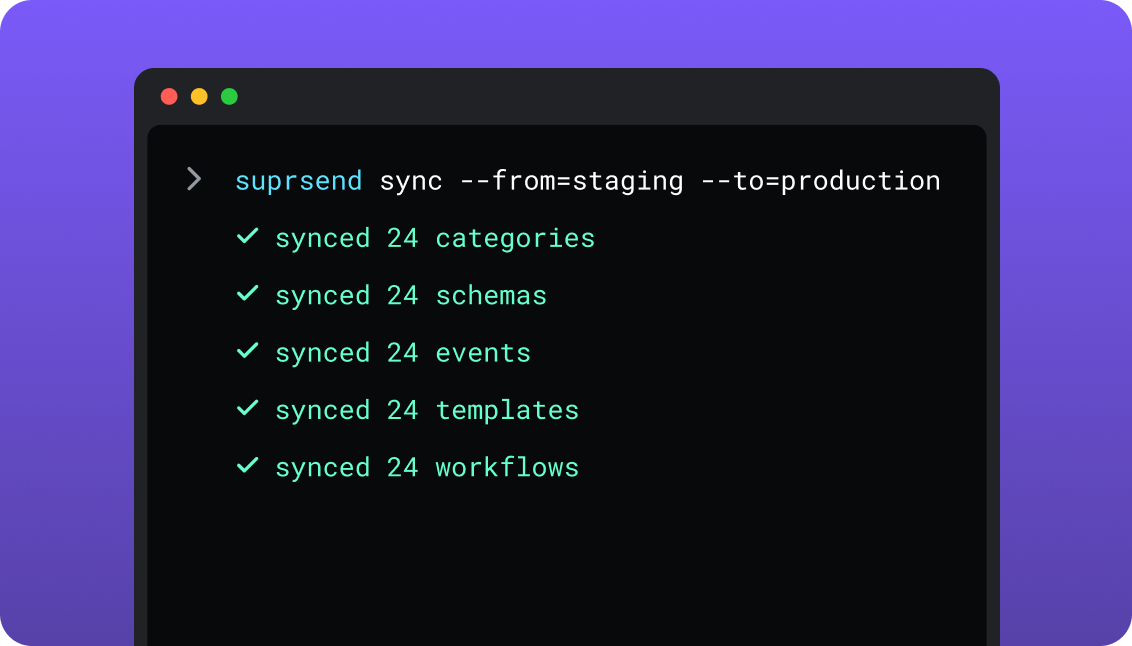
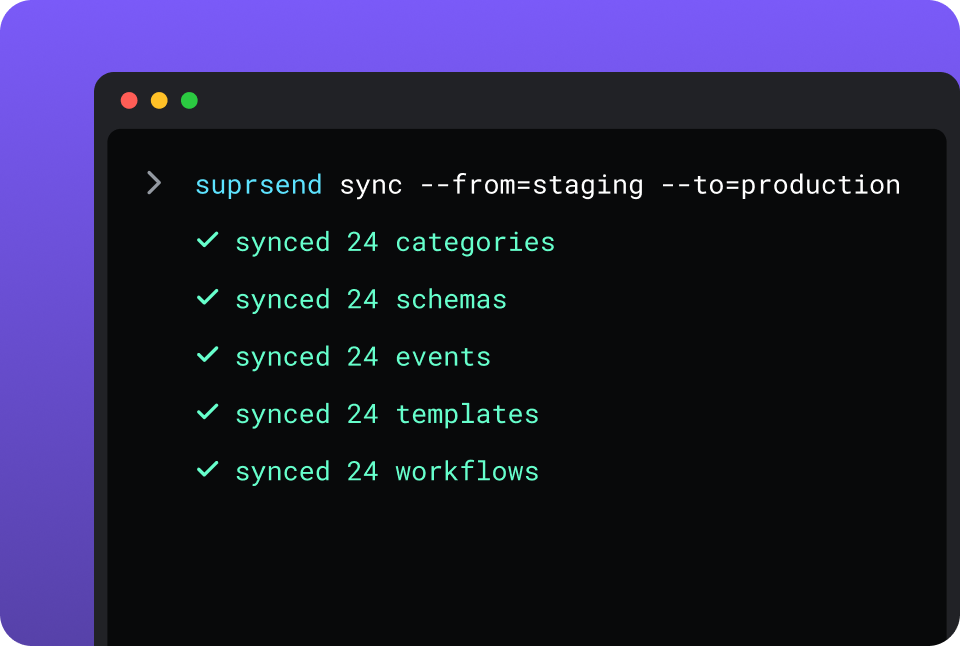
CLI and API keep workflows versioned, diffable and reviewed in pull requests; coding agents make bulk changes.

In your IDE or codebase
In the dashboardIn your own agentIn your IDE or codebase

One SuprSend customer runs its marketing email end to end from Claude Code, with nobody in the dashboard.

MoEngage is built in its dashboard, and Merlin AI works there: Flow Assist drafts a Flow from a prompt, Copywriter writes the copy, Segment Assist builds a segment, and Custom Agents run tasks a marketer defines. Outside the dashboard, the Campaigns API creates push and email campaigns, the Flows API reads a Flow and changes its status, and the AI Connector brings MoEngage data into Claude and ChatGPT. MoEngage has no command-line tool.

Run campaigns and transactional messages from one place

A marketing team working in the SuprSend dashboard also runs the event-driven transactional messages, such as password resets, invoices and alerts, from the same workflows, lists and logs as its campaigns.

Lists built five waysRules on properties and events, a scheduled SQL query on your warehouse, a CSV, the API, or a sync from Segment, Mixpanel or Amplitude.
User properties with no schemaAny number per user and any JSON value, nested objects and arrays included, with no field to declare first.
An inbox inside your productA feed on web and mobile with read state and tabs, filled by the same workflow that sends the email.
Users choose channels per category, admins set the defaultsOne opt-out holds across email, push, SMS and the inbox, for campaigns and transactional sends alike.
Bring your own providers, with fallbackSendGrid, SES, Twilio or whichever providers you already pay for, in an ordered list on every workflow.
Batching, digest, translations, schemaTen updates become one digest, translation files ship with the templates, and every event is checked against a schema.
Logs that say whyEach message keeps its rendered content, the provider’s error and the reason a send was blocked, searchable by user.

Short answer

If this is youChoose
A consumer brand’s lifecycle team runs campaigns and journeys on millions of profiles, with funnels and cohorts beside themMoEngageMoEngage
You want AI to choose the message, the time and the channel for each user, learning person by personMoEngageMoEngage
You need RCS, on-site messages for anonymous visitors, or Facebook and Google audience syncMoEngageMoEngage
Messages start from what users do in your product and reach several channels and an in-app inboxSuprSendSuprSend
A marketing team wants its campaigns and the transactional messages in the same dashboardSuprSendSuprSend
Each customer account needs its own sending domain, content and defaultsSuprSendSuprSend
Engineers want workflows and templates in the repo, tested in staging and promoted from CISuprSendSuprSend
You want agents to build, send and manage your notifications from Claude, ChatGPT, Claude Code, Cursor or SlackSuprSendSuprSend
Marketing stays in MoEngage and the product now needs transactional and product notifications with tenants and an inboxBoth

At a glance

SuprSendSuprSendMoEngageMoEngage
Best whenEngineering, product and growth all send messages to your usersA consumer brand’s marketing team runs campaigns and analytics on a large profile base
Who uses itEngineers, product, growth, and agents over MCPMarketing and CRM teams; engineers integrate the SDKs and data
Messages coveredTransactional, product and customer engagement, in one systemCampaigns and Flows; transactional alerts in Inform, a separate product
Built and changed fromDashboard agent, your own agent over MCP, CLI and APIDashboard with Merlin AI; APIs for push and email campaigns
ChannelsEmail, SMS, WhatsApp, mobile push, web push, Slack, Teams, in-app inbox, webhookPush, web push, email, SMS, in-app, on-site, webhooks; WhatsApp, RCS and Cards as add-ons
User dataAny JSON properties with no schema; lists, objects, tenantsTyped attributes, identity resolution, computed traits, catalogs
Multi-tenancyNested tenants with own domain, provider, templates and defaultsWorkspaces per app or brand; no tenant object
PreferencesPer category across channels, digest schedule, tenant defaultsEmail subscription categories; per-channel opt-in for push and SMS
JourneysWorkflows with branch, digest, routing, failover and versionsFlows with splits, control groups, conversion goals, path optimisation
In-appInbox on web and mobile, headless option, toastsPop-ups and nudges; Cards feed as an add-on
Provider failoverOrdered provider list with timer, Essentials and upChannel fallback in Inform only
AIAgents build workflows, write copy, send, and read the logMerlin agents in the dashboard; 1:1 agentic decisioning
AnalyticsDelivery and engagement per message, workflow and tenantCampaign analytics; funnels and cohorts as an add-on
Log retention30 days Free, 90 days paidInform logs 30 days; events 60 days by default
HostingSuprSend cloud on every plan; your VPC, on-prem or BYOC on EnterpriseMoEngage cloud, six data centres
Pricing modelPer notification per channel; 10,000 free, Essentials $100 per monthMonthly tracked users, by quote, one-year minimum
ImplementationDays: an API call or SDK, workflows in the dashboard or by CLISales-led: SDKs, data mapping and imports; onboarding as an add-on
G24.8, 129 reviews4.5, 523 reviews

What each is built for

MoEngageMoEngage

MoEngage is a customer engagement platform for consumer brands, 1,350 of them by its own count, across retail, fintech, media and travel. A marketing team segments its profile base, builds journeys in the Flows canvas and reads funnels and cohorts in the same dashboard, while AI picks timing, channel and content per user.

Its developer surface is a set of SDKs and a data pipeline that keep the profile current. Transactional alerts arrived in 2022 as Inform, a separate product with its own API and logs, so a password reset and a campaign are set up in two places.

SuprSendSuprSend

SuprSend is notification infrastructure for products where engineering, product and growth all send messages to users. An event or an API call starts a workflow that picks the channel, the timing, the content and the recipients, and the same workflows carry transactional, product and engagement messages.

Engineers integrate once; product and growth build workflows, templates, lists and broadcasts in the dashboard or through an agent. It fits consumer and B2B products alike, and goes deepest where each customer account needs its own setup.

Where MoEngage wins

Analytics on the profiles you messageFunnels, retention cohorts, behaviour analysis, user paths and custom dashboards, sold as the Customer Journey Analytics add-on on both plans.
AI that decides per userBest Time to Send, Next Best Channel, predictive segments, an Intelligent Path Optimizer that runs multi-armed bandit tests across Flow paths, and 1:1 Agentic Decisioning, which gives each user an agent that learns their content, timing and channel.
Governance for a large marketing teamTag-based frequency capping across campaigns, DND windows, a minimum delay between campaigns, a global control group and a campaign approval workflow.
Consumer channelsOn-site messages for anonymous visitors, iOS Live Activities, RCS, LINE, Viber and Telegram through the Connected Channels add-on, and Facebook and Google audience sync on Growth.
Customer data featuresIdentity resolution, anonymous-to-known merge, computed traits, product catalogs and recommendations, coupon lists, and imports from Snowflake, Databricks, S3 and SFTP.
Published rate limitsMoEngage documents a limit for every endpoint, including 10,000 Inform requests a minute.
Services for large accountsQuarterly business reviews and a consultation service on Enterprise, a solution-partner programme, and a migration programme that 350 brands have used by MoEngage’s count.

Where SuprSend wins

Changes that live in the repoPull workflows and templates as files, review them in a pull request, and promote staging to production from CI; twenty templates change in one command. MoEngage’s Campaigns API creates up to 100 campaign drafts a day by default.
Three environments and a test modeDevelopment, staging and production on every plan, and a test mode that blocks real delivery. MoEngage has a live and a test environment per workspace.
A data model for productsAn order, a team or a device can receive notifications with its own channels and subscribers, and one user can sit in several runs of a workflow at once, one per order. MoEngage allows one instance of a user in a Flow at a time.
An inbox on every planA web drop-in for React, Angular, Vue and JS; headless on React Native, Flutter and iOS; native iOS and Android SDKs; snooze, pin, per-tenant feeds and toasts.
An editor you can embed, and template variantsA React SDK puts the template editor inside your product; templates vary by tenant, user, event data or language.
A published price and a free plan10,000 notifications a month free on all nine channels, Essentials at $100 a month, unlimited team members, no sales call.
A choice of where it runsSuprSend cloud on every plan, or the whole product in your VPC, on-prem or BYOC on Enterprise, with support behind it.

Who works in it

MoEngageMoEngage

Marketers and CRM teams build segments, campaigns and Flows in the dashboard, with roles and approvals for a large team. Engineers integrate the mobile and web SDKs, map events and attributes, set up imports, and call Inform from the backend.

Agents: Merlin’s native and custom agents work inside the dashboard, and the AI Connector brings MoEngage data into Claude, ChatGPT and Copilot to read and summarise.

SuprSendSuprSend

Engineers integrate once through the API, a Python, Node, Java or Go SDK, the CLI and MCP, and keep workflows and templates in the repo. Product and growth build workflows, lists, templates and broadcasts in the dashboard, or have the built-in agent build them, with versions and a test mode.

Agents connect over MCP from Claude, ChatGPT, Claude Code or Cursor and create users and lists, write templates, trigger a notification, run a broadcast and read the log.

Feature by feature

From both pricing pages, MoEngage’s help centre and developer documentation, and SuprSend’s documentation and product, September 2026. Plan names mark the lowest plan that includes a feature.

How notifications are built and changed

Every workflow, template and list in SuprSend has an API and a file form behind the dashboard, so it can be scripted, staged and handed to an agent. MoEngage is built in its dashboard, with an API that creates push and email campaigns and reads Flows.

CapabilitySuprSendSuprSendMoEngageMoEngage
Dashboard builder YES YES
Workflows and templates by API YESCreate, update and delete every asset PARTIALCampaigns API creates push and email; Flows API reads, returns versions and changes status
CLI push and pull YESWorkflows, templates, schemas, events, categories, translations NO
Promote staging to production from CI YESBy CLI NOLive and test environments are edited separately
Change many assets in one command or prompt YES NOOne campaign, Flow or template at a time
Operate from an IDE or coding agent YESMCP in Claude Code, Cursor, Windsurf PARTIALDocs MCP, llms.txt and skill.md for reading the documentation
Built-in agent that builds and edits YESDashboard and Slack YESFlow Assist, Copywriter, Segment Assist in the dashboard
Headless UIInbox, preference centre, template editorCards in self-handled mode

Teams and scope

MoEngage is where a marketing organisation works, with roles and approvals built for it. SuprSend runs transactional, product and engagement messages for engineering, product and growth in one system.

CapabilitySuprSendSuprSendMoEngageMoEngage
Primary userEngineering, product and growth togetherMarketing and CRM teams
Transactional messages YESSame workflows as campaigns YES, BUTInform, a separate product with its own API and logs
Product notifications (mentions, comments, tasks) YESObjects and inbox built for them PARTIALSent as campaigns; no object model
Customer engagement campaigns YESBroadcasts to lists on every channel YESThe core product
Campaign approval workflow NO YES
Roles and permissions YES, BUTCustom roles on Enterprise YESDefault and custom roles; access controls listed under Enterprise

Data model and tenancy

MoEngage models a consumer: typed attributes, identity resolution and computed traits, partitioned by workspace. SuprSend models a product: free-form JSON properties, the objects users belong to, and nested tenants for customers who each need their own setup.

CapabilitySuprSendSuprSendMoEngageMoEngage
User propertiesAny number, any JSON value including nested objects and arrays, no field to declareTyped attributes: string, numeric, date, boolean, location, arrays up to 254 items; object type on request, five per workspace
Identity resolution and computed traits NO YES
Objects as recipients YES, BUTAn order, team or device with its own channels; Business NO
Tenants YES, BUTEnterprise, or an add-on on Business NOWorkspaces per app or brand
Per-tenant sending domain and provider YES NO
Per-tenant template version and branding YES NO
Sub-tenants with inheritance YESFive levels NO
Product catalog and recommendations NO YES

Marketing campaigns and lists

Both run one-time and scheduled campaigns to an audience. MoEngage adds A/B tests, ad-audience sync and coupons; SuprSend sends every campaign through the same workflow engine as its transactional messages, so a broadcast batches, falls back and respects preferences.

CapabilitySuprSendSuprSendMoEngageMoEngage
How a list is builtRules on properties and events; scheduled warehouse SQL; CSV; API; Segment, Mixpanel, Amplitude syncFilter segments on attributes and behaviour; file, warehouse and affinity segments; 1,000 active per workspace
Lists that refresh on their own YES, BUTDynamic lists on Enterprise, or an add-on on Essentials and Business YESSegments re-evaluate as data changes
Broadcast channelsAny of the nine, or several in one sendPush, web push, email, SMS, in-app, on-site; WhatsApp and Cards as add-ons
SchedulingOne-time, scheduled, recurring; recipient’s timezone on EssentialsOne-time and periodic; Best Time to Send
Campaigns through the workflow engine YESBatches, routes, falls back and checks preferences NOCampaigns and Flows are separate objects
Transactional messages from the same dashboard YESBeside lists and broadcasts YES, BUTThrough Inform, set up separately
Campaign analyticsDelivered, seen, clicked, unsubscribed per broadcast, template, category and tenantDelivery, engagement, conversion goals, control groups
A/B testing on a campaign NO YESVariants; path optimisation in Flows
Ad-audience sync NO YESFacebook and Google on Growth

Channels

MoEngage covers the consumer marketing channels, with WhatsApp, RCS and Cards sold as add-ons. SuprSend sends nine channels on every plan through providers you connect, with fallback, and reaches Slack and Teams.

CapabilitySuprSendSuprSendMoEngageMoEngage
Email, SMS, mobile push, web push, in-app YES YES
WhatsApp YESProvider or Cloud API, every plan YES, BUTWhatsApp Native add-on
Slack and Microsoft Teams to end users YES NOAnalytics alerts only
Webhook as a channel YES YES
RCS, LINE, Viber, Telegram NO YES, BUTConnected Channels add-on
On-site messages for anonymous visitors NO YES
iOS Live Activities NO YES
Provider failover YESOrdered list, timer, delivery-confirmation stop; Essentials PARTIALChannel fallback in Inform only
Channels on the entry planAll nine on FreeGrowth: push, web push, email, SMS, in-app, on-site, webhooks

Workflows

MoEngage’s Flows are the richer marketing journey, with control groups, conversion goals and path optimisation. SuprSend’s workflows are the richer notification engine, with one send step for every channel, digest, routing, schema checks and versions.

CapabilitySuprSendSuprSendMoEngageMoEngage
Visual journey builder YES YESFlows
One send step for every channel YES NOOne campaign per channel stage
Branch and wait-for-event YES YESConditional split with an evaluation window; has-done stage
Channel routing that stops on response YES NOInform moves to the next channel when a send fails
Batching and digest YES, BUTBusiness; user-chosen time, batch until a due date NOFrequency capping and queuing instead
Payload checked against a schema YES NO
Allowed hours in the user’s timezone YES, BUTBusiness YESDND windows set by the marketer
Frequency capping across campaigns NO YESTag-based, per channel
Control group and conversion goal NO YES
Several runs per user at once YESOne per order or object NOOne instance of a user per Flow
Version history and rollback YESWorkflows and templates PARTIALFlow versions readable by API; no rollback

Templates and content

Both have rich editors, reusable blocks and a template API. SuprSend adds versions, variants by tenant or user, translation files that ship with the templates and an editor you can embed; MoEngage adds image generation.

CapabilitySuprSendSuprSendMoEngageMoEngage
EditorsAll nine channels; Handlebars; JSONNET for Slack and Teams cardsPer channel, with Jinja personalisation
Template API YESPlus the CLI YESEmail, push, SMS, in-app, on-site
Reusable blocks YESPartials YESContent blocks
Variants by tenant, user or event data YES NOLocales and A/B variants
Translations YES, BUTTranslation files per language, pushed with the templates; Business YESLocales per template, with a locales API
Template version history and rollback YES NO
Embeddable template editor YESReact SDK inside your product NO
AI copy and images PARTIALThe agent drafts copy per channel YESCopywriter; Designer generates images

Preferences

A preference is a user’s standing answer to which messages they want and where. MoEngage keeps subscription categories for email and an opt-in per channel for push and SMS; SuprSend keeps categories across every channel, with a digest schedule, condition rules and tenant defaults, checked on every send.

CapabilitySuprSendSuprSendMoEngageMoEngage
Categories across every channel YES, BUTBusiness PARTIALEmail only
Per-channel opt-out YES YESPush, SMS, email
User-chosen digest schedule YES NO
Condition rules on a category YES NO
Tenant-admin defaults and mandatory channels YES NO
Hosted preference and unsubscribe page YES, BUTBusiness YESEmail preferences page
Embeddable preference component YES NO
Send to users who opted out NOPreferences hold on every send YESMarketer override per campaign
User-set quiet hours NO NODND is set by the marketer

In-app inbox

MoEngage’s in-app is a marketing surface: pop-ups, nudges, a push history on mobile and a Cards feed sold as an add-on. SuprSend’s inbox is a notification channel on every plan, filled by the same workflow that sends the email and push.

CapabilitySuprSendSuprSendMoEngageMoEngage
Web inbox YESReact, Angular, Vue, JS YES, BUTCards on web, as an add-on
Mobile inboxReact Native, Flutter, iOS, AndroidNotification Center and Cards on Android, iOS, React Native, Flutter
Headless mode YES YESCards self-handled through the SDK or API
Snooze, pin, archive, action buttons YES PARTIALDelete and click
Toasts YES NOIn-app pop-ups instead
Per-tenant feed YES NO
Inbox on the entry plan YESFree, with SuprSend branding YES, BUTCards is an add-on on Growth and Enterprise
In-app pop-ups, surveys, nudges NO YES

Analytics and logs

MoEngage tells you how a campaign performed, with product analytics as an add-on. SuprSend tells you why one message did or did not go out, and keeps that answer for 90 days on a paid plan.

CapabilitySuprSendSuprSendMoEngageMoEngage
Per-message log with rendered content and provider error YES PARTIALInform alert logs; message archive to your own storage for up to 10 years
Block reasons named YESOpt-out, no channel, template error YESDrop reasons per campaign
Retention30 days Free, 90 days paid, custom on EnterpriseInform logs 30 days; events 60 days by default; analytics one to two years
Log sync to a warehouse YES, BUTS3 Parquet every five minutes; Business YES, BUTStreams and real-time exports add-on
Monitoring tools YES, BUTDatadog, New Relic, OpenTelemetry; Enterprise NOAnalytics alerts to Slack, Teams or a webhook
Bulk export YESCSV up to 50 million rows YESCampaign report download API
Funnels, retention, cohorts NO YES, BUTCustomer Journey Analytics add-on

Developer experience

MoEngage’s developer surface is an SDK you install and a data pipeline you feed, with a published limit on every endpoint. SuprSend’s is an API you call and a repo you commit to, with three environments, generated types and a test mode.

CapabilitySuprSendSuprSendMoEngageMoEngage
EnvironmentsDevelopment, staging, production; every planLive and test per workspace
Test mode that blocks real delivery YES PARTIALTest sends to named users; Inform sandbox
Backend SDKsPython, Node, Java, GoNo backend SDK; REST APIs
Frontend SDKsJS, React, React Native, Flutter, iOS, AndroidAndroid, iOS, Web, React Native, Expo, Flutter, Cordova, Capacitor, Unity
Generated TypeScript types YES NO
OpenAPI, Postman, try-it YES PARTIALOpenAPI and Postman
Published rate limits NOFair-use limit with no number YESPer endpoint
IdempotencyIdempotency key on every triggerInform transaction ID, five-minute window

AI, by what it can do

Merlin AI works for a marketer inside the MoEngage dashboard and decides per user at send time. SuprSend’s agent, and any agent connected over MCP, builds, edits, sends and diagnoses from wherever the team already works.

CapabilitySuprSendSuprSendMoEngageMoEngage
Build a workflow from a description YESSuprSend agent, or any agent over MCP YESFlow Assist in the dashboard
Edit many existing workflows or templates from a prompt YES NO
Draft copy per channel YESAll nine channels YESPush, email, in-app, on-site
Diagnose a failed send YESReads the log and names the block reason or provider error NOCampaign Insights Agent explains campaign performance
Run a campaign end to end from an external agent YESList, template, broadcast, log and re-send over MCP NOAI Connector reads data and insights into Claude and ChatGPT
Agent SDK for your own agents YESOpenAI, LangChain, Vercel AI NO
Per-user AI decisioning NOBest time to send is coming YES1:1 Agentic Decisioning, Next Best Channel, Best Time to Send
Custom agents a marketer defines NO YESMerlin Custom Agents

Security, compliance, support

Both run 2FA, SSO, roles and audit logs; MoEngage publishes more certifications and adds IP whitelisting on Enterprise. SuprSend adds the option of running the whole product in your own cloud.

CapabilitySuprSendSuprSendMoEngageMoEngage
Two-factor sign-in YESEvery plan YES
SAML SSO, SCIM, audit log YES, BUTEnterprise YES
IP whitelisting NO YES, BUTEnterprise
CertificationsSOC 2 Type II, GDPR, HIPAA; ISO 27001 and CPRA in progressSOC, ISO 27001, 27701 and 22301, CSA STAR, GDPR, CCPA and HIPAA badges
HIPAA BAAEnterpriseHIPAA badge on the site; BAA terms not published
Data residencyCustom region, dedicated infrastructure, multi-region; EnterpriseSix data centres; local data servers on Enterprise
HostingSuprSend cloud on every plan; your VPC, on-prem or BYOC on Enterprise, full product, supportedMoEngage cloud, in six data centres
SupportSlack community and chat; email on paid; phone, CSM, SLA and migration support on EnterpriseIn-house experts on Growth; business reviews and consultation on Enterprise; onboarding as an add-on

Pricing and implementation

MoEngage bills on monthly tracked users, by quote, with a one-year minimum. SuprSend bills per notification per channel from a published price, counts a digest as one and stores users for free. A product with 100,000 users who each receive six notifications a month sends 600,000 notifications: about $3,000 a month on SuprSend Business ($250 plus 550,000 extra at $5 per 1,000), and a quote on 100,000 tracked users on MoEngage, with add-ons on top. A product that sends many messages per user favours the tracked-user unit, so compare on your own event-to-notification ratio; SuprSend’s pricing page and MoEngage’s have the tiers.

CapabilitySuprSendSuprSendMoEngageMoEngage
Billing unitNotification per user per channel; a digest counts as one; opt-out blocks not billedMonthly tracked user: each unique user engaged or tracked in the month
Free10,000 notifications a month; all nine channels; unlimited membersNo free plan on the pricing page
Entry paidEssentials $100 a month billed annually; 50,000; $2 per extra 1,000Growth, by quote
Next tierBusiness $250 a month billed annually; 50,000; $5 per extra 1,000Enterprise, by quote
Minimum termMonthly or annualOne year on Growth and Enterprise
Add-onsMulti-tenant on Business; dynamic lists on Essentials and BusinessInform, Cards, WhatsApp Native, Connected Channels, Journey Analytics, real-time exports, predictions, Personalize
Time to first sendSame day on the free plan, no sales callSales-led; SDK integration, data mapping and imports first

Migrating from MoEngage to SuprSend

Some teams move everything. More often marketing keeps MoEngage for campaigns and analytics, and the Inform alerts and product notifications move to SuprSend. The mapping is the same either way.

MoEngageSuprSendMoves how
User profile and attributesUser and propertiesExport, then upsert by API, SDK or CSV with the same ID
Tracked eventEvent that starts a workflowPoint your backend’s event call at SuprSend
SegmentListRules rebuilt; files as CSV; warehouse segments as a scheduled query
One-time or periodic campaignBroadcastRebuilt in the dashboard, by API or by the agent
Event-triggered campaignWorkflowRebuilt; each channel joins one send step
FlowWorkflowRebuilt; no export maps across
Inform alertWorkflow started by your backendRebuilt; the transaction ID becomes an idempotency key
Template and content blockTemplate and partialExport HTML by the template API; push with the CLI
Email subscription categoryCategoryRebuilt; user choices loaded through the preferences API
Push and SMS opt-outsChannel preferencesImported per user
Cards or Notification CenterIn-app inboxSwap the SDK; history stays behind
Funnels, cohorts, catalogs, ad syncNo equivalentStay in MoEngage or move to an analytics tool
01

Inventory every Inform alert, campaign, Flow and template, and mark each one transactional, product or engagement.

02

Stand up SuprSend development and staging: providers with a fallback order, categories, and tenants where customers need their own setup.

03

Load users and their opt-outs, then lists from your warehouse or a CSV export.

04

Rebuild the critical transactional flows first: one-time passwords, password resets, order and billing alerts. Test them in test mode, then pull them into your repo.

05

Run both platforms on those flows for a week, with the inbox behind a feature flag.

06

Move the remaining campaigns and Flows, cut the event stream over, and export MoEngage reports before the contract ends.

Enterprise customers get migration support and a scoped plan; on other plans the Slack community, chat and docs are the path.

FAQ

Is SuprSend better than MoEngage?
SuprSendSuprSend

SuprSend is better when messages start from what users do in your product, reach several channels and an inbox, and are built by engineering, product and growth or by their agents. It runs transactional, product and engagement messages in one system, with tenants and preferences per category.

MoEngageMoEngage

MoEngage is better for a consumer brand’s marketing team running campaigns, journeys and analytics on millions of profiles, with AI deciding content, timing and channel per user.

Can a marketing team run campaigns in SuprSend?

Yes. Marketers build lists from rules, a warehouse query, a CSV or a CDP sync, and send one-time, scheduled or recurring broadcasts on any of nine channels, in each recipient’s timezone. The same dashboard holds the transactional workflows, so password resets, invoices and campaigns share one set of lists, preferences and logs. MoEngage goes further on A/B tests, ad-audience sync and per-user AI decisioning.

Can I keep MoEngage for campaigns and use SuprSend for the rest?

Yes. MoEngage keeps the campaigns, segments and analytics; SuprSend takes the product events and sends everything the product sends, including what Inform sends today. It is two bills: a tracked-user quote and a notification price.

How do preferences differ between SuprSend and MoEngage?
SuprSendSuprSend

SuprSend keeps preferences per category across every channel: a user picks channels and a digest schedule for each category, a tenant admin sets the defaults above them, and every send, transactional or campaign, checks those choices first.

MoEngageMoEngage

MoEngage keeps subscription categories for email and a per-channel opt-in for push and SMS. A marketer can choose to send a campaign to users who opted out, and sets DND windows for everyone.

Where does each run, and can I self-host SuprSend?
SuprSendSuprSend

SuprSend runs in SuprSend cloud on every plan. On Enterprise the same product also runs in your VPC, your data centre or bring-your-own-cloud, with vendor support.

MoEngageMoEngage

MoEngage runs in MoEngage’s cloud, in a choice of six data centres, with local data servers on Enterprise.

Which is cheaper?

The units differ. MoEngage bills per monthly tracked user on a quote with a one-year minimum; SuprSend bills per notification per channel from a published price, stores users for free and counts a digest as one. A product that sends many messages per user favours MoEngage’s unit; one that sends a handful favours SuprSend’s.

Related Resources

How does SuprSend send a campaign to a list?SuprSend broadcasts
Can agents run SuprSend from Claude or Cursor?SuprSend for Claude Code
Can SuprSend run inside my own cloud?Bring your own cloud
What does SuprSend cost at my volume?SuprSend pricing

There’s no better place for you
to build notifications

Join thousands of product & engineering teams using SuprSend to build and ship better notifications—faster.