SuprSendVSMarketo

SuprSend vs Marketo Engage

Marketo Engage automates B2B email marketing around a lead database and the CRM. SuprSend is agentic multi-channel orchestration for every message your product sends.

Trusted infrastructure layer behind hundreds of platforms

ExaCareSiemensEmergentSarvamCrazyGamesEvocalizeEskoFrankieOneSennderDelightreeHeyReachFreightify

Both run campaigns, journeys and triggered messages. Marketo Engage was built for a marketing operations team working in a canvas over a lead database synced with Salesforce or Dynamics. SuprSend is multi-channel orchestration that engineering, product, growth and their agents all build in, for transactional, product and marketing messages alike.

Why teams choose SuprSend over Marketo Engage

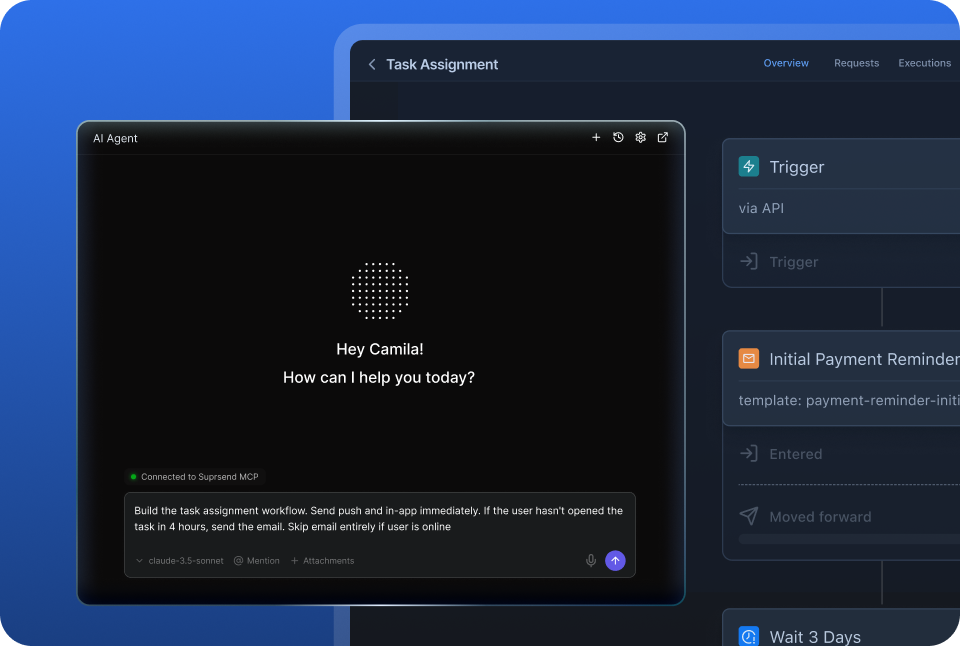
AI works where your team works

People build and send from the dashboard, Slack, the repo, Claude or ChatGPT. Agents create workflows, write templates, set preferences, trigger sends and read the log, and the SuprSend agent explains a failed send. Marketo’s MCP server builds programs and campaigns; nothing in Marketo explains a failed send.

Reach customers on nine channels with every message

Email, SMS, WhatsApp, mobile and web push, Slack, Teams, in-app inbox and webhooks sit on one user profile. A password reset, a comment alert and a win-back campaign share the same workflows, preferences and logs. Marketo sends email, sells SMS and push as add-ons, and has no inbox.

Customise notifications per tenant, with per-user preferences

Each customer account gets its own sending domain and provider, its own template version, its own channel and category defaults and its own inbox feed, with sub-tenants five levels deep. Users pick channels per category. Marketo splits one database into workspaces and gives each person an Unsubscribed flag.

Failover, batching and version history under every message

A failed send moves to the next provider, bursts collapse into a digest, events are checked against a schema, every workflow keeps versions with rollback, and test mode blocks real delivery outside production. Marketo sends from Adobe’s mail servers with no fallback provider, no digest and no version history.

Build notifications in the dashboard, in your own agent, or in your codebase

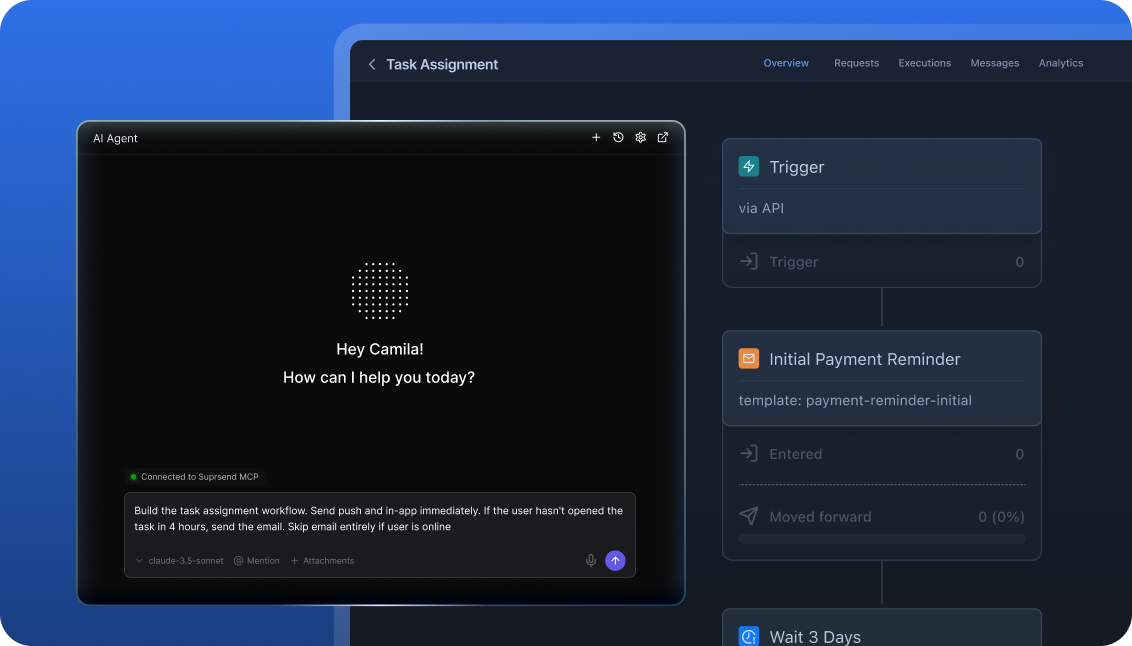
A product manager changes a workflow in the dashboard. A developer ships the same workflow through a pull request. A marketer asks Claude to send a campaign. All three work on the same workflows, templates and logs, so nobody waits on a ticket.

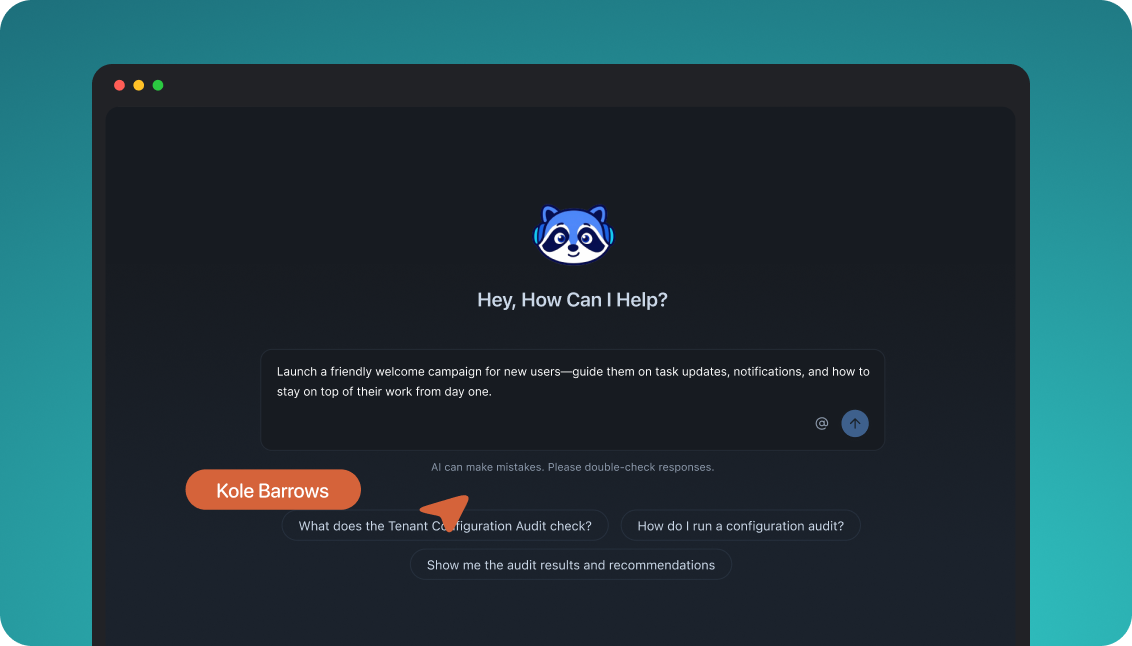
The built-in agent builds, edits and debugs notifications from a description; product and growth ship without a ticket.

In the dashboard

Connect the MCP to Claude, ChatGPT or any client and operate templates, workflows, tenants and preferences from there.

In your own agent

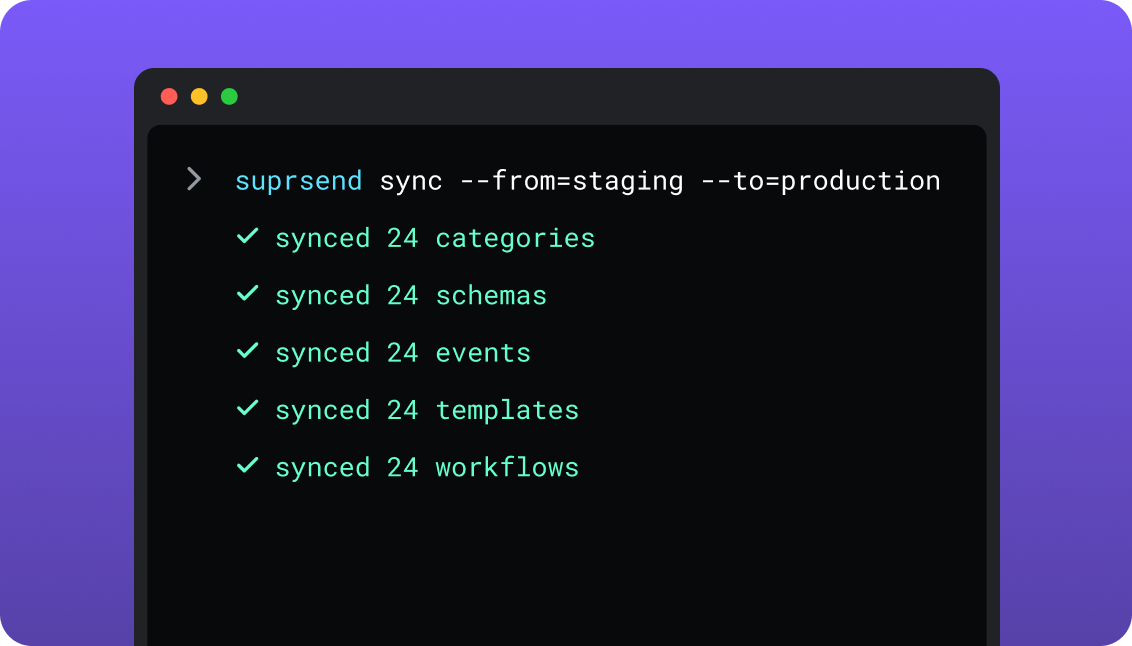
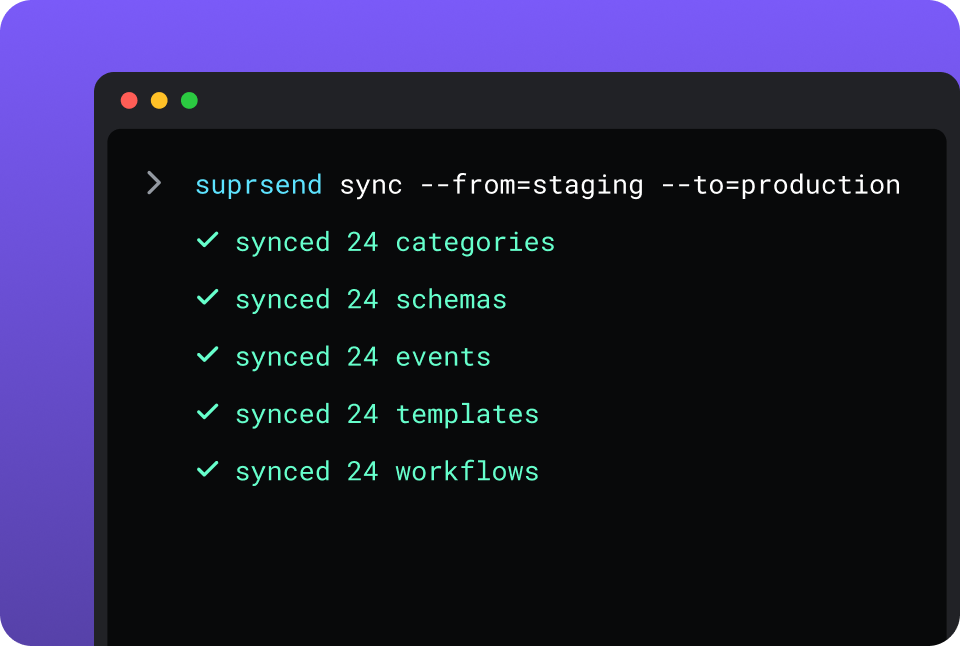
CLI and API keep workflows versioned, diffable and reviewed in pull requests; coding agents make bulk changes.

In your IDE or codebase
In the dashboardIn your own agentIn your IDE or codebase

One SuprSend customer runs its marketing email end to end from Claude Code, with nobody in the dashboard.

Marketo Engage is built in its program and smart campaign canvas on one production instance. Its asset API and an Adobe-hosted MCP server with more than 100 operations create forms, programs, emails and smart campaigns from Claude, Cursor or Codex, generative AI drafts email copy in the editor, and there is no command-line tool.

Everything from one place

SuprSend unifies transactional, product and customer engagement messages in one system. A marketing team working in the SuprSend dashboard also runs the event-driven transactional messages, from the same workflows, lists and logs as its campaigns.

Lists built five waysSegmentation rules, a scheduled warehouse query, a CSV, the API, or a Segment, Mixpanel or Amplitude sync.
User properties with no schema to declareAny number per user, any JSON value, nested objects and arrays included.
An inbox inside your productDrop-in or headless on web and mobile, with read state and per-tenant feeds.
Users choose channels per categoryAccount admins set the defaults and mark security alerts mandatory.
Your own providers, with fallbackSendGrid, SES, Postmark or Twilio in an ordered list with a timer.
Batching, digest, translations and schemaFour digest modes, translation files per language, events validated on arrival.
Logs that say whyRendered content, the vendor error and the block reason on every message.

Short answer

If this is youChoose
A B2B marketing operations team runs lead scoring, nurture and attribution on a database synced with Salesforce or DynamicsMarketoMarketo
Sales needs lead alerts, routing and a view of marketing activity inside the CRMMarketoMarketo
Webinars, events, forms and landing pages should run from the same tool as emailMarketoMarketo
Messages start from what users do in your product and reach email, push, SMS, Slack and an inboxSuprSendSuprSend
A marketing team wants password resets, invoices and alerts in the same dashboard, lists and logs as its campaignsSuprSendSuprSend
You want agents to build, send and manage your notifications from Claude, ChatGPT, Claude Code, Cursor or SlackSuprSendSuprSend
Each customer account needs its own domain, provider, content and defaultsSuprSendSuprSend
A send that fails at the provider has to go out through another oneSuprSendSuprSend
Notification data has to stay in your own cloudSuprSendSuprSend
Marketing keeps Marketo for lead management and the product needs its own notificationsBoth

At a glance

SuprSendSuprSendMarketoMarketo
Best whenEngineering, product and growth all send to users, on every channelMarketing ops runs scoring, nurture and attribution with the CRM
Who uses itEngineers, product, growth, marketing, and agents; unlimited seatsMarketing operations; 10 users on Growth, 25 above
Messages coveredTransactional, product and customer engagement, in one systemB2B email campaigns and nurture; transactional email through Request Campaign
Built and changed fromDashboard agent, your own agent over MCP, CLI and APIProgram canvas, REST asset API, hosted MCP server
ChannelsEmail, SMS, WhatsApp, mobile push, web push, Slack, Teams, in-app, webhookEmail; SMS and mobile push as add-ons
Data modelUsers with JSON properties, objects, nested tenantsPeople with typed fields, companies, opportunities, custom objects
Multi-tenancyTenants with own provider, domain, template version, defaults, feedWorkspaces and partitions; Prime and Ultimate, add-on below
PreferencesPer category and channel, digest schedule, tenant defaultsUnsubscribed flag; subscription centre you build from a form
WorkflowsOne send step for all channels; digest, routing, failover, versionsSmart campaigns and engagement programs; one action per channel
In-appInbox on web, React Native, Flutter, iOS, AndroidModals and banners in mobile apps, add-on
Provider failoverOrdered vendor list with timer; Essentials and upNone; Adobe’s mail servers
Log retention30 days Free, 90 days paid, custom Enterprise25 months for most activities; 90 days for Send Email and Delivered
AIAgent builds, drafts and debugs in dashboard or Slack; MCP; Agent SDKGenerative email copy; hosted MCP server
HostingSuprSend cloud on every plan; your VPC, on-prem or BYOC on Enterprise, full product, supportedAdobe cloud
Pricing modelPer notification per channel; users free; 10,000 free a monthAnnual contract on database size and package; quote only
ImplementationDays: API or SDK call, workflows in the dashboard or by CLISales-led; instance, domains and CRM sync before the first send
ComplianceSOC 2 Type II, GDPR, HIPAA BAA on EnterpriseSOC 2 Type 2, ISO 27001, GDPR, HIPAA ready
G24.8, 129 reviews4.1, 3,148 reviews

What each is built for

Marketo Engage

Marketo Engage is Adobe’s B2B marketing automation platform. Its centre is the lead: a person record synced two ways with Salesforce or Dynamics, scored on behaviour, moved through nurture streams and handed to sales.

It suits marketing operations teams that run hundreds of cloned programs from one structure, with email native and SMS, push and webinars added as packages and add-ons around it.

SuprSendSuprSend

SuprSend is agentic multi-channel orchestration for products. One event becomes the right message on every channel through a workflow that batches, routes and fails over, built from the dashboard, the repo or an agent.

It suits products where engineering, product and growth all send to users, often across many customer accounts. Transactional, product and marketing messages share one user profile, one preference model and one log.

Where Marketo wins

Native two-way CRM syncSalesforce, Microsoft Dynamics and Veeva on every package, with campaign membership and opportunities in the person record.
Lead scoring, routing and sales alertsWeighted scores on any activity, routing to the owning rep, and Target Account Management for ABM on Prime and Ultimate.
Nurture depthEngagement programs with streams, cadences and transition rules, and smart campaigns on form fills, page visits, score changes and CRM events.
Attribution and revenue reportingAttribution and ROI dashboards on Select and up, Advanced Journey Analytics on Prime, Marketo Measure on Ultimate.
Events and webinarsEvent programs with registration and check-in, and interactive webinars hosted in the product on Select and up.
Forms, landing pages and paid mediaForms, landing pages, SEO tooling and audience matching into Google, Facebook and LinkedIn on every package.
A/B tests and predictive contentA/B/n tests on emails and landing pages, champion and challenger in email programs, and Predictive Content on Select and up.
A hosted MCP server with more than 100 operationsForms, programs, smart campaigns, leads, emails, snippets, lists and folders from Claude, Cursor or Codex, with no delete operations exposed.

Where SuprSend wins

Development, staging and production on every planPromote from staging to production with the CLI. Marketo includes a sandbox instance on Prime and Ultimate and sells it below.
Lists from your warehouse and your CDPA scheduled SQL query, a Segment, Mixpanel or Amplitude sync, or rules on properties and events. Marketo lists come from person fields, activities, the CRM and imports.
User properties with no schemaAny number, any JSON value. Marketo fields are created one at a time with a type fixed at creation.
An inbox inside your productReact, Angular, Vue, React Native, Flutter, iOS and Android SDKs with read state, tabs and per-tenant feeds. Marketo’s in-app message is a modal or banner in a mobile app.
Logs that say whyRendered content and the vendor error per message, block reasons named, S3 sync, CSV export to 50 million rows. Marketo drops Send Email and Email Delivered activities after 90 days.
No seat count and no daily API quotaUnlimited team members on every plan. Marketo includes 10 or 25 users and 20,000 or 50,000 API calls a day.
A free plan and a first send the same day10,000 notifications a month with no sales call. Marketo is sold on an annual contract through Adobe sales.
A choice of where it runsSuprSend cloud on every plan, or the full product in your VPC, on-prem or bring your own cloud on Enterprise.

Who works in it

MarketoMarketo

Marketing operations builds programs, smart lists and smart campaigns in the canvas and owns the instance. Sales reads scores, alerts and marketing activity from Salesforce or Dynamics through Sales Insight.

Agents connect to the hosted MCP server to create forms, programs, emails and smart campaigns and look up leads, within the instance’s daily API quota.

SuprSendSuprSend

Engineers integrate once through the API, a backend SDK in Python, Node, Java or Go, the CLI and MCP, and keep workflows and templates in the repo. Product, growth and marketing build workflows, lists, content and broadcasts in the dashboard, or have the built-in agent build them, with versions to roll back and a test mode.

Agents connect over MCP from Claude, ChatGPT, Claude Code or Cursor and create users and tenants, set preferences, write templates, trigger a notification and read the log.

Feature by feature

From both pricing pages, Adobe’s pricing and packaging PDF, both documentation sites and the SuprSend product, September 2026. Plan names mark the lowest plan or package that includes a feature.

How notifications are built and changed

Everything in SuprSend has an API and a file form behind the dashboard, so it can be scripted, versioned, staged and handed to an agent. Marketo is built in its canvas on one production instance, with an asset API and an MCP server that create the same objects.

CapabilitySuprSendSuprSendMarketoMarketo
Visual builder YESWorkflows, lists, templates, broadcasts YESPrograms, smart lists, flows, schedules
Workflows and templates by API YESFull create, read, update YESAsset API creates programs, emails, smart campaigns, flow steps
CLI push and pull of assets YESWorkflows, templates, schemas, events, categories, translations NO
Promote staging to production from CI YESBy CLI PARTIALProgram import from a sandbox instance, in the UI
Change many assets in one command or prompt YESBy CLI or agent PARTIALClone a program; tokens localise the clones
Authoring from an IDE over MCP YESCursor, Claude Code, Windsurf YESCursor, Claude Code, Codex, VS Code
Built-in agent that builds and edits YESIn the dashboard or Slack PARTIALGenerative email copy in the editor
Headless UI components YESInbox, preference centre, template editor NO

Teams and scope

Marketo is sold to marketing operations, seat by seat, with sales reading it from the CRM. SuprSend is one system for engineering, product, growth and marketing, with no seat count.

CapabilitySuprSendSuprSendMarketoMarketo
Who builds automationsEngineers, product, growth, marketing; dashboard, CLI, MCP or agentMarketing operations in the canvas; developers through the API and MCP
Team seatsUnlimited on every plan10 on Growth, 25 on Select, Prime and Ultimate; more by purchase
Transactional messages YESEvery channel PARTIALEmail through Request Campaign on an operational email
Product notifications with an inbox YES NOMobile modals and banners only
Customer engagement campaigns YESLists and broadcasts on every plan YESThe core product
Native CRM sync NOSegment, Mixpanel, Amplitude and warehouse sync YESSalesforce, Dynamics, Veeva on every package
Lead scoring and sales alerts NO YESEvery package
Forms, landing pages, web tracking NO YESEvery package
Events and webinars NO YES, BUTSelect and up; add-on on Growth

Data model and tenancy

Marketo stores people with typed fields, companies, opportunities and custom objects in one database that can be partitioned. SuprSend stores users with free-form JSON, the objects they belong to, and nested tenants that each carry their own provider, content and defaults.

CapabilitySuprSendSuprSendMarketoMarketo
RecipientsUsers; objects such as an order, a team or a device, with own channels and subscribersPeople; companies; opportunities; named accounts on Prime and up
Custom dataAny JSON on a user or objectCustom objects: 10 objects and 2M records on Select and up
Non-user recipients YESObjects; Business NOOnly people receive messages
Tenants YES, BUTNested five levels; Business add-on or Enterprise YES, BUTWorkspaces and partitions on Prime and Ultimate; add-on below
Per-tenant provider and sending domain YES NOSending domains belong to the instance
Per-tenant template version YES NODynamic content by segment inside one email
Tenant-admin defaults and mandatory channels YES NO
Contact limitNone; users are freeDatabase size sets the price

Marketing campaigns and lists

Both run one-time, scheduled and triggered campaigns. Marketo builds the audience from person fields, activities and CRM data and sends email. SuprSend builds it from properties, events, your warehouse or a CDP, and sends on any channel through the same workflow engine as transactional messages.

CapabilitySuprSendSuprSendMarketoMarketo
How a list is builtRules on properties and events; scheduled warehouse SQL; CSV; API; Segment, Mixpanel, AmplitudeSmart lists on fields, activity and CRM filters; static lists; CSV; CRM campaign sync
Dynamic lists that refresh YES, BUTEnterprise, or an add-on on Essentials and Business YESSmart lists evaluate live
User propertiesAny number; any JSON value; nothing to declare firstFields typed at creation: string, integer, boolean, date, email, currency and others
Broadcast channelsAny of nine channels, or several in one sendEmail; SMS and push through add-ons
Send in the recipient’s timezone YESEssentials and up PARTIALEmail programs and engagement streams
Transactional from the same dashboard YESEvent-driven workflows beside lists and broadcasts YESTrigger campaign on Campaign is Requested
Campaign analyticsDelivered, seen, clicked, unsubscribed per broadcast, template, category, tenantEmail performance, program and channel analysis, pipeline and revenue
A/B testing NO YESEmails and landing pages; champion and challenger

Channels

Marketo sends email itself and adds SMS and push through add-ons. SuprSend sends every channel on every plan, through providers you connect, with fallback between them.

CapabilitySuprSendSuprSendMarketoMarketo
Email YESThrough your provider: SendGrid, SES, Mailgun, Postmark and others YESAdobe’s mail servers; dedicated IP as an add-on
SMS YESThrough your provider, every plan YES, BUTVibes add-on, US and Canada
WhatsApp YES NO
Mobile push YES YES, BUTMobile SDK add-on, iOS and Android
Web push YES NO
Slack and MS Teams YES NO
In-app inbox YESEvery plan NO
Webhook YESAs a channel YESCall Webhook step in trigger campaigns
Provider failover YESOrdered vendor list, timer, success stop; Essentials NO

Workflows

Marketo’s smart campaign is deeper on marketing and CRM triggers. SuprSend’s workflow is deeper on delivery: one send step for all channels, digest, routing, failover, versions and a test mode.

CapabilitySuprSendSuprSendMarketoMarketo
TriggersAPI event, Segment event, schedule, list, broadcastForm fill, page visit, email activity, score and data changes, CRM changes, API request
Send to all channels in one step YES NOOne flow action per channel
Branching YESBranch node YESChoices on each flow step
Batch and digest YESUser-chosen time, until due date, skip if too few; Business NO
Channel routing that stops on response YES NO
Frequency caps YESThrottle per workflow; Essentials YESEmail per day and per week, for the whole instance
Payload validation YESJSON schema; TypeScript types by CLI NO
Version history and rollback YES NODraft and approved versions only
Test mode YESBlocks real delivery outside production PARTIALSend sample; sandbox instance on Prime and up
Nurture streams PARTIALSequences built as workflows YESEngagement programs with streams and cadences

Templates and content

Both have rich editors. Marketo adds tokens, snippets and dynamic content by segment. SuprSend adds versions, variants by tenant or language inside one template, and an editor you can embed in your own product.

CapabilitySuprSendSuprSendMarketoMarketo
EditorsRich editors for all nine channels; Handlebars; JSONNET for Slack and TeamsEmail editor and designer; landing page editor; SMS and push in their add-ons
Variants YESBy tenant, user, event data or language YESDynamic content by segment; tokens; snippets
Translations YESTranslation files per language, pushed by CLI; Business PARTIALDynamic content per language segment
Version history and rollback YES NO
Embeddable template editor YESReact SDK NO
AI-drafted copy YESEvery channel YESEmail copy, subject lines and images

Preferences

A preference is what a user has agreed to receive, on which channel and how often. SuprSend resolves it per category and channel with a digest schedule and a tenant layer. Marketo keeps an Unsubscribed flag and a subscription centre you build from a form.

CapabilitySuprSendSuprSendMarketoMarketo
ModelPer category and channel; digest schedule; condition rulesUnsubscribed flag; custom fields per topic read by smart lists
Channel choice within a category YES NO
User-chosen digest schedule YES NO
Tenant-admin defaults YES NO
Preference centre YESEmbeddable and hosted; Business PARTIALA landing page and form you build
Unsubscribe page YESGenerated per email YESEditable in Admin
Quiet hours set by the user NO NO

In-app inbox

An inbox is a feed of notifications that lives inside your product and keeps read state. SuprSend ships one for web and mobile. Marketo shows a one-off modal or banner inside a mobile app.

CapabilitySuprSendSuprSendMarketoMarketo
Web components YESReact, Angular, Vue, JS; headless hooks NO
Mobile YESReact Native, Flutter, iOS, Android YES, BUTiOS and Android modals and banners; add-on
Persistent feed with read state YES NO
Tabs, filters, per-tenant feed YES NO
Snooze, pin, archive, actions, toasts YES NO
Expiring token auth YESJWT refreshed by the SDK NO

Analytics and logs

Marketo reports on programs, pipeline and revenue and keeps an activity log per person. SuprSend logs every message with what was rendered, where it went and why it was blocked.

CapabilitySuprSendSuprSendMarketoMarketo
Per-message log with rendered content YESWith the vendor error PARTIALSend, delivered, bounce, open, click on the person
Block reasons named YESOpt-out, no channel, template error PARTIALUnsubscribed, suspended and invalid flags on the person
Retention30 days Free, 90 days paid, custom Enterprise25 months for most activities; 90 days for Send Email and Email Delivered
ExportCSV to 50M rows; S3 Parquet sync; warehouse sync on BusinessBulk extract API within a daily allowance; report export
Monitoring destinations YES, BUTDatadog, New Relic, OpenTelemetry; Enterprise NO
Revenue attribution NO YES, BUTSelect and up; Marketo Measure on Ultimate

Developer experience

Marketo has a metered REST API and outbound webhooks. SuprSend has SDKs, a CLI, three environments and MCP, so engineering integrates once and everyone else builds on top.

CapabilitySuprSendSuprSendMarketoMarketo
Backend SDKsPython, Node, Java, GoNone official; community libraries
Frontend SDKsJS, React, React Native, Flutter, iOS, AndroidMobile SDK (add-on); Munchkin JavaScript for tracking
EnvironmentsDevelopment, staging, production on every planOne production instance; sandbox on Prime and Ultimate, add-on below
CLI YESPush, pull, promote, generate types NO
OpenAPI spec, Postman, try-it YES PARTIALREST references on developer.adobe.com
API limitsFair-use limit; no number published20,000 or 50,000 calls a day; 100 per 20 seconds
Outbound webhooksDelivery status per messageFrom trigger campaigns; response mapped to fields

AI, by what it can do

Both have an MCP server. The SuprSend agent and any agent connected over MCP can build, run and diagnose the whole system; Marketo’s MCP covers marketing assets and leads, and its in-product AI drafts email.

CapabilitySuprSendSuprSendMarketoMarketo
Build a workflow from a prompt YESSuprSend agent or any agent over MCP PARTIALOver MCP: create a smart campaign, add flow steps
Draft copy per channel YESAll nine channels PARTIALEmail only
Diagnose a failed send YESAgent reads the log and names the reason NO
Run a campaign from an external agent YESList, template, workflow, trigger, log YESEmail: list, email, smart campaign, request
What the MCP coversUsers, tenants, objects, preferences, workflows, templates, schemas, logsForms, programs, smart campaigns, lists, leads, emails, snippets, folders
MCP hostingLocal, through the CLIAdobe-hosted; counts against the daily API quota
Agent SDK for your own agents YESOpenAI, LangChain, Vercel AI NO
Predictive audiences and content NO YES, BUTPredictive Content on Select; Predictive Audiences on Prime

Security, compliance, support

Both hold SOC 2 and GDPR. Marketo carries Adobe Experience Cloud’s ISO certifications and has roles and SSO on every package; SuprSend adds the choice of running in your own cloud.

CapabilitySuprSendSuprSendMarketoMarketo
CertificationsSOC 2 Type II, GDPR, HIPAA; ISO 27001 in progressSOC 2 Type 2, ISO 27001, 27017, 27018, GDPR, HIPAA ready
SAML SSO YES, BUTEnterprise; Google and GitHub sign-in on every plan YESEvery package
Custom roles and audit trail YES, BUTEnterprise YESEvery package
Two-factor sign-in YESEvery plan YESThrough Adobe identity
Hosting YESSuprSend cloud on every plan; your VPC, on-prem or BYOC on Enterprise, full product, supported YESAdobe cloud
Encryption at rest YESEvery plan YES, BUTDatabase encryption as an add-on
Uptime99.9%; SLA on EnterpriseNot published
SupportSlack community; email and chat on paid; phone and named CSM on EnterpriseAdobe support; onboarding on Growth; deliverability consulting as an add-on

Pricing and implementation

The unit decides the bill. Marketo charges an annual contract on the size of the database and the package, and Adobe publishes no prices; SuprSend charges per notification per channel, counts a digest as one, and stores users free. A product with 20,000 users each receiving five notifications a month on two channels sends 200,000 notifications, about $1,000 a month on SuprSend Business ($250 plus 150,000 extra at $5 per 1,000); on Marketo it is a 20,000-record database quoted by Adobe, with SMS and push as add-ons. Compare on your own event-to-notification ratio; SuprSend’s pricing page and Marketo’s packaging page have the tiers.

CapabilitySuprSendSuprSendMarketoMarketo
Billing unitNotification per user per channel; digest counts as one; opt-out blocks not billedDatabase size on a package tier; users and API calls set per package
Free10,000 notifications a month; all channels; unlimited membersNo free plan
Entry paidEssentials $100 a month; 50,000; $2 per extra 1,000Growth: quote only; 10 users; 20,000 API calls a day
Next tiersBusiness $250 a month; 50,000; $5 per extra 1,000; adds digest, preferences, objectsSelect, Prime, Ultimate: quote only; 25 users; 50,000 API calls a day
EnterpriseCustom; volume discounts; self-hostingUltimate adds Marketo Measure
Add-onsMulti-tenant add-on on Business; dynamic listsSMS, push, sandbox, workspaces, dedicated IP, encryption, users, API calls
Delivery providersBring your own for email and SMS; billed by the providerEmail included; SMS on a Vibes licence
Time to first sendSame day from the free planAfter contract, instance setup, domains and CRM sync

Migrating from Marketo to SuprSend

Some teams move everything. More often, marketing keeps Marketo for lead management and the CRM sync, and the transactional and product messages built on Request Campaign move to SuprSend, with a webhook keeping the person record current. The mapping is the same either way.

MarketoSuprSendMoves how
PersonUserBulk extract to CSV, users API or Segment; keep the same ID
Smart list, static listListRebuild as rules or a warehouse query; import static lists
Company, partitionTenantTenant API; then provider, domain, defaults
Custom objectObjectObjects API with own channels and subscribers
Program with smart campaignsWorkflowRebuilt in the builder, by CLI or by the agent; no export maps across
Request Campaign callWorkflow triggerSwap the API call for a trigger with the event payload
Send Email, SMS, push stepsOne send stepConnect providers; add a fallback order
Email asset, snippet, tokenTemplate with versionsRecreate in the editor; tokens become variables
Unsubscribed flag, subscription fieldsPreferences by categoryPreferences API; map each field to a category
Activity logLogsBulk extract before cut-over; no import
CRM sync, scoring, forms, webinarsNo equivalentStay in Marketo, or move to a CRM and a forms tool
01

Inventory every program, smart campaign and email, and mark which are triggered by product events or Request Campaign and which by marketing behaviour or the CRM.

02

Stand up SuprSend development and staging. Connect email and SMS providers with a fallback order; create tenants and their defaults.

03

Import users and lists from a bulk extract; map subscription fields to categories and channel defaults.

04

Rebuild the critical flows first: verification codes, password resets, billing and security alerts. Test them in test mode, then pull them into your repo.

05

Run both on those flows for a week, with the inbox behind a feature flag and a webhook back to Marketo if marketing stays there.

06

Move the remaining workflows, cut over, and keep a bulk extract of Marketo’s activities.

Enterprise customers get migration support and a scoped plan; on other plans the Slack community and docs are the path.

FAQ

Is SuprSend better than Marketo Engage?
SuprSendSuprSend

SuprSend is better when messages start from what users do in your product, reach nine channels and an inbox, respect preferences per category and per customer account, and are built by engineering, product, growth or their agents.

MarketoMarketo

Marketo is better for a B2B marketing operations team running scoring, nurture, webinars and attribution on a lead database synced with Salesforce or Dynamics.

Can I keep Marketo for marketing and use SuprSend for the rest?

Yes. Marketo keeps lead management, nurture and the CRM sync; SuprSend receives product events and sends everything the product sends, and a webhook keeps the Marketo person record current. It is two bills: a database-sized contract and a notification price.

Does Marketo support multi-tenancy, and how does SuprSend compare?
SuprSendSuprSend

SuprSend tenants each send through their own domain and provider, carry their own template version and inbox feed, and set the defaults and mandatory channels their users start from, nested five levels. The sub-tenants doc shows the setup.

MarketoMarketo

Marketo splits one database into workspaces and partitions, included on Prime and Ultimate and sold as an add-on below, with assets shared or separated per workspace.

Can an agent run each one?
SuprSendSuprSend

SuprSend agents in Claude, ChatGPT, Claude Code or Cursor create users and tenants, set preferences, write templates, build workflows, trigger a notification and read the log; the SuprSend agent in the dashboard or Slack explains failed sends.

MarketoMarketo

Marketo exposes more than 100 operations on forms, programs, smart campaigns, leads, emails and snippets through its Adobe-hosted MCP server, with no delete operations and within the daily API quota.

Where does each run, and can I self-host SuprSend?

SuprSend cloud is the default on every plan; on Enterprise the same product also runs in your VPC, your data centre or your own cloud account, with vendor support. Marketo runs in Adobe’s cloud.

Which is cheaper?

Adobe publishes no Marketo prices; it quotes an annual contract on database size and package. SuprSend bills per notification per channel and stores users free, so the comparison is your Adobe quote against your monthly notification volume.

How do I migrate from Marketo to SuprSend?

Users and lists move from a bulk extract; tenants and providers are set up in a day. Programs and smart campaigns are rebuilt as workflows, starting with the critical transactional flows, and most teams run both on those flows for a week before cutting over.

Related Resources

Can SuprSend run inside my own cloud?Bring your own cloud
What does SuprSend cost at my volume?SuprSend pricing
How do I set up notifications per customer account?multi-tenant modelling guide
How do I connect SuprSend to Claude?Claude MCP quickstart

There’s no better place for you
to build notifications

Join thousands of product & engineering teams using SuprSend to build and ship better notifications—faster.