SuprSendVSMailgun

SuprSend vs Mailgun

Mailgun delivers the email. SuprSend decides what is sent, on which channel and when, for engineering, product and growth teams, and sends the email through Mailgun. Most teams use both.

Trusted infrastructure layer behind hundreds of platforms

ExaCareSiemensEmergentSarvamCrazyGamesEvocalizeEskoFrankieOneSennderDelightreeHeyReachFreightify

Mailgun is an email delivery service, and SuprSend sends email through it. Mailgun gives developers an API and an SMTP relay for sending from their own code. SuprSend is the notification infrastructure above it, where engineering, product and growth run transactional, product and engagement messages on nine channels.

Send the email through Mailgun and run everything around it

Mailgun delivers the email. The SuprSend workflow decides whether a message should go, on which channel, when, and to whom, then hands the email step to Mailgun and moves to a backup provider if Mailgun does not confirm delivery. The right message reaches the right user at the right time on the right channel, with none of that logic in your application code.

One workflow reaches every channel

One send step covers email, SMS, WhatsApp, mobile push, web push, the in-app inbox, Slack, Teams and webhooks. Adding a channel is a step in the workflow, on the same user record and log. Mailgun sends email; SMS, push and chat need other vendors and your own code.

Every kind of message runs from one system

SuprSend unifies transactional, product and customer engagement messages in one system. A password reset, a comment notification and a win-back campaign share the same users, preferences and logs. Mailgun sends whatever your code hands it and has no send button, so every campaign is a script.

Each customer account is its own tenant

Each tenant carries its own branding, template version, channel defaults and inbox feed, with sub-tenants nesting five levels deep, and can send from its own domain and provider. Mailgun subaccounts separate domains, IPs and keys; content and defaults per customer are logic you write.

Users choose channels per category, admins set the defaults

Per category, a user picks channels and a digest schedule, a tenant admin sets the defaults above them, and every send checks those choices first. A hosted page and embeddable components ship with it. Mailgun unsubscribes an address per domain, tag or mailing list, with no categories.

Digests, timezone holds and failover in every workflow

Ten comments become one digest. A message waits for morning in the user’s timezone. If Mailgun does not confirm delivery, the workflow moves to a backup provider or another channel. Mailgun sends each message when asked or at a set time, so batching and fallback are code on your server.

Logs that say why a message did not arrive

Each message keeps its workflow run, rendered content, the provider’s error and the reason a send was blocked, searchable by user for 30 to 90 days. Mailgun logs events per message for one to 30 days by plan, and never sees the decision made before the send.

On its own, Mailgun covers email by API and SMTP, sending domains and dedicated IPs, suppressions, stored templates, inbound routing and delivery logs, with deliverability tools on Optimize. It does not know your users beyond an address, send on any other channel, hold a preference per category, or wait, batch or branch.

Build notifications in the dashboard, in your own agent, or in your codebase

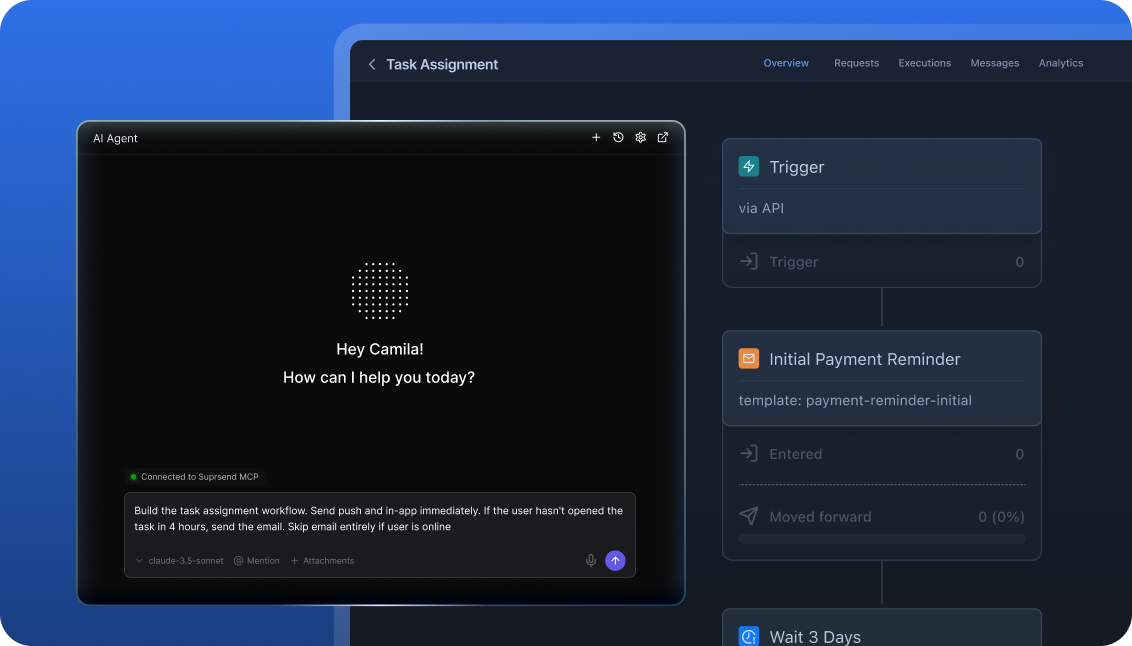
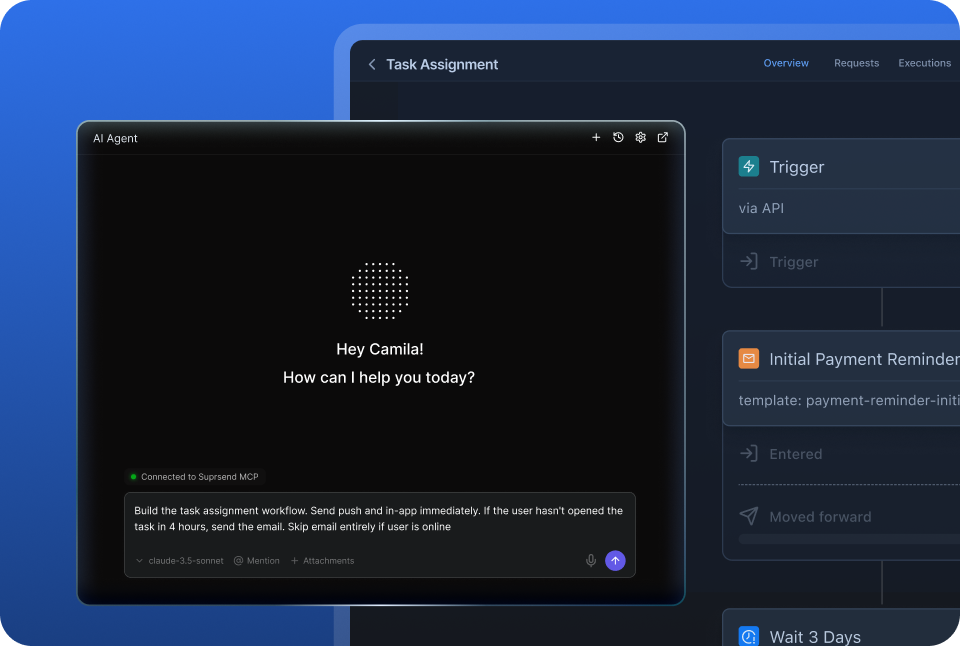
A product manager changes a workflow in the dashboard. A developer commits the same workflow as a file and ships it through a pull request. A marketer asks Claude to build a list and send a campaign. All three are working on the same workflows, templates and logs, so nobody waits on a ticket.

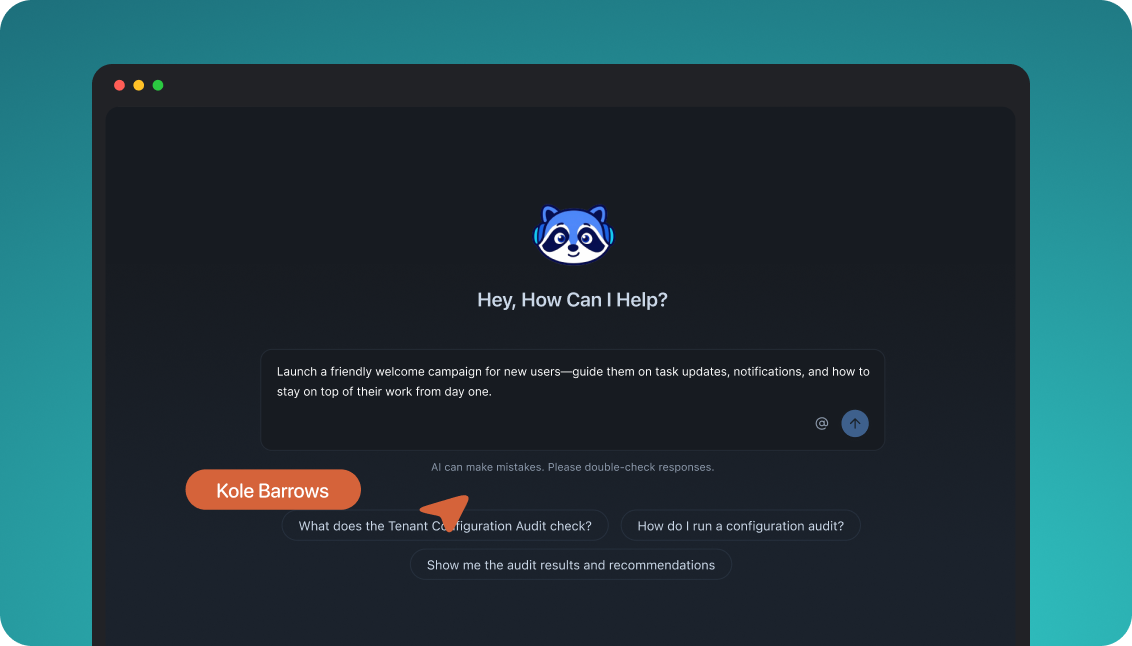
The built-in agent builds, edits and debugs notifications from a description; product and growth ship without a ticket.

In the dashboard

Connect the MCP to Claude, ChatGPT or any client and operate templates, workflows, tenants and preferences from there.

In your own agent

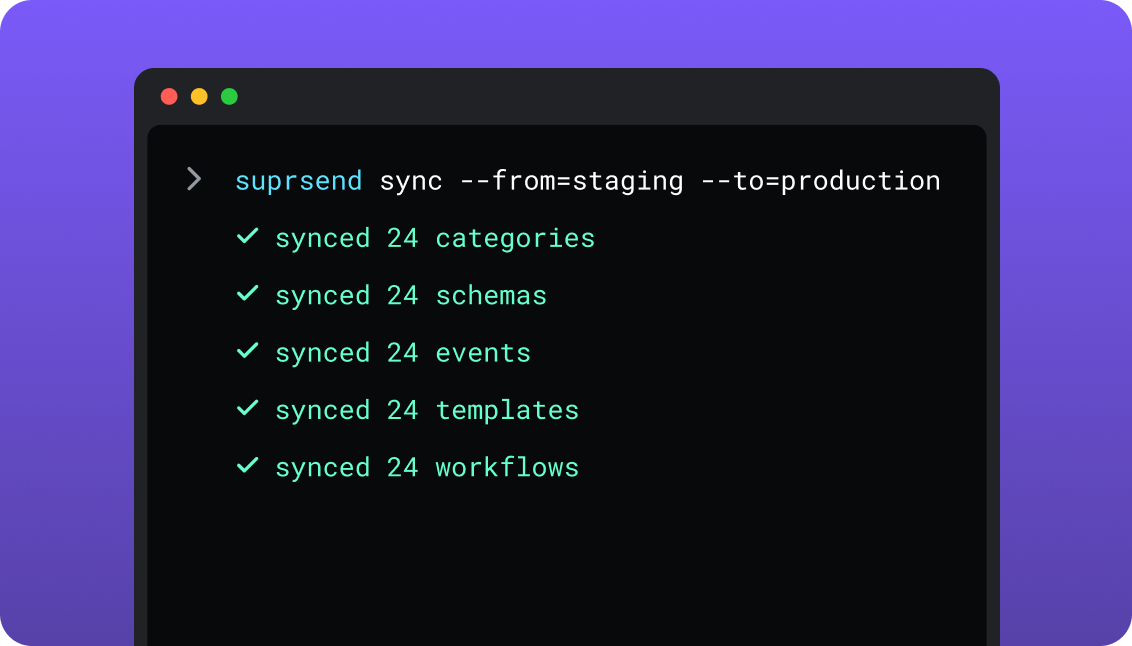
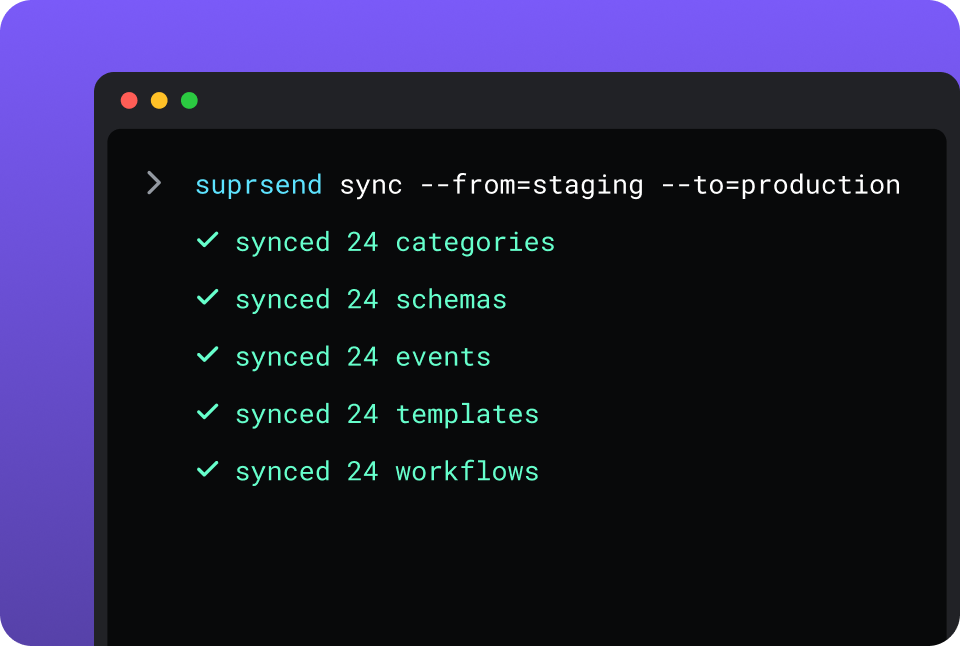
CLI and API keep workflows versioned, diffable and reviewed in pull requests; coding agents make bulk changes.

In your IDE or codebase
In the dashboardIn your own agentIn your IDE or codebase

One SuprSend customer runs its marketing email end to end from Claude Code, with nobody in the dashboard.

Mailgun is built from code. Developers send through the REST API, the SMTP relay or SDKs in six languages, and the Mailgun MCP server, which runs on your machine, lets Claude, Cursor or Windsurf send email, manage templates, lists and suppressions, and read delivery stats. The dashboard manages domains, templates and suppressions and has no send button, so a campaign is a script.

Short answer

If this is youChoose
Your product sends email only, from your own server, and your team is content writing the queue, the retries and the opt-out checksMailgunMailgun
Your team’s work is inbox placement, IP reputation and list hygieneMailgunMailgun
One trigger has to reach the user by email, push, SMS, WhatsApp or an in-app inboxSuprSendSuprSend
Messages need delays, digests, branches, or a push when the email goes unopenedSuprSendSuprSend
Users should choose which notifications they get and on which channelSuprSendSuprSend
Each customer account needs its own branding, sending domain and defaultsSuprSendSuprSend
Product and growth should change email content and logic without a deploy or a ticketSuprSendSuprSend
A marketing team wants its campaigns and the transactional messages in the same dashboardSuprSendSuprSend
You want agents to build, send and manage your notifications from Claude, ChatGPT, Claude Code, Cursor or SlackSuprSendSuprSend
Mailgun is already wired in and you are now writing the preference table, the digest job and the retry queueBoth

At a glance

SuprSendSuprSendMailgunMailgun
Best whenNotifications span channels and teams, with logic and preferences around each sendEmail is the only channel and your server owns the logic
Who uses itEngineers, product, growth, and agents over MCPEngineers through the API; deliverability and ops teams in the dashboard
Messages coveredTransactional, product and customer engagement, in one systemAny email your code sends
LayerDecides channel, timing, content and recipient; sends through providersDelivers email by API and SMTP
Built and changed fromDashboard agent, your own agent over MCP, CLI and APIServer code, template builder, local MCP server
ChannelsEmail, SMS, WhatsApp, mobile push, web push, Slack, Teams, in-app inbox, webhookEmail, sending and receiving
Recipient modelUser profile with every channel address and any JSON propertiesEmail address; mailing list members with variables
Workflow logicDelay, digest, branch, routing, timezone, throttle, failoverNone; written in your code
PreferencesPer category and channel, digest schedule, tenant defaultsUnsubscribe per domain, tag or mailing list
Multi-tenancyNested tenants with own branding, templates, defaults, providersSubaccounts with own domains, IPs and keys
TemplatesEditors for nine channels, versions, translation filesEmail templates, 40 versions each, 100 per account
CampaignsBroadcast to a list from the dashboard, API or an agentNo send button; batch sends by API
Delivery dataPer-user message log with errors and block reasonsPer-message event log and reports by tag and domain
Deliverability toolingYour provider’sDedicated IPs, warm-up; inbox placement and monitoring on Optimize
AIAgents build workflows, write copy, send, and read the logMCP server sends email and manages templates, lists, suppressions
HostingSuprSend cloud on every plan; your VPC, on-prem or BYOC on EnterpriseMailgun cloud only, in US or EU regions
Pricing modelPer notification per channel; 10,000 free, Essentials $100 per monthPer email; 100 a day free, Basic $15 per month
ImplementationDays: Mailgun key as vendor, SDK, workflows in the dashboardA day for a first send; weeks for the code around it
G24.8, 129 reviews4.2, 321 reviews

What each actually is

MailgunMailgun

Mailgun is Sinch’s email delivery service. It accepts a message from your code through a REST API or an SMTP relay, sends it from your verified domain on shared or dedicated IPs, and records what happened in an event log. Beside it sit Optimize for inbox placement and reputation, Validate for address checks, and Inspect for previews.

Mailgun is one of the email providers SuprSend sends through, and it bills per email with a free tier of 100 a day. What surrounds delivery is yours to build: the decision to send, the timing, every other channel, and preferences finer than an unsubscribe.

SuprSendSuprSend

SuprSend is notification infrastructure for products where more than one team works on notifications. An event or an API call starts a workflow, and the workflow decides the channel, the timing, the content and the recipients. Engineers integrate once; product and growth build and change workflows, templates, lists and broadcasts from the dashboard or through an agent.

SuprSend delivers no email on its own. It sends the email step through your Mailgun account with your API key and domain, reads Mailgun’s delivery webhooks into its log, and can fall back to a second provider. Push, SMS, WhatsApp, an in-app inbox, Slack and Teams run through the same workflows.

Where they overlap

Email by APIBoth send from your verified domain. Under SuprSend the delivery is Mailgun’s own.
Stored templates with versionsMailgun keeps Handlebars email templates with up to 40 versions each. SuprSend keeps versioned Handlebars templates for every channel.
Lists and bulk sendsMailgun has mailing lists and batch sends with recipient variables. SuprSend builds lists from rules, warehouse SQL, CSV, the API or a CDP.
Sending in the recipient’s timezoneMailgun’s time zone optimization places a send by click data. SuprSend holds a workflow step to the user’s timezone.
Agent access over MCPBoth publish an MCP server that runs locally and works in Claude, Cursor and Windsurf.

Where Mailgun alone is enough

Price per email100 emails a day free; Basic $15 for 10,000, Foundation $35 for 50,000 and Scale $90 for 100,000 a month, with overage from $1.10 per 1,000 on Scale.
Deliverability toolingDedicated IPs and IP pools with automated warm-up, and on Optimize, inbox placement tests plus blocklist and spam trap monitoring.
Receiving emailInbound routes match incoming mail, then forward it, post it to your endpoint or store it.
An SMTP relayAny app or server that speaks SMTP can send through Mailgun with no code change.
Send time optimization and validationScale picks each recipient’s likeliest hour to open; Validate checks addresses before you send.
Ruby and PHP SDKsMailgun ships SDKs for Go, Node.js, PHP, Java, Ruby and Python, and a GitHub Actions integration.
An email-only productOne channel, logic your server already owns, and nothing beyond an unsubscribe to honour: an orchestration layer adds a bill and little else yet.

When you need SuprSend on top

The decision to send, out of your codeWho hears about what lives in a workflow product can change. With Mailgun alone the queue, the worker and the rules sit in your application, changed through a ticket.
Retries and duplicate protection before the handoffThe trigger takes an idempotency key, so a worker that dies mid-call or an event that fires twice sends once.
Content per language and per customer from one templateTranslation files and tenant variants render one template many ways. Mailgun stores 100 templates per account, and your code picks one.
Answers per workflow and per customerThe log filters by user, workflow, tenant and status for 90 days on paid plans. With Mailgun alone those numbers need its webhooks ingested and stored.
Campaigns without a scriptA marketer picks a list and sends a broadcast from the dashboard or through an agent, now or on a schedule.
More ways to triggerA product event, an API call, a schedule, a broadcast to a list, or a Segment event can each start the same workflow.
Environments and a test modeDevelopment, staging and production are on every plan, and test mode blocks real delivery. Mailgun’s test mode accepts the message and bills it.
A choice of where it runsSuprSend cloud on every plan; your VPC, on-prem or BYOC on Enterprise, with the full product and vendor support.

Who works in it

MailgunMailgun

Engineers send through the REST API, the SMTP relay or an SDK, and own the queue, the timing, the opt-out checks and every other channel. Deliverability and operations staff work in the dashboard on domains, IPs, suppressions, templates and reports. Nobody sends a campaign from it.

Agents connect to the local Mailgun MCP server from Claude, Cursor or Windsurf and send email, manage templates, lists and suppressions, and read delivery stats.

SuprSendSuprSend

Engineers integrate once through the API, a backend SDK in Python, Node, Java or Go, the CLI and MCP, and keep workflows and templates in the repo. Product and growth build workflows, lists, content and broadcasts in the dashboard, or have the built-in agent build them, with versions to roll back and a test mode.

Agents connect over MCP from Claude, ChatGPT, Claude Code or Cursor and create users, set preferences, write templates, trigger a notification, run a broadcast and read the delivery log.

Feature by feature

From both products, documentation sites and pricing pages, September 2026. Plan names mark the lowest plan that includes a feature.

How notifications are built and changed

In SuprSend a notification is a workflow and a set of templates, each with an API and a file form behind the dashboard, so it can be edited by a person, scripted, versioned and staged. In Mailgun the template is the only stored object. When to send, to whom and what else happens is code in your application.

CapabilitySuprSendSuprSendMailgunMailgun
Visual workflow builder YES NOSend logic is code on your server
Send a campaign from the dashboard YESBroadcast to a list on any channel NOThe dashboard has no send button
Templates managed by API YESWorkflows and templates YES, BUTTemplate API on Foundation
CLI push and pull of assets YESWorkflows, templates, schemas, events, categories, translation files NO
Version history and rollback YESEvery workflow and template PARTIALTemplates only, 40 versions each
Promotion from staging to production YESBy CLI, from CI NOTemplates are recreated per domain or copied to account level
MCP server for agents YESOperates users, tenants, preferences, workflows and templates YESLocal server; sends email and manages templates, lists, suppressions, webhooks
Headless UI components YESInbox, preference centre, template editor NO

Teams and scope

SuprSend is worked in by engineers, product and growth, with separate environments and a test mode between them and real users. Mailgun is worked in by engineers and the people who look after deliverability; marketing sends go through code or another tool.

CapabilitySuprSendSuprSendMailgunMailgun
Who builds send logicEngineers, product and growth, in the dashboard, by CLI or through an agentEngineers, in application code
Who sends campaignsProduct, growth and marketing, from the dashboard, the API or an agentEngineers, by batch API call or script
Transactional notifications YESEvery channel YES, BUTEmail only
Customer engagement campaigns YESEvery plan, every channel PARTIALBatch email by API to a mailing list
One system across both YESSame workflows, preferences and logs PARTIALSame domain and log; the logic for each lives in your code
Environments YESDevelopment, staging and production on every plan PARTIALSandbox domain, or a separate domain or subaccount per environment
Test mode that blocks real delivery YESIn development and staging, not billed YES, BUTTest-mode messages are billed
Team membersUnlimited on every planOne on Free and Basic; unlimited from Foundation

Data model and tenancy

SuprSend starts from a user: one profile holds every channel address, every device and any properties, and tenants sit above users. Mailgun starts from an email address. Mailing list members carry variables, and subaccounts split domains, IPs and keys, but a customer’s content and defaults live in your code.

CapabilitySuprSendSuprSendMailgunMailgun
User profile YESOne user, every channel address, any JSON properties NORecipients are addresses; users live in your database
Several addresses and devices per user YES NO
ListsRules on properties and events, warehouse SQL, CSV, API, CDP syncMailing lists by API or dashboard, members with JSON variables
Non-user recipients YES, BUTObjects with their own channels and subscribers; Business NO
Tenants YES, BUTNested five levels; Business add-on, Enterprise PARTIALSubaccounts with own domains, IPs and keys; usage rolls up to the primary
Per-tenant branding and templates YES, BUTBusiness add-on, Enterprise PARTIALAccount-level templates copied into subaccounts
Per-tenant channel and category defaults YES, BUTBusiness add-on, Enterprise NO
Per-tenant sending domain and provider YES, BUTBusiness add-on, Enterprise YESA domain or subaccount per customer

Customer engagement and marketing

Mailgun sends bulk email when your code calls it with a mailing list or a batch of recipients. SuprSend broadcasts to a list on any channel through the workflow engine. A marketing team working in the SuprSend dashboard also runs the event-driven transactional messages, such as password resets, invoices and alerts, from the same workflows, lists and logs as its campaigns.

CapabilitySuprSendSuprSendMailgunMailgun
How a list is builtSegmentation rules, scheduled warehouse SQL, CSV, API, Segment, Mixpanel, AmplitudeMembers added by API or in the dashboard
List refreshes on its own YES, BUTDynamic lists: add-on on Essentials and Business, Enterprise NO
User propertiesAny number per user, any JSON value, no schema to declareJSON variables per mailing list member
Campaign channelsAll nine, one or several per sendEmail
SchedulingOne-time, scheduled, recurring; recipient’s timezone from EssentialsDelivery time up to 7 days out on plans with 7 days of storage; time zone optimization
Campaign runs through a workflow YESCan batch, route across channels and respect preferences NOA batch send is one message to many addresses
Transactional messages from the same dashboard YES NONeither kind is sent from the dashboard
Send time optimization NO YES, BUTSTO on Scale
Campaign analytics YESDelivered, seen and clicked per broadcast YESReports by tag and domain

Channels

Mailgun is an email service that sends and receives. SuprSend covers nine channels from one workflow and uses Mailgun, or another provider, for email.

CapabilitySuprSendSuprSendMailgunMailgun
Email YESThrough Mailgun, SendGrid, SES, Postmark, Resend and others YES
Receive inbound email NO YESRoutes forward, post or store incoming mail
SMS and WhatsApp YESThrough your providers or the WhatsApp Cloud API NO
Mobile and web push YESDirect to FCM, APNs and browsers NO
In-app inbox YESEvery plan; SuprSend branding on Free NO
Slack and MS Teams YES NO
Webhook YES NO
Fallback to another channel YESSmart channel routing stops once the user engages NO
Fallback to another email provider YES, BUTEssentials NO

Email delivery

The delivery is Mailgun’s in both setups, so domains, IPs and reputation are the same. Mailgun gives direct control of the sending infrastructure. SuprSend decides which provider and which settings each category of email uses.

CapabilitySuprSendSuprSendMailgunMailgun
Custom sending domainsYour Mailgun domains, set per vendor or per tenant1 on Free and Basic; 1,000 from Foundation
Dedicated IPsYour provider’sFrom 50,000 a month; one included at 100,000; $59 per extra IP
SMTP relay NOAPI and SDKs YES
Separate provider per kind of email YESSystem, transactional and promotional can each use their own vendor PARTIALA domain or IP pool per stream, chosen in your code
Bounce and complaint suppression PARTIALFailures logged per user; suppression stays in the provider YESBounces, unsubscribes and complaints blocked automatically
Email validation NO YES, BUTAdd-on; 5,000 included on Scale
Inbox placement and reputation monitoring NO YES, BUTOptimize, a separate subscription
Open and click tracking YESRead from Mailgun’s webhooks YES
Data regionUS by default; other regions on EnterpriseUS or EU, chosen per domain

Workflows

A workflow is the logic between a trigger and a send: wait, batch, branch, pick a channel, stop. SuprSend has it as a product. Mailgun sends each message when your code asks, or at a set time, so every row below is code you write and host.

CapabilitySuprSendSuprSendMailgunMailgun
Multi-step workflows YES NO
Delay and wait for an event YES PARTIALA delivery time on one message; no wait for an event
Batching and digest YES, BUTBusiness NO
Branches and conditions YESEvery plan NO
Send in the recipient’s timezone YES, BUTEssentials YESTime zone optimization, from click data; sends at once when there is none
Throttle per user YES, BUTEssentials NO
Fetch from an API, call a webhook YES, BUTEssentials NO
Cancel a run in flight YESBy run, recipient or workflow PARTIALScheduled messages can be deleted from the queue

Templates and content

Both keep email content outside your code in Handlebars templates with versions. SuprSend’s templates cover every channel and carry translation files and tenant variants. Mailgun’s cover email, and a second language is an if block inside the template.

CapabilitySuprSendSuprSendMailgunMailgun
Content stored outside code YES YES, BUTFoundation
Editor per channel YESAll nine channels PARTIALEmail template builder
Variables and conditional content YESHandlebars YESHandlebars with if, unless, each, with and equal
Template limitNo published cap100 per account or domain, 40 versions each
Translations YES, BUTIn the template on Essentials; translation files on Business PARTIALLanguage blocks inside one template
Version history and rollback YES YES
Variants by tenant YES, BUTMulti-tenant add-on, Enterprise PARTIALCopies per subaccount
Test send from the editor YES YES

Preferences

A preference is a user’s standing choice about what they hear and where. SuprSend stores it per category and channel and checks it before every send. Mailgun keeps an unsubscribe list per domain, and links that unsubscribe from a tag or a mailing list.

CapabilitySuprSendSuprSendMailgunMailgun
Preferences per category YES, BUTBusiness PARTIALUnsubscribe from a tag or a mailing list
Preferences per channel YES, BUTBusiness NOOne channel
Digest schedule chosen by the user YES, BUTBusiness NO
Tenant admin defaults above the user YES, BUTMulti-tenant add-on, Enterprise NO
Hosted page and embeddable components YES, BUTBusiness PARTIALUnsubscribe link and footer; no preference page
Opt-out checked on every send YESBlocked sends are logged and not billed YESUnsubscribed addresses are dropped for that domain, tag or list
Opt-outs shared across channels YES NO

Analytics and logs

Both keep a per-message log. SuprSend’s starts at the workflow, so it shows why a message was or was not sent and what the provider said. Mailgun’s starts when it receives the message and covers delivery, opens, clicks, bounces and complaints.

CapabilitySuprSendSuprSendMailgunMailgun
Per-message log YESSearchable by user, workflow, tenant and status YESEvent log searchable by recipient, tag, domain and event
Rendered content YES YES, BUTStored message kept one day on Foundation, up to 7 days on Scale
Reason a send was blocked YESOpt-out, missing channel, failed condition YESSuppression reason on dropped messages
Log retention30 days Free, 90 days paid1 day Free and Basic, 5 Foundation, 30 Scale
Reports byWorkflow, template, channel, tenantTag, domain, provider, device, country
Delivery across channels in one view YES NOEmail only
ExportWarehouse sync on Business; Datadog, New Relic on EnterpriseWebhooks; Datadog and Splunk integrations

Developer experience

Both are API-first. Mailgun’s strength is a plain send API, SMTP and six SDKs next to your own backend. SuprSend’s is everything around the send being an asset you can pull into the repo, type-check and promote.

CapabilitySuprSendSuprSendMailgunMailgun
Backend SDKsPython, Node, Java, GoGo, Node.js, PHP, Java, Ruby, Python
Frontend SDKsJS, React, React Native, Flutter, iOS, AndroidNone; email needs no client SDK
REST API with OpenAPI spec YES YES
Payload validated against a schema YESJSON schema per event NO
TypeScript types from schemas YESBy CLI NO
Idempotency key YES NODeduplication is yours
GitHub Actions integration NO YES
Status page YES YES

AI, by what it can do

Mailgun’s AI work sits in its MCP server, which lets your own agent send email and manage the account, and in send time optimization. SuprSend’s agents build and run the notifications themselves.

CapabilitySuprSendSuprSendMailgunMailgun
Build a workflow from a description YESSuprSend agent, in the dashboard or Slack NO
Draft copy per channel YES NO
Trace why a send failed YES PARTIALYour agent reads bounce classification over MCP
Send a notification from a coding agent YESOver MCP YESEmail, over the MCP server
Manage templates, lists and opt-outs from an agent YESPlus users, tenants, preferences and workflows YESTemplates, mailing lists, suppressions, webhooks; no deletes
Agent inside the product or Slack YES NO
SDK for your own agents YESOpenAI, LangChain, Vercel AI NO

Security, compliance, support

Mailgun is a larger email vendor under Sinch, with SAML on Scale and a choice of US or EU region. SuprSend has SOC 2 Type II, a named support path and a choice of where it runs.

CapabilitySuprSendSuprSendMailgunMailgun
Two-factor sign-inOn every planOn every plan
Single sign-onGoogle and GitHub on every plan; SAML on EnterpriseSAML on Scale
Roles and permissionsRBAC on EnterpriseFive user roles and role-based API keys
CertificationsSOC 2 Type II, GDPR; HIPAA BAA on EnterpriseISO, CSA and GDPR badges on mailgun.com; detail in the Sinch trust portal
HostingSuprSend cloud on every plan; your VPC, on-prem or BYOC on Enterprise, full product, supportedMailgun cloud only, in US or EU regions
SupportSlack community and chat on every plan; email on paid plans; phone and a named CSM on EnterpriseTickets on every plan; chat and phone on Scale
Uptime99.9%; SLA on EnterpriseGuaranteed uptime SLA listed on its plan table

Pricing and implementation

Mailgun bills per email, with 100 a day free and paid plans from $15 a month. SuprSend bills per notification per channel, counts a digest as one, and does not bill sends blocked by an opt-out. With both, you pay two vendors: SuprSend for the workflow and Mailgun for delivery.

At 100,000 emails a month, Mailgun Scale is $90. The same emails through SuprSend Essentials cost $200 ($100 for the first 50,000, then 50 blocks of 1,000 at $2), and Mailgun still delivers them for its $90, so the total is $290. The cost on the Mailgun-only side is the engineering time for the queue, preferences, digests, retries and every other channel. Compare on your own event-to-notification ratio; SuprSend’s pricing page and Mailgun’s have the detail.

CapabilitySuprSendSuprSendMailgunMailgun
Billing unitNotification per user per channel; digest counts as oneEmail sent
Free10,000 notifications a month; all channels; unlimited members100 emails a day; one user; 1 day of logs
Entry paidEssentials $100 per month; 50,000; $2 per extra 1,000Basic $15 per month; 10,000; $1.80 per extra 1,000
Next tierBusiness $250 per month; adds digest, preferences, objectsFoundation $35 for 50,000; Scale $90 for 100,000
EnterpriseCustom; volume discounts; monthly-tracked-user optionCustom, with deliverability services
Other costsYour email, SMS and WhatsApp providersDedicated IPs $59 each; Optimize; validations
Time to first notificationSame day; Mailgun API key added as the email vendorSame day for a first send; the queue and send logic follow

Putting SuprSend on top of Mailgun

Nothing leaves Mailgun. Your account, domains, IPs and suppressions stay where they are, and SuprSend becomes the caller. Email keeps going out from the same domain throughout, so the move can go one notification at a time.

MailgunSuprSendMoves how
Account and private API keyEmail vendorAdd key, domain and region; account stays
Sending domainFrom address on the vendor or tenantNo DNS change
Delivery webhooksSuprSend webhook URLAdd it for delivered, opens, clicks, complaints, failures
Send call in server codeWorkflow triggerOne event or API call per product action
TemplateTemplate with versionsRecreate in the email editor
Template variablesEvent and user propertiesSame Handlebars names
Mailing listListExport members; import by CSV or API
Unsubscribe listUser preferencesImport opt-outs; keep Mailgun suppression on
TagCategoryMap tags to preference categories
SubaccountTenantOne tenant per customer, with its own vendor
Event log and reportsStay in Mailgun; SuprSend logs beside themNo change
01

Inventory every place your code calls Mailgun, every template, every mailing list and every tag.

02

Set up SuprSend development and staging, add your Mailgun key as the email vendor, add the webhook URL, and add a second provider for fallback if you want one.

03

Import users with their email addresses and properties, your lists, and existing opt-outs.

04

Rebuild the critical notifications as workflows first: security alerts, receipts, password resets. Run them in test mode.

05

Switch those triggers from the Mailgun send call to a SuprSend event, one at a time, and compare the two logs for a week.

06

Move the rest, then add what Mailgun alone could not do: a second channel, a digest, preferences, the inbox.

Enterprise customers get migration support and a scoped plan; on other plans the Slack community and docs are the path.

FAQ

Is SuprSend a Mailgun competitor?

No. Mailgun delivers email, and SuprSend sends email through it. The two overlap on stored templates, lists and bulk sends.

The real choice is between writing the code around Mailgun yourself (the decision to send, timing, preferences, other channels, per-customer content) and using SuprSend for it.

Can SuprSend use Mailgun?

Yes. You add your Mailgun private API key, webhook signing key, domain and region as an email vendor in SuprSend, and SuprSend sends from your domain with your credentials. Your Mailgun account, IPs, suppressions and reports stay yours.

Should I use Mailgun directly or through SuprSend?
SuprSendSuprSend

SuprSend, with Mailgun delivering, suits a product that also sends push, SMS or in-app messages, needs delays, digests or preferences, or wants product and growth to change notifications themselves.

MailgunMailgun

Mailgun directly suits a product where email is the only channel, the send logic already lives on your server, and nobody outside engineering needs to change a notification.

Is SuprSend cheaper than Mailgun?

No. Using SuprSend adds a bill: Mailgun bills per email from $15 a month, and SuprSend bills per notification per channel, with 10,000 a month free and Essentials at $100 a month for 50,000. The saving is the engineering time you would spend building around Mailgun.

Does Mailgun do multi-tenancy?
SuprSendSuprSend

SuprSend tenants carry their own branding, template versions, channel defaults, sending domain and inbox feed, nest five levels deep and can route through their own providers, as a Business add-on or on Enterprise.

MailgunMailgun

Mailgun has subaccounts, each with its own domains, IPs, API keys and users, with usage rolled into the primary account. Per-customer templates are copies, and per-customer defaults are logic in your own code.

Where does each run, and can I self-host SuprSend?
SuprSendSuprSend

SuprSend runs as SuprSend cloud on every plan. On Enterprise it also runs in your VPC, on-prem or as bring-your-own-cloud, with the full product and vendor support; see the self-hosting page.

MailgunMailgun

Mailgun runs on its own cloud only, in a US or an EU region chosen per domain.

Related Resources

What else is there besides Mailgun?Mailgun alternatives
How do Resend and SendGrid compare for email?Resend vs SendGrid
Can SuprSend run inside my own cloud?Bring your own cloud

There’s no better place for you
to build notifications

Join thousands of product & engineering teams using SuprSend to build and ship better notifications—faster.