SuprSendVSLoops

SuprSend vs Loops

Loops sends marketing and transactional email for SaaS teams. SuprSend is agentic, multi-channel orchestration for every message your product sends, run by teams and agents together.

Trusted infrastructure layer behind hundreds of platforms

ExaCareSiemensEmergentSarvamCrazyGamesEvocalizeEskoFrankieOneSennderDelightreeHeyReachFreightify

Loops and SuprSend both send product, lifecycle and transactional messages from one tool. Loops does it on email, with a clean editor and pricing on subscribed contacts. SuprSend is agentic, multi-channel orchestration: engineering, product, growth and their agents run every kind of message, on every channel, from one system.

Why teams choose SuprSend over Loops

Reach customers on every channel from one integration

Email, SMS, WhatsApp, mobile push, web push, Slack, Teams, in-app inbox and webhooks run on one user profile, and transactional, product and marketing messages share the same workflows, preferences and logs. Loops sends email only, with no second channel to fall back to.

Agents build, send and manage notifications

Your team works from the tools it already uses: the dashboard, Slack, the repo, Claude or ChatGPT. Agents create workflows, write templates, trigger sends and read the delivery log. Loops has no agent in its dashboard, and its MCP server and CLI stop short of delivery logs.

Customise notifications per tenant, with per-user preferences

Each tenant has its own sending domain and provider, its own template versions, its own channel defaults and a per-tenant feed, nested five levels deep. Each user sets preferences per category, channel and digest schedule. Loops runs one sending domain per team, with mailing lists as its preferences.

Failover, batching and version history under every message

A failed send moves to the next provider, bursts collapse into one digest, every workflow and template keeps versions with rollback, and test mode blocks real delivery outside production. Loops sends on its own infrastructure, and a running workflow must be paused before its emails can change.

Build notifications in the dashboard, in your own agent, or in your codebase

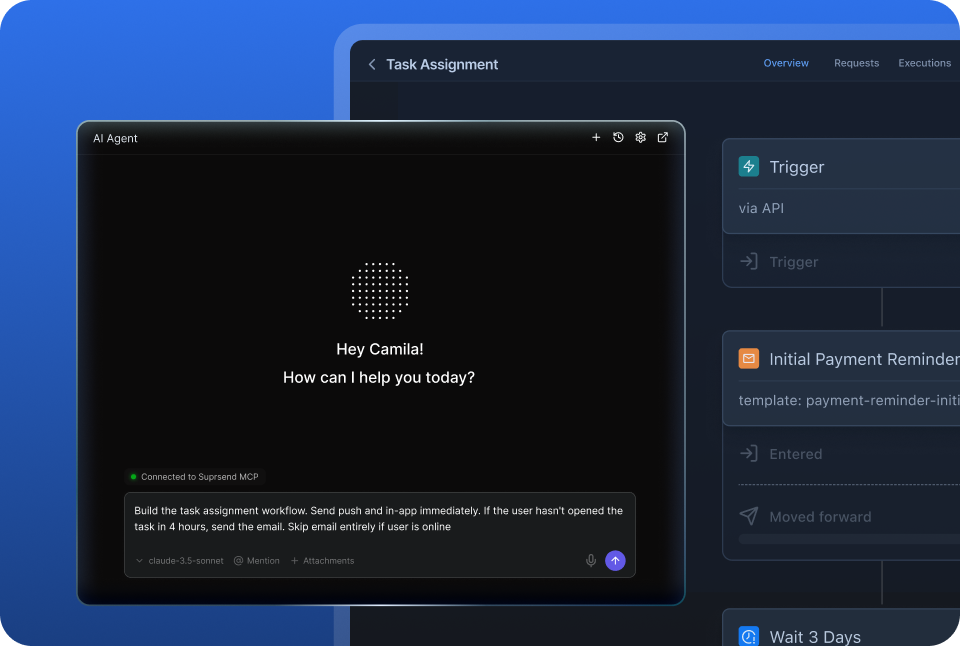
A product manager changes a workflow in the dashboard. A developer commits the same workflow as a file and ships it through a pull request. A marketer asks Claude to build a list and send a campaign. All three work on the same workflows, templates and logs, so nobody waits on a ticket.

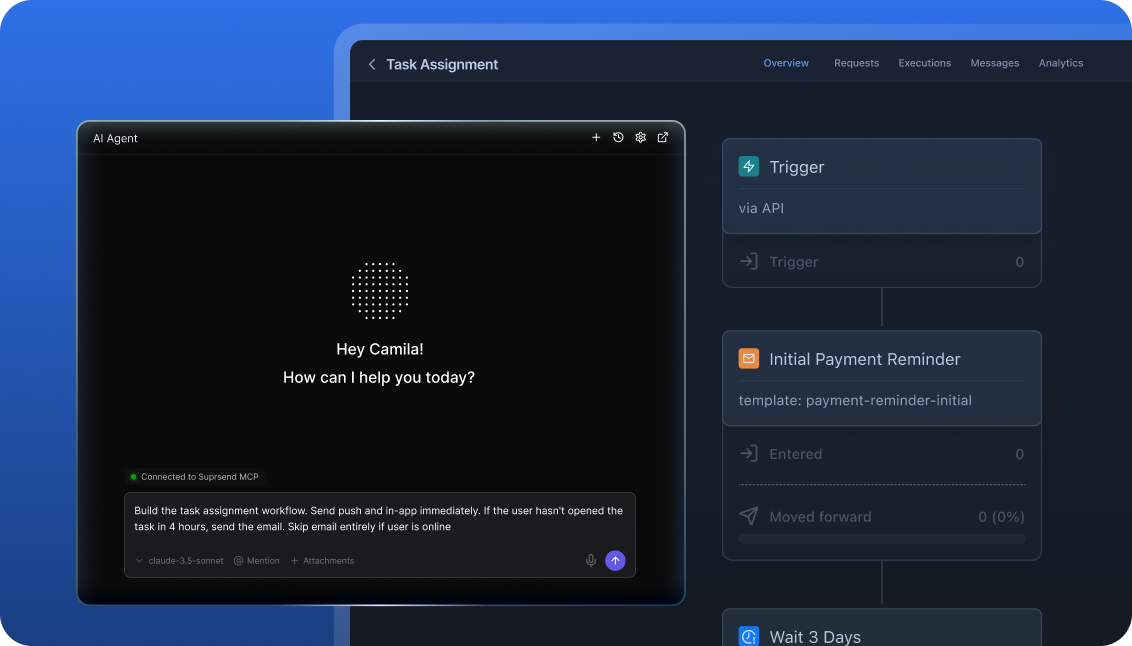
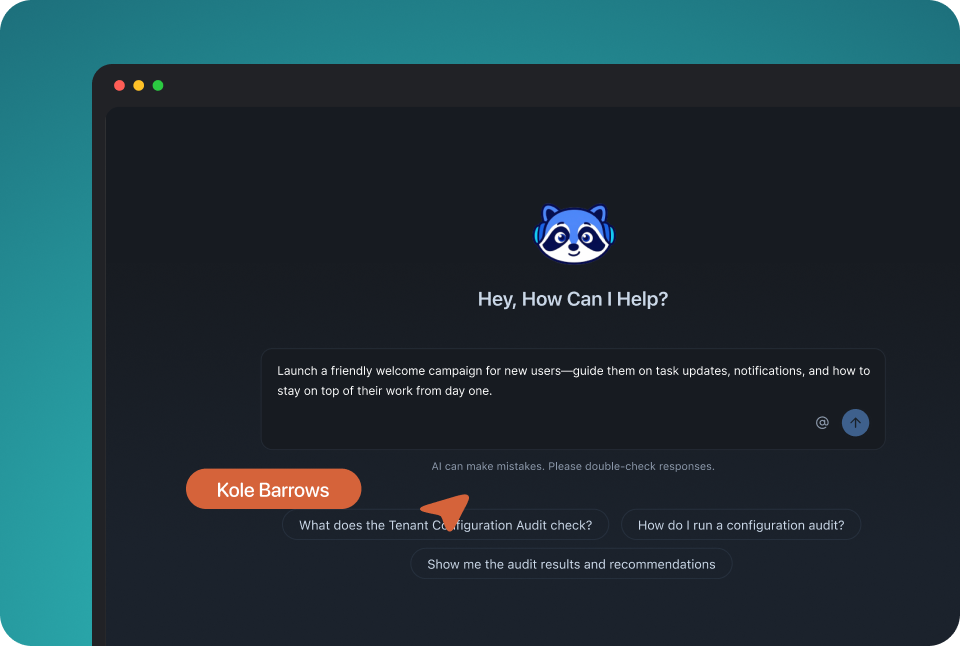
The built-in agent builds, edits and debugs notifications from a description; product and growth ship without a ticket.

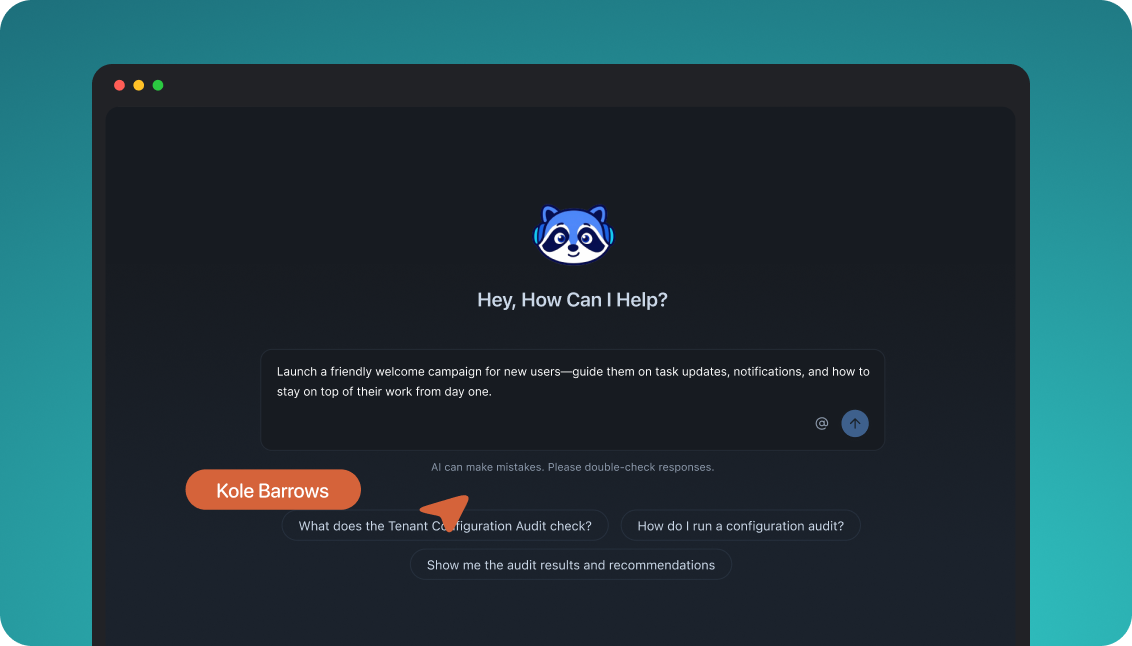
In the dashboard

Connect the MCP to Claude, ChatGPT or any client and operate templates, workflows, tenants and preferences.

In your own agent

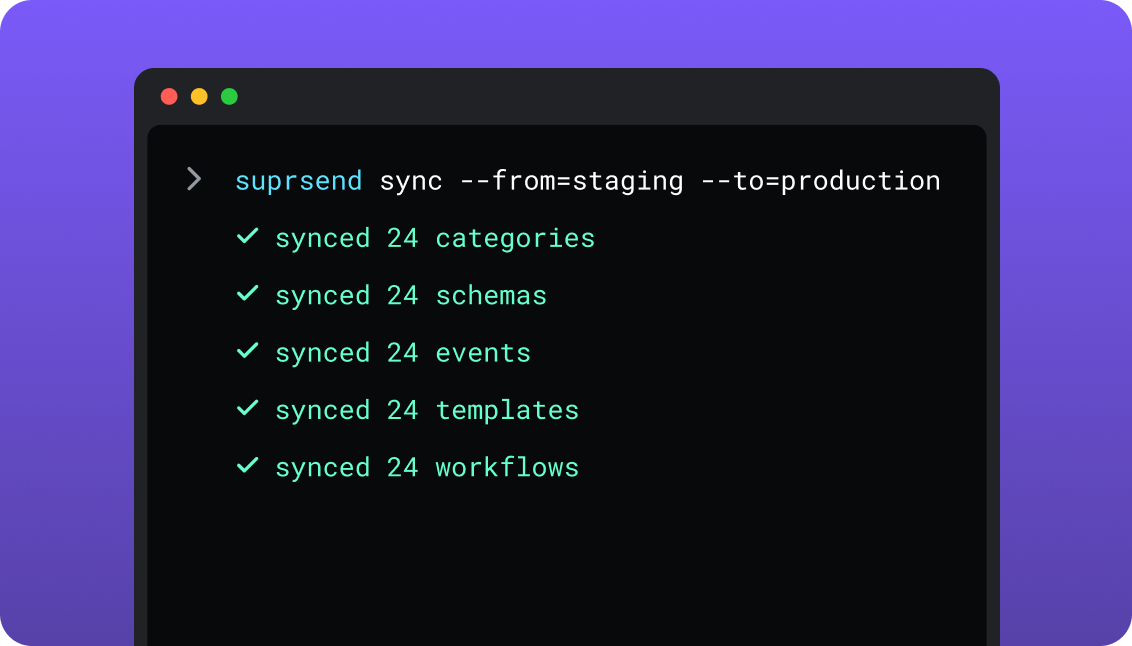
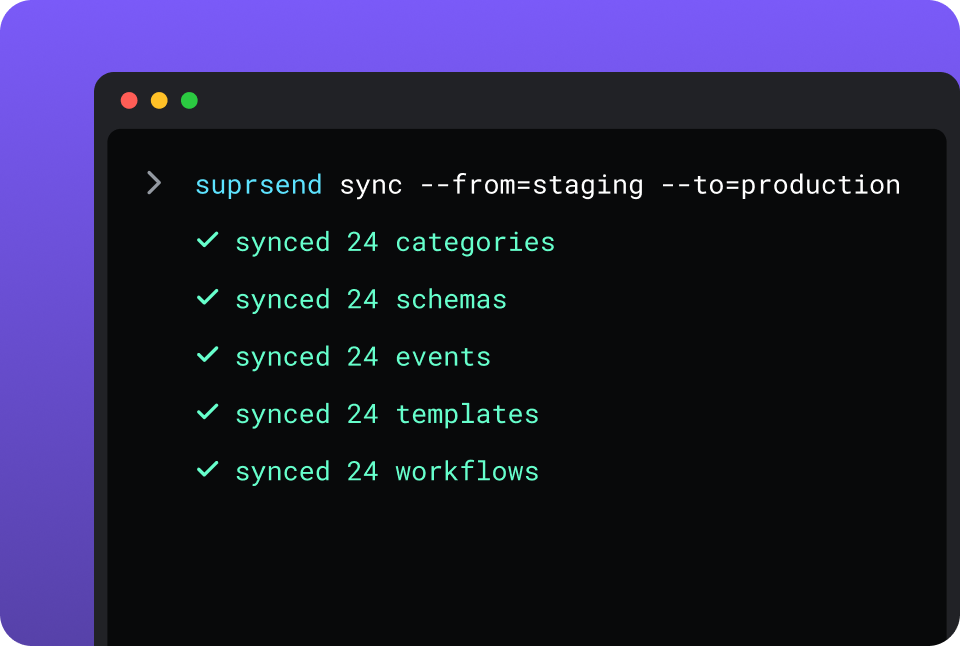
CLI and API keep workflows versioned, diffable and reviewed in pull requests; coding agents make bulk changes.

In your IDE or codebase
In the dashboardIn your own agentIn your IDE or codebase

One SuprSend customer runs its marketing email end to end from Claude Code, with nobody in the dashboard.

Loops is built in its dashboard, and it gives agents plenty to work with: a hosted MCP server for Claude, ChatGPT, Codex and VS Code, a CLI, skills for coding agents, and LMX markup for email content. Agents manage contacts, lists, events, campaigns, workflows and email content; delivery results reach you by webhook. Each Loops team is one live account with no staging.

Everything your product sends, from one place

One SDK, one event stream and one user record cover all nine channels, and adding a channel is a step in a workflow. A marketing team working in the SuprSend dashboard also runs the event-driven transactional messages, from the same workflows, lists and logs as its campaigns, with no second tool and no engineering ticket.

Lists built five waysFrom segmentation rules, a scheduled SQL query on your warehouse, a CSV, the API, or a Segment, Mixpanel or Amplitude sync; see lists.
User properties with no schema to declareAny number per user, any JSON value, nested objects and arrays included. Loops properties are string, number, boolean or date, and a property’s type cannot be changed once created.
An inbox inside your productWeb, React Native, Flutter, iOS and Android, with read state, tabs and a headless option. Loops has no in-app channel.
Users choose channels per category, admins set the defaultsOne opt-out holds across email, push, SMS and in-app. Loops’ preference centre lists mailing lists for marketing email.
Bring your own providers, with fallbackSendGrid, SES, Postmark, Twilio or the providers you already pay for, in an ordered list with a timer.
Batching, digest, translations and schemasTen comments become one email, translation files ship with the templates, and every event is checked against its schema.
Logs that say whyRendered content, provider error and block reason per message, on every channel, in one view.

Short answer

If this is youChoose
A SaaS team sends onboarding sequences, newsletters and receipts, all by email, on one bill based on contactsLoopsLoops
Founders want a writing-first email editor with delivery and sender reputation handled for themLoopsLoops
A large list is emailed often, and unlimited sends on a contact-based plan keep the bill flatLoopsLoops
One product event has to reach the user by inbox, push, email or SMS, stopping once they respondSuprSendSuprSend
Each customer account needs its own domain, content and notification defaultsSuprSendSuprSend
Users should choose, per category, which messages they get and on which channelSuprSendSuprSend
Ten updates in an hour should reach the user as one digestSuprSendSuprSend
A send that fails at the provider has to reach the user through another oneSuprSendSuprSend
You want agents to build, send and manage your notifications from Claude, ChatGPT, Claude Code, Cursor or SlackSuprSendSuprSend
Marketing keeps Loops for newsletters and lifecycle email, and the product needs notifications Loops cannot sendBoth

At a glance

SuprSendSuprSendLoopsLoops
Best whenEngineering, product and growth all send to users, on every channel and for every customer accountA SaaS team sends marketing, lifecycle and transactional email from one tool
Who uses itEngineers, product, growth, and agents over MCP; unlimited seatsFounders, marketers, engineers, and agents over MCP; unlimited seats
Messages coveredTransactional, product and customer engagement, on nine channelsMarketing, lifecycle and transactional email
Built and changed fromDashboard agent, your own agent over MCP, CLI and APIDashboard, hosted MCP, CLI, API and LMX markup
ChannelsEmail, SMS, WhatsApp, mobile push, web push, Slack, Teams, in-app, webhookEmail
Email deliveryYour providers, with fallback between themLoops sends it; SMTP relay for your own app
Multi-tenancyNested tenants with own domain, provider, template version and defaultsOne sending domain per team; a second domain is a second team
User dataAny number of properties, any JSON valueTyped properties: string, number, boolean, date
PreferencesPer category across channels: channels, digest schedule, conditions; tenant defaultsMailing lists in a preference centre, for marketing email
Workflow stepsMulti-channel send, branch, digest, failover, webhook, allowed hoursEmail, timer, audience filter, branch, experiment
Test and stagingDevelopment, staging, production; test mode blocks deliveryOne live team; test with @example.com addresses
In-app inboxWeb, React Native, Flutter, iOS, Android; headlessNo in-app channel
LogsPer message with content and block reason; 30 days Free, 90 paidPer-email metrics and contact timeline; 30 days of webhook history
AgentsAgent in dashboard and Slack; MCP over the whole engine, logs includedHosted MCP, CLI and skills; no agent in the dashboard
HostingSuprSend cloud on every plan; your VPC, on-prem or BYOC on EnterpriseLoops cloud
Pricing modelPer notification per channel; 10,000 free; Essentials $100 a monthPer subscribed contact, unlimited sends; 1,000 free; paid from $49 a month
ImplementationDays: SDK or API call, providers connected in the dashboardDays: DNS records, SDK or API call, first send
ComplianceSOC 2 Type II, GDPR, HIPAA BAA on EnterpriseSOC 2, DPA, EU-US Data Privacy Framework
ReviewsG2 4.8, 129 reviewsProduct Hunt 4.9, 132 reviews

What each is built for

LoopsLoops

Loops is an email platform for software companies. Marketing campaigns, event-triggered workflows and transactional email share one editor, one audience and one sending domain, and Loops handles delivery and sender reputation itself.

It fits a SaaS team whose messages are all email. Pricing follows subscribed contacts with unlimited sends, every feature is on every plan, and agents work in it through a hosted MCP server and a CLI.

SuprSendSuprSend

SuprSend is agentic, multi-channel orchestration for every message a product sends. Engineering, product, growth and their agents build workflows, templates, lists and broadcasts on nine channels, with one user profile and one set of preferences.

It fits a product that talks to users in more than one place, or serves customer accounts that each need their own setup. Teams that keep Loops for newsletters use SuprSend for the inbox, push and SMS around them.

Where Loops wins

Email with no provider to runLoops is the sender: domain setup, sender reputation, bounce handling and suppression all sit in one product.
Unlimited sends on a contact pricePaid plans have no send cap, and transactional-only recipients and unsubscribed contacts do not count toward the bill.
Every feature on every planExperiments, goals, mailing lists and the preference centre are on Free, which covers 1,000 subscribed contacts and 4,000 sends in any rolling 30 days.
An email editor built for writingWriting mode, themes, reusable components, Markdown shortcuts and MJML upload, with Guardian checking content before it sends.
Goals and experiments on emailA campaign carries a conversion goal with its own chart, and a workflow splits contacts between email versions.
More backend languages and an SMTP relayOfficial Go, JavaScript, PHP, Ruby and Nuxt SDKs, community Python, Java and .NET, and SMTP for Rails, Django, Laravel and Supabase auth emails.
Signup formsHosted and custom forms add contacts to public mailing lists, with double opt-in.
One-click translation of a workflow branchLoops duplicates the branch and translates every email in it.

Where SuprSend wins

Development, staging and productionThree environments on every plan, with workflows and templates promoted from the CLI or CI.
Objects as recipientsAn order, a team or a device carries its own channels and subscribers, so a comment on an order reaches everyone following it.
Send in the recipient’s timezone, and only in allowed hoursA workflow holds a message to the user’s working hours and throttles bursts; Loops timers are fixed delays.
Event schemas and typed payloadsEvery trigger is checked against a JSON schema, and the CLI generates TypeScript types for your code.
An embeddable template editorA React SDK puts the template editor inside your own product for your customers to use.
Cancel a runStop one run, everything for one recipient, or a whole workflow, without pausing anything else.
Roles, SSO, audit trail and HIPAA on EnterpriseLoops has Owner and member roles and SOC 2.
A choice of where it runsSuprSend cloud on every plan, or the whole product in your VPC, on-prem or BYOC on Enterprise, with support behind it. Loops runs in its own cloud.

Who works in it

LoopsLoops

Founders and marketers write campaigns and workflows in the dashboard editor, and target them with segments on contact properties and mailing lists. Engineers send events and transactional email through the API, an SDK, the CLI or SMTP, and receive delivery events at one webhook endpoint.

Agents connect to the hosted MCP server or use the CLI and skills to manage contacts, lists, campaigns, workflows and email content, and send transactional email.

SuprSendSuprSend

Engineers integrate once through the API, a backend SDK in Python, Node, Java or Go, the CLI and MCP, and keep workflows and templates in the repo. Product and growth build workflows, lists, content and broadcasts in the dashboard, or have the built-in agent build them, with versions to roll back and a test mode.

Agents connect over MCP from Claude, ChatGPT, Claude Code or Cursor and create users, tenants and objects, set preferences, write templates, trigger a notification, run a broadcast and read the log.

Feature by feature

From both dashboards, documentation sites, changelogs and pricing pages, September 2026. Plan names mark the lowest plan that includes a feature; “every plan” on Loops includes Free.

How notifications are built and changed

Both can now be run from outside the dashboard: Loops has a hosted MCP server, a CLI and LMX markup for email content. SuprSend adds environments, and workflows and templates kept as files that are pushed, pulled and promoted like code.

CapabilitySuprSendSuprSendLoopsLoops
Visual workflow builder YES YES
Workflows and templates by API YES YESWorkflows, nodes and email content
CLIPushes and pulls workflows, templates, schemas, events, categories and translationsCreates and edits contacts, campaigns, workflows, components, themes and transactional email
Assets kept as files in your repo YESPulled and pushed by the CLI PARTIALEmail content as LMX; workflows live in the account
Promote staging to production YESFrom the CLI or CI NOOne live team per account
Change many emails at once YESOne CLI command or one prompt YESA component or theme change reaches every email that uses it
Agent in the dashboard YESBuilds workflows and drafts copy from a description; also in Slack NO
Headless UI components YESInbox, preference centre and template editor NOHosted preference centre and form embeds

Teams and scope

Both put marketing, lifecycle and transactional messages in one product with free seats. SuprSend does it on nine channels with role-based access on Enterprise; Loops does it on email with Owner and member roles.

CapabilitySuprSendSuprSendLoopsLoops
Who builds workflowsEngineers, product and growth, in the dashboard or by CLIFounders, marketers and engineers, in the dashboard, API or CLI
SeatsUnlimited on every planUnlimited on every plan
Transactional messages YESOn every channel YESEmail, by API or SMTP
Product and lifecycle messages YESOn every channel YESEmail workflows on events and property changes
Marketing campaigns YESOn every channel YESEmail
One preference model across all three YES PARTIALTransactional email ignores subscription and list status
RolesRole-based access on EnterpriseOwner and member

Data model and tenancy

SuprSend models users with any JSON properties, objects and nested tenants. Loops models contacts with typed properties in one audience per team, and keeps transactional-only recipients out of it.

CapabilitySuprSendSuprSendLoopsLoops
User propertiesAny number, any JSON value, nested objects and arraysString, number, boolean or date, created one at a time
Change a property later YESNo schema to change NOCreate a new property instead
Non-user recipients YESObjects with their own channels and subscribers; Business NOContacts only
Tenants YESNested five levels; Business add-on or Enterprise NOA separate team per domain, with no shared data
Per-tenant sending domain and provider YES NOOne sending domain per team
Per-tenant template version YES NO
Tenant-admin preference defaults YES NO
Recipients outside the stored audience YESAny user by ID; stored users are free YESTransactional sends to any address, not billed

Marketing campaigns and lists

Both run campaigns to a list or segment from the dashboard. Loops adds goals, experiments and hosted forms; SuprSend adds warehouse lists, CDP sync, timezone sends and every channel, with campaigns running through the same workflow engine as transactional messages.

CapabilitySuprSendSuprSendLoopsLoops
How a list is builtRules on properties and events, scheduled warehouse SQL, CSV, API, Segment, Mixpanel, AmplitudeFilters and saved segments on contact properties, mailing lists, CSV, API, Segment, RudderStack, Fivetran
Lists that refresh themselves YES, BUTEnterprise, or an add-on on Essentials and Business YESSaved segments
Broadcast channelsNine, several in one sendEmail
SchedulingOne-time, scheduled or recurring, in the recipient’s timezoneSend now or at a scheduled time
Campaign runs through the workflow engine YESBatches, routes, falls over and respects preferences NOSends once to the chosen audience
Signup forms NO YESHosted and custom forms, double opt-in
Experiments and conversion goals NO YESSplit tests in workflows; goals per campaign
Campaign analyticsDelivered, seen, clicked, unsubscribed per broadcast, template, category and tenantOpens, clicks, unsubscribes, bounces and spam reports per campaign

Channels

SuprSend sends on nine channels through providers you bring, with failover between them. Loops is the email sender itself and has no second channel.

CapabilitySuprSendSuprSendLoopsLoops
Email YESThrough SendGrid, SES, Postmark, Mailgun, SMTP and more YESLoops sends it
SMS and WhatsApp YES NO
Mobile and web push YES NO
Slack and Microsoft Teams YES NO
In-app inbox YES NO
Webhook as a channel YES NO
Provider failover YESOrdered list, timer, delivery-confirmation stop; Essentials NOOne sender
SMTP relay for your own app NO YES

Workflows

Loops workflows are email sequences with timers, audience filters, branches and experiments. SuprSend adds cross-channel steps, digest, provider failover, cancellation, a webhook step and allowed hours.

CapabilitySuprSendSuprSendLoopsLoops
TriggersEvents and API calls; broadcasts to listsContact added, contact updated, added to a list, event received
StepsMulti-channel send, delay, branch, batch, digest, wait for event, webhook, sub-workflow, data transformEmail, timer, audience filter, branch, experiment
Several channels in one step YES NOEmail only
Batch and digest YESUser-chosen time, batch until due date, skip if too few; Business PARTIALYour app collects the items and sends one transactional email
Delivery timingScheduled send; allowed hours in the user’s timezone; throttlingFixed timers between steps
Payload validation YESJSON schema per event PARTIALRequired data variables on transactional sends
Edit a live workflow YESVersions with rollback PARTIALPause, edit, resume; new contacts queue for up to 24 hours
Cancel a run YESOne run, a recipient or a whole workflow PARTIALPause or stop the whole workflow
Test mode YESBlocks real delivery outside production PARTIALSends to @example.com and @test.com are dropped

Templates and content

Loops has the stronger email editor, with writing mode, components and a pre-send check. SuprSend has editors for nine channels, variants by tenant and language, translation files and an editor you can embed.

CapabilitySuprSendSuprSendLoopsLoops
Email editorDrag-and-drop and HTML with HandlebarsBlock editor with writing mode, themes and components; MJML upload; no raw HTML
Other channelsEditors for SMS, WhatsApp, push, Slack, Teams and in-appNo other channels
Checks before sendingPreview and test send on every channelGuardian errors and warnings, in the editor and by API
Translations YESTranslation files per language, pushed with the templates; Business YES, BUTOne-click translation copies a workflow branch per language
Variants YESBy tenant, user, event data or language NO
Version history and rollback YES PARTIALDraft and published versions of a transactional email
Embeddable template editor YESReact SDK inside your product NO

Preferences

SuprSend resolves preferences per category across channels and tenants. Loops runs a mailing-list preference centre for marketing email, and transactional email ignores it by design.

CapabilitySuprSendSuprSendLoopsLoops
ModelPer category: channels, digest schedule, condition rulesSubscribed status plus public and private mailing lists
CoversEvery channel and every kind of messageCampaigns and workflow emails
Tenant-admin defaults YES NO
Preference centre YESDrop-in, headless or hosted page; Business YESHosted, branded with your icon
User-chosen digest schedule YES NO
Resubscribe after an opt-out YESBy the user from the preference centre PARTIALAudience by API only; mailing lists never

In-app inbox

SuprSend has an inbox on every plan, driven by the same workflow as the email. Loops has no in-app channel.

CapabilitySuprSendSuprSendLoopsLoops
Drop-in web inbox YESReact, Angular, Vue, JS NO
Mobile SDKs YESReact Native, Flutter, iOS, Android NO
Headless YES NO
Toasts, tabs, pin, snooze, archive YES NO
Per-tenant feed YES NO
AuthenticationExpiring JWT, refreshed by the SDKNo in-app channel

Analytics and logs

Loops reports what happened to each email per campaign, workflow and contact. SuprSend logs why a message did not go, per step and per channel, and syncs it to your warehouse and monitoring tools.

CapabilitySuprSendSuprSendLoopsLoops
Per-message log YESRendered content, provider error, block reason PARTIALContact activity timeline and per-email metrics
Block reasons named YESOpt-out, no channel, template error NO
Opens and clicks on transactional email YESWhere the provider reports them NONot tracked on transactional email
Retention30 days Free, 90 days paid, custom on EnterpriseWebhook history 30 days
Webhook events YESAll plans YESOne endpoint; retries over about 28 hours
Log exportS3 Parquet every five minutes; CSV to 50M rowsContact CSV export; delivery events by webhook
Monitoring tools YESDatadog, New Relic, OpenTelemetry; Enterprise NO

Developer experience

Loops has more backend SDK languages and an SMTP relay. SuprSend has three environments, promotion, type generation and frontend SDKs for the inbox.

CapabilitySuprSendSuprSendLoopsLoops
EnvironmentsDevelopment, staging, production; all plansOne live team; a second team for testing
Backend SDKsPython, Node, Java, GoGo, JavaScript, PHP, Ruby, Nuxt; community Python, Java, .NET, Elixir
Frontend SDKsJS, React, React Native, Flutter, iOS, AndroidForm embeds only
OpenAPI spec YES YES
Typed payloads YESTypeScript types from event schemas PARTIALTypes in the JavaScript SDK
Rate limits published NOFair-use limit, no number YES1,000 emails a second on paid, 10 on Free
SMTP NO YESRelay for Rails, Django, Laravel and Supabase auth

AI, by what it can do

Both expose the product to agents over MCP, a CLI and skills. SuprSend adds an agent in the dashboard and Slack, and any agent can read the delivery log and diagnose a send.

CapabilitySuprSendSuprSendLoopsLoops
Agent in the dashboard or Slack YESBuilds workflows, drafts copy, traces failed sends NO
MCP server YESLocal, through the CLI YESHosted, with OAuth sign-in
What the MCP reachesUsers, tenants, objects, preferences, workflows, templates, broadcasts, logsContacts, lists, events, transactional email, campaigns, workflows, email content
Read the delivery log from an agent YES NODelivery events go to a webhook
Skills for coding agents YESClaude Code, Cursor, Windsurf YESClaude Code, Codex, Cursor
Agent SDK for your own agents YESOpenAI, LangChain, Vercel AI NOCall the API
Campaign created and scheduled by an agent YES YES

Security, compliance, support

Both hold SOC 2. SuprSend adds HIPAA, SSO, an audit trail and a choice of hosting on Enterprise; Loops publishes a DPA and takes part in the EU-US Data Privacy Framework.

CapabilitySuprSendSuprSendLoopsLoops
CertificationsSOC 2 Type II, GDPR, HIPAA; ISO 27001 and CPRA in progressSOC 2; DPA; EU-US Data Privacy Framework
HIPAA BAA YESEnterprise NO
SAML SSO YESEnterprise NO
Audit trail YESEnterprise NO
HostingSuprSend cloud on every plan; your VPC, on-prem or BYOC on Enterprise, full product, supportedLoops cloud
SupportSlack community; email and chat on paid; phone and named CSM on EnterpriseEmail and in-app support; onboarding call
Uptime99.9%; SLA on EnterpriseStatus page; SLA not published

Pricing and implementation

Loops bills on subscribed contacts with unlimited sends on paid plans; transactional-only recipients and unsubscribed contacts are free. SuprSend bills per notification per channel, stores users free, counts a digest as one, and your email provider bills its own sends. 5,000 users who each get a weekly email and an in-app message make about 43,000 notifications a month, inside SuprSend Essentials at $100 plus the provider’s email bill; on Loops the same 5,000 contacts sit in the first paid tier, from $49 a month, with no in-app message. Compare on your own contact count, channels and event-to-notification ratio.

CapabilitySuprSendSuprSendLoopsLoops
Billing unitNotification per user per channel; a digest counts as one; opt-out blocks not billedSubscribed contact at renewal; transactional-only and unsubscribed contacts not counted
Free10,000 notifications a month; all channels; unlimited members1,000 subscribed contacts; 4,000 sends in any rolling 30 days; Loops footer
Entry paidEssentials $100 a month; 50,000 notifications; $2 per extra 1,000From $49 a month; unlimited sends; 1,000 emails a second
Next tierBusiness $250 a month; adds digest, preferences, objectsPrice rises with the subscribed contact count on one plan
Feature gatesFallback at Essentials; digest, preferences, objects at Business; tenants as a Business add-on or Enterprise; RBAC and SSO at EnterpriseNone; every feature on every plan
SeatsUnlimitedUnlimited
Email delivery costBilled by your email providerIncluded
Time to first sendSame day: free plan, SDK or API callSame day: free plan, DNS records, SDK or API call

Migrating from Loops to SuprSend

Two shapes of move are common. Some teams move everything. More often, newsletters and lifecycle campaigns stay in Loops, and product notifications, transactional messages and every non-email channel move to SuprSend.

LoopsSuprSendMoves how
ContactUserUsers API, backend SDK, or Segment
Contact propertiesUser propertiesSame keys; values can become any JSON
Mailing listList and a preference categoryMembers to a list; the opt-in becomes a category
Segment or filterList from rulesRebuild the rules on properties and events
EventEventPoint the same event calls at SuprSend
WorkflowWorkflowRebuilt; no export maps across
Transactional emailWorkflow with an email templateRecreate; data variables become payload fields
CampaignBroadcastRecreate; send to a list on any channel
Components and themesTemplatesRecreate in the email editor
Sending domainEmail providerConnect a provider and verify the domain there
Webhook endpointWebhooks and log syncRe-point your endpoint
Metrics and contact timelineLogsExport contacts first; history stays in Loops
01

Inventory every Loops workflow, transactional email, campaign, mailing list and contact property, and decide which mailing lists become preference categories.

02

Stand up SuprSend development and staging. Connect your email provider with a fallback order, and the push, SMS and chat providers you need.

03

Import users and lists; carry each contact’s subscribed status and list opt-outs into preferences.

04

Rebuild the critical flows first: verification codes, password resets, receipts and billing alerts. Test them in test mode, then pull them into your repo.

05

Run both in parallel on those flows for a week, and ship the inbox behind a flag.

06

Move the remaining workflows, cut over, and keep a contact export from Loops for reference.

Enterprise customers get migration support and a scoped plan; on other plans the Slack community and docs are the path.

FAQ

Is SuprSend better than Loops?
SuprSendSuprSend

SuprSend is better when a product sends on more than one channel, needs preferences that hold across channels, or serves customer accounts that each need their own setup. Engineering, product, growth and agents run transactional, product and marketing messages from one system.

LoopsLoops

Loops is better when email is the only channel and you want sending, deliverability and a writing-first editor in one tool, on one price based on subscribed contacts.

Can I keep Loops for email and use SuprSend for the rest?

Yes. Many teams keep newsletters and lifecycle email in Loops and send the inbox, push, SMS and Slack messages from SuprSend, triggered by the same product events. The trade-off is two systems: two user records, two sets of preferences, and an opt-out in one that the other does not see.

Does Loops have multi-tenancy?
SuprSendSuprSend

SuprSend tenants send through the customer’s own email domain and provider, carry their own template version, and set the defaults, mandatory channels and visible categories their users start from, nested five levels deep; on Enterprise or as a Business add-on.

LoopsLoops

Loops has one audience and one sending domain per team. A second domain means a second team, with its own settings and no shared data.

Which has version history and a test mode?
SuprSendSuprSend

SuprSend keeps a version history for every workflow and template with rollback, and its test mode in development and staging blocks real delivery.

LoopsLoops

Loops keeps a draft and a published version of each transactional email, and a running workflow is paused to edit. Tests go to @example.com and @test.com addresses, which Loops accepts and never delivers.

Where does each run, and can I self-host SuprSend?

SuprSend runs as SuprSend cloud on every plan, and on Enterprise the full product runs in your VPC, on-prem or bring-your-own-cloud with support behind it. Loops runs in its own cloud.

Which is cheaper?

The units differ. Loops bills per subscribed contact with unlimited sends on paid plans, so a large list emailed often favours Loops. SuprSend bills per notification per channel and counts a digest as one, so a small audience reached on several channels favours SuprSend.

How do I migrate from Loops to SuprSend?

Contacts move through the users API, a backend SDK or Segment, and mailing lists become lists and preference categories. Workflows and email content are rebuilt, then kept in your repo through the CLI. Most teams run both in parallel on the critical flows for a week before cutting over.

Related Resources

Can agents run SuprSend end to end?SuprSend MCP
How does SuprSend handle multi-tenant notifications?multi-tenant notifications
Can SuprSend run inside my own cloud?Bring your own cloud
What does SuprSend cost at my volume?SuprSend pricing

There’s no better place for you
to build notifications

Join thousands of product & engineering teams using SuprSend to build and ship better notifications—faster.