SuprSendVSHubSpot

SuprSend vs HubSpot Marketing Hub

HubSpot Marketing Hub is CRM-first marketing automation. SuprSend is agentic, multi-channel orchestration for every message your product sends, run by teams and agents together.

Trusted infrastructure layer behind hundreds of platforms

ExaCareSiemensEmergentSarvamCrazyGamesEvocalizeEskoFrankieOneSennderDelightreeHeyReachFreightify

HubSpot Marketing Hub and SuprSend both send campaigns, journeys and triggered messages to people. HubSpot does it from the CRM, for a marketing team working on contacts in its UI. SuprSend is agentic, multi-channel orchestration for the users of a product: engineers, product, growth and agents all work on the same workflows, and every kind of message runs through them.

Why teams choose SuprSend over HubSpot

Agents build, send and manage your notifications

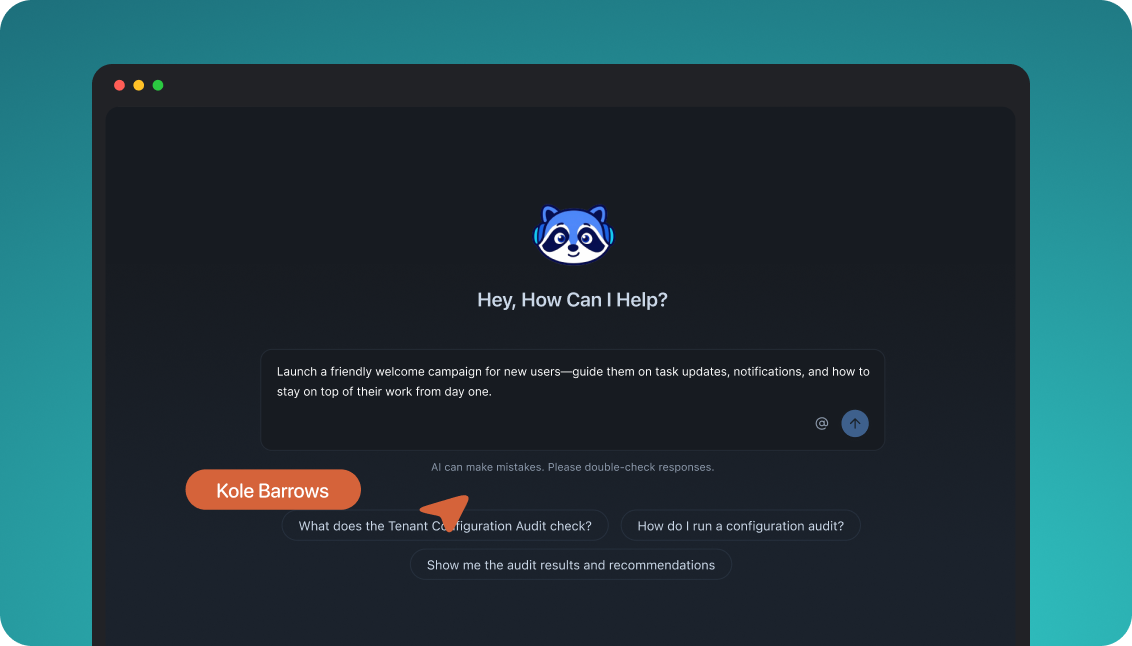
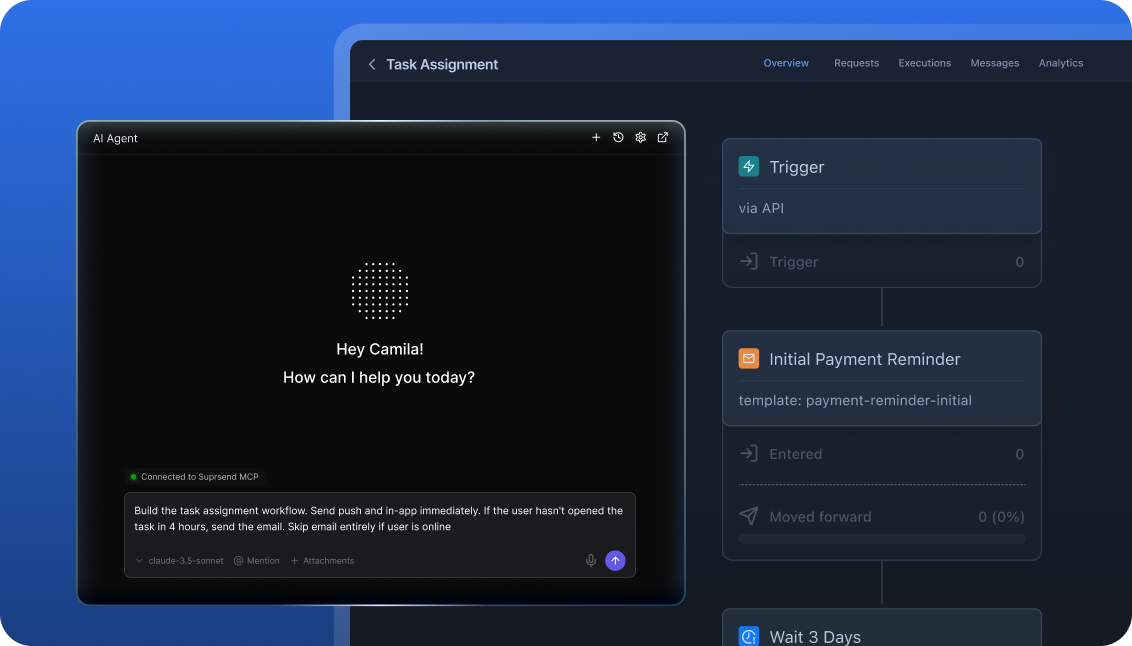
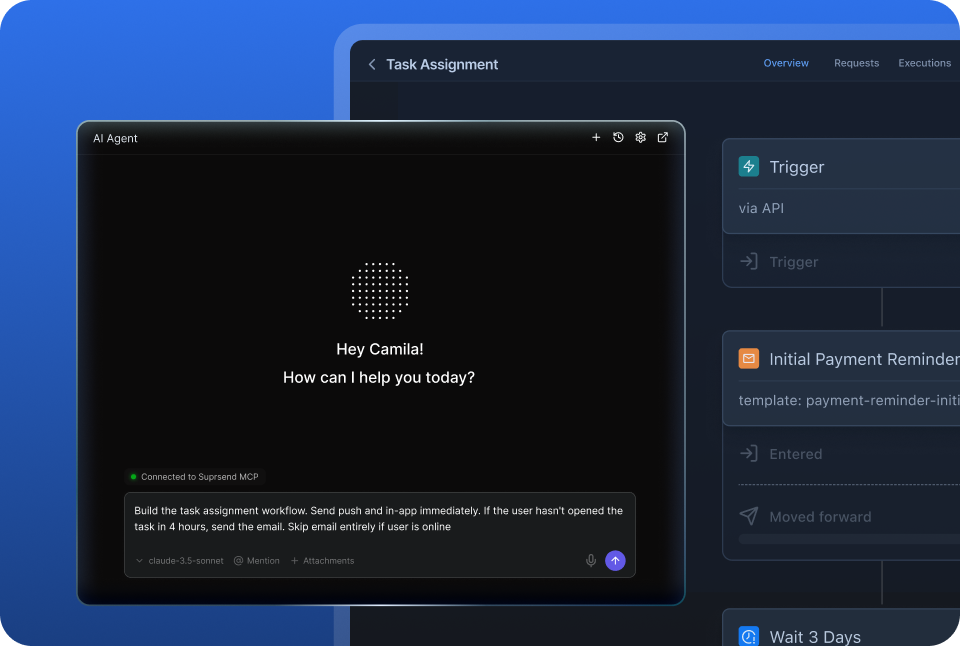
The SuprSend agent in the dashboard or Slack builds workflows, writes copy per channel and traces failed sends. Over MCP, Claude, ChatGPT or Cursor create users, write templates, run a broadcast and read the delivery log. HubSpot’s agents work inside its UI, and its MCP drafts emails without sending them.

Reach customers where they are, with every message

Email, SMS, WhatsApp, mobile push, web push, Slack, Teams, an in-app inbox and webhooks sit on one user profile, on every plan. A password reset and a win-back campaign share the same workflows, preferences and logs. HubSpot is email-first: SMS is an add-on and push needs marketplace apps.

Customise notifications per tenant, with per-user preferences

Each tenant is isolated, with its own sending domain and provider, its own version of every template, its own channel and category defaults, and a per-tenant feed, nesting five levels deep. Each user sets preferences per channel, category and digest schedule. HubSpot has brands and subscription types per channel.

Failover, batching and version history under every message

Workflows batch and digest on the user’s schedule, hold sends to the recipient’s timezone, route across channels until the user responds, and fall over to a backup provider. Every workflow and template keeps versions with rollback, and test mode blocks real delivery. HubSpot has revision history and no provider failover.

Build notifications in the dashboard, in your own agent, or in your codebase

A product manager changes a workflow in the dashboard. A developer ships the same workflow as a file in a pull request. A marketer asks Claude to write this week’s campaign and send it to a list. All three work on the same workflows, templates and logs, so nobody waits on a ticket.

The built-in agent builds, edits and debugs notifications from a description; product and growth ship without a ticket.

In the dashboard

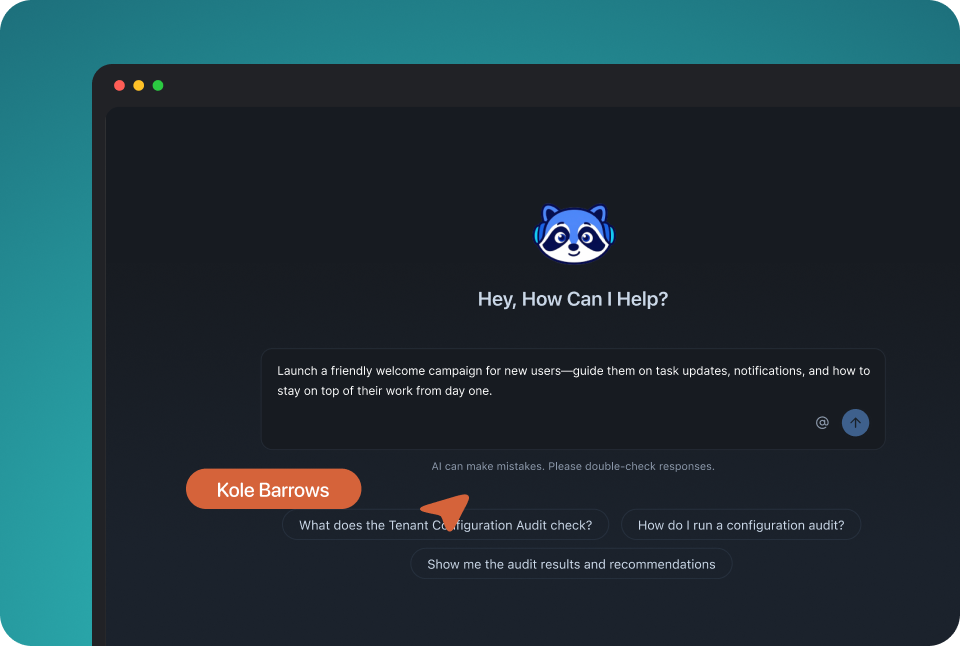
Connect the MCP to Claude, ChatGPT or any client and run templates, workflows, tenants and preferences from there.

In your own agent

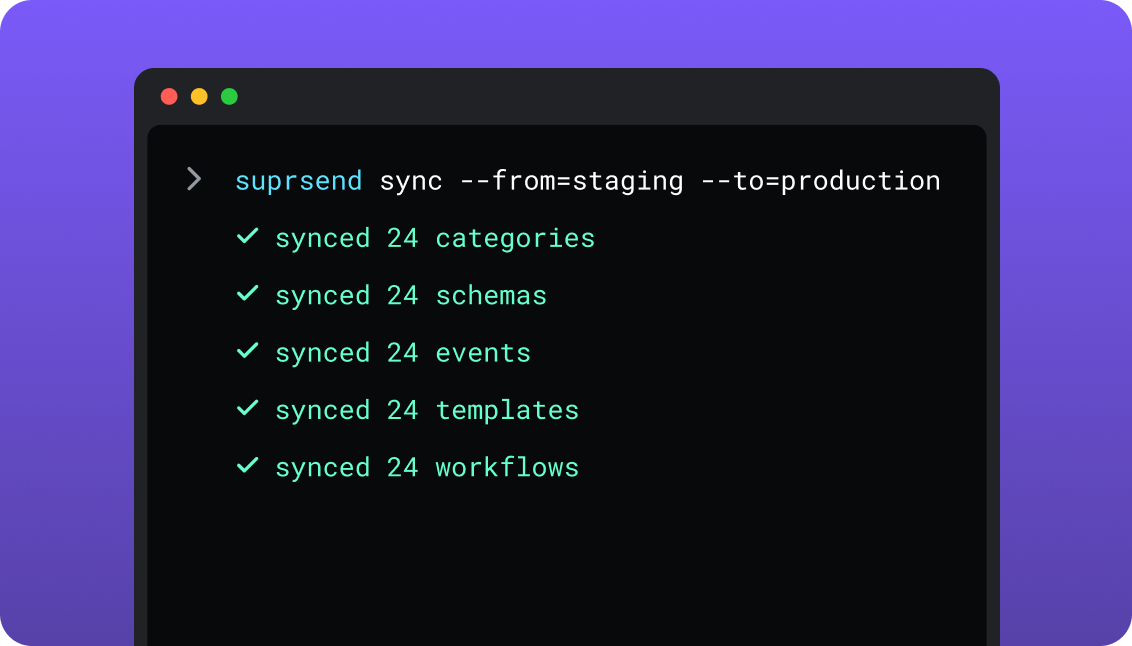
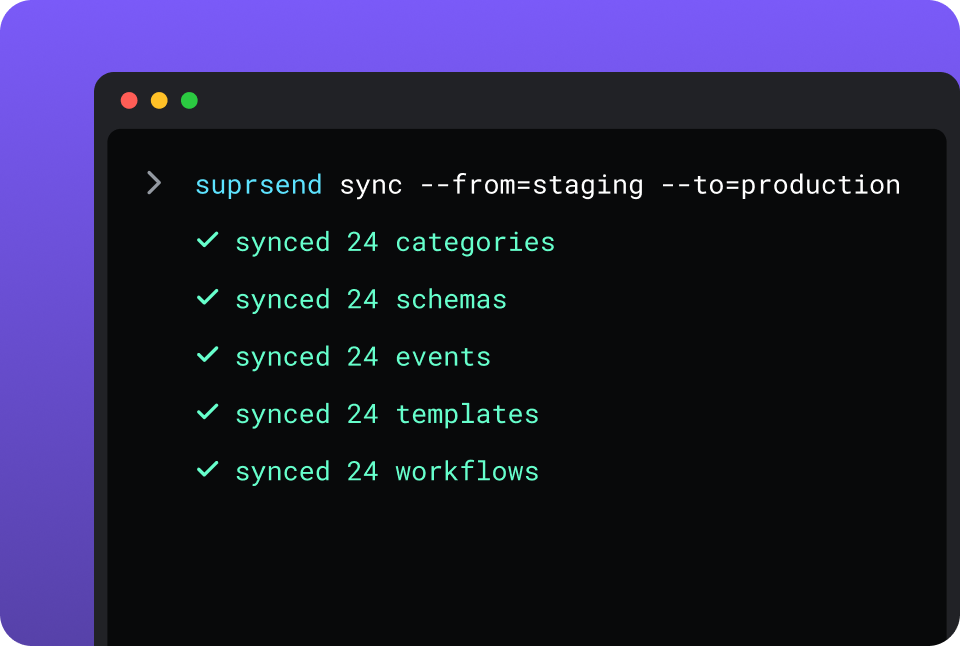
The CLI and API keep workflows versioned, diffable and reviewed in pull requests; coding agents make bulk changes.

In your IDE or codebase
In the dashboardIn your own agentIn your IDE or codebase

One SuprSend customer runs its marketing email end to end from Claude Code, with nobody in the dashboard.

HubSpot is built and changed in its own UI: the workflow canvas, the email editor and Breeze Assistant. Its remote MCP server lets Claude or ChatGPT read CRM data and create email drafts, campaigns and static segments; it cannot build a workflow or send an email. Workflows can be created over the automation API, in beta.

Everything from one place

A marketing team working in the SuprSend dashboard also runs the event-driven transactional messages, such as password resets, invoices and alerts, from the same workflows, lists and logs as its campaigns.

Lists built five waysRules on properties and events, a scheduled SQL query on your warehouse, CSV, the API, or Segment, Mixpanel and Amplitude sync; dynamic lists refresh on a schedule.
User properties with no schema to declareAny number of properties per user, holding any JSON value, nested objects and arrays included.
An inbox inside your productA drop-in or fully headless in-app inbox with tabs, toasts and read state, on web and mobile.
Users choose channels per category; admins set the defaultsEach category carries its channels, a digest schedule and conditions, enforced on every send.
Bring your own providers, with fallbackConnect the email, SMS and WhatsApp vendors you already pay for and set the backup order.
Batching, digest, translations and schemaGroup updates into one message, keep translation files per language, and validate every trigger against a JSON schema.
Logs that say whyEach message shows its status, the rendered content, the vendor error and the reason a send was blocked.

Short answer

If this is youChoose
Marketing, sales and service all work on one CRM record, and the email has to sit next to the dealHubSpotHubSpot
You want landing pages, forms, ads, social and SEO in the same product as your emailHubSpotHubSpot
Revenue attribution from first touch to closed deal is how marketing is judgedHubSpotHubSpot
Your messages start from product events and have to reach users in the app, on push, in Slack and by emailSuprSendSuprSend
A marketing team wants its transactional messages in the same dashboard as its campaignsSuprSendSuprSend
A team that wants agents to build, send and manage its notifications, from Claude, ChatGPT, Claude Code, Cursor or SlackSuprSendSuprSend
Each customer account needs its own domain, provider, templates and defaultsSuprSendSuprSend
Engineers want workflows and templates in the repo, with staging and a test modeSuprSendSuprSend
Sales lives in HubSpot and the product messages need to show on its contact recordBoth

At a glance

SuprSendSuprSendHubSpotHubSpot
Best whenMessages start from your product and reach users on every channelMarketing is a CRM discipline shared with sales
Who uses itEngineers, product, growth, and agents over MCPMarketers in the UI; developers on the CRM API
Messages coveredTransactional, product and customer engagement, in one systemMarketing email and automation; transactional email as an add-on
Built and changed fromDashboard agent, your own agent over MCP, CLI and APIWorkflow canvas and editors; automation API in beta
ChannelsEmail, SMS, WhatsApp, mobile push, web push, Slack, Teams, in-app, webhookEmail; SMS add-on; WhatsApp through the inbox; push by marketplace app
User identifierYour own user IDHubSpot record ID; email as an alternate key
User propertiesAny JSON value, no schema to declareTyped properties created one at a time
Multi-tenancyNested tenants with own domain, provider, templates, defaultsBrands and multi-account management on Enterprise
PreferencesPer category: channels, digest schedule, conditionsSubscription types per channel
Workflow engineBatching, digest, routing, failover, versions, test modeBranching, goals, CRM actions, revision history
In-app inboxDrop-in or headless, web and mobileNo inbox for your product
LogsPer message, with block reason; 30 to 90 daysEmail events on the contact timeline
AgentsBuild, send, trigger and debug from the dashboard, Slack or MCPBreeze agents in the UI; MCP drafts emails and campaigns
HostingSuprSend cloud; VPC, on-prem or BYOC on EnterpriseHubSpot cloud, US, Canada, Australia or EU data centres
Pricing modelPer notification per channel; 10,000 free, Essentials $100 a monthMarketing contacts plus seats; Professional $800 a month
ImplementationDays: an API call or SDK, then workflows in the dashboard or by CLIWeeks, with required onboarding on Professional and Enterprise
ComplianceSOC 2 Type II, GDPR, HIPAA BAA on EnterpriseSOC 2 Type II, GDPR, HIPAA with Sensitive Data on Enterprise
G24.8, 129 reviews4.4, 14,600+ reviews

What each is built for

HubSpotHubSpot

HubSpot Marketing Hub is marketing automation built on the HubSpot CRM. A contact arrives through a form, is nurtured by email and workflows, scored, and handed to sales, with every step recorded on one contact record.

It suits companies whose marketing and sales share that record. Landing pages, ads, social, SEO and reporting through to revenue sit around the email, so one team can run its whole funnel in one product.

SuprSendSuprSend

SuprSend is agentic, multi-channel orchestration for products. The password reset, the comment mention, the invoice and the win-back campaign run through the same workflows, on every channel, with one set of preferences and logs.

It suits product companies where engineers, product and growth all send messages, often with agents doing part of the work. It connects to a CRM such as HubSpot and logs each message back to it.

Where HubSpot wins

The CRM is attachedEvery email lands on a contact record next to deals, tickets, calls and website visits, and workflows update properties, rotate leads and create tasks.
The rest of the marketing stack is in the productLanding pages, forms, calls to action, ad audiences, social publishing for up to 300 accounts on Enterprise, SEO recommendations and a blog.
Revenue attributionMulti-touch attribution and customer journey analytics on Enterprise tie campaigns to closed deals.
Lead scoring and the handoff to salesUp to 5 scores on Professional and 50 on Enterprise, with AI recommendations, feeding sales sequences on the same record.
Content and AEO agentsBreeze agents write blog posts, landing pages and social posts, and AEO tracks how the brand appears in ChatGPT, Gemini and Perplexity.
A large ecosystemOver 2,000 marketplace apps, HubSpot Academy and a network of solutions partners for implementation.
Website chat and conversationsLive chat, bots and a shared inbox for chat, email and WhatsApp replies, all on the contact record.

Where SuprSend wins

Your user ID is the identifierSuprSend addresses each user by the ID your product already uses, so syncing users is one call. HubSpot assigns its own record ID to every contact.
Product events start messages in real timeAny event from your backend, Segment or an SDK triggers a workflow. HubSpot’s custom behavioural events for workflows are on Enterprise.
Push and pull every assetThe CLI moves workflows, templates, schemas, events, categories and translations between the repo and each environment, so one change reaches every template at once.
Development, staging and production on every planPromote from the CLI or CI, and test in a mode that blocks real delivery. HubSpot’s standard sandbox is on Enterprise.
One report across every channelDelivered, seen, clicked, failed and blocked per channel, workflow, template, category and tenant, with analytics exported to your warehouse.
Keep HubSpot’s contact record completeA workflow webhook step can log each message to the HubSpot contact or hand a send to HubSpot, so sales sees product messages next to deals.
A choice of where it runsSuprSend cloud on every plan, or your VPC, on-prem or BYOC on Enterprise, with the full product and support.

Who works in it

HubSpotHubSpot

Marketers build emails, workflows, segments, landing pages and ads in the HubSpot UI, with Breeze Assistant inside the editors. Developers work on the CRM API, the HubSpot CLI for apps and CMS content, and client libraries in Node, PHP, Python and Ruby.

Agents connect to HubSpot’s remote MCP server to read CRM data and email analytics, update records, and create email drafts, campaigns, pages and static segments.

SuprSendSuprSend

Engineers integrate once through the API, a backend SDK in Python, Node, Java or Go, the CLI and MCP, and keep workflows and templates in the repo. Product and growth build workflows, lists, content and broadcasts in the dashboard, or have the built-in agent build them, with versions to roll back.

Agents connect over MCP from Claude, ChatGPT, Claude Code or Cursor and create users and lists, write templates, trigger a notification, run a broadcast and read the log.

Feature by feature

From both pricing pages, HubSpot’s product and services catalog and both documentation sites, September 2026. Plan names mark the lowest plan that includes a feature.

How notifications are built and changed

Everything in SuprSend has an API and a file form behind the dashboard, so an agent or a script can change it. HubSpot’s marketing tools are built for a person in its editors; its APIs and MCP reach CRM records and email drafts, and creating workflows by API is in beta.

CapabilitySuprSendSuprSendHubSpotHubSpot
Visual workflow builder YES YESWorkflow canvas, Professional
Workflows by API YES YES, BUTAutomation v4 API, in beta
Templates by API YES YESMarketing email API
CLI push and pull of workflows and templates YESAlso schemas, events, categories, translations NOThe CLI covers apps, CMS and custom objects
Promote staging to production YESBy CLI or CI YES, BUTSandbox deploy, Enterprise
Bulk change across templates YESOne CLI command or one prompt NOEach email is edited in the editor
Agent operates the engine over MCP YESWorkflows, templates, users, lists, broadcasts, logs PARTIALCRM records, email drafts, campaigns, static segments
Headless UI components YESInbox, preference centre, template editor NO

Teams and scope

HubSpot is built for a marketing team and shares its records with sales and service. SuprSend is built for engineering, product and growth together, and covers every message a product sends.

CapabilitySuprSendSuprSendHubSpotHubSpot
Who builds workflowsEngineers, product and growth, in the dashboard, by agent or by CLIMarketers and ops, in the canvas
Transactional messages YESOn every channel, every plan YES, BUTTransactional email add-on
Product notifications YES PARTIALEmail and SMS from CRM or custom events
Marketing campaigns YES YES
Team membersUnlimited on every planSeats: 3 on Professional, 5 on Enterprise, then paid
EnvironmentsDevelopment, staging and production, every planOne production account; standard sandbox on Enterprise
Test mode that blocks real delivery YES NOTest sends go to named recipients

Data model and tenancy

HubSpot’s data model is the CRM: contacts, companies and deals with typed properties, keyed by a HubSpot record ID. SuprSend keys users by your own ID, accepts any JSON on them, and models your customers’ accounts as tenants.

CapabilitySuprSendSuprSendHubSpotHubSpot
User identifierYour own user IDHubSpot record ID; email or a unique-value property as an alternate key
User propertiesAny number, any JSON value, nested objects and arraysTyped properties created one at a time, up to 1,000 per object
Non-user recipients YES, BUTObjects such as a team or an order, Business NO
Custom objects YES, BUTObjects, Business YES, BUT10 definitions, Enterprise
Tenants for your customers’ accounts YES, BUTBusiness add-on or Enterprise NO
Per-tenant domain and provider YES, BUTBusiness add-on or Enterprise NO
Nested tenants YES, BUTFive levels, Enterprise NO
Several of your own brands YESAs tenants YES, BUTBrands and multi-account management, Enterprise

Marketing campaigns and lists

Both run campaigns to segmented audiences. HubSpot segments contacts on CRM data and sends email; SuprSend builds lists from rules, SQL, CSV, API or CDP sync and broadcasts on any channel through the same workflow engine as its transactional messages.

CapabilitySuprSendSuprSendHubSpotHubSpot
How a list is builtRules, warehouse SQL, CSV, API, Segment, Mixpanel, AmplitudeFilters on CRM properties and activity; imports; API
Dynamic lists YES, BUTEnterprise, or an add-on YES, BUT50 active segments on Starter, 1,200 on Professional
Lists from your data warehouse YESScheduled SQL query PARTIALWarehouse sync with Data Hub
Broadcast channelsAll nine, several in one sendEmail; SMS add-on; social and ads
Send in the recipient’s timezone YES, BUTEssentials YES
Campaign through the workflow engine YESBatching, routing, failover, preferences PARTIALScheduled email, or enrolment in a workflow
Transactional from the same dashboard YES YES, BUTTransactional email add-on
A/B testing NO YES, BUTEmail A/B, Professional
Campaign analyticsDelivered, seen, clicked, unsubscribed per broadcast and channelOpens, clicks, conversions and revenue per campaign

Channels

SuprSend puts every channel on one user profile on every plan. HubSpot started as email marketing; SMS and transactional email are add-ons, WhatsApp runs through the conversations inbox, and push depends on marketplace apps.

CapabilitySuprSendSuprSendHubSpotHubSpot
Email YESThrough your providers YESHubSpot’s sending, capped at 5x to 20x contacts
SMS YESEvery plan YES, BUTMarketing SMS add-on, Professional
WhatsApp YESEvery plan YES, BUTThrough the inbox, 1,000 messages a month, Professional
Mobile push YES NOMarketplace apps only
Web push YES NOMarketplace apps only
Slack and Teams to your users YES NO
In-app inbox YES NO
Webhook as a channel YES YES, BUTWorkflow webhook action, Enterprise or Data Hub Professional
Bring your own provider YESEmail, SMS and WhatsApp vendors NOHubSpot sends; dedicated IP as an add-on

Workflows

HubSpot’s workflow canvas is mature for CRM work, with goals, branches and actions on records. SuprSend’s workflows are built for delivery: one send step for every channel, with batching, routing and provider failover underneath.

CapabilitySuprSendSuprSendHubSpotHubSpot
Branching and delays YES YES
Batching and digest YES, BUTBusiness; user-chosen digest time NO
Smart channel routing, stop on response YES NO
Provider failover YES, BUTEssentials NO
Trigger payload validated by schema YES NO
Actions on CRM records NOWebhook step calls your CRM YESUpdate properties, create tasks, rotate leads
Goals and journeys NO YES, BUTGoals, Professional; journeys in beta, Enterprise
Version history with rollback YESWorkflows and templates YES, BUTRevision history, Professional
Workflow limitsNo workflow count limit300 on Professional, 1,000 on Enterprise

Templates and content

HubSpot has a rich email editor with smart content and personalisation from CRM data. SuprSend has editors for all nine channels, with variants by tenant or user and translation files per language.

CapabilitySuprSendSuprSendHubSpotHubSpot
Email editor YESDrag and drop, HTML, Handlebars YESDrag and drop, HubL, smart content on Professional
Editors for every channel YESAll nine PARTIALEmail, SMS, social
Translations YES, BUTTranslation files per language, Business YES, BUTMulti-language email variants, Professional
Variants by tenant YES, BUTBusiness add-on or Enterprise NO
Embeddable template editor YESReact SDK NO
Template version history YES YES
Content from product dataAny event or user JSONCRM properties; programmable email on Professional

Preferences

A preference is the user’s say over what reaches them and where. HubSpot records it as subscription types per channel on the email address. SuprSend records it per category, with channels, a digest schedule and conditions, and a tenant admin can set the defaults.

CapabilitySuprSendSuprSendHubSpotHubSpot
Preference unitCategory, with channels and digest scheduleSubscription type per channel
Channel choice per category YES, BUTBusiness PARTIALSeparate subscription types for email, SMS and WhatsApp
User-chosen digest schedule YES, BUTBusiness NO
Tenant admin defaults YES, BUTBusiness add-on or Enterprise NO
Hosted preference page YES, BUTBusiness YES
Embeddable preference centre YESReact and headless SDKs NO
Enforced on transactional sends YESUnless the category is mandatory PARTIALTransactional email bypasses subscriptions

In-app inbox

An in-app inbox is the notification feed inside your own product. SuprSend ships one as a drop-in component or headless SDK; HubSpot has website chat but no inbox for your product’s users.

CapabilitySuprSendSuprSendHubSpotHubSpot
Drop-in inbox YESReact, Angular, Vue, JavaScript NO
Headless SDKs YESReact Native, Flutter, iOS NO
Native mobile SDKs YESiOS and Android NO
Tabs, toasts, read state YES NO
Per-tenant feed YES, BUTBusiness add-on or Enterprise NO
Website chat widget NO YESFree, branding removed on Starter

Analytics and logs

HubSpot reports marketing performance through to revenue. SuprSend reports delivery: every message on every channel, with the reason it was sent, failed or blocked.

CapabilitySuprSendSuprSendHubSpotHubSpot
Per-message log YESRendered content, vendor error, block reason PARTIALEmail events on the contact timeline
Step-level workflow log YES YESWorkflow history per record
Cross-channel delivery analytics YES PARTIALEmail health; SMS reports separate
Log retention30 days Free, 90 days paidEmail activity kept on the record
Logs to your warehouse YES, BUTBusiness YES, BUTData Hub or the API
Datadog, New Relic, OpenTelemetry YES, BUTEnterprise NO
Revenue attribution NO YES, BUTMulti-touch, Enterprise

Developer experience

HubSpot’s developer platform is built around the CRM, apps and CMS. SuprSend’s is built around sending: SDKs for triggering and for the inbox, a CLI for every notification asset, and generated types.

CapabilitySuprSendSuprSendHubSpotHubSpot
Backend SDKsPython, Node, Java, GoNode, PHP, Python, Ruby
Frontend SDKsJavaScript, React, React Native, Flutter, iOS, AndroidTracking code and chat widget
CLI scopeWorkflows, templates, schemas, events, categories, translationsApps, CMS assets, HubDB, custom objects
TypeScript types from schemas YES NO
OpenAPI spec and Postman YES YES
API rate limitFair-use limit, not published100 to 190 requests per 10 seconds by plan
Packaged GitHub Action NO NO

Agents and AI

HubSpot’s AI lives mostly inside its UI, with credits metering the agents. SuprSend’s agent works in the dashboard and Slack, and any agent can run the whole notification engine over MCP.

CapabilitySuprSendSuprSendHubSpotHubSpot
Build a workflow from a description YES PARTIALIn the UI with Breeze
Write copy per channel YES YESEmail and content agents
Diagnose a failed send YESIn the dashboard or Slack NO
Agent in Slack YES NO
MCP server YESOperates workflows, templates, lists, broadcasts, logs YESCRM, email drafts, campaigns, pages, segments
Send or trigger from an external agent YES NO
AI meteringIncludedCredits: 500, 3,000 or 5,000 a month by plan

Security, compliance and support

Both cover the standard certifications. HubSpot runs in its own cloud in four regions; SuprSend adds self-hosted options on Enterprise.

CapabilitySuprSendSuprSendHubSpotHubSpot
HostingSuprSend cloud on every plan; your VPC, on-prem or BYOC on Enterprise, full product, supportedHubSpot cloud, with US, Canada, Australia and EU data centres
Two-factor sign-in YESEvery plan YES
SAML SSO YES, BUTEnterprise YES, BUTEnterprise
Roles and permissions YES, BUTEnterprise YESField-level permissions on Enterprise
Audit trail YES, BUTEnterprise YES
ComplianceSOC 2 Type II, GDPR, HIPAA BAA on EnterpriseSOC 2 Type II, SOC 3, GDPR, HIPAA with Sensitive Data on Enterprise
SupportSlack community; email and chat on paid plans; phone and a named CSM on EnterpriseEmail and chat on Starter; phone from Professional

Pricing and implementation

SuprSend bills each notification on each channel; HubSpot bills marketing contacts plus seats, with email sends capped at a multiple of the contact tier. For 20,000 users receiving three messages a month on two channels, SuprSend counts 120,000 notifications: Business at $275 plus 70,000 extra at $5 per thousand is $625 a month on monthly billing, plus your own email and SMS provider. HubSpot Professional for 20,000 marketing contacts is $890 plus four blocks of 5,000 at $250, or $1,890 a month, plus $3,000 onboarding and add-ons for SMS or transactional email. Compare on your own contact count and message volume.

CapabilitySuprSendSuprSendHubSpotHubSpot
Billing unitPer notification per channel; a digest is one; opt-out blocks are freeMarketing contacts plus core seats
Free plan10,000 notifications, all channels, unlimited members2,000 email sends a month with branding, 2 users
Entry paid planEssentials $100 a month billed annually, 50,000 notifications, $2 per extra 1,000Starter from $20 per seat a month, 1,000 contacts
Mid planBusiness $250 a month billed annually, 50,000 notifications, $5 per extra 1,000Professional $800 a month billed annually, 3 seats, 2,000 contacts
Top planEnterprise, custom, with volume discounts and a per-user optionEnterprise $3,600 a month, 5 seats, 10,000 contacts
Onboarding feeNone$3,000 on Professional, $7,000 on Enterprise
Email send capNone5x, 10x or 20x the contact tier a month
TrialOne month of every paid featureFree tools; trials of paid tiers
Time to liveDaysWeeks, with required onboarding

Migrating from HubSpot

Most teams move the messages their product sends and keep HubSpot as the CRM. Users, lists and templates move directly; workflows are rebuilt.

HubSpotSuprSendMoves how
ContactUserUsers API, SDK or CSV, keyed by your user ID
Contact propertiesUser propertiesSent as JSON; no fields to create
Active segmentDynamic listRebuild the rule, or a warehouse query
Static segmentListCSV export, then import
Marketing emailEmail template with versionsPaste the HTML; rebuild tokens as variables
WorkflowWorkflowRebuild; no export maps across
Subscription typesPreference categoriesMap each type to a category
UnsubscribesOpt-outsExport and import before the first send
BrandsTenantsTenant API; then domain, logo, defaults
Email activityLogsStays in HubSpot; new sends log back by webhook
01

Inventory HubSpot workflows and emails, and mark which are product messages and which stay in HubSpot.

02

Stand up SuprSend development and staging. Connect email and SMS providers with a fallback order, and create tenants if you have customer accounts.

03

Import users by your own ID, their properties and opt-outs; map subscription types to categories.

04

Rebuild the critical flows first, such as onboarding, billing and security alerts, and test them in test mode.

05

Add a webhook step that logs each send to the HubSpot contact, so sales keeps the full history.

06

Run both in parallel for a week, then move the remaining flows and switch off the HubSpot versions.

Enterprise customers get migration support and a scoped plan; on other plans the Slack community and docs are the path.

FAQ

Is SuprSend better than HubSpot Marketing Hub?
SuprSendSuprSend

SuprSend is better when your messages start from your product and have to reach users on several channels, with transactional, product and marketing messages in one system that engineers, growth and agents all work in.

HubSpotHubSpot

HubSpot is better when marketing runs on the CRM with sales: landing pages, forms, ads, lead scoring and revenue attribution on the same contact record.

Can I keep HubSpot as my CRM and use SuprSend for messages?

Yes. Many teams keep HubSpot for sales and marketing records and send product, transactional and lifecycle messages from SuprSend. A webhook step in the SuprSend workflow logs each message to the HubSpot contact, so sales sees the full history.

Does SuprSend handle marketing campaigns as well as transactional messages?

Yes. SuprSend builds lists from rules, warehouse SQL, CSV or CDP sync and runs one-time, scheduled or recurring broadcasts on any channel, through the same workflows, preferences and logs as its transactional messages. HubSpot goes further on landing pages, A/B testing and revenue attribution.

How do preferences differ?
SuprSendSuprSend

SuprSend stores preferences per category: the user picks channels, a digest schedule and conditions, and a tenant admin can set the defaults above them.

HubSpotHubSpot

HubSpot stores subscription types per channel on the contact, with a hosted preferences page for email, SMS and WhatsApp.

Where does each run, and can I self-host SuprSend?
SuprSendSuprSend

SuprSend runs in SuprSend cloud on every plan, and in your VPC, on-prem or as BYOC on Enterprise, with the full product and support.

HubSpotHubSpot

HubSpot runs in HubSpot cloud, with data centres in the US, Canada, Australia and the EU.

Which is cheaper?

They bill different things. SuprSend bills each notification on each channel, and you pay your own email and SMS provider. HubSpot bills marketing contacts and seats, adds onboarding on Professional and Enterprise, and prices SMS and transactional email as add-ons.

Related Resources

How does an agent run SuprSend?SuprSend MCP server
Can each customer account have its own setup?multi-tenant notifications
Can SuprSend run inside my own cloud?Bring your own cloud
What does SuprSend cost at my volume?SuprSend pricing

There’s no better place for you
to build notifications

Join thousands of product & engineering teams using SuprSend to build and ship better notifications—faster.