SuprSendVSBrevo

SuprSend vs Brevo

Brevo is an email-first marketing suite with a CRM. SuprSend is agentic, multi-channel orchestration for every message your product sends, run by teams and agents together.

Trusted infrastructure layer behind hundreds of platforms

ExaCareSiemensEmergentSarvamCrazyGamesEvocalizeEskoFrankieOneSennderDelightreeHeyReachFreightify

Brevo and SuprSend both send campaigns and transactional messages to your users. Brevo is built around a marketer sending email to a contact list, with SMS, WhatsApp and push added around it, plus a CRM and live chat. SuprSend is agentic, multi-channel orchestration: engineering, product, growth and their agents run every kind of message, on every channel, from one system.

Why teams choose SuprSend over Brevo

Reach customers on every channel from one integration

Email, SMS, WhatsApp, mobile push, web push, Slack, Teams, in-app inbox and webhooks run on one user profile, and transactional, product and marketing messages share the same workflows, preferences and logs. Brevo sells SMS on credits, opens WhatsApp and mobile push on Professional, and has no inbox.

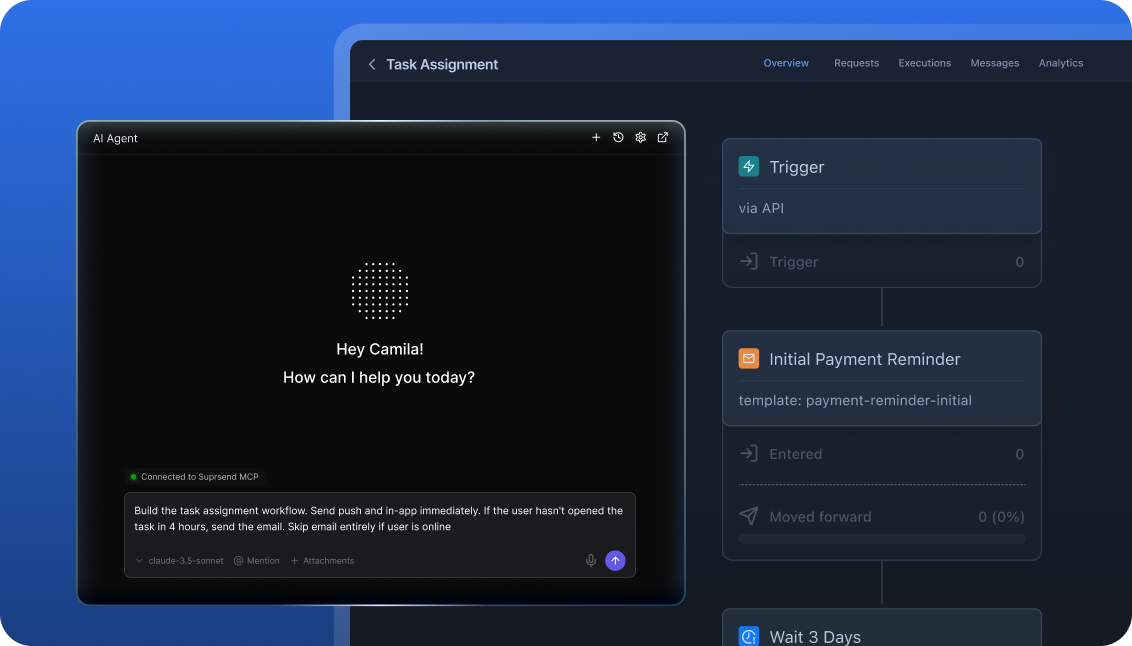
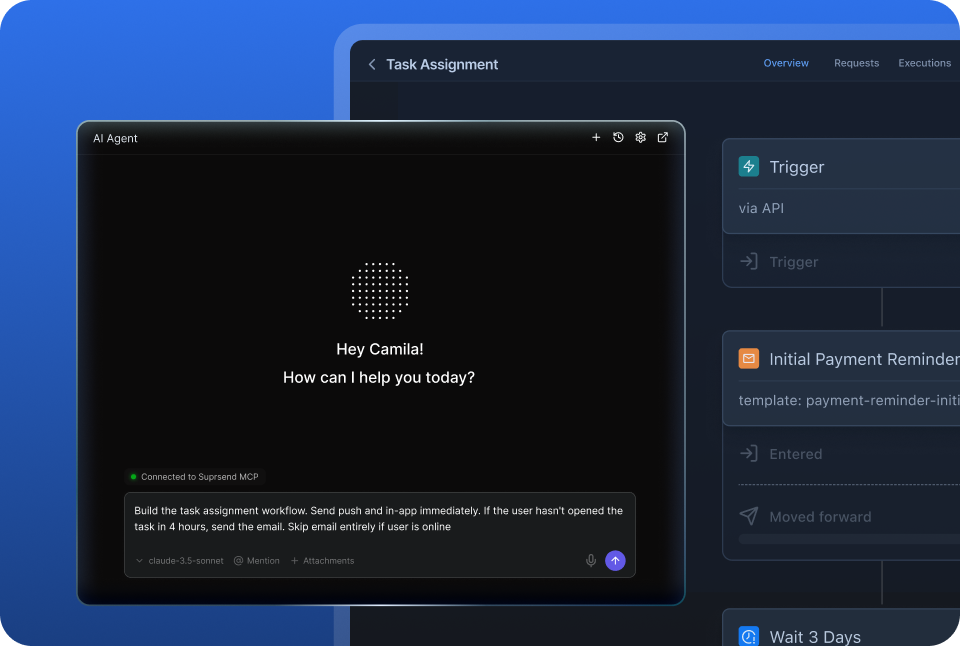
Agents build, send and manage notifications

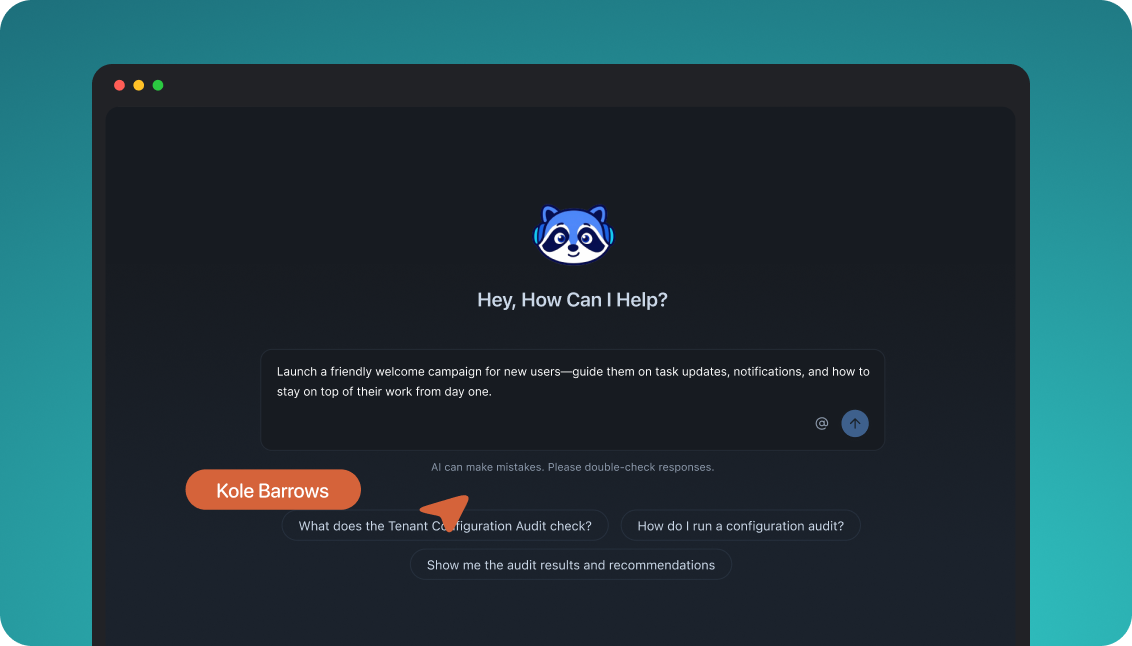
Your team works from the tools it already uses: the dashboard, Slack, the repo, Claude or ChatGPT. Agents create workflows, write templates, trigger sends and read the delivery log. Brevo’s Aura works inside its dashboard, and its MCP server leaves out automations, push and delivery logs.

Customise notifications per tenant, with per-user preferences

Each tenant has its own sending domain and provider, its own template versions, its own channel defaults and a per-tenant feed, nested five levels deep. Each user sets preferences per category, channel and digest schedule. Brevo runs one brand per account, with sub-organisations on Enterprise.

Failover, batching and version history under every message

A failed send moves to the next provider, bursts collapse into one digest, every workflow and template keeps versions with rollback, and test mode blocks real delivery outside production. Brevo sends on its own infrastructure with no second provider, and its automations keep no version history.

Build notifications in the dashboard, in your own agent, or in your codebase

A product manager changes a workflow in the dashboard. A developer commits the same workflow as a file and ships it through a pull request. A marketer asks Claude to build a list and send a campaign. All three work on the same workflows, templates and logs, so nobody waits on a ticket.

The built-in agent builds, edits and debugs notifications from a description; product and growth ship without a ticket.

In the dashboard

Connect the MCP to Claude, ChatGPT or any client and operate templates, workflows, tenants and preferences.

In your own agent

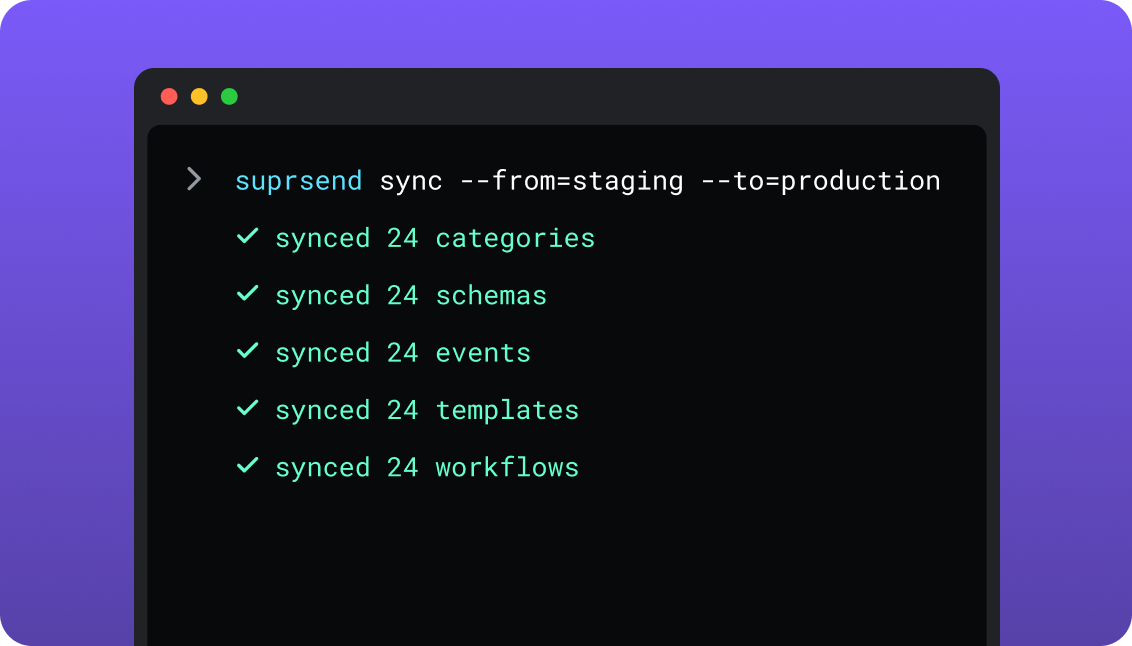
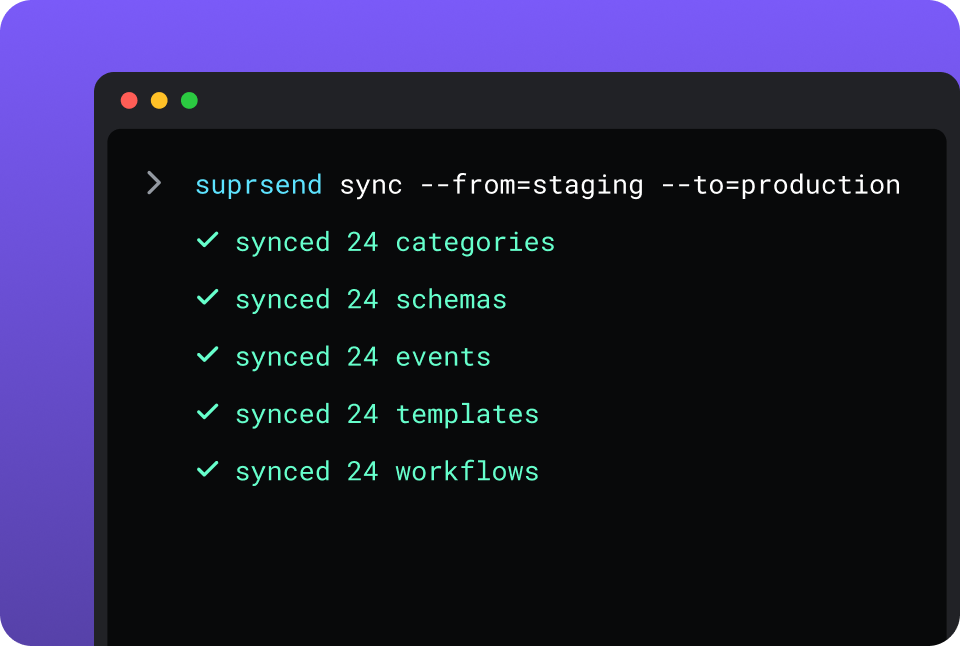
CLI and API keep workflows versioned, diffable and reviewed in pull requests; coding agents make bulk changes.

In your IDE or codebase
In the dashboardIn your own agentIn your IDE or codebase

One SuprSend customer runs its marketing email end to end from Claude Code, with nobody in the dashboard.

Brevo is built in its dashboard, where Aura drafts copy and can lay out an automation’s trigger, steps and splits from a prompt. Its hosted MCP server gives Claude, Cursor or VS Code 27 modules for contacts, lists, campaigns, templates and the CRM; automations, push and delivery logs stay in the dashboard. The Brevo CLI creates OAuth apps, and each account is one live environment with no staging.

Everything your product sends, from one place

One SDK, one event stream and one user record cover all nine channels, and adding a channel is a step in a workflow. A marketing team working in the SuprSend dashboard also runs the event-driven transactional messages, from the same workflows, lists and logs as its campaigns, with no second tool and no engineering ticket.

Lists built five waysFrom segmentation rules, a scheduled SQL query on your warehouse, a CSV, the API, or a Segment, Mixpanel or Amplitude sync; see lists.
User properties with no schema to declareAny number per user, any JSON value, nested objects and arrays included. Brevo attributes are created one at a time with a fixed type.
An inbox inside your productWeb, React Native, Flutter, iOS and Android, with read state, tabs and a headless option. Brevo’s chat widget connects a visitor to a support agent.
Users choose channels per category, admins set the defaultsOne opt-out holds across email, push, SMS and in-app. Brevo’s consent groups cover email topics on Professional.
Bring your own providers, with fallbackSendGrid, SES, Postmark, Twilio or the providers you already pay for, in an ordered list with a timer.
Batching, digest, translations and schemasTen comments become one email, translation files ship with the templates, and every event is checked against its schema.
Logs that say whyRendered content, provider error and block reason per message, on every channel, in one view.

Short answer

If this is youChoose
A marketing team sends newsletters and email automations to a contact list, with a CRM, forms and live chat in the same toolBrevoBrevo
A website or store sends order confirmations and password resets by email, with no second channel and no product eventsBrevoBrevo
Almost everything goes out as email with an occasional SMS, and one brand sends to one listBrevoBrevo
One product event has to reach the user by inbox, push, email or SMS, stopping once they respondSuprSendSuprSend
Each customer account needs its own domain, content and notification defaultsSuprSendSuprSend
Users should choose, per category, which messages they get and on which channelSuprSendSuprSend
A marketing team wants the transactional messages in the same dashboard, lists and logs as its campaignsSuprSendSuprSend
You want agents to build, send and manage your notifications from Claude, ChatGPT, Claude Code, Cursor or SlackSuprSendSuprSend
Marketing keeps Brevo for newsletters and the CRM, and the product needs notifications Brevo cannot sendBoth

At a glance

SuprSendSuprSendBrevoBrevo
Best whenEngineering, product and growth all send to users, on every channel and for every customer accountA marketing team runs email-led campaigns to a contact list, with a CRM and live chat
Who uses itEngineers, product, growth, and agents over MCP; unlimited seatsMarketers and sales reps; 1 seat on Free and Starter, 10 on Professional
Messages coveredTransactional, product and customer engagement, in one systemMarketing campaigns and automations; transactional email, SMS and WhatsApp by API
Built and changed fromDashboard agent, your own agent over MCP, CLI and APIDashboard with Aura; REST API; hosted MCP without automations
ChannelsEmail, SMS, WhatsApp, mobile push, web push, Slack, Teams, in-app, webhook; every planEmail; SMS on credits; web push from Starter; WhatsApp and mobile push on Professional
Data modelUsers with JSON properties, lists, objects, nested tenantsContacts with typed attributes, lists, segments, companies, deals; custom objects from Professional
Multi-tenancyNested tenants with own provider, domain, template version, defaults, feedOne brand per account; sub-organisations on Enterprise
PreferencesPer category and channel, digest schedule, tenant defaultsList subscriptions; consent groups for email topics on Professional
WorkflowsOne send step for all channels; branch, batch, digest, routing, failoverTriggers, delays, splits, wait for event; one action per channel
In-appInbox for web and mobile, headless optionNo inbox; live chat widget and pop-ups
Provider failoverOrdered vendor list with timer and delivery-confirmation stopNo second provider; Brevo delivers every channel
Environments and test modeDevelopment, staging, production; test mode blocks deliveryOne live account; sandbox header on the transactional email API
Log retention30 days Free, 90 days paid, custom EnterpriseTransactional email logs kept without a time limit below 10 million events
AIAgent builds workflows, writes copy, reads logs, in dashboard or Slack; Agent SDKAura drafts copy and automations in the dashboard; hosted MCP
HostingSuprSend cloud on every plan; your VPC, on-prem or BYOC on Enterprise, full product, supportedBrevo cloud, hosted in France and Germany
Pricing modelPer notification per channel; digest counts as one; users freeMonthly email sends with a contact cap per tier; SMS and WhatsApp on credits
ImplementationDays: SDK or API call, workflows in the dashboard or by CLIDays for email; Professional and Enterprise onboarding through sales
ComplianceSOC 2 Type II, GDPR, HIPAA BAA on EnterpriseISO 27001:2022, GDPR
G24.8, 129 reviews4.5, 2,715 reviews

What each is built for

BrevoBrevo

Brevo is a marketing and CRM suite for small and growing businesses. It started as Sendinblue, an email marketing tool, and email to a contact list is still the centre: campaigns, automations, forms and transactional email, priced by emails sent.

Around that centre sit SMS and WhatsApp on credits, web and mobile push by plan, a sales CRM, live chat and meetings. A marketer can run the newsletter, the welcome series and the sales pipeline from one inexpensive account.

SuprSendSuprSend

SuprSend is agentic, multi-channel orchestration for products where messages start from what users do. One event becomes the right message on the right channel through a workflow that batches, branches, routes and fails over.

Engineering integrates once; product, growth and their agents build on top. Every channel shares one user record, one preference model and one log, and customer accounts can each carry their own setup.

Where Brevo wins

Email marketing depthDrag-and-drop editor, template gallery, A/B tests and send-time optimisation on Standard; ten landing pages, contact scoring and AI segmentation on Professional.
A CRM, live chat and meetings in the same account50 open deals, one pipeline and live chat on every plan; Sales Essentials at $31 a month and Sales Advanced with phone at $64.
The price floorA free plan with 300 emails a day and 100,000 stored contacts, Starter from $9 a month, and prepaid credits that never expire.
An SMTP relay on every planAny site or plugin that sends mail over SMTP can route through Brevo without code changes.
Transactional email logs with no time limitKept indefinitely below 10 million events and 24 months above, with optional stored previews.
Published API rate limits1,000 requests a second on transactional email, rising to 2,000 on Professional and 6,000 on Enterprise.
Ecommerce and loyaltyBack-in-stock alerts and AI product recommendations on Professional; wallet notifications and a loyalty programme add-on on Enterprise.
An MCP server you connect by URLOne token opens 27 modules, including the CRM and campaign analytics, from Claude Code, Cursor, Windsurf, VS Code or Cline.

Where SuprSend wins

Workflows and templates in your repoPull them as files, edit, push, and promote staging to production from the deploy pipeline. Twenty templates change in one command.
Environments and a test modeDevelopment, staging and production on every plan, with a test mode that blocks real delivery on every channel. Brevo automations are tested by sending to a real contact.
Notification logic a marketing tool does not carryOne send step for all channels, smart channel routing that stops when the user reads, throttling, a fetch-from-API step and event schemas with generated types.
Slack and Microsoft Teams as channelsDirect integrations on every plan, with card templates. Brevo has neither channel.
Unlimited seats on every planBrevo includes one seat on Free and Starter, up to three on Standard at $9 each, and ten on Professional.
Room for complex automationsG2 reviewers of Brevo most often name missing automation features and thin automation reporting as their dislike (September 2026).
A choice of where it runsSuprSend cloud on every plan, or the full product in your VPC, on-prem or BYOC on Enterprise, with support. Brevo runs in its own cloud in France and Germany.

Who works in it

BrevoBrevo

Marketers build campaigns, segments, forms and automations in the dashboard, with Aura drafting copy and automation layouts. Developers send transactional email, SMS and WhatsApp through the REST API, the SMTP relay or the Node, Python and PHP SDKs.

Agents connect to the hosted MCP to manage contacts, lists, campaigns, templates and CRM records; automations and push stay with a person in the dashboard.

SuprSendSuprSend

Engineers integrate once through the API, a backend SDK in Python, Node, Java or Go, the CLI and MCP, and keep workflows and templates in the repo. Product and growth build workflows, lists, content and broadcasts in the dashboard, or have the built-in agent build them, with versions to roll back and a test mode.

Agents connect over MCP from Claude, ChatGPT, Claude Code or Cursor and create users and tenants, set preferences, write templates, trigger a notification, run a broadcast and read the log.

Feature by feature

From both pricing pages, Brevo’s help centre and developer documentation, and the SuprSend product, September 2026. Plan names mark the lowest plan that includes a feature.

How notifications are built and changed

Everything in SuprSend has an API and a file form behind the dashboard, so it can be scripted, versioned, staged and handed to an agent. Brevo’s campaigns and templates are reachable over the API and MCP; its automations are built by a person in the dashboard, on one live account.

CapabilitySuprSendSuprSendBrevoBrevo
Visual builder in the dashboard YES YES
Workflows by API YESCreate, update and trigger NOAutomations are built in the dashboard
Templates by API YESEvery channel YESMarketing and transactional email templates
CLI push and pull of assets YESWorkflows, templates, schemas, events, categories, translations NOThe Brevo CLI manages OAuth apps
Promote staging to production YESBy CLI, from CI NOOne live account
Change many assets in one command or prompt YESBy CLI or agent PARTIALCampaigns and templates over MCP; automations one at a time
Build from a prompt in the dashboard YESWorkflows, copy and fixes YESAura lays out an automation; content and filters added by hand
Headless UI YESInbox, preference centre, template editor NOForms and chat embed as Brevo scripts

Teams and scope

Brevo is sold to marketers and sales reps, seat by seat, with a CRM attached. SuprSend is one system for engineering, product, growth and support, with no seat count.

CapabilitySuprSendSuprSendBrevoBrevo
Who builds workflowsEngineers, product, growth, in the dashboard, by CLI or by agentMarketers, in the dashboard
Who builds audiencesAnyone: rules, warehouse SQL, CSV, CDP syncMarketers: segments on attributes, lists and site behaviour
Team seatsUnlimited on every plan1 on Free and Starter; up to 3 on Standard at $9 each; 10 on Professional; unlimited on Enterprise
Transactional messages YESEvery channel YES, BUTEmail and SMS on every plan; WhatsApp on Professional
Product notifications with an inbox YES NOPush and pop-ups only
Customer engagement campaigns YESLists and broadcasts on every plan YESThe core product
CRM, live chat, meetings NO YESFree on every plan; sales packages from $31 a month

Data model and tenancy

Brevo stores contacts with typed attributes, one brand per account, and adds custom objects from Professional. SuprSend stores users with free-form JSON properties, the objects they belong to, and nested tenants inside one integration.

CapabilitySuprSendSuprSendBrevoBrevo
RecipientsUsers with channels and properties; objects such as an order, a team or a deviceContacts with email, SMS, WhatsApp and an external ID; companies and deals
Non-user recipients YESObjects with own channels and subscribers; Business YES, BUT1 custom object on Professional, more on Enterprise
Tenants YESNested five levels; Business add-on, Enterprise YES, BUTSub-organisations under an admin account, Enterprise
Per-tenant provider and sending domain YES YES, BUTPer sub-organisation, Enterprise
Per-tenant template version YESMatched by tenant ID at send NOEach sub-organisation keeps separate templates
Tenant-admin preference defaults YESDefaults, mandatory channels, visible categories NO
Contact or user limitNone; users are free100,000 on Free; 500 to 500,000 by tier; 2 million on Professional
At the contact limitNothing changesPlan moves up a tier automatically on the first three Starter and Standard tiers

Marketing campaigns and lists

Both run one-time and scheduled campaigns to an audience. Brevo sends each channel as its own campaign type; SuprSend sends a broadcast on any channel through the same workflow engine as transactional messages, so it batches, routes and respects preferences.

CapabilitySuprSendSuprSendBrevoBrevo
How a list is builtRules on properties and events; warehouse SQL; CSV; API; Segment, Mixpanel, AmplitudeSegments on attributes, lists, engagement, site tracking and events; CSV; integrations
Dynamic lists that refresh YES, BUTEnterprise, or an add-on on Essentials and Business YESSegments re-evaluate on contact changes
User propertiesAny number, any JSON value, no field to declareTyped attributes created first: text, number, date, category, boolean
Broadcast channelsAny of nine channels, or several in one sendEmail, SMS, WhatsApp and push, each a separate campaign
SchedulingOne-time, scheduled, recurring; recipient’s timezone on EssentialsOne-time and scheduled; best time per contact on Standard
Broadcast through a workflow YESBatching, routing, fallback, preferences apply NOCampaigns and automations are separate
Transactional from the same dashboard YESSame workflows, lists and logs YES, BUTSeparate transactional templates, logs and settings
Frequency cap YESThrottling on Essentials; digest on Business YES, BUTMarketing email, Professional
Campaign analyticsDelivered, seen, clicked, unsubscribed per broadcast, category and tenantOpens, clicks, bounces, unsubscribes; advanced reports on Standard; analytics studio on Professional
A/B testing NO YESSubject and content on Standard

Channels

Brevo delivers email itself and adds SMS and WhatsApp as credits and push by plan, with limits on how many subscribers one push can target. SuprSend covers nine channels on every plan through providers you choose, with fallback between them.

CapabilitySuprSendSuprSendBrevoBrevo
Email YESThrough your provider YESBrevo delivers, from a shared IP by default
SMS YESThrough your provider YES, BUTPrepaid credits priced by country
WhatsApp YESProvider or Cloud API, every plan YES, BUTProfessional, on credits
Mobile push YESEvery plan YES, BUTProfessional; 20,000 targeted subscribers per send
Web push YESEvery plan YES, BUT1,000 per send on Starter; 10,000 on Standard
Slack and MS Teams YES NO
In-app inbox YESEvery plan NO
Live chat and wallet passes NO YESChat free; wallet on Enterprise
Provider failover YESOrdered list with timer; Essentials NOBrevo is the provider

Workflows

Brevo’s automation editor is built around marketing triggers: lists, forms, opens and clicks, carts and orders, deals. SuprSend’s is built around delivery: one send step for all channels, digests, routing, failover, versions and a test mode.

CapabilitySuprSendSuprSendBrevoBrevo
TriggersAPI event, Segment event, schedule, broadcast, listList, segment, form, email engagement, cart, order, deal, page visit, custom event
Send to all channels in one step YES NOOne action per channel
Branching YESBranch node and step conditions YESConditional and percentage splits
Delay and wait for event YES YES
Batching and digest YESUser-chosen time, batch until due date; Business NO
Channel routing that stops on read YES NO
Fetch data from an API mid-run YESEssentials NOWebhook call action only
Hold to allowed hours in the user’s timezone YESBusiness PARTIALBest send time on Standard
Event payload schema YESJSON schema with TypeScript types NO
Version history and rollback YES NO
Test mode YESBlocks real delivery outside production NOTested by sending to a real contact

Templates and content

Brevo has a strong email editor and separate SMS, WhatsApp and push editors. SuprSend has rich editors for all nine channels, variants per tenant and language, versions, and an editor you can embed in your own product.

CapabilitySuprSendSuprSendBrevoBrevo
EditorsAll nine channels; Handlebars; JSONNET for Slack and Teams cardsDrag-and-drop email with reusable sections and gallery; SMS, WhatsApp and push editors
Variants YESBy tenant, user, event data or language PARTIALConditional blocks in the template language
Translations YESTranslation files per language, pushed by CLI; Business YES, BUT2 languages on Professional; 5 more per $215 package
Version history YESWith rollback NO
Embeddable template editor YESReact SDK NO
Preview and test send YES YESShareable preview link
AI copy YESAgent drafts per channel YESAura drafts email, SMS and WhatsApp copy and images

Preferences

A preference is a user’s standing choice about which messages reach them and where. Brevo records it as list subscriptions and, on Professional, email consent groups. SuprSend records it per category and channel, with a digest schedule and tenant defaults, and checks it on every send.

CapabilitySuprSendSuprSendBrevoBrevo
ModelPer category and channel; digest schedule; condition rulesPer list; consent groups per email topic; global unsubscribe
One opt-out across channels YES NOPush, SMS and WhatsApp opt-ins tracked per channel
Tenant-admin defaults and mandatory channels YES NO
Preference centre YESHosted page and embeddable components; Business YESProfile update form, hosted or embedded
User-chosen digest schedule YES NO
Unsubscribe page YESGenerated per email YESLink and form; one-click unsubscribe
Quiet hours set by the user NO NO

In-app inbox

An in-app inbox is a persistent feed of notifications inside your product, with read state that follows the user across devices. Brevo has none; SuprSend ships an inbox for web and mobile.

CapabilitySuprSendSuprSendBrevoBrevo
Web components YESReact, Angular, Vue, JS; headless hooks NOChat widget and pop-ups via the tracker
Mobile SDKs YESReact Native, Flutter, iOS, Android NOPush SDKs only
AuthenticationExpiring JWT, refreshed by the SDKNo inbox to sign in to
Tabs, filters, per-tenant feed YES NO
Snooze, pin, archive, actions, toasts YES NO
Branding removal YESEssentials NONo inbox to brand

Analytics and logs

Brevo reports on campaigns and keeps transactional email logs for as long as you like, in separate places. SuprSend puts every message on every channel in one view: what was rendered, where it went, and why it was blocked.

CapabilitySuprSendSuprSendBrevoBrevo
Per-message log on every channel YESRendered content and provider error PARTIALTransactional email and SMS logs; campaign reports apart
Block reasons named YESOpt-out, no channel, template error PARTIALBounce and blocklist status
Retention30 days Free, 90 days paid, custom EnterpriseTransactional email indefinite below 10 million events, 24 months above
Step-level workflow log YES PARTIALAutomation logs per contact
ExportCSV to 50 million rows; S3 Parquet; warehouse sync on BusinessReport export; raw event export by API; warehouse and SFTP on Enterprise
Monitoring tools YESDatadog, New Relic; Enterprise NOWebhooks only
Revenue attribution NO YESEcommerce tracking

Developer experience

Brevo has a mature messaging API with SMTP, batch sends, published rate limits and retried webhooks. SuprSend adds environments, a CLI, frontend SDKs and a test mode, because engineering integrates once and everyone else builds on top.

CapabilitySuprSendSuprSendBrevoBrevo
Backend SDKsPython, Node, Java, GoNode, Python, PHP
Frontend SDKsJS, React, React Native, Flutter, iOS, AndroidJavaScript tracker and chat widget; push SDKs
API toolingOpenAPI spec, Postman, try-itREST reference, Postman workspace, OAuth 2.0
EnvironmentsDevelopment, staging, production on every planOne live account; sub-organisations on Enterprise
Published rate limits NOFair-use limit, no number YESPer endpoint and plan
SMTP relay NOYour provider’s SMTP YESEvery plan
Delivery webhooks YESEvery plan YESOutbound on every plan; inbound on Professional
CLIPushes and pulls every asset, promotes environments, generates typesCreates and manages OAuth apps; Claude Code skill

AI, by what it can do

Both have an MCP server and an in-product AI. Brevo’s Aura drafts for a person in the dashboard, and its MCP manages contacts and campaigns. The SuprSend agent, and any agent connected over MCP, builds, runs and diagnoses notifications end to end.

CapabilitySuprSendSuprSendBrevoBrevo
Build a workflow from a prompt YESDashboard, Slack or any agent over MCP YES, BUTAura in the dashboard; content added by hand
Edit workflows from an external agent YES NOAutomations are outside the MCP
Draft copy per channel YESAll nine channels YESEmail, SMS and WhatsApp
Diagnose a failed send YESAgent reads the log and names the reason NOLogs are read in the dashboard
Run a campaign end to end from an agent YESList, template, broadcast, log, re-send PARTIALList, template, campaign and its report; no delivery log
What the MCP exposesUsers, tenants, objects, preferences, workflows, templates, broadcasts, logs27 modules: contacts, lists, segments, campaigns, templates, senders, domains, CRM
Agent SDK for your own agents YESOpenAI, LangChain, Vercel AI NO
Predictive and segmentation AI NO YESSend time on Standard; segments and recommendations on Professional

Security, compliance, support

Brevo is ISO 27001:2022 certified and hosts in the EU. SuprSend holds SOC 2 Type II, signs HIPAA BAAs on Enterprise, and can run in your own cloud.

CapabilitySuprSendSuprSendBrevoBrevo
CertificationsSOC 2 Type II, GDPR, HIPAA; ISO 27001 and CPRA in progressISO 27001:2022, GDPR
SAML SSO YES, BUTEnterprise YES, BUT$324 a month on Professional; included on Enterprise
Two-factor sign-in YESEvery plan YESEvery plan
Roles and audit trail YES, BUTEnterprise PARTIALUser permissions; activity log by API
HostingSuprSend cloud on every plan; your VPC, on-prem or BYOC on Enterprise, full product, supportedBrevo cloud, hosted in France and Germany
SupportSlack community; email and chat paid; phone and CSM on EnterpriseEmail; priority on Standard; phone on Professional; CSM on Enterprise
Uptime99.9%; SLA on EnterpriseSLA on Enterprise

Pricing and implementation

The units measure different things. Brevo charges for emails sent, caps how many contacts a tier may store, and sells SMS and WhatsApp as credits; SuprSend charges per notification per channel, counts a digest as one, and stores users free. A product with 20,000 users each getting five notifications a month by email and in-app sends 200,000 notifications, about $1,000 a month on SuprSend Business ($250 plus 150,000 extra at $5 per 1,000). On Brevo the 100,000 emails sit on a Starter or Standard tier, the in-app half has no channel, and moving it to mobile push means Professional from $499. Compare on your own channel mix; SuprSend’s pricing page and Brevo’s have the tiers.

CapabilitySuprSendSuprSendBrevoBrevo
Billing unitNotification per user per channel; digest counts as one; opt-out blocks not billedEmails sent a month, with a stored-contact cap per tier; message credits
Free10,000 notifications; all channels; lists and broadcasts; unlimited members300 emails a day; 100,000 contacts; automations to 2,000 contacts; 1 seat
Entry paidEssentials $100 a month; 50,000; $2 per extra 1,000Starter from $9 a month; Brevo logo unless the $9 add-on
Next tiersBusiness $250 a month; 50,000; $5 per extra 1,000; adds digest, preferences, objectsStandard from $18; Professional from $499 at 150,000 emails
EnterpriseCustom; volume discounts; per-user optionCustom; unlimited contacts and seats
Delivery providersBring your own for email and SMS, billed by the providerBrevo on every channel
Annual discountPrices above are the annual rate10 percent off yearly
Time to first notificationSame day, no sales callSame day for email after sender verification

Migrating from Brevo to SuprSend

Most teams move the product messages and keep Brevo for newsletters, the CRM and chat; some move everything. The mapping is the same either way, and rebuilding automations is most of the work.

BrevoSuprSendMoves how
ContactUserUsers API, SDK, CSV or Segment; keep the external ID
List, segmentListRebuild as rules, warehouse SQL or CSV
Contact attributeUser propertyImport as JSON; no type to declare
Consent groupPreference categoryOne category per topic; keep unsubscribes
Company, custom objectTenant, or objectCustomer accounts become tenants; orders or devices become objects
Sub-organisationTenantTenant API, then domain, provider and defaults
AutomationWorkflowRebuild in the builder, by CLI or by the agent
Custom eventEvent with a schemaSame name; add the schema; generate types
Email templateTemplate with versionsPaste the HTML; add translation files
SMTP relay, transactional APIWorkflow triggerReplace the send call with an event
Push campaignPush channelInstall the SuprSend push SDK; re-collect tokens
Transactional logs, reportsLogsExport from Brevo first; no import
01

Inventory every automation, transactional template, SMTP integration, list and consent group, and mark which automations start from product events.

02

Stand up SuprSend development and staging, connect email and SMS providers with a fallback order, and create tenants with their defaults.

03

Import users and lists, and map consent groups and lists to preference categories.

04

Rebuild the critical flows first: verification codes, password resets, billing and security alerts. Test them in test mode, then pull them into your repo.

05

Run both for a week on those flows, with the inbox SDK behind a feature flag.

06

Move the remaining workflows, cut over, and keep an export of Brevo’s logs and reports.

Enterprise customers get migration support and a scoped plan; on other plans the Slack community and docs are the path.

FAQ

Is SuprSend better than Brevo?
SuprSendSuprSend

SuprSend is better when messages start from what users do, reach several channels and an inbox, follow preferences per category and per customer account, and are built by engineering, product, growth and their agents together.

BrevoBrevo

Brevo is better for a marketing team running email-led campaigns to a contact list that also wants a CRM, forms and live chat in one inexpensive account.

Can I keep Brevo for marketing and use SuprSend for product notifications?

Yes. Brevo keeps the newsletters, the contact list and the CRM; SuprSend takes the product events and everything the product sends, and a webhook or warehouse sync keeps the Brevo contact current. The trade-off is two bills and two places to check a log.

Does Brevo support multi-tenancy?
SuprSendSuprSend

SuprSend scopes tenants inside one integration, each with its own provider, domain, template version, defaults and inbox feed, nested five levels deep.

BrevoBrevo

Brevo offers sub-organisations on Enterprise: separate accounts under an admin account, each with its own contacts, users and API key.

Does Brevo have an in-app inbox?

No. Brevo has web push from Starter, mobile push on Professional, a live chat widget and pop-ups. SuprSend’s inbox is a channel on every plan, with SDKs for web, React Native, Flutter, iOS and Android.

Where does each run, and can I self-host SuprSend?
SuprSendSuprSend

SuprSend runs in SuprSend cloud on every plan, and on Enterprise the full product also runs in your VPC, your data centre or bring-your-own-cloud, with vendor support.

BrevoBrevo

Brevo runs in Brevo’s cloud, with data hosted in France and Germany.

Which is cheaper?

Brevo is cheaper when email is the only channel and sends are few. SuprSend is cheaper when many users each get a handful of messages across several channels, because users are free, every channel is on every plan, and a digest counts as one.

How do I migrate from Brevo to SuprSend?

Users, lists and consent groups move by API, SDK or CSV in a day. Automations are rebuilt, by hand, by CLI or by the agent from a description. Most teams run both on the critical flows for a week before cutting over.

Related Resources

Can agents run SuprSend from Claude or Cursor?SuprSend MCP server
How does SuprSend handle multi-tenant notifications?multi-tenant notifications
Can SuprSend run inside my own cloud?Bring your own cloud
What does SuprSend cost at my volume?SuprSend pricing

There’s no better place for you
to build notifications

Join thousands of product & engineering teams using SuprSend to build and ship better notifications—faster.