Back
Notification Infrastructure
Why Notification Vendor Lock-in Costs More Than You Think

Nikita Navral
June 25, 2026
•
June 25, 2026
•
Read summary :
Last Updated: May 2026
Switching email providers used to be a one-week project. Switching email providers used to be a one-week project. Switching your notification stack in 2026 is closer to a six-month one based on our estimates across template migration, IP warmup, and re-registration timelines, and that is before you account for the warmup ramp on the new IP, the brand re-registration with The Campaign Registry, and the customer-facing template breakage that always shows up in week two.
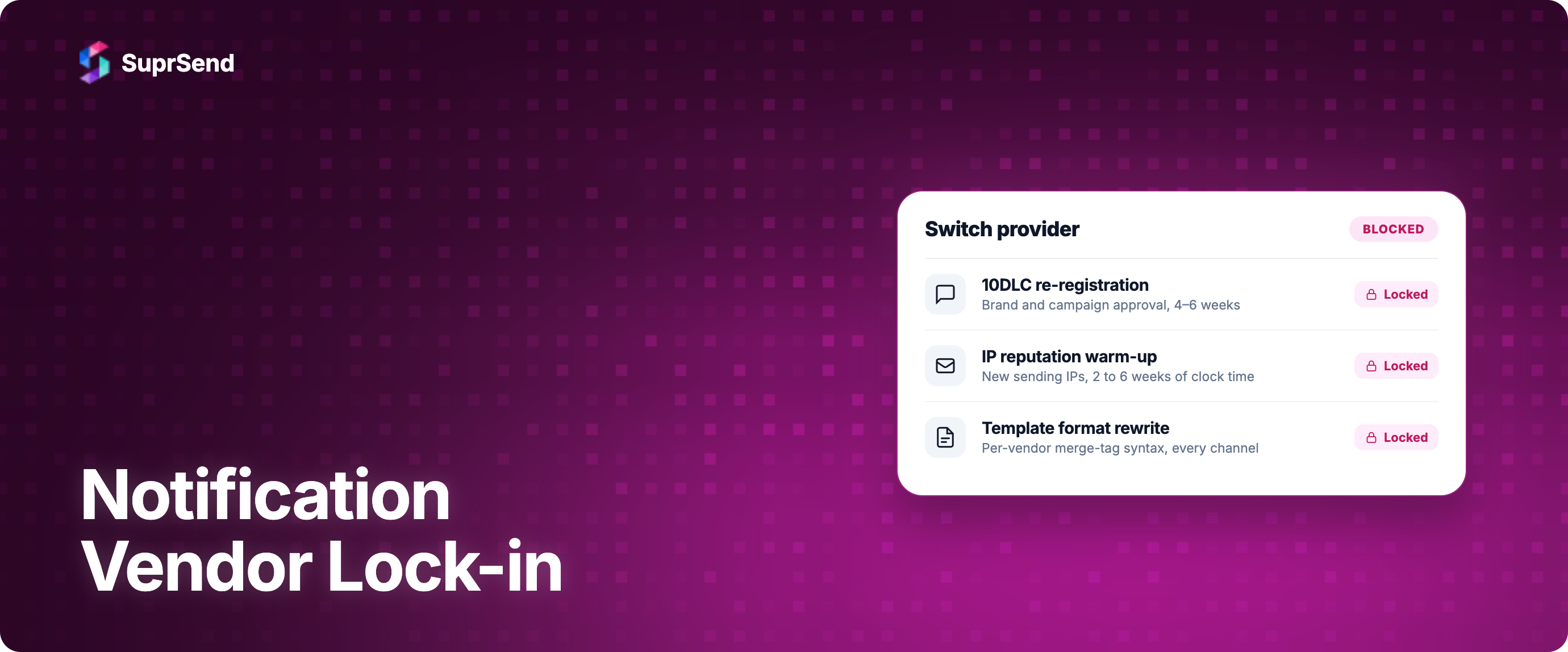
Notification vendor lock-in is the set of technical, regulatory, and reputational artifacts that accumulate around a specific vendor and make leaving that vendor expensive in ways that have nothing to do with the contract you signed. It is different from generic cloud lock-in because most of the locked assets (IP reputation, 10DLC brand registrations, per-vendor template formats, suppression lists, webhook payload schemas) live outside your codebase. You do not get them back when you migrate. You rebuild them.
This piece is for the founder, VP of engineering, or platform lead who is starting to feel the gravity of a vendor they picked two years ago. We will cover what is actually locked in, what each lock costs to break, and three escape patterns with a decision framework for picking between them.
What Notification Vendor Lock-in Actually Means
The standard cloud lock-in story is well-rehearsed: you build on AWS Lambda, you adopt DynamoDB, your code is now tied to AWS APIs, and migrating to another cloud is a multi-quarter rewrite. The lock-in is in your codebase.
Notification lock-in is different in three ways that matter.
First, much of what gets locked in lives with external authorities, not in your code. Your sender reputation lives with Gmail, Yahoo, and Microsoft. Your 10DLC brand and campaign registrations live with The Campaign Registry through a Campaign Service Provider. Your suppression list lives in your vendor's dashboard. None of these come with you when you switch.
Second, the locked assets are customer-facing. Even a rough database migration can be rolled back quietly. A failed notification migration cannot. A botched notification migration causes transactional emails to land in spam, OTPs to arrive late, and your customer support tickets to spike. The pain shows up in revenue.
Third, some assets only compound with time and cannot be bought back. A two-year-old IP reputation, a clean 10DLC brand score, a suppression list of every customer who has ever clicked "this is spam". These took time and sending volume to build. Money will not regenerate them.
What Actually Gets Locked
The lock-in is not one thing. It is at least nine distinct assets, each with its own cost to migrate. The table below maps each asset to where it lives, what you lose on a vendor switch, and roughly how long it takes to recover.
| Asset | Where It Lives | What You Lose on Switch | Recovery Time |
|---|---|---|---|
| Per-vendor template formats | Vendor platform (for hosted templates) or your codebase (for code-based templates) | Hosted templates must be rewritten per channel; code-based templates need merge-tag syntax adjustments across vendors. | 1–3 weeks engineering per channel |
| Webhook payload schemas | Your codebase | All event handlers (delivered, opened, clicked, bounced, complaint, unsubscribe) need rewriting against new schema. | 1–2 weeks |
| IP reputation | ISPs (Gmail, Yahoo, Microsoft) | Inbox placement drops; new dedicated IPs need a slow volume ramp. | 2–6 weeks of clock time |
| 10DLC brand and campaign registrations | The Campaign Registry, through your CSP | Brand must be registered by the new CSP; campaigns vary in approval time and depend on the connection chain. | Days to weeks of clock time |
| Suppression lists (bounces, complaints, unsubscribes) | Vendor platform | Without a clean export, you risk re-mailing addresses that complained, which damages reputation immediately. | 1 week with cooperation; otherwise lost |
| In-app inbox SDK contracts | Vendor SDK and your client apps (web, iOS, Android) | Different vendors expose different SDK shapes; client apps must be rewritten and shipped through app stores. | 4–8 weeks including release cycles |
| Vendor-proprietary segments and journeys | Marketing automation tool (Braze, Iterable, Klaviyo, etc.) | Audience definitions and lifecycle journey logic are not portable across MATs. | Manual rebuild; weeks to months |
| Sending domain authentication (SPF, DKIM, DMARC) | DNS plus vendor-managed keys | Realignment, key rotation, and the risk of failing DMARC during transition. | 1–2 weeks |
| Deliverability history (engagement signals) | ISPs and sending IP/domain history | Accumulated engagement signals (opens, low complaints, low bounces) tied to the old IP and domain do not transfer. | Months |
The asset list explains why "we'll just swap vendors" estimates are almost always wrong by an order of magnitude. The engineering hours are recoverable. The clock time (warmup, registrations, ISP trust rebuilding) is not.
Why Notification Lock-in Hurts More Than Other Lock-in
Three properties make notification lock-in worse than typical SaaS or cloud lock-in.
1. It is customer-facing
When you migrate a database, customers do not see it. When you migrate notifications and the new IP has not warmed up, customers see it as undelivered password resets, delayed OTPs, and welcome emails in spam folders. The pain is immediate, public, and routed through your support team.
2. The clock runs against you
IP warmup is time-based, not engineering-effort-based. Amazon SES documentation describes a 45-day automatic warmup process for new dedicated IPs, and notes that establishing a positive reputation manually can take "around two weeks" with some providers and "up to six weeks" with others. Throwing more engineers at IP warmup does not accelerate it. You are waiting on Gmail's spam filter to trust you, and Gmail does not care how many engineers you have.
3. Regulatory bottlenecks have external dependencies
For US SMS, 10DLC brand and campaign registrations are the gatekeeper. The Campaign Registry confirms that "each CSP must register the Brands that they are working with, whether or not they have already been registered by another CSP." If your brand was already vetted, you can import the vetting token from your old CSP - but registration with the new CSP is still required. Approval timelines depend on your new CSP and "the more partners there are in the connection chain, the longer the campaign approval time."
You are not in control of any of these clocks. That is the real lock-in.
The Real Cost of Switching Notification Vendors
Here is a component-by-component estimate for switching a mid-sized SaaS company's notification stack (assume 10 to 30 million notifications per month across email, SMS, push, and in-app):
- Template migration across channels: 1 to 3 weeks of engineering per channel, 3 to 8 weeks total
- Webhook rewiring for new payload schemas: 1 to 2 weeks
- SDK migration for in-app inbox and mobile clients: 4 to 8 weeks counting app store release cycles
- IP warmup: 2 to 6 weeks of clock time, partial volume on new IP throughout
- 10DLC re-registration: days to weeks of clock time, dependent on the new CSP and connection chain
- Suppression list export and import: 1 week if the outgoing vendor cooperates, longer if you have to scrape
- SPF, DKIM, DMARC realignment and DNS changes: 1 to 2 weeks
- Internal change management, runbooks, observability re-wiring: 2 to 3 weeks
Total engineering attention: roughly 3 to 6 months, partial. Total clock time: 4 to 8 weeks of warmup and registration that you cannot parallelize away.
This is why companies put off the switch even when they know they should. The cost is not the new vendor's bill; it is the migration project that nobody wants to own.
Three Ways to Escape Notification Lock-in
There are three architectural patterns for reducing notification vendor lock-in. Each makes different tradeoffs, and the right one depends on your team's size, channel mix, and how much of the orchestration layer you want to own.
Pattern 1: Build an internal abstraction layer
Build a thin internal service that exposes a vendor-agnostic notification interface (send, schedule, batch, route) and fans out to whichever vendor sits behind it. Vendor swaps become library upgrades.
Pros: Full control over the abstraction. No SaaS dependency at the orchestration layer. You can model your own primitives (tenants, preferences, retry policies) the way your product needs them.
Cons:
The first version typically takes 6 to 10 months of focused engineering, depending on channel count and compliance requirements. Ongoing maintenance absorbs at least one engineer's bandwidth, often more, as channels and compliance requirements evolve. You inherit responsibility for failover, idempotency, observability, and template management. (See our build-versus-buy analysis for a deeper cost model.)
Best for: Teams with 5 or more platform engineers, multi-channel volume above ~5 million notifications per month, strict data residency requirements, or notification logic that is genuinely differentiated from competitors.
Pattern 2: Adopt a notification infrastructure platform
Use a centralized platform that already abstracts vendors as a first-class concept. Templates, workflows, preferences, and observability live in the platform. Underlying vendors are configurable from a dashboard. Vendor swaps become config changes, not engineering projects.
Pros: Ships in days, not quarters. Vendor abstraction is the platform's product, not your side project. Includes workflows, WYSIWYG editors, preference management, multi-tenant support, and unified analytics. The orchestration layer becomes a stable foundation rather than a perpetual rewrite.
Cons: You introduce a SaaS dependency at the orchestration layer. Honest read: you are trading vendor lock-in (per-channel) for platform lock-in (orchestration-level). The right question to ask any candidate platform is the data exit question: can I export templates, workflows, and event history in a structured format if I leave?
Best for: Most product teams under 200 engineers, especially multi-channel teams where the cost of building and maintaining the orchestration layer in-house outweighs the cost of a platform subscription. (For a deeper comparison of how unified APIs change the build calculus, see our one API versus multi-provider analysis.)
Pattern 3: Multi-vendor with primary plus fallback
Keep your current vendor, but actively maintain at least one configured fallback per channel. Route traffic to the primary by default, fail over to the secondary on delivery failure or extended downtime. Migrate gradually by shifting volume between primary and fallback rather than ripping and replacing.
Pros: No single point of failure at the vendor level. Gradual migration is possible (warm up the new IP while the old one still carries load). Deliverability resilience improves on day one because every channel has a fallback - provided the fallback vendor has a warmed IP and established sending reputation.
Cons: Doubles your integration surface. Does not address regulatory lock-in (10DLC is still tied to specific CSPs; you need 10DLC registered with both). You still need orchestration logic to decide when to fail over, how long to wait, and how to prevent duplicate sends.
Best for: Teams where deliverability is mission-critical (financial OTPs, healthcare alerts, security notifications), and the redundancy cost is justified by the cost of a delivery failure.
Which Escape Pattern Fits Your Team?
The patterns are not mutually exclusive, but the right primary choice depends on what your team values most.
| Your Situation | Recommended Pattern |
|---|---|
| 5+ platform engineers, want to own the layer, notifications are differentiated | Internal abstraction layer |
| Product team under 200 engineers, want focus on product not infrastructure | Notification infrastructure platform |
| OTP or transactional dominance, deliverability is critical, can absorb redundancy cost | Multi-vendor primary plus fallback (often layered on a platform) |
| Multi-channel growth-stage SaaS with 50 to 250 engineers | Notification infrastructure platform with multi-vendor fallback configured inside it |
| Enterprise with strict data residency and on-prem requirements | Internal abstraction layer, optionally with a self-hosted platform underneath |
The most common pattern in practice is Pattern 2 with Pattern 3 layered inside it. The platform handles orchestration, templates, preferences, and observability. The platform's vendor fallback feature handles the redundancy. The engineering team focuses on product work.
Where SuprSend Fits
SuprSend is the Pattern 2 implementation, with Pattern 3 built in as a first-class feature. Vendors are configured as objects in the platform, not hardcoded into your application. Switching from SendGrid to Mailgun is a vendor configuration change in the dashboard, not a template rewrite.
Three pieces matter for the lock-in conversation specifically.
Vendor Fallback. Vendor Fallback is a built-in feature: you configure a Vendor Priority List, a Fallback time window, and a Fallback Rule. When the primary vendor fails or the delivery report does not arrive in the fallback window, traffic routes to the next vendor. This is Pattern 3 (multi-vendor with redundancy) without you writing the failover code.
Templates live in the platform, not the vendor. Templates in SuprSend support nine channels (email, SMS, WhatsApp, Android push, iOS push, web push, in-app inbox, Slack, MS Teams), with versioning, variants by language and tenant and payload condition, and live preview per channel. Underlying vendors render the same template. Swapping SendGrid for Mailgun does not require a template rewrite because the template is not in SendGrid.
SuprSend's own webhook and SDK contracts are stable across vendor changes. Your event handlers consume SuprSend's payload schema, not the underlying vendor's. Your in-app inbox SDKs (React, Vue, Angular, Next.js, Flutter, React Native, Android, iOS) are SuprSend's, not the vendor's, so vendor swaps do not trigger client app releases.
Smart Channel Routing handles cross-channel sequencing on top of all this: send the in-app inbox notification immediately, wait for engagement, fall through to push, then email, stopping the moment the user engages.
To be honest about it: choosing SuprSend means choosing platform lock-in at the orchestration layer in exchange for eliminating per-vendor lock-in at the delivery layer. The right way to evaluate that trade is to ask the data exit question: SuprSend exposes templates, workflows, and event data through APIs you can read and export. If you leave, you leave with your structured assets. The IP reputation and 10DLC registrations remain in the vendor and registry, the same as anywhere else. The platform does not solve those, but it does keep your templates, workflows, and event history portable.
Frequently Asked Questions
What is notification vendor lock-in?
Notification vendor lock-in is the accumulated cost of switching away from a specific notification vendor, measured across templates, webhook schemas, IP reputation, 10DLC registrations, suppression lists, SDK contracts, and deliverability history. Most of these assets live outside your codebase, which is why notification lock-in is more expensive than generic cloud lock-in.
How long does it actually take to switch notification vendors?
For a mid-sized SaaS company sending 10 to 30 million notifications per month across multiple channels, based on our estimates, a full vendor migration runs 3 to 6 months of partial engineering attention plus 4 to 8 weeks of clock time for IP warmup and 10DLC re-registration for IP warmup and 10DLC re-registration. The clock time is the part that engineers cannot accelerate.
Does using a notification infrastructure platform eliminate vendor lock-in?
It eliminates per-vendor lock-in at the delivery layer (templates, webhooks, SDKs are portable), but it introduces platform lock-in at the orchestration layer. The right question is whether the platform supports data exit: can you export your templates, workflows, and event history in structured form? IP reputation and 10DLC registrations are not solved by any platform; they live with ISPs and TCR.
Is multi-vendor with primary-fallback better than picking a single vendor?
For mission-critical deliverability (financial OTPs, healthcare alerts, security notifications), yes. The redundancy cost is justified by the cost of a delivery failure. For most product notifications, multi-vendor adds complexity faster than it adds value unless the orchestration is handled by a platform that treats fallback as a built-in feature.
What is the cheapest way to reduce notification lock-in if I'm a small team?
Use a notification infrastructure platform with vendor fallback as a built-in feature, and ensure your sending domains, 10DLC brand, and DKIM keys are owned by your company (not the vendor). That alone preserves the assets you can migrate while delegating the orchestration work to a platform.
If I leave my current notification vendor, can I take my suppression list with me?
Usually yes, but only if you export it before you cancel. Most vendors will provide a CSV of bounces, complaints, and unsubscribes on request, but the format and completeness vary. Plan the export as the first step of any migration. Once you cancel, the data may become inaccessible.
The Bottom Line
Notification vendor lock-in is real, expensive, and underestimated in almost every vendor selection conversation. The bill is not the contract you sign; it is the migration project you cannot run when the contract no longer fits. The locked assets (IP reputation, 10DLC registrations, templates, webhooks, SDKs, suppression lists) cost months to rebuild if you have to migrate the hard way.
The patterns to escape it are real too. Build the abstraction yourself if you have the team and the differentiation to justify it. Adopt a notification infrastructure platform if you would rather focus your engineering on product work. Layer multi-vendor fallback inside whichever choice you make, because deliverability redundancy is cheap insurance against the worst day.
The mistake we see most often is teams treating vendor selection as a one-time decision rather than an architectural choice that compounds. The right time to think about lock-in is before it locks.
If you want to see how SuprSend handles vendors as first-class objects with fallback built in, start building for free, or book a demo to talk through your stack.
On this page