
Last Updated: May 2026
An iOS user unlocks their phone and sees three identical banners stacked on the lock screen: "Order out for delivery," "Order out for delivery," "Order out for delivery." Each one had to be swiped away. The app sent three pushes because the order status microservice retried; APNs queued all three because the device was offline. That stack is what apns-collapse-id exists to prevent.
This guide covers what apns-collapse-id is, exactly how APNs uses it, the code to set it from a Node.js or Python server, the Android equivalent on FCM, the three things it cannot fix, and where server-side deduplication takes over. The audience is engineers actually shipping push notifications, not marketers.
What apns-collapse-id Is
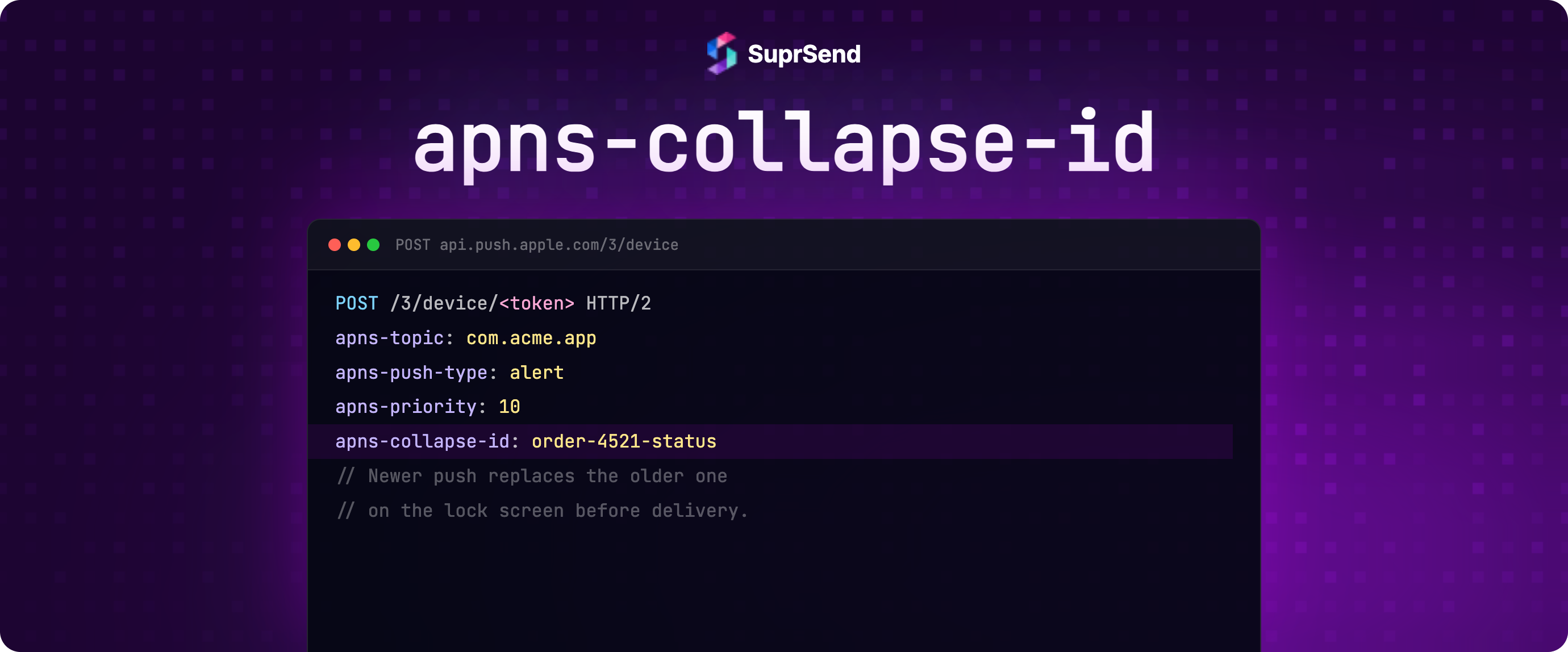
apns-collapse-id is an HTTP/2 request header you attach when sending a push notification to Apple's Push Notification service (APNs). Its value is a string up to 64 bytes. When APNs is holding an undelivered notification with the same collapse-id for the same device token, the new notification replaces the old one. The device receives one notification, the newest one, instead of two.
The collapse-id is not part of the notification payload itself. It rides as an HTTP header alongside the payload. The device never sees the collapse-id directly; it is metadata for APNs to use during queuing.
Three rules from Apple's APNs request specification determine when the replacement happens:
- The collapse-id value must match exactly (case-sensitive byte comparison).
- The target device token must be the same.
- The earlier notification must still be queued at APNs (the device has not yet received it).
If any of these three are not satisfied, APNs delivers both notifications as separate banners.
How APNs Uses the Collapse-ID
APNs is a store-and-forward relay. When your server sends a push, APNs accepts it, queues it, and waits for the device to be reachable (online, with the app installed, with push permission granted). If the device is offline, the notification can sit at APNs for hours. The fuller mechanics of how iOS and Android push delivery works is covered in working principles of push notifications.
Without a collapse-id: if your server sends three pushes to a device that has been offline for 10 minutes, APNs has three pending entries. When the device reconnects, all three deliver. The user sees three banners.
With a collapse-id: each new send with the same collapse-id and same device token tells APNs "replace the older one with this one." The pending queue holds only the most recent notification. When the device reconnects, one banner delivers, with the latest content.
Two important details about the "still queued" rule. First, APNs delivers fast; if the device is online, the first notification may already be on the device by the time the second push arrives at APNs. In that case, the second notification is its own separate banner, the collapse-id has no effect. Second, once a notification is on the device, no header sent later can remove it; the iOS Notification Center has its own grouping rules but those are unrelated to apns-collapse-id.
Setting the Header from Your Server
APNs uses HTTP/2 with token-based JWT authentication. The collapse-id is one of several headers on the request. The body is the standard APNs JSON payload.
Here is a complete Node.js example using the http2 built-in module. JWT generation is omitted for brevity.
import http2 from "node:http2";

function sendPush({
  deviceToken,
  bundleId,
  jwtToken,
  collapseId,
  alertTitle,
  alertBody,
}) {
// Production: reuse a single persistent HTTP/2 client across calls.
// Creating a new connection per notification kills throughput.
// Instantiate the client once at module level and pass it in.
const client = http2.connect("https://api.push.apple.com");
const payload = JSON.stringify({
aps: {
alert: { title: alertTitle, body: alertBody },
sound: "default",
},
});
const req = client.request({
":method": "POST",
":path": `/3/device/${deviceToken}`,
"authorization": `bearer ${jwtToken}`,
"apns-topic": bundleId,
"apns-push-type": "alert",
"apns-priority": "10",
"apns-collapse-id": collapseId, // up to 64 bytes
"content-type": "application/json",
});
req.setEncoding("utf8");
req.write(payload);
req.end();
return new Promise((resolve, reject) => {
let status = 0;
req.on("response", (headers) => { status = headers[":status"]; });
req.on("end", () => { client.close(); resolve(status); });
req.on("error", reject);
});
}
The corresponding Python version with the aioapns library is more concise because the library handles HTTP/2 and JWT for you.
from aioapns import APNs, NotificationRequest, PushType

apns = APNs(
    key="AuthKey_XXXX.p8",
    key_id="ABCDE12345",
    team_id="ABCDE67890",
    topic="com.example.app",
    use_sandbox=False,
)

async def send_push(device_token: str, collapse_id: str, title: str, body: str):
    request = NotificationRequest(
        device_token=device_token,
        message={
            "aps": {
                "alert": {"title": title, "body": body},
                "sound": "default",
            }
        },
        push_type=PushType.ALERT,
        priority=10,
        collapse_key=collapse_id,  # maps to apns-collapse-id header
    )
    response = await apns.send_notification(request)
    return response.status
The 64-byte limit is enforced by APNs. Exceed it and APNs returns a 400 Bad Request with reason InvalidApnsCollapseId if the header exceeds 64 bytes. Note: 413 is a separate error for when the notification JSON payload itself exceeds 4 KB. Stick to alphanumeric characters and a delimiter (hyphen, colon, or underscore). Avoid Unicode, spaces, and URL-unsafe characters.
Choosing the Collapse-ID
The collapse-id is a logical identifier for "this category of notification for this user." The right value depends on what you want to deduplicate.
Notification typeGood collapse-idWhyOrder status updateorder-{order_id}One pending status update per orderChat message in a threadchat-{thread_id}Latest message replaces older pending onesSports score updategame-{game_id}Latest score replaces older pending onesStock price alertstock-{symbol}-{user_id}Per-user, per-symbolDoorbell ringdoorbell-{device_id}-{date}One per day per doorbellGeneric marketing pushDo not setEach marketing push is distinct content
The pattern is: include the dimensions that define "the same logical event" and exclude dimensions that make notifications distinct. order-12345 works because every status update for order 12345 should collapse. order-12345-shipped would not, because if shipped and out-for-delivery both fire, you actually want one of them to replace the other.
FCM collapse_key for Android
Firebase Cloud Messaging has the equivalent mechanism, called collapse_key. It is a field on the AndroidConfig object in the FCM v1 API. Same idea: replace older undelivered messages sharing the same key for the same device. For end-to-end FCM setup with code in 10 languages, see sending push notifications through Firebase.
import firebase_admin
from firebase_admin import credentials, messaging

cred = credentials.Certificate("service-account.json")
firebase_admin.initialize_app(cred)

def send_android_push(device_token: str, collapse_key: str, title: str, body: str):
    message = messaging.Message(
        notification=messaging.Notification(title=title, body=body),
        android=messaging.AndroidConfig(
            collapse_key=collapse_key,
            priority="high",
        ),
        token=device_token,
    )
    return messaging.send(message)
Two differences from APNs collapse-id that bite engineers in production:
FCM holds at most 4 different collapse keys per device at once. If your app uses more than 4 distinct collapse_key values and the device is offline, FCM drops collapse keys non-deterministically. Pending messages whose key was dropped are delivered as normal. Apple does not document an equivalent limit on iOS, so design with the 4-key Android constraint in mind. The constraint is documented on Firebase's collapsible message types page.
In the FCM v1 API (which this guide uses), if you do not set collapse_key, messages are non-collapsible - each is queued and delivered independently. There is no default collapse key in v1. The package-name default existed in the now-deprecated legacy FCM HTTP API and no longer applies.
Three Things Collapse Keys Cannot Fix
Gateway-level collapse, on both iOS and Android, has hard limits. Understanding them prevents the most common debugging confusion.
1. Already-delivered notifications. Once iOS or Android has shown the notification on the device, no later push with the same collapse-id can remove it. You can only collapse what is still queued at the gateway. For most fast networks, that window is a few milliseconds; for offline devices, it can be hours.
2. Channels other than push. apns-collapse-id and FCM collapse_key only exist for push notifications. There is no email-collapse-id at the SendGrid/SES gateway, no SMS-collapse-id at Twilio, no inbox-collapse-id at your in-app feed. If you fire a duplicate email and a duplicate push at the same time, the push gets deduplicated by APNs and the email lands in the inbox twice.
3. The source of the duplicate. Collapse keys are reactive: they clean up duplicates after your server has already sent them. They do not address why the duplicate fired. If a queue retry, a fanout misconfiguration, or an idempotency bug is creating duplicates upstream, you are still paying for the duplicate APNs/FCM call, still incurring the latency, and still relying on the gateway to catch the cleanup. For high-volume systems, server-side prevention is cheaper and more reliable than gateway-side cleanup.
Server-Side Idempotency: The Layer Above
The cleaner pattern is to prevent duplicate sends before they reach APNs or FCM. This is done with an idempotency key on the dispatch call: a stable identifier such as order-{order_id}-shipped that your notification layer uses to suppress repeated triggers for the same logical event.
This is exactly what SuprSend's workflow trigger does. Every workflow trigger accepts an idempotency_key. If the same key is sent twice within the dedupe window, the second trigger is suppressed before any vendor (APNs, FCM, SendGrid, Twilio) gets called.
from suprsend import Suprsend, WorkflowTriggerRequest

supr_client = Suprsend("WORKSPACE_KEY", "WORKSPACE_SECRET")

# Microservice fires this twice on a retry. SuprSend sees the same
# idempotency_key, suppresses the second one, no duplicate goes out.
w1 = WorkflowTriggerRequest(
    body={
        "workflow": "order_status_update",
        "recipients": [
            {
                "distinct_id": "user_8f3a",
                "$email": ["jane.doe@example.com"],
            }
        ],
        "data": {
            "order_id": "12345",
            "status": "out_for_delivery",
        },
    },
    idempotency_key="order-12345-out_for_delivery",
)

supr_client.workflows.trigger(w1)
Three reasons this matters more than gateway collapse for most product notifications:
It works across channels. The same idempotency_key suppresses a duplicate email, a duplicate SMS, a duplicate push, and a duplicate in-app notification in one shot. Gateway collapse only helps the push channel.
It catches the duplicate at the source. If your order service retries on a timeout, the second trigger is suppressed at SuprSend's edge. The APNs call never happens; the SendGrid call never happens. You do not pay for the redundant vendor request.
It composes with workflow logic. The dedupe sits before the workflow runs. Delay nodes, Time Window nodes, branching, and template rendering all run only on the surviving trigger. There is no race condition between dispatch and dedupe.
Concrete example. An order-status microservice fires "shipped" on a retry. Your server hits SuprSend twice with the same workflow and the same idempotency_key. SuprSend sees the duplicate at the trigger boundary, suppresses the second, and APNs is never called twice. No apns-collapse-id needed, because no duplicate ever leaves the server. The same call would have triggered email, SMS, and in-app inbox notifications too, all of those are suppressed in the same shot.
The same pattern applies to AI agents. An agent built on LangChain, CrewAI, or Mastra might call a notification tool, time out waiting for confirmation, and retry - firing the same logical notification twice. Because SuprSend's MCP Server exposes workflow triggers as native agent tools, the idempotency_key travels with the tool call. The agent can retry as many times as it needs; SuprSend suppresses every duplicate past the first. No gateway collapse key needed, no custom dedupe logic in the agent.
The practical effect for SuprSend customers: you rarely need to reach for apns-collapse-id directly. The idempotency_key on the workflow trigger catches the upstream duplicate (the most common source of duplicate pushes: retry loops, fan-out from event buses, microservice-level re-emits). The Throttle node enforces frequency caps. Workflow conditions skip a send if a related event already fired. SuprSend's iOS APNs and Android FCM vendor integrations deliver the actual push over the standard HTTP/2 APNs and FCM v1 protocols, so collapse semantics still apply at the gateway when the duplicate slips through (rare, but possible if two genuinely independent triggers fire close together).
For most production push systems, getting the server-side layer right removes 90%+ of the need for gateway collapse. The workflow is: SuprSend handles the upstream dedupe and orchestration; APNs and FCM handle the last-mile delivery; the gateway collapse mechanisms are there as a safety net, not the primary defense.
Frequency Capping Is a Separate Problem
"Same notification twice" is deduplication. "Too many notifications per user per hour" is frequency capping. They share the goal of reducing notification noise but use different mechanisms.
Frequency capping says: "do not send more than 3 marketing pushes to this user in 24 hours, even if they are 3 different notifications." Deduplication says: "do not send the same logical notification twice." A user might receive 3 distinct relevant notifications (cap-respecting) or get spammed with the same retry-induced duplicate 3 times (a dedup failure). These need different controls.
SuprSend's Throttle node handles frequency capping. The node configuration takes a max-executions count and a window. Triggers beyond the cap are dropped. This pairs with idempotency_key cleanly: idempotency catches exact duplicates, Throttle enforces overall volume. For broader push platform comparison and where dedupe sits across vendors, see best push notification platforms.
FAQ
What is the maximum length of apns-collapse-id?
64 bytes. Apple's APNs returns an InvalidApnsCollapseId error if the header exceeds 64 bytes. Stick to alphanumeric characters, hyphens, underscores, and colons. Avoid Unicode and URL-unsafe characters.
Does apns-collapse-id work on the device after the notification has been shown?
No. Collapse-id only affects notifications still queued at the APNs gateway. Once iOS has shown the notification on the lock screen or Notification Center, a later push with the same collapse-id has no effect on the already-shown one; it appears as a separate notification.
What is the FCM equivalent of apns-collapse-id?
FCM has collapse_key, set as a field on the AndroidConfig object in the FCM v1 API. Same intent (replace older undelivered messages sharing the same key), but FCM holds at most 4 different collapse keys per device simultaneously, exceeding 4 causes non-deterministic key drops.
Can I send the same apns-collapse-id to different device tokens?
Yes. Collapse-id scoping is per device token. Two users with the same logical event each get their own collapsed-notification chain; one user's collapse-id does not affect another user's notifications.
How does apns-collapse-id interact with retries?
Retries with the same collapse-id are the intended use case. If your server retries a push due to a transient APNs failure, sending the retry with the same collapse-id ensures the user does not see a duplicate even if both reach APNs.
Should I use a UUID as the collapse-id?
No. A UUID is unique per request, so two pushes for the same logical event would have different collapse-ids and would not collapse. The collapse-id should be a stable identifier derived from the event (e.g., order-12345-shipped), not a per-request random value.
Why does my collapse-id sometimes not collapse two pushes?
Three common causes. First, the first push was already delivered to the device before the second arrived at APNs (typical for online devices). Second, the device token differed between the two pushes (e.g., the app was uninstalled and reinstalled, generating a new token). Third, the collapse-id values differed by a single character due to encoding (URL-encoded vs raw, trailing whitespace, case difference).
How is server-side idempotency different from apns-collapse-id?
apns-collapse-id is gateway-side: APNs receives both pushes and chooses to deliver one. Server-side idempotency (e.g., SuprSend's idempotency_key) prevents the second push from being generated at all. Server-side works across all channels and avoids the cost of the redundant vendor call.
TL;DR
apns-collapse-id is an HTTP/2 header (max 64 bytes) that tells APNs to replace an older undelivered notification with a newer one for the same device token. FCM has the equivalent collapse_key on AndroidConfig, with a hard 4-key-per-device limit. Both are gateway-level mechanisms that only affect notifications still queued, not ones already delivered, and only apply to push (not email, SMS, or in-app). The cleaner pattern for most product notifications is server-side idempotency: SuprSend's idempotency_key on every workflow trigger suppresses duplicates before any vendor call, works across all channels, and composes with workflow logic. Use both layers if you need belt-and-suspenders dedupe on push specifically; use server-side idempotency as the default for everything else.
Next Steps
If you want to evaluate how server-side idempotency works in practice without writing the dedupe logic yourself, the simplest path is to start building for free on SuprSend's free tier (10,000 notifications/month, all channels, no credit card) and trigger the same workflow twice with the same idempotency_key to see the second suppress. If you want to walk through your specific push notification dedupe and retry requirements, book a demo.


