
Last Updated: May 2026
Transactional notifications are messages triggered by a user action or system event that deliver information the recipient expects or needs. A password reset code, a payment receipt, a shipping update. These are not promotional. They are functional. If they fail to arrive, the user experience breaks.
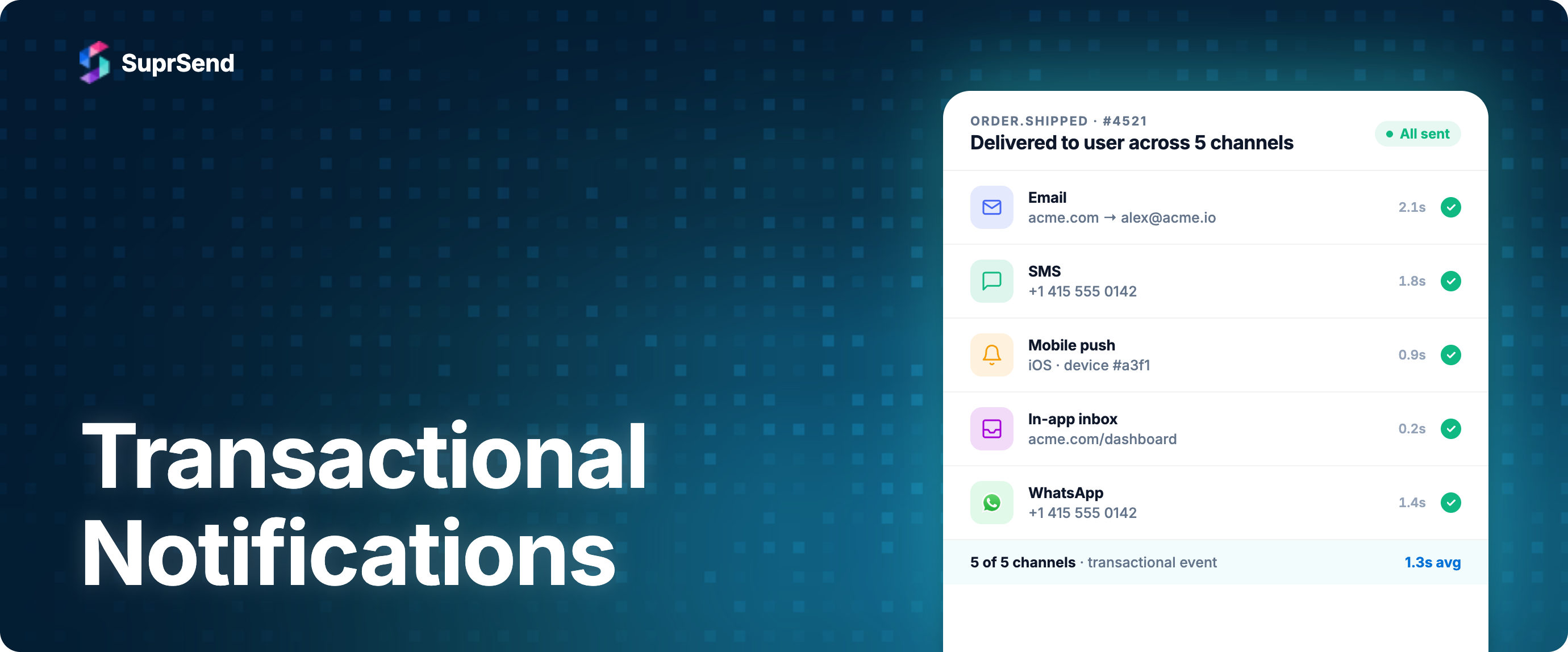
Most guides on this topic only cover transactional email. But in 2026, transactional notifications span email, SMS, push, in-app, and WhatsApp. A bank fraud alert needs to reach the user across every available channel immediately. An OTP needs SMS and email as a fallback. A booking confirmation needs email for the record plus push for quick access. Treating transactional messaging as a single-channel problem leads to missed deliveries and frustrated users.
This guide covers what transactional notifications are, how they differ from marketing and product notifications, which channel to use for each type, compliance rules per channel, and how to architect multi-channel transactional delivery that actually works in production.
What Are Transactional Notifications?
A transactional notification is a message sent in direct response to a user's action or a system event that the user has a reasonable expectation of receiving. The defining trait: the user did something (or something happened to their account) and the notification is the system's response to that event.
Some examples that clearly qualify:
- User signs up. They receive a verification email.
- User makes a payment. They receive a receipt.
- User resets their password. They receive an OTP via SMS.
- User's order ships. They receive a tracking notification.
- Someone logs into the user's account from a new device. They receive a security alert.
The key characteristics of transactional notifications:
- Event-triggered: Always initiated by a specific action or event, never sent in bulk to a list.
- Expected by the recipient: The user anticipates this message because they just did something.
- Time-sensitive: Most transactional notifications lose value rapidly. An OTP that arrives 10 minutes late is useless.
- One-to-one: Each message is personalized to a single recipient and a specific event.
- Functional, not promotional: The primary purpose is to inform or enable an action, not to sell.
That last point matters legally. Regulations like CAN-SPAM distinguish between transactional and commercial messages. A transactional email does not need an unsubscribe link. But if you stuff promotional content into a transactional email (a receipt that is 80% upsell), regulators may reclassify it as commercial, and all opt-out requirements apply.
Transactional vs Marketing vs Product Notifications
Most articles draw a simple line: transactional vs marketing. But there is a third category that causes confusion in practice: product notifications. These are messages like "Alex commented on your pull request" or "Your teammate shared a document with you." They are triggered by another user's action, not your own, and they are not selling anything. But they are also not strictly transactional in the legal sense.
Here is how the three categories differ:
| Attribute | Transactional | Product | Marketing |
|---|---|---|---|
| Trigger | User's own action or account event | Another user's action (comment, share, mention) | Business decision (campaign, promo, re-engagement) |
| User expectation | High. They just did something and expect a response. | Medium. Depends on their notification preferences. | Low to none. User did not initiate this. |
| Time sensitivity | High. OTPs expire. Receipts expected immediately. | Medium. A comment notification 5 minutes late is fine. | Low. A promo email can wait hours or days. |
| Opt-out required? | No (for email under CAN-SPAM). Cannot be unsubscribed from core transactional. | Yes. Users should control frequency and channels. | Yes. Legally required for email, SMS. |
| Batching appropriate? | No. Each message must arrive individually and fast. | Yes. "3 people commented on your post" is better than 3 pings. | N/A. These are already planned sends. |
| Legal classification | Transactional (CAN-SPAM, TCPA safe harbor) | Gray area. Often treated as commercial if it drives engagement. | Commercial (full opt-in/opt-out compliance required) |
| Examples | OTP, receipt, shipping update, security alert | Comment notification, share notification, mention, invite | Sale announcement, newsletter, abandoned cart, re-engagement |
This distinction matters because product notifications often get routed through the same infrastructure as transactional messages, but they should be handled differently. Product notifications can (and should) be batched and digested to reduce noise. Transactional notifications should never be batched. If someone just paid $500 and the receipt is sitting in a digest queue, that is a broken experience.
Similarly, product notifications should respect user channel preferences. If a user says "only email me for comments, don't push," your system needs to honor that. Transactional notifications, by contrast, should use every available channel to ensure delivery, because the user needs this information regardless of preference settings.
Common Types of Transactional Notifications (with Real Examples)
Here are the most common categories of transactional notifications, with real-world examples showing how top products handle them.
1. Authentication and Verification
- OTP / two-factor codes: SMS or email with a 6-digit code. Expires in 60 to 300 seconds. Example: Every banking app sends OTPs via SMS with email fallback.
- Email verification: Link to confirm a new account. Example: Stripe sends a verification email during onboarding with a single CTA button.
- Password reset: Time-limited link to set a new password. Example: GitHub sends a password reset email that expires in one hour.
2. Financial and Payment
- Payment confirmation: Receipt with amount, date, and payment method. Example: Stripe sends detailed payment confirmation emails with invoice links and webhook events for programmatic processing.
- Subscription renewal: Confirmation that a recurring payment was processed. Example: Spotify sends a renewal receipt email 24 hours after each billing cycle.
- Failed payment: Alert that a charge could not be processed. Example: SaaS products send a failed payment email plus in-app banner until resolved.
3. Order and Delivery
- Order confirmation: Summary of what was purchased. Example: Airbnb sends a booking confirmation across email (full details and calendar attachment), SMS (short confirmation with dates), and push (quick-access summary).
- Shipping update: Tracking number and estimated delivery. Example: Amazon sends a push notification when the item ships plus email with full tracking details.
- Delivery confirmation: Notification that an order arrived. Example: Uber sends a ride receipt via email with a trip map plus a push notification with trip summary and fare breakdown.
4. Security Alerts
- New device login: Alert that someone accessed the account from an unrecognized device. Example: Google sends an email and push notification showing device type, location, and time.
- Fraud alert: Suspicious activity detected on the account. Example: Banks send fraud alerts across SMS, push, and email simultaneously because these are the highest-urgency transactional notifications. All channels fire at once, no fallback delays.
- Permission change: An admin changed the user's role or access. Example: GitHub sends email notifications when repository permissions change.
5. Account and Billing
- Plan change confirmation: Upgrade or downgrade processed.
- Trial expiration: Alert that a free trial is ending, sent at intervals (7 days, 3 days, 1 day before).
- Account deactivation: Confirmation that an account was closed per the user's request.
6. Legal and Compliance
- Terms of service update: Notification that the product's terms changed.
- Data export ready: A GDPR data export the user requested is available for download.
- Privacy policy change: Required notification about how user data is handled.
Which Channel to Use for Each Transactional Type
Not every transactional notification belongs on every channel. An OTP on WhatsApp makes sense in some markets but not others. A payment receipt via push is useful for quick confirmation, but email is the channel of record. Here is a decision framework mapping transactional types to recommended channels.
| Transactional Type | Primary Channel | Fallback Channel | Channel of Record | Delivery Strategy |
|---|---|---|---|---|
| OTP / 2FA code | SMS | Email, WhatsApp | None (ephemeral) | Primary first. Fallback after 30 seconds if undelivered. |
| Email verification | None | Single channel. Must be email (contains verification link). | ||
| Password reset | SMS (short code fallback) | Email first. SMS fallback with code if email unreachable. | ||
| Payment receipt | In-app | Email always sent. Push/in-app for instant confirmation. | ||
| Order confirmation | SMS, Push | Email for full details. Push for quick confirmation. SMS in markets with low email adoption. | ||
| Shipping update | Push | SMS, Email | Push for real-time tracking. Email for record. SMS if push disabled. | |
| Security alert (fraud, new device) | All channels simultaneously | N/A | No fallback chain. Fire SMS + Push + Email at once. Fastest channel wins. | |
| Failed payment | Push, In-app | Email with action link. Push for urgency. In-app banner until resolved. | ||
| Trial expiration | Push, In-app | Email at 7, 3, 1 day intervals. Push on final day. | ||
| Legal / TOS update | In-app | Email for legal record. In-app modal for acknowledgment. |
Three patterns emerge from this framework:
- Email is almost always the channel of record. Even when push or SMS is the primary delivery channel, email serves as the permanent, searchable copy the user can reference later. Transactional emails also benefit from high engagement: per MailerLite's December 2025 benchmark report (3.6M campaigns from 181,000 accounts), the average email open rate reached 43.46%, and transactional emails typically outperform that average because recipients are actively expecting them.
- Security alerts skip the fallback chain entirely. They fire on all channels at once. The goal is fastest possible delivery, not efficient channel usage.
- Ephemeral messages (OTPs) do not need a channel of record. They expire quickly and should not persist in a user's inbox. SMS is primary because it does not require the user to open an app.
- Push is powerful but fragile. The average US smartphone user receives 46 push notifications per day (Business of Apps). This saturation means push delivery depends on the user not having disabled notifications for your app, which makes fallback channels essential for transactional messages.
Compliance Rules for Transactional Notifications by Channel
Transactional notifications get more legal latitude than marketing messages. But "more latitude" does not mean "no rules." Compliance requirements vary by channel, and getting this wrong can result in fines, blocked sender IDs, or legal action.
Email (CAN-SPAM, GDPR, CASL)
CAN-SPAM (United States): Transactional emails are exempt from most CAN-SPAM requirements. You do not need an unsubscribe link. You do not need a physical mailing address. But the exemption only applies if the email's primary purpose is transactional. The FTC uses a "net impression" test: if a reasonable recipient would view the email as primarily commercial (heavy upsells, promotional banners), CAN-SPAM treats it as commercial regardless of the transactional trigger. Keep promotional content under 20% of the email body to stay safe.
GDPR (EU/UK): Transactional messages fall under "legitimate interest" or "contractual necessity" as legal bases for processing. You do not need separate consent to send a receipt to a customer who just paid you. However, you still need to disclose this processing in your privacy policy. And if you add marketing content to a transactional email, the marketing portion requires consent.
CASL (Canada): Similar to CAN-SPAM. Transactional messages related to an existing business relationship (order confirmation, account updates) do not need express consent. But CASL is stricter than CAN-SPAM: implied consent from a business relationship expires after two years.
SMS (TCPA, A2P 10DLC)
TCPA (United States): This is where it gets nuanced. The TCPA requires "prior express consent" for non-emergency automated messages. Transactional SMS (OTPs, account alerts) generally qualifies under implied consent when the user provided their phone number during sign-up for an account that naturally involves such messages. But the safe harbor is narrower than email. Best practice: collect explicit SMS consent during sign-up, even for transactional messages. "By providing your phone number, you agree to receive account-related text messages."
A2P 10DLC registration: In the US, all application-to-person (A2P) SMS via standard 10-digit numbers must be registered with The Campaign Registry. Even transactional-only senders need to register their brand and campaign. Unregistered senders face filtering, rate limits, and eventual blocking by carriers.
Push Notifications
Push notifications operate under platform rules (Apple, Google), not legislation. Both iOS and Android require explicit user permission before sending push notifications. There is no legal distinction between transactional and marketing push. Once a user grants push permission, you can send transactional pushes. But if you abuse that permission with high-frequency or irrelevant pushes, users revoke it. According to Business of Apps data, 3 to 6 push notifications per week causes 40% of users to disable notifications entirely.
WhatsApp (Meta Business Platform policies)
WhatsApp uses a template-based system. All outbound messages must use pre-approved templates per Meta's WhatsApp template guidelines. Transactional templates (utility category) have different pricing and higher delivery priority than marketing templates. WhatsApp also enforces a quality rating per template: if users frequently block or report a template, Meta pauses or disables it. This is a self-regulating compliance mechanism.
In-App Notifications
In-app notifications have the fewest compliance constraints because the user is already inside your application. No external consent is needed. However, GDPR still applies to any personal data displayed in notifications. If your in-app notification center shows content from other users (comments, mentions), you are processing personal data and need appropriate legal basis.
How to Architect Multi-Channel Transactional Delivery
Sending a single transactional notification on one channel is straightforward. The complexity appears when you need to coordinate delivery across multiple channels with fallbacks, ensure sub-second latency for OTPs, maintain a complete audit trail, and handle vendor failures gracefully. Here is the architecture that handles this.
Event-Driven Trigger Layer
Every transactional notification starts with an event. payment.completed, user.password_reset_requested, order.shipped. Your application emits these events to a notification service, either via direct API call or through a message queue. The critical requirement: the trigger must be synchronous for high-urgency transactional messages (OTPs, security alerts). If you route an OTP through a message queue with a 2-second processing lag, you have already lost.
For non-urgent transactional notifications (receipts, confirmations), asynchronous processing through a queue is fine and preferred for resilience.
Workflow Engine with Channel Routing
A notification workflow engine determines which channels to use, in what order, and with what fallback logic. SuprSend's design workflow docs cover the node types in detail. For transactional notifications, the routing rules are typically:
- Single channel: Email verification. Only email makes sense.
- Ordered fallback: OTP goes to SMS first. If undelivered after 30 seconds, fall back to email. The workflow engine tracks delivery status per channel and triggers the next step in the chain.
- Parallel blast: Security alerts fire on all channels simultaneously. No waiting, no fallback logic. The goal is to reach the user on whichever channel they see first.
Template Rendering per Channel
The same event (order.confirmed) produces different content per channel. Email gets the full order summary, itemized list, and a link to the order page. Push gets a short message: "Your order #4829 is confirmed. Tap for details." SMS gets: "Order confirmed. Details: [short link]." The event payload is the same. The rendering logic adapts to each channel's constraints.
Why Transactional Notifications Should NOT Be Batched
This is a critical architectural decision. Product notifications (comments, mentions) benefit from batching and digests. Transactional notifications do not. Here is why:
- Time sensitivity: An OTP in a digest is useless. A payment receipt delayed by 30 minutes erodes trust.
- Legal obligation: Many transactional notifications are legally required to be sent "promptly" or "at the time of the transaction."
- User expectation: The user just did something and is actively waiting for confirmation. Any delay breaks the flow.
Your notification system needs a "critical alert bypass" that lets transactional notifications skip any batching, digest, or frequency-capping logic. If you use a workflow engine, transactional events should have a flag or a dedicated path that routes around the batching layer entirely.
Vendor Abstraction Layer
In production, you are sending transactional emails through SendGrid or SES, SMS through Twilio or Vonage, push through FCM and APNs, and WhatsApp through the Meta Business API or a provider like Gupshup. Each vendor has its own API, rate limits, error codes, and delivery status webhooks.
A vendor abstraction layer normalizes this. Your application triggers one event. The abstraction layer handles routing to the right vendor per channel, mapping delivery statuses to a unified format, and retrying with a backup vendor if the primary fails. SuprSend documents this pattern as vendor fallback: priority-ordered providers with configurable wait timing per channel. Without this, you end up with vendor-specific logic scattered across your codebase.
Observability and Audit Trail
Transactional notifications need step-by-step logging. When a user says "I never received my receipt," you need to answer: Was the event triggered? Which channels were selected? Was the template rendered? Which vendor processed it? What was the delivery status? When was it delivered? For email deliverability, you also need to track bounce rates, spam complaints, and inbox placement. Senders with full authentication (SPF, DKIM, DMARC) see significantly higher inbox placement rates than those without. Maintaining sender reputation is not optional for transactional email.
How SuprSend Handles Transactional Notifications
We built SuprSend specifically to solve the multi-channel transactional delivery problem described above. Here is how each architectural piece maps to what we offer.
1. Single API trigger: One API call with an event name and payload triggers delivery across email, SMS, push, in-app, and WhatsApp. You do not write channel-specific code. The event payload feeds template rendering for each channel automatically.
2. Dynamic workflows via API: For high-urgency transactional notifications like OTPs and verification codes, you can trigger delivery directly via API without setting up a visual workflow. The notification goes out immediately with no processing overhead.
3. Smart channel routing with fallbacks: Configure rules like "send push first, if not delivered in 2 minutes, fall back to SMS, if SMS fails, send email." The workflow engine tracks delivery status in real time and triggers fallbacks automatically. For security alerts, configure parallel delivery to fire on all channels at once.
4. Vendor abstraction: We integrate with SendGrid, Amazon SES, Twilio, Vonage, FCM, APNs, and WhatsApp providers. If your primary SMS vendor goes down, SuprSend routes to your backup vendor automatically. You configure vendors once and the routing handles the rest.
5. Critical alert bypass: Transactional events route around the Batch and Digest nodes via a conditional branch in the workflow. Flag the event as critical, branch before the batch step, and the OTP path skips batching and frequency caps entirely. Your OTP never gets held up behind a digest timer.
6. Step-by-step observability: Every transactional notification has a full delivery log. Event received, channels selected, template rendered, vendor API call made, delivery status received. When something fails, you can trace the exact step in seconds.
7. Compliance: SuprSend is SOC 2 Type 2, HIPAA, and GDPR compliant. Transactional data is handled with enterprise-grade security, which matters when you are sending financial receipts, medical notifications, or authentication codes.
For a deeper dive into the transactional email side specifically, see our transactional email API developer's guide or our overview of SuprSend for transactional messaging.
FAQ
What is the difference between transactional and marketing notifications?
Transactional notifications are triggered by a user action or account event (payment receipt, OTP, shipping update) and deliver information the user expects. Marketing notifications are initiated by the business (promotions, newsletters, re-engagement campaigns) and require explicit opt-in. The key legal distinction: transactional emails are exempt from CAN-SPAM unsubscribe requirements, while marketing emails are not.
Do transactional notifications require user consent?
For email, no explicit consent is needed under CAN-SPAM or GDPR (legitimate interest applies). For SMS, you should collect consent during sign-up even though transactional SMS has implied consent protections under TCPA. For push, you always need device-level permission from the user regardless of whether the notification is transactional or marketing.
Can I include promotional content in a transactional notification?
Technically, yes, but carefully. Under CAN-SPAM, a transactional email loses its exempt status if the "primary purpose" is commercial. The FTC's net impression test looks at whether a reasonable recipient would view the email as transactional or promotional. Keep any cross-sell or upsell content minimal (under 20% of the email) and clearly secondary to the transactional information.
Should transactional notifications be batched or digested?
No. Transactional notifications should always be sent individually and immediately. Unlike product notifications (comments, mentions) that benefit from batching, transactional messages are time-sensitive and expected right away. An OTP delayed by a digest timer is useless. A receipt that arrives 30 minutes late erodes trust. Your system should have a critical alert bypass that routes transactional events around any batching logic.
What is a transactional notification API?
A transactional notification API is a service that lets developers trigger event-driven notifications across multiple channels (email, SMS, push, in-app) through a single API call. Instead of integrating separately with SendGrid for email, Twilio for SMS, and FCM for push, a transactional notification API abstracts these vendors and provides unified template rendering, delivery tracking, and fallback routing.
How do I handle transactional notification failures?
Build a multi-layer approach. First, configure channel fallbacks: if push is undelivered after N seconds, fall back to SMS or email. Second, configure vendor fallbacks: if your primary email provider fails, route to a backup. Third, implement retry logic with exponential backoff for transient failures. Fourth, log every step for debugging. When a user reports a missing notification, you should be able to trace the exact failure point in seconds.
Which channel should I use for OTP delivery?
SMS as the primary channel with email as fallback. SMS does not require the user to open an app, works on feature phones, and arrives quickly. If SMS delivery fails (carrier issues, international number), fall back to email after 30 seconds. In markets where WhatsApp has high penetration, WhatsApp OTP templates are an effective alternative. Avoid push as a primary OTP channel because users may have push disabled.
How do transactional push notifications differ from marketing push notifications?
Functionally, both require device-level permission and use the same delivery infrastructure (FCM, APNs). The difference is in content and timing. Transactional push is triggered by a user action (order confirmed, payment received) and delivers expected information. Marketing push is triggered by a business decision (flash sale, new feature). Users have higher tolerance for transactional push because it is relevant and expected. But platform rules do not distinguish between the two: if your overall push volume annoys users, they disable all push, including transactional.
TL;DR
- Transactional notifications are triggered by user actions or system events and deliver information the user expects (receipts, OTPs, security alerts, shipping updates).
- They are distinct from marketing notifications (business-initiated, promotional) and product notifications (triggered by other users' actions, like comments or mentions).
- Multi-channel delivery is essential. Email is almost always the channel of record, but the primary delivery channel depends on urgency: SMS for OTPs, push for shipping updates, all channels for security alerts.
- Compliance varies by channel: transactional email is exempt from CAN-SPAM opt-out rules; transactional SMS still needs consent collection; push always needs device permission.
- Transactional notifications should never be batched. They need immediate, individual delivery with a critical alert bypass in your notification system.
- Architecture should include: event-driven triggers, a workflow engine with fallback routing, per-channel template rendering, vendor abstraction, and step-by-step observability.
Start sending transactional notifications with SuprSend. One API. Every channel. Try free.


