Every product needs transactional email. The order confirmation, the password reset, the OTP, the payment receipt - these aren’t marketing messages. They’re product-critical communications that users actively wait for, and failing to deliver them reliably breaks the user experience in ways that erode trust fast.
Setting up a transactional email API correctly from the start saves significant debugging time later. This guide covers everything a developer needs: how transactional email APIs work, how to authenticate, how to handle bounces and webhooks, how to manage templates, and when to layer a notification orchestration platform on top of your ESP integration.
What Is a Transactional Email API?
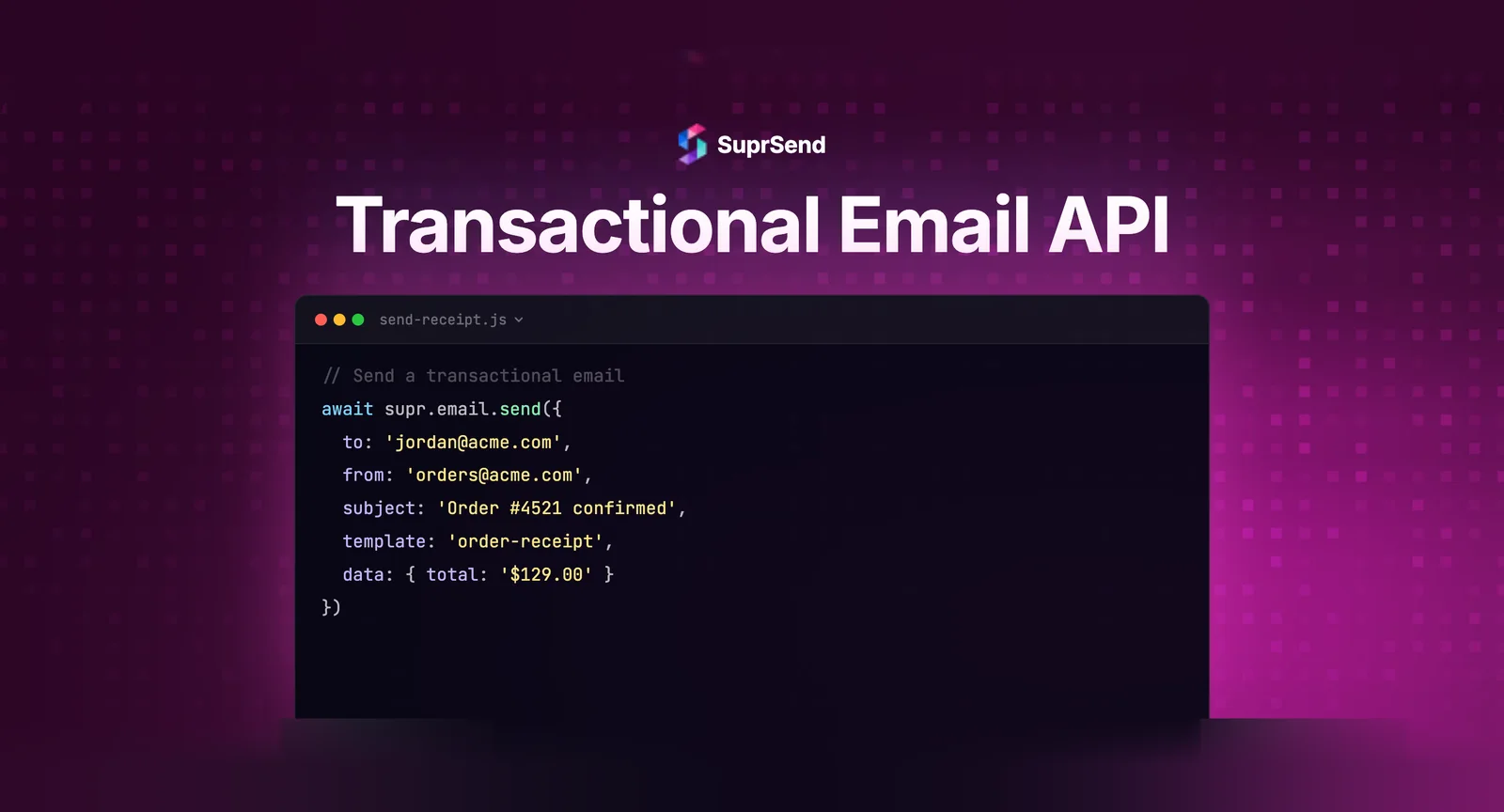
A transactional email API is a programmatic interface that lets your application send automated, event-triggered emails via a provider’s infrastructure without managing your own mail server. Instead of running an SMTP server, warming up IPs, managing bounce lists, and maintaining relationships with mailbox providers, you offload that delivery infrastructure to a specialist provider and interact with it through an API.
The API typically accepts a request with the recipient address, sender identity, subject, content (HTML and plain text), and optional variables for personalization. The provider handles deliverability, bounce processing, and returns delivery events via webhooks.
The two integration methods available from most providers:
- REST API: HTTP requests directly to the provider’s endpoint. More control, better error handling, richer analytics, recommended for new integrations.
- SMTP relay: Routes your email through the provider using standard mail protocol. Requires minimal code changes if you’re already using SMTP in your application, but offers less flexibility and real-time control than REST.
For new integrations in 2026, REST API is the right choice unless you’re migrating an existing SMTP-based system and need the lowest-friction path to switching providers.
Core Concepts Every Developer Needs to Understand
Authentication
All major transactional email APIs use API key authentication. Your key identifies your account and authorizes sends. A few important security practices:
- Never hardcode API keys in source code. Use environment variables and secret management (AWS Secrets Manager, HashiCorp Vault, or at minimum a
.envfile that’s in.gitignore). - Use separate API keys for different environments (development, staging, production). This prevents test sends from affecting your production sender reputation.
- Rotate keys immediately if there’s any reason to believe they’ve been compromised. Most providers let you issue multiple keys and revoke them individually.
- Scope keys to minimum required permissions where the provider supports it - a key that can only send email shouldn’t also have list management or account admin access.
Sending Domains and DNS Configuration
Before your first production send, you need to configure your sending domain with three DNS records:
SPF record: Tells receiving mail servers which IPs are authorized to send email for your domain. Your provider will give you a specific include statement to add to your DNS. Example: v=spf1 include:sendgrid.net ~all
DKIM record: Adds a cryptographic signature to verify the email hasn’t been tampered with in transit. Your provider generates a public/private key pair. You publish the public key as a DNS TXT record. The provider signs outgoing email with the private key.
DMARC record: Defines what happens when SPF or DKIM fails, and where to send aggregate reports. Start with a monitoring-only policy: v=DMARC1; p=none; rua=mailto:dmarc-reports@yourdomain.com
None of these are optional for production transactional email. Without them, your OTPs and password resets will increasingly land in spam as mailbox providers tighten authentication requirements throughout 2026.
From Address and Sender Identity
Your From address should be from a verified sending domain (a domain you control, not a third-party domain). Use a subdomain for transactional email that’s separate from your marketing sending domain - for example, mail.yourproduct.com for transactional sends and updates.yourproduct.com for marketing.
Set a Reply-To address that goes somewhere useful. “noreply@” addresses are a missed opportunity to handle legitimate user replies and signal to mailbox providers that you don’t expect two-way communication, which can affect filtering.
Making Your First API Call
Here’s a minimal example of sending a transactional email via REST API (using a generic provider interface for illustration):
POST https://api.emailprovider.com/v3/mail/send
Authorization: Bearer YOUR_API_KEY
Content-Type: application/json

{
  "from": {"email": "notifications@mail.yourproduct.com", "name": "YourProduct"},
  "to": [{"email": "user@example.com", "name": "Alex"}],
  "subject": "Your password reset link",
  "html": "<p>Hi Alex, here is your <a href='{{reset_link}}'>password reset link</a>. It expires in 15 minutes.</p>",
  "text": "Hi Alex, here is your password reset link: {{reset_link}}. It expires in 15 minutes.",
  "substitutions": {"reset_link": "https://yourproduct.com/reset?token=abc123"}
}
A few notes on this structure:
- Always include both HTML and plain text versions. Plain text is used by email clients that don’t render HTML, and including it improves deliverability.
- Use template variables (like
{{reset_link}}) rather than constructing different HTML strings per send. This keeps your email logic in the template layer, not your application code. - The response will include a message ID. Store this - you’ll use it to correlate delivery webhook events back to specific sends.
Template Management
For anything beyond a handful of notification types, managing email content as strings in your application code is a maintenance problem. Templates belong in a dedicated layer.
Most ESP APIs support server-side templates - you create a template in the provider’s UI or via API, give it an ID, and then reference the template ID in your send request along with the dynamic variables. This keeps content out of your codebase.
The advantages:
- Content changes don’t require code deployments
- Non-engineers can update copy without touching application code
- Template versioning is managed in one place
- You can A/B test subject lines and content without application changes
The limitation: if you’re using a single ESP and have templates stored there, migrating to a different provider means recreating all your templates. This is one reason to consider a notification infrastructure layer above the ESP - templates managed at the orchestration layer are provider-agnostic and survive provider switches. See more on this in the architecture section below.
For template content, always test rendering across major email clients (Gmail, Outlook, Apple Mail) before going live. Outlook in particular handles HTML CSS very differently from modern browsers. Tools like Litmus or Email on Acid provide cross-client preview testing.
Webhook Handling: Processing Delivery Events
Sending an email and getting a 200 OK from the API means the provider accepted the message. It does not mean the email was delivered. Actual delivery visibility comes from processing webhook events that the provider pushes to your server.
Most providers support the following event types via webhook:
- delivered: The receiving mail server accepted the message
- bounce: Permanent or temporary delivery failure. Hard bounces require immediate suppression.
- open: The recipient opened the email (tracked via a 1x1 pixel image)
- click: The recipient clicked a tracked link
- spam_report: The recipient marked the email as spam. Critical - add to suppression immediately.
- unsubscribe: The recipient clicked an unsubscribe link
Setting up webhook handling:
- Create a webhook endpoint in your application that can receive POST requests from the provider
- Configure the provider to send events to your endpoint URL (done in the provider dashboard or via API)
- Validate the request signature to verify it actually came from your provider (all major providers include a signature header)
- Process events asynchronously - acknowledge receipt immediately (200 OK) and process the event in a background queue to avoid webhook timeouts
- On hard bounce or spam_report events, immediately add the address to your suppression list and prevent future sends
Never process webhook events synchronously in the request path. If your processing takes more than a few seconds, the provider will retry, leading to duplicate event handling. Return 200 immediately and process in a worker.
Idempotency: Preventing Duplicate Sends
Retry logic is essential for reliability, but retries without idempotency cause duplicate emails. A user receiving two password reset emails, or three payment confirmation emails, is a serious UX failure.
Implement idempotency at two levels:
Application level: Before sending any transactional email, check whether you’ve already sent this exact notification (same event, same user, same timestamp window) within a deduplication window. Store a hash of the event identifier in a fast cache (Redis works well) and check it before every send.
Provider level: Some providers accept an idempotency key header on send requests. If you retry a failed send with the same idempotency key, the provider returns the original send result rather than dispatching a duplicate.
Define appropriate deduplication windows per notification type. A password reset can be resent after 30 minutes (the user might have lost the first email). An OTP should never be resent within its validity window. An order confirmation should never be sent twice for the same order ID, period.
Rate Limiting and Queue Management
Every transactional email API has rate limits. For low-volume sends (a few per second), this rarely matters. For high-volume scenarios - a notification blast to all active users, a batch of invoice emails at month end - hitting rate limits will result in rejected requests and delayed delivery.
Best practices:
- Never call the email API synchronously in your request path for user-facing operations. Always enqueue and process asynchronously.
- Implement exponential backoff for 429 (rate limit) responses. Start with a 1-second delay, double on each retry, with a maximum of 5 retries.
- For batch sends (monthly invoices, weekly digests), spread the send over a time window rather than firing all at once.
- Monitor your provider’s API usage dashboard - most provide real-time rate limit status and alert configuration.
If your product regularly approaches rate limits, consider upgrading your provider plan, moving to dedicated IPs with higher limits, or distributing sends across multiple provider accounts.
Multi-Provider Architecture: Why One API Isn’t Enough
A single email API provider is a single point of failure. Provider outages happen - even well-run services like SendGrid and Mailgun have experienced downtime that affected delivery of time-sensitive transactional email.
For production systems where transactional email reliability matters (and it always matters for OTPs, password resets, and payment notifications), a multi-provider architecture is worth the investment:
- Primary provider handles all sends under normal conditions
- Secondary provider is configured and tested but idle
- Automatic failover logic detects primary provider errors and routes through the secondary within seconds
- Both providers are integrated and sending successfully (which means both are maintaining sender reputation with their shared IPs)
Building this failover logic directly in your application is possible but adds significant complexity - you need to manage credentials for multiple providers, normalize their different API responses and error codes, and build the routing logic that decides when to fail over and when to retry.
This is one of the primary use cases for a notification infrastructure platform. SuprSend integrates with SendGrid, Mailgun, Postmark, AWS SES, and other providers simultaneously. Your application makes a single API call to SuprSend; the platform handles provider selection, automatic failover, retry logic, and delivery tracking - normalized across all providers in a single dashboard. When your primary provider goes down, SuprSend automatically routes through your configured secondary without any code change or manual intervention.
Beyond failover, a notification orchestration layer adds: unified delivery logs across providers, multi-channel fallback (email fails, send SMS instead), user preference management, template management independent of provider, and a visual workflow builder for non-engineers. These are capabilities that become increasingly important as your notification system grows in complexity. See how transactional email notification platforms compare on these dimensions.
Testing Your Integration Before Going Live
Never test transactional email against production infrastructure. A few specific practices:
- Use your provider’s sandbox mode or a dedicated test API key that doesn’t actually deliver email
- Maintain a staging environment with a separate sending subdomain and separate API keys
- Test all edge cases: invalid email addresses, very long names, special characters in variables, empty variable fields
- Test webhook delivery in staging by using a tool like ngrok to expose your local webhook endpoint during development
- Test failure scenarios: what happens if the API call fails? Is the retry logic correct? Does the deduplication window work?
- Send test emails to real inboxes across major clients (Gmail, Outlook, Apple Mail) to verify rendering before launch
For authentication testing, use MXToolbox to verify your SPF, DKIM, and DMARC configuration is correct before your first production send. A misconfigured DKIM record that passes staging but breaks in production is a difficult problem to debug under pressure.
Monitoring in Production
Once your integration is live, set up monitoring that proactively surfaces problems before users report them:
- Alert when delivery rate drops below 95% for any notification type
- Alert when hard bounce rate exceeds 2% in any 1-hour window
- Alert when spam complaint rate exceeds 0.1%
- Alert when webhook processing falls behind (queue depth growing)
- Track p50 and p99 delivery latency for time-sensitive notifications (OTPs, security alerts)
- Run a synthetic monitoring check: send a test email to a monitored mailbox every 5 minutes and alert if delivery time exceeds your SLA
The last point is particularly valuable for OTP-dependent flows. A synthetic check that catches a delivery slowdown within minutes gives you time to fail over to a secondary provider before users start flooding your support channel.
FAQ
What is a transactional email API?
A transactional email API is a programmatic interface that lets developers send automated, event-triggered emails (like OTPs, password resets, and order confirmations) from their application without managing their own mail server infrastructure. The provider handles delivery, IP reputation, bounce processing, and compliance.
What is the difference between REST API and SMTP for transactional email?
SMTP relay routes email through the standard mail protocol and requires minimal code changes if you're already using SMTP. REST API gives more programmatic control, better real-time error handling, richer analytics, and more reliable webhook support. REST API is recommended for new transactional email integrations.
How do I handle transactional email bounces via API?
Configure your provider to send bounce events to a webhook endpoint you control. On hard bounce events (permanent delivery failure), immediately add the email address to your suppression list and prevent future sends to that address. On soft bounces, retry with exponential backoff and treat as hard bounces after three consecutive failures.
How do I prevent duplicate transactional emails from being sent?
Implement idempotency at the application level by storing a hash of each send event in a fast cache (Redis) with a deduplication window appropriate for each notification type. Use the provider's idempotency key header if available. Never fire API calls synchronously in user request paths - always enqueue and process asynchronously to avoid duplicate sends from retried requests.
Do I need a dedicated IP for transactional email API?
Not necessarily at low volumes. At higher volumes (above 50,000-100,000 emails/month), dedicated IPs give you full control over your sender reputation and are worth the additional cost. More important than dedicated IPs is sending domain separation - use different subdomains for transactional and marketing email, even on shared IPs.
What happens when my email provider has an outage?
Without a fallback, your transactional email stops. The most robust mitigation is a multi-provider setup with automatic failover - either built into your application or handled by a notification orchestration layer like SuprSend that manages provider selection and failover automatically.
When should I use a notification infrastructure API instead of a direct email API?
When you have more than one notification type, any multi-channel requirement (SMS, push, in-app), non-engineer stakeholders who need to manage templates, or need unified delivery visibility across providers. A direct email API integration is sufficient for a single notification type with simple logic. As complexity grows, the orchestration layer pays for itself in reduced engineering overhead.
TL;DR: Transactional email API integration requires proper DNS authentication (SPF, DKIM, DMARC), idempotent send logic, asynchronous webhook processing, and bounce suppression. Use REST API over SMTP for new integrations. Implement multi-provider failover for reliability. Consider a notification orchestration layer like SuprSend when notification complexity grows beyond simple single-channel email sends.
Ready to move beyond raw email API integration? Start building with SuprSend for free - single API, every channel, full delivery visibility.