If you’re building modern software, you need a system that can reliably send notifications to your users.
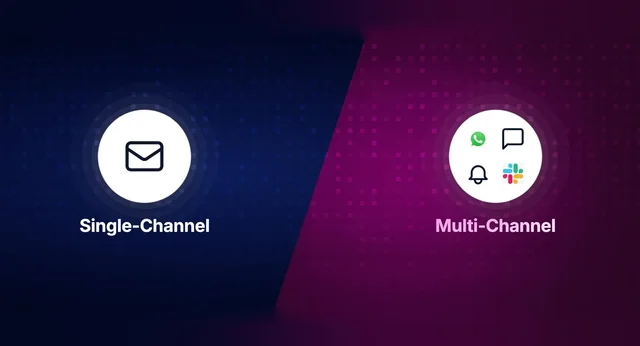
Most engineering teams start with a quick email integration: SendGrid, Postmark, or Resend. Then the product team asks for in-app notifications. Marketing wants SMS. Support wants Slack alerts. Suddenly you’re maintaining separate integrations for each channel, with no unified logic for user preferences, retries, or observability.
That’s when notification orchestration platforms come in. They abstract away the complexity of managing multi-channel notifications, so developers can focus on building core product features instead of plumbing.
How to Evaluate Platforms to Orchestrate Notifications
When comparing notification infrastructure, engineering teams usually look for:
- Cross-channel orchestration: One API to send across email, SMS, push, in-app, and chat, with routing and fallbacks configurable without code.
- Developer experience: SDKs, debugging tools, and clear docs to help teams move fast.
- Template management: Centralized templates with localization, personalization, and versioning.
- Delivery intelligence: Retries, batching, digests, and rate limiting built in.
- Reliability at scale: High availability SLAs, predictable pricing, and global infra.
The Top 5 Notification Orchestration Platforms
1. SuprSend ⭐ (Best Overall)
SuprSend is built specifically for developers who want to orchestrate multi-channel notifications quickly and reliably. It combines a unified API, preference management, retry handling, and real-time observability: features most teams would otherwise spend months building themselves.
Features
- Multi-channel orchestration (email, SMS, push, in-app, chat)
- Centralized template engine with localization + versioning
- Built-in user preference management
- Delivery intelligence with retries, digests, and batching
- Real-time delivery logs + analytics dashboard
- Works with providers like SendGrid, Twilio, Firebase, WhatsApp
Pros
- Clean, developer-first API and SDKs
- Quick setup and integration (hours, not weeks)
- Observability baked in from day one
Cons
- Workflow automation is simpler compared to Knock
- Fewer UI tools for non-devs
Pricing
- Free: 10,000 notifications/month
- Essentials: $100/mo (50k notifications)
- Business: $250/mo (50k + digests, batching, advanced orchestration)
- Enterprise: Custom pricing for scale & compliance
👉 Best choice for developers who want speed, reliability, and strong observability without the overhead.
2. Knock
Knock provides enterprise-grade workflow logic and observability, ideal for teams running millions of notifications.
Features: Workflow engine (batching, digests, delays), delivery logs, multi-tenant support.
Pros: Advanced workflow automation, rich SDK coverage.
Cons: Higher pricing, no hobby tier.
Pricing: Free 10k/month, Starter $250/mo, Enterprise custom.
3. Novu
Novu is an open-source platform for teams that want full control or self-hosted notification infra.
Features: Preference management, digests, prebuilt UI components.
Pros: MIT license, active community.
Cons: Maintenance overhead, less enterprise-ready.
Pricing: Free 10k/month, Starter $30/mo, Team $250/mo, Enterprise custom.
4. Courier
Courier is built for hybrid teams where both developers and designers need to control notifications.
Features: Drag-and-drop editor, A/B testing, analytics.
Pros: Great for non-dev collaboration.
Cons: Less developer-first, limited workflow flexibility.
Pricing: Free 10k/month, Pro $0.005/notification, Enterprise custom.
5. Fyno
Fyno focuses on provider abstraction with over 50 connectors.
Features: No-code workflow builder, multi-provider routing, analytics.
Pros: Easy to manage provider complexity.
Cons: Limited SDK support, less product-level flexibility.
Pricing: Paid plan at $250/mo (200k notifications).
Comparison at a Glance
| Platform | Best For | Key Strengths | Limitations | Pricing Highlights | Developer Pain Points Solved |
|---|---|---|---|---|---|
| SuprSend ⭐ (Best Overall) | Developers who want the fastest way to orchestrate notifications | Unified API, preference management, retries, strong SDKs | Simpler workflow automation vs. Knock | Free 10k, $100 Essentials, $250 Business | Removes need to build retries, digests, preferences, and observability from scratch |
| Knock | Enterprise teams | Advanced workflow engine, enterprise-grade infra | Higher cost, no hobby tier | Free 10k, $250 Starter | Simplifies batching, digest, and tenant-level workflows |
| Novu | Open-source teams | Self-hosted control, strong community | Maintenance overhead, less enterprise-ready | Free 10k, $30 Starter | Solves lock-in concerns with full code ownership |
| Courier | Hybrid dev + design teams | Drag-and-drop builder, analytics | API less developer-first | Free 10k, $0.005/notification | Lets non-devs design notifications without engineering bottlenecks |
| Fyno | Teams with many providers | 50+ connectors, no-code workflow builder | Limited SDKs, less product-level flexibility | $250/mo (200k) | Abstracts managing dozens of vendor SDKs and APIs |
Final Take
All of these platforms solve the headache of duct-taping notification systems together. But if you’re a developer who wants a platform that’s fast to implement, reliable at scale, and gives you full observability out-of-the-box, SuprSend is the best choice.
👉 Start building with SuprSend today and orchestrate multi-channel notifications in hours, not months.