Every engineering team thinks building notifications in-house will be straightforward. You integrate SendGrid for email, Twilio for SMS, Firebase for push. Add some templates, a preference table, and you’re done. A month, maybe two.
Then reality hits. The system grows. Channels multiply. Users complain about missing alerts. PMs want to change copy without filing engineering tickets. Vendor outages take down critical flows at 2 AM. The “simple” notification system has become a full-time job for one or more engineers.
We spoke with engineering and product leads at 10 SaaS companies that built notification systems from scratch. Here’s what broke first, what they wish they’d known, and when they decided to migrate to a platform.
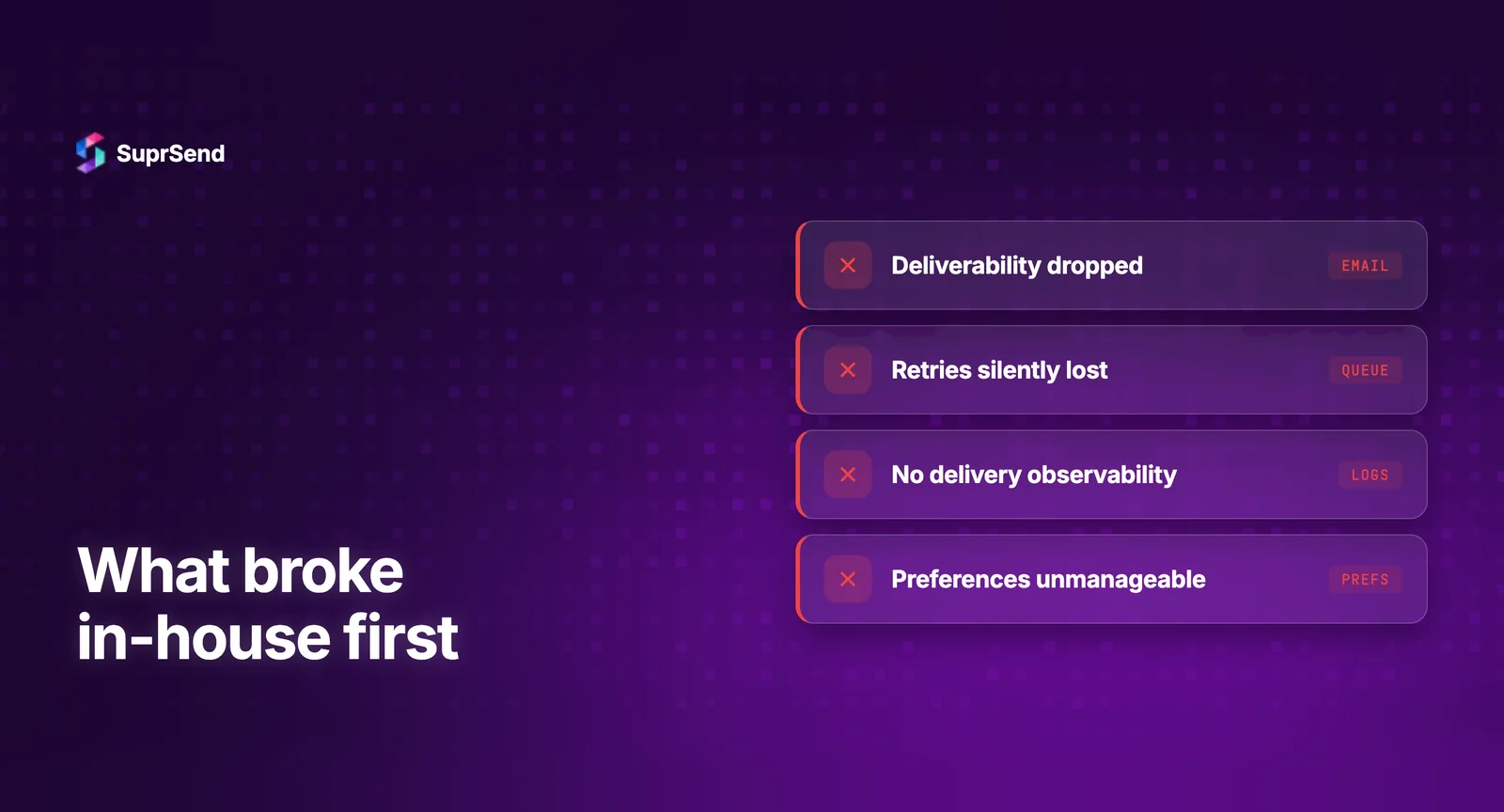
The Pattern: Five Things Break First
Across all 10 teams, the same five pain points emerged consistently. They didn’t all break at the same time, but every team hit all five within 12-18 months of building in-house.
1. Observability - The Silent Failure Problem
What happens: Notifications stop arriving for a subset of users, and nobody notices until a customer complains. The team investigates and realizes they have no way to trace a single notification from trigger to delivery. Their logs show “API call to SendGrid returned 200” but nothing about whether the email was actually delivered, opened, or bounced.
Why it happens: Teams build notification sending but not notification tracking. The delivery pipeline has multiple stages - event triggered, user preferences checked, template rendered, vendor API called, delivery attempted, delivery confirmed - and most in-house systems only log the vendor API call. Everything before and after is invisible.
The real cost: One FinTech team estimated they spent 15+ engineering hours per month debugging notification delivery issues with incomplete data. That’s nearly 1 FTE-month per year just on debugging, not building.
What platforms solve: Step-by-step delivery logs that trace every notification through every stage of the pipeline. When something fails, you can see exactly where and why in seconds, not hours.
2. Vendor Failover - The 3 AM Outage
What happens: SendGrid goes down for 2 hours on a Tuesday night. Password reset emails stop working. Users can’t log in. Support tickets pile up. The on-call engineer wakes up, checks logs, realizes the vendor is down, and has no backup path. They manually switch to AWS SES at 3 AM, which requires code changes and a production deploy.
Why it happens: Teams integrate one vendor per channel because it’s faster. Adding a fallback vendor means writing a second integration, building a vendor health check system, implementing circuit breaker logic, and testing failover regularly. That’s 3-4 weeks of work per channel that gets deprioritized because “the vendor rarely goes down.”
The real cost: A marketplace team reported a 4-hour SendGrid outage that prevented order confirmation emails from sending. Customer support handled 200+ tickets. Estimated revenue impact: $15K-$20K in cancelled orders from users who thought their purchases didn’t go through.
What platforms solve: Automatic vendor failover with circuit breakers. Configure primary and backup vendors per channel. The platform detects failures and switches routing in real-time without code changes or deployments.
3. Template Management - The Engineering Bottleneck
What happens: The product team wants to update the welcome email copy. The marketing team needs to add a holiday banner to all notification emails. A compliance update requires adding an unsubscribe footer. Every single change goes through the engineering team’s sprint backlog because templates are hardcoded in the codebase.
Why it happens: The initial implementation stores templates as HTML strings or files in the repository. This works for 5 templates. It breaks at 50. Without a template management system (WYSIWYG editor, version control, preview, per-channel variants), every copy change requires a code commit, PR review, and deploy.
The real cost: An EdTech team reported that template change requests consumed 8-10 engineering hours per week. That’s a quarter of one engineer’s entire bandwidth spent on text edits and HTML formatting, not product development.
What platforms solve: Visual template editors with draft/preview/publish workflows. PMs and marketers edit notification content directly. Engineers only need to define the data variables once.
4. User Preferences - The Compliance Gap
What happens: Users can’t control which notifications they receive. The only option is “all or nothing” - unsubscribe from everything or receive everything. A user who wants security alerts but not marketing updates has no recourse. GDPR and CAN-SPAM complaints start appearing.
Why it happens: Building a proper preference management system is surprisingly complex. You need: notification category definitions, per-category per-channel opt-in/out, a user-facing preferences UI, an API for frontend integration, enforcement logic in the notification pipeline, and preference data storage. That’s 4-6 weeks of focused engineering work.
The real cost: A HealthTech company received a GDPR complaint because a user couldn’t opt out of non-essential notifications. The complaint triggered an audit that consumed 3 weeks of legal and engineering time. Total cost including legal fees: approximately $25K.
What platforms solve: Out-of-the-box preference centers with category-level and channel-level controls. Hosted preference pages and embeddable components. Automatic enforcement in the delivery pipeline.
5. Cross-Channel Coordination - The Notification Spam Problem
What happens: A user gets a push notification, an email, and an SMS for the same event - simultaneously. Or they get 47 individual “new comment” notifications in an hour instead of one digest. Users start disabling all notifications, and engagement metrics crater.
Why it happens: In-house notification systems typically treat each channel independently. There’s no orchestration layer that says “send push first, wait 1 hour, then send email only if the push wasn’t read.” Building batching and digest logic requires managing time windows, aggregation rules, and stateful processing - which is significantly more complex than simple message delivery.
The real cost: A collaboration SaaS team saw their push notification opt-out rate jump from 12% to 34% over three months due to notification spam. Recovering user trust and rebuilding engagement took two quarters of product work.
What platforms solve: Workflow engines with built-in batching, delays, and cross-channel coordination. “Send push → wait 1h → email if unread” is a 5-minute workflow configuration, not a multi-week engineering project.
The Real Timeline: When Things Break
| Timeline | What Breaks | Typical Trigger |
|---|---|---|
| Month 1–3 | Template bottleneck | Non-engineers need copy changes |
| Month 3–6 | Observability gaps | First “why didn’t this notification send?” escalation |
| Month 6–9 | Preference complaints | Users/compliance requesting opt-out controls |
| Month 9–12 | Vendor outage | First vendor downtime affecting critical flows |
| Month 12–18 | Notification fatigue | Engagement drops from lack of batching/coordination |
The Total Cost of Building In-House
When we asked teams to calculate their actual total cost of ownership, the numbers consistently surprised them:
| Cost Category | Year 1 | Ongoing (per year) |
|---|---|---|
| Initial build (2–3 engineers, 6–10 months) | $150K–$300K | — |
| Maintenance (1 FTE equivalent) | Included above | $180K–$250K |
| Debugging time (10–15 hrs/month) | $15K–$25K | $15K–$25K |
| Vendor outage response | $5K–$20K | $5K–$20K |
| Opportunity cost (features not built) | Hard to quantify | Significant |
| Total | $170K–$345K | $200K–$295K |
Compare this to a notification infrastructure platform at $110-$275/month ($1,320-$3,300/year). Even the most expensive enterprise plan costs a fraction of the maintenance alone.
When Teams Decided to Migrate
The tipping point was different for each team, but three triggers were most common:
Trigger 1: The second vendor outage. The first outage is a fire drill. The second one, when you still don’t have failover, makes the team realize this problem will keep recurring.
Trigger 2: Adding a new channel takes too long. When the team decides to add WhatsApp or Slack notifications and realizes it’ll take 4-6 weeks of engineering work instead of a few days, the abstraction layer argument becomes hard to ignore.
Trigger 3: The engineer who built it leaves. In-house notification systems are often maintained by 1-2 engineers who know the codebase intimately. When they leave, knowledge transfer is painful and the remaining team inherits a system they don’t fully understand.
What Teams Would Do Differently
We asked each team: knowing what you know now, what would you have done from the start?
8 out of 10 said they would have used a platform from day one. The two exceptions were teams where notifications were genuinely core to their product (a monitoring/alerting company and a real-time trading platform).
The most common advice from these teams:
“Start with a platform. Build only if you outgrow it.” The risk of building too early (wasted engineering time, hidden maintenance costs) is much higher than the risk of starting with a platform (potential migration later if needs diverge).
“Invest in observability from day one, regardless of approach.” Whether you build or buy, delivery logs are non-negotiable. You can’t operate a notification system you can’t see into.
“Calculate the real cost, including opportunity cost.” Every month your engineers spend on notification infrastructure is a month they’re not building features that drive growth, revenue, or retention.
TL;DR
Across 10 teams that built notification systems in-house, five things broke consistently: observability (can’t debug delivery), vendor failover (no backup when providers go down), template management (engineering bottleneck for copy changes), user preferences (compliance risk), and cross-channel coordination (notification spam). Total cost of ownership for in-house exceeds $170K-$345K in year one, compared to $1,320-$3,300/year for a notification platform. 8 out of 10 teams said they would have used a platform from day one.
Don’t repeat these mistakes. Start free with SuprSend - 10K notifications/month across all channels. Or book a demo to see how we solve the five problems above out-of-the-box.
FAQ
What breaks first when you build notifications in-house?
Observability breaks first. Teams can't debug why specific notifications failed because they only log success/failure at the API call level, not the full delivery pipeline.
How much does it cost to build a notification system in-house?
Initial build: 6-12 months for 2-3 engineers. Ongoing maintenance: 1 FTE minimum. At loaded cost of $200K/year per engineer, the TCO exceeds $400K in year one alone.
Should you build or buy notification infrastructure?
Build only if notifications are your core product differentiator. For everyone else, the engineering cost of building far exceeds notification platform pricing of $110-$275/month.
What are the hidden costs of building notifications in-house?
Vendor API changes requiring code updates, handling delivery failures at 3 AM, building preference UIs, maintaining template editors, and the opportunity cost of not shipping product features.
When should you migrate from in-house notifications to a platform?
When adding a new channel takes more than a week, when you can't debug delivery failures quickly, when non-engineers are blocked on template changes, or when maintenance exceeds 20% of one engineer's time.