Why Most Product Teams Confuse Push and Pull Notifications
Android’s push opt-in rate has dropped to 67% following Android 13 - down from 85% the year before. iOS sits at 56%. Yet generic push notifications average an open rate of just 4.7%. That gap isn’t a content problem. It’s what happens when teams treat push as a broadcast channel instead of a contextual one.
The root cause is almost always the same: product teams don’t have a clear mental model of push vs pull notifications. They treat them as interchangeable delivery mechanisms when they serve completely different user intents and moments.
If your engagement metrics are flat, your unsubscribe rates are climbing, or users are disabling your app’s notifications entirely, this post is for you.
What Are Push Notifications? (And What They’re Actually For)
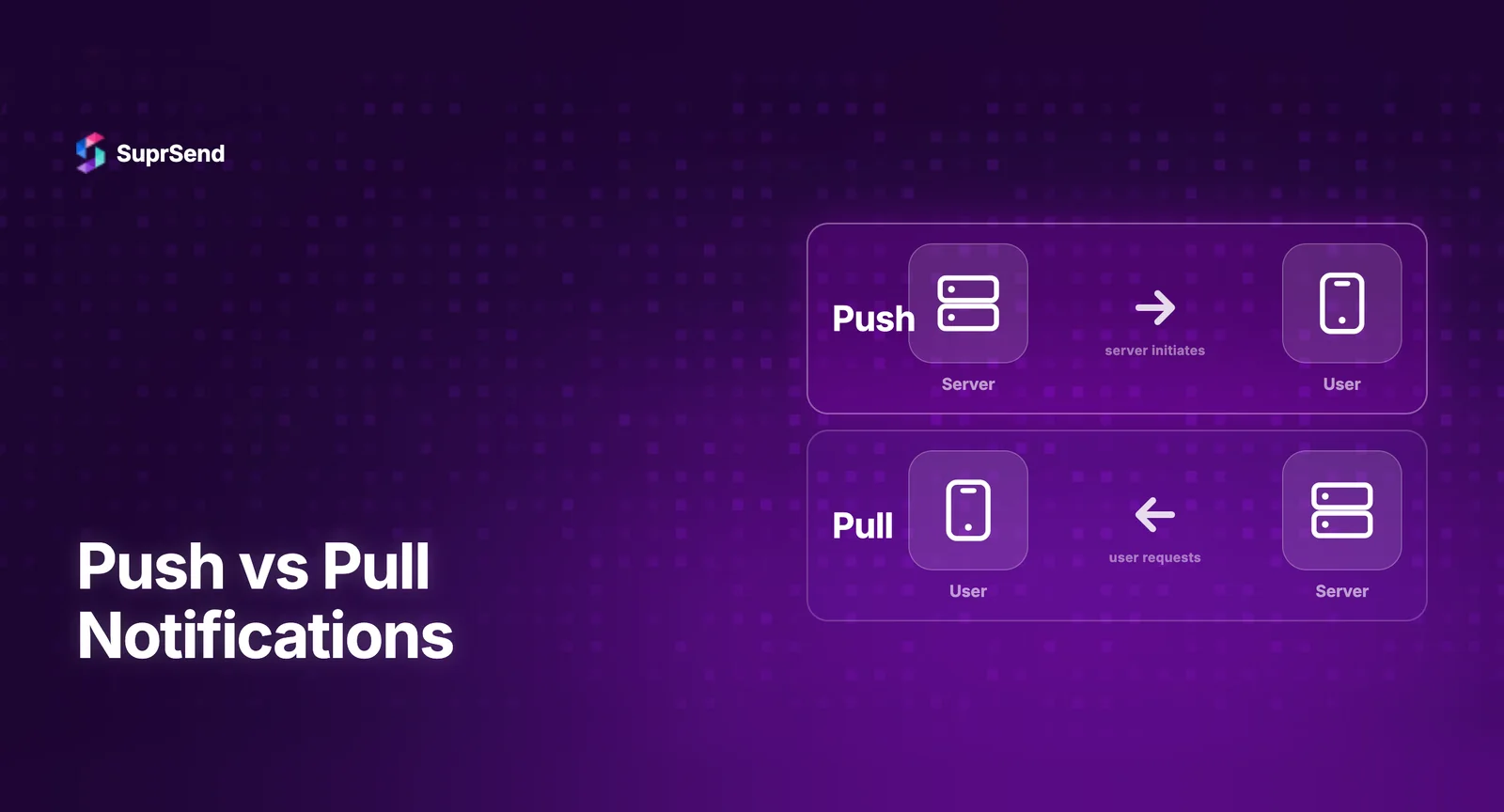
Push notifications are server-initiated. Your system decides when to send them, and they’re delivered to the user regardless of whether they’re actively using your app or platform.
They interrupt. That’s the point - and also the risk.
Examples of push notifications done right:
- A ride-hailing app alerting you that your driver is 2 minutes away
- A banking app notifying you of a suspicious transaction
- An e-commerce app reminding you that a flash sale ends in 1 hour
The common thread? Time sensitivity and relevance. Push notifications earn their interruption because the user genuinely needs to know something right now.
Where Teams Go Wrong With Push
The biggest mistake is treating push as a broadcast channel - blasting the same message to every user because it’s easy. This destroys trust fast.
Another common failure: sending push notifications for events that aren’t time-sensitive. Did a user comment on a forum post from three days ago? That can wait. Pushing it to their lock screen at 11pm is just noise.
Finally, teams often skip preference management entirely. Users have different tolerances for interruption. If you don’t let them control what they receive and when, they’ll opt out of everything.
What Are Pull Notifications? (And Why They Often Get Ignored)
Pull notifications - sometimes called in-app notifications or notification inboxes - are user-initiated. The user pulls them when they’re ready. Think of the bell icon in LinkedIn, Slack’s activity feed, or the notification drawer in a SaaS dashboard.
They don’t interrupt. They accumulate and wait.
Pull notifications are perfect for:
- Activity summaries (who liked your post, who commented on your document)
- System updates that aren’t urgent (your export is ready, your report was generated)
- Historical context (audit logs, team activity feeds)
The Underrated Power of Pull
Most product teams underinvest here because pull notifications don’t feel exciting. There’s no immediate feedback loop like a push open rate to track.
But in-app notification centers drive one of the highest-quality engagement behaviors: intentional, focused attention. When a user opens your notification inbox, they’re in the product, curious, and receptive. That’s a better moment to deliver a message than interrupting them mid-task with a push.
The mistake teams make with pull? Building the inbox and then forgetting it. No batching logic, no read/unread states, no filtering - just a dumping ground of raw events. Users stop checking it because it’s overwhelming or irrelevant.
Push vs Pull Notifications: The Core Differences
Let’s put this side by side so it’s crystal clear.
- Initiation: Push is server-initiated. Pull is user-initiated.
- Timing: Push is real-time and immediate. Pull is asynchronous and on-demand.
- User state: Push works when users are outside the app. Pull works when they’re inside it.
- Risk: Push can annoy and get disabled. Pull can be ignored if not surfaced well.
- Best for: Push is best for urgency. Pull is best for context and history.
The critical insight here is that they’re not competing approaches - they’re complementary layers. The failure mode is picking one and ignoring the other, or worse, using them interchangeably without strategy.
The Biggest Mistakes Product Teams Make
Mistake 1: Using Push for Everything Urgent, Pull for Everything Else
This sounds logical but it’s too blunt. Urgency isn’t the only variable. You also need to consider user context, channel fatigue, and whether the user has push enabled at all.
A better framework: map each notification type across two axes - urgency and relevance. High urgency + high relevance = push. Low urgency + high relevance = pull or email digest. Low on both = reconsider whether you should be sending it at all.
Mistake 2: No Fallback Logic Between Channels
User didn’t open your push notification? Most teams stop there. Smart teams have a fallback: if push isn’t acknowledged within X minutes, route to email or SMS. If the user doesn’t have push enabled, go straight to email.
This is where notification infrastructure becomes critical. You need conditional routing logic, not just a send button. Platforms like SuprSend let you define these fallback workflows visually, so you’re not hardcoding delivery logic into your application.
Mistake 3: Ignoring User Preferences and Time Zones
Sending a marketing push at 2am because your server is in UTC and you didn’t localize? Classic. Sending the same notification cadence to power users and casual users? Also classic.
User preferences aren’t optional UX polish. They’re a retention mechanism. The more control users have over their notification experience, the longer they stay engaged.
Mistake 4: Treating the Notification Inbox as an Afterthought
Teams spend weeks fine-tuning push notification copy and A/B testing send times. Then they build an in-app inbox in a sprint, mark it done, and never touch it again.
The inbox needs the same product thinking: filtering, search, bulk actions, read states, notification grouping. Users who actively use your in-app inbox are often your most engaged segment - invest accordingly.
Mistake 5: No Unified View of What Users Are Receiving
This one is underrated. When push, in-app, email, and SMS all live in separate systems, you lose visibility into the cumulative notification load on any given user. You might be sending 12 notifications in a single day across channels and not even know it.
Notification fatigue is real. It’s one of the primary drivers of opt-outs and churn. You need a unified layer that gives you a single view of what’s being sent to whom, and when.
How to Build a Smarter Push and Pull Strategy
Step 1: Audit and Categorize Every Notification You Send
List every notification type your product currently sends. Label each one as transactional, engagement, or marketing. Then decide: is this push territory or pull territory? Is it even necessary?
Cut anything that doesn’t serve a clear user need. Seriously -= most notification systems are 30-40% bloat.
Step 2: Define Your Urgency-Relevance Matrix
Create a simple 2x2 matrix. Plot each notification type. This forces honest conversations about what actually warrants interrupting a user versus what should wait in their inbox.
For high-urgency, high-relevance items: push with a fallback to SMS or email if unacknowledged. For lower urgency but high relevance: in-app pull notification, possibly with an email digest. For low urgency, low relevance: cut it or make it opt-in only.
Step 3: Build Preference Management Into the Core Product
Don’t hide notification settings in a nested menu. Surface them early -ideally during onboarding. Let users choose channels, frequency, and categories. This isn’t just good UX; it’s a compliance consideration as regulations around messaging tighten globally.
Step 4: Instrument and Measure Each Channel Separately
Push open rate, in-app inbox engagement rate, email click-through - these all tell you different things. A high push opt-out rate might mean you’re sending too many or they’re irrelevant. A low inbox engagement rate might mean users don’t know it exists or it’s too cluttered.
Measure each channel against its own benchmarks and optimize independently.
Step 5: Use Infrastructure That Supports Cross-Channel Orchestration
If your team is managing push, in-app, email, and SMS through separate tools or custom-built systems, you’re going to struggle with consistency and speed. Centralizing notification logic in a purpose-built infrastructure layer - like SuprSend - means you can build once and route intelligently across channels without rewriting delivery logic every time a new channel is added.
Real-World Example: How a B2B SaaS Product Should Think About This
Imagine a project management tool. Here’s how a smart notification strategy might look:
- Task assigned to you → Push notification (time-sensitive, personal, actionable)
- Comment on a task you’re watching → In-app pull notification, batched into a daily digest email
- Project deadline in 24 hours → Push notification with email fallback if unread
- Weekly activity summary → Email only, opt-in
- New feature announcement → In-app notification only, never push
Notice how the channel choice is driven by urgency, user context, and relationship to the content - not by what’s easiest to implement.
Conclusion: Notifications Are a Product Feature, Not an Afterthought
The push vs pull notification debate isn’t really a debate - it’s a design decision that most teams make carelessly and pay for in engagement metrics and user trust.
Push is powerful when it’s earned. Pull is underutilized when it’s built thoughtfully. The teams that win are the ones who treat every notification as a product decision with a user on the other end - someone who gave you permission to reach them and can take it back at any moment.
Start by auditing what you’re sending. Build the matrix. Give users control. And make sure your infrastructure can actually support the orchestration logic your strategy requires. The notifications you don’t send poorly are just as important as the ones you send well.