
Today we're launching SuprSend Slack Agent.
This brings notification management and analysis right where you work.
PMs, developers, marketers, and support can understand a setup, analyze how it's performing, change it, or trace a failed delivery, all with simple prompts.
Tag @suprsend or DM it, ask in plain language, and get an answer in the thread. Every request runs with the requester's own SuprSend role and tenant scope, so a teammate sees only what they could already see in SuprSend.
Quick start
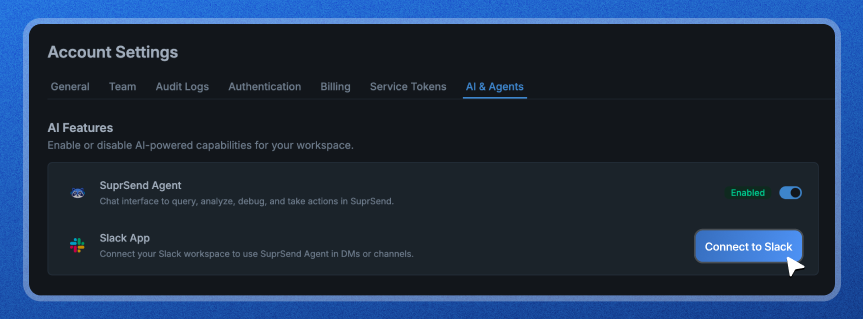
- Install the Slack App for your workspace from Account Settings → AI & Agents.
- After install, @SuprSend appears as a regular bot user in your workspace. DM it or invite it to any channel.
- Start asking:
- In a channel: type @suprsend followed by your request. The Agent picks only the message it is called on, not the whole channel conversation.
- In a DM: open a direct message with SuprSend and just type.
What you can do with it
Managing Notifications
Get setup guidance grounded in your docs
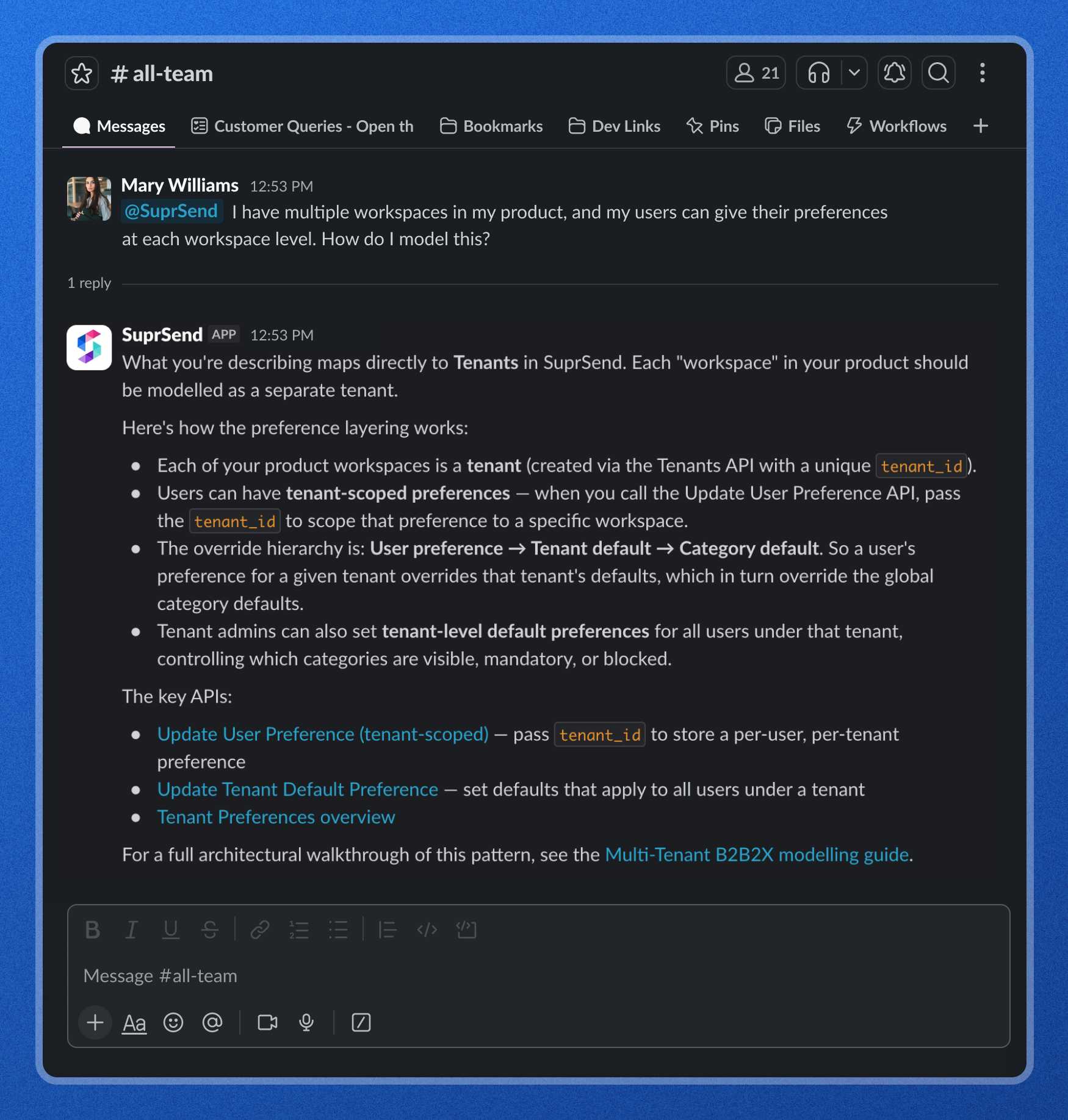
Ask how to model a notification use case the right way. The Agent answers with SuprSend's product knowledge, names the exact APIs and the configuration pattern that fits, and points to the deeper guide. It turns a setup decision that used to mean reading docs into a direct answer.
Inspect your live configuration
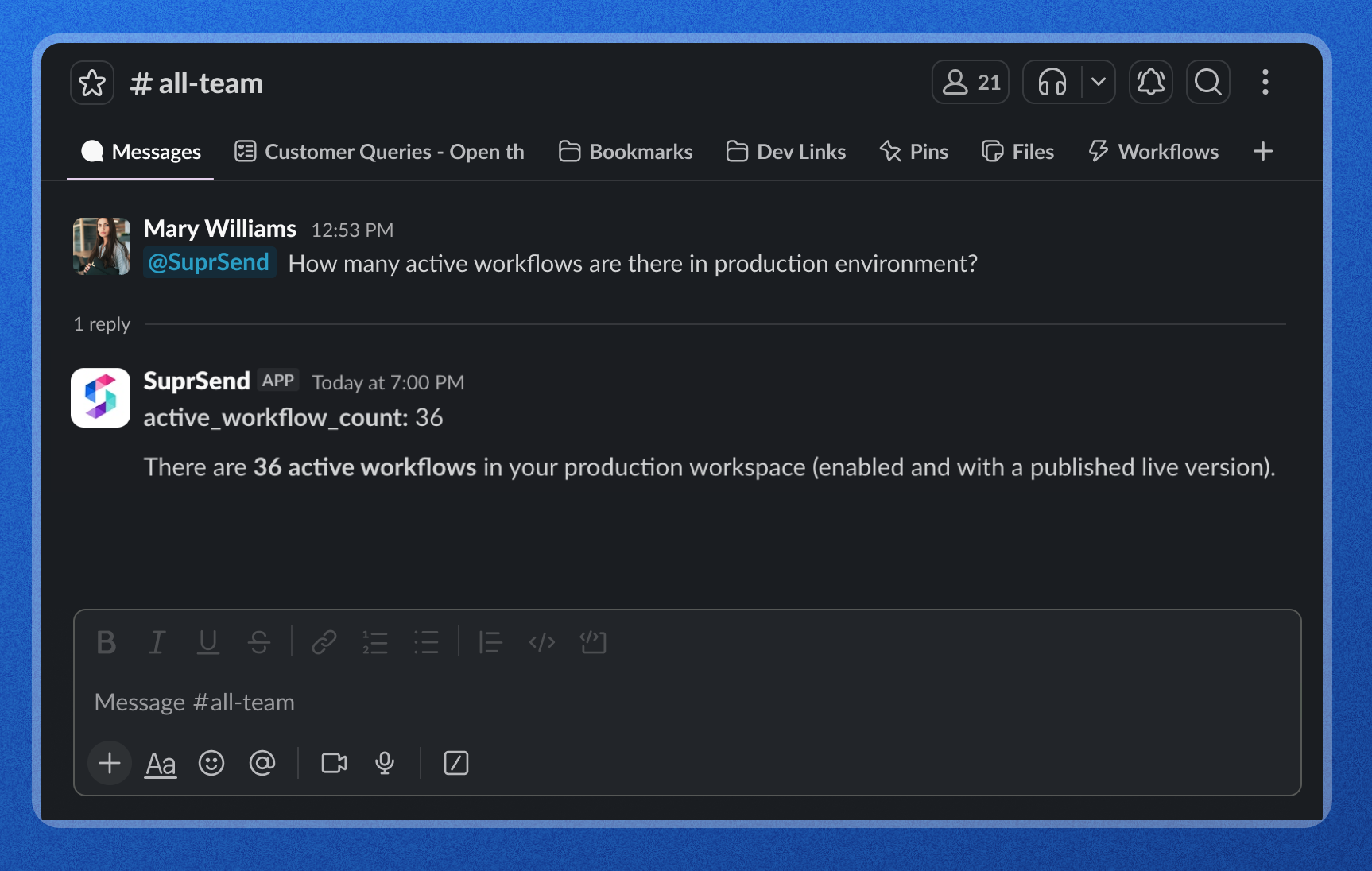
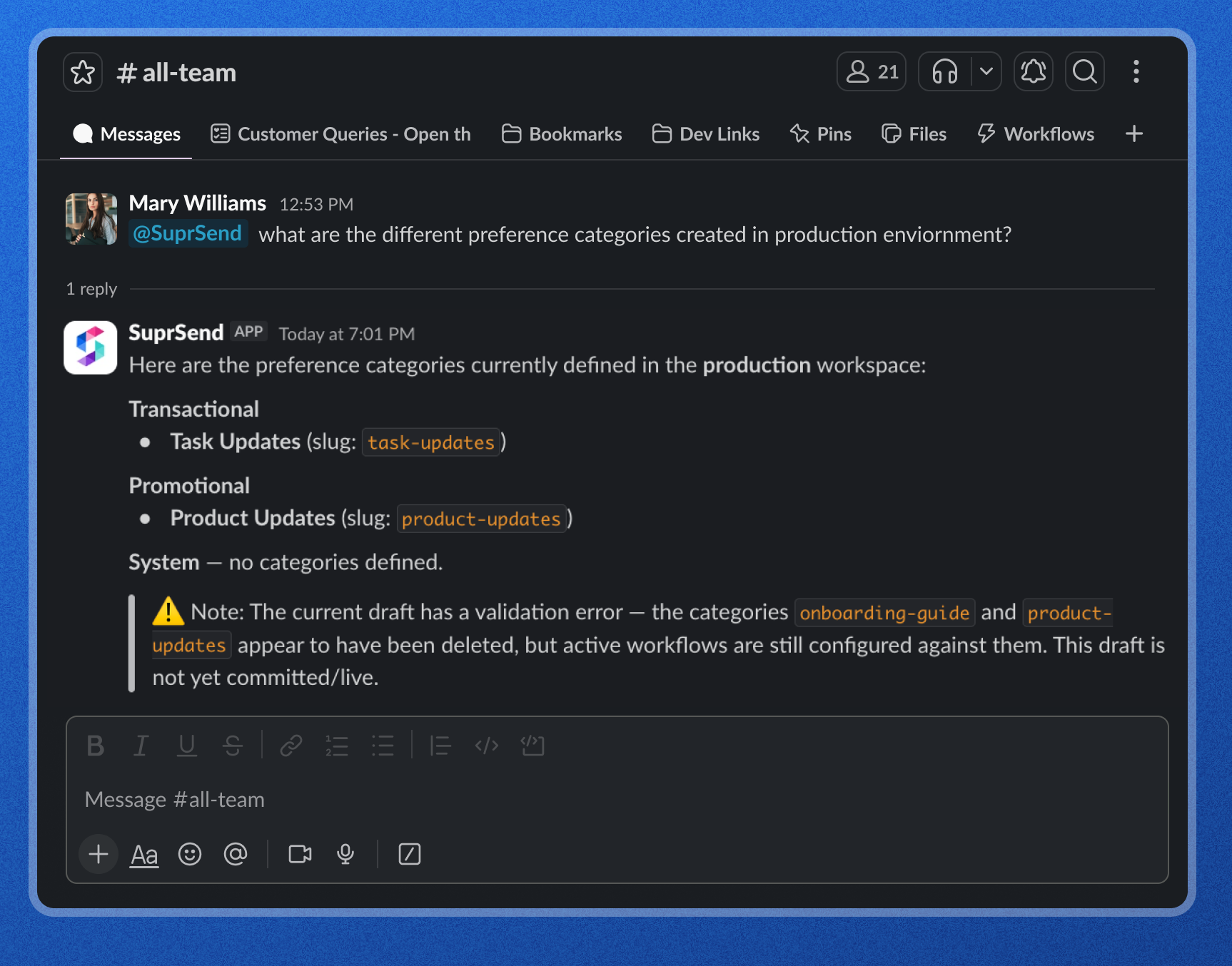
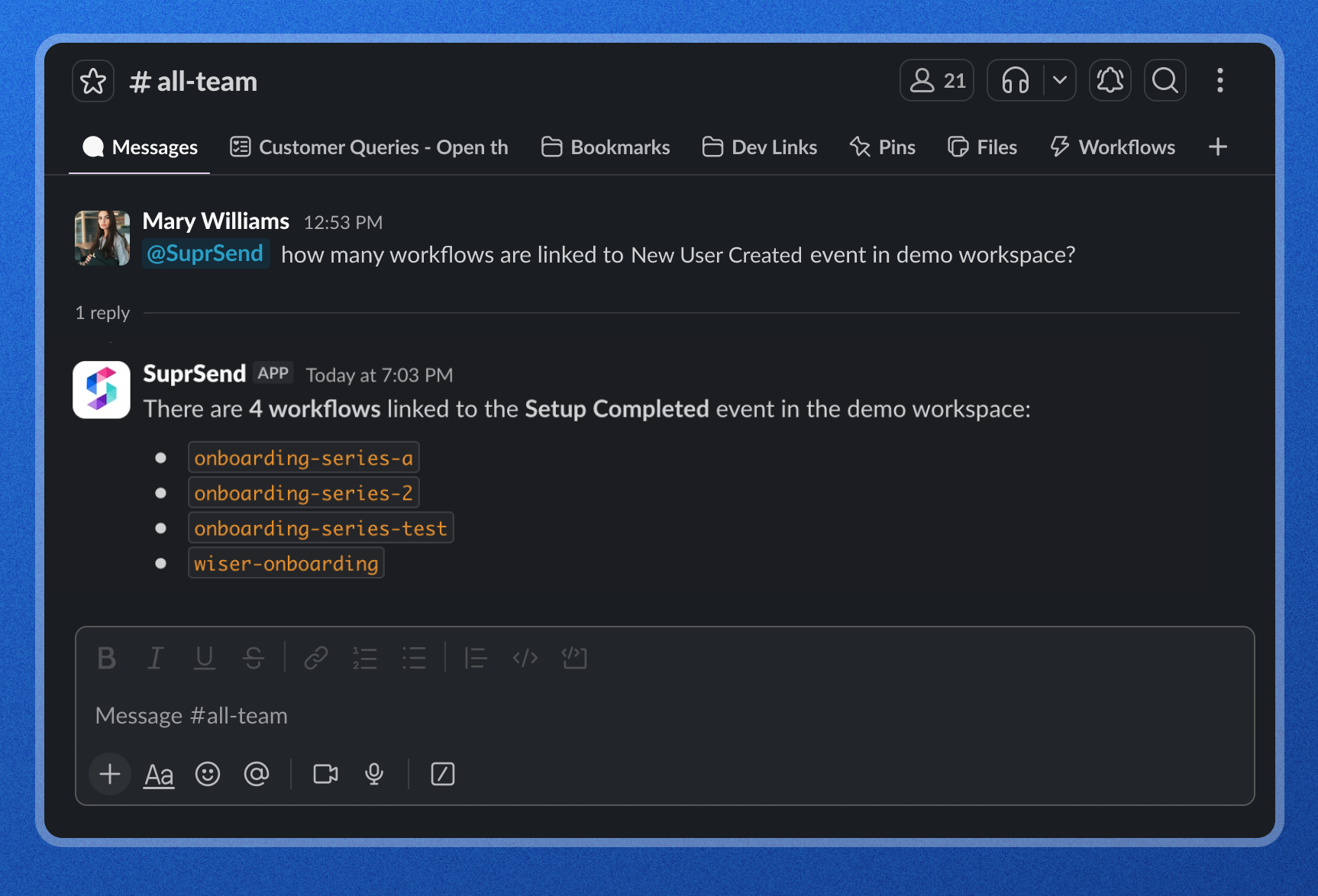
Ask what is actually set up in any environment. The Agent reads your workspace and returns the real state: how many workflows are active, which preference categories exist, what is linked to a given event. It also flags configuration risks, like a category that workflows still depend on but is no longer live, before they cause a delivery problem.
Analyzing Notifications
Run Custom Analytics Like a Data Analyst Would
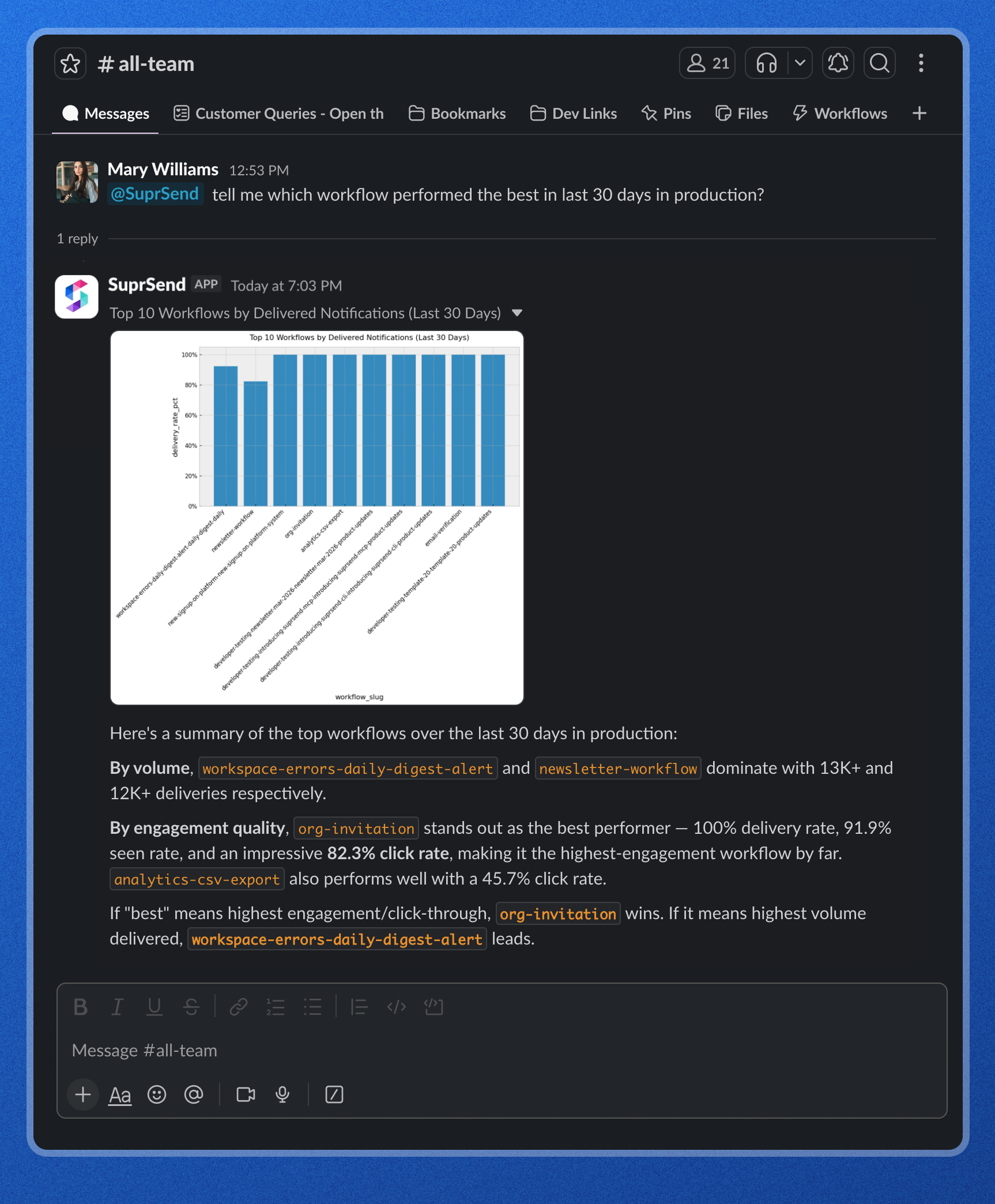
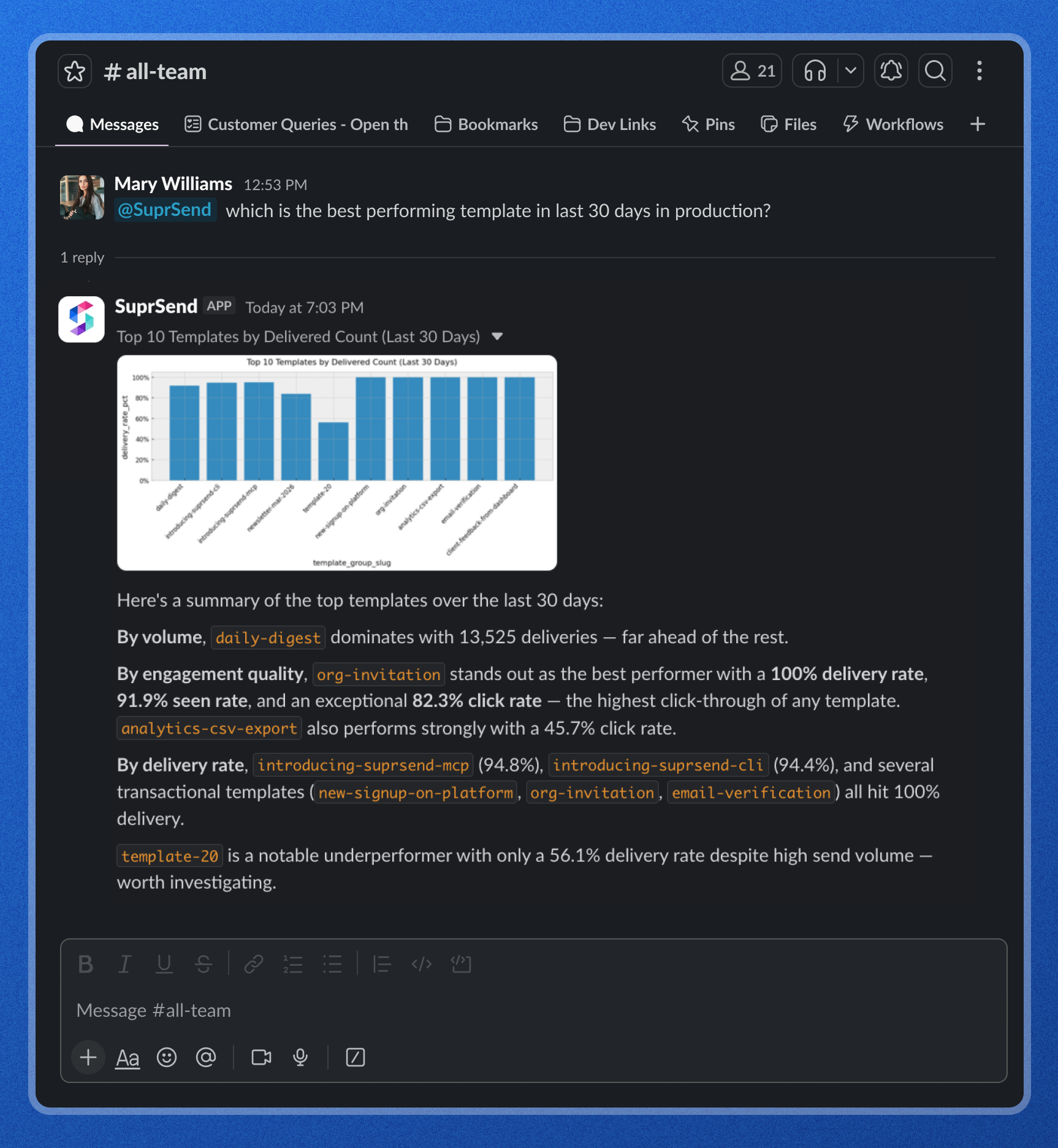
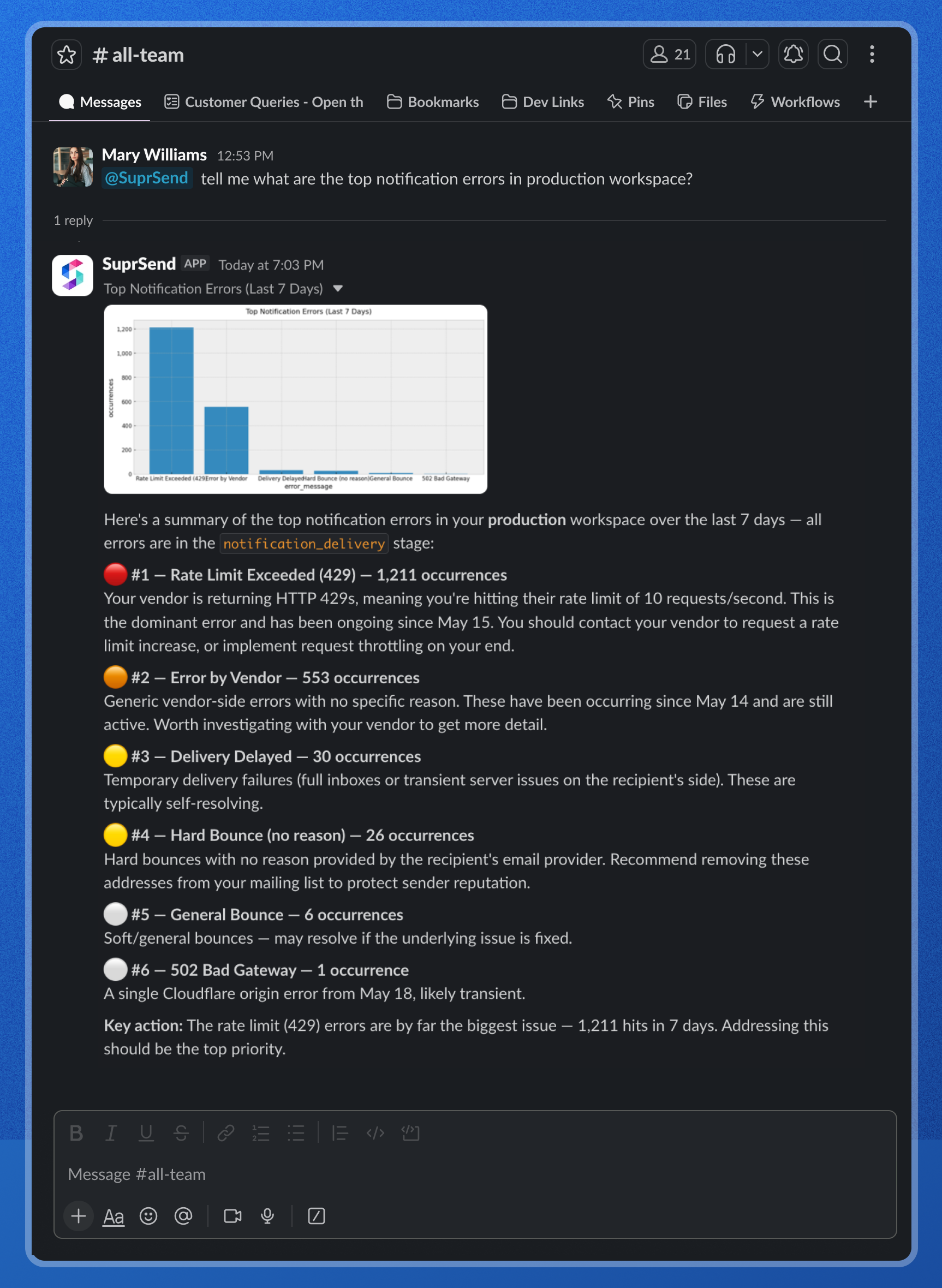
The analytics queries are not limited to a fixed dashboard anymore. The agent reads your notification data through a semantic layer over the data lake, so you can ask the kind of question you would normally hand to a data analyst, and get the answer, with a chart, back in the thread.
Debugging Notifications
Trace a delivery to its root cause
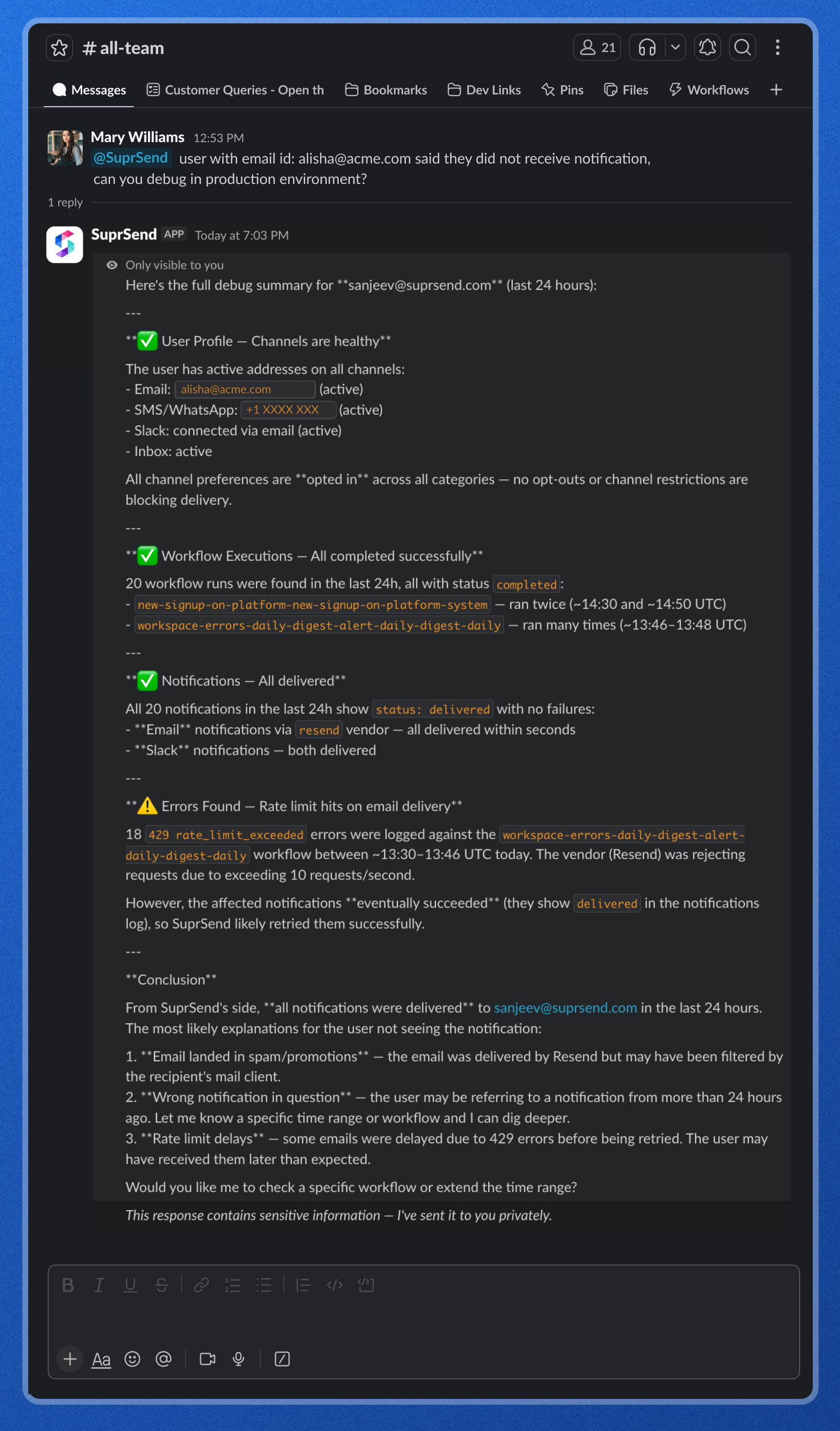
When a user reports a missing notification, ask the Agent why. It runs a full trace across the user's channels, preferences, workflow executions, and delivery logs, then explains what it found: whether everything delivered, where it slowed down, and the most likely reasons the user did not see it. You get a root cause and a next step, not a pile of raw logs. Sensitive details route privately, so debugging a real user is safe in a shared channel.
The Privacy Filter
A Slack channel is not a private space. Messages are searchable, exports include channel history, and people get added to channels over time. So if someone asks the agent for a user's phone number in #growth, that number should not stay parked in the channel for everyone, current and future, to scroll back to.
The Privacy Filter handles this automatically. When an answer would include PII, the agent splits the reply into two parts:
- The channel gets a summary with the sensitive bits removed. For example: "Found the profile for user_123. Sent the email and phone number to your DM."
- Your DM gets the full details, because you are the one who asked and a DM is private.
One thing to note: the filter works on the answer, not the question. Your team can still ask anything in a channel. The filter only controls where the sensitive part of the answer lands. And in a DM, where things are already private, nothing is filtered and you get full details inline.
AI is optional
The Slack Agent is an AI layer sitting on top of SuprSend's notification stack. Everything underneath, workflows, templates, channels, preferences, delivery, and analytics, runs entirely without AI.
If your organization can't send data to third-party model providers, an admin can switch off every AI feature, including the Slack Agent, with a single toggle in Account Settings. Nothing else in SuprSend changes. Your notification infrastructure keeps running exactly as before.
This matters for teams in regulated industries, finance, healthcare, government, where keeping a hard line on what leaves your systems isn't a preference, it's a requirement.
AI usage
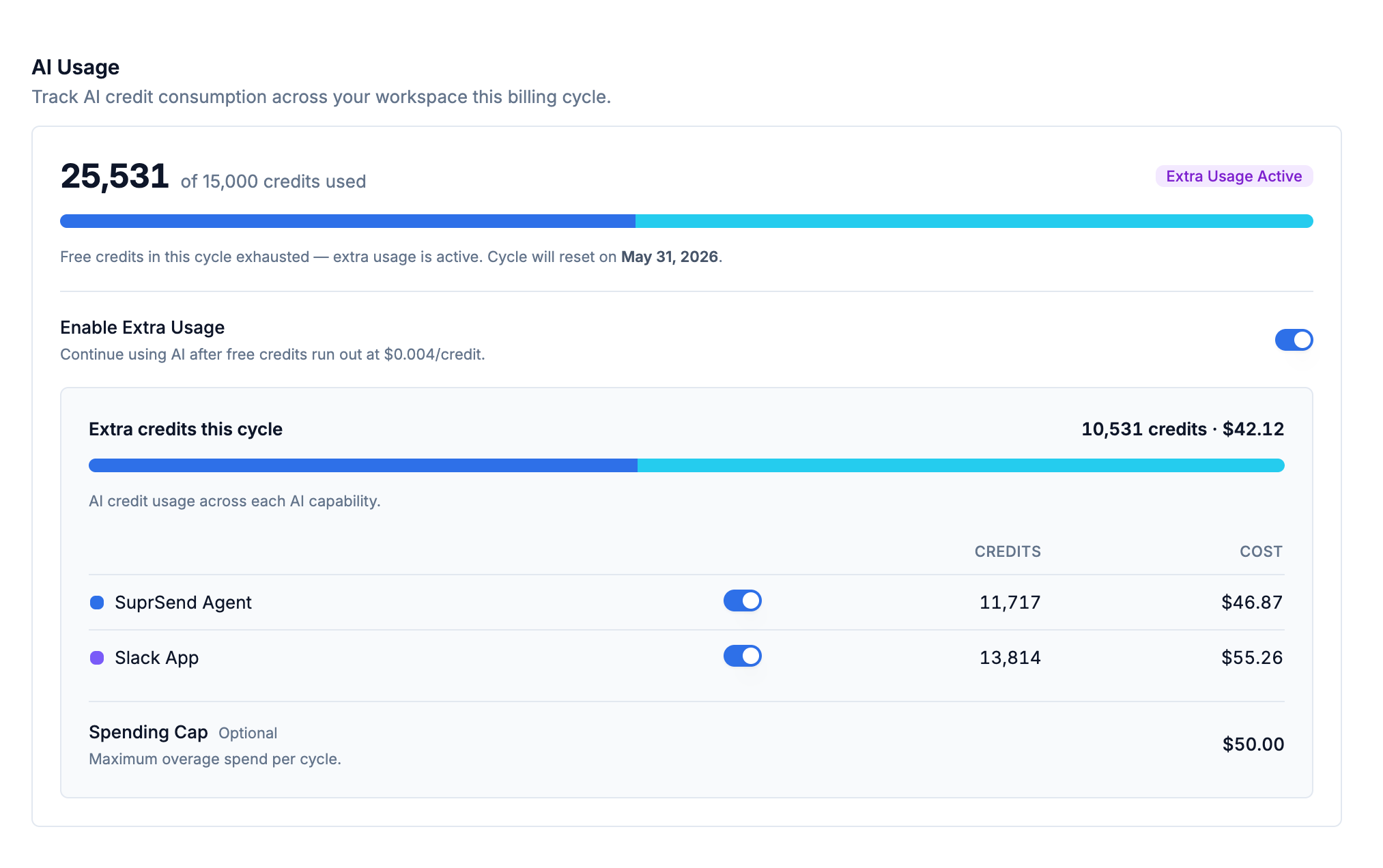
Slack Agent shares the same credit pool as the dashboard Agent. The settings page shows credits used vs. total for the current cycle, with a per-capability breakdown so you can see how much of your usage is coming from Slack.


