Firing a notification in a single-tenant app is a solved problem. Doing it correctly in a multi-tenant SaaS product - with tenant-scoped feeds, cascading preferences, white-label branding, and strict data isolation - is not.
In-app notifications have open rates as high as 75%, making them the highest-engagement channel available to product teams. But that number means nothing if the notification lands in the wrong tenant context, carries the wrong branding, or leaks data across tenant boundaries. This guide covers every decision that sits between a basic notification setup and one that actually works at scale.
What Are In-App Notifications in a Multi-Tenant Context?
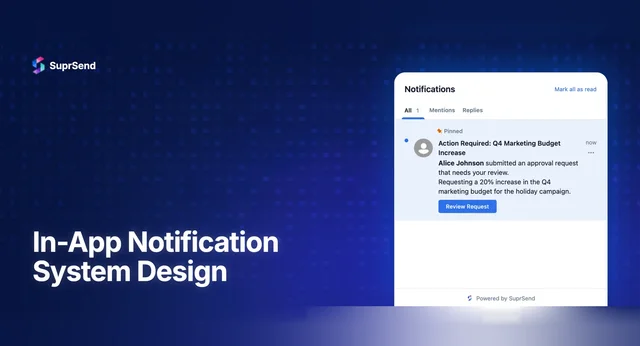
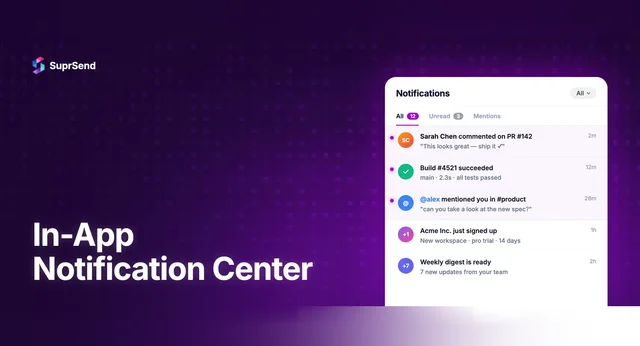
In-app notifications are messages delivered inside your product’s interface while a user is actively engaged. They include notification inbox feeds (the bell icon), toast alerts, banners, modals, and activity streams. In a single-tenant app, these are straightforward - one user, one context, one feed.
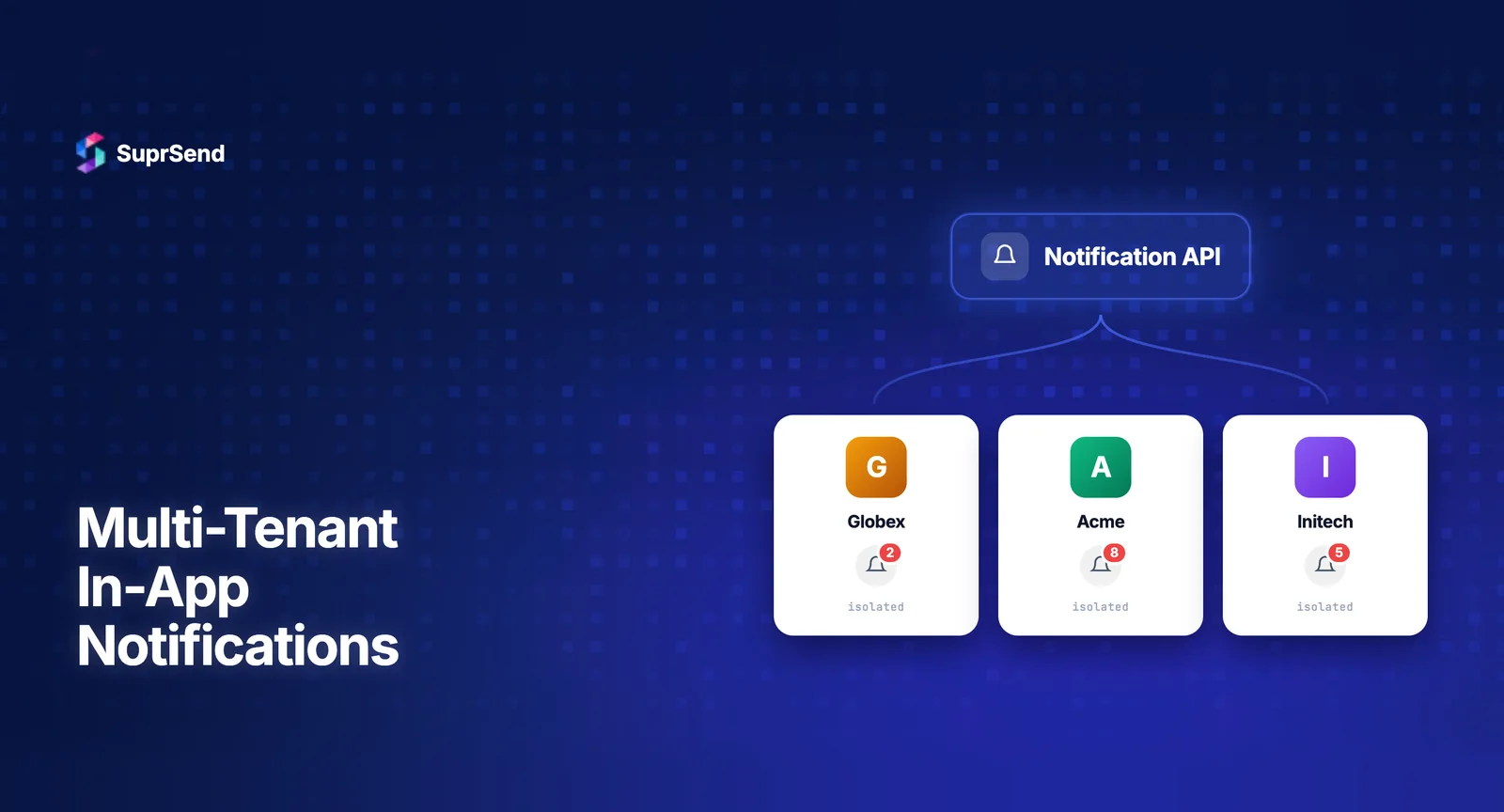
Multi-tenancy changes the equation. In a multi-tenant SaaS environment, a single user can belong to multiple organizations, workspaces, or accounts simultaneously. Each tenant may have different branding, different notification rules, different compliance requirements, and different expectations for how in-app messages look and behave.
Consider a consultant using a project management platform. They belong to three client workspaces. When they open the notification inbox, should they see a combined feed? Separate feeds per workspace? What branding should the notifications carry? Which preference settings apply? These questions don’t exist in single-tenant architectures - and they’re precisely what makes multi-tenant in-app notifications a distinct engineering and product challenge.
Why Multi-Tenancy Changes Everything About In-App Notifications
The core difference comes down to context. In single-tenant apps, the notification system has one context: the user. In multi-tenant apps, every notification exists at the intersection of a user and a tenant. This affects every layer of the notification stack.
Here’s how the complexity scales:
| Dimension | Single-Tenant | Multi-Tenant |
|---|---|---|
| Notification feed | One global feed per user | Tenant-scoped feeds; user sees notifications filtered by active workspace |
| User preferences | One set of preferences | Preferences cascade: global defaults → tenant defaults → user overrides per tenant |
| Branding | Single brand identity | Per-tenant logos, colors, sender names, email domains |
| Data isolation | All data belongs to one org | Strict tenant boundaries; cross-tenant leakage is a security incident |
| Templates | One template set | Shared templates with tenant-specific overrides |
| Delivery providers | One set of vendor credentials | Per-tenant vendor configs (e.g., different Slack workspaces, SMTP servers) |
| Analytics | Unified metrics | Per-tenant delivery, seen, and click-through rates |
According to a 2024 WorkOS report, multi-tenancy is the default architecture for modern B2B SaaS - yet most notification systems are still designed with single-tenant assumptions baked in. This mismatch is where bugs, data leaks, and poor user experiences originate.
5 Core Requirements for Multi-Tenant In-App Notifications
Before writing a line of notification code, these five requirements should be non-negotiable in any multi-tenant in-app notification system:
1. Tenant-Scoped Data Isolation
Every notification must carry a tenant_id. Every query, every feed render, every analytics roll-up must filter by tenant context. Without this, you’re one missing WHERE clause away from showing Tenant A’s internal alerts to Tenant B’s users - a scenario that erodes trust instantly and can trigger compliance violations under frameworks like SOC 2 and GDPR.
Data isolation isn’t just a database concern. It extends to WebSocket connections (real-time feeds must only push tenant-scoped events), API responses, and even client-side caching. If your frontend caches notification data, switching workspaces must invalidate the previous tenant’s cache.
2. Cascading Preference Management
Users don’t just have preferences - they have preferences per tenant. A user might want instant toast notifications in their primary workspace but daily digests in a secondary one. The preference system must support at least three layers:
- Platform defaults: The baseline behavior set by you, the SaaS provider
- Tenant-level overrides: Each customer organization can customize defaults for their users
- User-level overrides per tenant: Individual users fine-tune their experience within each workspace
Resolution order matters. When a notification fires, the system must merge these layers correctly - user preference wins over tenant default, which wins over platform default. If a tenant admin disables a notification category entirely, individual users within that tenant shouldn’t be able to re-enable it.
3. White-Label Branding per Tenant
In-app notifications carry your customers’ brand, not yours. Each tenant should be able to define their logo, primary color, accent colors, and display name - and these should render consistently across inbox feeds, toast alerts, and email fallbacks. The notification template stays the same; the branding layer swaps dynamically based on tenant context.
4. Tenant-Aware Notification Routing
Different tenants may use different delivery providers. One customer’s Slack workspace is different from another’s. One may use a custom SMTP server for email fallbacks. The routing engine must resolve the correct vendor credentials per tenant without requiring separate workflow definitions for each.
5. Per-Tenant Observability
You need to answer questions like: “What’s the in-app notification seen rate for Tenant X this week?” or “Why did User Y in Tenant Z not receive the deployment alert?” Without tenant-scoped observability and logging, debugging becomes guesswork - and your support team ends up manually querying databases instead of using a dashboard.
How to Design Tenant-Scoped In-App Notification Feeds
The notification inbox - that bell icon feed - is the most visible piece of your in-app notification system. In a multi-tenant product, designing it well requires deliberate choices about feed architecture, real-time delivery, and UX patterns.
Feed Architecture: Filtered vs. Separated
There are two primary approaches to structuring multi-tenant notification feeds:
| Approach | How It Works | Best For | Tradeoff |
|---|---|---|---|
| Filtered single feed | One inbox; notifications auto-filter to active workspace. User sees only current tenant’s notifications. | Products where users work in one workspace at a time (e.g., Notion, Linear) | Users may miss notifications from inactive workspaces |
| Tabbed/separated feeds | Multiple tabs or sections in the inbox, one per tenant. User can browse across workspaces. | Products where cross-workspace awareness matters (e.g., Slack, consultancy tools) | More complex UI; higher frontend complexity |
Most B2B SaaS products opt for the filtered single feed approach - it’s simpler, matches user mental models (you’re “in” one workspace), and avoids UI clutter. The key implementation detail: when a user switches workspaces, the feed must re-query with the new tenant_id and invalidate any locally cached notifications from the previous context.
Real-Time Delivery Considerations
WebSocket or Server-Sent Events (SSE) connections must be tenant-aware. When your backend pushes a real-time notification, it must verify that the recipient’s current session is in the correct tenant context. Pushing a Tenant A notification into a user’s feed while they’re viewing Tenant B’s workspace isn’t just a UX bug - it’s a data isolation failure.
The recommended pattern: establish the WebSocket connection with both user_id and tenant_id. Server-side, maintain a mapping of active sessions to tenant contexts. When a notification event fires, route it only to sessions where the tenant context matches.
Notification Types and Tenant Context
Different in-app notification types behave differently in multi-tenant contexts:
- Toast notifications: Ephemeral, shown in active workspace only. Never show a toast from Tenant A while the user is working in Tenant B.
- Inbox feed items: Persistent, scoped to tenant. The bell icon badge count should reflect unread count for the active tenant, not a global total.
- Banners/modals: Typically system-level (e.g., maintenance alerts). These can be cross-tenant if they’re platform announcements, but product-level modals should remain tenant-scoped.
- Activity streams: Always tenant-scoped. A user’s activity feed in Workspace A should never surface events from Workspace B.
Managing User Preferences Across Tenants
Preference management is where most multi-tenant notification systems break down. The challenge isn’t storing preferences - it’s resolving them correctly at send time.
The Preference Cascade
A well-designed multi-tenant preference system resolves settings through a three-layer cascade:
Layer 1 - Platform Defaults: You define the baseline. For example, all users receive in-app inbox notifications for task assignments by default.
Layer 2 - Tenant Admin Overrides: A tenant admin can modify defaults for their organization. Example: “Disable all promotional notifications for our workspace” or “Enable digest mode for all non-critical alerts.”
Layer 3 - User Overrides (per tenant): Individual users can fine-tune within bounds set by their tenant admin. If the admin disabled a category, users can’t re-enable it. But if the admin left it configurable, users choose their preferred channel and frequency.
At notification send time, the engine must:
- Look up the platform default for this notification category
- Check if the tenant has an override
- Check if the user has a per-tenant override
- Apply the most specific setting (user > tenant > platform)
- Respect any hard locks (if a tenant admin locked a setting, user overrides are ignored)
This resolution must happen per notification, per user, per tenant - and it needs to be fast. At scale, caching resolved preferences and invalidating on change is essential.
Preference Center UX
The user-facing preference center should clearly show which workspace’s preferences are being edited. A common pattern: display the active workspace name at the top of the preference panel, with a workspace switcher. Each preference toggle shows the effective state - and if a setting is locked by the tenant admin, it should be visually disabled with a tooltip explaining why.
White-Label Branding for In-App Notifications
In B2B SaaS, your customers’ users often don’t know (or care) that your platform powers the product. Notifications should feel native to each tenant’s brand.
What Needs to Be Tenant-Branded
| Element | Single-Tenant | Multi-Tenant Requirement |
|---|---|---|
| Logo in inbox header | Your product’s logo | Tenant’s logo, loaded dynamically |
| Notification sender name | “ProductName” | “TenantName” or “TenantName via ProductName” |
| Color scheme | Product’s brand colors | Tenant’s primary/accent colors in inbox UI |
| Email fallback “From” | notifications@product.com | notifications@tenant-domain.com |
| CTA button styling | Product’s button style | Tenant’s brand colors and border radius |
The key architectural principle: separate content from branding. Your notification templates define what gets said. The branding layer defines how it looks. When a notification renders, it pulls the tenant’s brand configuration and applies it at render time - not at template creation time. This means one template serves all tenants, drastically reducing maintenance overhead.
Implementation Pattern
Store tenant branding as a configuration object attached to the tenant entity. When the in-app inbox SDK initializes, it fetches the active tenant’s brand config and applies it to the notification feed UI. This keeps branding dynamic without requiring separate frontend builds per tenant.
For email and push fallbacks that originate from in-app notification workflows, the same brand config should propagate. If a user misses an in-app notification and it falls back to email, that email should carry the tenant’s branding - not your platform’s default.
Common Pitfalls When Building Multi-Tenant Notifications In-House
Many engineering teams start by building notifications in-house. For single-tenant products, this can work. For multi-tenant products, the complexity compounds fast. Here are the most common failure modes:
1. Hardcoded Tenant Logic
Teams start with if (tenant === 'acme') conditionals scattered across notification services. By the time you have 50 tenants, the codebase is unmaintainable. Every new tenant requires a code change instead of a configuration change.
2. Missing Tenant Context in the Notification Pipeline
The notification gets triggered correctly, but somewhere in the pipeline - maybe at the template rendering step, maybe at the preference resolution step - the tenant_id gets dropped. The result: notifications render with wrong branding, wrong preferences, or worse, wrong data.
3. Flat Preference Models
The preference system stores one set of preferences per user, with no tenant dimension. When a user changes their preferences in Workspace A, it affects their experience in Workspace B. Users lose trust and start ignoring notifications entirely - a direct hit to engagement metrics.
4. No Tenant-Level Analytics
The analytics dashboard shows global metrics but can’t break down by tenant. When a customer asks “what’s our notification engagement rate?”, your team has to run manual queries. At 100+ tenants, this becomes a support burden.
5. Template Explosion
Instead of separating branding from content, teams create duplicate templates for each tenant. At 20 templates × 50 tenants, you’re managing 1,000 templates. A copy change requires updating all 50 variants. This is the most common reason teams eventually abandon their in-house system.
These pitfalls aren’t theoretical. They represent months of engineering debt that compounds as your customer base grows. The right notification infrastructure treats multi-tenancy as a first-class concern - not an afterthought bolted on later.
Where SuprSend Fits In
SuprSend is a centralized notification infrastructure platform with first-class multi-tenancy built into its core architecture. Unlike platforms where multi-tenancy is a premium add-on or an API flag with limited depth, SuprSend’s multi-tenant model covers every layer of the notification stack.
How Multi-Tenancy Works in SuprSend
Pass a tenant_id in your API call. SuprSend automatically resolves the correct branding, templates, vendor credentials, and user preferences for that tenant - without conditional logic in your codebase.
Here’s what that looks like in practice:
- Per-tenant branding: Define logos, colors, and display names per tenant. The in-app inbox SDK renders tenant-specific branding automatically.
- Per-tenant templates: Start with shared templates. Override specific templates per tenant when needed - without duplicating the entire template library.
- Per-tenant vendor credentials: Tenant A uses their own Slack workspace. Tenant B routes email through a custom SMTP server. Configure this per tenant, and SuprSend routes accordingly.
- Cascading preferences: Platform defaults → tenant-level overrides → user-level per-tenant preferences. The preference center is embeddable and tenant-aware out of the box.
- Tenant-scoped analytics: Delivery, seen, and click-through rates per workflow, per channel, per tenant. No manual queries needed.
In-App Inbox SDK Coverage
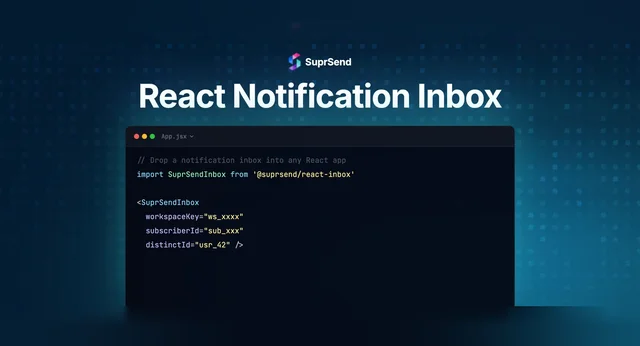
SuprSend provides drop-in in-app inbox SDKs for React, Vue, Angular, Next.js, React Native, Flutter, Android (Kotlin), and iOS (Swift). Each SDK supports tenant-scoped feeds - pass the tenant_id at initialization, and the inbox renders only that tenant’s notifications with that tenant’s branding. Teams have shipped production-ready in-app inboxes in under 30 minutes.
For teams that need full UI control, SuprSend also offers headless components - you get the data layer and real-time updates, and you render the UI however you want.
500+ companies globally use SuprSend to power their notification infrastructure, including multi-tenant platforms like Evocalize, Delightree, and CrazyGames. The platform processes over 1 billion notifications and maintains a 4.9/5 rating on G2 with 68+ reviews.
FAQ
What is the difference between single-tenant and multi-tenant in-app notifications?
Single-tenant in-app notifications serve one organization with one set of branding, preferences, and feeds. Multi-tenant in-app notifications serve multiple organizations from the same application, requiring tenant-scoped feeds, cascading preferences, white-label branding, and strict data isolation between tenants.
How do you prevent cross-tenant notification leakage?
Every notification must carry a `tenant_id` from trigger through delivery. Enforce tenant context at the API level, database query level, WebSocket connection level, and client-side cache level. Use JWT-scoped authentication tokens that include tenant context, and validate tenant boundaries on every read and write operation.
Can users have different notification preferences in different workspaces?
Yes. A well-designed multi-tenant system supports per-tenant user preferences. This means a user can receive instant alerts in their primary workspace while opting for daily digests in a secondary one. Preferences cascade from platform defaults to tenant defaults to user-level per-tenant overrides.
How does white-label branding work for in-app notifications?
Branding is separated from notification content. Each tenant defines their logo, colors, and display name in a brand configuration. At render time, the in-app inbox SDK applies the active tenant's branding dynamically - so one template set serves all tenants with different visual identities.
Should I build multi-tenant notifications in-house or use a platform?
Building in-house works for simple, single-tenant setups. For multi-tenant products, the complexity of tenant-scoped feeds, cascading preferences, per-tenant branding, and vendor credential management compounds quickly. Most teams underestimate the engineering investment by 3-5x. Purpose-built platforms like SuprSend treat multi-tenancy as a first-class concern, saving months of development time.
What notification types should be tenant-scoped?
Toast notifications, inbox feed items, and activity streams should always be tenant-scoped. System-level banners like maintenance announcements can be cross-tenant if they are platform-wide. Product-level modals and feature announcements should remain scoped to the active tenant context.
How do you handle real-time in-app notifications in a multi-tenant setup?
WebSocket or SSE connections should be established with both `user_id` and `tenant_id`. The server maintains a mapping of active sessions to tenant contexts and only pushes notifications to sessions where the tenant context matches. When users switch workspaces, the connection should re-establish with the new tenant context.
What metrics should I track for multi-tenant in-app notifications?
Track delivery rate, seen rate, click-through rate, and notification-to-action conversion - all broken down by tenant. This lets you identify which customers have healthy notification engagement and which may need workflow optimization. Also monitor cross-tenant isolation metrics to ensure no data leakage occurs.
TL;DR: In-app notifications for multi-tenant SaaS require tenant-scoped feeds, cascading preferences (platform → tenant → user), white-label branding separated from content, strict data isolation at every layer, and per-tenant observability. Building this in-house compounds in complexity with every new tenant. Purpose-built notification infrastructure platforms handle these concerns out of the box, letting your team focus on other core product features.
Ready to add multi-tenant in-app notifications to your product? Start building for free - or book a demo to see how SuprSend handles multi-tenancy at scale.
Last Updated: May 2026