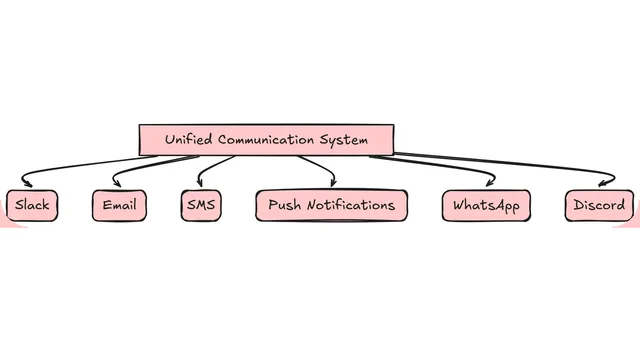

Building a scalable notification service requires careful consideration of various aspects such as scalability, reliability, and performance. In this article, we’ll explore how to scale a notification service using Python and Redis.
Architecture Overview
Our notification service will consist of the following components:
- Producer: A Python application that produces notification messages to Redis.
- Redis: A distributed in-memory data store that handles the storage and processing of notification messages.
- Consumer: A Python application that consumes notification messages from Redis and sends them to the appropriate channels.
Designing the Producer
- Use Redis’s Publish-Subscribe Model: Use Redis’s publish-subscribe model to publish notification messages to a specific channel.
- Implement retries and backoff: Implement retries and backoff mechanisms to handle temporary failures and ensure that messages are not lost.
- Use a message queue: Use a message queue like Redis to handle high volumes of notifications and provide low-latency communication.
import redis
import time

# Connect to Redis
redis_client = redis.Redis(host='localhost', port=6379, db=0)

# Publish notification messages
for i in range(10):
    redis_client.publish('notifications', f'Hello, World {i}!')
    time.sleep(1)

# Close the Redis connection
redis_client.close()
Designing the Consumer
- Use Redis’s Subscribe-Listen Model: Use Redis’s subscribe-listen model to subscribe to a specific channel and listen for notification messages.
- Implement retries and backoff: Implement retries and backoff mechanisms to handle temporary failures and ensure that messages are not lost.
- Use a message queue: Use a message queue like Redis to handle high volumes of notifications and provide low-latency communication.
import redis
import time

# Connect to Redis
redis_client = redis.Redis(host='localhost', port=6379, db=0)

# Subscribe to the notifications channel
redis_client.subscribe('notifications')

# Listen for notification messages
while True:
    message = redis_client.listen()[1]
    if message:
        print(message)
    time.sleep(1)

# Close the Redis connection
redis_client.close()
Scalability and Performance
- Use a load balancer: Use a load balancer to distribute incoming traffic across multiple instances of the producer and consumer.
- Use a message queue: Use a message queue like Redis to handle high volumes of notifications and provide low-latency communication.
- Monitor and optimize performance: Use tools like Prometheus and Grafana to monitor and optimize the performance of the notification service.
By leveraging Python and Redis, you can scale a B2B notification service that provides scalability, reliability, and performance. Remember to implement error handling, logging, and monitoring to ensure the stability and performance of your notification service.