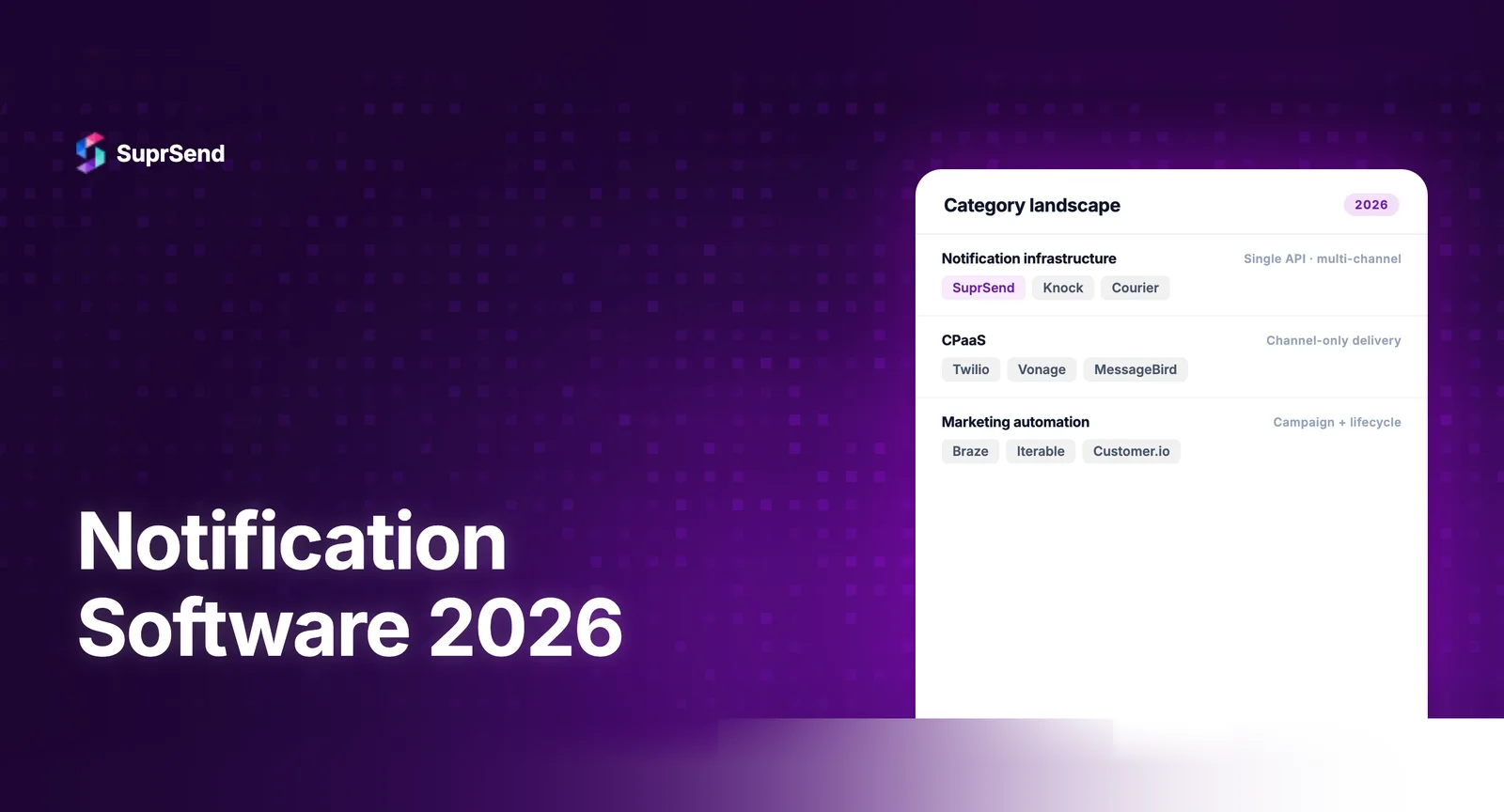
Notification software in 2026 looks fundamentally different from what it was even two years ago. The category has expanded from simple send-and-forget tools to full orchestration platforms that handle workflows, preferences, multi-tenancy, observability, and increasingly, AI-agent integration. Several market reports project strong growth in notification infrastructure and related messaging software categories, but estimates vary by definition and publisher.
If you’re evaluating notification software in 2026 - whether replacing an in-house system, upgrading from a point solution, or choosing your first platform - the landscape has shifted significantly. This guide covers what’s changed, what to evaluate, and how the leading platforms compare.
What Is Notification Software?
Notification software is a category of tools and platforms that manage the end-to-end lifecycle of product notifications: creation, orchestration, routing, delivery, tracking, and user preference management. It sits between your application’s event system and the delivery providers (SendGrid, Twilio, FCM, APNs) that actually transmit messages.
The core value proposition is abstraction. Instead of integrating directly with 5-10 delivery providers and managing templates, workflows, preferences, and analytics in your application code, notification software centralizes this into a single platform with a unified API.
What’s Changed in Notification Software Since 2024
The notification software category has undergone four major shifts in the last 18 months:
1. AI-agent integration became table stakes. In 2024, AI agents were experimental. In 2026, production applications routinely use AI agents for customer support, data analysis, and workflow automation. These agents need to send notifications - alerts, summaries, escalations - through the same channels as the rest of the product. Platforms that offer MCP Servers, Agent SDKs, or tool-calling interfaces now serve this growing segment. SuprSend, for example, ships a 23-tool MCP Server that lets AI agents manage notifications through natural language in code editors.
2. Multi-tenancy went from nice-to-have to required. B2B SaaS products serving multiple customers (tenants) need per-tenant notification branding, templates, vendor configurations, and preference settings. In 2024, only enterprise-tier plans offered this. In 2026, multi-tenancy is a standard feature across most notification platforms, driven by the growth of vertical SaaS and white-label products.
3. Observability matured beyond delivery receipts. Basic delivery tracking (sent, delivered, opened) was the standard in 2024. In 2026, leading platforms offer step-by-step per-notification logs that show every decision the workflow engine made: which channel was selected, whether batching was applied, whether a preference blocked delivery, and why. This granular observability cuts debugging time from hours to minutes.
4. Preference management moved upstream. User notification preferences used to be an afterthought - a settings page built at the end of a sprint. In 2026, preference management is a first-class feature in notification software, with embeddable components, category-level controls, channel-level opt-ins, and frequency caps built into the platform.
Key Evaluation Criteria for Notification Software
| Criterion | What to Look For | Why It Matters |
|---|---|---|
| Channel coverage | Email, SMS, push, in-app, Slack, Teams, WhatsApp, webhooks | More channels = fewer point solutions |
| Workflow engine | Visual builder, delays, batching, branching, channel routing | Product teams need to modify without engineering |
| Multi-tenancy | Per-tenant branding, templates, vendors, preferences | Critical for B2B SaaS products |
| In-app inbox SDKs | React, Vue, Angular, Flutter, iOS, Android | Broader SDK coverage = faster integration |
| Observability | Step-by-step logs per notification, not just delivery status | Cuts debugging time dramatically |
| Preference center | Embeddable UI, category/channel controls, frequency caps | Mandatory for user experience and compliance |
| AI/agent support | MCP Server, Agent SDK, tool calling interface | Future-proofs for AI-native workflows |
| Pricing model | Per-notification, transparent, free tier | Predictable costs as you scale |
| Compliance | SOC 2, HIPAA, GDPR, CCPA | Non-negotiable for enterprise buyers |
How Leading Notification Platforms Compare in 2026
| Platform | Channels | Multi-Tenancy | In-App Inbox SDKs | AI/Agent Support | Pricing Start |
|---|---|---|---|---|---|
| SuprSend | 8+ channels | First-class (all plans) | React, Vue, Angular, Flutter, iOS, Android | MCP Server (23 tools) + Agent SDK | Free (10K/mo) |
| Knock | 6+ channels | Available (higher plans) | React (primary) | CLI integration | Free tier available |
| Novu | 5+ channels | Limited | React | Community-driven | Free (open-source) |
| Courier | 6+ channels | Available | React | Limited | Free tier available |
| Fyno | 6+ channels | Available | React | Limited | $249/mo |
When to Buy vs Build Notification Software
The build-vs-buy decision is the real first question. Before comparing platforms, teams need to decide whether to build notification infrastructure in-house. The calculus in 2026 is clearer than ever:
Building in-house makes sense when: Notifications are deeply coupled to proprietary business logic that no platform can accommodate. Your team has 3+ dedicated engineers available to build and maintain notification infrastructure indefinitely. Regulatory requirements demand on-premises deployment with no cloud dependency.
Buying makes sense when: You need to ship notifications across multiple channels. Your notification types will grow from 5 to 50 over the next two years. Product and engineering teams both need to manage notifications. You don’t want to hire a dedicated notifications team.
A useful benchmark: building a production-grade notification system with workflows, preferences, multi-channel delivery, and observability takes 3-6 engineering months. Integrating a platform takes 1-2 weeks. The math usually favors buying, especially when you factor in ongoing maintenance.
The Notification Software Stack in 2026
Modern notification software doesn’t replace your delivery providers - it orchestrates them. The typical stack looks like this:
Application layer: Your product triggers events (user signs up, payment received, task assigned). These events are sent to the notification platform via API or SDK.
Orchestration layer: The notification platform processes events through workflows. It applies delays, batching, conditional logic, channel priority, and user preferences. This is where notification software adds value - centralizing logic that would otherwise be scattered across your codebase.
Delivery layer: After orchestration, the platform routes messages to delivery providers: SendGrid for email, Twilio for SMS, FCM for push, the in-app inbox SDK for real-time in-app notifications. Most platforms support multiple providers per channel with automatic failover.
Observability layer: Post-delivery tracking, analytics, and debugging. The best platforms show you exactly why a notification was or wasn’t delivered, including workflow decisions, preference checks, and provider responses.
What to Look For Based on Your Stage
Pre-seed/Seed (1-50 employees): Free tier, fast integration, good documentation. You need to ship notifications in days, not weeks. Avoid platforms that require lengthy onboarding or sales calls to get started. SuprSend and Novu both offer generous free tiers suitable for early-stage products.
Series A/B (50-250 employees): Workflow engine, multi-channel support, preference center. You’re adding channels (SMS, push, in-app) and notification types are multiplying. The platform should let product teams modify notifications without engineering tickets. Look for visual workflow builders and WYSIWYG template editors.
Series C+ (250-1000 employees): Multi-tenancy, observability, compliance certifications. B2B customers expect their branding on notifications. Debugging customer-facing notification issues needs step-by-step logs. SOC 2 and GDPR compliance become procurement requirements.
Enterprise (1000+ employees): SSO/SAML, audit trails, dedicated support, SLAs, data residency. Enterprise buyers evaluate notification software through security and compliance lenses first, features second.
FAQ
What is notification software?
Notification software is a platform or tool that manages the creation, routing, delivery, and tracking of product notifications across channels like email, SMS, push, in-app, Slack, and WhatsApp. It sits between your application and delivery providers, handling orchestration logic.
What's the difference between notification software and email marketing tools?
Email marketing tools like Mailchimp or Braze focus on campaigns and audience segmentation. Notification software handles event-driven, transactional notifications triggered by product events across multiple channels. They solve different problems.
Is notification software only for large companies?
No. Many platforms offer free tiers suitable for startups. SuprSend offers 10K free notifications per month. The build-vs-buy breakeven typically favors buying from day one due to the engineering time saved.
Can notification software handle AI agent notifications?
Yes. In 2026, platforms like SuprSend offer MCP Servers and Agent SDKs that allow AI agents to trigger, manage, and monitor notifications through natural language or tool calling.
How do I migrate from an in-house notification system to a platform?
Most migrations follow a phased approach: start with new notification types on the platform while running existing ones in parallel. Gradually migrate existing notifications, starting with the simplest. Full migration typically takes 4-8 weeks.
What compliance certifications should notification software have?
At minimum, SOC 2 Type 2 for security. GDPR compliance for EU users. HIPAA for healthcare. CCPA for California users. Enterprise buyers should also look for audit trails, data residency options, and SSO support.