
Modern SaaS products can’t afford to treat notifications as an afterthought. Whether it’s transactional alerts, in-app nudges, or multi-channel engagement campaigns, notifications are now critical infrastructure. Instead of stitching together email, SMS, and push APIs manually, teams are adopting notification infrastructure platforms to centralize delivery, routing, preferences, and observability.
Below are the 7 best platforms for 2025, with an overview of their features, pros, cons, pricing, and ideal use cases.
1. SuprSend – Best Overall for Developers & Product Teams
Why it stands out:
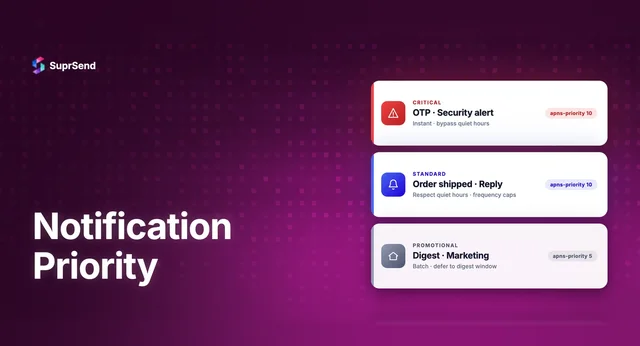
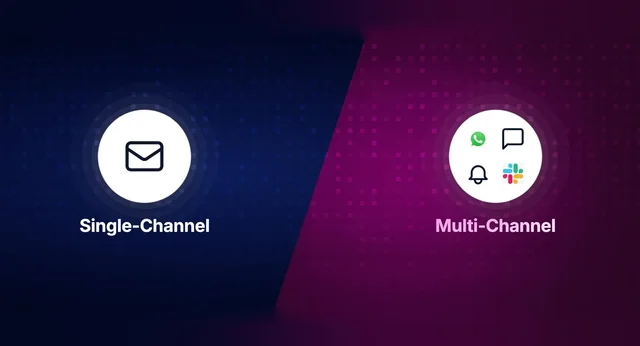
SuprSend is a full-stack notification infrastructure platform designed for engineers and product managers. It unifies all channels: Email, SMS, Push, In-App Inbox, WhatsApp, Slack, Teams, Discord, Webhooks into one clean API.
Key Features
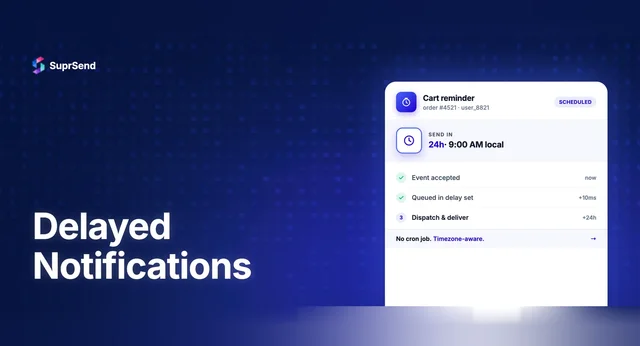
- Workflow orchestration: triggers, batching, digests, smart routing
- Multi-tenancy & white-labeling for SaaS
- Developer-first: CI/CD, SDKs, observability logs
- Preference center with granular user control
Pros
- Flexible orchestration and routing
- Strong developer tooling and observability
- Proven case studies with measurable impact
Cons
- Limited no-code tools for non-developers
Pricing
- Free: 10k notifications/month
- Growth: $99–$250/month tiers
- Enterprise: Custom
💡 Ideal for: SaaS platforms, marketplaces, and enterprises needing scalable, developer-first infra.
Learn about Action Request Notifications Platform.
Learn about SuprSend’s Multi-Channel Notification Infrastructure.
2. OneSignal – Best for Marketing & Retention Teams
Why it stands out:
OneSignal is widely known for push notifications and lifecycle campaigns. It’s popular for promotional messaging rather than transactional workflows.
Key Features
- Push campaigns and in-app messaging
- Audience segmentation & A/B testing
- Easy integration for mobile-first apps
Pros
- Excellent for push campaigns
- Growth-friendly pricing
Cons
- Less suited for transactional use cases
Pricing
- Free plan available
- Growth plans from ~$99/month
Ideal for: Marketing & retention teams running campaigns.
3. Courier – Flexible Multi-Channel API
Why it stands out:
Courier provides multi-channel delivery with APIs plus a visual template designer.
Key Features
- APIs for email, SMS, push, chat
- Visual editor for templates
- Routing rules & preference management
Pros
- Hybrid: developer + design teams
- A/B testing and analytics built in
Cons
- Workflow orchestration less powerful than SuprSend/Knock
Pricing
- Free: 10k notifications/month
- Pro: Usage-based pricing ($0.005/notification)
- Enterprise: Custom
💡 Ideal for: Startups balancing dev + marketing needs.
4. Novu – Open-Source Alternative
Why it stands out:
Novu is the leading open-source notification platform for teams preferring control and customization.
Key Features
- Self-host or use Novu Cloud
- APIs, dashboards, and hooks
- Active open-source community
Pros
- Full control & customization
- Large, growing OSS community
Cons
- Maintenance overhead with self-hosting
Pricing
- Free OSS version
- Cloud: $25–$200/month, enterprise custom
💡 Ideal for: Dev teams avoiding vendor lock-in.
5. Fyno – Routing & Observability
Why it stands out:
Fyno focuses on observability and multi-provider routing.
Key Features
- 50+ provider integrations
- Routing logic builder
- Real-time analytics and logs
Pros
- Strong observability across vendors
- Good for multi-provider setups
Cons
- Still early-stage compared to others
Pricing
- Free trial available
- Paid plans from ~$250/month
💡 Ideal for: Teams needing visibility across multiple providers.
6. Knock – Workflow Powerhouse
Why it stands out:
Knock positions itself as developer-first infra with strong workflow orchestration.
Key Features
- Workflow engine with digests & batching
- Multi-channel delivery (email, SMS, push, Slack)
- Role-based access and compliance (GDPR, HIPAA)
Pros
- Enterprise-grade workflows
- Excellent developer SDKs
Cons
- No entry-level hobby tier
Pricing
- Free: 10k notifications/month
- Starter: $250/month
- Enterprise: Custom
Ideal for: Enterprise SaaS with complex workflows.
7. Resend – Best for Email-First Teams
Why it stands out:
Resend is a lightweight API built for transactional email.
Key Features
- Simple developer API
- Fast, reliable email delivery
- Focused on email over multi-channel
Pros
- Developer-friendly simplicity
- Reliable transactional email
Cons
- No multi-channel orchestration
Pricing
- Free tier available
- Paid plans based on email volume
Ideal for: Startups starting with email before expanding.
Comparison Table (Pros & Cons Snapshot)
| Platform | Best For | Pros | Cons | Pricing (Entry) |
|---|---|---|---|---|
| SuprSend | Developers, SaaS | Flexible orchestration, strong SDKs | Limited no-code | Free + Growth $99/mo |
| OneSignal | Marketing teams | Great for push, growth-friendly | Weak for transactional | Free + Growth $99/mo |
| Courier | Hybrid teams | API + visual editor | Less powerful workflows | Free + usage-based |
| Novu | OSS control | Customizable, OSS | Maintenance overhead | Free OSS / $25+ |
| Fyno | Observability | 50+ providers, routing | Early-stage | $250/mo |
| Knock | Enterprise SaaS | Advanced workflows | No hobby tier | $250/mo |
| Resend | Email-first | Reliable, simple | Email-only | Free tier |
Bottom Line
If you need marketing push campaigns, OneSignal is a solid fit. For open-source flexibility, Novu leads. For complex enterprise workflows, Knock shines.
👉 But if you want a production-ready, developer-first platform that covers transactional, engagement, and multi-tenant use cases across all channels, SuprSend is the clear leader in 2025.
With proven case studies like Evocalize (+27% purchases), Refrens (+144% engagement), and Teachmint (2X engagement), SuprSend consistently delivers business impact while giving developers full control.