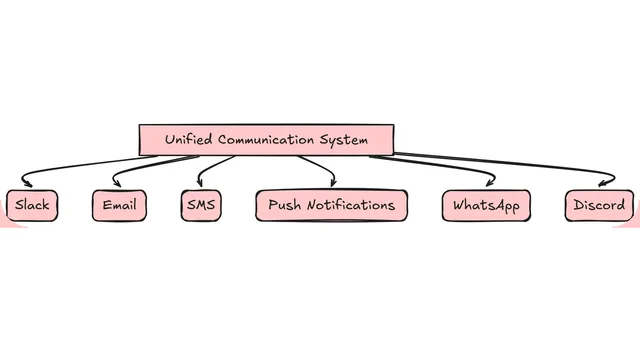
Monitoring a notification service is crucial for ensuring its reliability and performance. In this article, we’ll explore how to monitor a notification service using Angular and Prometheus.
Architecture Overview
Our monitoring system will consist of the following components:
- Notification Service: The backend service responsible for sending notifications.
- Angular Frontend: The user interface built with Angular to display monitoring data.
- Prometheus: A monitoring system that collects and stores metrics from the notification service.
Setting Up the Environment
- Install Angular: Set up an Angular project using the Angular CLI or your preferred method.
- Install Prometheus: Install Prometheus on your system and configure it to collect metrics from the notification service.
Implementing Monitoring with Angular and Prometheus
- Create a Prometheus Dashboard: Create a Prometheus dashboard to display monitoring data using the Angular frontend.
- Collect Metrics: Configure Prometheus to collect metrics from the notification service, such as request latency and error rates.
- Visualize Data: Use the Angular frontend to visualize the collected metrics and provide insights into the notification service’s performance.
// Example of a Prometheus dashboard in Angular
import { Component } from '@angular/core';
import { HttpClient } from '@angular/common/http';

@Component({
  selector: 'app-prometheus-dashboard',
  template: `
    <h2>Prometheus Dashboard</h2>
    <ul>
      <li *ngfor="let metric of metrics">
        {{ metric.name }}: {{ metric.value }}
      </li>
    </ul>
  `,
})
export class PrometheusDashboardComponent {
  metrics: any[];

  constructor(private http: HttpClient) {}

  ngOnInit() {
    this.http.get('http://localhost:9090/metrics')
      .subscribe((response: any) => {
        this.metrics = response.data;
      });
  }
}
Configuring Prometheus
- Configure Prometheus: Configure Prometheus to collect metrics from the notification service using the
prometheus.ymlfile. - Scrape Metrics: Configure Prometheus to scrape metrics from the notification service at regular intervals.
# Example of a prometheus.yml file
global:
  scrape_interval: 10s
  evaluation_interval: 10s

scrape_configs:
  - job_name: 'notification_service'
    static_configs:
      - targets: ['localhost:3000']
Scalability and Performance
- Horizontal Scaling: Scale the notification service horizontally by adding more instances to handle increased traffic.
- Load Balancing: Use a load balancer to distribute incoming traffic across multiple instances of the notification service.
- Monitoring and Optimization: Continuously monitor the notification service’s performance and optimize it as needed to ensure reliability and scalability.
By monitoring a notification service with Angular and Prometheus, you can ensure its reliability and performance, providing a better user experience and reducing the risk of downtime.