Integrating a notification service with a frontend framework like React and real-time communication technology like Socket.IO can enhance user engagement and provide instant updates. In this article, we’ll explore how to integrate a notification service with React using Socket.IO for real-time notifications.
Integration Overview
Our integration will involve the following components:
- Notification Service: The backend service responsible for sending notifications.
- React Frontend: The user interface built with React to display notifications.
- Socket.IO: A real-time web socket library for bidirectional communication between the server and client.
Setting Up the Environment
- Install React: Set up a React project using Create React App or your preferred method.
- Install Socket.IO: Add Socket.IO to your project to enable real-time communication.
Implementing Real-Time Notifications with Socket.IO
- Establish Socket.IO Connection: Connect your React frontend to the Socket.IO server to receive real-time notifications.
- Listen for Notification Events: Set up event listeners in React to handle incoming notification data.
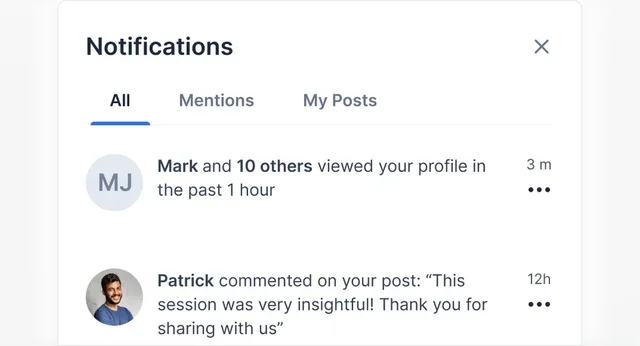
- Display Notifications: Update the UI in real-time to display notifications as they are received.
import React, { useEffect, useState } from 'react';
import io from 'socket.io-client';

const NotificationComponent = () => {
  const [notifications, setNotifications] = useState([]);

  useEffect(() => {
    const socket = io('http://localhost:3001');

    socket.on('notification', (data) => {
      setNotifications((prevNotifications) => [...prevNotifications, data]);
    });

    return () => {
      socket.disconnect();
    };
  }, []);

  return (
    <div>
      <h2>Notifications</h2>
      <ul>
        {notifications.map((notification, index) => (
          <li key="{index}">{notification.message}</li>
        ))}
      </ul>
    </div>
  );
};

export default NotificationComponent;
Connecting the Backend Notification Service
- Emit Notification Events: Emit notification events from the backend service using Socket.IO to send real-time updates to connected clients.
- Handle Notification Logic: Implement the logic in the backend service to send notifications to the Socket.IO server.
const io = require('socket.io')(3001);

io.on('connection', (socket) => {
  console.log('Client connected');

  // Emit a sample notification event
  socket.emit('notification', { message: 'New notification received' });
});
Enhancing User Experience
- Real-Time Updates: Provide users with instant updates on new notifications without the need to refresh the page.
- Interactive Notifications: Allow users to interact with notifications, such as marking them as read or dismissing them.
Scalability and Performance
- Optimizing Socket.IO: Configure Socket.IO for optimal performance and scalability to handle a large number of concurrent connections.
- Load Testing: Conduct load testing to ensure the notification service can handle high traffic volumes and maintain real-time communication.
By integrating a notification service with React and Socket.IO, you can create a dynamic and engaging user experience with real-time notifications. Ensure to optimize performance, handle scalability effectively, and continuously improve the notification system to meet user expectations and business requirements.