

The way people work is changing fast. We talk to our tools in natural language, and they get things done. It's becoming the default for everything. Building and managing notifications should be no different.
Here's our first set of updates in that direction.
What we shipped at SuprSend
AI Copilot: Smartest SuprSend expert
Get instant answers on setup, debugging, APIs, and use-case modeling without digging through docs. The AI Copilot is trained on SuprSend's full documentation and lives right inside your dashboard.
- Ask questions like "How do preferences work?" or "Which API should I use for bulk notifications?" and get contextual answers instantly.
- Debug faster by describing your issue in plain language instead of searching across multiple doc pages.
- Model use cases by asking the copilot how to set up specific workflows, like "How do I build a multi-step payment reminder with SMS fallback?"
.png)
SuprSend CLI: Ship notification changes like code
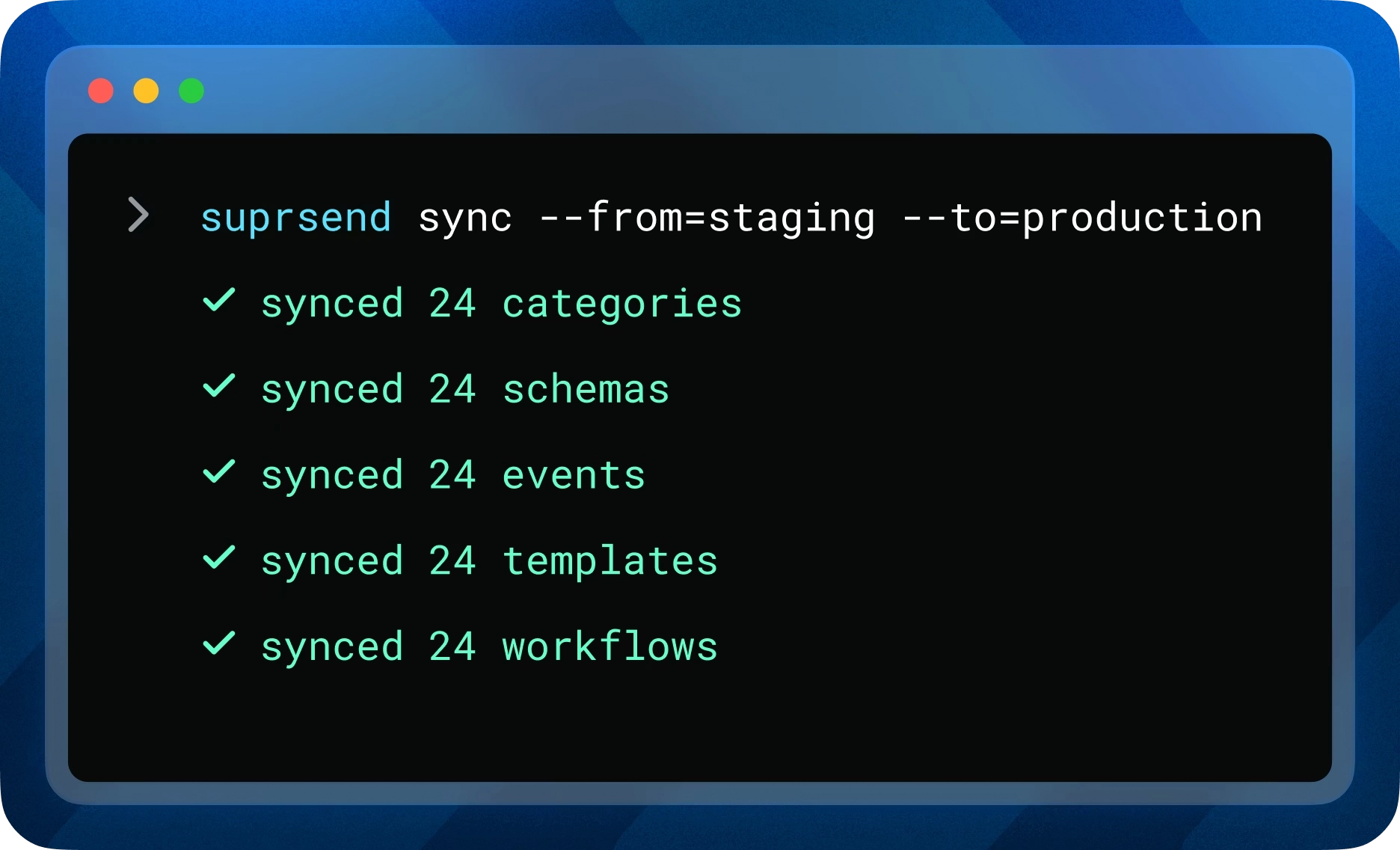
Manage and promote notification assets right from your terminal. The CLI brings version control, environment promotion, and CI/CD integration to your notification infrastructure, so changes go through the same review and deploy process as your application code.
- Pull workflows, schemas, events, and categories locally, version them in Git, and push changes as feature branches or bugfix releases.
- Promote assets across environments (staging → production) with
suprsend sync, eliminating manual dashboard updates and copy-paste errors. - Integrate with your CI/CD pipeline so notification changes get the same code reviews, approval gates, and rollback safety as your product code.
MCP Server: AI-Powered Notification Management
Your AI agents and copilots can now interact with SuprSend through natural language. The MCP Server connects to Claude, Cursor, Windsurf, and any MCP-compatible client, so you can manage notifications without leaving your editor.
- Trigger workflows on demand, like "Run the approval-required workflow for user John Doe to test my setup."
- Bootstrap test data by asking your AI to create sample users, tenants, and preference configurations in your workspace.
- Manage preferences and branding from your IDE, such as "Enable email for the marketing category" or "Update the logo for the enterprise tenant."
.gif)
Branch workflows: Based on delivery and engagement signals
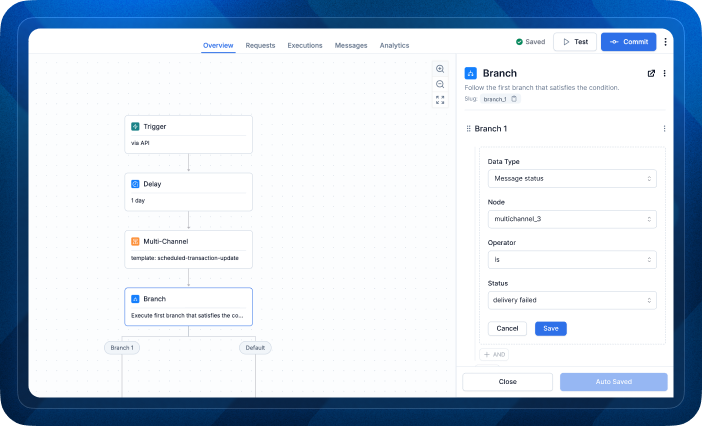
You can now branch workflows based on whether a previous notification was delivered, seen, or clicked. This lets you build intelligent escalation paths directly in the workflow editor, without writing fallback logic in code.
- Send an email, wait 24 hours, and follow up on SMS only if the email wasn't opened. No custom code needed.
- Build multi-step reminder sequences (payment due, approval pending, onboarding nudges) where the next step depends on the user's actual engagement.
- Reduce notification fatigue by skipping follow-ups when users have already seen or acted on the original message.
Translations: One template, all languages
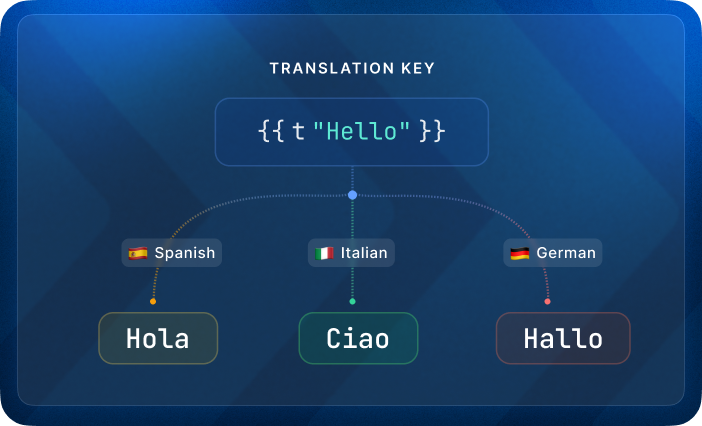
Localize your notifications without duplicating templates for each language. Write one template, upload translation files per locale, and use in your content. SuprSend resolves the right translation at send time with automatic fallbacks.
- Send localized notifications across all channels with a single template. Supports dynamic variables, pluralization, and namespaced keys to avoid conflicts across features.
- Manage translations via dashboard, API, or CLI. All changes are version-controlled with one-click rollback.
Minor but mighty updates
- Analytics CSV export: Export notification analytics as CSV directly from any data point on the dashboard. Choose aggregate or raw exports, apply filters, and get drill into user-level data in Excel, or your data warehouse.
- Test Mode: Safely test end-to-end notification flows in staging without sending to real users. Add internal tester channels that receive notifications normally, while everything else gets redirected to a catch-all QA inbox.
What's next?
Template variants
Create multiple versions of a template for different audiences. Serve different designs and content per tenant, let customers create their own templates, or run A/B tests to find what drives the most engagement.
OTEL connector (Datadog, New Relic)
Monitor SuprSend's health alongside the rest of your infrastructure. Track delivery anomalies, error spikes, and custom metrics from a single observability dashboard you already use.
Slack AI Integration
Get answers from the AI Copilot directly in Slack. Ask questions, debug issues, and get recommendations without leaving the conversation.
That’s it for February. As always, we’re just one Slack ping or support ticket away.


