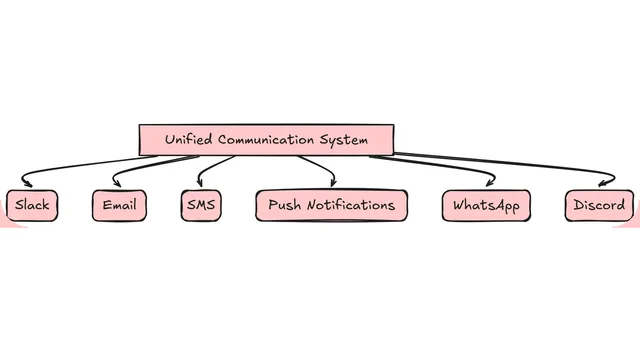
Building a scalable notification service is crucial for delivering timely and reliable updates to users across various channels. In this article, we’ll explore how to implement a notification service using Node.js and RabbitMQ, a popular message broker.
Architecture Overview
Our notification service will consist of the following components:
- API Server: A Node.js server that exposes an API for triggering notifications.
- Worker Nodes: Node.js processes that consume messages from RabbitMQ and send notifications to the appropriate channels.
- RabbitMQ: A message broker that handles the queueing and distribution of notification messages.
Setting up the Environment
- Install Node.js: Ensure you have Node.js installed on your system.
- Install RabbitMQ: Set up a RabbitMQ server and make note of the connection details.
- Create a new Node.js project: Initialize a new Node.js project and install the required dependencies.
Implementing the API Server
- Set up an Express server: Use the Express framework to create an HTTP server.
- Define the notification API: Create an endpoint that accepts notification requests and publishes messages to RabbitMQ.
- Publish messages to RabbitMQ: Use the
amqpliblibrary to connect to RabbitMQ and publish messages to an exchange.
const express = require('express');
const amqp = require('amqplib');

const app = express();
const PORT = process.env.PORT || 3000;

app.use(express.json());

app.post('/notify', async (req, res) => {
  try {
    const { channel, message } = req.body;
    const connection = await amqp.connect('amqp://username:password@host:5672');
    const channel = await connection.createChannel();
    await channel.assertQueue(channel);
    channel.sendToQueue(channel, Buffer.from(JSON.stringify(message)));
    await channel.close();
    await connection.close();
    res.status(200).json({ message: 'Notification sent' });
  } catch (err) {
    console.error(err);
    res.status(500).json({ error: 'Failed to send notification' });
  }
});

app.listen(PORT, () => {
  console.log(`Server is running on port ${PORT}`);
});
Implementing Worker Nodes
- Create worker processes: Use the
child_processmodule to spawn worker processes. - Connect worker processes to RabbitMQ: Use the
amqpliblibrary to connect worker processes to RabbitMQ and consume messages from a queue. - Process and send notifications: Implement the logic to process notification messages and send them to the appropriate channels.
const amqp = require('amqplib');
const { sendEmail, sendPushNotification } = require('./notificationChannels');

async function startWorker() {
  try {
    const connection = await amqp.connect('amqp://username:password@host:5672');
    const channel = await connection.createChannel();
    await channel.assertQueue('notification_queue');

    console.log('Worker started, waiting for messages');

    channel.consume('notification_queue', async (msg) => {
      if (msg !== null) {
        const notification = JSON.parse(msg.content.toString());
        if (notification.channel === 'email') {
          await sendEmail(notification.recipient, notification.subject, notification.body);
        } else if (notification.channel === 'push') {
          await sendPushNotification(notification.recipient, notification.title, notification.body);
        }
        channel.ack(msg);
      }
    });
  } catch (err) {
    console.error(err);
  }
}

startWorker();
Scaling the Notification Service
- Spawn multiple worker processes: Use the
child_processmodule to spawn multiple worker processes to handle increased load. - Distribute messages across queues: Create multiple queues in RabbitMQ and distribute messages across these queues to balance the load.
- Monitor and optimize performance: Use tools like PM2 or Node.js cluster to monitor and optimize the performance of the notification service.
By leveraging Node.js and RabbitMQ, you can build a scalable and reliable notification service that can handle high volumes of notifications across various channels. Remember to implement error handling, logging, and monitoring to ensure the stability and performance of your notification service.