What Is Notifications as a Service (NaaS)?
Notifications as a Service (NaaS) is a third-party platform that handles the entire lifecycle of product notifications - from triggering and routing to template rendering, delivery, preference management, and analytics - through a single API integration.
Think of it this way: instead of your engineering team building and maintaining separate integrations with SendGrid for email, Twilio for SMS, Firebase for push, and a custom WebSocket server for in-app messages, a NaaS platform abstracts all of that into one orchestration layer. Your app fires an event. The platform handles everything else.
The concept mirrors other “as a service” categories that have matured in the SaaS ecosystem. Just as Stripe replaced custom payment processing, Auth0 replaced homegrown authentication, and LaunchDarkly replaced feature flag scripts, NaaS replaces the scattered notification code that most engineering teams have duct-taped together over time.
According to MagicBell’s engineering estimates, building a production-ready notification system from scratch takes 6–12 months for a 3-person engineering team, plus at least one full-time engineer for ongoing maintenance. A NaaS platform compresses that to days.
Why SaaS Teams Are Adopting Notifications as a Service
Notifications start deceptively simple. You wire up a transactional email for sign-up confirmation. Then product asks for a push notification. Then a Slack integration. Then SMS for OTPs. Then an in-app inbox. Then user preferences. Then digests. Then timezone-aware delivery.
Before long, notification logic is scattered across 4–5 microservices, templates live in code (requiring deploys for copy changes), and nobody can answer: “Why didn’t this user get their notification?”
Here’s why teams move to NaaS:
Engineering Bandwidth Is the Real Cost
Notification systems don’t generate revenue. They don’t have a place on your pricing page. But when they break - missed password resets, silent delivery failures, users complaining on G2 - they become the most urgent ticket in the queue.
The NotificationAPI founding team reported that at their previous company, notifications accounted for 5% of all completed engineering tasks. That’s 5% of total engineering productivity spent on infrastructure that isn’t your core product.
Channel Complexity Compounds Fast
Every channel you add brings its own SDK, templating language, delivery quirks, and failure modes. Email has bounce handling and spam compliance. Push requires APNs and FCM token management. SMS has 10DLC registration, carrier filtering, and per-message costs. WhatsApp needs template pre-approval. Slack uses Block Kit formatting.
Managing all of this in-house means your team needs expertise across every channel - and that expertise needs to stay current as providers update their APIs.
Product Teams Are Blocked on Engineering
In most in-house notification systems, changing notification copy, adjusting timing, or adding a new workflow requires a code deploy. Product managers and marketers can’t iterate without filing engineering tickets.
NaaS platforms provide visual workflow builders and WYSIWYG template editors, giving product teams direct control over notification content and logic without touching code.
NaaS vs. Building In-House: A Realistic Comparison
The build-vs-buy debate for notifications follows a predictable pattern. In the early stages, building seems faster. By the time you need 3+ channels, user preferences, digests, and observability, the in-house system becomes a maintenance burden.
| Capability | Build In-House | Notifications as a Service |
|---|---|---|
| Time to first notification | 2–4 weeks per channel | Hours to days |
| Multi-channel routing | Custom logic per channel | Built-in with fallbacks |
| Template management | Code-based, requires deploys | Visual editors, no deploys |
| User preferences | 3–6 months to build properly | Out-of-the-box |
| Batching and digests | Complex state management | Configuration-based |
| Delivery observability | Custom logging + dashboards | Step-by-step logs included |
| Ongoing maintenance | 1+ FTE permanently | Managed by provider |
| Cost (Year 1, 3-person team) | $300K–$500K+ in eng salary | $1,320–$3,300/year (typical SaaS plans) |
The real competitor for most NaaS platforms isn’t another vendor - it’s the decision to build in-house. And for most teams, that decision gets re-evaluated once the notification system starts consuming disproportionate engineering time.
Knock’s engineering team put it well: unless notifications are your product’s sole value proposition (like a messaging app), you’re unlikely to gain a unique differentiator by building notification infrastructure yourself. The same framework that leads teams to use Stripe for payments or WorkOS for SSO applies here.
Core Components of a NaaS Platform
Not all NaaS platforms are built the same. Some focus narrowly on delivery (think: a better SendGrid). Others provide a full orchestration layer. Here are the components that define a complete NaaS solution:
Workflow Orchestration
A workflow engine defines what happens when an event is triggered. This includes: which channels to use, in what order, with what delays, under what conditions, and what happens if a delivery fails. The best NaaS platforms offer visual, no-code workflow builders so product teams can modify notification logic without engineering involvement.
Template Management
Templates with WYSIWYG editors, version control (draft vs. live), dynamic variables, and internationalization (i18n) support. Teams need to update notification copy without deploying code - and they need to do it per channel, since an email template looks nothing like a push notification payload.
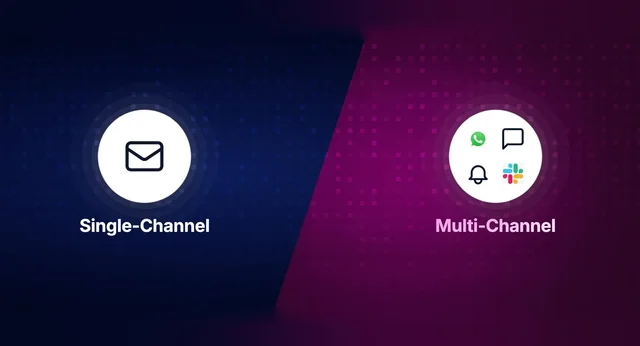
Multi-Channel Routing and Fallbacks
Smart routing determines the best channel to deliver a notification based on user preferences, channel availability, and business rules. If a push notification isn’t delivered within 5 minutes, fall back to email. If email bounces, try SMS. This logic is complex to build but table stakes for NaaS platforms.
User Preference Management
Users expect Slack-level control over their notifications: which categories they receive, on which channels, at what frequency. Building a preference center with category-level and channel-level controls - plus per-tenant overrides for B2B products - is a significant engineering project on its own.
Delivery Observability and Logs
When a notification fails, you need to know exactly where in the pipeline it broke. Was the event triggered? Did the workflow execute? Was the template rendered? Did the provider accept it? Was it delivered? Was it opened? Step-by-step logs with full audit trails are critical for debugging and compliance.
Batching and Digests
Nobody wants 15 separate “new comment” notifications in 10 minutes. Batching aggregates multiple events into a single notification (“You have 5 new comments”) based on configurable time windows or event counts. This is deceptively hard to build - it requires stateful processing across time windows - but dramatically improves user experience.
NaaS vs. Marketing Automation: Different Problems Entirely
One of the most common mistakes teams make is conflating notification infrastructure with marketing automation tools (MATs) like Braze, Customer.io, Iterable, or MoEngage.
| Dimension | Notifications as a Service | Marketing Automation Tools |
|---|---|---|
| Primary use case | Product/transactional notifications | Marketing campaigns and lifecycle |
| Triggered by | Product events (API calls) | User segments and schedules |
| Who manages | Engineering + Product | Marketing teams |
| Examples | OTP, order confirmation, workflow alert, in-app update | Promotional email, re-engagement push, cart abandonment |
| Channel strategy | Orchestrated routing with fallbacks | Campaign-based channel selection |
| Integration depth | Single API, deep product integration | CRM/CDP integration, segment-based |
These two categories serve different teams, solve different problems, and should not be combined into the same system. Use a CRM or MAT for promotional messaging. Use a NaaS platform for product notifications.
When Should You Adopt Notifications as a Service?
NaaS isn’t the right choice for every team at every stage. Here’s a practical framework:
Probably Too Early
If you’re a solo founder sending a single welcome email via SendGrid, you don’t need a NaaS platform yet. A direct API call to your email provider is fine until you need a second channel or your notification logic gets conditional.
Right Time to Evaluate
You’re likely ready for NaaS when any of the following are true:
- You’re adding a second or third notification channel (email + push, email + in-app)
- Product teams are filing engineering tickets to change notification copy
- Users are requesting preference controls
- You need notification digests or batching
- Debugging “why didn’t this user get notified?” takes more than 5 minutes
- You’re spending more than 5% of engineering time on notifications
Strong Signal
Multi-tenant B2B SaaS products almost always benefit from NaaS. When each tenant needs its own branding, templates, vendor configurations, and user preferences, the complexity of building in-house multiplies by the number of tenants you serve.
How to Evaluate NaaS Platforms in 2026
The notification infrastructure category has matured significantly. Here are the criteria that matter most when evaluating platforms:
| Criteria | What to Look For | Why It Matters |
|---|---|---|
| Channel coverage | Email, SMS, Push (iOS/Android/Web), In-App, Slack, Teams, WhatsApp | Adding channels later shouldn’t require new integrations |
| Workflow engine | Visual builder, delays, batching, branching, fallbacks | Product teams need to modify logic without code |
| Template editors | WYSIWYG, versioning, i18n, per-tenant overrides | Copy changes shouldn’t require deploys |
| In-app inbox | Drop-in SDK (React, Vue, Angular, Flutter, iOS, Android) | Building a real-time inbox from scratch is 3+ months of work |
| Multi-tenancy | Per-tenant branding, templates, vendors, preferences | Critical for B2B SaaS serving multiple organizations |
| Observability | Step-by-step delivery logs, per-notification audit trail | Essential for debugging and compliance |
| Pricing | Transparent, scales with notification volume | Avoid surprises as you grow |
| Compliance | SOC 2 Type 2, HIPAA, GDPR | Non-negotiable for enterprise buyers |
The 2026 Platform Landscape
The NaaS category includes platforms with different strengths:
- SuprSend -Full-stack notification infrastructure with deep multi-tenancy, visual workflows, WYSIWYG editors, in-app inbox SDKs across 8 frameworks, and step-by-step observability. SOC 2 Type 2 and HIPAA compliant. Free tier includes 10K notifications/month.
- Knock - Developer-first platform with strong workflow orchestration and version control. Popular with enterprise engineering teams.
- Novu - Open-source notification infrastructure for teams that want self-hosting control. Strong community.
- Courier - Multi-channel delivery with a visual template designer. Backed by $62M+ in funding.
For a detailed comparison, see our guide to the best notification infrastructure platforms for 2026.
Where Notifications as a Service Fits in a Modern Stack
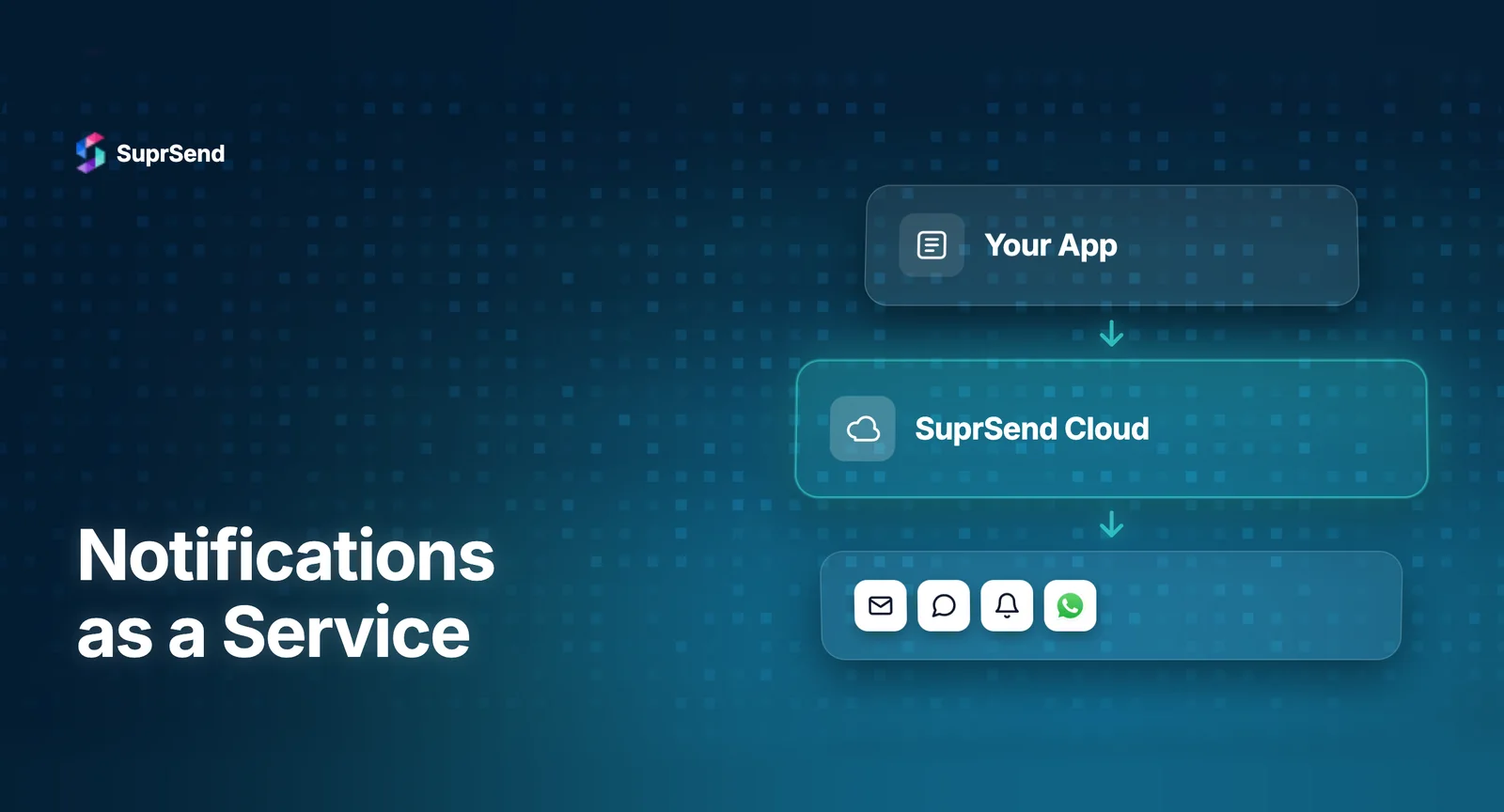
A NaaS platform sits as an orchestration layer between your application backend and downstream delivery providers. Here’s how it fits architecturally:
Your App → Event Trigger (API call) → NaaS Platform → Workflow Engine (delays, batching, routing, preferences) → Template Rendering (per channel) → Delivery Provider (SendGrid, Twilio, FCM, etc.) → User
The key insight: your application code only needs to know what happened (e.g., “order confirmed”). The NaaS platform decides who to notify, how (which channels), when (delays, timezone), and what to say (template rendering with dynamic data).
SuprSend, for example, provides this orchestration layer with a single API integration. Your backend sends an event with user and data context. SuprSend’s workflow engine handles routing across email, SMS, push, in-app, Slack, WhatsApp, and Teams - with vendor fallbacks, user preference checks, and batching - all without additional code on your side.
This abstraction is especially valuable as AI agents become part of the product stack. SuprSend’s MCP Server provides 23 tools that let AI coding assistants manage notifications through natural language, and the Agent SDK lets autonomous agents send notifications programmatically via tool calling.
Real-World NaaS Use Cases by Industry
FinTech
Transaction confirmations, fraud alerts, KYC status updates, account balance warnings. These notifications are compliance-critical - they can’t fail silently, and they need full audit trails. NaaS platforms provide the delivery guarantees, observability, and compliance certifications (SOC 2, HIPAA) that regulated industries require.
SaaS and Marketplaces
Collaboration alerts, approval workflows, activity feeds, digest summaries. Multi-tenant SaaS products need per-tenant branding and preferences - a NaaS platform with first-class multi-tenancy support eliminates months of custom development.
EdTech
Assignment reminders, grade notifications, course enrollment confirmations, deadline alerts. Students and teachers have different notification preferences, and timezone-aware delivery ensures messages arrive during reasonable hours.
Logistics and Operations
Shipment tracking updates, delivery ETAs, exception alerts. High-volume, time-sensitive notifications where delivery reliability and SMS fallbacks are essential.
Summary
Notifications as a Service (NaaS) is a third-party infrastructure layer that replaces the scattered, in-house notification code most SaaS teams accumulate over time. It handles multi-channel routing, template management, user preferences, batching, and delivery observability through a single API. For most teams, adopting NaaS saves 6–12 months of engineering time and eliminates the ongoing maintenance burden of managing notification infrastructure. The decision framework is straightforward: if notifications aren’t your core product, treat them the way you treat payments, authentication, or feature flags - buy the infrastructure and focus your engineering time on what differentiates your product.
Ready to stop building notification plumbing? Start building for free with 10K notifications/month, or book a demo to see how SuprSend fits your stack.
FAQ
What does "Notifications as a Service" mean?
Notifications as a Service (NaaS) refers to third-party platforms that handle the full lifecycle of product notifications - triggering, routing, templating, delivery, preference management, and analytics - through a single API, so your team doesn't have to build and maintain this infrastructure in-house.
How is NaaS different from an email service provider like SendGrid?
SendGrid, Mailgun, and similar providers handle email delivery. NaaS platforms sit above delivery providers and manage orchestration: deciding which channel to use, applying user preferences, batching events, rendering templates, and routing to the right provider. A NaaS platform might use SendGrid under the hood for email delivery.
Is Notifications as a Service the same as push notification tools like OneSignal?
No. Tools like OneSignal focus primarily on push notifications and marketing campaigns. NaaS platforms provide unified infrastructure across all channels (email, SMS, push, in-app, Slack, WhatsApp) with workflow orchestration, preference management, and delivery observability - focused on product/transactional notifications rather than marketing.
How much does a NaaS platform cost compared to building in-house?
Most NaaS platforms offer free tiers (e.g., SuprSend includes 10K notifications/month free) with paid plans starting from $100–$300/month. Building in-house typically costs $300K–$500K+ in Year 1 engineering salary alone, plus ongoing maintenance of at least one full-time engineer.
Can NaaS platforms handle enterprise-scale notification volumes?
Yes. Leading NaaS platforms like SuprSend have processed over 1 billion notifications and support enterprise requirements including SOC 2 Type 2, HIPAA, GDPR compliance, SSO, RBAC, and audit trails.
When should a startup adopt NaaS vs. building notifications in-house?
Consider NaaS when you need more than one notification channel, your product team needs to change notification content without engineering help, or debugging notification failures takes significant time. For most growing SaaS products, this inflection point arrives within the first 6–12 months of adding notifications.
Does NaaS work for multi-tenant B2B SaaS products?
Multi-tenancy is one of the strongest use cases for NaaS. Platforms like SuprSend offer first-class multi-tenancy with per-tenant branding, templates, vendor configurations, and user preferences - capabilities that would take months to build from scratch.