Why Notification Systems Are Critical Infrastructure for SaaS
Notifications are the primary communication channel between a SaaS product and its users. They drive onboarding, inform users of critical events, prompt engagement, and build trust through timely, relevant updates. A welcome email sets the tone. A real-time collaboration alert enables teamwork. A payment failure notification prevents churn.
Yet most SaaS teams treat notifications as an afterthought - a “utility” feature squeezed between roadmap priorities. The result: notification logic scattered across services, copy changes requiring code deploys, no user preference controls, and zero visibility into delivery failures.
According to the NotificationAPI founding team, notifications consumed 5% of all completed engineering tasks at their previous SaaS company - a significant drain on a team that could have been building core product features instead.
This guide covers what a SaaS notification system needs at each growth stage, the architecture patterns that scale, industry-specific requirements, and how to evaluate whether to build or buy.
Notification Requirements by SaaS Growth Stage
Notification needs evolve dramatically as a SaaS product grows. What works for 100 users breaks at 10,000. What works at 10,000 collapses at 100,000.
Early Stage (Pre-Seed to Seed, 1–50 Employees)
At this stage, you need notifications that work - fast. The priority is speed to market, not architectural elegance.
Typical needs: Transactional emails (sign-up, password reset, invite), basic push notifications for mobile, and maybe a webhook for Slack. Most teams wire up SendGrid or Postmark directly and move on.
Common mistake: Embedding notification logic directly in application code. This creates technical debt that compounds as you add channels and notification types.
Growth Stage (Series A/B, 50–250 Employees)
This is where notification complexity explodes. You’re adding channels (in-app inbox, SMS for OTPs, Slack for enterprise customers), building user preference controls, and product teams want to iterate on notification content without engineering tickets.
Typical needs: Multi-channel delivery, notification workflows with delays and conditions, user preferences, template management with visual editors, and basic delivery analytics.
Common mistake: Trying to build all of this in-house. The engineering cost is 6–12 months of a 3-person team - time that directly competes with core product development.
Scale Stage (Series C+, 250–1000 Employees)
At scale, you need enterprise-grade notification infrastructure: multi-tenancy for B2B customers, compliance certifications (SOC 2, HIPAA, GDPR), advanced observability, and the ability to process millions of notifications daily without degradation.
Typical needs: Per-tenant branding and templates, granular RBAC, audit trails, timezone-aware delivery, advanced batching and digests, and integration with observability platforms (Datadog, Grafana).
Common mistake: Not having step-by-step delivery logs. At this scale, “why didn’t this enterprise customer get their notification?” becomes a support ticket that can take hours to investigate without proper observability.
Core Components of a SaaS Notification System
Regardless of growth stage, a complete notification system for SaaS includes these components:
| Component | What It Does | Why It Matters |
|---|---|---|
| Workflow Engine | Defines notification logic: triggers, delays, batching, branching, channel routing | Product teams modify notification behavior without code changes |
| Template Management | WYSIWYG editors with versioning, i18n, and per-tenant overrides | Copy changes don’t require deploys |
| Channel Router | Routes to email, SMS, push, in-app, Slack, Teams, WhatsApp with fallbacks | One integration instead of per-channel SDKs |
| Preference Center | User controls for notification categories, channels, and frequency | Reduces unsubscribes and notification fatigue |
| In-App Inbox | Real-time notification feed within your application | Persistent notifications users can reference later |
| Delivery Logs | Step-by-step per-notification audit trail | Debugging delivery issues in minutes, not hours |
| Analytics | Delivery, open, click rates per workflow and channel | Data-driven notification optimization |
| Multi-Tenancy | Per-tenant branding, templates, vendors, and preferences | Essential for B2B SaaS serving multiple organizations |
Types of Notifications Every SaaS Product Sends
Understanding notification types helps you design the right workflows and choose the right channels:
Transactional Notifications
Triggered by user actions: sign-up confirmations, password resets, payment receipts, OTP codes. These are high-priority, time-sensitive, and must have near-100% delivery rates. Typically sent via email and SMS.
Product Activity Notifications
Driven by system or collaborator events: “John commented on your document,” “Your build passed,” “New lead assigned to you.” These power the collaborative experience in SaaS products. Best delivered via in-app inbox and push, with email as a fallback.
Lifecycle Notifications
Onboarding sequences, feature adoption nudges, trial expiration warnings, renewal reminders. These drive engagement and retention. They often use workflows with delays and conditional logic: “If user hasn’t completed onboarding step 3 within 48 hours, send a reminder.”
System and Operational Alerts
Downtime notifications, SLA breach warnings, usage threshold alerts, security incident alerts. These require high-urgency delivery channels (SMS, push, Slack) and often target specific user roles rather than all users.
Notification Requirements by SaaS Vertical
Different SaaS verticals have distinct notification demands. Here’s how requirements vary:
| Vertical | Key Notification Types | Critical Requirements |
|---|---|---|
| FinTech | Transaction alerts, fraud warnings, KYC status, balance updates | SOC 2/HIPAA compliance, audit trails, SMS fallback, near-real-time delivery |
| HR Tech | Offer letters, leave approvals, payroll alerts, performance reviews | Multi-tenancy (per-company), i18n for global workforce, preference management |
| EdTech | Assignment due dates, grade updates, enrollment confirmations | Timezone-aware delivery, parent/student preference splitting, digest support |
| Marketplaces | Order updates, review requests, seller notifications, dispute alerts | High volume, multi-role (buyer/seller), per-marketplace branding |
| DevTools | Build status, deployment alerts, incident notifications, usage limits | Slack/Teams integration, webhook support, low latency |
| Logistics | Shipment tracking, delivery ETAs, exception alerts | SMS reliability, real-time tracking updates, carrier integration |
Key Architecture Decisions for SaaS Teams
Separate Product Notifications from Marketing
Product notifications (triggered by events, managed by engineering) and marketing notifications (triggered by campaigns, managed by marketing) should use separate systems. Use a notification infrastructure platform for product notifications and a CRM/marketing automation tool (Braze, Customer.io) for campaigns. Mixing them creates confusion in ownership, compliance, and deliverability.
Use Event-Driven Architecture
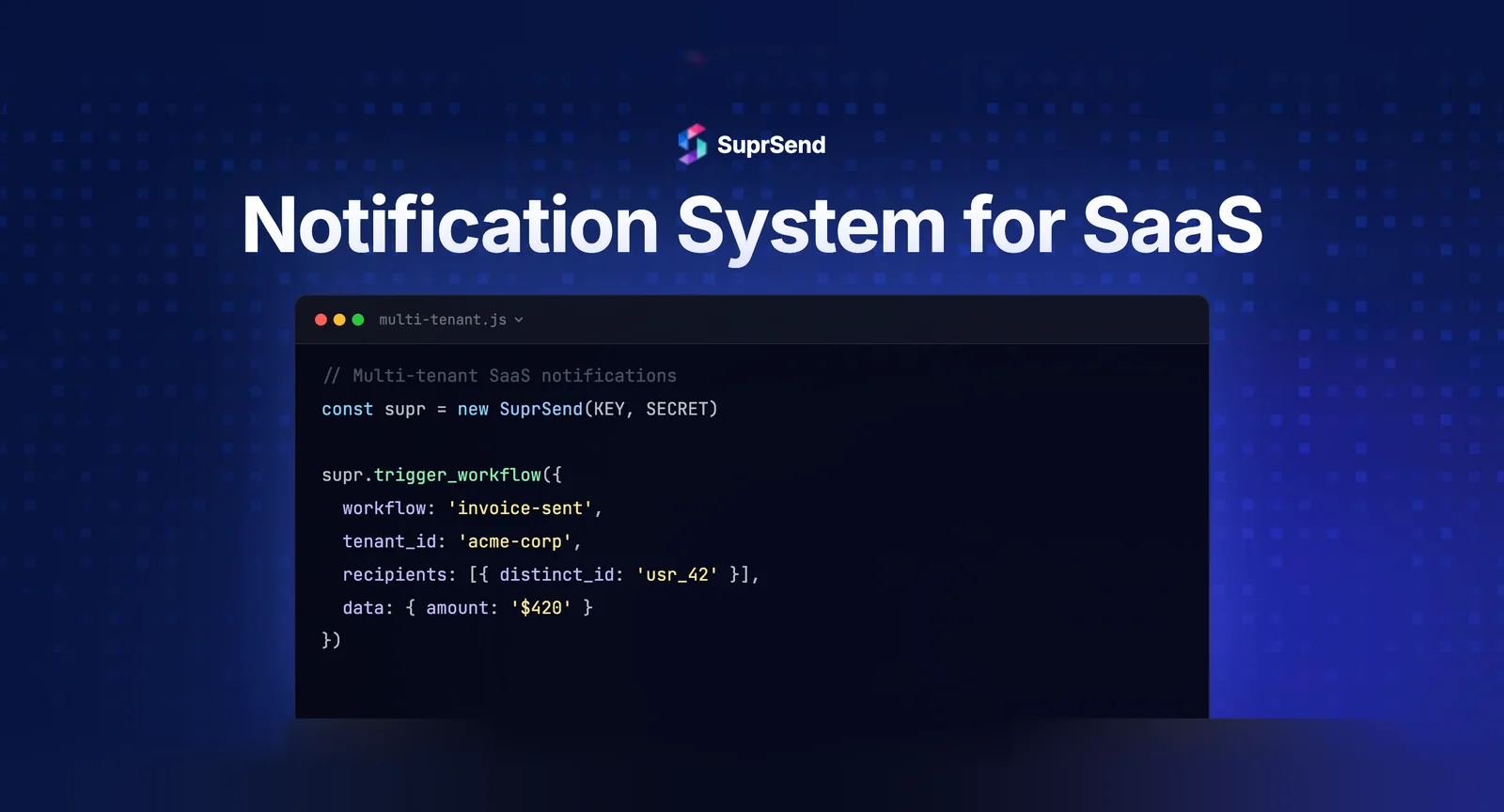
Your application services should publish domain events (e.g., order.confirmed, user.invited) to a message broker. The notification system subscribes to relevant events and handles delivery asynchronously. This decoupling prevents notification failures from affecting core business operations and allows the notification system to evolve independently.
Design for Preferences from Day One
User preferences aren’t a “nice to have” - they’re table stakes. Users expect to control which notifications they receive, on which channels, at what frequency. Building this after you have 50K users means retroactively migrating preferences. Starting with a preference-aware architecture from the beginning avoids this pain.
Plan for Multi-Tenancy Early
If you’re building B2B SaaS, multi-tenancy in notifications means each customer can have their own email branding, notification templates, vendor configurations (“Acme Corp uses their own SendGrid account”), and user preference categories. Bolting this on later is architecturally painful. Platforms like SuprSend provide first-class multi-tenancy from the start.
Build vs. Buy: The Decision Framework for SaaS Teams
The build-vs-buy decision for SaaS notification systems follows a consistent pattern across company stages:
| Stage | Build In-House? | Rationale |
|---|---|---|
| Early Stage | No — use a platform | Engineering bandwidth is your scarcest resource. Spend it on core product. |
| Growth Stage | No — use a platform | Notification complexity grows faster than your team’s capacity to build infra. |
| Scale Stage | Usually no | Unless notifications ARE your product, the TCO of in-house exceeds platform costs. |
| Enterprise | Evaluate carefully | Self-hosted options (SuprSend supports this) may satisfy compliance needs. |
For a detailed cost comparison, see our build vs. buy guide.
How SuprSend Solves Notification Challenges for SaaS
SuprSend is a centralized notification infrastructure platform built specifically for the challenges SaaS teams face. Instead of building and maintaining separate integrations for each channel, template systems, preference centers, and observability dashboards, teams integrate SuprSend’s single API and get all components out of the box.
Key capabilities for SaaS teams:
- 8+ channels through one integration: Email, SMS, Push (iOS/Android/Web), In-App Inbox, WhatsApp, Slack, Teams, Webhooks
- Visual workflow builder with delays, batching, branching, and smart channel routing
- WYSIWYG template editors with versioning, i18n, and per-tenant overrides
- Out-of-the-box preference center with category and channel-level controls
- Drop-in in-app inbox SDKs for React, Vue, Angular, Flutter, iOS, and Android
- First-class multi-tenancy with per-tenant branding, templates, and vendors
- Step-by-step delivery logs for every notification, with full audit trails
- SOC 2 Type 2, HIPAA, GDPR compliance
- MCP Server with 23 tools for AI-assisted notification management
Over 500 companies globally use SuprSend, processing 1B+ notifications with a G2 rating of 4.9/5 across 68+ reviews.
Summary
A SaaS notification system requires eight core components: workflow engine, template management, channel router, preference center, in-app inbox, delivery logs, analytics, and multi-tenancy support. Requirements vary by growth stage - early-stage teams need speed, growth-stage teams need multi-channel orchestration, and scale-stage teams need enterprise-grade compliance and observability. Different SaaS verticals (FinTech, HR Tech, EdTech, marketplaces, DevTools) have distinct requirements around compliance, volume, and channel mix. For most SaaS teams at every stage, buying notification infrastructure is a better engineering ROI than building - the same logic that leads teams to use Stripe for payments applies to notifications.
Ready to ship notifications faster? Start building for free with 10K notifications/month, or book a demo to see how SuprSend fits your SaaS product.
FAQ
What notification channels do SaaS products need?
Most SaaS products need email for transactional and lifecycle messages, in-app inbox for persistent alerts, push for mobile engagement, and Slack or Teams for workplace collaboration. SMS is common for OTPs and high-urgency alerts.
How much does it cost to build a notification system for SaaS?
Building in-house typically costs $300K–$500K+ in Year 1 engineering salary for a 3-person team, plus ongoing maintenance. Managed platforms like SuprSend start free (10K notifications/month) with paid plans from $110/month.
What's the difference between product notifications and marketing notifications?
Product notifications are triggered by user or system events (password resets, order updates, collaboration alerts) and managed by engineering and product teams. Marketing notifications are campaign-based, segment-driven, and managed by marketing teams. They should use separate systems.
When should a SaaS startup invest in notification infrastructure?
When you need more than one channel, product teams want to edit notifications without engineering, users request preference controls, or debugging delivery failures takes significant time. For most SaaS products, this is within the first 6–12 months.
What is multi-tenancy in notification systems?
Multi-tenancy allows each of your B2B customers (tenants) to have their own notification branding, templates, vendor configurations, and user preference settings. It's critical for B2B SaaS platforms serving multiple organizations.
How do notification systems handle user preferences?
Modern notification systems provide preference centers where users control which notification categories they receive, on which channels, and at what frequency. The system checks preferences before every notification delivery.